Kapasitas Rental Server: Cara Memilih Tanpa Salah dan Mengapa Penting untuk Kelancaran Situs
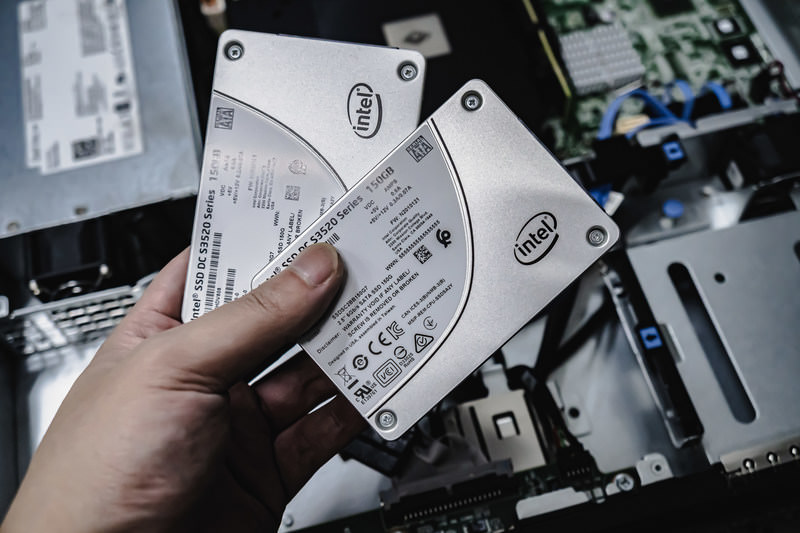
Ketika menyewa server, apakah Anda menemukan diri Anda membandingkan semua jenis spesifikasi seperti CPU dan memori dan kemudian terjebak pada "kapasitas"? Jika Anda berurusan dengan server sewa untuk pertama kalinya, Anda mungkin tidak tahu berapa banyak kapasitas yang Anda butuhkan atau bahkan apa jenis kapasitas itu di tempat pertama.
Dalam artikel ini, aku melihat kapasitas server sewaan. Seiring dengan poin untuk menonton ketika memulai sebuah blog WordPress, saya akan membantu Anda memilih rencana terbaik. Setelah membaca artikel ini, Anda harus memahami kapasitas server sewa dan dapat memilih rencana dengan keyakinan.
Apa sebenarnya Kapasitas Server Rental? Apa itu Toko?

Sewa saja, kapasitas server sewa jumlah ruang yang tersedia untuk menyimpan data website AndaSecara khusus, itu menyimpan jenis data berikut.
- Berkas situs web: semua berkas dibutuhkan untuk menampilkan situs, seperti HTML, CSS, JavaScript, gambar, dan video
- Basis Data: isi dinamis toko seperti posting blog, informasi pengguna, dan informasi produk
- Data surel: jika anda menggunakan akun email, anda mengirim dan menerima email dan lampiran
- Berkas log: log akses server, log kesalahan, dan catatan serupa
- Data cadangan: backup data website Anda
Semua data ini mengkonsumsi kapasitas server. Jika Anda kehabisan kapasitas, Anda mungkin tidak lagi dapat menambahkan konten baru, situs Anda mungkin menjadi lebih lambat, dan dalam kasus terburuk situs Anda mungkin turun.
Tiga Langkah untuk Memilih Kapasitas Server Kanan

Jadi bagaimana Anda harus memilih jumlah kapasitas yang tepat? Pikirkan melalui tiga langkah berikut.
STEP 1: Pikirkan Tentang Tipe Situs (untuk WordPress)
Jumlah kapasitas yang Anda butuhkan sangat beragam tergantung pada jenis situs web. Jika Anda memulai sebuah blog WordPress, pertimbangkan poin berikut.
- Ukuran blog: apakah itu adalah sebuah blog pribadi kecil atau sebuah blog besar yang dijalankan oleh banyak orang.
- Tipe isi: Apakah itu terutama teks atau menggunakan banyak gambar dan video.
- Jumlah plugin: banyak plugin mengkonsumsi kapasitas.
- Tema berat: tergantung pada tema yang Anda gunakan, mungkin memberikan tekanan pada kapasitas Anda.
Sebagai aturan umum jempol,
- Blog kecil (terutama teks, beberapa gambar): 5GB ke 10GB
- Blog medium (banyak gambar, beberapa plugin): 10GB ke 20GB
- Blog besar (termasuk video, banyak plugin): 20GB ke 50GB atau lebih
adalah sosok yang baik untuk diingat.
★ Master WordPress Plugin dan Power Up Your Site:
Estimasi Pertumbuhan Masa Depan
Sebuah situs web bukan sesuatu yang Anda bangun dan kemudian lupa. Ketika Anda menambahkan konten dan pertumbuhan lalu lintas, kapasitas yang diperlukan juga meningkat.
Asumsikan apa hal-hal yang akan terlihat seperti setidaknya satu tahun dari sekarang, dan memilih kapasitas dengan beberapa ruang untuk cadangan. Anda dapat menambahkan lebih banyak kapasitas kemudian, tetapi mengingat kesulitan mengubah rencana, itu lebih halus untuk memilih rencana sedikit lebih besar dari awal.
Dalam kasus WordPress, pastikan untuk mengasumsikan bahwa jumlah posting, gambar, dan video akan meningkat dari waktu ke waktu.
STEP 3: Pikirkan dalam Angka Beton
Berdasarkan langkah-langkah di atas, berpikir dalam jumlah konkrit. Sebagai contoh, Anda dapat memperkirakan hal-hal seperti ini.
- Teks untuk satu halaman: sekitar 1KB
- Satu gambar: sekitar 1MB (dapat lebih besar untuk gambar resolusi tinggi)
- Satu menit video: sekitar 100MB (bervariasi sangat tergantung pada kualitas dan format)
Untuk WordPress, Anda juga perlu mempertimbangkan ukuran tema dan plugin. Ini dapat berjumlah sepuluh atau bahkan ratusan megabyte.
Benefit dan Points to Watch with Unlimited Capacity Plan (for WordPress)
Jika Anda memulai sebuah blog WordPress, sebuah rencana kapasitas tak terbatas mungkin terlihat menarik. Namun, seperti yang disebutkan di atas, ada juga titik untuk menonton.
- Perhatikan ukuran basis data: karena posting toko WordPress, pengaturan, dan data lain dalam basis data, bahkan dengan kapasitas tak terbatas Anda mungkin masih berjalan ke batas ukuran basis data.
- Penyimpanan cadangan: hanya karena kapasitas tidak terbatas tidak berarti Anda dapat menyimpan backup tak terbatas. Periksa batas penyimpanan cadangan dan periode penahanan.
★ What Is a Database? An Essential Management System for WordPress
Masalah serius disebabkan oleh Kehabisan Kapasitas Server: Dampak dan Pencegahan Khusus

1.
Ketika kapasitas penuh, Anda tidak dapat lagi menambahkan konten baru. Ini adalah masalah serius yang menghalangi pertumbuhan website.
- Anda tidak dapat lagi meng-upload gambar atau video: gambar dan video adalah elemen penting yang membuat situs menarik, tapi begitu kapasitas berjalan pendek, mereka tidak bisa lagi diunggah. Dalam WordPress, Anda akan mendapat galat ketika mencoba mengunggah berkas ke pustaka media, dan Anda tidak akan lagi dapat menambahkan gambar atau video baru.
- Anda tidak dapat lagi membuat atau memperbarui posting dan halaman: isi teks juga menggunakan ruang penyimpanan. Ketika kapasitas berjalan pendek, Anda mungkin tidak lagi dapat membuat posting atau halaman baru, atau bahkan memutakhirkan yang sudah ada.
- Anda tidak dapat lagi mendaftarkan produk (dalam kasus situs e- commerce): di situs e-commerce, informasi produk dan gambar adalah kehidupan dari bisnis. Kurangnya kapasitas dapat mencegah Anda dari menambahkan produk baru atau memperbarui yang ada, serius mempengaruhi bisnis.
Penghitung mundur: pindah ke rencana yang lebih besar, hapus berkas yang tidak perlu, dan optimasi gambar (misalnya, melalui kompresi).
Tampilan Website lebih lambat: Pengalaman Pengguna Lebih buruk
Kurangnya kapasitas juga dapat menyebabkan kecepatan tampilan website yang lebih lambat. Jika kecepatan tampilan menjadi lambat, pengalaman pengguna memburuk dan SEO negatif terpengaruh juga.
- Naikkan muatan server: ketika kapasitas menjadi ketat, beban pada server meningkat dan pemrosesan kecepatan menurun. Akibatnya, waktu memuat halaman akan lebih lama, yang berarti membuat pengguna menunggu.
- Performance dropping selama spike lalu lintasJika server sudah kekurangan kapasitas selama periode lalu lintas terkonsentrasi, bisa kelebihan beban, membuat situs web sangat lambat atau, dalam kasus terburuk, menyebabkan turun.
- Efek negatif pada SEO: mesin pencari seperti Google mengambil halaman memuat kecepatan ke dalam akun sebagai faktor peringkat. Sebuah situs web lambat mungkin drop dalam peringkat pencarian, yang dapat menyebabkan pengunjung lebih sedikit.
Penghitung mundur: gunakan ukuran seperti plugin cache, optimasi gambar, dan CDNs untuk meningkatkan kecepatan tampilan. Anda mungkin juga perlu mempertimbangkan untuk beralih ke rencana server yang cocok dengan volume lalu lintas Anda.
★ How Fast Is It? Comparing 15 Rental Servers in a Speed Ranking
3. Disrupted
Data surel juga mengkonsumsi kapasitas server. Ketika kapasitas berjalan pendek, Anda mungkin tidak lagi dapat mengirim atau menerima email, yang mengganggu komunikasi bisnis.
- Anda tidak dapat lagi menerima email: ketika inbox mencapai batas kapasitas, email baru tidak dapat lagi diterima. Anda mungkin melewatkan komunikasi penting atau gagal untuk menanggapi pertanyaan pelanggan.
- Anda tidak dapat lagi mengirim email: mengirim surat dan draf juga mengkonsumsi kapasitas. Setelah kapasitas berjalan pendek, Anda mungkin tidak lagi dapat mengirim email, yang dapat menyebabkan kehilangan peluang bisnis.
Penghitung mundur: hapus email yang tidak perlu, simpan data email secara lokal, dan pertimbangkan menggunakan layanan surat eksternal.
4.
Jika kurangnya kapasitas menjadi serius, dalam kasus terburuk website mungkin turun dan menjadi tidak dapat diakses. Ini berarti operasi bisnis dihentikan secara efektif dan dapat menyebabkan kerugian besar.
- Muatan berlebihan pada server: konsentrasi lalu lintas ketika server sudah kekurangan kapasitas dapat menempatkan beban yang berlebihan pada server dan menyebabkan sistem rusak.
- Pemulihan mungkin memakan waktu: jika server turun, pekerjaan pemulihan mungkin memakan waktu dan situs web mungkin tetap tidak dapat diakses untuk jangka panjang.
Penghitung mundur: secara menyeluruh mengimplementasikan langkah-langkah yang memastikan operasi stabil, seperti pemantauan sumber daya server, menganalisis log akses, dan memilih rencana server yang sesuai. Backup reguler juga penting.
Kehabisan kapasitas memiliki efek serius pada operasi website. Untuk menghindari masalah ini, penting untuk memilih sebuah rencana server dengan kapasitas yang sesuai dan untuk memantau penggunaan kapasitas website Anda secara teratur. Hal ini juga penting untuk berpikir terlebih dahulu tentang apa yang harus dilakukan jika kapasitas tidak menjadi tidak cukup.
★ What Is a 503 Error? Web Traffic Jams, How to Avoid Them, and Emergency Responses
Server Rental Disarankan oleh Kapasitas
30GB: Little Server
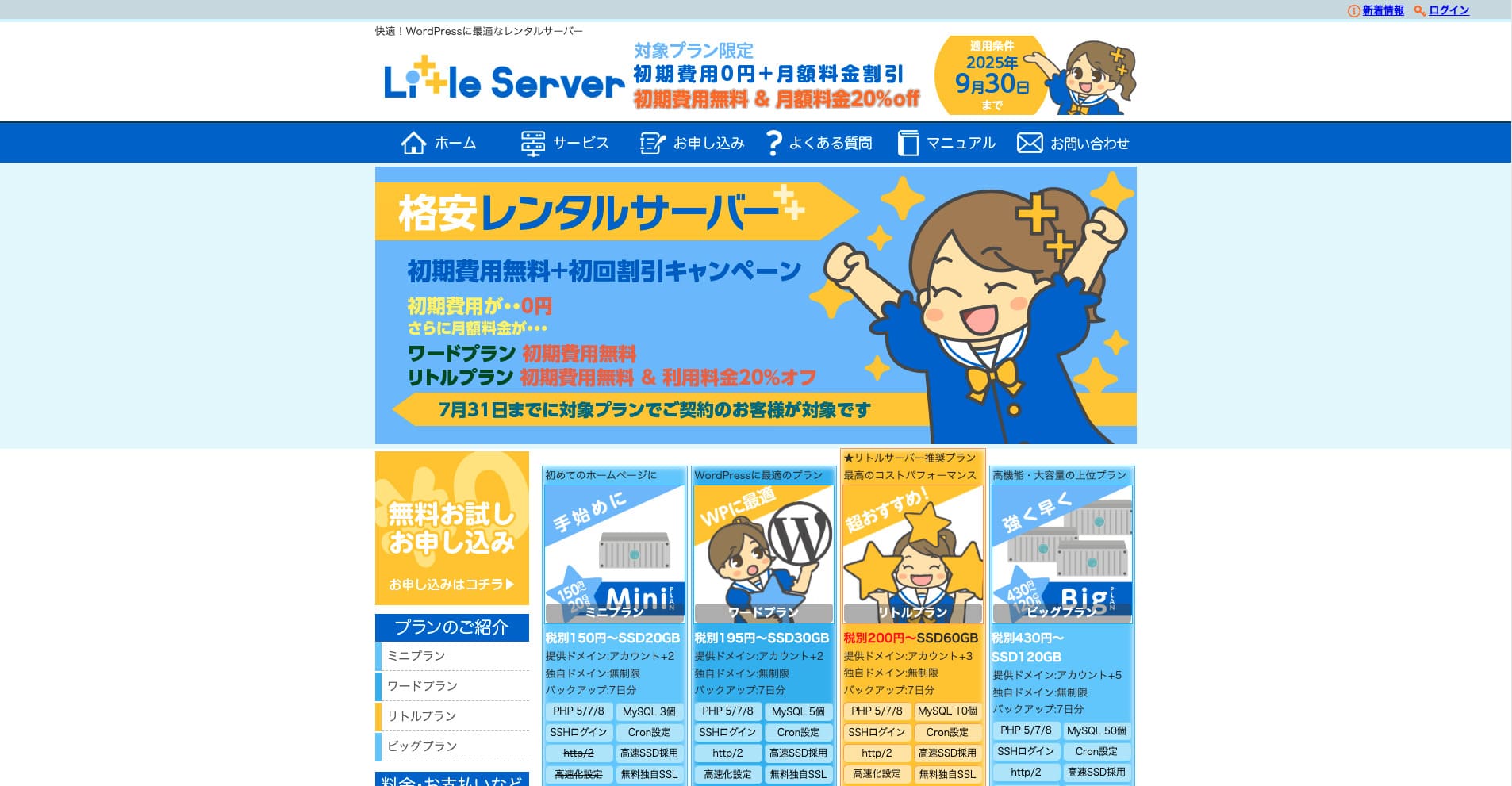
"Little Server"adalah server rental murah. Kecuali server bebas, itu adalah salah satu server sewa murah untuk penggunaan pribadi. Meskipun begitu, menggunakan NVMe SSD untuk meningkatkan kecepatan.
Tidak ada biaya awal sampai 30 September 2025, 20% dari biaya server Rencana Kecil, dan 20 hari percobaan gratis
| Server type | Shared server |
| Display speed (TTFB) | 200ms |
| Recommended plan and contract term | Mini, 12 months |
| Trial / refund guarantee | 20-day free trial |
| Monthly fee (12-month contract) | 165 yen |
| Initial administrative fee | 920 yen |
| Free domain | None |
| Support | Email (business hours not disclosed) |
| Uptime | Not disclosed |
| Server capacity | 20GB |
| Number of databases | 3 |
| Security measures | IMP |
| SSL | Free SSL, dedicated SSL (Little Plan and above) |
| Backup / restore | 7 hari backup otomatis bebas dari biaya, mengembalikan bebas dari muatan |
| Number of email accounts | Unlimited |
| Email security measures | Spam filter |
| Server / website migration service | None |
| WordPress pre-installation | Ya |
| CDN | None |
* Untuk rencana Mini
Jika Anda ingin menjaga harga turun sementara mengamankan kapasitas minimum yang diperlukan, Little Server disarankan. Bahkan rencana murah-mahal memberikan Anda 30GB. Bahkan jika Anda upgrade, biaya bulanan tetap dalam beberapa ratus yen, jadi jika Anda mulai khawatir tentang kurangnya kapasitas, upgrade proaktif.
★ Little Server Reviews and How to Start WordPress on an Affordable Hosting Service
300GB: ConoHa WING

"ConoHa WING"adalah server berkecepatan tinggi dari Grup Internet GMO, yang jumlahnya meningkat dengan cepat, dan itu adalah layanan yang juga digunakan perusahaan kami. Karena WordPress ada sebelum dipasang ketika Anda mendaftar di server, semua orang dapat memulai dengan mudah. Ini menyerang keseimbangan yang baik antara biaya dan kinerja, dan kami menggunakannya juga.
Sampai 53% dari biaya server sampai 5 Agustus 2025, dua domain gratis selamanya, dan bulan pertama gratis
| Server type | Shared server |
| Display speed (TTFB) | 160ms |
| Recommended plan and contract term | Basic, 12 months |
| Trial / refund guarantee | First month free |
| Monthly fee (12-month contract) | 971 yen |
| Initial administrative fee | Free |
| Free domains | Dua gratis selamanya |
| Support | Phone, email, and chat (weekdays 10:00-18:00) |
| Uptime | 99.99% guaranteed |
| Server capacity | 300GB |
| Number of databases | Unlimited |
| Security measures | WAF / directory access restrictions / IP access restrictions / vulnerability diagnosis (Net de Diagnosis) / spam comment and trackback restrictions / overseas comment and trackback restrictions / overseas access restrictions |
| SSL | Free SSL / Alpha SSL / Quick Authentication SSL / Company Authentication SSL / EV SSSL |
| Backup / restore | 14 days of automatic backups / restore free of charge |
| Number of email accounts | Unlimited |
| Email security measures | Virus checking / spam filters |
| Server / website migration service | WordPress migration service from 7,678 yen Alat migrasi bebas tersedia |
| WordPress pre-installation | Yes |
| CDN | None |
Jika Anda ingin kapasitas yang cukup bahkan sebagai individu, pilih ConoHa WINGBahkan rencana murah-mahal memberikan 300 GB, sehingga menjalankan WordPress tidak masalah sama sekali.
beriman Build a Homepage in 10 Minutes! ConoHa WING Reviews and How to Start WordPress
600GB: Sakura Rental Server

"Sakura Rental Server"adalah server berbagi dari Sakura Internet Inc. Perusahaan juga menawarkan server yang dikelola. Ini memiliki keseimbangan yang baik kinerja, layanan, dan harga, sehingga direkomendasikan untuk setiap perusahaan. Karena itu termasuk sejumlah tertentu CDN bebas menggunakan tergantung pada rencana, dapat memberikan komunikasi yang nyaman.
Sidang bebas selama 14 hari.
| Server type | Shared server |
| Display speed (TTFB) | 440ms |
| Recommended plan and contract term | Standard, 12 months |
| Trial / refund guarantee | 14-day free trial |
| Monthly fee (12-month contract) | 550 yen |
| Initial administrative fee | Free |
| Free domain | None |
| Support | Business hours: 10:00-18:00 Phone callback reservations, chat, and email (reply the same day or the next business day) |
| Uptime | 99.99% |
| Server capacity | 300GB |
| Number of databases | Unlimited |
| Security measures | Website defacement notifications (paid), WAF, overseas IP address filters, prevention of unauthorized relaying, encryption, |
| SSL | Free shared SSL, dedicated SSL |
| Backup / restore | Delapan generasi backup bebas biaya, mengembalikan bebas biaya |
| Number of email accounts | Unlimited |
| Email security measures | POP3, IMAP4, virus checking, simple spam filter, advanced spam filter |
| WordPress pre-installation | None |
| Server / website migration service | None |
| CDN | 100GB per bulan bebas |
Jika Anda adalah perusahaan, memiliki kapasitas server lebih memberikan ketenangan pikiran. Sakura Rental Server menawarkan kapasitas besar, dengan 300 GB pada rencana Standar dan 600GB pada rencana Bisnis.
Kapasitas Tak Terbatas: host campuran
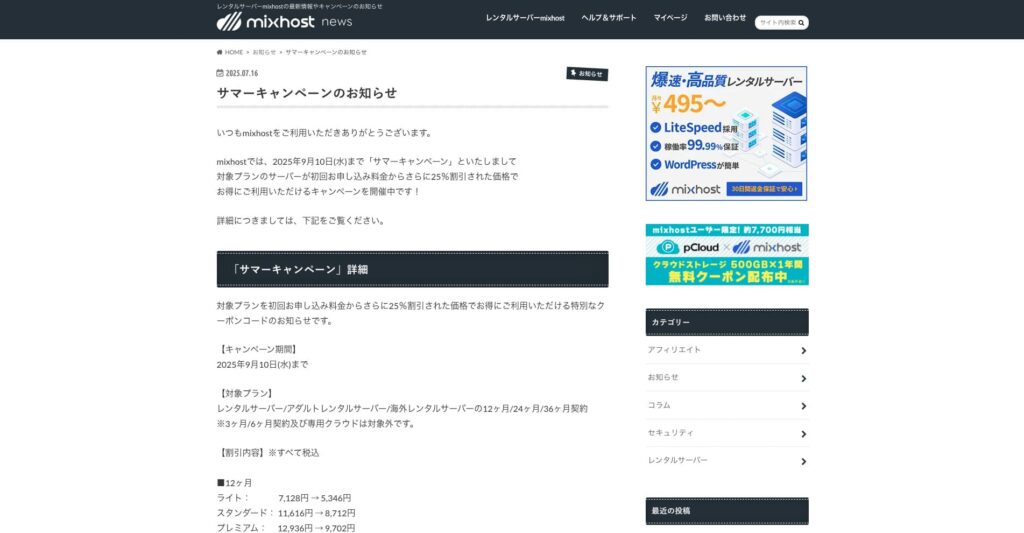
" mixhost"adalah server rental berkecepatan tinggi dari Az Pocket Co, Ltd., bermarkas di Osaka. Hal ini dapat memberikan konten dari server yang terletak di San Jose di pantai barat Amerika Serikat. Meskipun itu adalah server luar negeri, perusahaan berbasis di Jepang, sehingga Anda masih mendapatkan lengkap Jepang dukungan.
25% dari kontrak awal sampai 10 September 2025, satu tahun bebas untuk 500GB penyimpanan awan, dan 30 hari uang - jaminan kembali
| Server type | Shared server / dedicated cloud server |
| Display speed (TTFB) | 150ms |
| Recommended plan and contract term | Shared server Light, 12 months |
| Trial / refund guarantee | 30-day money-back guarantee |
| Monthly fee (12-month contract) | 594 yen |
| Initial administrative fee | Free |
| Free domain | One free forever |
| Support | |
| Uptime | 99.99% guaranteed |
| Server capacity | 100GB |
| Number of databases | Unlimited |
| Security measures | WAF / DDo attack protection / malware detection and removal |
| SSL | Free dedicated SSL |
| Backup / restore | Automatic backups for 14 days on the Standard plan and above |
| Number of email accounts | Unlimited |
| Email security measures | — |
| WordPress pre-installation | Ya |
| Server / website migration service | 10,890 yen |
| CDN | None |
| Data center | San Jose, U.S. West Coast |
Jika Anda ingin menggunakan server dengan kapasitas tak terbatas, pilih mixhostTidak hanya kapasitas tak terbatas, tetapi transfer data juga tak terbatas, sehingga menawarkan skalabilitas yang sangat baik.
★ mixhost Reviews and How to Start WordPress with Peace of Mind Thanks to Elevent Nines Backup
Ringkasan: Pilih Kapasitas Kanan dan Jalankan Tombol Anda Blog Smootly

Kapasitas server Rental memiliki efek besar pada stabilitas dan pertumbuhan sebuah situs web. Gunakan langkah-langkah yang diperkenalkan dalam artikel ini untuk memilih kapasitas yang paling sesuai dengan blog WordPress Anda dan mencapai operasi blog halus.
Jika perlu, itu juga ide yang baik untuk berkonsultasi dengan administrator server. Bahkan ketika Anda memilih rencana kapasitas terbatas, penting untuk membuat keputusan itu hanya setelah sepenuhnya memahami baik manfaat dan poin untuk menonton.