Ավելի էժան է դառնում, եթե գրանցվես Xserver, Shin Rental Server կամ Star Rental Server ծառայությունում
PR
WordPress
Կորպորատիվ ու affiliate կայքերի համար ընտրիր վստահելի XWRITE WordPress թեման
Հրապարակված՝ 2025.02.04
Թարմացված՝ 2026.03.12
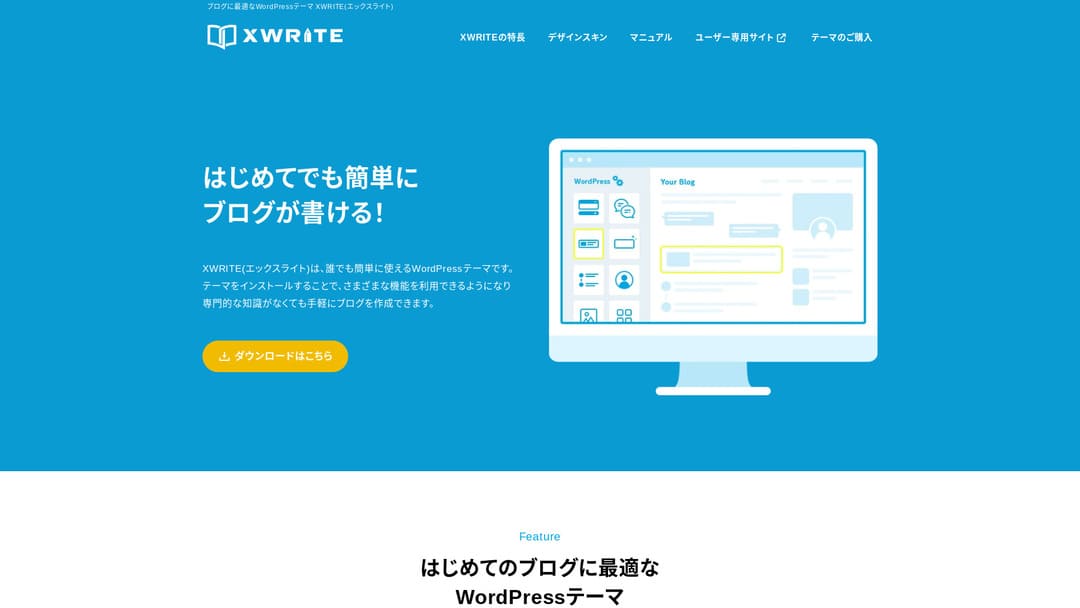
Եթե քո կայքը կորպորատիվ կայք է կամ affiliate կայք, սա այն տարբերակներից է, որը արժե դիտարկել։
XWRITEXWRITE բլոգների վրա կենտրոնացած WordPress թեմա է, որը մշակել է Xserver Inc.-ը։ Այո, այն բլոգների համար է։ Բայց անկեղծ ասած՝ բլոգային WordPress թեմաների ոլորտը բավական խիտ է, և XWRITE-ից բացի կան բազմաթիվ հրաշալի թեմաներ, օրինակ՝ Cocoon-ը և SWELL-ը։ (Հավանաբար հենց այդ պատճառով Xserver-ը համագործակցում է նաև այդ երկու թեմաների հետ։)
SWELL-ը ոճային է, իսկ Cocoon-ը անվճար է։
Այնուամենայնիվ, XWRITE-ն ունի Cocoon-ում և SWELL-ում չկան յուրահատուկ հնարավորություններ, և եթե կարող ես դրանք օգտագործել գլխավոր էջում կամ կայքում, կարծում եմ՝ XWRITE-ն է ավելի լավ ընտրությունը։
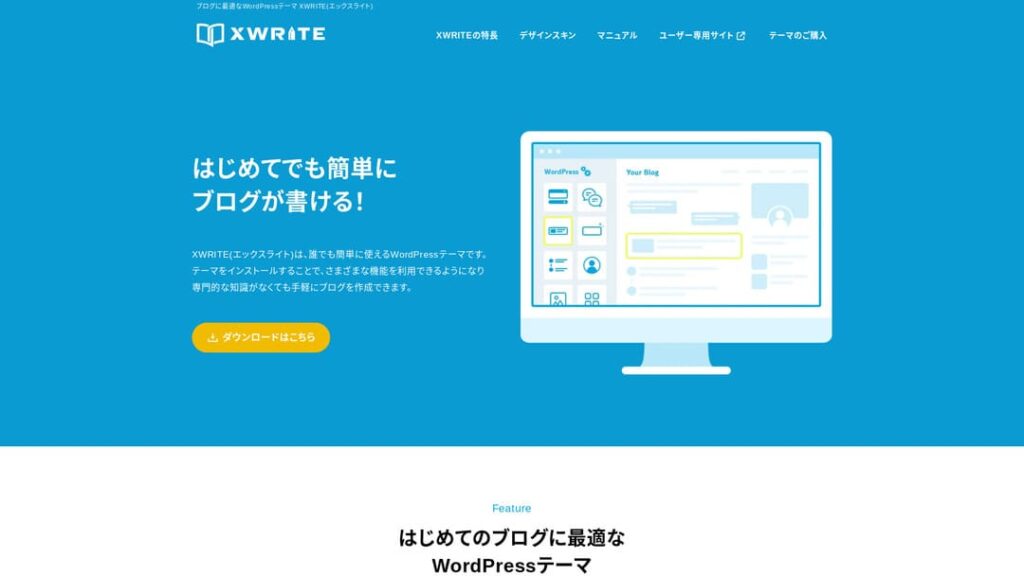
«XWRITE»-ը Xserver Inc.-ի տրամադրած WordPress թեմա է։ Այն հայտնի է որպես պարզ, արագ և բոլորի համար հեշտ օգտագործվող թեմա։ Հատկապես խորհուրդ է տրվում կորպորատիվ կայքերի և affiliate կայքերի համար։

Կորպորատիվ կայքերի և affiliate կայքերի դեպքում հենց այս երկու կատեգորիայում է XWRITE-ը իսկապես փայլում։ Մնացած դեպքերում, կոպիտ ասած, պարզապես ընտրիր այն դիզայնը, որը քեզ դուր է գալիս։ Բայց եթե դա ընկերության գլխավոր էջ է կամ affiliate կայք, XWRITE-ին գոնե մեկ անգամ լրջորեն նայիր։
32 WordPress հոսթինգ ծառայությունների ամբողջական համեմատություն՝ անհատների, ընկերությունների և արտասահմանյան օգտագործման համար

Երբ մտածում ես՝ «ուզում եմ սկսել WordPress», և որոնում ես «WordPress-ի խորհուրդներ», գտնում ես ամենատարբեր հոդվածներ՝ անձնական հոսթինգի, ընկերությունների ու փոքր բիզնեսների տարբերակների, արտասահմանյան հոսթինգի և ցածրարժեք սերվերների մասին։ Անկեղծ ասած՝
- ո՞ր կայքին պետք է վստահել։
- գուցե պարզապես ուզում ես պարզ ու հասկանալի պատասխան։
- գուցե ուզում ես անմիջապես սկսել WordPress-ով։
Այդ պատճառով այս հոդվածում 32 հոսթինգ մատակարարներից խնամքով ընտրվել են առաջարկվող տարբերակներ՝ անհատների, ընկերությունների, տեղական և արտասահմանյան օգտագործման համար։ Բացատրում է հավելվածների մշակման ընկերության SEO պատասխանատուն, որն ամեն օր հոսթինգ է օգտագործում։
Ինչու եմ XWRITE-ը խորհուրդ տալիս կորպորատիվ կայքերի համար
Նայիր Xserver-ի ստեղծած խանութային ոճի և կորպորատիվ էջերի demo կայքերին։ Դրանք ստիպում են մտածել․ «Ահա այսպիսի կայք էլ կարող եմ կառուցել»։

DEMO CORPORATION
DEMO CORPORATION
demo.xwrite.jp

DEMO Cafe & Lounge
DEMO Cafe & Lounge
demo.xwrite.jp
Google Maps բլոկը թույլ է տալիս հեշտությամբ ձևավորել Google Maps-ը
Կորպորատիվ գլխավոր էջերն ու խանութների կայքերը սովորաբար ցուցադրում են գրասենյակի կամ խանութի տեղադրությունը Google Maps-ով։
XWRITE-ում կարող ես օգտագործել Google Maps բլոկը և շատ հեշտությամբ հարմարեցնել Google Maps-ի ցուցադրումը։
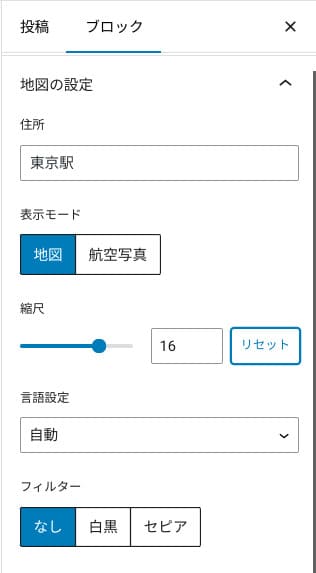
Կարող ես անցնել քարտեզային կամ օդային լուսանկարի տեսքի, կամ փոխել այն մոնոխրոմի կամ սեպիայի։ Cocoon-ն ու SWELL-ը այս հնարավորությունը չունեն։ CSS-ով նման փոփոխությունները, անկեղծ ասած, դժվար են, եթե դիզայներ կամ ծրագրավորող չես։
XWRITE-ի դեպքում, նույնիսկ հատուկ գիտելիքների გარეშე, դա խնդիր չէ։ Յուրաքանչյուրը կարող է հեշտությամբ հարմարեցնել Google Maps-ը, որպեսզի այն համընկնի իր ընկերության կամ խանութի գլխավոր էջի մթնոլորտի հետ։
Ինչպես ստեղծել Google քարտեզ
Ինչպես ստեղծել Google քարտեզ
xwrite.jp
Section բլոկը նույնիսկ դատարկ տարածքն է դարձնում գեղեցիկ
Դիզայնը կարևոր է կորպորատիվ գլխավոր էջերի ու խանութների կայքերի համար։ Այն փոխանցում է այնպիսի մթնոլորտ, որը բառերով հեշտ չէ արտահայտել՝ օրինակ՝ «Այս խանութը ոճային է թվում» կամ «Թվում է՝ նրանք աշխատանքին ուշադիր ու ճիշտ են մոտենում»։
Զարմանալիորեն այդ մթնոլորտի վրա ազդող բաներից մեկը դատարկ տարածքն է։ Լավ դասավորված ու հարմարավետ դատարկ տարածքը կարող է ստեղծել գեղեցկություն ու նրբագեղություն, նույնիսկ կենսունակության զգացում։
Եթե օգտագործես XWRITE-ի Section բլոկը, կարող ես գեղեցիկ ձևավորել նույնիսկ այն դատարկ տարածքը, որը ձևավորում է այդ մթնոլորտը հենց այնպես, ինչպես ուզում ես։
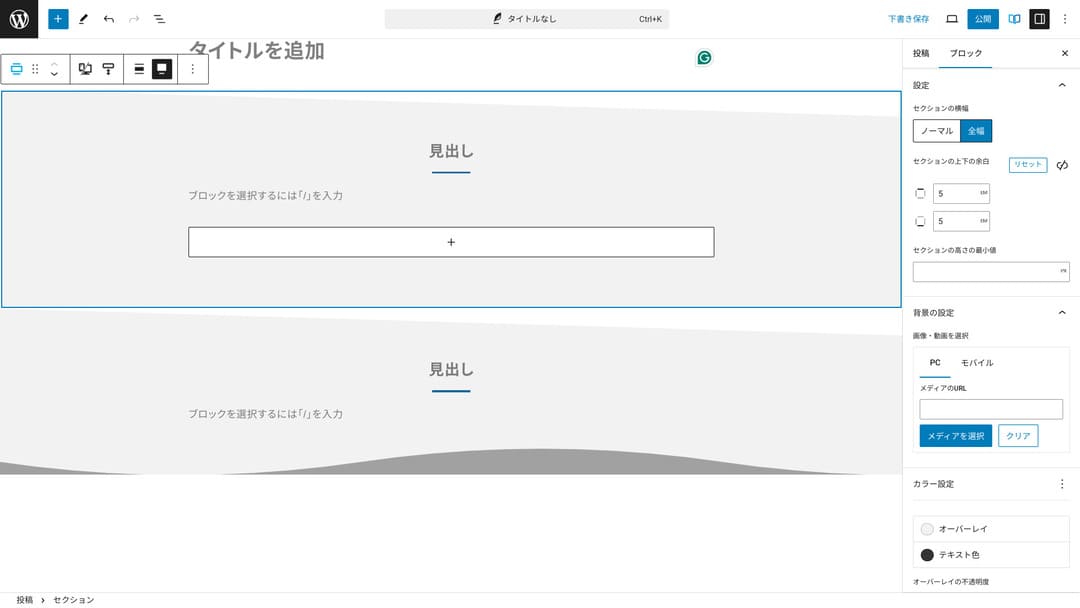
Կարող ես ստեղծել անկյունագծով կտրված դատարկ տարածք կամ ավելացնել ալիքաձև ձևեր։ Երբ դիզայնը հասնում է անգամ այդպիսի մանրամասնության, ներառյալ դատարկ տարածքը, այն կարող է զգալիորեն բարելավել ընկերության կամ խանութի կերպարը։
Ինչպես ստեղծել Section
Ինչպես ստեղծել Section
xwrite.jp
Ինչու եմ XWRITE-ը խորհուրդ տալիս affiliate կայքերի համար
Նայիր Xserver-ի ստեղծած affiliate ոճի ցուցադրական կայքին։ Այն նշված է որպես «բլոգ», բայց այնտեղ երևացող բովանդակության ձևավորումը իրականում affiliate կայքի ոճով է։

STUDY DEMO BLOG
STUDY DEMO BLOG
demo.xwrite.jp
Product Review բլոկը անմիջապես պարզ է դարձնում առավելություններն ու թերությունները
Եթե օգտագործես XWRITE-ի Product Review բլոկը, կարող ես գեղեցիկ ներկայացնել ապրանքի առավելություններն ու թերությունները։ Մարդիկ անմիջապես տեսնում են, թե ինչն է լավ, իսկ ինչը՝ ոչ։ Վարկանիշն ու բացատրությունն էլ հեշտ են կարդացվում։
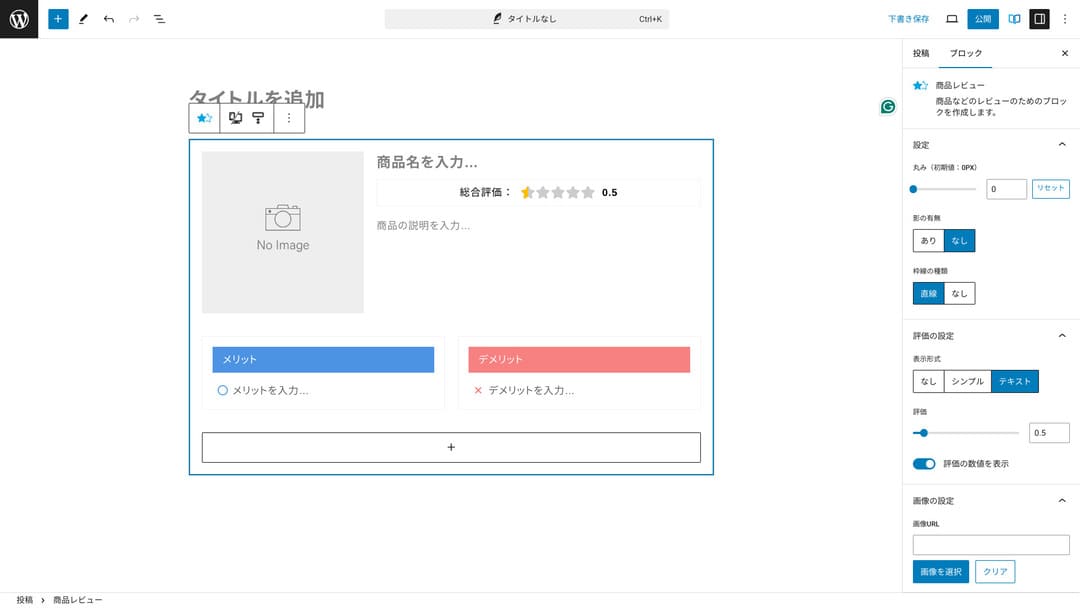
Դա օգտագործելիս կայքի այցելուները անմիջապես կկարողանան հասկանալ ներկայացվող ապրանքի առանձնահատկությունները։ Եթե նրանք դա արագ ըմբռնեն, ավելի հեշտ կլինի որոշել՝ գնել այն, թե ոչ։ Այլ խոսքով՝ վաճառքն էլ ավելի հեշտ է դառնում։
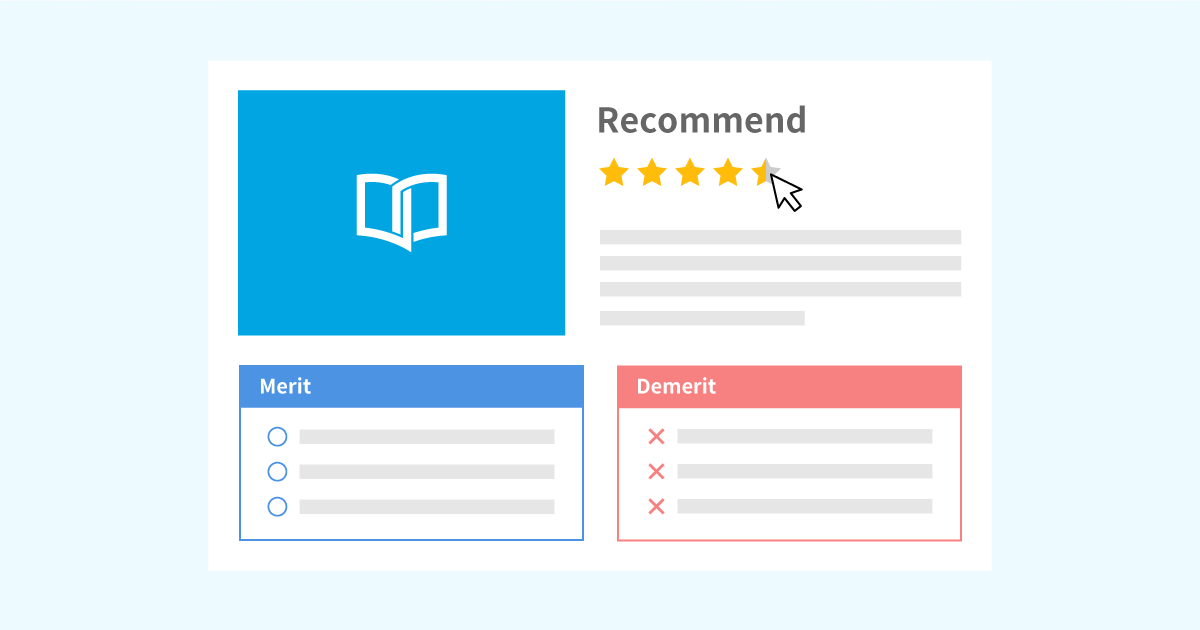
Product Review բլոկի օրինակ՝ ապրանքի բացատրությունների և գնահատականների համար
Product Review բլոկի օրինակ՝ ապրանքի բացատրությունների և գնահատականների համար
xwrite.jp
Step բլոկը հստակ է փոխանցում ընթացակարգերն ու հոսքը
XWRITE-ի Step բլոկը հեշտացնում է ընթացակարգերի ու հոսքերի ըմբռնումը։ «Սա անելուց հետո պատրաստիր այդ փաստաթուղթը և հետո սեղմիր այստեղ» նման բացատրությունները շատ ավելի պարզ են դառնում։
Step բլոկը կարող ես օգտագործել՝ ցույց տալու համար, թե ինչպես գնել ապրանք կամ ինչ հերթականությամբ են քայլերը պայմանագրային գործընթացում։
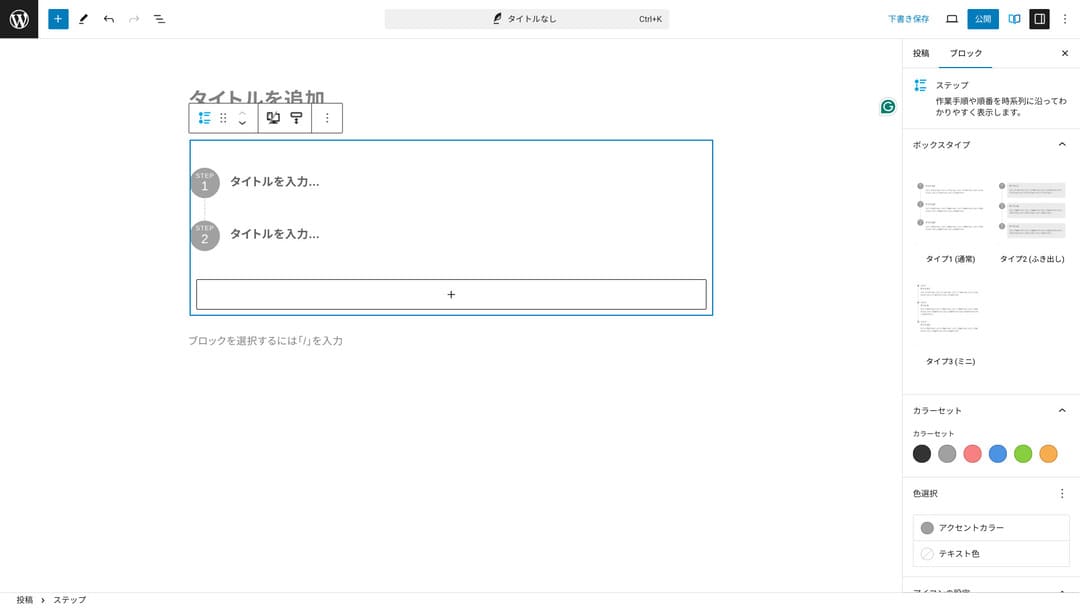
Կարող ես ընթացակարգերը բացատրել նաև վերնագրերով ու սովորական տեքստով, բայց այդ դեպքում այն այդքան կոկիկ չի ստացվում և ավելորդ դատարկ տարածք է առաջացնում։
Բացի այդ, եթե ընթացակարգերը բացատրելու համար վերնագրեր օգտագործես, էջի բովանդակության ցանկը կարող է չափազանց մանրամասն դառնալ և վնասել օգտագործողի փորձին։ Step բլոկը ամեն ինչ պահում է պարզ։
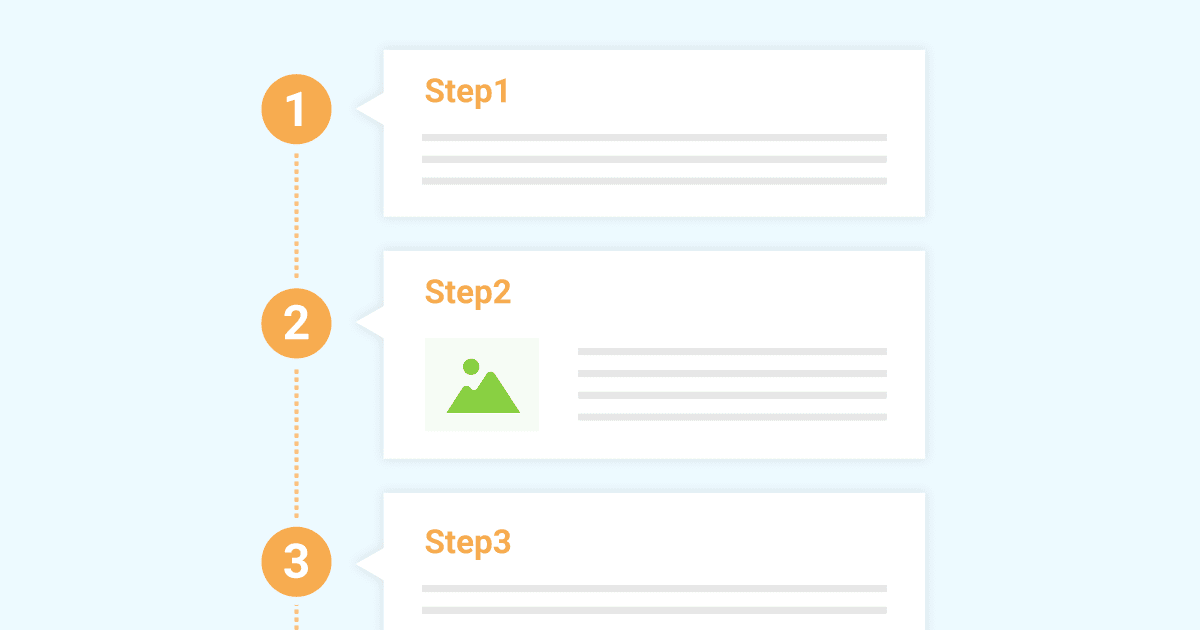
Step բլոկի օրինակ՝ աշխատանքային ընթացակարգերը ներկայացնելու համար
Step բլոկի օրինակ՝ աշխատանքային ընթացակարգերը ներկայացնելու համար
xwrite.jp
Button բլոկը կարող է բարելավել CTR-ը
Եթե օգտագործես XWRITE-ի Button բլոկը, հավանաբար կարող ես բարելավել CTR-ը՝ click-through rate-ը։ Կարող ես կոճակներին տարբեր ձևավորումներ տալ, որպեսզի դրանք չթողնեն օգտատերերին մտածելու՝ «որտեղի՞ց է պետք դիմել»։
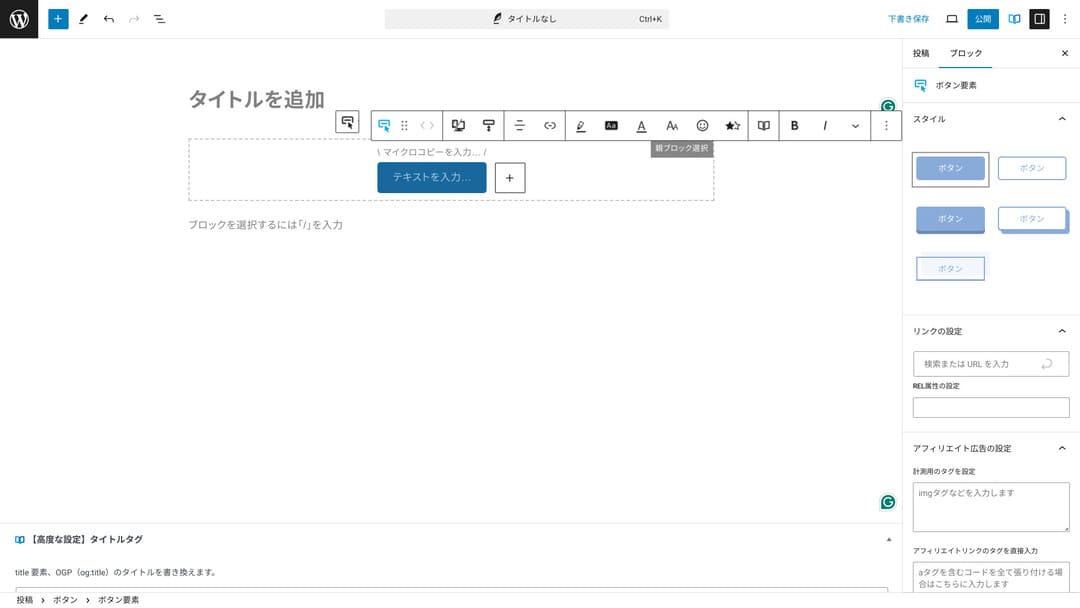
Քանի որ կարող ես փոխել գույնն ու դիզայնը, այն հեշտ է համապատասխանեցնել կայքի մթնոլորտին։
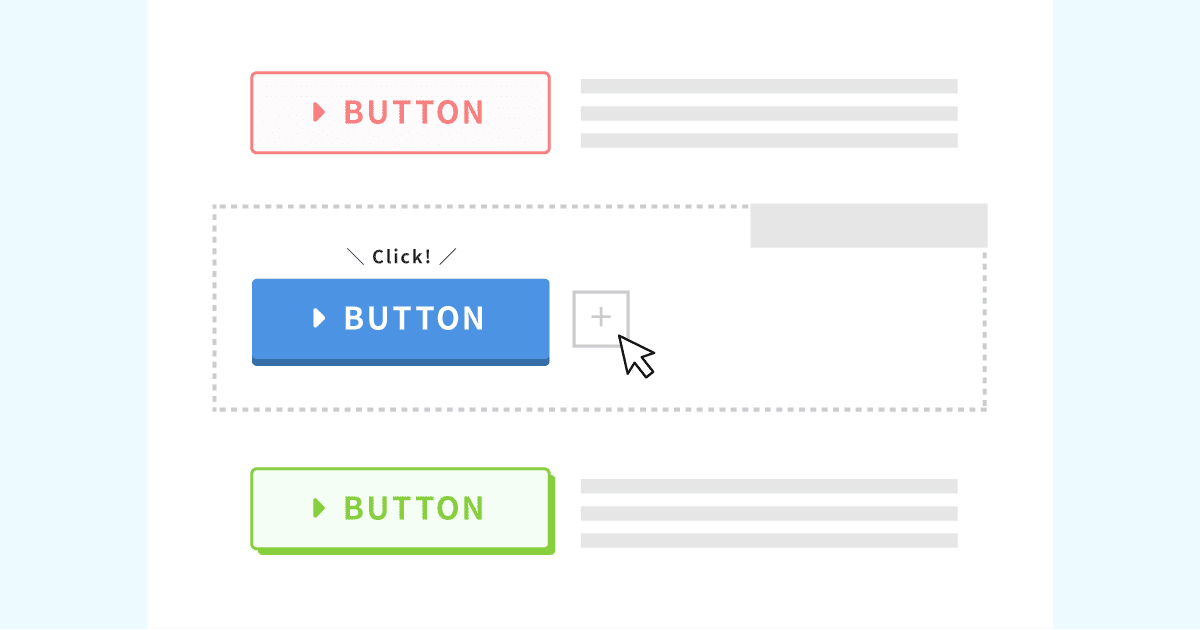
Կոճակների օրիգինալ ձևավորումների ցանկ
Կոճակների օրիգինալ ձևավորումների ցանկ
xwrite.jp
XWRITE-ի գները՝ բաժանորդագրություն և միանվագ գնում
XWRITE-ի դեպքում կարող ես ընտրել կամ բաժանորդագրություն, կամ միանվագ գնում։
- Բաժանորդագրություն (ամսական)՝ 990 յեն ամսական
- Բաժանորդագրություն (տարեկան)՝ 9,900 յեն տարեկան
- Միանվագ գնման պլան՝ 19,800 յեն
Xserver-ի և Shin Rental Server-ի օգտատերերը կարող են միանվագ գնման պլանը գնել 15,840 յենով։ Քանի որ դա սովորականից մոտ 4,000 յենով էժան է, խորհուրդ եմ տալիս դիմել հենց սերվերի բաժանորդագրության պահին, եթե միաժամանակ մտածում ես և՛ XWRITE-ի, և՛ նոր սերվերի պայմանագրի մասին։
Ե՛վ Xserver-ը, և՛ Shin Rental Server-ը հիանալի սերվերներ են։ Դրանց մասին մանրամասն գրել եմ ստորև նշված հոդվածներում։

Xserver-ի հեղինակությունն ու ակնարկը [2025-ի վերջին տվյալներով]․ արագության, գների, առավելությունների և թերությունների մանրամասն բացատրություն
Xserver-ի հեղինակությունն ու ակնարկը [2025-ի վերջին տվյալներով]․ արագության, գների, առավելությունների և թերությունների մանրամասն բացատրություն
serverfield.org
Shin Rental Server-ի ակնարկ [2025-ի վերջին տվյալներով]․ իրական օգտագործման հիման վրա արագության և գների մանրամասն բացատրություն
Shin Rental Server-ի ակնարկ [2025-ի վերջին տվյալներով]․ իրական օգտագործման հիման վրա արագության և գների մանրամասն բացատրություն
serverfield.org
Անկեղծ ասած՝ այլ WordPress թեմաների համեմատ դա էժան չէ
Ամբողջությամբ անկեղծ լինենք՝ մյուս WordPress թեմաների համեմատ գինը ցածր չէ․ այն կամ նույն մակարդակի վրա է, կամ մի փոքր բարձր։
| XWRITE | One-time purchase plan: 19,800 yen |
| Cocoon | Free |
| SWELL | 17,600 yen |
| SANGO | 14,800 yen |
| JIN:R | 19,800 yen |
Այսինքն՝ կրկնեմ, լավագույն տարբերակը 15,840 յենանոց գնով դիմելն է Xserver-ի կամ Shin Rental Server-ի սերվերի պայմանագրի միջոցով։
Սակայն եթե արդեն սերվերի պայմանագիր ունես, ընտրիր բաժանորդագրության պլանը։ Հավանաբար, քո ներկայիս թեման ընտրելու համար լուրջ պատճառ ունեիր, իսկ թեման փոխելիս դիզայնի տարբերությունը կարող է ազդել կայքի PV-ների վրա՝ այսինքն՝ դիտված էջերի քանակի, և CTR-ի՝ click-through rate-ի վրա։
Բաժանորդագրության պլանի դեպքում, եթե XWRITE-ի անցնես ու հետո պարզվի, որ…
- դիզայնը շատ հեռու է քո ճաշակից
- նախորդ թեմայի ազդեցության պատճառով դասավորությունը փլվում է, և ուղղումները դժվարանում են
…կարող ես հեշտությամբ վերադառնալ սկզբնական թեմային՝ նվազագույն ծախսով։
Այս կայքը նույնպես մտածում էր բաժանորդագրության պլանով գրանցվելու և XWRITE-ն ներդնելու մասին, բայց այս անգամ հրաժարվեցի վերևում նշված երկրորդ պատճառի պատճառով։ Ուղղումների համար անհրաժեշտ ժամանակը չեմ կարող ապահովել։
Ինչպես դիմել XWRITE-ի համար
Ինչպես դիմել XWRITE-ի համար
- STEP.1Մուտք գործիր օգտատերերի կայք
- STEP.2Գնիր թեման լիցենզիայի էջից
Խնդրում ենք թեման գնել օգտատերերի կայքի «License Authentication» բաժնից։
- STEP.3Ներբեռնիր թեման
Ներբեռնիր թեման։
Վերցրու ներբեռնված ZIP ֆայլը և տեղադրիր այն WordPress-ի Appearance → Themes → Upload New Theme բաժնից, ապա ակտիվացրու։
- STEP.4Վավերացրու լիցենզիան
Վավերացրու լիցենզիան XWRITE Settings → Activation բաժնում։ (պաշտոնական հրահանգներ)
XWRITE-ն ունի ենթաթեմա
Սկզբում XWRITE-ը ենթաթեմա չուներ, բայց 2025 թվականի հունվարի 22-ի թարմացումից հետո ենթաթեմաները հասանելի դարձան։ Հնարավորության դեպքում ստեղծիր ենթաթեմա։ WordPress թեմայի համար ենթաթեմա ստեղծելիս կարող ես կանխել դիզայնի լուրջ խաթարումները այլ թեմայի անցնելիս։
WordPress ենթաթեմա ստեղծելու ընդհանուր ընթացակարգը
- STEP.1Ստեղծիր ենթաթեմայի պանակ
Նախ մտիր WordPress-ի տեղադրման պանակ և ենթաթեմայի համար պանակ ստեղծիր
wp-content/themes/.- Մուտք գործիր կամ FTP-ով, կամ օգտագործելով WordPress-ի ադմինիստրատորի էկրան > Appearance > Theme Editor.
- Նոր պանակ ստեղծիր
wp-content/themes/ներսում և անվանիր մոտավորապեսtheme-child։ Պանակի անունը դու ես ընտրում, բայց ավելի լավ է օգտագործել հեշտ հասկանալի անուն։
- STEP.2Ստեղծիր ենթաթեմայի ոճերի ֆայլը (style.css)
Հաջորդը ստեղծիր style.css ֆայլ այդ պանակում։ Այս ֆայլը կառավարում է ենթաթեմայի ոճային տեղեկությունները։
- Սահմանիր theme-child/style.css ֆայլի բովանդակությունը, ինչպես ցույց է տրված ստորև։
Պատճենիր CSS կոդը/* Tema Name: Tema Child Template: Tema Version: 1.0*/@import url("../Tema/style.css");/* Write customization CSS here */Tema Name՝ ենթաթեմայի անունը (կարող ես ազատորեն փոխել)Template՝ ծնող թեմայի պանակի անունը- Ծնող թեմայի CSS ֆայլը բեռնվում է
@import.
- STEP.3Ստեղծիր ենթաթեմայի functions.php-ը
Հաջորդը ստեղծիր functions.php ֆայլ՝ ծնող թեմայի ոճերը ճիշտ բեռնելու համար։
- Ստեղծիր theme-child/functions.php ֆայլ և ավելացրու հետևյալ բովանդակությունը։
Պատճենիր PHP կոդը<?php// Load the parent theme style sheetfunction theme_child_enqueue_styles() { wp_enqueue_style('parent-style', get_template_directory_uri() . '/style.css');}add_action('wp_enqueue_scripts', 'theme_child_enqueue_styles'); - STEP.4Ակտիվացրու ենթաթեման
Վերադարձիր WordPress-ի ադմինիստրատորի էկրան և անցիր Appearance > Themes։ Այնտեղ կցուցադրվի «Theme Child» անունով թեմա, ակտիվացրու այն։
- STEP.5Սկսիր հարմարեցումը
Ենթաթեման ակտիվացնելուց հետո հարմարեցրու style.css, functions.php, և անհրաժեշտության դեպքում նաև այլ template ֆայլեր, օրինակ՝
header.phpևfooter.php։ Ծնող թեմայի ֆայլերը ուղղակիորեն խմբագրելու փոխարեն հարմարեցումները կատարիր՝ դրանք ենթաթեմայում վերագրելով։
Հաճախ տրվող հարցեր XWRITE-ի մասին
Որքա՞ն արժե XWRITE-ը
- Բաժանորդագրություն (ամսական)՝ 990 յեն ամսական
- Բաժանորդագրություն (տարեկան)՝ 9,900 յեն տարեկան
- Միանվագ գնման պլան՝ 19,800 յեն
Xserver-ի և Shin Rental Server-ի օգտատերերի համար XWRITE-ի միանվագ գնման պլանը դառնում է 15,840 յեն։
Ինչ կպատահի, եթե չթարմացնեմ բաժանորդագրությունը
Նույնիսկ եթե չթարմացնես բաժանորդագրությունը, թեման չի դառնա անօգտագործելի։ Սակայն այլևս չես կարողանա թարմացնել թեման, և ֆորումում հարցեր տալու հնարավորությունն էլ կկորցնես։
Եթե ընտրում ես բաժանորդագրությունը, թարմացրու այն ամեն ամիս։ Եթե ուզում ես խնայել, խորհուրդ է տրվում միանվագ գնման պլանը։
Ամփոփում
XWRITE-ը բլոգների թեմա է։ Եթե պատրաստվում ես բլոգ գրել, սա հաստատ կարող եմ խորհուրդ տալ։ Միևնույն ժամանակ, այն խորհուրդ եմ տալիս նաև կորպորատիվ գլխավոր էջերի ու affiliate կայքերի համար։
Եթե ընտրես բաժանորդագրության պլանը, կարող ես այն փորձել մեկ ամիս՝ 990 յենով։ Խորհուրդ եմ տալիս սկսել բաժանորդագրությունից։ Եթե բավարարված ես զգացողությամբ ու դիզայնով, ապա անցիր միանվագ գնման պլանին։
«XWRITE»-ը Xserver Inc.-ի տրամադրած WordPress թեմա է։ Այն հայտնի է որպես պարզ, արագ և բոլորի համար հեշտ օգտագործվող թեմա։ Հատկապես խորհուրդ է տրվում կորպորատիվ կայքերի և affiliate կայքերի համար։
Ավելի էժան է դառնում, եթե գրանցվես Xserver, Shin Rental Server կամ Star Rental Server ծառայությունում
Եթե միաժամանակ սերվեր ես փնտրում, խորհուրդ եմ տալիս Xserver-ը։
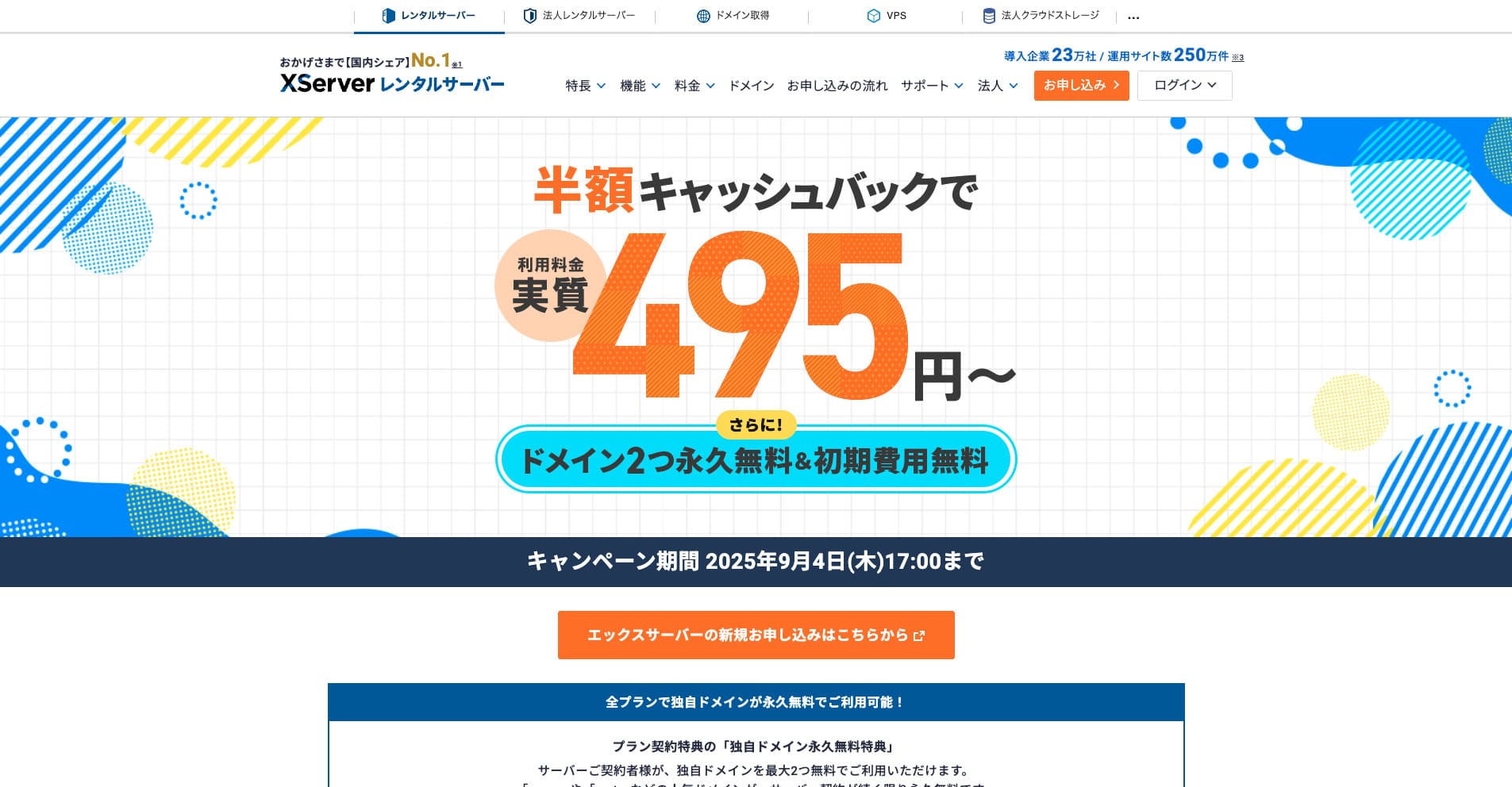
“Xserver»-ը երկար տարիների պատմություն ունեցող արագ վարձակալվող սերվեր է՝ ներքին շուկայում թիվ 1 մասնաբաժնով։ Այն հայտնի է թե՛ անհատների, թե՛ ընկերությունների շրջանում։ Անկեղծ ասած՝ իրական թերություններ գրեթե չունի, իսկ կայունությունը, հնարավորություններն ու աջակցությունը գերազանց են։ Cashback-ի շնորհիվ այն կարող ես օգտագործել փաստացի 495 յենից։
Մինչև 2025 թվականի սեպտեմբերի 34-ը գործում է կիսագնի cashback և 10-օրյա անվճար փորձաշրջան
