
14-օրյա անվճար փորձաշրջան
PR
Servers
wpX Speed-ի ակնարկ․ արագության թեստեր, առավելություններն ու թերությունները և համեմատությունը այլ հոսթերի հետ
Հրապարակված՝ 2025.04.18
Թարմացված՝ 2025.04.18
Գնահատական: 4.0
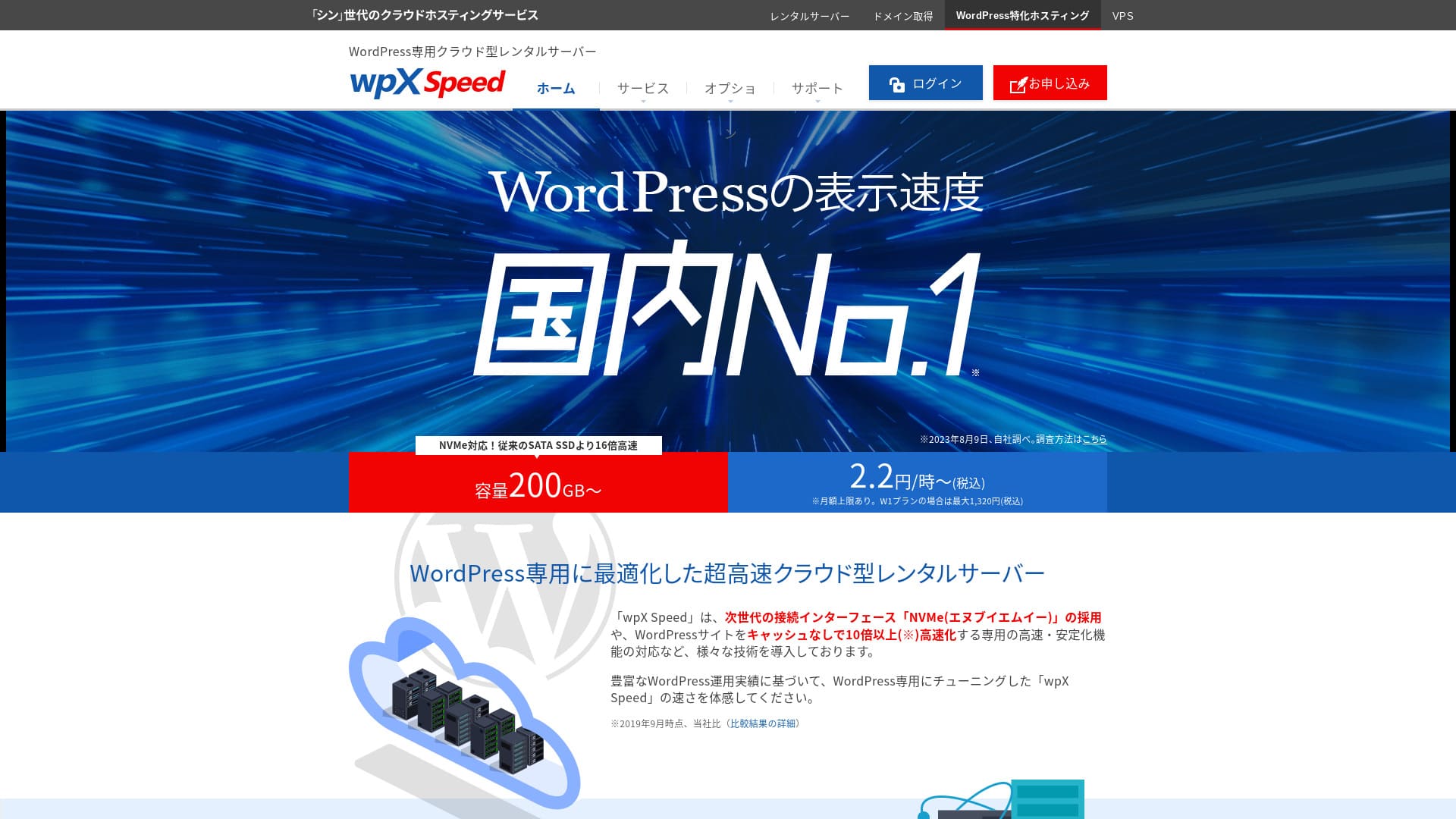
wpX SpeedShinCloud Co., Ltd.-ի կողմից գործարկվող գերհզոր ամպային սերվեր է, որը նախատեսված է հանկարծակի վիրուսային տրաֆիկին դիմակայելու համար։ Նույնիսկ եթե տրաֆիկը կտրուկ աճի, ավտոմասշտաբավորման գործառույթը թույլ չի տա կայքը կանգնել։

Ես խորհուրդ եմ տալիս wpX Speed առաջին անգամ WordPress օգտագործող անհատներին, ընկերություններին և անհատ ձեռնարկատերերին, որովհետև՝
- այն մեր չափումներով երկրորդ ամենաարագ սերվերն է
- այն կարող է դիմակայել վիրուսային տրաֆիկին՝ ավտոմասշտաբավորման և պահուստային ռեսուրսների շնորհիվ
- այն ունի վստահություն ներշնչող՝ միայն օգտագործածի համար վճարվող գնային համակարգ
Այդ պատճառով ծառայությունը, ամենայն հավանականությամբ, կբավարարի ձեզ։ Կարող եք փորձել այն 14 օր անվճար։
Համեմատվող սերվեր է ConoHa WING. Այն նաև կարելի է սկսել ժամավճարով, և դրա ավելի ցածր գինը ավելի ուժեղ է, քան wpX Speed այս առումով։ Հաշվի առեք նաև այն։
| Սերվերի տեսակ | Համատեղ սերվեր |
| Ցուցադրման արագություն (TTFB) | 40ms |
| Առաջարկվող փաթեթ և հաշվարկային ժամկետ | W1, 12 months |
| Փորձաշրջան / գումարի վերադարձի երաշխիք | 14 days |
| Ամսական վճար (12-ամսյա փաթեթ) | 2.2 յեն ժամում*, մինչև 1,320 յեն* |
| Սկզբնական կարգավորման վճար | Անվճար |
| Անվճար դոմեն | Չկա |
| Աջակցություն | Հեռախոս և էլփոստ (աշխատանքային օրերին 10:00-18:00) |
| Աշխատունակության ժամանակ | Բացահայտված չէ |
| Սերվերի պահեստ | 200GB* |
| Տվյալների բազաների քանակը | Unlimited |
| Անվտանգության միջոցներ | WAF, արտասահմանյան IP հասցեներից մուտքի սահմանափակումներ, մուտքի փորձերի սահմանաչափեր, զանգվածային մեկնաբանությունների և trackback-ների սահմանափակումներ, արտասահմանյան IP հասցեներից մեկնաբանությունների և trackback-ների սահմանափակումներ |
| SSL | Անվճար custom SSL, հատուկ SSL |
| Պահուստավորում / վերականգնում | 7 օր ավտոմատ պահուստավորում անվճար, վերականգնումն անվճար |
| Էլփոստի հաշիվների քանակը | Unlimited |
| Էլփոստի անվտանգության հնարավորություններ | SMTP-AUTH, IMAP |
| Սերվերի / կայքի տեղափոխման ծառայություն | Չկա |
| WordPress-ի նախատեղադրում | Չկա |
| CDN | Չկա |

Hikaru Ono
wpX Speed-ը սերվեր էր, որի շնորհիվ կարողացա սահուն անցնել դիմումի գործընթացից մինչև WordPress-ի տեղադրում։ Քանի որ այն առաջարկում է արագ սերվերային միջավայր, խորհուրդ եմ տալիս այն ընկերությունների և բիզնեսի համար։
Քանի որ կարող եք մասշտաբը մեծացնել ութ փաթեթների միջոցով, այն ծառայություն է, որը կարող եք երկարաժամկետ օգտագործել։
wpX Speed Compared with Other Սերվերներ
- Overall rating★★★★☆
- Սերվերի արագություն ★★★★★
- Pricing ★★★☆☆
- Stability ★★★★☆
- WordPress-ով սկսելու հեշտություն* ★★★★☆
- Դոմենի կառավարում և SSL կարգավորում նման գործողություններ* ★★★★★
* Հիմնված է իմ իրական օգտագործման փորձի վրա։

Անհատների համար առաջարկվող 21 WordPress hosting ծառայությունների համեմատություն և ընտրության եղանակ
Անհատների համար առաջարկվող 21 WordPress hosting ծառայությունների համեմատություն և ընտրության եղանակ
serverfield.org
- Չկաvember 4, 2025 շուկայի հետազոտության տվյալներ՝ դասավորված ըստ արագության
- Ամսական վճարները WordPress աշխատեցնող ամենաէժան պլանի առաջին տարվա արժեքն են
- Արագությունը նույն պայմաններում չափված demo կայքերի Time to First Byte արժեքն է
wpX Speed-ի հեղինակության հիմքում գտնվող 6 հիմնական գործառույթ

Չկա. 2 in Display Speed in Our Independent Testing
Այս կայքում մեր անկախ փորձարկման ընթացքում wpX Speed XServer Business-ի հետ կիսեց երկրորդ տեղը ցուցադրման արագությամբ։
Google-ը խորհուրդ է տալիս սերվերի արձագանքման ժամանակը (TTFB) պահել 200ms-ից ցածր։ wpX Speed ցույց տվեց 40ms։ Այն կարելի է գնահատել որպես գերարագ սերվեր։
Սերվերի արձագանքման ժամանակը պետք է պահել 200 միլիվայրկյանից ցածր։
https://developers.google.com/server/speed/docs/insights/Server?hl=ja
Եթե սերվերի արագությունը բարձր է, էջերը արագ են բացվում, և այցելուները չեն սպասում։ Դա նաև հեշտացնում է SEO-ում լավ արդյունք ստանալն ու այցելուներին վաճառքի հասցնելը։
★ Արդյո՞ք այն իսկապես արագ է. համեմատեցինք 11 հոսթինգ ծառայություն արագության վարկանիշում
Auto-scale գործառույթ, որն ինքնաբար բարձրացնում է կատարողականը
wpX Speed իր auto-scaling գործառույթի շնորհիվ դիմացկուն է տրաֆիկի հանկարծակի աճերի նկատմամբ։ Եթե օգտագործվող պլանը չի կարող մշակել հանկարծակի աճը, այն ինքնաբար բարձրացվում է, և մշակման կարողությունը մեծանում է լրացուցիչ CPU-ով ու միջուկներով։
Քանի որ այն կարող է ճկուն արձագանքել, նույնիսկ տրաֆիկի հանկարծակի աճից առաջացած 503 սխալից վախենալ պետք չէ։
★ Ի՞նչ է 503 սխալը. վեբ ծանրաբեռնվածություն, ինչպես խուսափել և արտակարգ արձագանքներ
Իհարկե, պլանի ավտոմատ բարձրացումը կարող է ճնշել բյուջեն։ Auto-scaling-ը կարելի է միացնել կամ անջատել, իսկ պլանի փոփոխության պայմաններն ու բյուջեն կարող եք ինքներդ սահմանել, ուստի այն կարելի է օգտագործել ողջամիտ սահմաններում։
Պահուստավորված ռեսուրսներ, որոնք ապահովում են կայունություն
wpX Speed պահում է ռեսուրսները պահուստավորված, ուստի կայքի ցուցադրումը կայուն է մնում։
Ընդհանուր առմամբ shared hosting-ում կայք վարելիս նույն սերվերի մեկ այլ կայքի տրաֆիկի աճը կարող է ձեր կայքը դժվար հասանելի դարձնել։ Դա տեղի է ունենում, քանի որ ձեր կայքին հասանելի CPU-ի և միջուկների նման ռեսուրսները նվազում են։
Բայց քանի որ wpX Speed ռեսուրսները պահում է պահուստավորված, այն չի ազդվում այլ կայքերից։ Այլ կերպ ասած՝ պահուստավորված ռեսուրսները վերացնում են shared hosting-ի հիմնական թերությունը։
Hourly Pricing with Չկա Waste
wpX Speed օգտագործում է ժամավճար։ Վճարում եք միայն օգտագործածի համար։ Կորուստ չկա։
- W1 պլան՝ 2.2 յեն/ժամ (ամսական սահման՝ 1,320 յեն)
- W2 պլան՝ 4.4 յեն/ժամ (ամսական սահման՝ 2,640 յեն)
- W3 պլան՝ 8.8 յեն/ժամ (ամսական սահման՝ 5,280 յեն)
Թեև վճարումը ժամային է, սահմանված է նաև ամսական վերին շեմ, ուստի ամսական բեռը չի փոխվում՝ ամիսը երկար է, թե կարճ։
Քանի որ գինը ժամային է, այն հեշտ և մատչելի է փորձել նույնիսկ առանց պաշտոնական փորձարկման շրջանի։
Կարող եք օգտագործել WAF անվտանգության գործառույթը
wpX Speed կարող է օգտագործել WAF։ WAF-ը ժամանակակից անվտանգության միջոց է։ Firewall-ների և այլ պաշտպանության հետ միասին այն օգնում է կանգնեցնել հարձակումներ, որոնք հին միջոցները չէին կանխում։
Էժան hosting ծառայություններում WAF-ը հաճախ վճարովի տարբերակ է։ Բայց wpX Speed, այն կարող եք անվճար միացնել։
Հանգստություն՝ 7 օրվա պահուստավորումներով
wpX Speed ունի յոթօրյա պահուստավորման գործառույթ։
Պահուստավորումները չափազանց կարևոր են։ Նույնիսկ WAF-ի նման միջոցներով տվյալները հարձակման ժամանակ կարող են փոխվել, իսկ դուք էլ կարող եք պատահաբար ջնջել դրանք։ Եթե պահուստային տվյալներ ունեք, կարող եք կայքը վերականգնել հենց այն վիճակին, որում այն էր մինչև խնդիրը։
Որոշ hosting ծառայություններում պահուստավորումը վճարովի տարբերակ է։ Բայց wpX Speed, դրանք անվճար են։ Սա լավ առաջարկ է։
wpX Speed-ի թույլ էլփոստի գործառույթները թերություն են

wpX Speed ունի թույլ էլփոստի գործառույթներ։
Այն չի կարող օգտագործել DKIM նույնականացում։ DKIM-ը ստուգում է՝ արդյոք նամակը ուղարկվել է օրինական ուղարկողի կողմից և չի փոփոխվել։
If your company wants to use email for business, Ես խորհուրդ եմ տալիս considering a separate email service.
Comparing wpX Speed with Two Similar Սերվերներ
ConoHa WING
ConoHa WING նույնպես ժամավճարով աշխատող սերվեր է։ Սկսվում է 2.2 յեն ժամում։ Ի տարբերություն wpX Speed, այն նաև զեղչեր է առաջարկում WING Packs կոչվող երկարաժամկետ պայմանագրերով։ Կարող եք սկսել ավելի էժան, քան wpX Speed.
Սակայն եթե ընտրեք դրա բիզնես պլանը auto-scaling-ով և պահուստավորված ռեսուրսներով, գինը բարձրանում է մինչև 3.1 յեն ժամում (ամսական շեմ՝ 1,815 յեն)։
Եթե ուզում եք բիզնեսին ուղղված սերվեր, wpX Speed-ն ավելի մատչելի առաջարկն է։

ConoHa WING-ի ակնարկ․ ինչու են այն ընտրում 750,000 օգտատերեր՝ արագության, առավելությունների և թերությունների ստուգմամբ
ConoHa WING-ի ակնարկ․ ինչու են այն ընտրում 750,000 օգտատերեր՝ արագության, առավելությունների և թերությունների ստուգմամբ
serverfield.org
XServer
エックスサーバー նույնպես արագ սերվեր է, որն օգտագործում է NVMe SSD, ինչպես wpX Speed. Այն կառավարվում է նույն ընկերության կողմից։ XServer-ը ավելի էժան է օգտագործման համար։ wpX Speed-ի նման այն նույնպես ունի պահուստավորված ռեսուրսներ, ուստի չի ազդվում այլ կայքերից։
Սակայն այն չունի wpX Speed-ի նման auto-scaling գործառույթ։ Այդ պատճառով wpX Speed is better at handling sudden traffic spikes. If you regularly run events or campaigns and have a high chance of sudden traffic surges, Ես խորհուրդ եմ տալիս wpX Speed.

XServer ակնարկ [2025 թ. նորագույն]. արագություն, գներ, առավելություններ և թերություններ՝ մանրամասն բացատրությամբ
XServer ակնարկ [2025 թ. նորագույն]. արագություն, գներ, առավելություններ և թերություններ՝ մանրամասն բացատրությամբ
serverfield.org
Սկսեք կայք wpX Speed-ով 7 քայլով
Սկսենք կայք wpX Speed-ով։
- STEP.1Բացեք wpX Speed-ի պաշտոնական կայքը
Պաշտոնական կայքի գլխավոր էջում ներքևում սեղմեք “Apply”։ Եթե Shin Account ID չունեք, սեղմեք “New Application”։
- STEP.2Մուտքագրեք հաճախորդի տվյալները
Սա պայմանագրի տեղեկությունն է։ Server ID-ի համար մուտքագրեք ցանկացած տող։
Ես խորհուրդ եմ տալիս the W1 plan. If traffic increases and the specs become insufficient, upgrade the plan.
Հաջորդը մուտքագրեք գրանցման տվյալները՝ էլփոստի հասցե և անուն։
Next is the payment method. Ես խորհուրդ եմ տալիս paying by credit card. It lets you start building your website right away.
Վերջում դիտեք Terms of Use-ը և անձնական տվյալների մշակումը։ Նշեք համաձայնության վանդակը “Terms of Use” և “Handling of Personal Information” համար, ապա սեղմեք “Proceed to confirm your application details”։
Եթե հայտի տվյալները ստուգելուց հետո ամեն ինչ ճիշտ է, ավարտեք ինքնության հաստատումը։
Երբ ստանաք սերվերի կարգավորումն ավարտված լինելու նամակը, ձեր սերվերի հայտը ավարտված է։
- STEP.3Դիմեք դոմենի համար և ավելացրեք այն
Մուտք գործեք կառավարման էկրան։
“Contract Management”-ի տակ “Contract-related” բաժնում սեղմեք “Additional Applications”։ Կարդացեք Terms of Use-ը և անձնական տվյալների մշակումը, ապա սեղմեք “Agree”։
Սեղմեք “Apply to obtain a new domain” և մուտքագրեք ցանկալի դոմենը։ Եթե այն հասանելի է, կհայտնվի այդ դոմենի հայտի կոճակը, սեղմեք այն։
Սեղմեք “Confirm application details” և անցեք դոմենի վճարմանը։ Վճարումն ավարտվելուց հետո դոմենի ձեռքբերումն ավարտված է։
Կառավարման էկրանի “Server Management”-ից անցեք “Domain Management”, ապա “Add Domain Settings”։ Մուտքագրեք քիչ առաջ ստացած դոմենը, սեղմեք “Add Domain (Confirm)”, ապա “Add Domain (Finalize)”։
Դոմենի ավելացումը ավարտված է։
- STEP.4Տեղադրեք WordPress-ը
Մուտք գործեք control panel։ “Server Management”-ի տակ անցեք “WordPress-related”, ապա “New Installation”։ Կարգավորեք հետևյալ կետերը։
- Կայքի հասցե. ընտրեք նախապես ավելացրած դոմենը
- WordPress ID. ցանկացածը հարմար է։
- Բլոգի վերնագիր. ցանկացածը հարմար է։ Հետագայում հեշտությամբ կփոխեք։
- Էլփոստի հասցե. օգտագործեք սովորական օգտագործվող հասցեն։ Ընկերության դեպքում խորհուրդ է տրվում ընկերության էլփոստ։
- Custom SSL. նշեք “Use custom SSL”։ Նշեք “Enable redirect settings to https://”։
After entering everything, click “Next.” Review the details again, and then click “Confirm (Տեղադրեք WordPress-ը).”
- STEP.5WordPress-ի սկզբնական կարգավորումներ
Մուտք գործեք WordPress։
If you see a warning saying “Այս կայքը հասանելի չէ,” the DNS settings have not propagated yet. In that case, all you can do is wait, so try logging in again every hour.
★ What Are DNS and Name Սերվերներ?
Կարգավորենք permalink-ները։ WordPress-ի admin էկրանից անցեք “Settings”, ապա “Permalinks”։ Ընտրեք “Post name” և սեղմեք “Save Changes”։
“Post name” ընտրելիս հոդված հրապարակելիս URL-ում կարող եք գրել ցանկացած տող։ Լավ է օգտագործել կարճ տող, որը ընթերցողին օգնում է պատկերացնել բովանդակությունը։ Շատ երկար լինելու դեպքում որոշ մարդիկ կարող են անհանգստանալ և կայքը կասկածելի համարել։
- STEP.6Տեղադրեք plugin-ներ
Վերադարձեք WordPress admin էկրան, բացեք “Plugins” և անցեք “Add New”՝ անհրաժեշտ plugin-ները տեղադրելու համար։
Once you find the plugin you want by searching, click “Install Չկաw” and then “Activate.” After that, follow the instructions for each plugin.
Անպայման տեղադրեք անվտանգության և պահուստավորման plugin-ներ։
- 5 WordPress անվտանգության plugin, որոնք ուժեղացնում են պաշտպանությունը, և ինչպես ընտրել դրանք
- 5 հզոր WordPress backup plugin, որոնք օգնում են վերականգնել տվյալները
Plugin-ները տեղադրելուց հետո ձեր WordPress կայքը լիովին պատրաստ է։
Ամփոփում
wpX Speed excels at stability thanks to its auto-scaling feature and reserved resources. Because its hourly pricing makes it easy to start, if it interests you, Ես խորհուրդ եմ տալիս simply trying it for 14 days first.
32 WordPress hosting մատակարարների ամբողջական համեմատություն. առաջարկներ անհատների, բիզնեսների և միջազգային կայքերի համար

Երբ որոշում եք սկսել WordPress և որոնում եք "best WordPress hosting", հանդիպում եք ամեն տեսակ հոդվածների՝ անձնական ու բիզնես տարբերակներից մինչև արտասահմանյան և էժան սերվերներ։ Անկեղծ ասած,
- Ո՞ր կայքին եմ վստահելու։
- Ուզում եմ սերվեր ընտրել պարզ և հասկանալի ձևով։
- Խնդրում եմ ցույց տվեք՝ ինչպես անմիջապես սկսել WordPress։
Դուք էլ այդպես չե՞ք զգում։ Այս հոդվածում ես ուշադիր ընտրել եմ առաջարկներ 32 hosting մատակարարներից՝ անհատների, բիզնեսների, ներքին և միջազգային օգտագործման համար։ Բացատրությունը ներկայացնում է հավելվածների մշակման ընկերության SEO մասնագետը, որը ամեն օր օգտագործում է hosting սերվերներ։