Bérelt szerverkapacitás: hogyan válassz hibázás nélkül, és miért fontos a zökkenőmentes működéshez

Szerver bérlésekor gyakran a CPU-t, a memóriát és más specifikációkat hasonlítgatod, mégis a „kapacitásnál” akadsz el? Ha először használsz bérelt szervert, lehet, hogy azt sem tudod, mennyi kapacitásra van szükséged, vagy egyáltalán mit jelent ez.
Ebben a cikkben részletesen áttekintem a bérelt szerverkapacitást. A WordPress blog indításakor figyelendő szempontokkal együtt segítek kiválasztani a legjobb csomagot. A cikk elolvasása után meg fogod érteni a bérelt szerverkapacitást, és magabiztosan tudsz majd csomagot választani.
Mi pontosan a bérelt szerverkapacitás? Mit tárol?

Egyszerűen fogalmazva, a bérelt szerverkapacitás a webhelyed adatainak tárolására rendelkezésre álló tárhelymennyiség. Konkrétan a következő adatfajtákat tárolja.
- Webhelyfájlok: a webhely megjelenítéséhez szükséges összes fájl, például HTML, CSS, JavaScript, képek és videók
- Adatbázisok: dinamikus tartalmakat tárolnak, például blogbejegyzéseket, felhasználói információkat és termékinformációkat
- E-mail-adatok: ha e-mail-fiókokat használ, az elküldött és fogadott e-mailjei, valamint a mellékletek
- Naplófájlok: szerver-hozzáférési naplók, hibanaplók és hasonló rekordok
- Biztonsági mentési adatok: a webhelyadatok biztonsági mentései
Mindezek az adatok szerverkapacitást fogyasztanak. Ha kifogysz a kapacitásból, lehet, hogy már nem tudsz új tartalmat hozzáadni, az oldalad lassabbá válhat, sőt a legrosszabb esetben le is állhat.
A megfelelő szerverkapacitás kiválasztásának három lépése

Szóval hogyan válaszd ki a megfelelő kapacitásmennyiséget? A következő három lépésben gondold végig.
1. lépés: Gondold át, milyen webhelyről van szó (WordPress esetén)
A szükséges kapacitás nagymértékben függ a webhely típusától. Ha WordPress blogot indítasz, vedd figyelembe a következő szempontokat.
- Blog mérete: hogy egy kis személyes blogról vagy több ember által működtetett nagy blogról van-e szó.
- Tartalomtípus: főként szövegről van-e szó, vagy sok képet és videót használ-e.
- Bővítmények száma: a sok bővítmény kapacitást fogyaszt.
- Sablon terhelése: a használt sablontól függően az is terhelheti a kapacitást.
Általános ökölszabályként,
- Kis blog (főként szöveg, kevés kép): 5 GB-tól 10 GB-ig
- Közepes blog (sok kép, több bővítmény): 10 GB-tól 20 GB-ig
- Nagy blog (videókkal, sok bővítménnyel): 20 GB-tól 50 GB vagy több
jó kiinduló számok.
★ Sajátítsd el a WordPress-bővítményeket és turbózd fel a webhelyed: alapos útmutató kezdőknek
2. lépés: Becsüld meg a jövőbeni növekedést
Egy webhelyet nem csak megépítesz, majd elfelejted. Ahogy a tartalom bővül és a forgalom nő, a szükséges kapacitás is növekszik.
Legalább egy évvel előre gondolkodj,, és válassz némi tartalékkal. Később is bővítheted a kapacitást, de a csomagváltás nehézségeit figyelembe véve gördülékenyebb, ha eleve egy kicsit nagyobb csomagot választasz.
WordPress esetében mindenképp számolj azzal, hogy a bejegyzések, képek és videók száma idővel növekedni fog.
3. lépés: Gondolkodj konkrét számokban
A fenti lépések alapján gondolkodj konkrét számokban. Például így becsülhetsz.
- Egy oldal szövege: kb. 1 KB
- Egy kép: kb. 1 MB (nagy felbontású képeknél ennél több is lehet)
- Egy perc videó: kb. 100 MB (a minőségtől és formátumtól függően jelentősen eltérhet)
A WordPressnél a sablonok és a bővítmények méretét is figyelembe kell venni. Ezek elérhetik a több tíz, sőt akár több száz megabájtot is.
A korlátlan kapacitású csomagok előnyei és figyelendő pontjai (WordPresshez)
Ha WordPress blogot indítasz, egy korlátlan kapacitású csomag csábítónak tűnhet. Azonban, ahogy fentebb is láttuk, vannak figyelendő pontok is.
- Figyeld az adatbázis méretét: mivel a WordPress a bejegyzéseket, beállításokat és más adatokat adatbázisban tárolja, még korlátlan kapacitás mellett is belefuthatsz adatbázisméret-korlátok.
- Biztonsági mentések tárolása: attól, hogy a kapacitás korlátlan, még nem jelenti azt, hogy korlátlan számú biztonsági mentést tárolhatsz. Ellenőrizd a biztonsági mentések tárolási korlátját és a megőrzési időt.
★ What Is a Database? An Essential Management System for WordPress
A szerverkapacitás kifogyásának súlyos következményei: konkrét hatások és ellenintézkedések

1. Többé nem tudsz tartalmat hozzáadni
Ha a kapacitás megtelik, többé nem tudsz új tartalmat hozzáadni. Ez komoly probléma, mert gátolja a webhely növekedését.
- Többé nem tudsz képeket vagy videókat feltölteni: a képek és videók fontos elemei annak, hogy egy webhely vonzó legyen, de ha elfogy a kapacitás, többé nem lehet őket feltölteni. WordPressben hibát kapsz, amikor fájlokat próbálsz feltölteni a médiatárba, és új képeket vagy videókat sem tudsz majd hozzáadni.
- Többé nem tudsz bejegyzéseket és oldalakat létrehozni vagy frissíteni: a szöveges tartalom is tárhelyet használ. Ha elfogy a kapacitás, előfordulhat, hogy új bejegyzéseket vagy oldalakat sem tudsz létrehozni, sőt a meglévőket sem tudod frissíteni.
- Többé nem tudsz termékeket rögzíteni (webáruház esetén): egy webáruházban a termékinformációk és a képek jelentik az üzlet vérkeringését. A kapacitáshiány megakadályozhatja az új termékek hozzáadását vagy a meglévők frissítését, ami súlyosan érintheti az üzletet.
Ellenintézkedés: váltson nagyobb csomagra, törölje a felesleges fájlokat, és optimalizálja a képeket (például tömörítéssel).
2. Lassabb weboldal-megjelenítés: rosszabb felhasználói élmény
A kapacitáshiány lassabb weboldal-megjelenítést is okozhat. Ha a megjelenés lassúvá válik, romlik a felhasználói élmény, és a SEO is hátrányt szenved.
- Megnövekedett szerverterhelés: amikor szűkös lesz a kapacitás, nő a szerver terhelése, és csökken a feldolgozási sebesség. Ennek eredményeként meghosszabbodik az oldal betöltési ideje, ami azt jelenti, hogy a felhasználóknak várniuk kell.
- A teljesítmény romlik a forgalmi csúcsok idején: ha a szerver a koncentrált forgalom időszakában már eleve szűkös kapacitással működik, túlterhelődhet, amitől a webhely rendkívül lassúvá válik, vagy a legrosszabb esetben leáll.
- Negatív hatás a SEO-ra: a Google-hoz hasonló keresőmotorok rangsorolási tényezőként figyelembe veszik az oldal betöltési sebességét. Egy lassú webhely visszaeshet a találati listán, ami kevesebb látogatóhoz vezethet.
Ellenintézkedés: használj olyan megoldásokat, mint a gyorsítótárazó bővítmények, a képek optimalizálása és a CDN-ek a megjelenési sebesség javítására. Az is lehet, hogy a forgalmi mennyiséghez illeszkedő szervercsomagra kell váltanod.
★ How Fast Is It? Comparing 15 Rental Servers in a Speed Ranking
3. Az e-mailek küldése és fogadása leáll: az üzleti kommunikáció megszakad
Az e-mail adatok is szerverkapacitást fogyasztanak. Ha kevés a kapacitás, előfordulhat, hogy többé nem tudsz e-mailt küldeni vagy fogadni, ami zavarja az üzleti kommunikációt.
- Többé nem tudsz e-mailt fogadni: amikor a postafiók eléri a kapacitáskorlátot, új e-mailek többé nem érkezhetnek be. Fontos üzeneteket mulaszthatsz el, vagy nem tudsz válaszolni az ügyféligényekre.
- Többé nem tudsz e-mailt küldeni: az elküldött levelek és a piszkozatok is kapacitást fogyasztanak. Ha elfogy a kapacitás, előfordulhat, hogy többé nem tudsz e-mailt küldeni, ami elveszett üzleti lehetőségekhez vezethet.
Ellenintézkedés: törölje a felesleges e-maileket, mentse helyben az e-mail-adatokat, és fontolja meg külső levelezési szolgáltatás használatát.
4. Webhelyleállás: az üzlet megáll
Ha a kapacitáshiány súlyossá válik, a legrosszabb esetben a webhely leállhat és elérhetetlenné válhat. Ez gyakorlatilag leállítja az üzleti működést, és komoly veszteségekhez vezethet.
- Túlzott terhelés a szerveren: ha a forgalom akkor összpontosul, amikor a szerver kapacitása már szűkös, az túlzott terhelést okozhat a szerveren, és rendszerösszeomláshoz vezethet.
- A helyreállítás időbe telhet: ha a szerver leáll, a helyreállítási munka időbe telhet, és a webhely hosszabb ideig elérhetetlen maradhat.
Ellenintézkedés: alaposan vezessen be olyan intézkedéseket, amelyek biztosítják a stabil működést, például a szerver-erőforrások figyelését, a hozzáférési naplók elemzését és a megfelelő szervercsomag kiválasztását. A rendszeres biztonsági mentések is fontosak.
A kapacitás kifogyása komoly hatással van a webhely működésére. Ezek elkerüléséhez fontos olyan szervercsomagot választani, amely megfelelő kapacitást ad, és rendszeresen figyelni a webhely kapacitáskihasználását. Az is fontos, hogy előre átgondold, mit teszel, ha mégis kevés lesz a kapacitás.
★ What Is a 503 Error? Web Traffic Jams, How to Avoid Them, and Emergency Responses
Ajánlott bérelt szerverek kapacitás szerint
30GB: Little Server
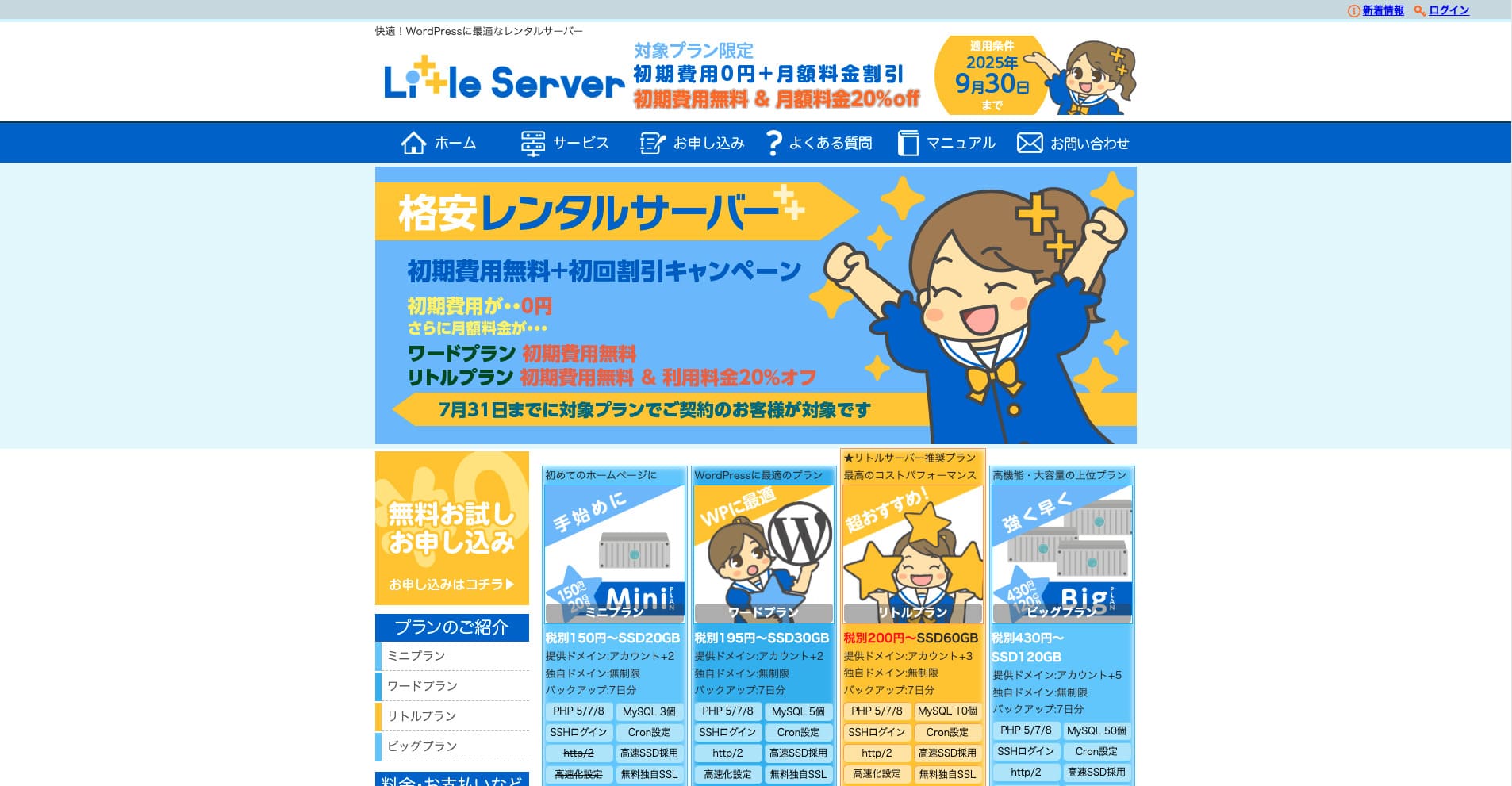
„Little Server” egy olcsó bérelt szerver. Az ingyenes szervereket leszámítva az egyik legkedvezőbb árú, személyes használatra szánt bérelt szerver. Ennek ellenére NVMe SSD-ket használ a gyorsaság javítására.
2025. szeptember 30-ig nincs kezdeti díj, 20% kedvezmény a Little Plan szerverdíjából, és 20 napos ingyenes próbaidőszak
| Server type | Shared server |
| Display speed (TTFB) | 200ms |
| Recommended plan and contract term | Mini, 12 months |
| Trial / refund guarantee | 20-day free trial |
| Monthly fee (12-month contract) | 165 yen |
| Initial administrative fee | 920 yen |
| Free domain | None |
| Support | Email (business hours not disclosed) |
| Uptime | Not disclosed |
| Server capacity | 20GB |
| Number of databases | 3 |
| Security measures | IMP |
| SSL | Free SSL, dedicated SSL (Little Plan and above) |
| Backup / restore | 7 napos automatikus biztonsági mentés díjmentesen, visszaállítás díjmentesen |
| Number of email accounts | Unlimited |
| Email security measures | Spam filter |
| Server / website migration service | None |
| WordPress pre-installation | Igen |
| CDN | None |
*A Mini csomagra vonatkozik
Ha alacsonyan akarod tartani az árat, miközben a minimum szükséges kapacitást is biztosítod, Little Server ajánlott. A legolcsóbb csomag is 30 GB-ot ad. Még csomagváltás esetén is a havi díj néhány száz jenen belül marad, ezért ha a kapacitáshiány kezd aggasztani, válts előre.
★ Little Server Reviews and How to Start WordPress on an Affordable Hosting Service
300GB: ConoHa WING

„ConoHa WING” egy nagy sebességű szerver a GMO Internet Grouptól, amelynek felhasználószáma gyorsan növekszik, és amelyet a cégünk is használ. Mivel a WordPress előre telepítve érkezik a regisztráció után, bárki könnyen elindulhat vele. Jó egyensúlyt teremt az ár és a teljesítmény között, ezért mi is használjuk.
2025. augusztus 5-ig akár 53% kedvezmény a szerverdíjból, két domain örökre ingyenes, és az első hónap ingyenes
| Server type | Shared server |
| Display speed (TTFB) | 160ms |
| Recommended plan and contract term | Basic, 12 months |
| Trial / refund guarantee | First month free |
| Monthly fee (12-month contract) | 971 yen |
| Initial administrative fee | Free |
| Free domains | Kettő örökre ingyenes |
| Support | Phone, email, and chat (weekdays 10:00-18:00) |
| Uptime | 99.99% guaranteed |
| Server capacity | 300GB |
| Number of databases | Unlimited |
| Security measures | WAF / directory access restrictions / IP access restrictions / vulnerability diagnosis (Net de Diagnosis) / spam comment and trackback restrictions / overseas comment and trackback restrictions / overseas access restrictions |
| SSL | Free SSL / Alpha SSL / Quick Authentication SSL / Company Authentication SSL / EV SSSL |
| Backup / restore | 14 days of automatic backups / restore free of charge |
| Number of email accounts | Unlimited |
| Email security measures | Virus checking / spam filters |
| Server / website migration service | WordPress migration service from 7,678 yen Ingyenes migration tool available |
| WordPress pre-installation | Yes |
| CDN | None |
Ha magánszemélyként is elegendő kapacitást szeretnél, válaszd a ConoHa WING. A legolcsóbb csomag is 300 GB-ot ad, így a WordPress futtatása egyáltalán nem probléma.
★ Build a Homepage in 10 Minutes! ConoHa WING Reviews and How to Start WordPress
600GB: Sakura Rental Server

„Sakura Rental Server” a Sakura Internet Inc. megosztott szervere. A cég menedzselt szervereket is kínál. Jó egyensúlyt ad teljesítmény, szolgáltatás és ár között, ezért vállalkozásoknak is ajánlott. Mivel a csomagtól függően bizonyos mennyiségű ingyenes CDN-használatot is tartalmaz, kényelmes működést biztosít.
14 napos ingyenes próbaidőszak
| Server type | Shared server |
| Display speed (TTFB) | 440ms |
| Recommended plan and contract term | Standard, 12 months |
| Trial / refund guarantee | 14-day free trial |
| Monthly fee (12-month contract) | 550 yen |
| Initial administrative fee | Free |
| Free domain | None |
| Support | Business hours: 10:00-18:00 Phone callback reservations, chat, and email (reply the same day or the next business day) |
| Uptime | 99.99% |
| Server capacity | 300GB |
| Number of databases | Unlimited |
| Security measures | Website defacement notifications (paid), WAF, overseas IP address filters, prevention of unauthorized relaying, encryption, |
| SSL | Free shared SSL, dedicated SSL |
| Backup / restore | Nyolc generációnyi biztonsági mentés díjmentesen, visszaállítás díjmentesen |
| Number of email accounts | Unlimited |
| Email security measures | POP3, IMAP4, virus checking, simple spam filter, advanced spam filter |
| WordPress pre-installation | None |
| Server / website migration service | None |
| CDN | Havonta 100GB ingyenes |
Ha vállalkozás vagy, a nagyobb szerverkapacitás nyugalmat ad. A Sakura Rental Server nagy kapacitást kínál: a Standard csomag 300 GB-ot, a Business csomag 600 GB-ot ad.
Korlátlan kapacitás: mixhost
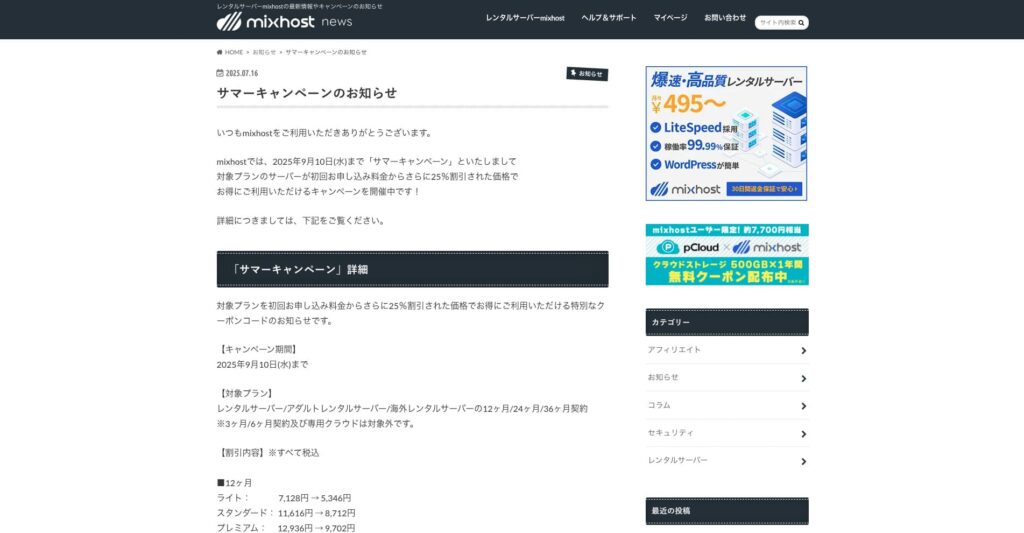
„ mixhost” egy nagy sebességű bérelt szerver az Oszakában székelő Az Pocket Co., Ltd.-től. Tartalmat képes kiszolgálni az Egyesült Államok nyugati partján, San Jose-ban található szerverekről. Bár külföldi szerverről van szó, a cég Japánban működik, ezért teljes japán nyelvű támogatást kapsz.
2025. szeptember 10-ig 25% kedvezmény az első szerződésre, 500 GB felhőtárhelyhez egy év ingyenes használat, valamint 30 napos pénzvisszafizetési garancia
| Server type | Shared server / dedicated cloud server |
| Display speed (TTFB) | 150ms |
| Recommended plan and contract term | Shared server Light, 12 months |
| Trial / refund guarantee | 30-day money-back guarantee |
| Monthly fee (12-month contract) | 594 yen |
| Initial administrative fee | Free |
| Free domain | One free forever |
| Support | |
| Uptime | 99.99% guaranteed |
| Server capacity | 100GB |
| Number of databases | Unlimited |
| Security measures | WAF / DDo attack protection / malware detection and removal |
| SSL | Free dedicated SSL |
| Backup / restore | Automatic backups for 14 days on the Standard plan and above |
| Number of email accounts | Unlimited |
| Email security measures | — |
| WordPress pre-installation | Igen |
| Server / website migration service | 10,890 yen |
| CDN | None |
| Data center | San Jose, U.S. West Coast |
Ha korlátlan kapacitású szervert szeretnél használni, válaszd a mixhost. Nemcsak a kapacitás korlátlan, hanem az adatforgalom is, így kiválóan skálázható.
★ mixhost Reviews and How to Start WordPress with Peace of Mind Thanks to Elevent Nines Backup
Összegzés: Válaszd ki a megfelelő kapacitást, és futtasd zökkenőmentesen a WordPress blogodat

A bérelt szerverkapacitás nagyban befolyásolja egy webhely stabilitását és növekedését. Használd az ebben a cikkben bemutatott lépéseket, hogy a WordPress blogodhoz legjobban illő kapacitást válaszd, és elérd a zökkenőmentes működést.
Ha szükséges, a szerverüzemeltetővel is érdemes konzultálni. Még korlátlan kapacitású csomag esetén is fontos csak akkor dönteni, ha az előnyöket és a figyelendő pontokat is teljesen megértetted.