Do 7. listopada 2025. početna naknada (uobičajeno od 16.500 jena do 385.000 jena) je besplatna, a besplatna je i usluga migracije servera
PR
Posluzitelji
XServer Business recenzija [najnovije 2025]: temeljno testiranje brzine, cijene i znacajki
Objavljeno: 2025.05.13
Azurirano: 2025.05.13
Ocjena: 5.0
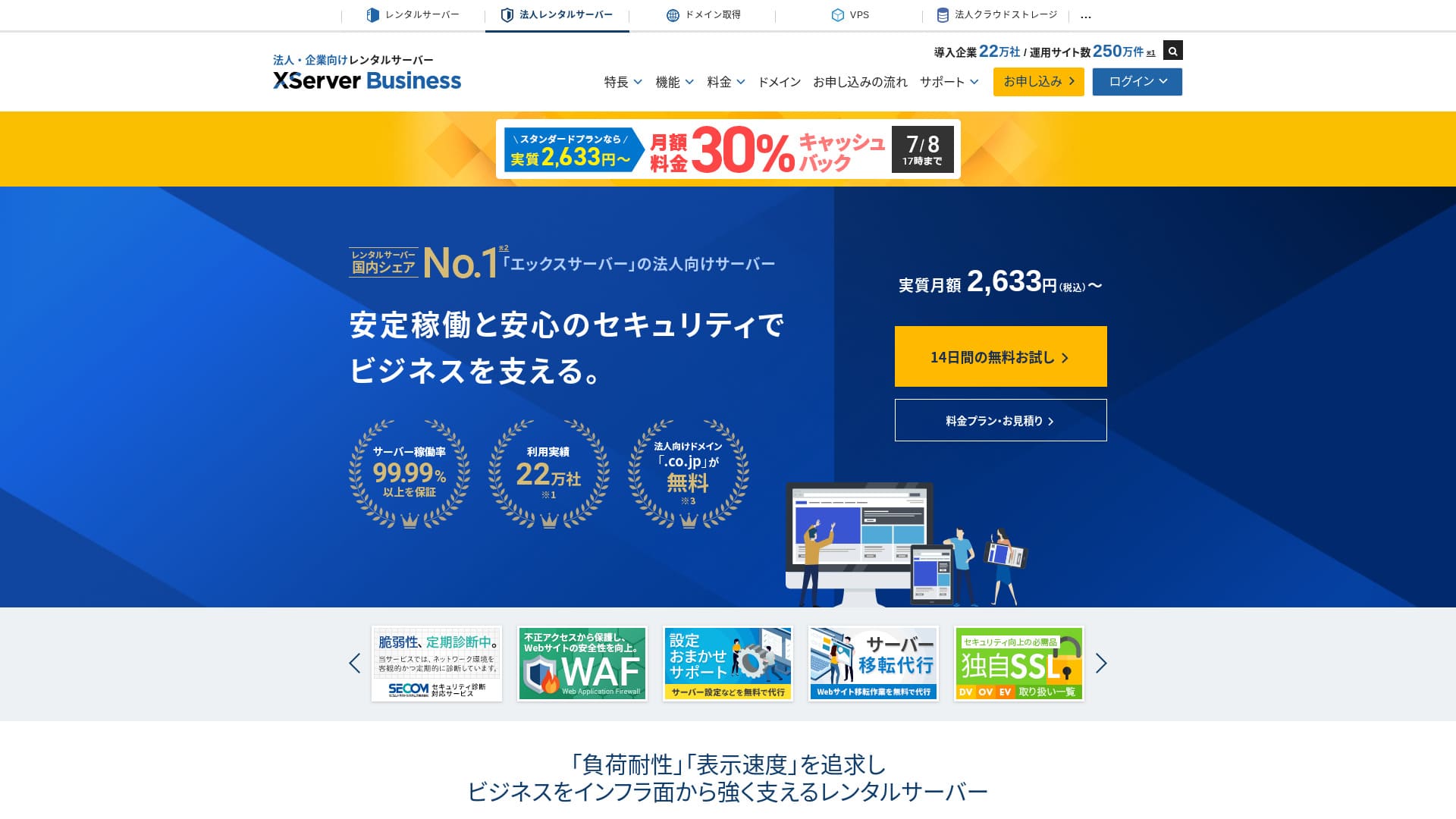
XServer Businessje iznimno brz poslovni hosting kojim upravlja Xserver Inc.Zbog brzine i velikog kapaciteta vrlo je ugodan za koristenje e-pošte, WordPress stranica i landing stranica.
| Posluzitelj type | Dijelid hosting / Managed dedicated server (virtual) / Managed dedicated server (physical) |
| Brzina (TTFB) | 40ms |
| Preporuceni plan i trajanje | Dijelid Standard 12 months |
| Besplatno probno razdoblje / jamstvo povrata novca | 10-dnevno besplatno probno razdoblje |
| Mjesecna cijena (12-mjesecni rok) | 2,926 yen |
| Pocetna naknada za postavljanje | 16,500 yen |
| Besplatne domene | Dvije zauvijek besplatno |
| Podrska | Telefon i e-mail (radnim danima 10:00-18:00) |
| Dostupnost | Jamstvo 99.99% |
| Pohrana | 700 GB |
| Broj baza podataka | Unlimited |
| Sigurnosne mjere | WAF / upozorenja o neovlaštenoj izmjeni web-stranice / sigurnosna dijagnostika Secom |
| SSL | Besplatni namjenski SSL / Cloud SSL / SSL s potvrđenom brzinom / QuickSSL Premium |
| Sigurnosne kopije / obnova | 14 dana automatskih sigurnosnih kopija / besplatno vraćanje |
| E-mail racuni | Unlimited |
| Sigurnosne mjere e-pošte | Antivirus / spam filtar / spam filtar visokih performansi / POP over SSL / SMTP over SSL / IMAP over SSL / DKIM / DMARC |
| Posluzitelj / website migration service | Besplatna potpuna migracija(samo prvi put, do 10 stranica) |
| WordPress unaprijed instaliran | Da |
| CDN | Nene |

Hikaru Ono
XServer Businessomogucuje vam da pokrenete WordPress odmah pri prijavi na server, sto ga cini odlicnim izborom za tvrtke koje rade novu stranicu. Tvrtke koje vec imaju stranicu na drugom serveru mogu ga koristiti s povjerenjem jer je profesionalna migracija ukljucena besplatno.
Rijec je o kvalitetnom serveru koji mozete koristiti dugorocno.
- Podaci temeljeni na istrazivanju trzista zakljucno s Nevember 4, 2025, poredano prema brzini
- Mjesecne cijene predstavljaju trosak najjeftinijeg plana koji podrzava WordPress u prvoj godini
- Brzina je Time to First Byte izmjeren na demo stranicama pod istim uvjetima
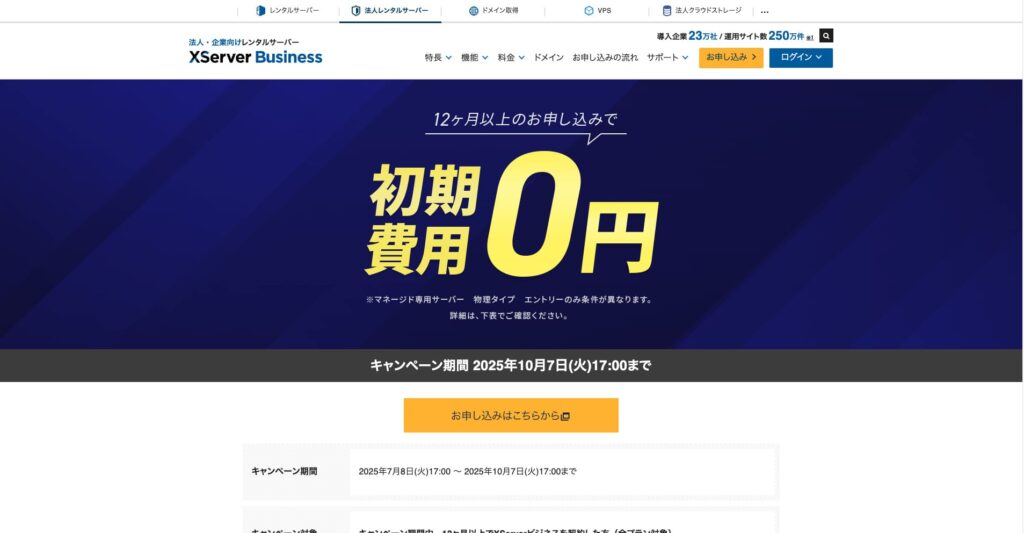
"XServer Business" is the business hosting service from Xserver Inc., the company with the Ne. 1 market share in Japan. In our measurements, it ranked Ne. 2 for speed. It is one of the best choices when you need to move to a new server, and migration is free as well.

Recenzija vezana uz WordPress
Jednostavna instalacija WordPressa
XServer Businesspodržava Easy WordPress Installation, koji instalira WordPress 6.8 iz upravljačke ploče u samo nekoliko klikova. Automatski obrađuje bazu podataka i PHP postavke, a SSL se omogućuje istodobno, pa je rad potreban za početno postavljanje gotovo ravan nuli.
Hikaru Ono
Čak i bez internog IT odjela, WordPress možete pokrenuti pouzdano i bez poteškoća.
Let's launch your website with XPosluzitelj Business
- STEP.1Visit the official XPosluzitelj Business website
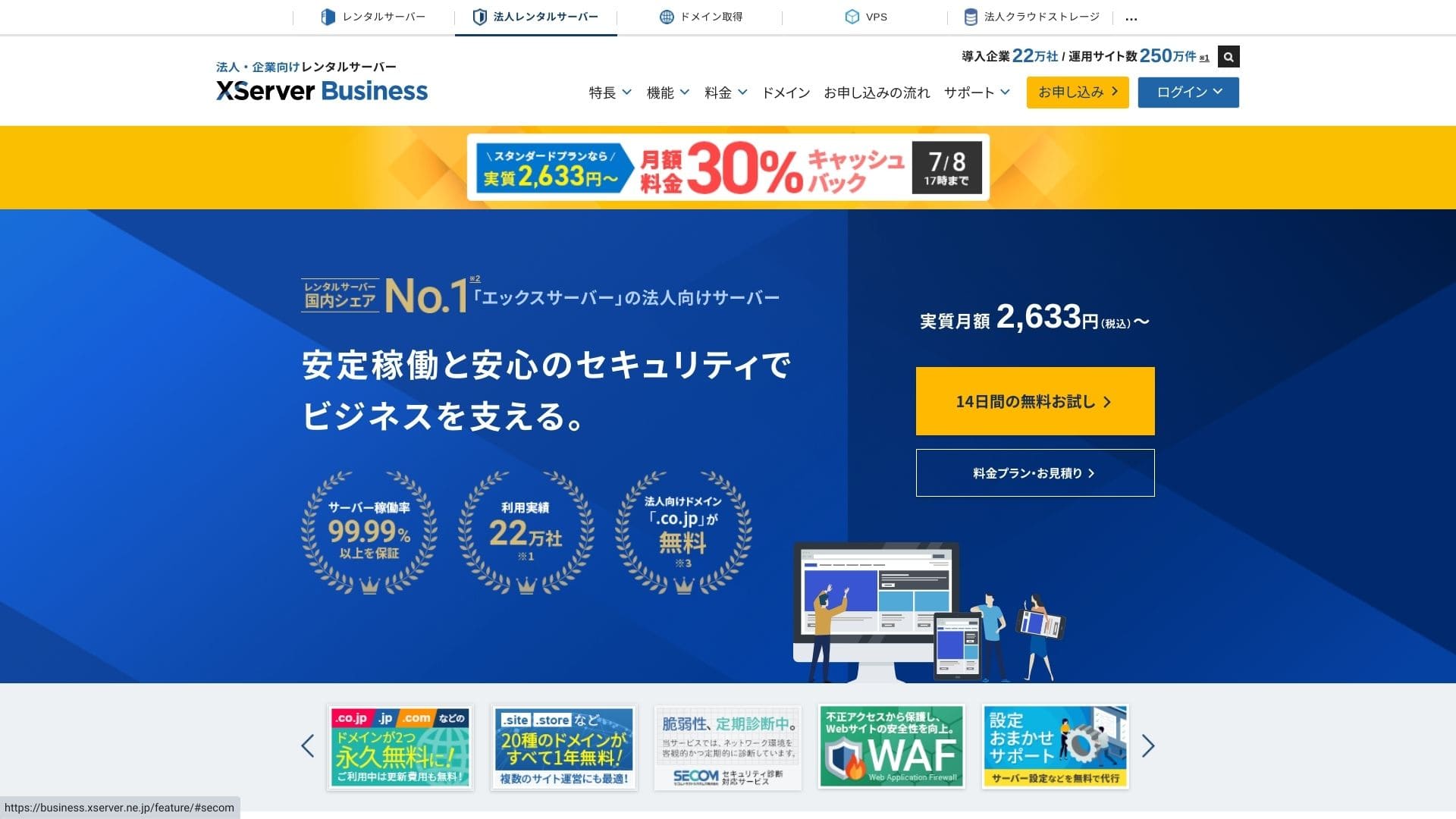
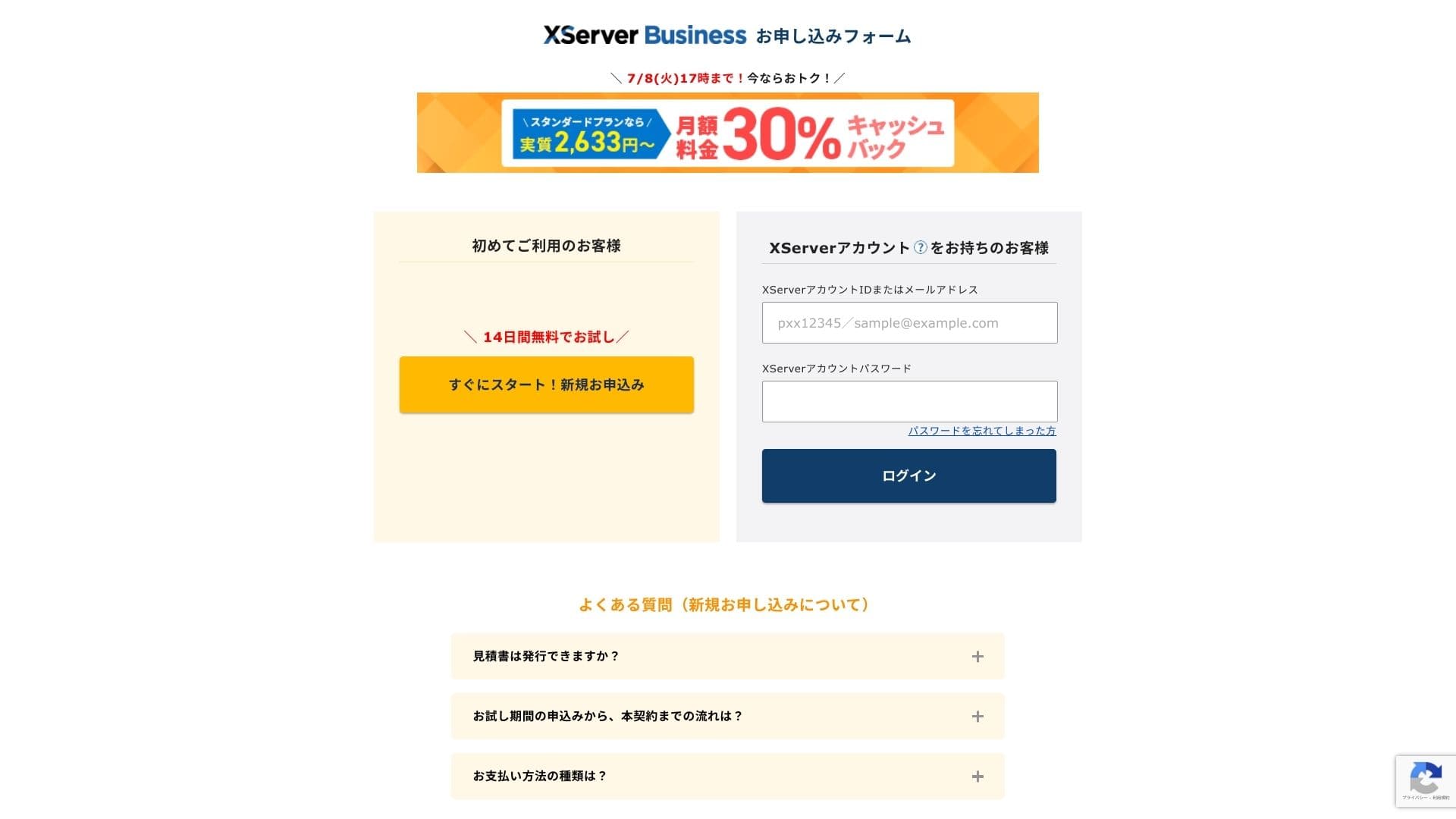
Kliknite "14-dnevno besplatno probno razdoblje" na početnoj stranici. Zatim u odjeljku "Korisnici koji se prijavljuju prvi put" kliknite "Započni sada! Nova prijava."
- STEP.2Odaberite pojedinosti prijave
Server ID možete ostaviti kakav jest. Odaberite dijeljeni server, a zatim plan. Preporučujem plan Standard. Ako promet poraste i specifikacije postanu nedostatne, kasnije možete nadograditi plan.
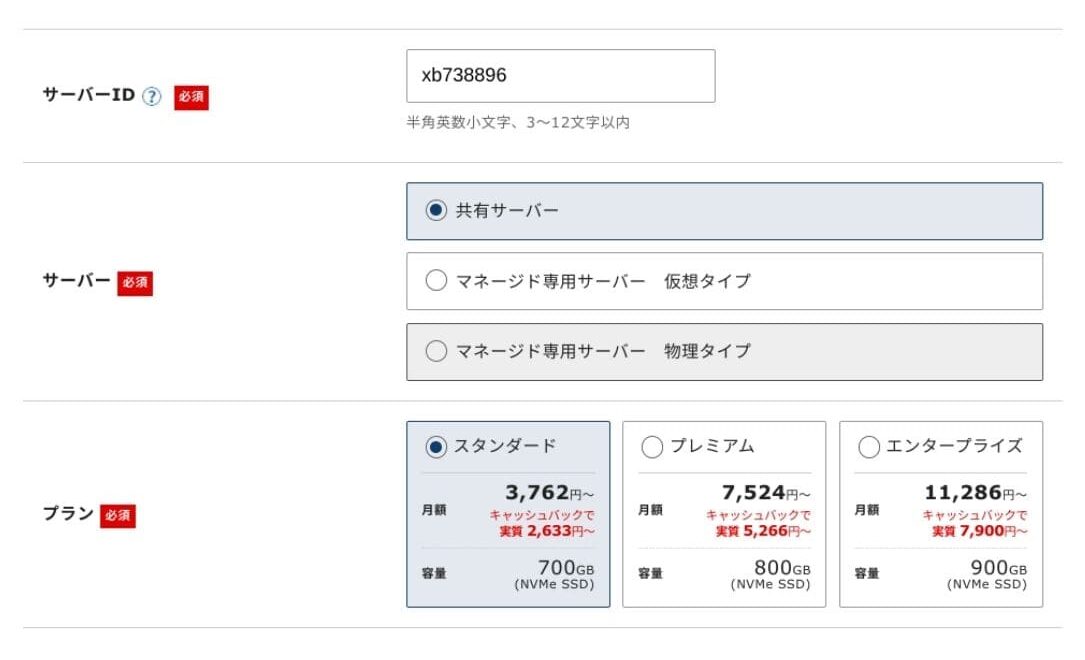
Kliknite "Prijeđi na unos podataka o korisniku."
- STEP.3Izradite Xserver Account i unesite podatke o korisniku
Unesite adresu e-pošte, ime, adresu i ostale obvezne podatke.
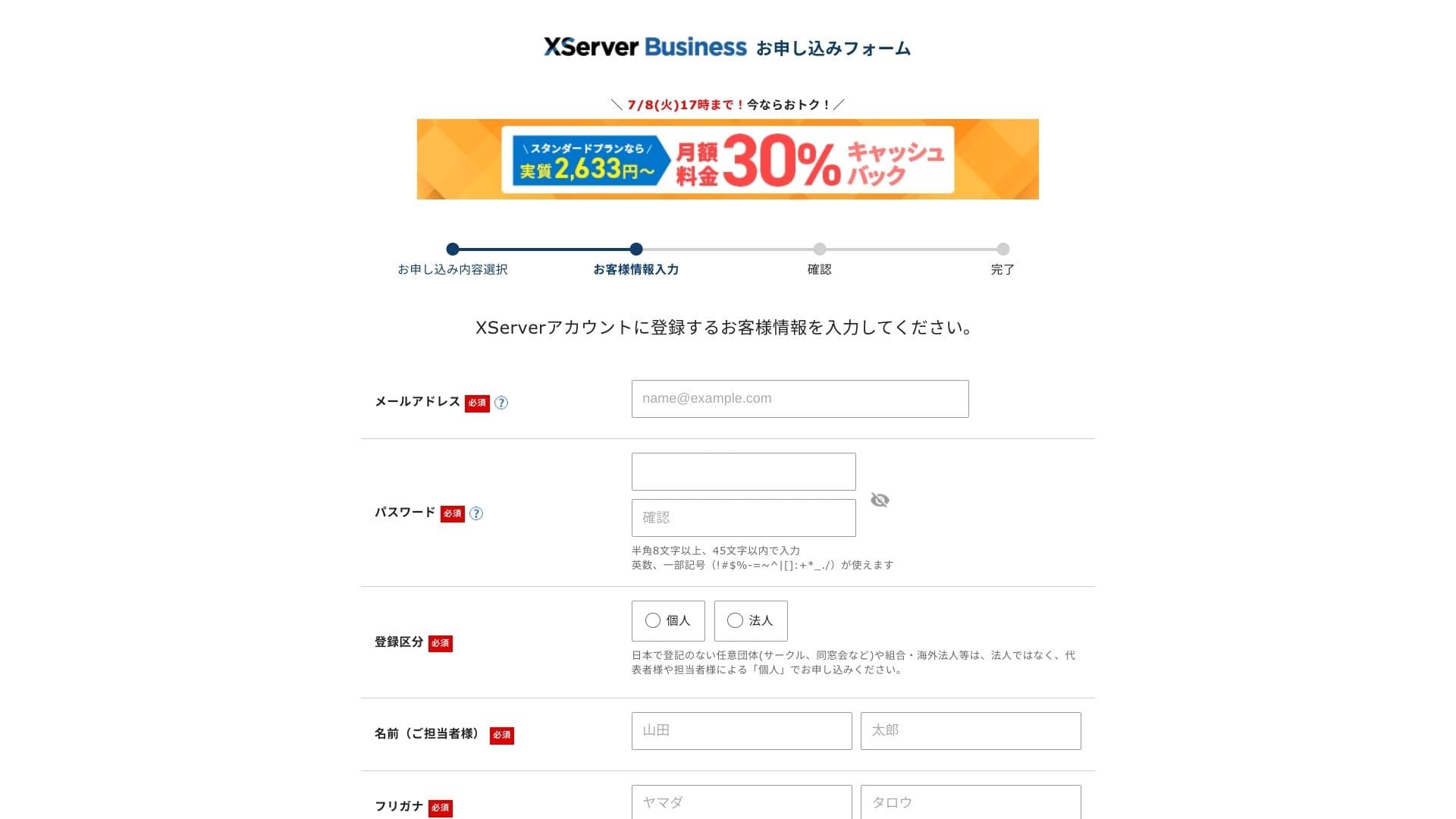
Review the Terms of Use and the Handling of Personal Information. If you agree, check the box and click "Next."
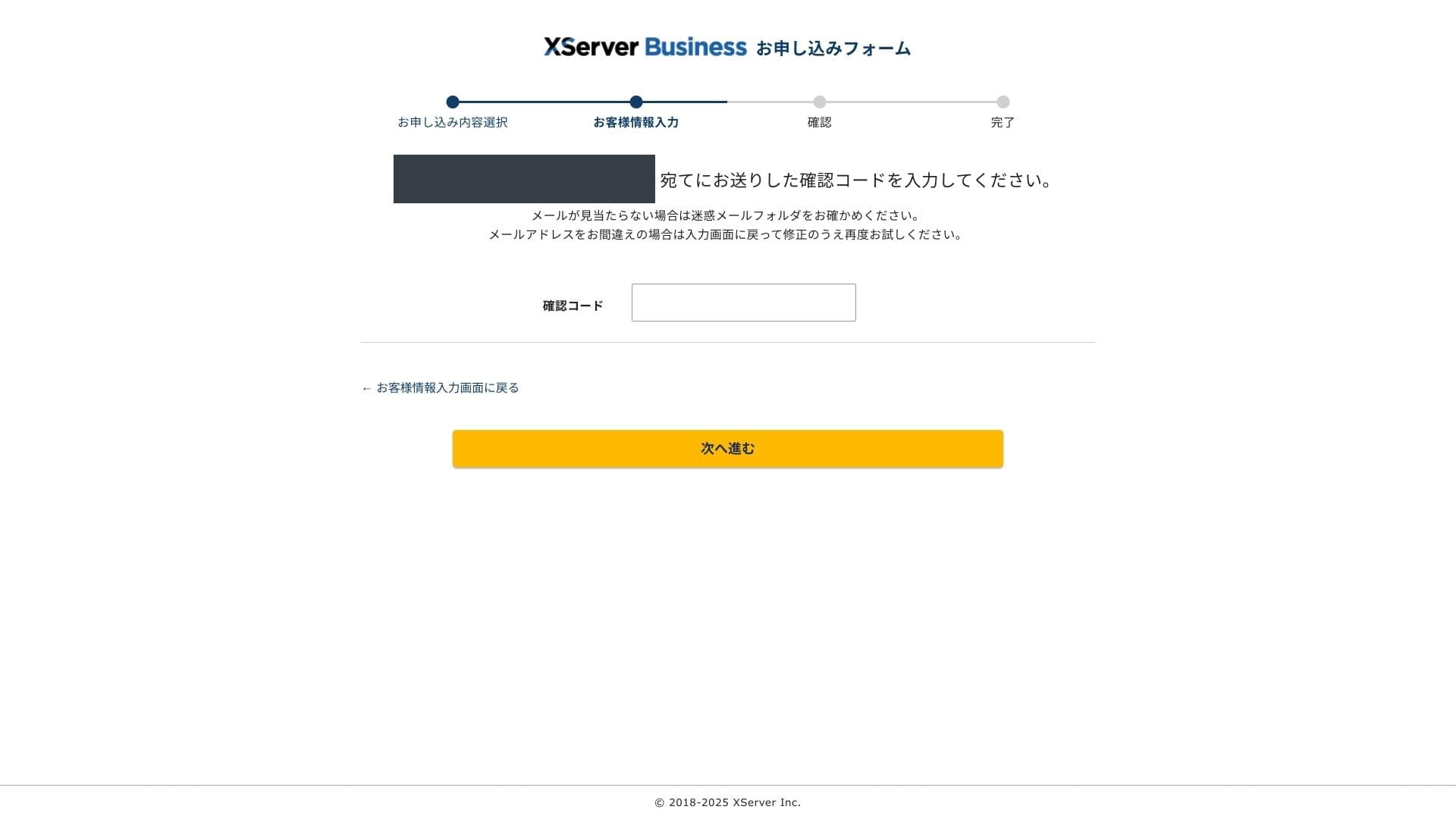
Unesite verifikacijski kod prikazan na zaslonu. Verifikacijski kod bit će poslan na adresu e-pošte koju ste registrirali, zato najprije provjerite tu poruku.
- STEP.4Review
Review your application details and Xserver Account information one more time. If everything lou redus correct, click "Proceed to SMS / phone verification."
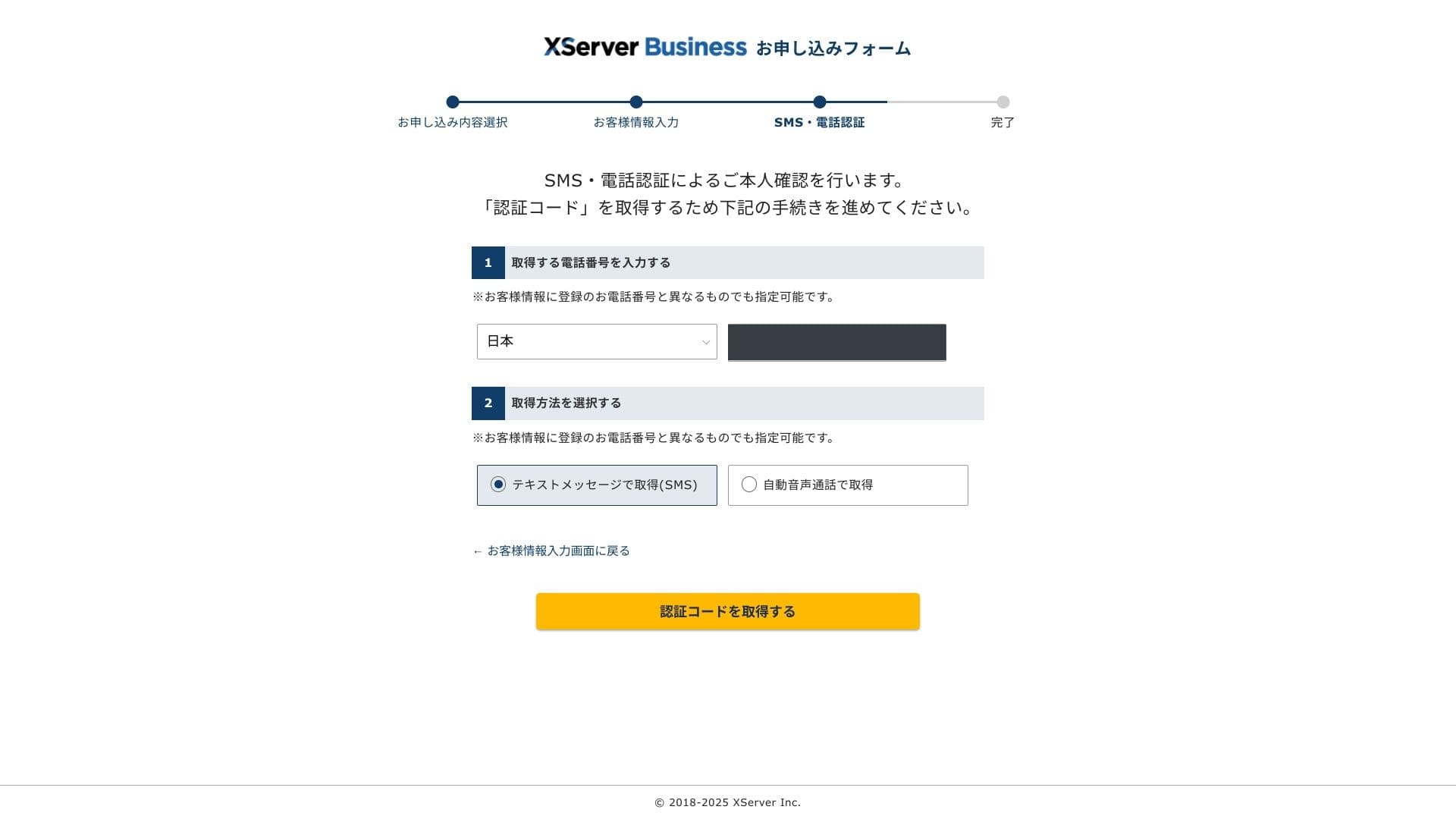
Pojedinosti vaše prijave ponovno će se provjeriti putem vašeg telefonskog broja.
Unesite telefonski broj koji želite koristiti, odaberite SMS ili automatski glasovni poziv za primanje verifikacijskog koda i kliknite "Dohvati verifikacijski kod." Kada ga primite, unesite kod.
Kada vidite poruku "Vaša je prijava dovršena", prijava je završena.
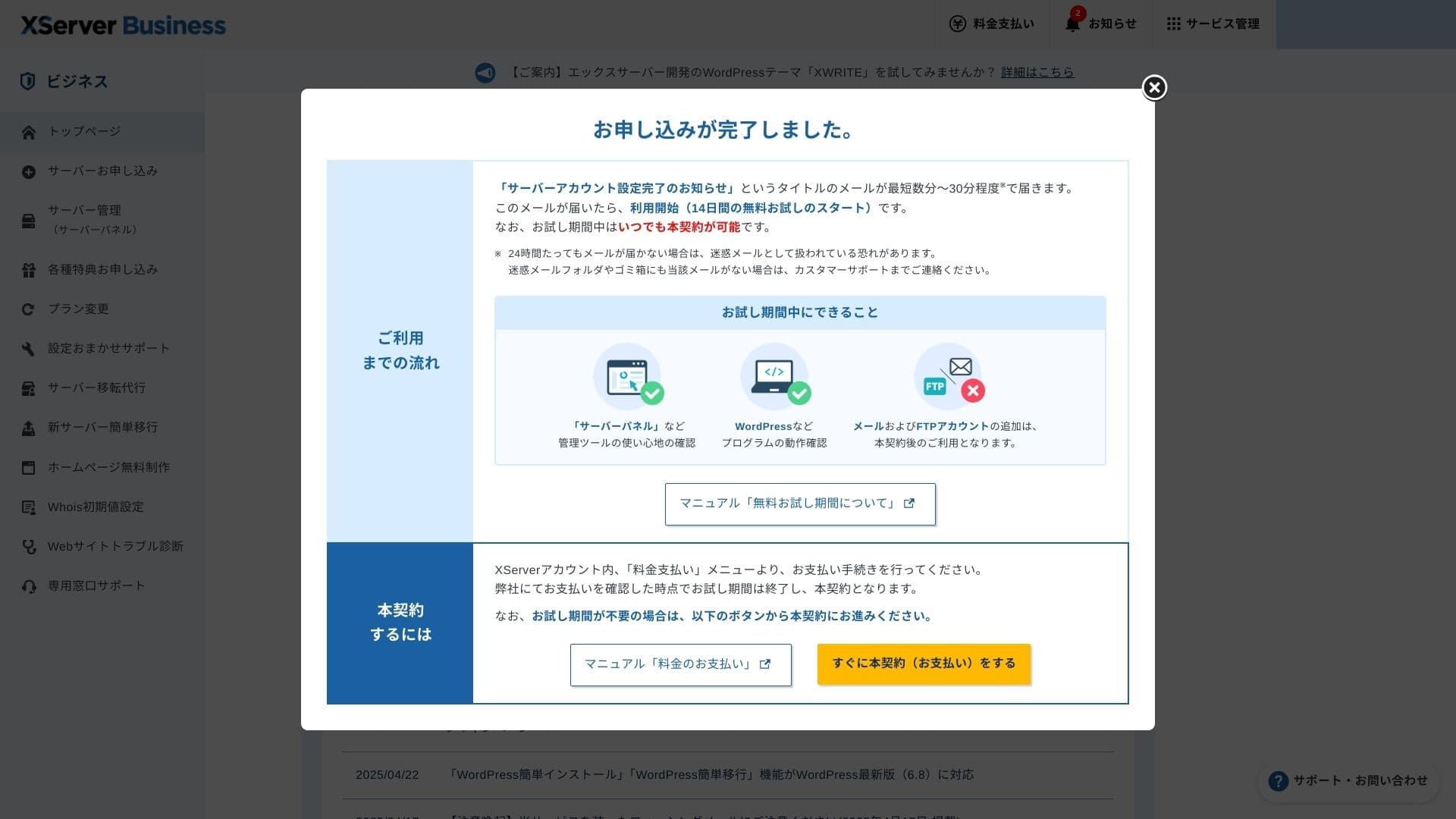
Kada se prikaže ova stranica, dovršite plaćanje putem "Odmah prijeđi na plaćeni ugovor." Ako ne dovršite plaćeni ugovor, nećete moći koristiti pogodnost jedne godine besplatne domene ni funkcije e-pošte.
- STEP.5Nabavite vlastitu domenu i konfigurirajte je
Log in to the Posluzitelj Panel from the Xserver Account admin screen. Get your domain from the Domain section. It is a good deal to use the one-year free benefit.
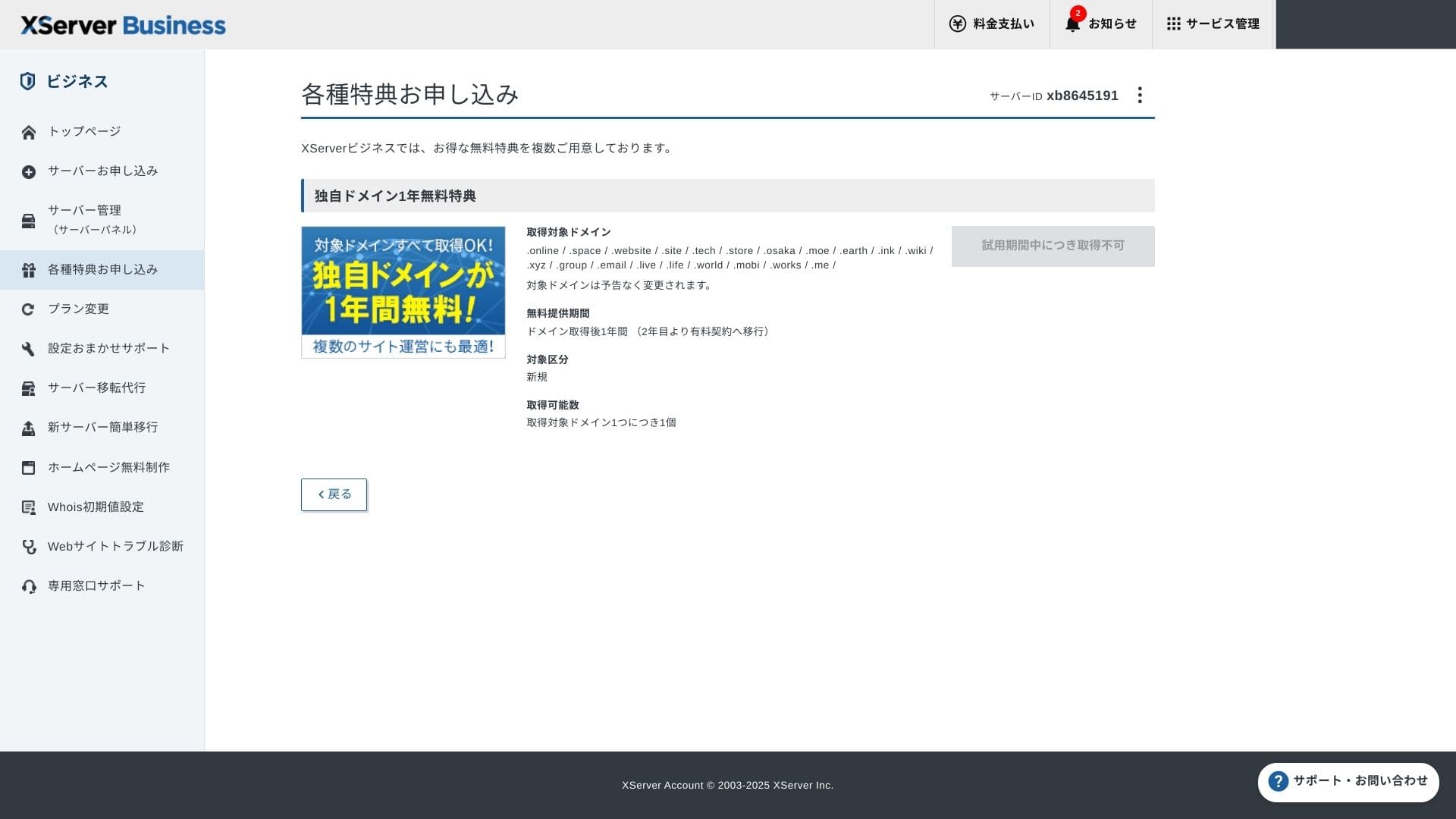
Nabavite vlastitu domenu. Na administracijskom zaslonu u odjeljku za prijavu na posebne ponude odaberite pogodnost trajno besplatne vlastite domene, a zatim kliknite da upotrijebite tu pogodnost.
Kao kategoriju odaberite novu registraciju. Za naziv domene unesite bilo koji željeni niz znakova. Domena je važna, zato dobro razmislite prije odluke.
★ Što je domena? Njezina uloga kao adrese na internetu i kako je nabaviti
Search for the domain name you want and choose it. Click "Apply to get the selected domain." Review the application details on the Review screen. Check the box to agree to the Terms of Use and the Handling of Personal Information, then click "Submit your application."
Next, configure the domain. From the admin screen, choose "Posluzitelj Management." This opens the Posluzitelj Panel. Under "Domain," click "Domain Postavke." Click "Add Domain Setting," enter the custom domain you obtained, and click "Proceed to Review."
Check the details on the Review screen and click "Add." When the completion screen appears, the domain setup is complete.
- STEP.6Instalirajte WordPress i dovršite početno postavljanje
From WordPress in the Posluzitelj Panel, choose Easy WordPress Installation.
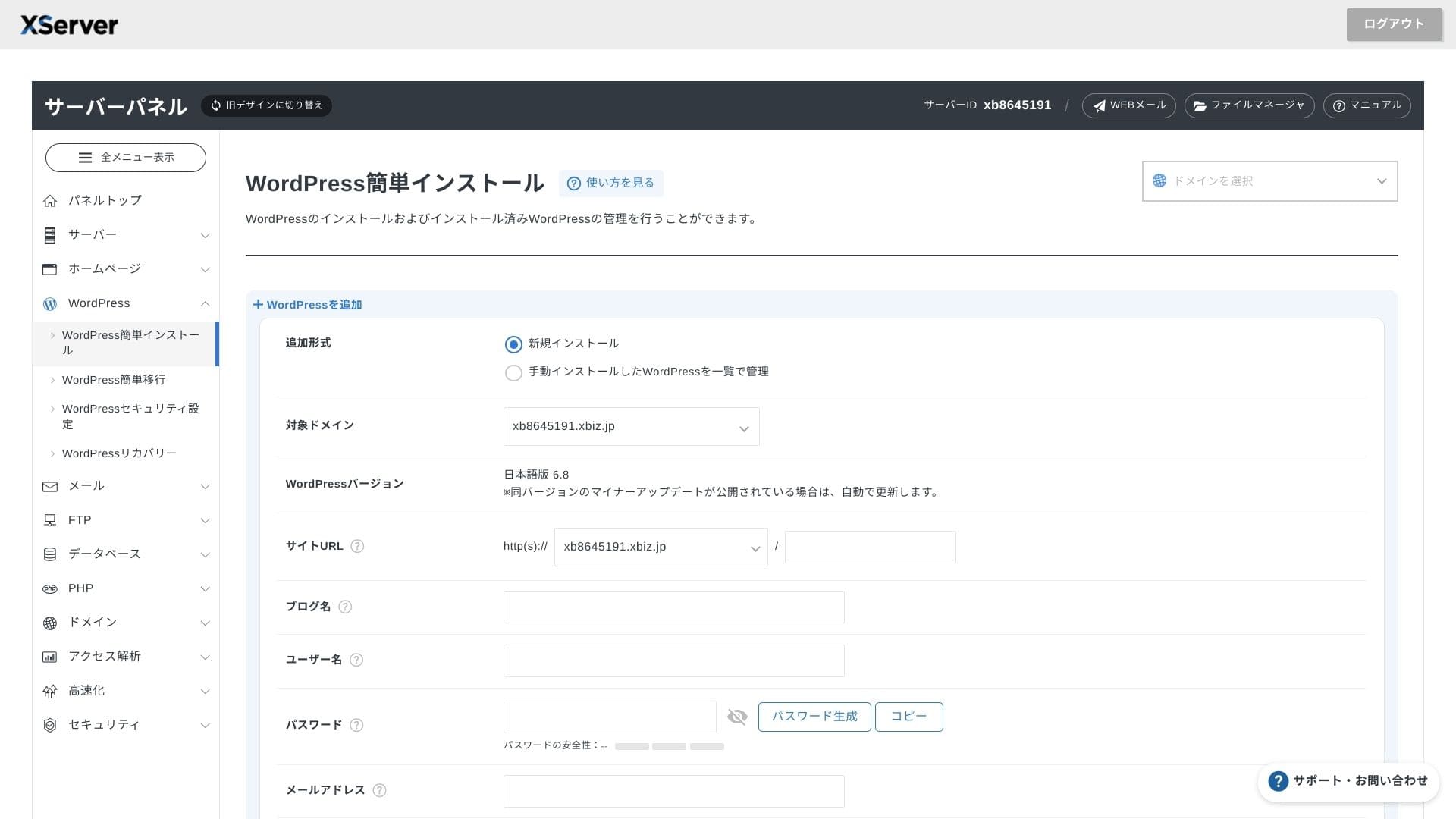
Kliknite WordPress Installation i unesite postavke instalacije za WordPress.
- URL stranice: odaberite naziv domene koji ste ranije nabavili
- Naslov stranice: naslov vaše web-stranice
- Korisničko ime: bilo koje korisničko ime za prijavu u WordPress
- Lozinka: lozinka za prijavu u WordPress, po mogućnosti što složenija
- Adresa e-pošte: upotrijebite adresu e-pošte koju inače koristite. Za poslovnu web-stranicu preporučuje se službena adresa tvrtke
- Baza podataka: automatski generirajte bazu podataka
After entering everything, click "Proceed to Review" and then click "Install." When the completion screen appears, the installation is complete.
Zatim obavite početno postavljanje WordPressa. Na zaslonu dovršetka instalacije WordPressa kliknite URL administratorske ploče. Na prikazanom zaslonu za prijavu unesite korisničko ime i lozinku koje ste ranije zapisali i kliknite Prijava.
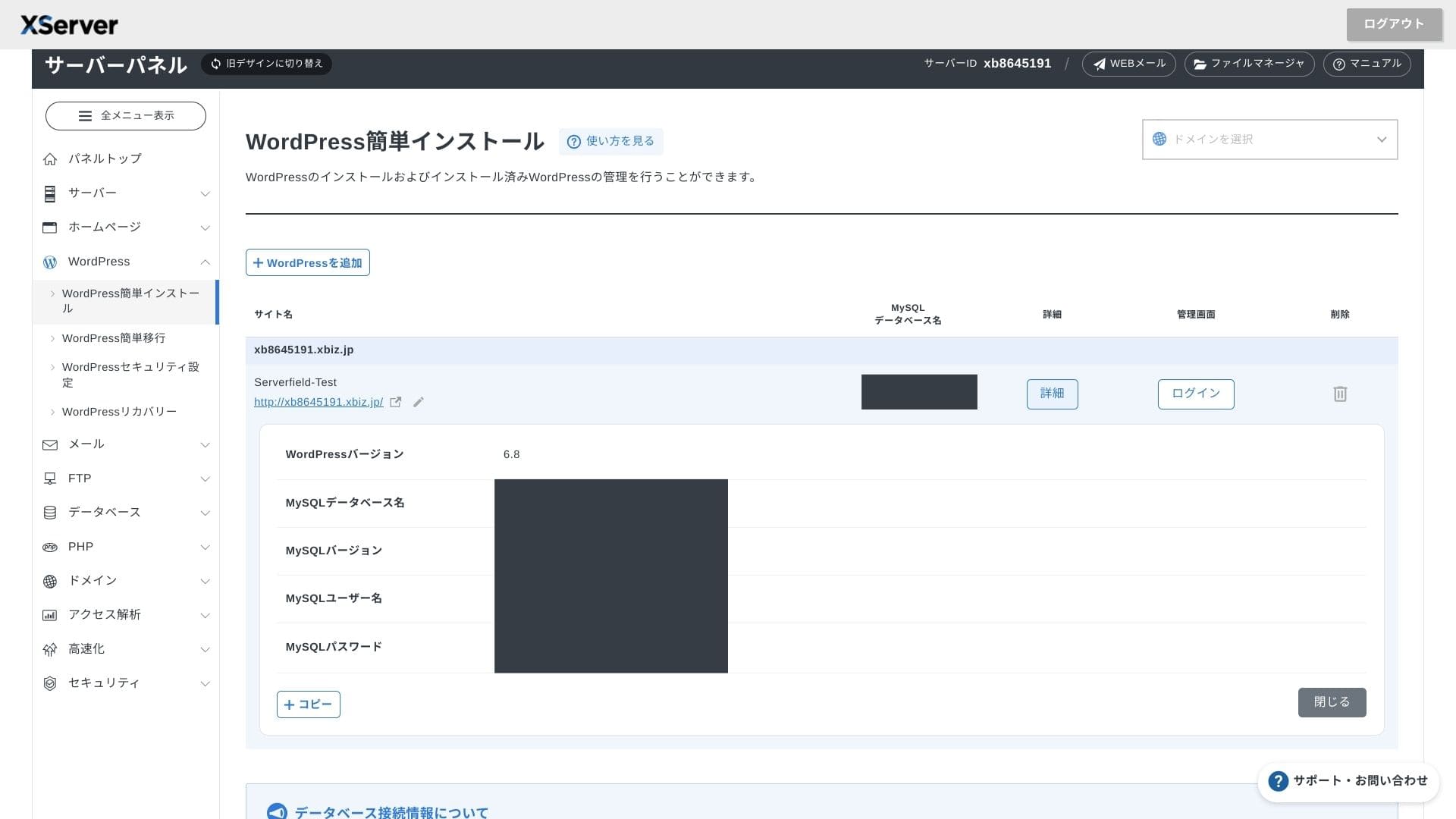
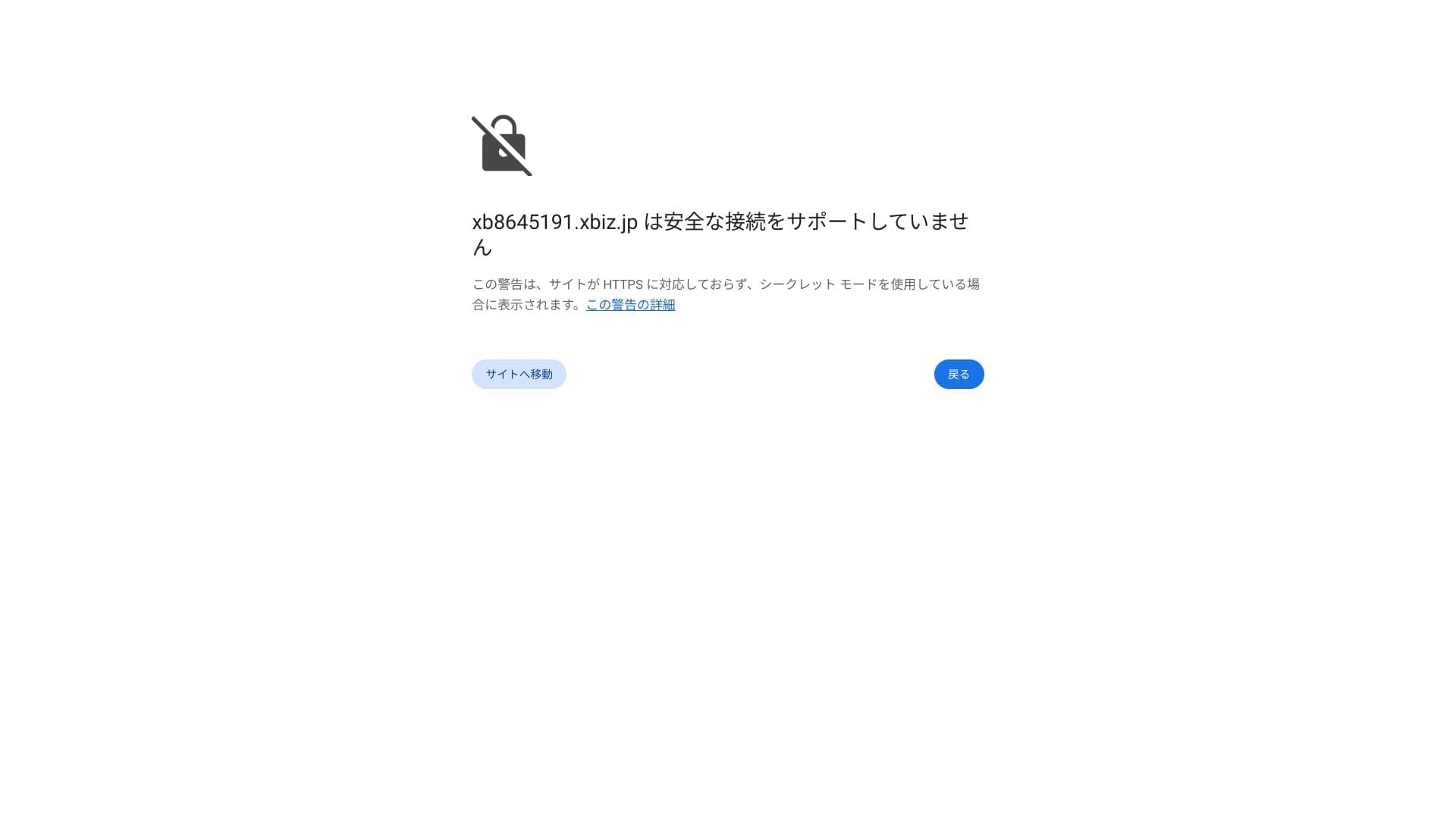
Ako vidite upozorenje da sigurna veza nije podržana, DNS postavke još se nisu propagirale. U tom slučaju možete samo pričekati, pa pokušajte ponovno s prijavom otprilike svakih sat vremena.
★ Što su DNS i nameserveri? Povezivanje domene i servera
Set your permalinks. In the WordPress admin screen, go to Postavke and then Permalinks. Choose Post name and click Save Changes.
Ako odaberete naziv objave, u URL svakog članka moći ćete unijeti željeni niz znakova. Preporučujem kratak niz koji čitateljima pomaže naslutiti sadržaj članka. Ako je URL predug, neki se ljudi mogu osjećati nesigurno i pitati je li stranica sigurna.
- STEP.7Instalirajte dodatke
Vratite se na administratorski zaslon WordPressa, otvorite Plugins, zatim Add New i instalirajte dodatke koji su vam potrebni.
When you find the plugin you want through search, click Install New and then Activate. After that, follow the instructions for each plugin.
Svakako instalirajte dodatke za sigurnost i sigurnosne kopije.
- 5 WordPress dodataka usmjerenih na sigurnost i kako ih odabrati
- 5 snažnih WordPress dodataka za sigurnosne kopije i oporavak podataka
Kada su dodaci postavljeni, vaša WordPress web-stranica spremna je za rad.
Pokretanje vise stranica
Budući da su multidomene, poddomene i računi e-pošte neograničeni, pod jednim ugovorom možete centralno upravljati korporativnom web-stranicom, stranicama za zapošljavanje, kampanjskim landing stranicama i drugim sadržajem. Mogućnost podjele administratorskih ovlasti po odjelima također je praktična za poslovnu upotrebu.
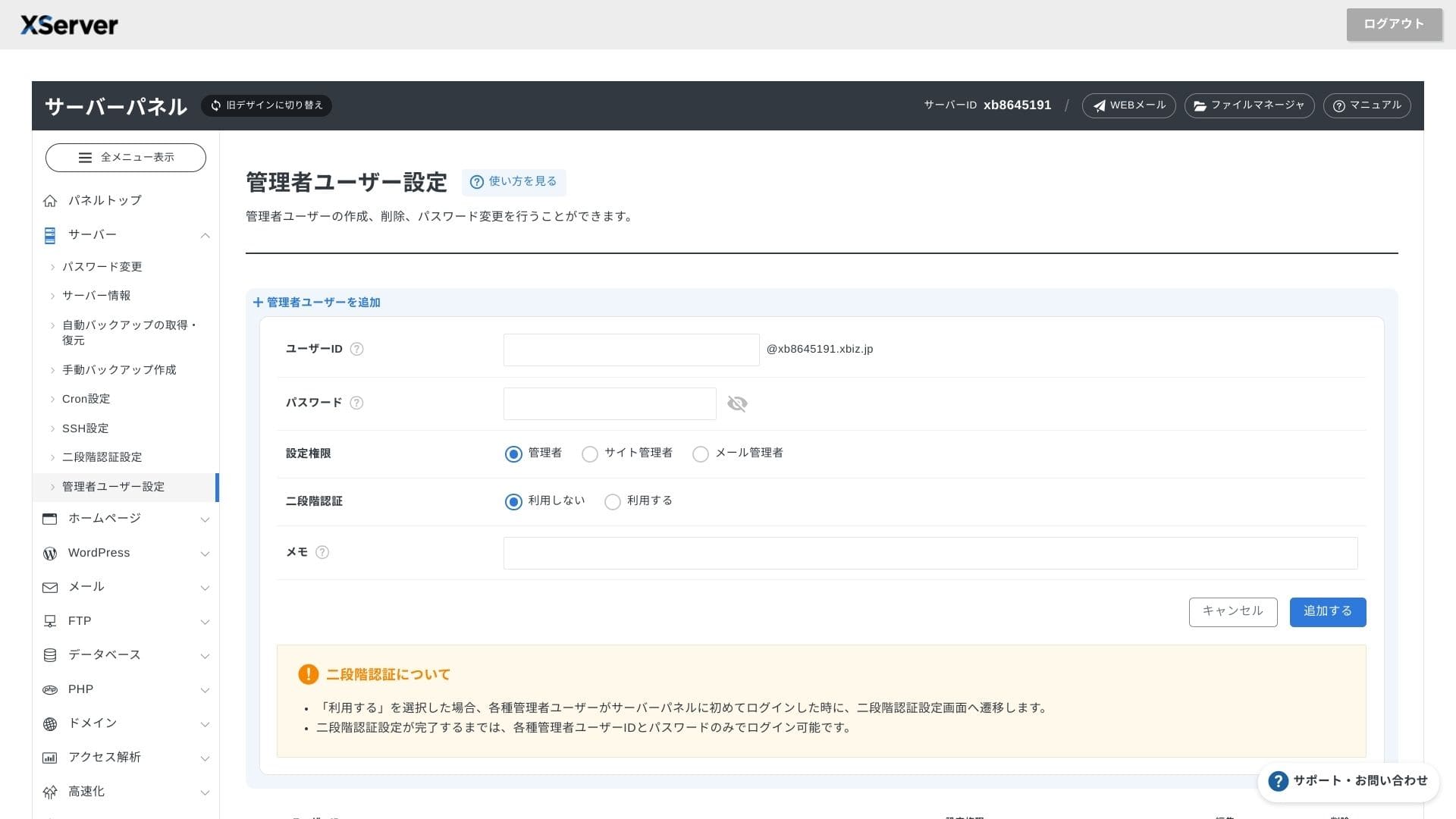
Migracija WordPress stranica
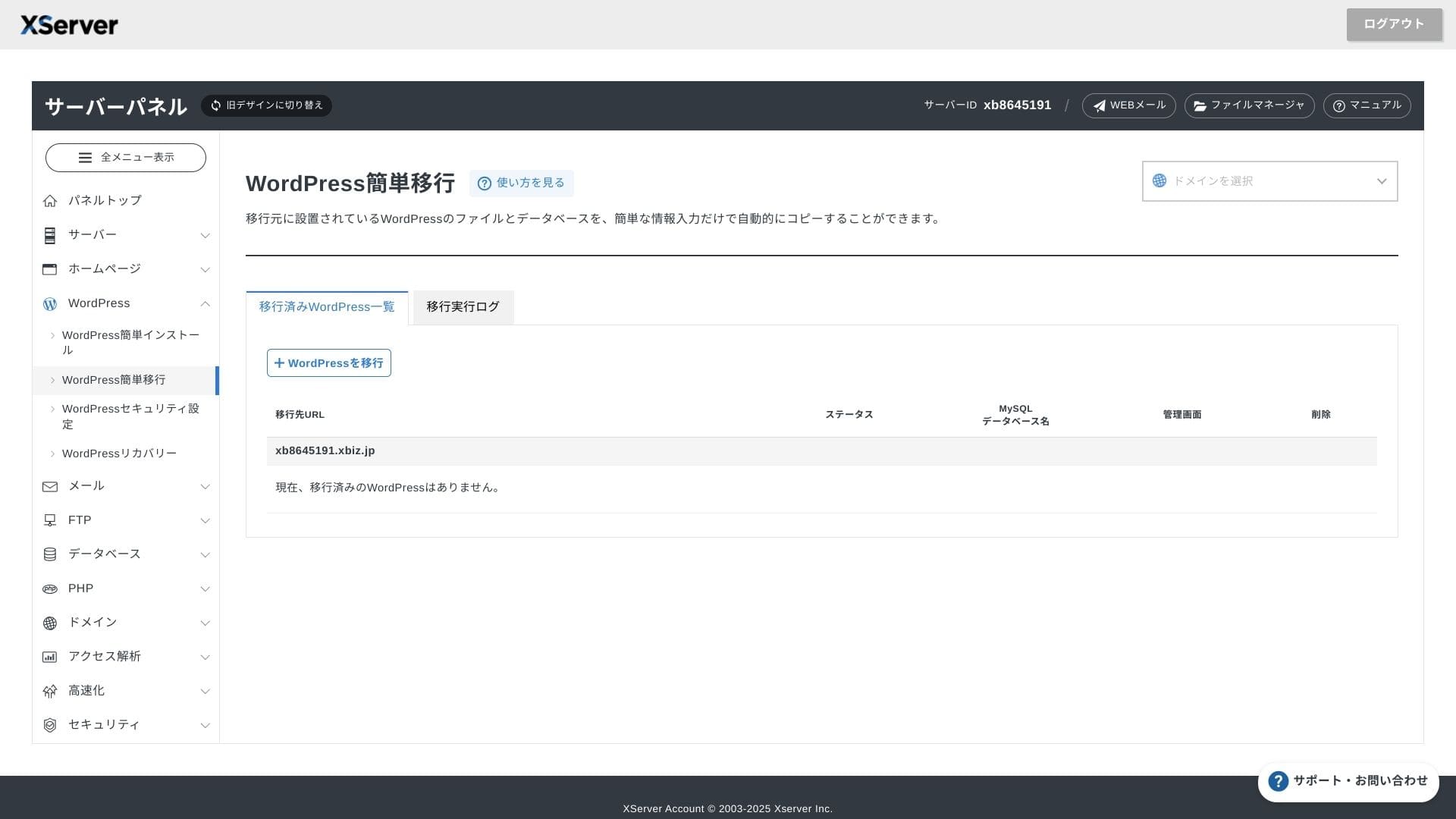
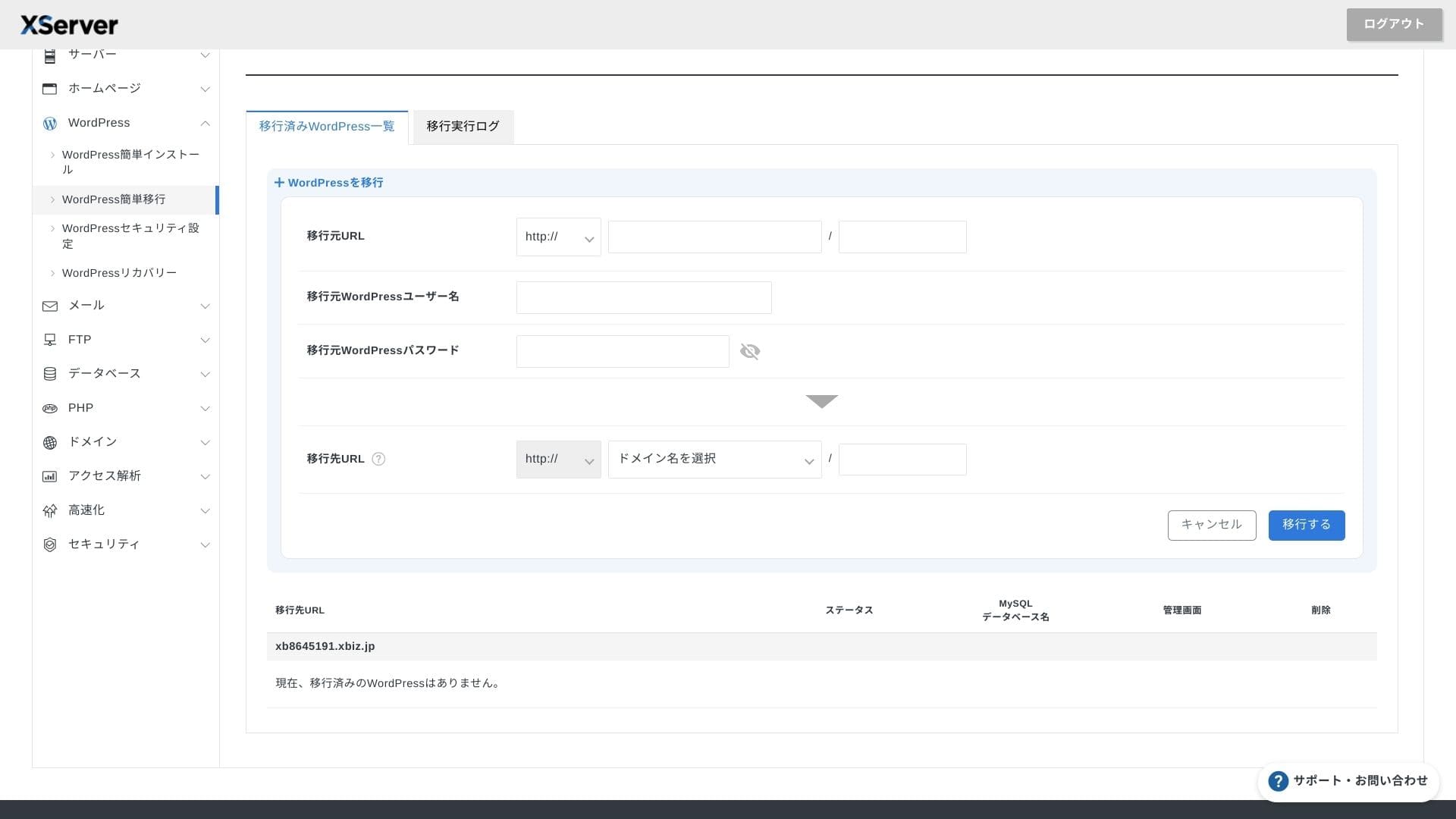
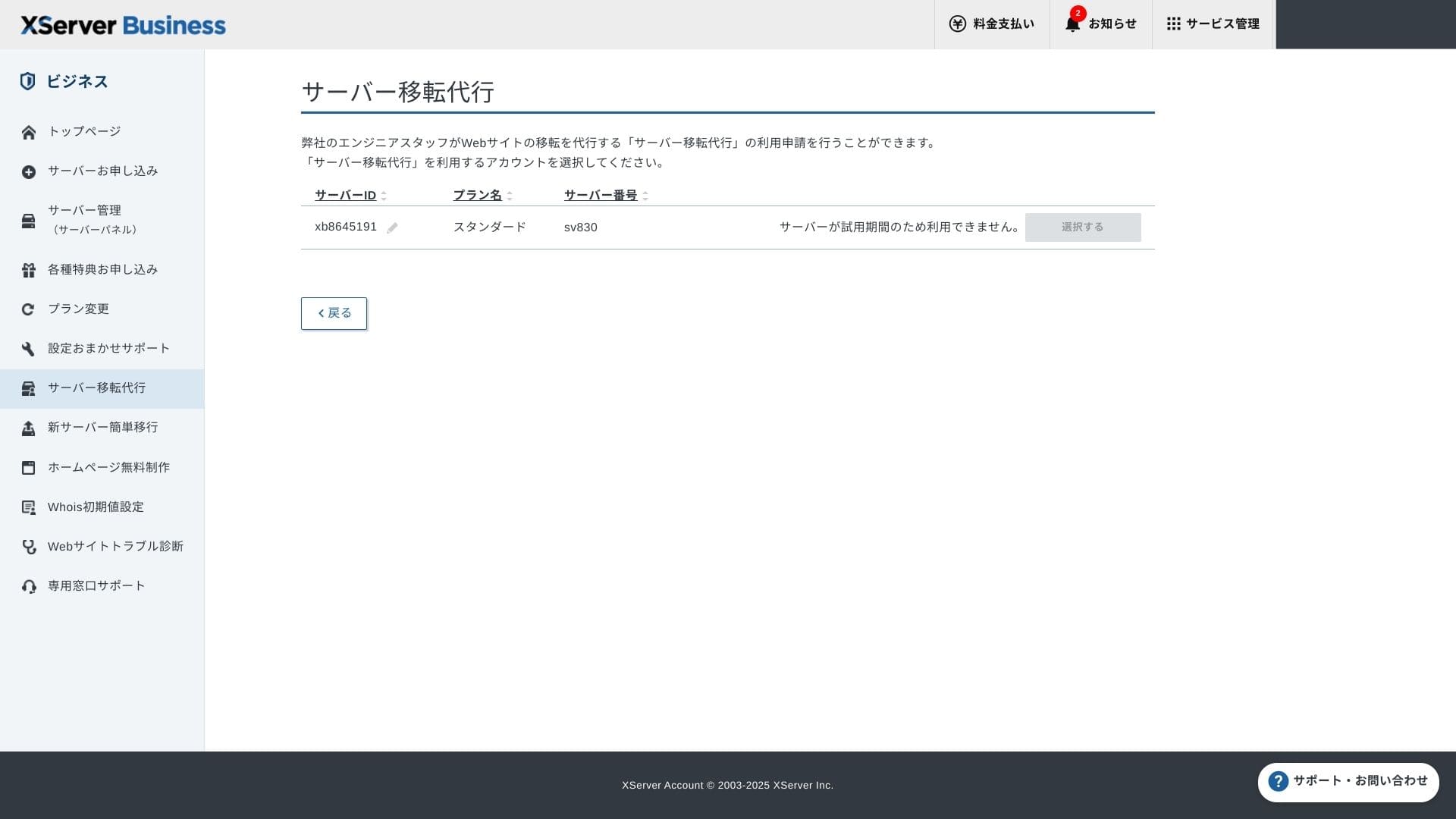
Možete koristiti i Easy WordPress Migration, koji kopira web-stranicu samo unosom URL-a starog servera, ID-a i lozinke, i uslugu migracije servera u kojoj inženjeri sve odrađuju za vas (prvi put besplatno).
Hikaru Ono
Ako ste vični serverima i domenama, korištenje Easy WordPress Migrationa i samostalno postavljanje bit će jednostavnije jer ne morate čekati upravljanu uslugu migracije.
Upravljana usluga migracije osobito obuhvaća i prebacivanje DNS-a, pa je posebno preporučujem tvrtkama koje već imaju promet i svakako žele izbjeći DNS pogreške tijekom migracije.
Recenzija performansi i specifikacija
Pregled performansi prema nasim mjerenjima
XServer Businesspokretao je WordPress web-stranicu za koju smo izmjerili TTFB (Time to First Byte, odnosno brzinu odziva prije nego što se stranica počne prikazivati) od 40 ms.
To je znatno brže od 200 ms odziva servera koje Google očekuje, pa je izvrsno rješenje za korporativne i poslovne web-stranice s velikim prometom.
Vrijeme odziva servera trebali biste smanjiti ispod 200 ms.
Improve Posluzitelj Response Time
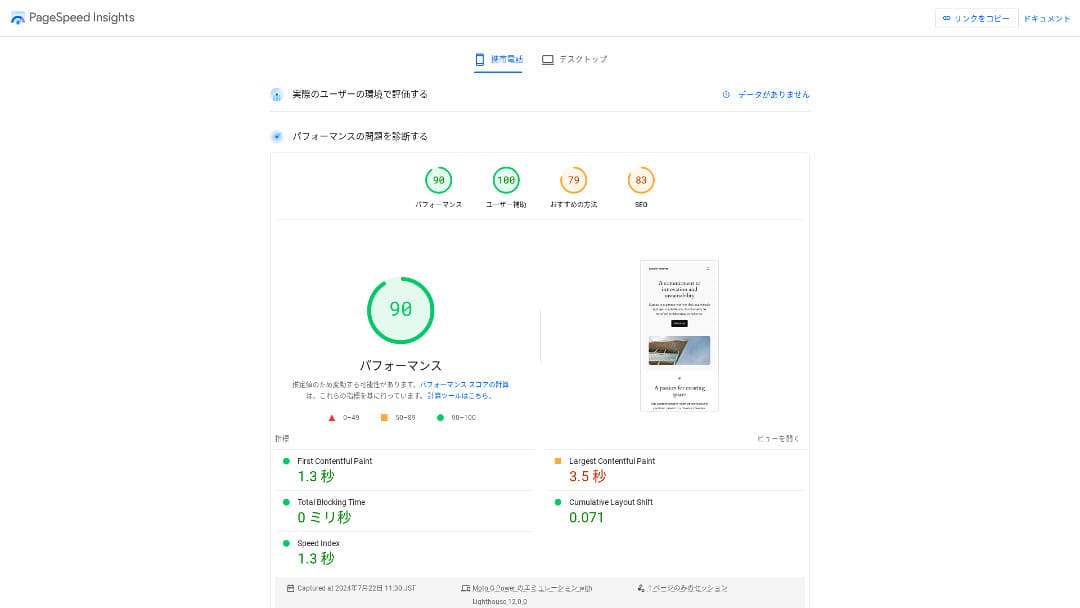
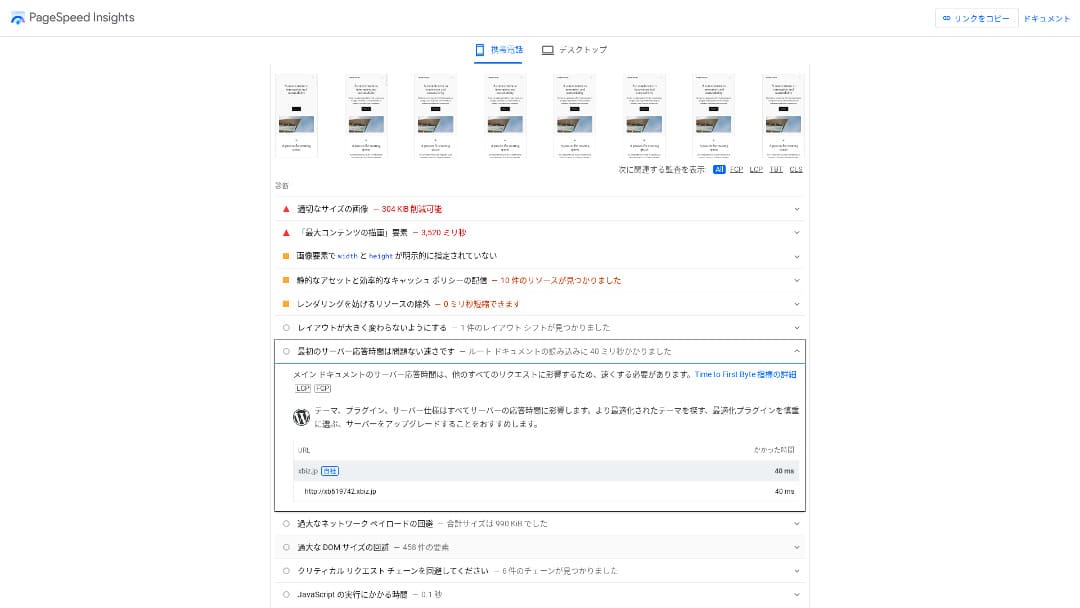
It was the second-fastest of the 18 servers we measured. (Kinsta was Ne. 1.)
Hikaru Ono
To je najbrži domaći server. Za korporativne web-stranice i e-commerce stranice na kojima i 0,1 sekunda utječe na promet i prodaju, ta je brzina velika prednost.
Koristi domaći backbone s izravnom vezom od 10 Gbps i NVMe RAID10 pohranu. Prema službenom benchmarku, do 17 je puta brži od konvencionalne SSD pohrane.
Kapacitet diska
U jesen 2024. tri dijeljena plana proširena su na 700 GB / 800 GB / 900 GB (sve NVMe). Čak i ako pokrenete mnogo landing stranica s velikim brojem fotografija i videozapisa, i dalje imate mnogo prostora.
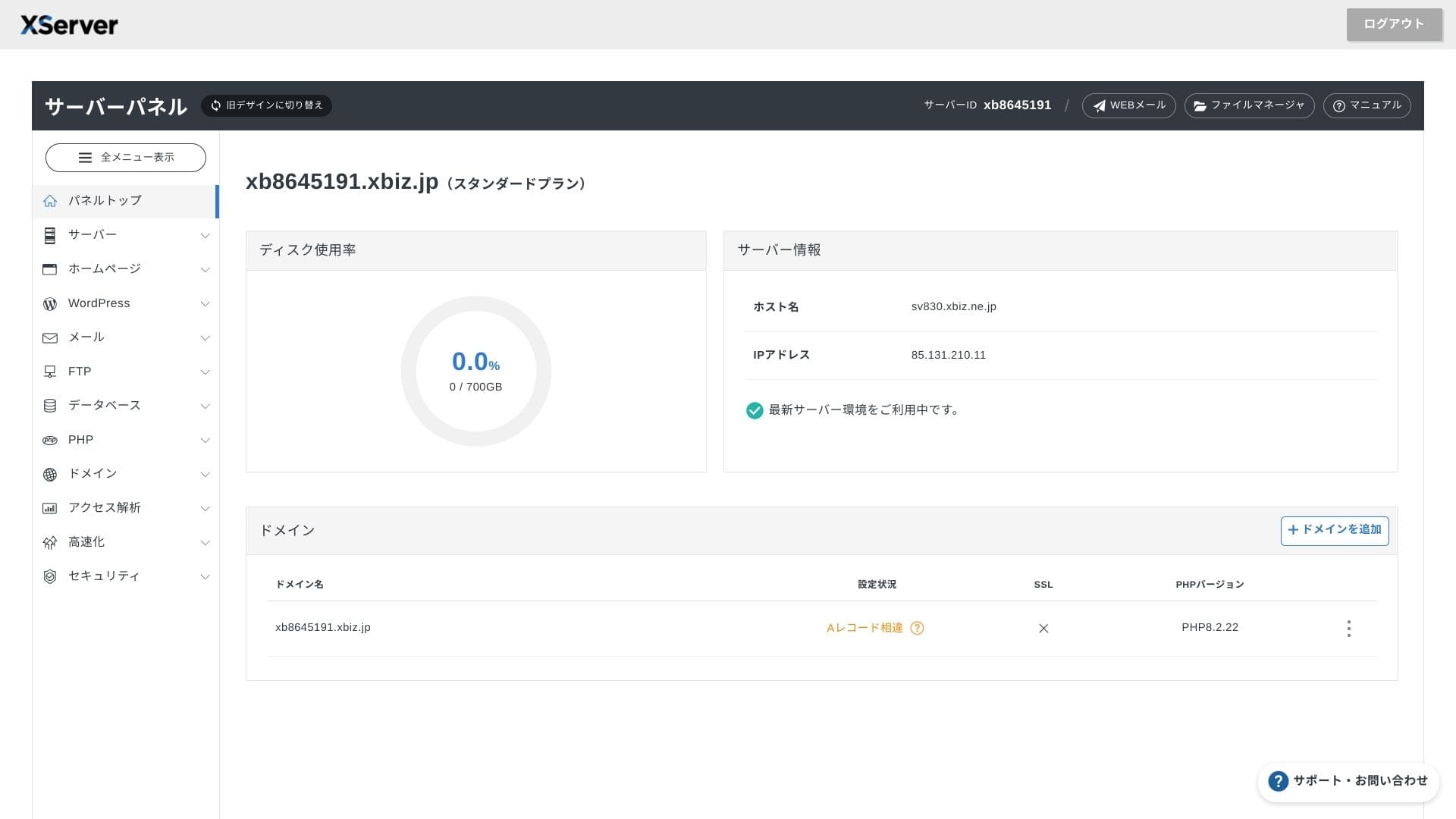
U financijama i zdravstvu e-poštu je često potrebno čuvati sedam godina ili dulje kao revizijski trag, a prodajni odjeli često rade s velikim privicima. Budući da je dostupna pohrana vrlo velika, tu poštu možete sigurno čuvati bez stalnog brisanja starih podataka.
Možete izgraditi i pohranu nalik on-premises okruženju, primjerice WebDAV ili Nextcloud, te sigurno upravljati internim dokumentima preko VPN veze.
Hikaru Ono
XServer Businesssam po sebi može smanjiti opterećenje operativnog tima, a pritom ostaviti dovoljno prostora za budući rast poslovanja.
Kolicina prijenosa
XServer Businessmože se koristiti bez ograničenja prijenosa unutar uobičajenih granica upotrebe. Službena dokumentacija jasno navodi da nema naknada za količinu prijenosa.
★ Što su promet i količina prijenosa podataka? Upravljanje i optimizacija web prometa
Posluzitelj stability and uptime
Čak i dijeljeni plan uključuje mjesečni SLA od 99,99%, što znači da dobivate povrat ako jamstvo nije ispunjeno. Uz visoku stabilnost i SLA, riječ je upravo o vrsti usluge koja je tvrtkama potrebna.
Budući da se informacije o prekidima rada servera i održavanju otvoreno objavljuju na službenoj stranici, svatko ih može provjeriti u bilo kojem trenutku.
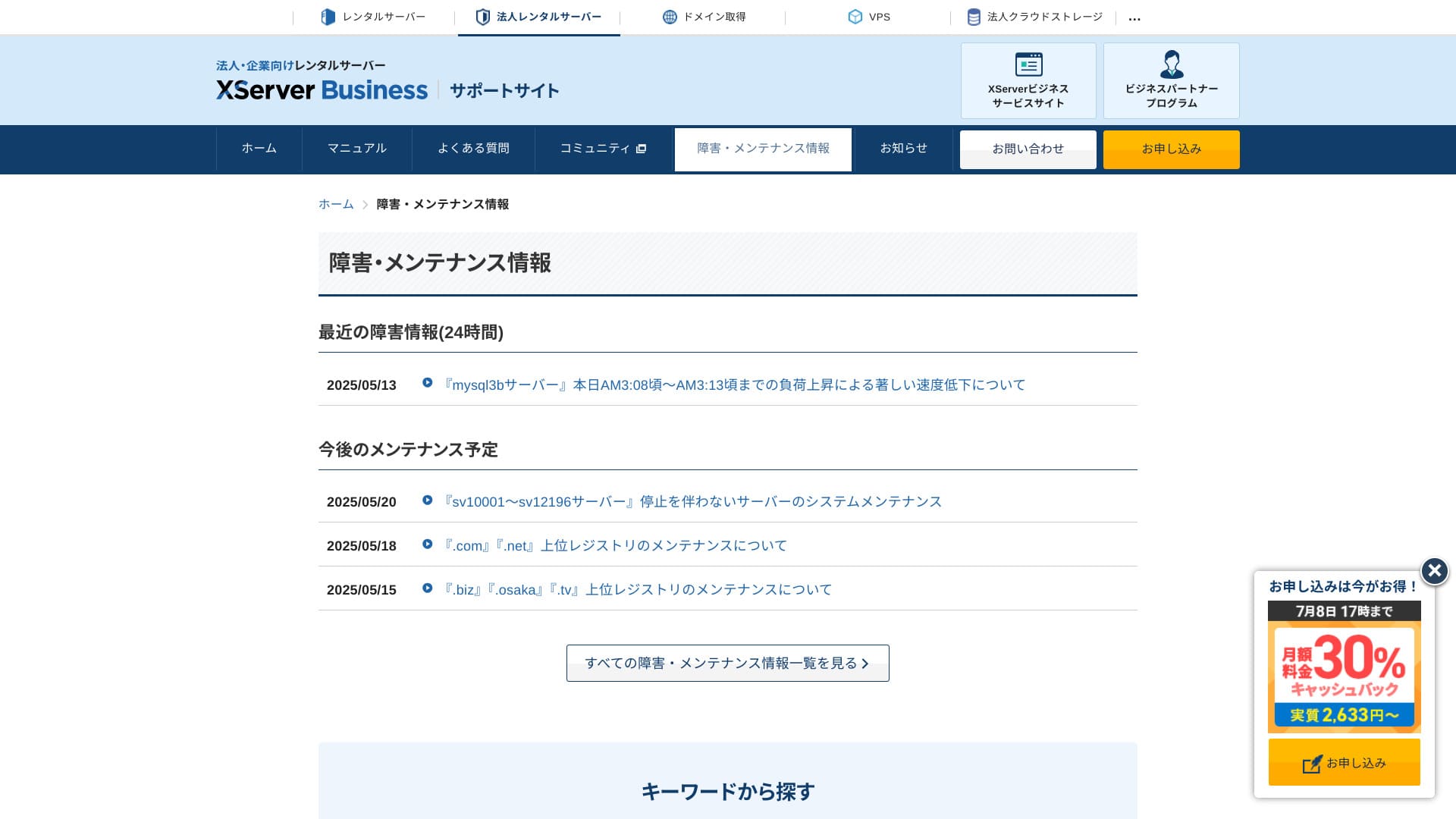
Hikaru Ono
Tvrtki koja te informacije otvoreno dijeli umjesto da ih skriva lakše je vjerovati.
Cijene i troskovi
Pocetna naknada i mjesecni trosak
XServer Businessza plan Standard s 12-mjesečnim ugovorom naplaćuje 4.180 jena mjesečno. Uz kampanju povrata 30% koja traje do 8. srpnja, efektivni trošak iznosi 2.926 jena. S obzirom na to da su uključeni telefonska podrška, chat podrška i upravljane usluge, smatram da je to razumna razina.
- XServer Business
- Kinsta
- wpx
- Lolipop!
- Star Server
- Rakko Server
- XServer
- ConoHa
- ColorfulBox
- Shin Rental Server
- Little Server
- CORESERVER
- DreamHost
- Bluehost
- Sakura
- Namecheap
- Shin Free Server
- XREA
- Value Server
- Hostinger
- KAGOYA
- SiteGround
- HostGator
- IONOS
- Onamae.com
- ABLENET
- mixhost
- GoDaddy
- iCLUSTA+
- MuuMuu Server
- WADAX
- WebARENA
- Heteml
- CPI Rental Server


































Cijene domena
XServer Businessuključuje jednu besplatnu domenu poput .com ili .net, plus drugu domenu (odabranu između .blog, .online ili .site) koja je također zauvijek besplatna. Pogodnost trajno besplatne vlastite domene podržava novu registraciju, prijenos od drugih tvrtki, prebacivanje već pribavljene domene i promjenu prihvatljive domene.
Hikaru Ono
Because these domains are meant for long-term business use, this free benefit is not something to overlou redu.
- XServer Domain
- Onamae.com
- MuuMuu Domain
- Value Domain
- Shin Domain
- Star Domain
- Colorful Domain
- Rakko Domain








Cijena SSL certifikata
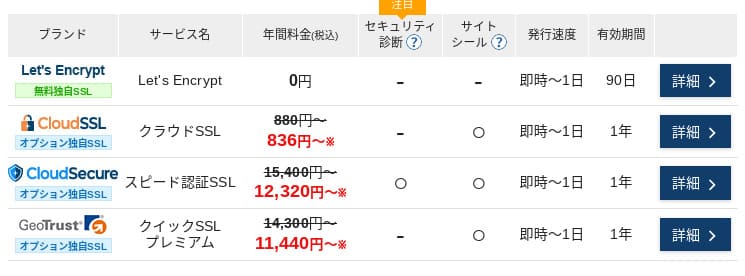
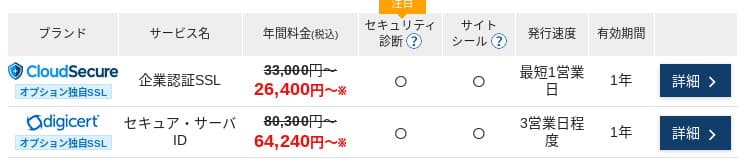
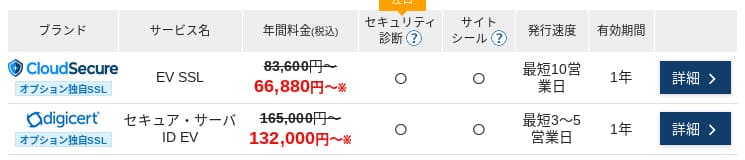
Uz Let's Encrypt, domenski validiran SSL je besplatan. Plaćeni domenski validiran SSL počinje od 836 jena godišnje, organizacijski validiran SSL (OV) od 26.400 jena godišnje, a EV od 66.000 jena godišnje; sve je dostupno kroz službenu narudžbu na jednom mjestu.
Cijene se mogu razlikovati ovisno o kampanji.
Nacini placanja
XServer Businesspodržava kreditne kartice, bankovni prijenos, Pay-easy, plaćanje u trgovinama i plaćanje po računu. Može izdavati i PDF ponude i račune, pa je uvođenje jednostavno čak i za tvrtke kojima je potrebno interno odobrenje.
Hikaru Ono
Budući da mnogi domaći hosting servisi ne podržavaju plaćanje po računu, to je jedna od prednosti XServer Business's strengths.
- XServer Business
- Kinsta
- wpx
- Lolipop!
- Star Server
- Rakko Server
- XServer
- ConoHa
- ColorfulBox
- Shin Rental Server
- Little Server
- CORESERVER
- DreamHost
- Bluehost
- Sakura
- Namecheap
- Shin Free Server
- XREA
- Value Server
- Hostinger
- KAGOYA
- SiteGround
- HostGator
- IONOS
- Onamae.com
- ABLENET
- mixhost
- GoDaddy
- iCLUSTA+
- MuuMuu Server
- WADAX
- WebARENA
- Heteml
- CPI Rental Server


































Jednostavnost koristenja i podrska
Jednostavnost upravljacke ploce
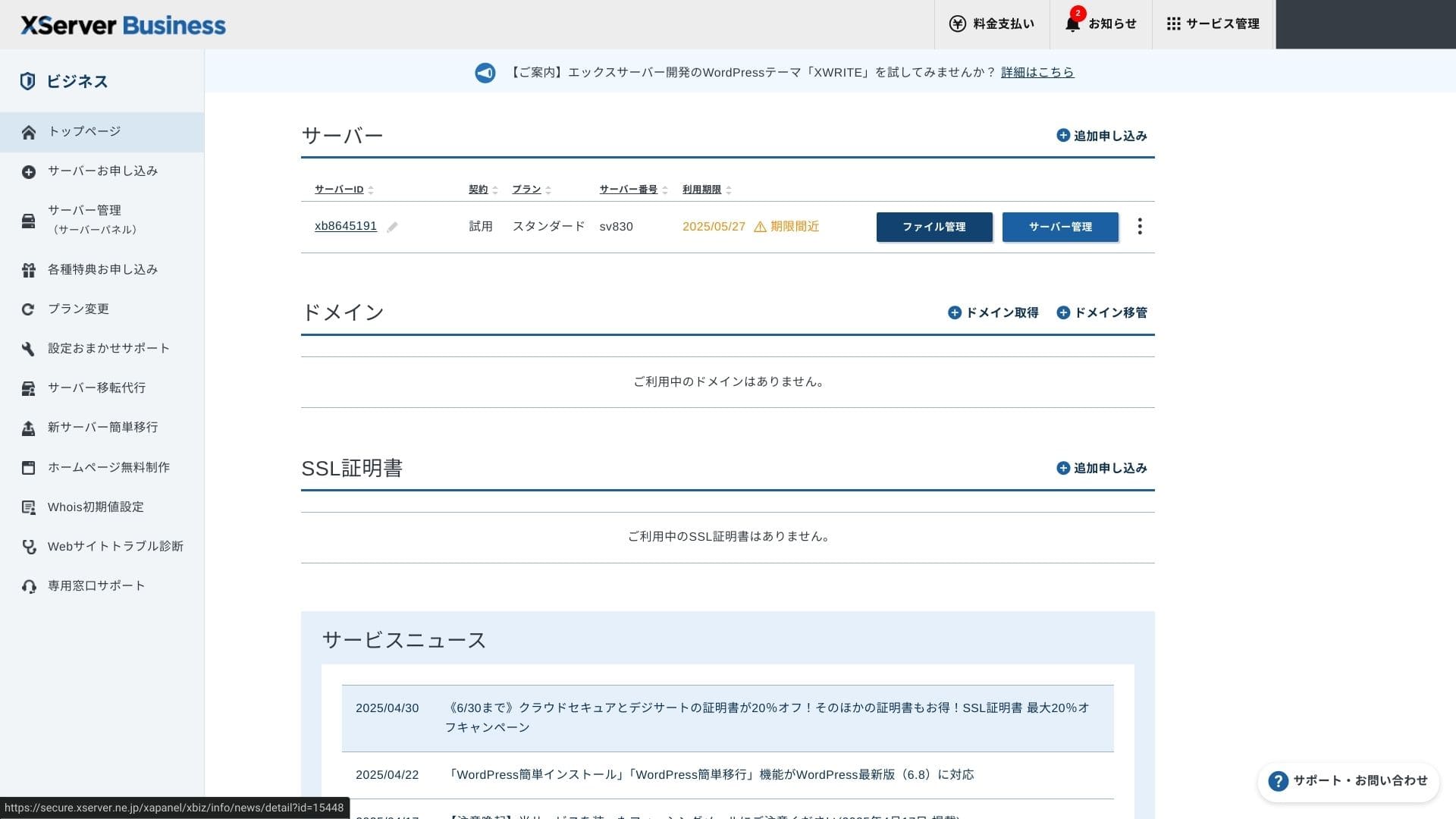
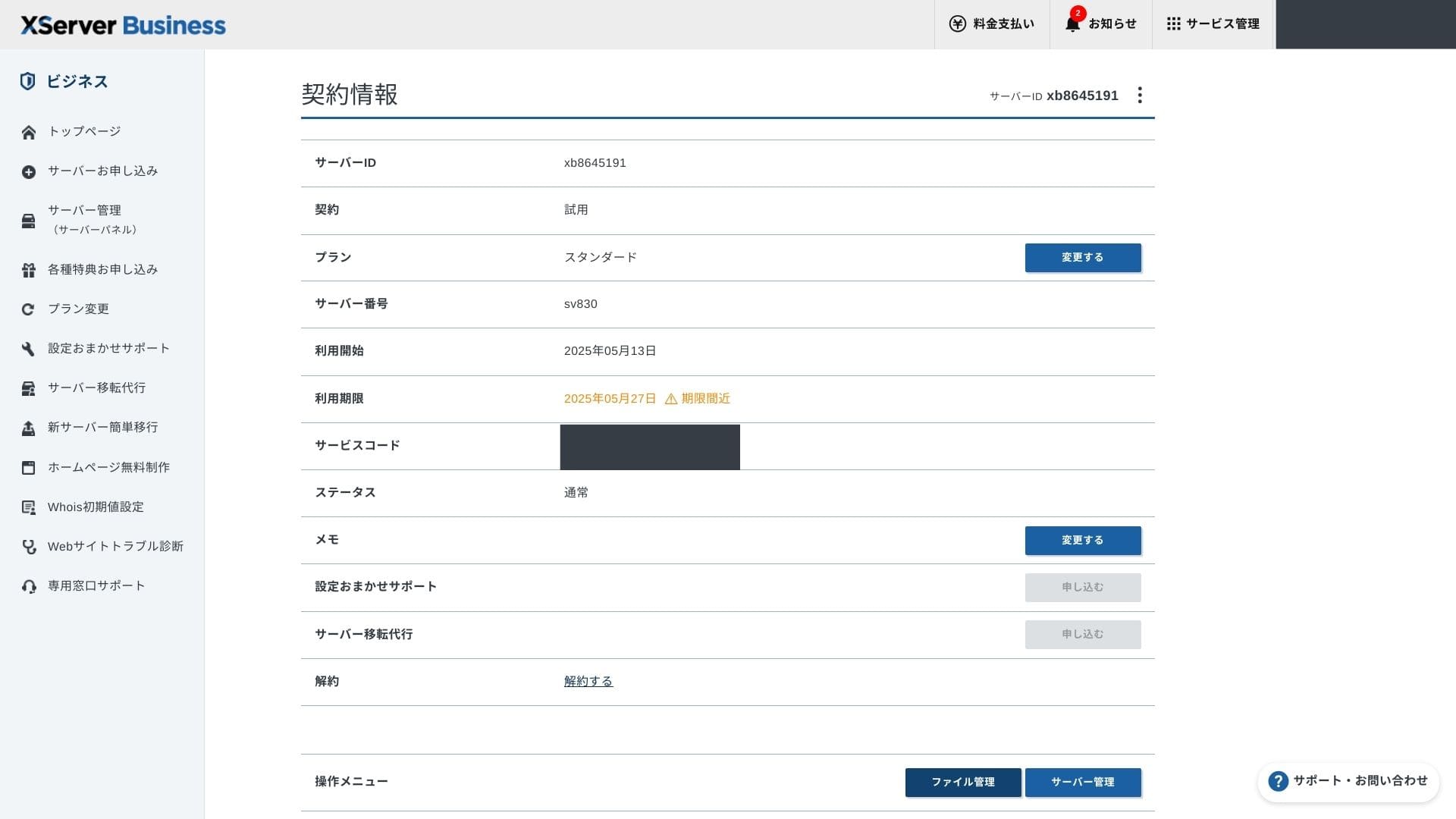
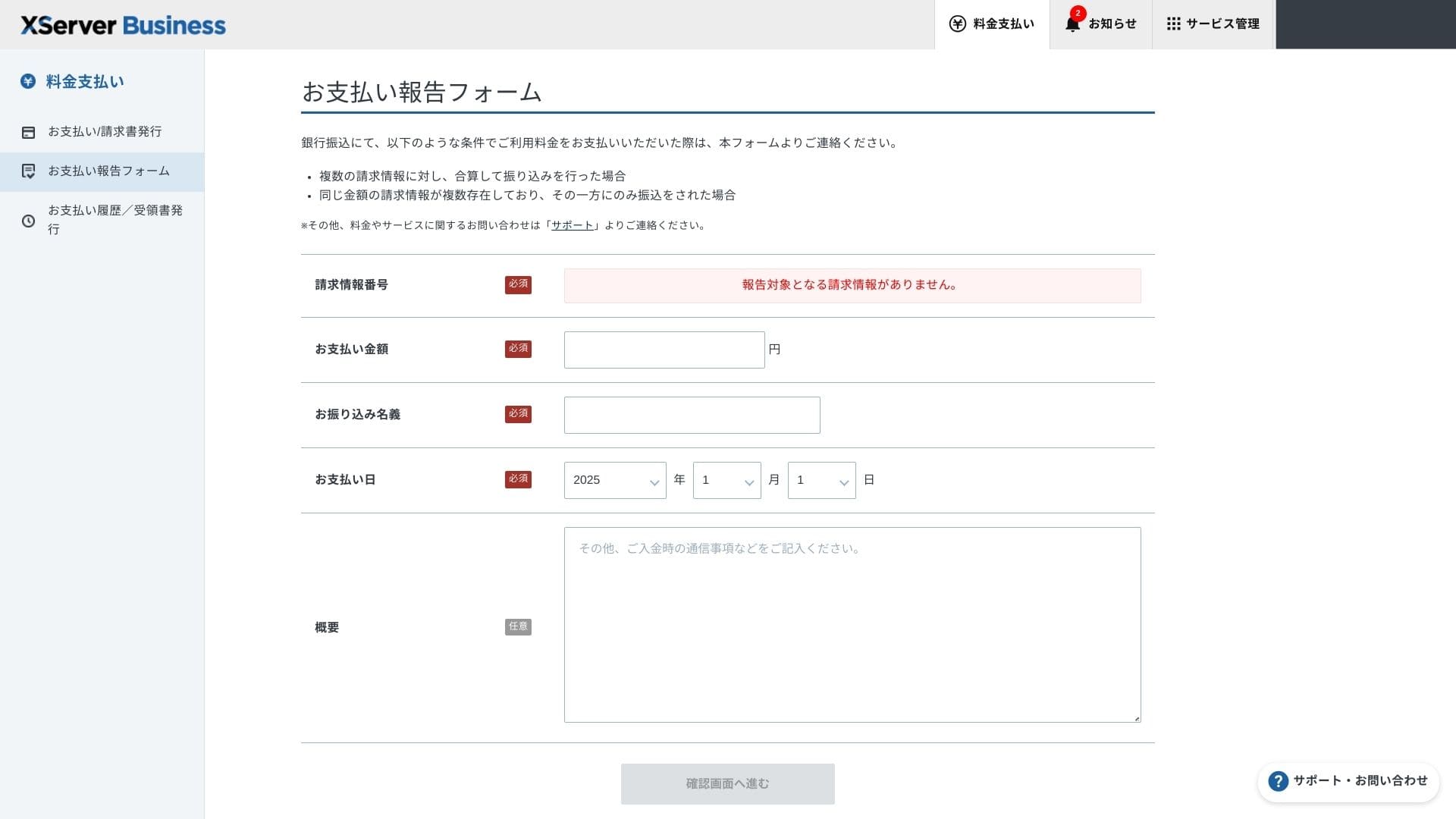
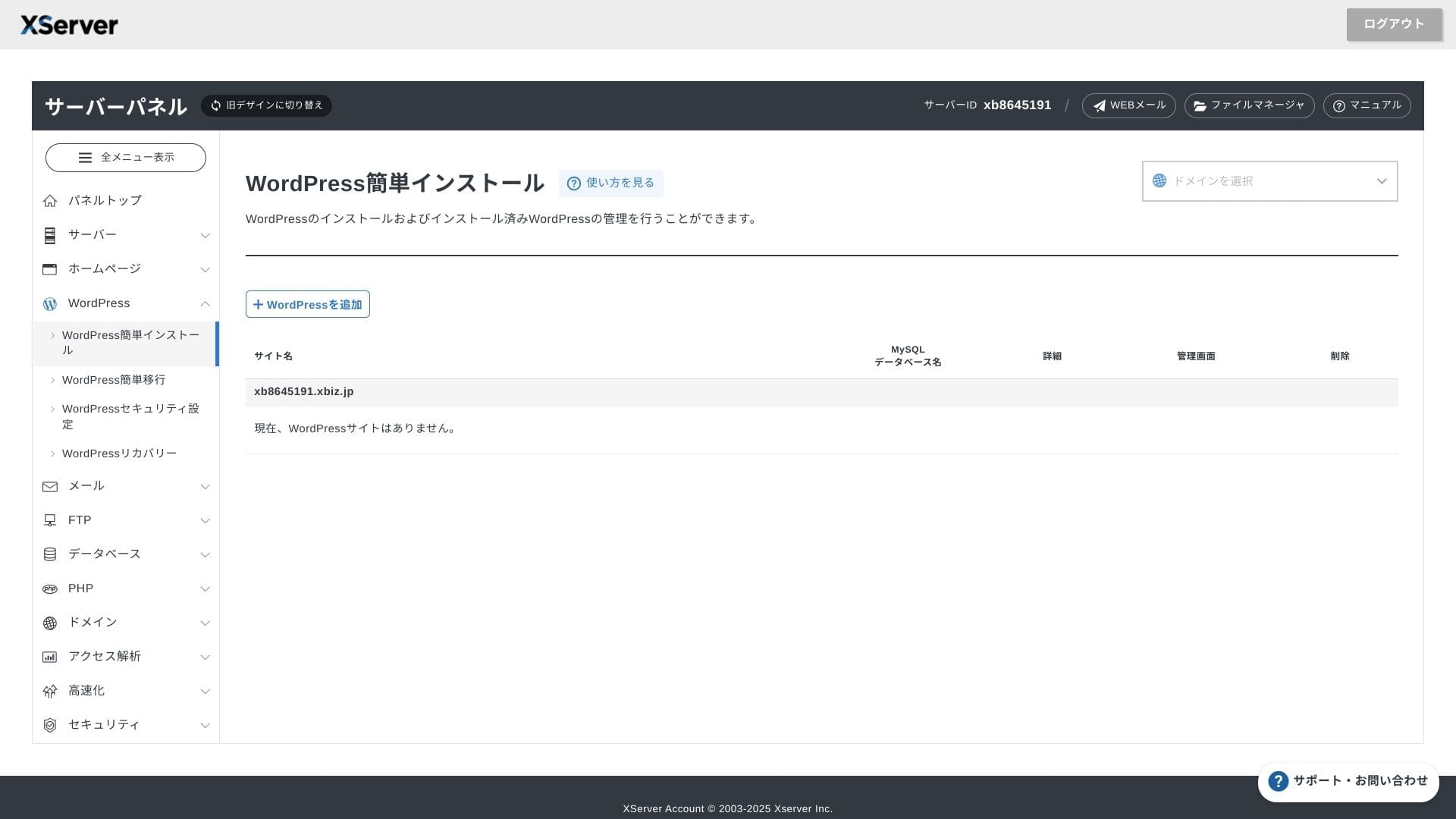
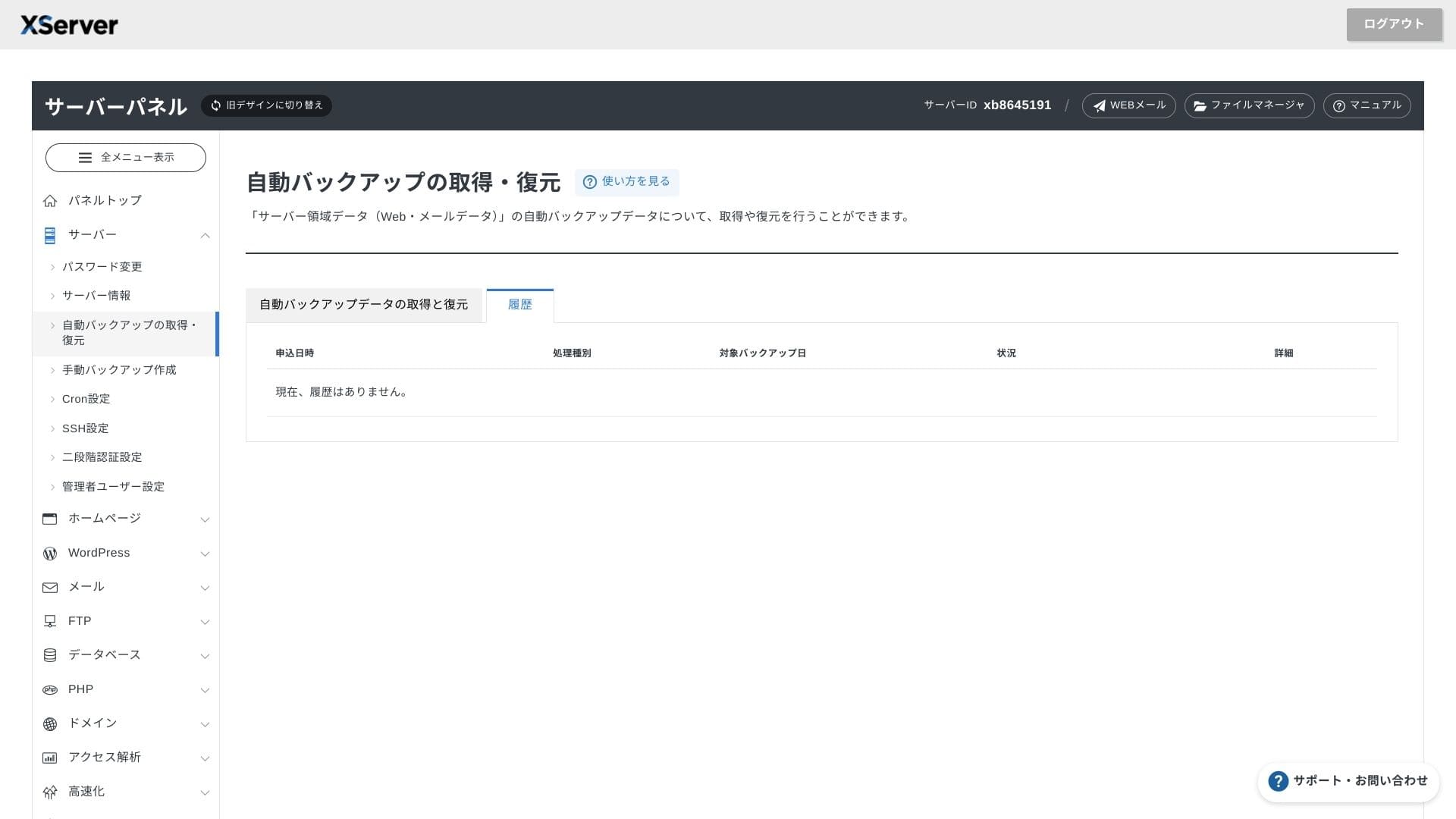
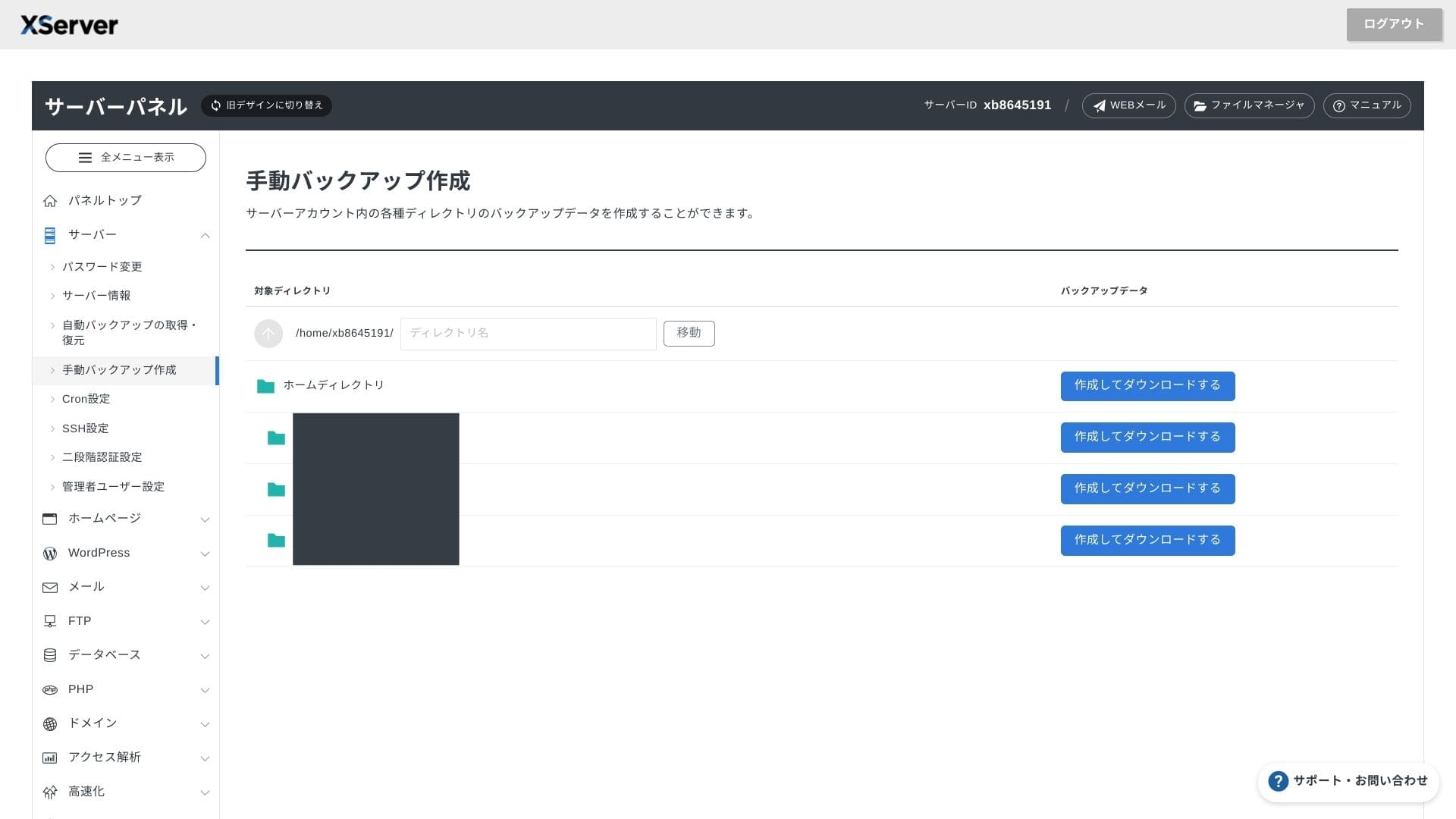
XServer Businesskoristi vlastito sučelje, pa se operacije s datotekama, SSL postavke i postavke e-pošte obrađuju jednim klikom. Budući da službena dokumentacija jasno navodi da se postavljanje dovršava u roku od 24 sata, lako je planirati raspored pokretanja.
Hikaru Ono
Serverska ploča je redizajnirana i sada je još jednostavnija za upotrebu.
- Početni zaslon
- Billing
- WordPress
- Domain
- Backup
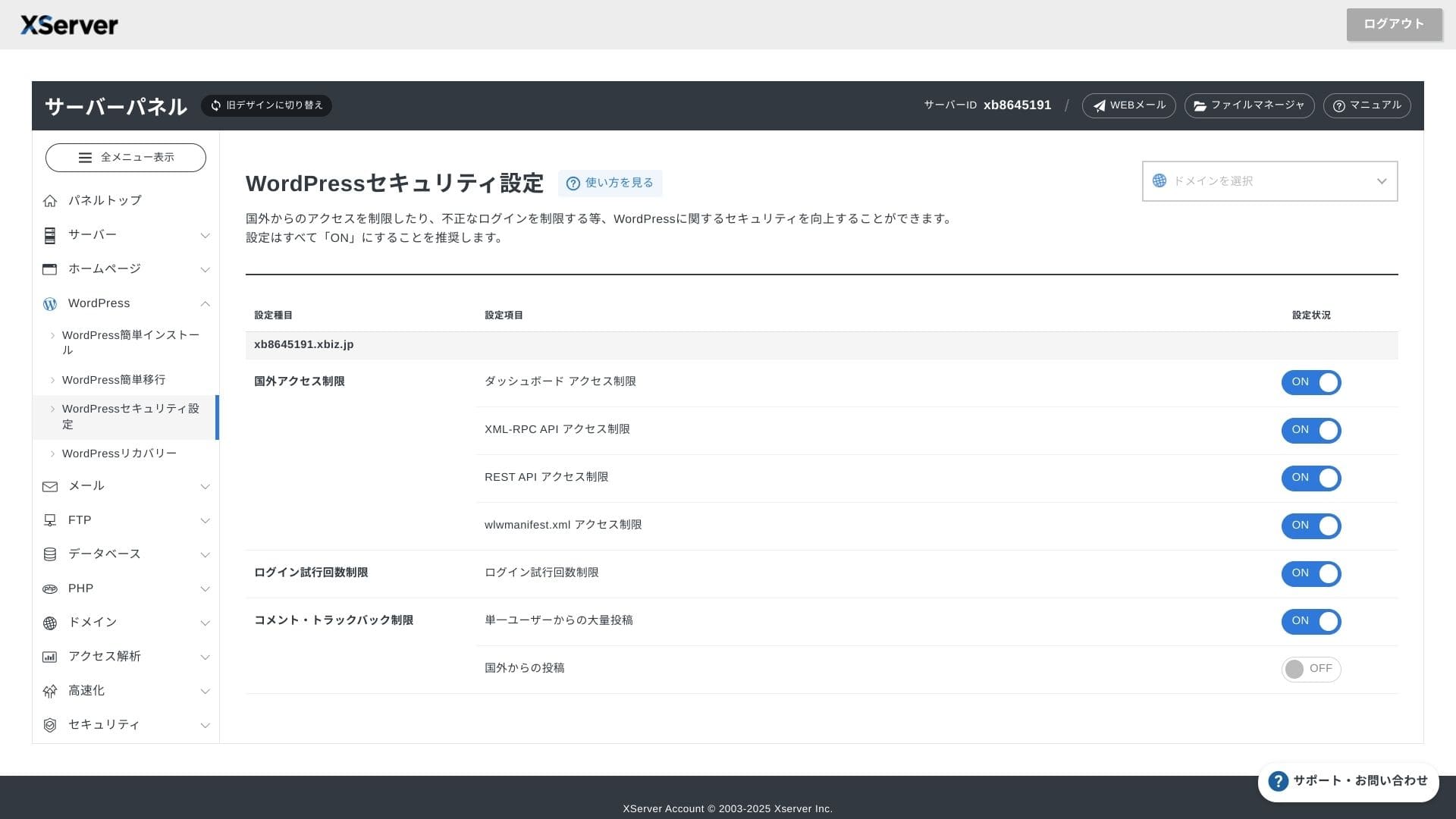
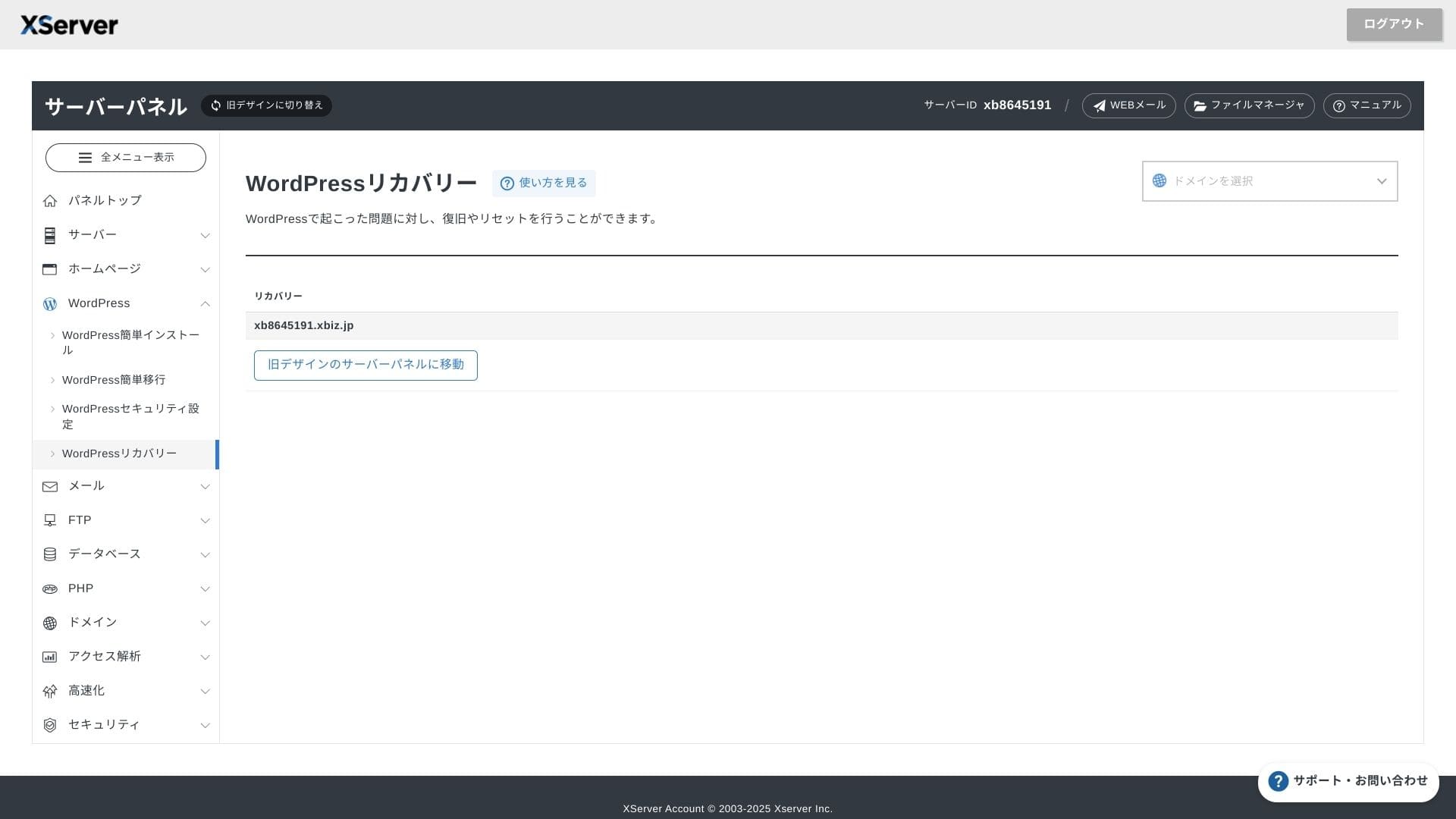
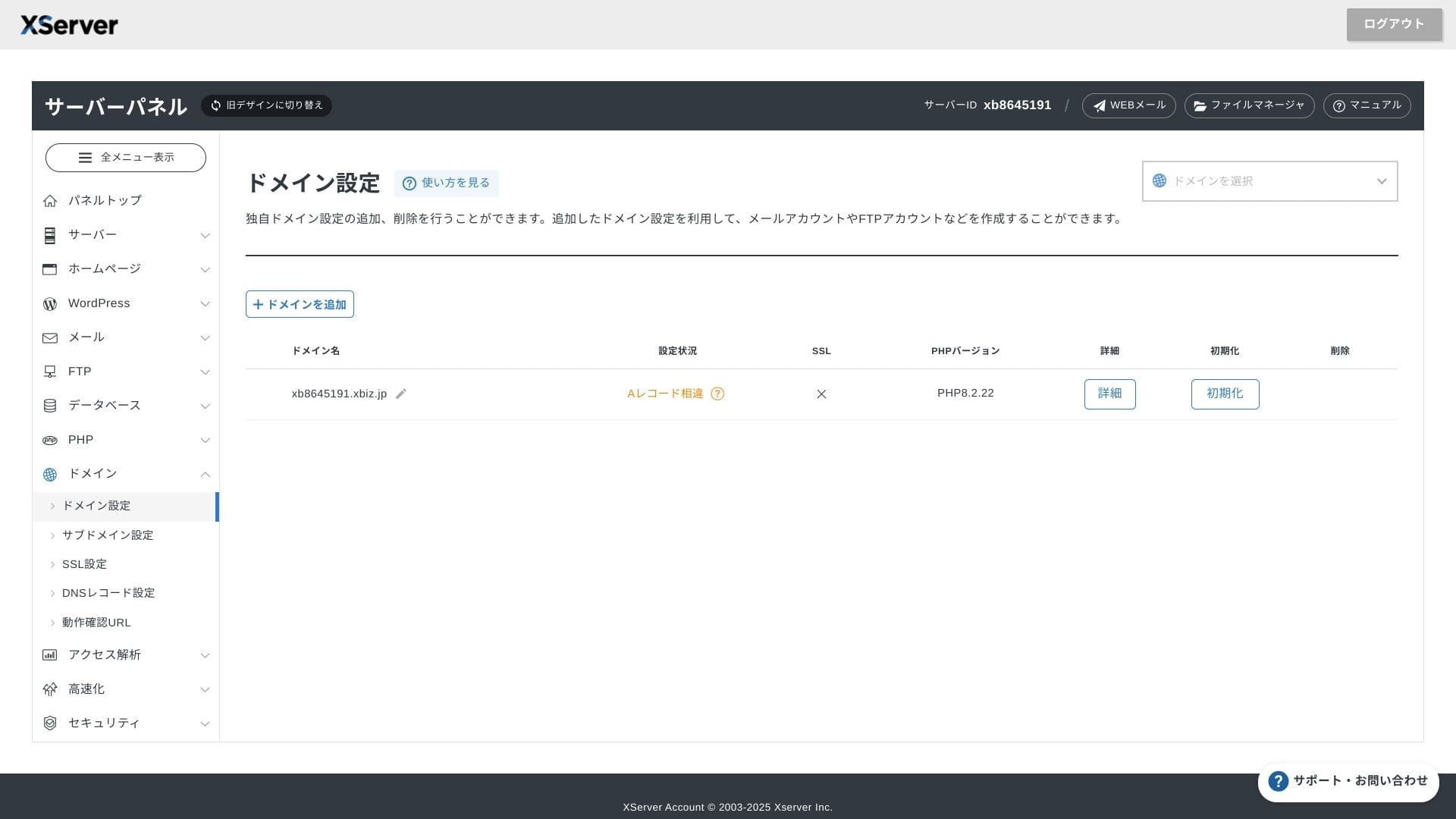
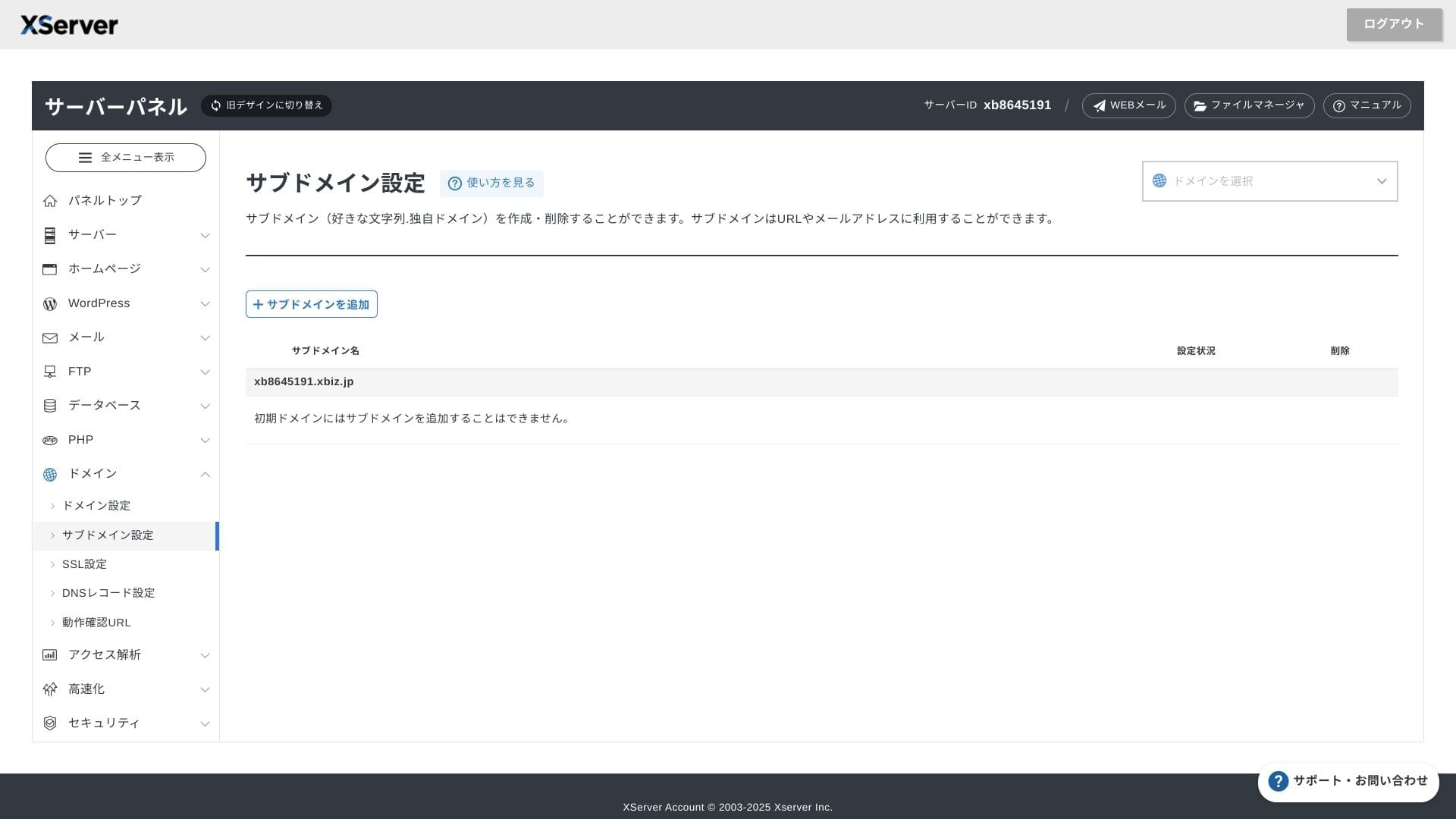
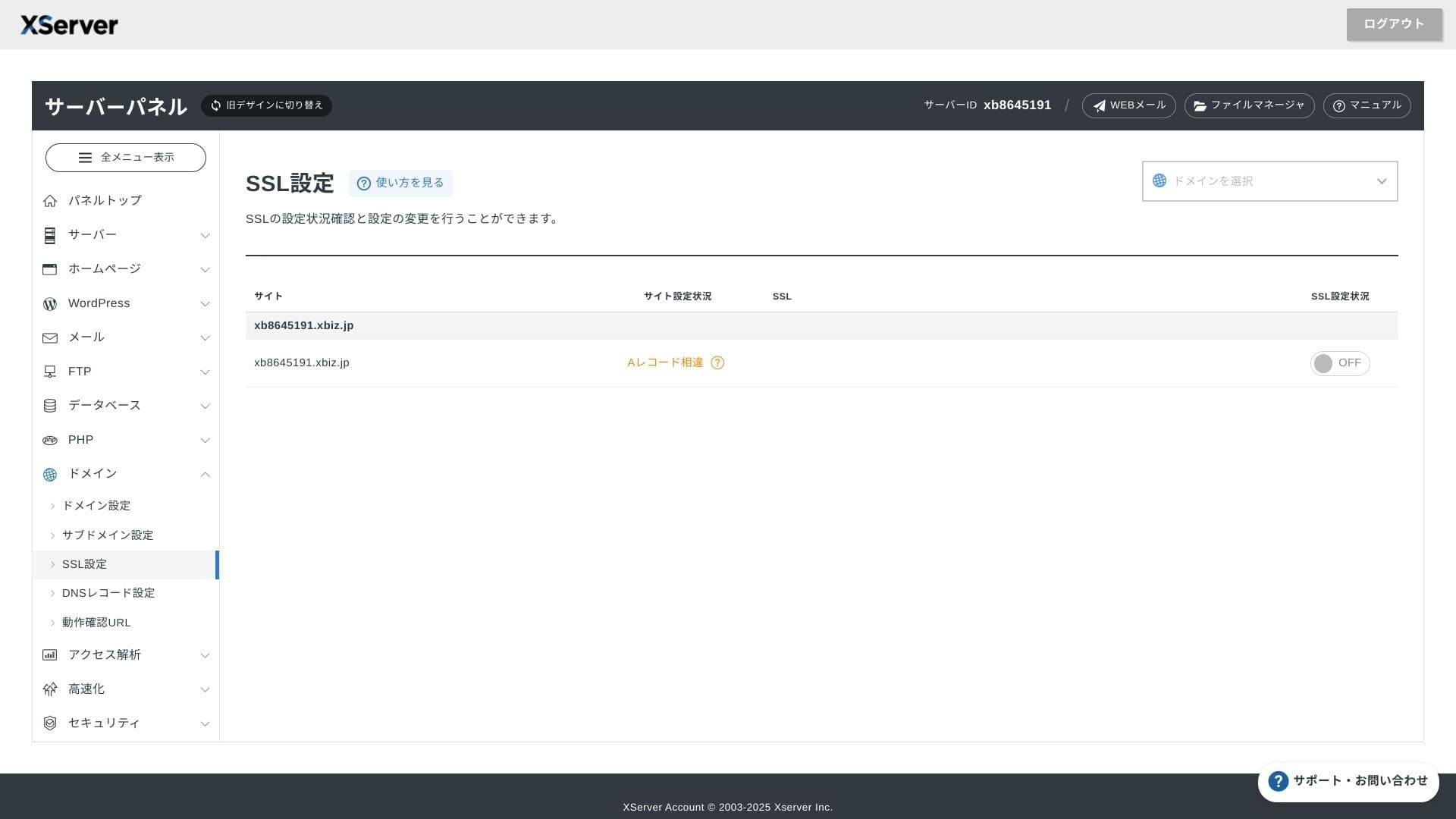
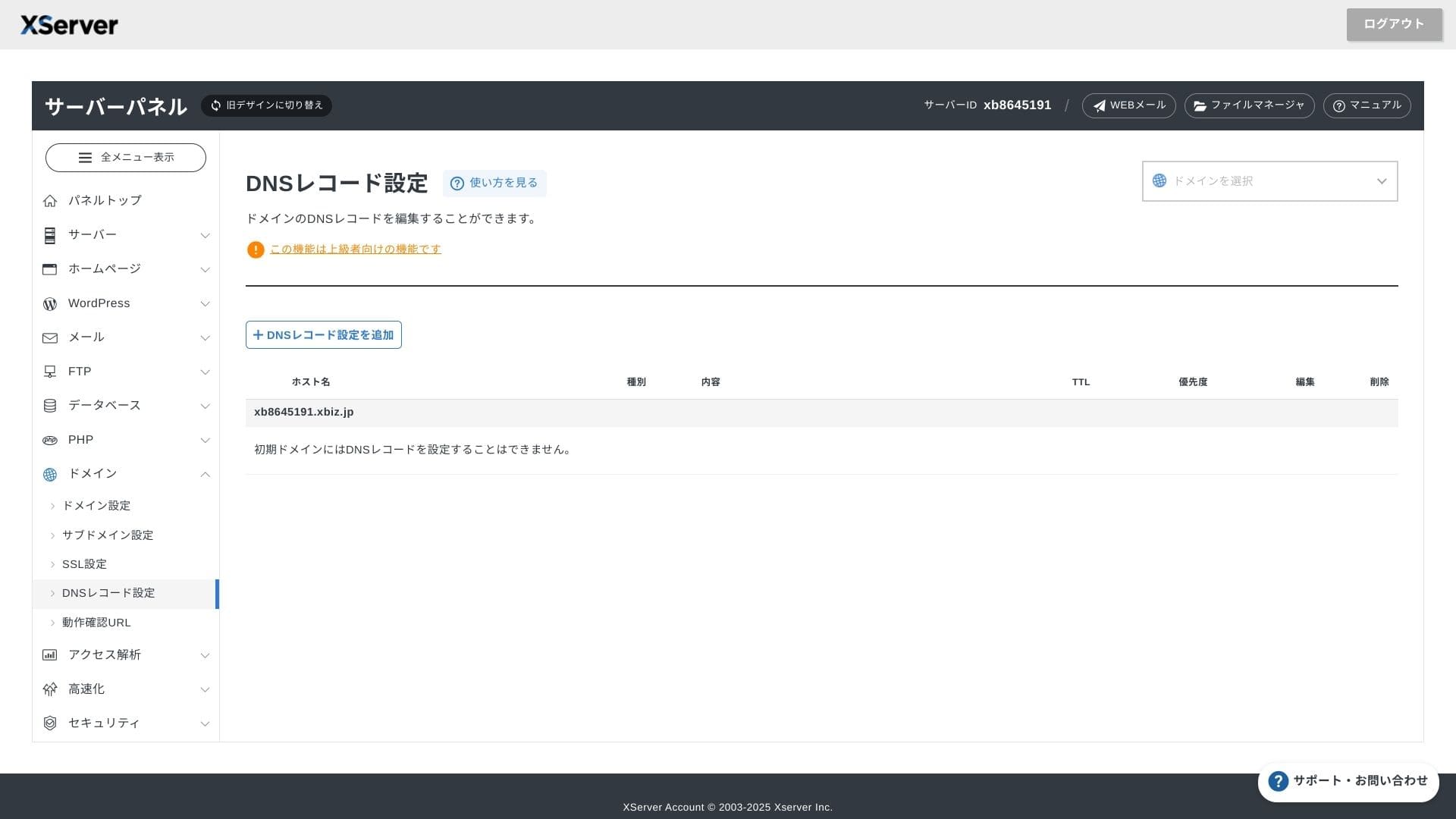
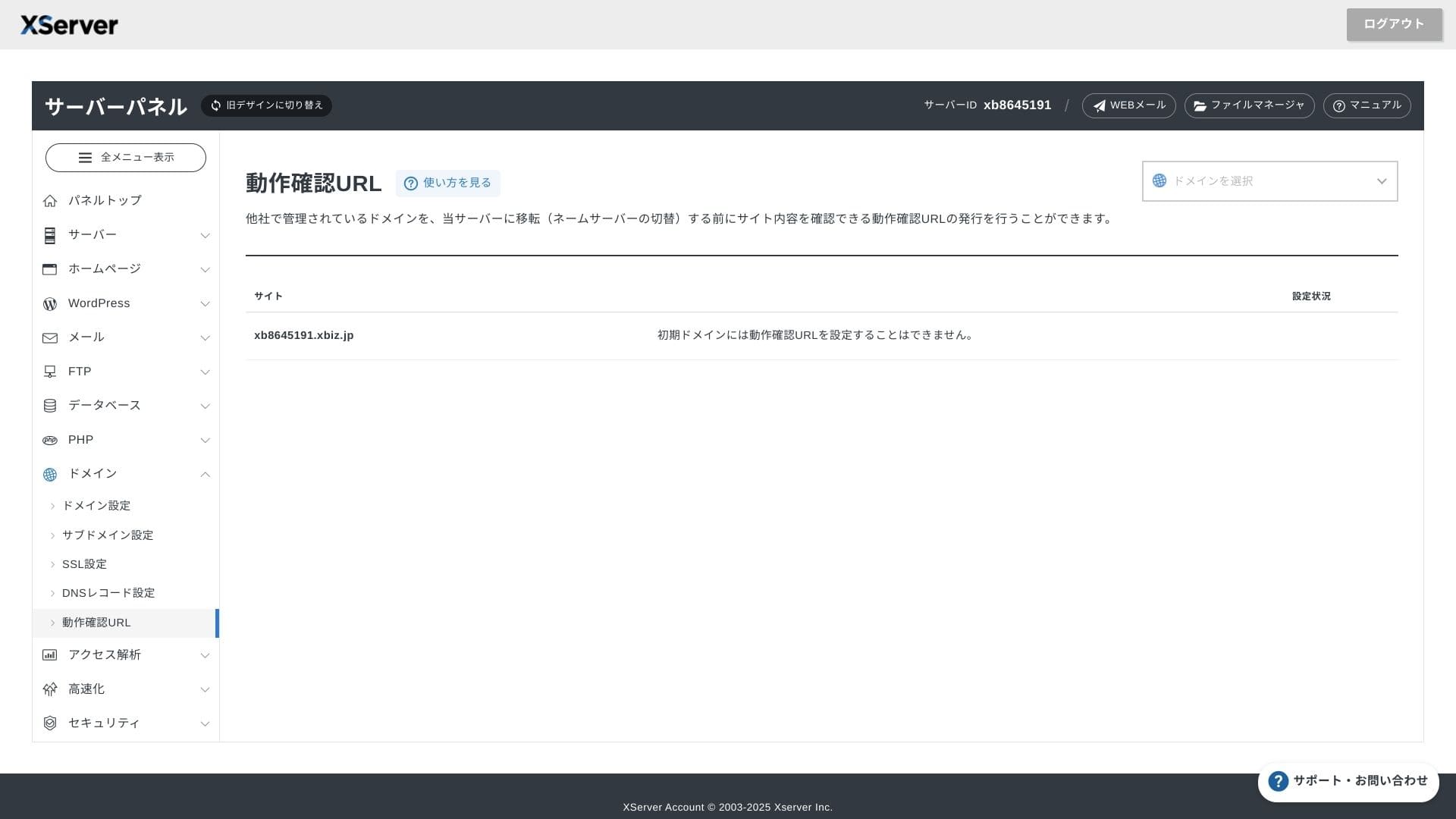
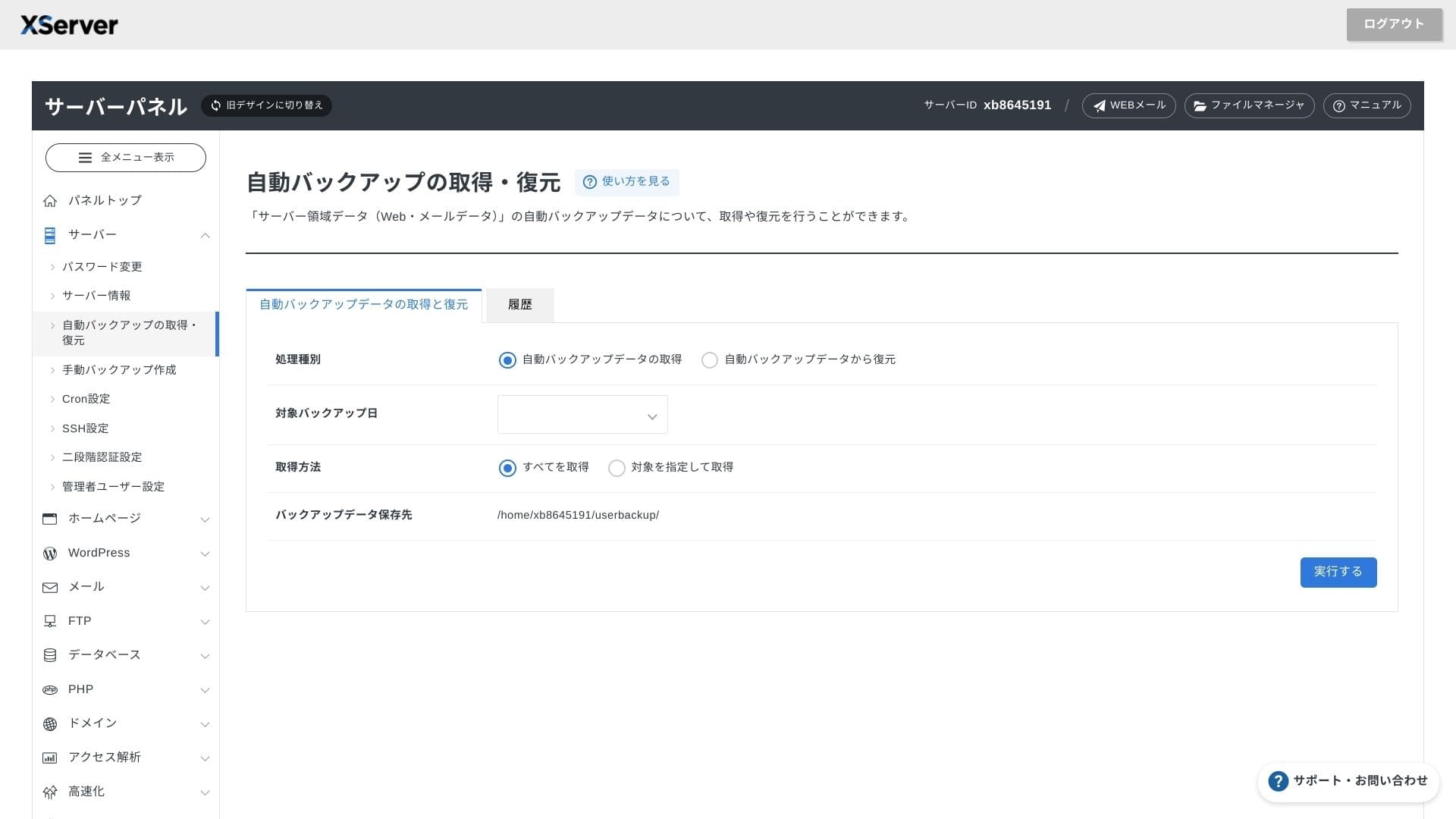
Sustav podrske
Podrska is available by phone, email, and chat on weekdays from 10:00 to 18:00. The Enterprise shared plan and the managed server plans also come with dedicated support desks, so you can get even more attentive and faster assistance.
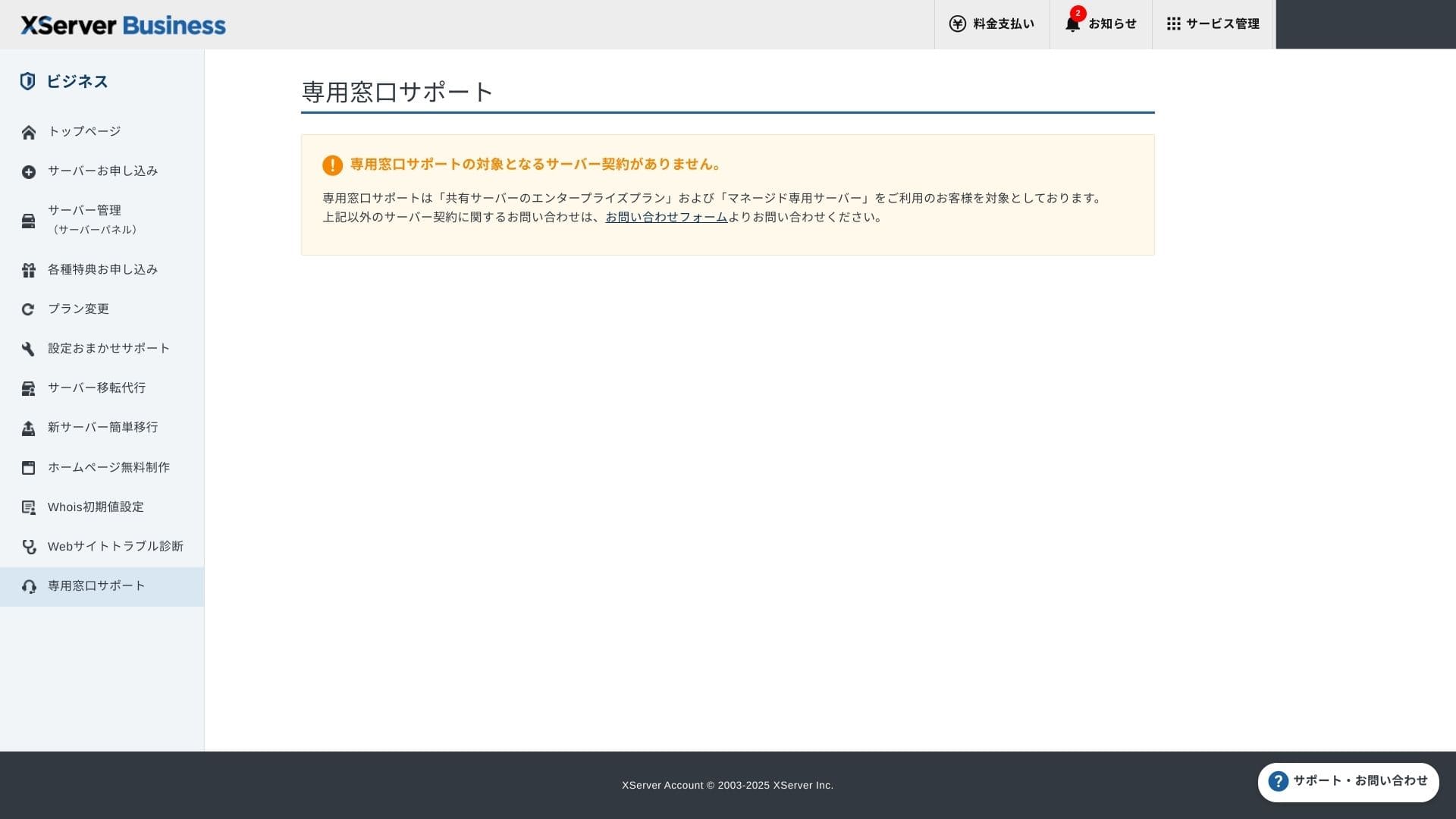
Podrška pri postavljanju besplatna je i neograničena, a možete zatražiti sve od promjena DNS-a do Cron postavki. To ulijeva sigurnost čak i tvrtkama bez posebnog IT člana osoblja.
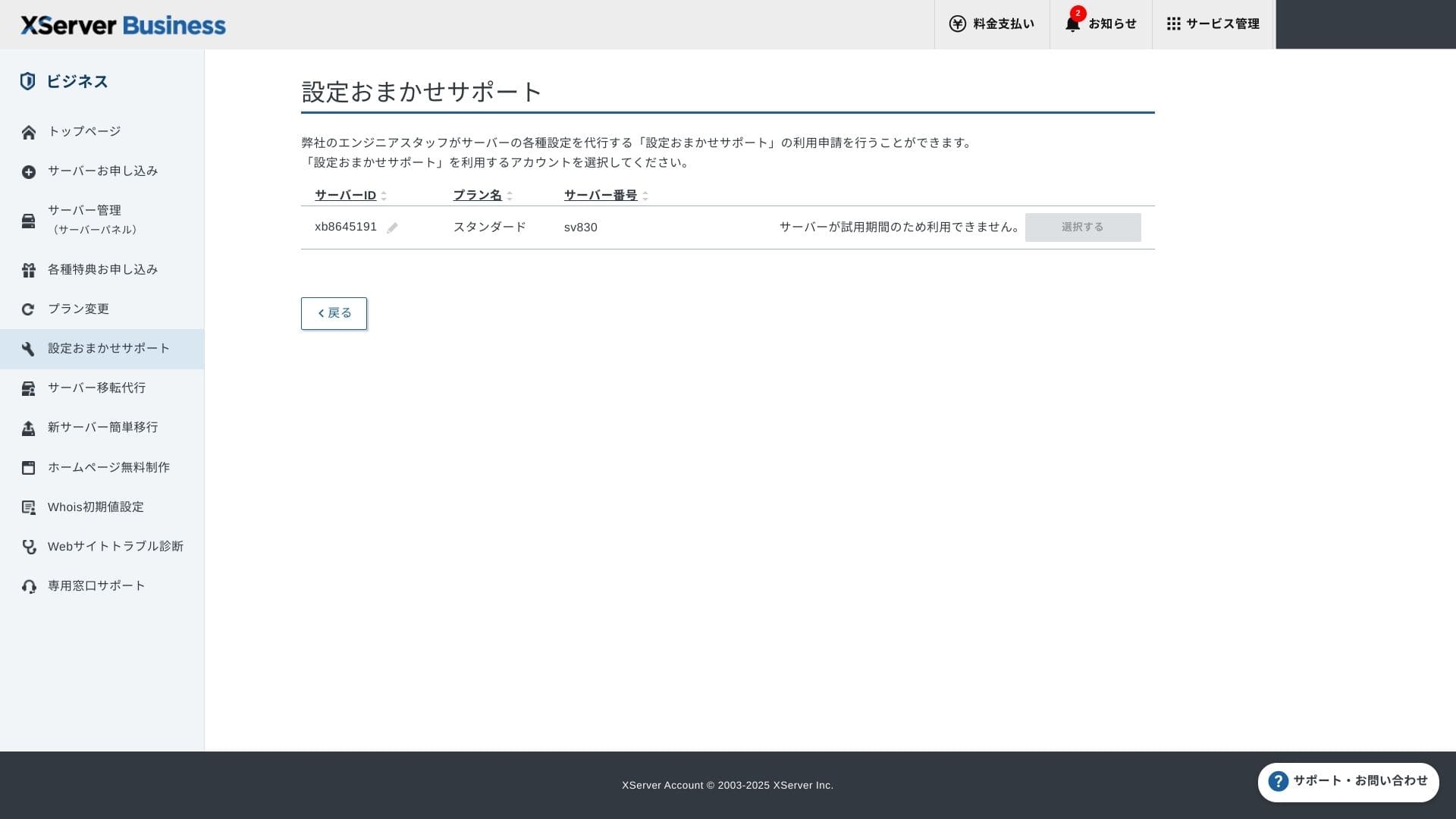
Upravljane usluge
Upravljana usluga migracije servera prvi je put besplatna. Budući da kopira cijele HTML stranice i CMS stranice, ima dobar dokazani učinak u projektima koji žele izbjeći prekide rada kasno navečer ili vikendom.
Manuals and Cesto postavljana pitanjas
Službeni PDF katalog obuhvaća sve, od načina plaćanja do postupaka nadogradnje plana, i prilično ga je lako pretraživati. Mislim da će mnogi korisnici moći sami riješiti probleme prije nego što kontaktiraju podršku.
Funkcije e-pošte
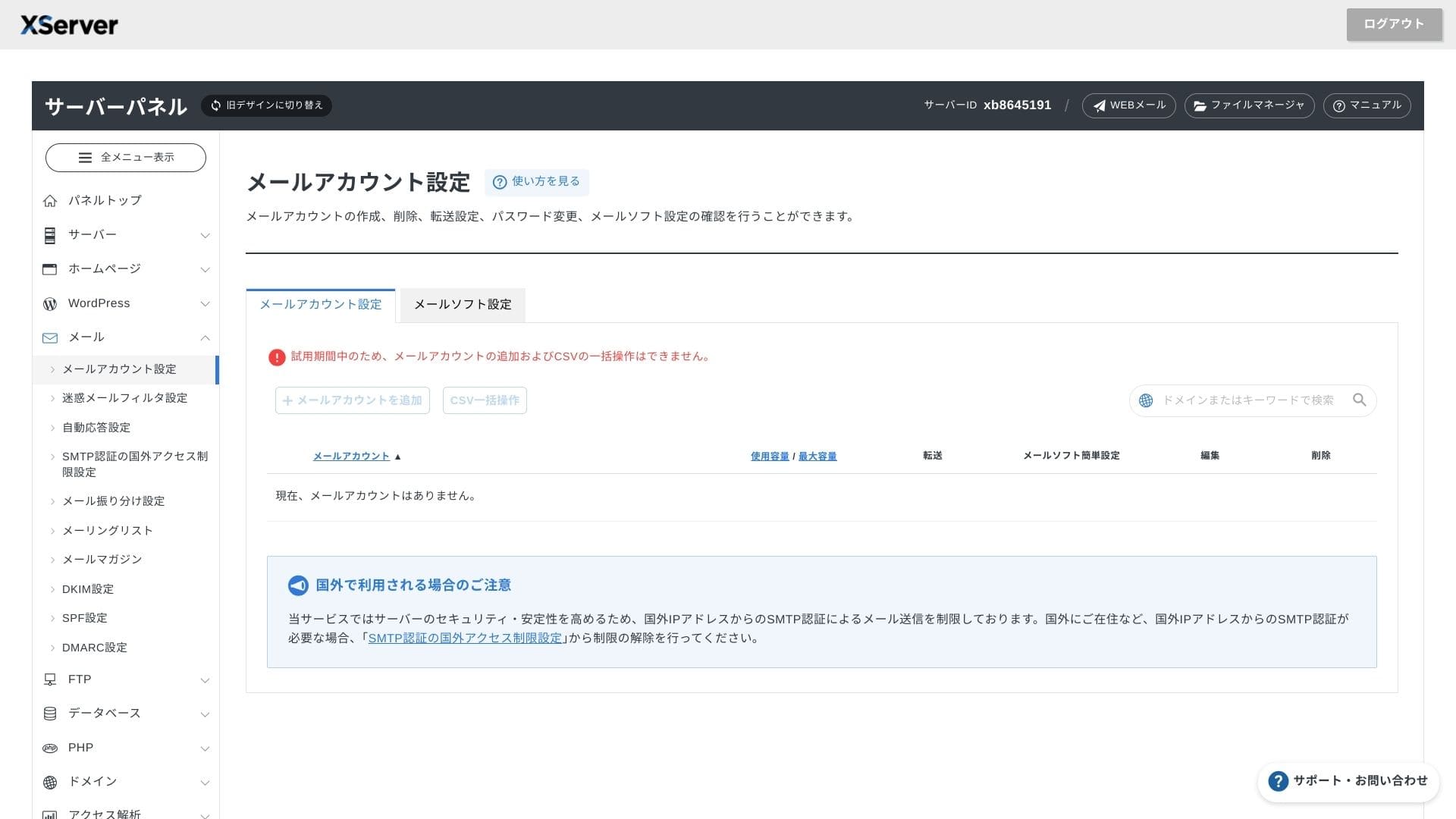
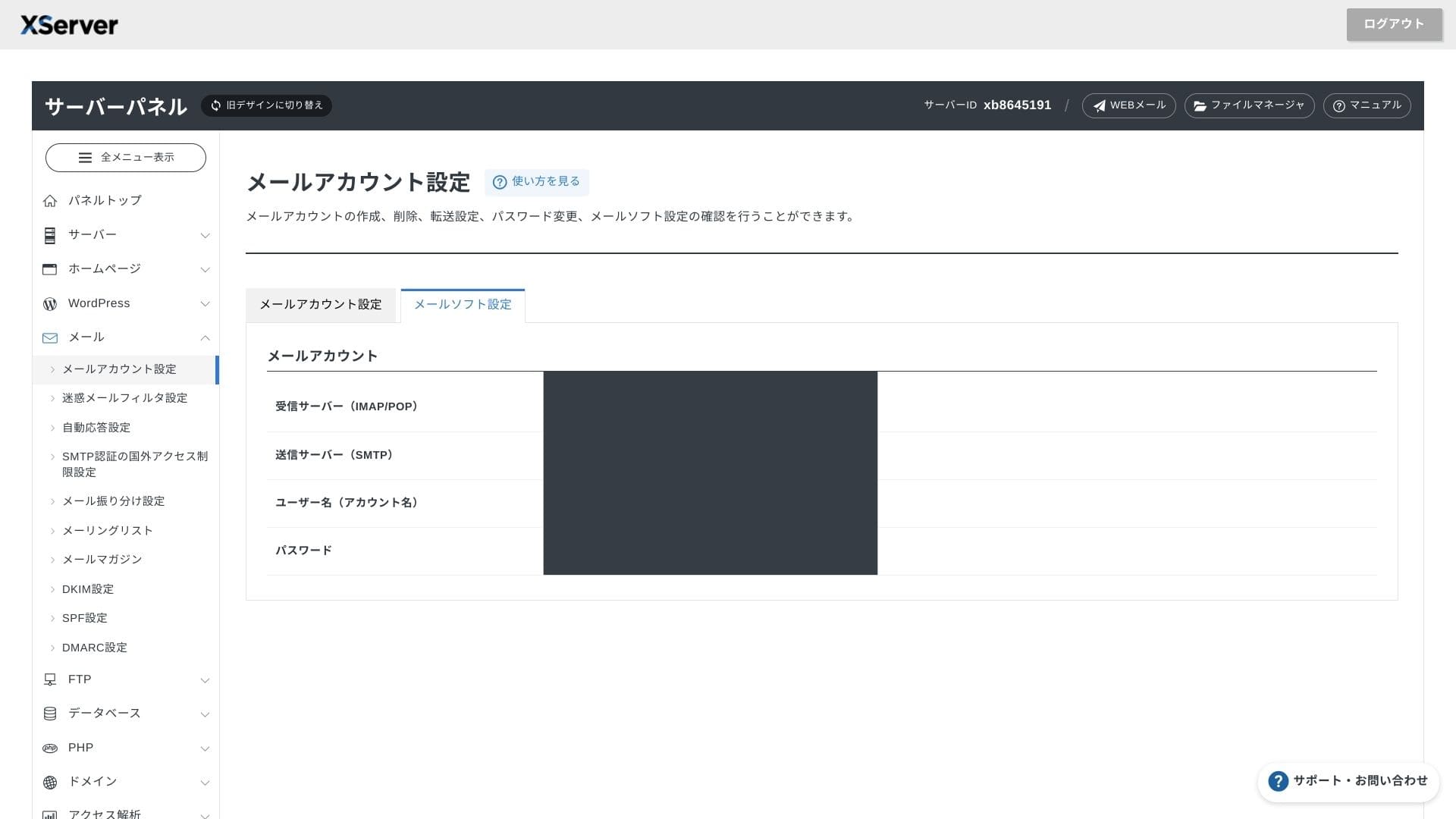
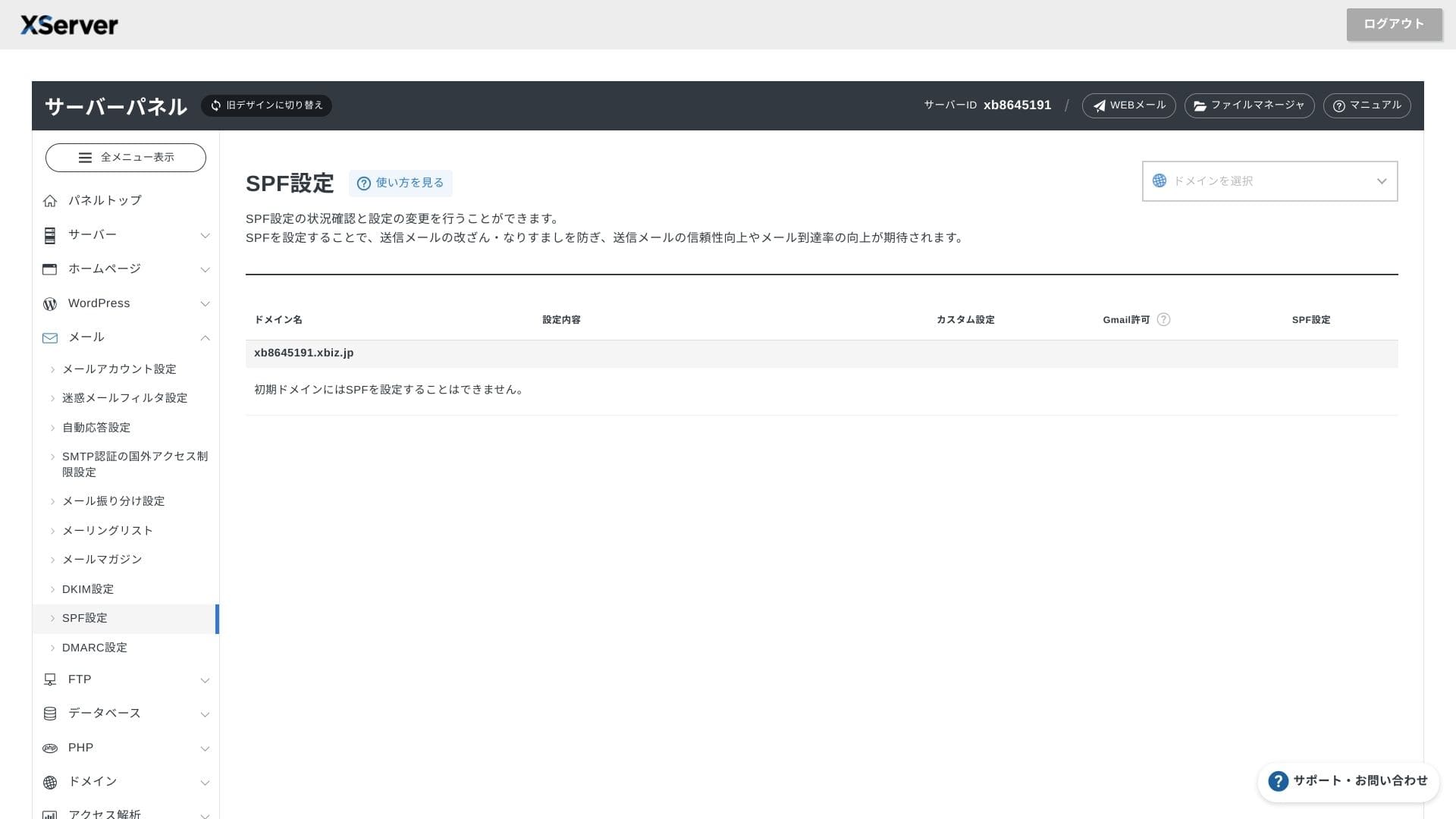
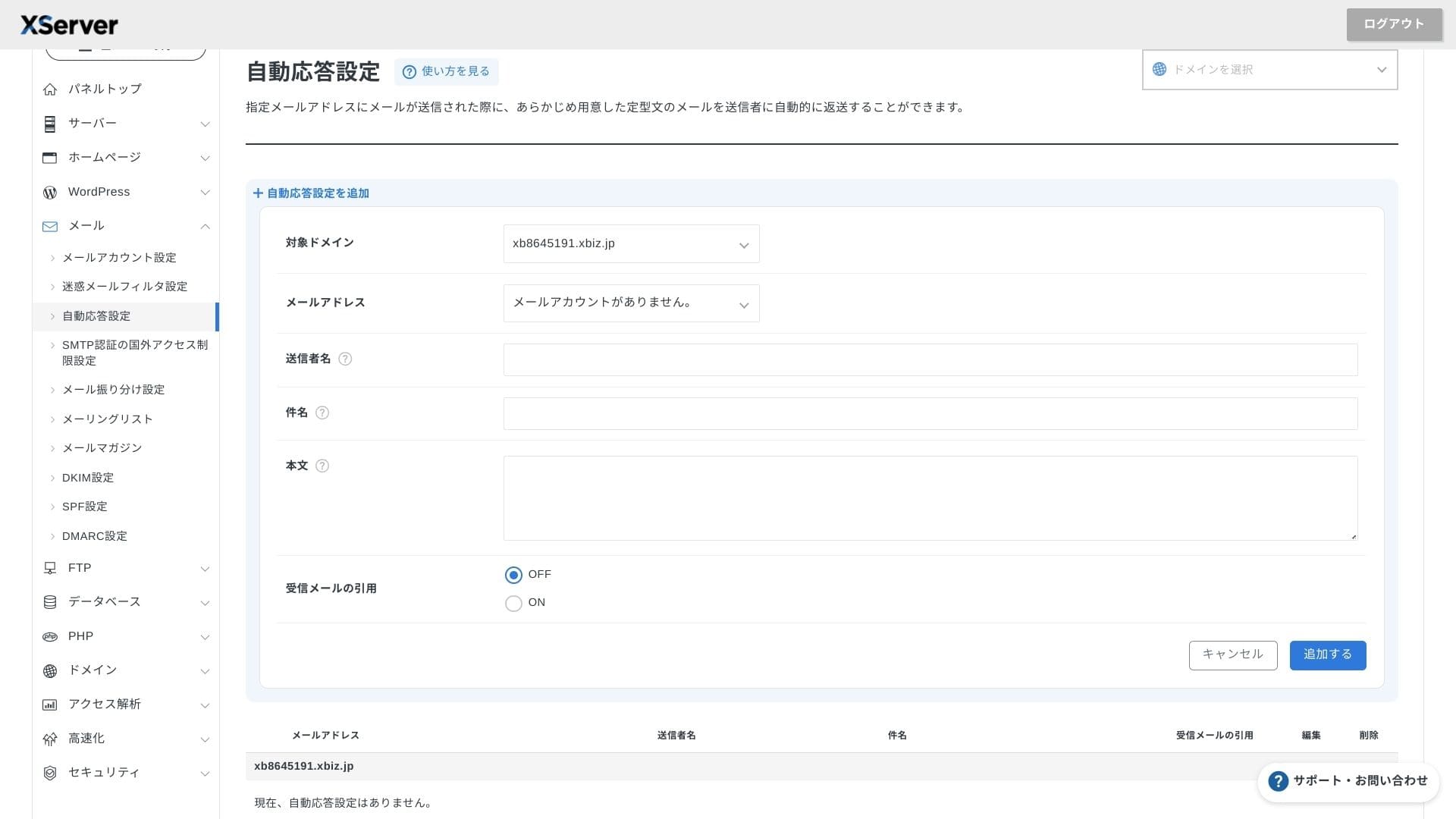
XServer Businessnudi neograničen broj računa, a njegovo webmail sučelje osvježeno je u proljeće 2025., što ga čini ugodnim za korištenje čak i na pametnim telefonima. Uključuje i besplatan spam filtar visokih performansi temeljen na Cloudmark Authorityju za do 1.000 računa, a tvrtka navodi učinkovitu stopu otkrivanja veću od 99%.
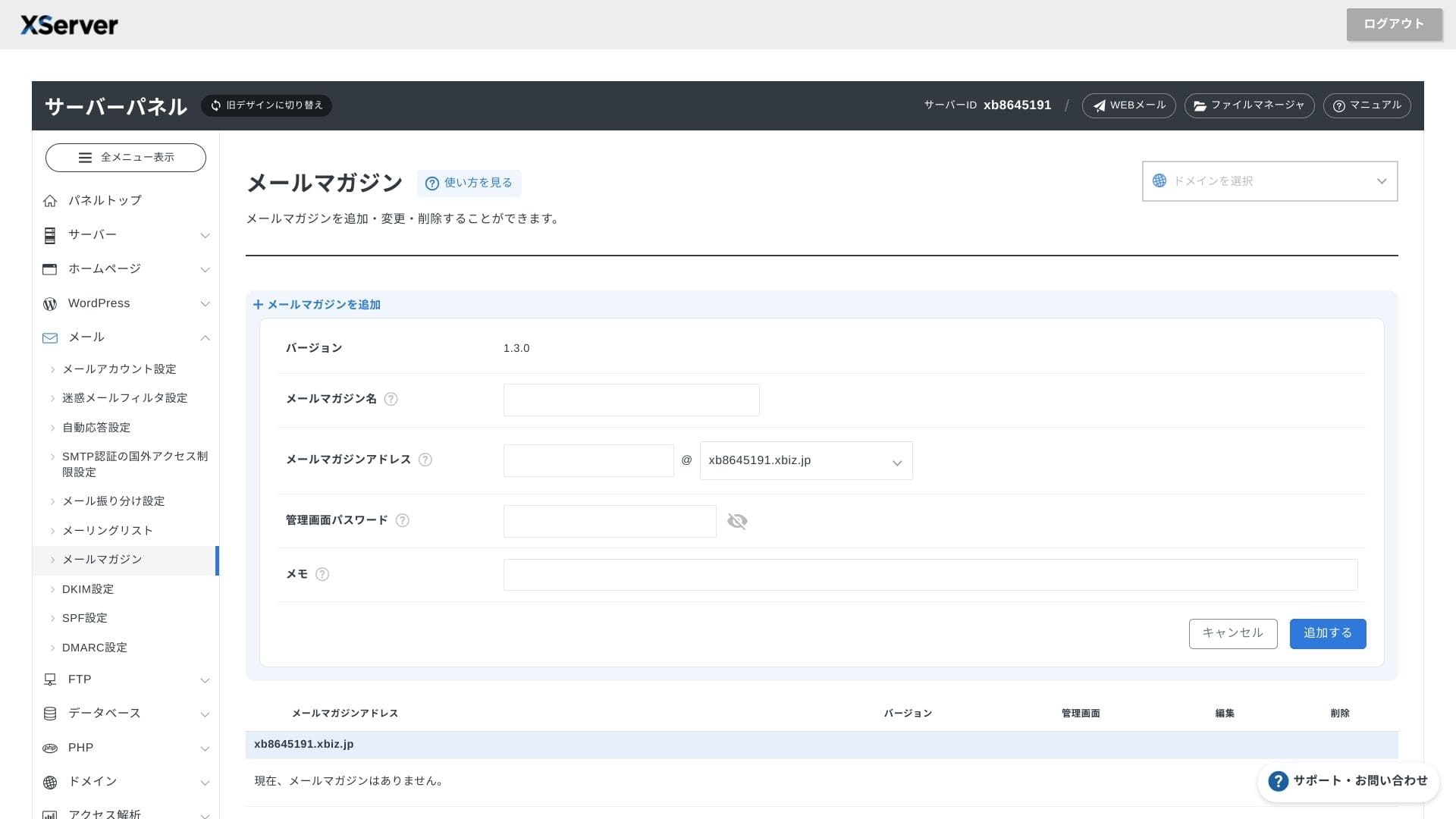
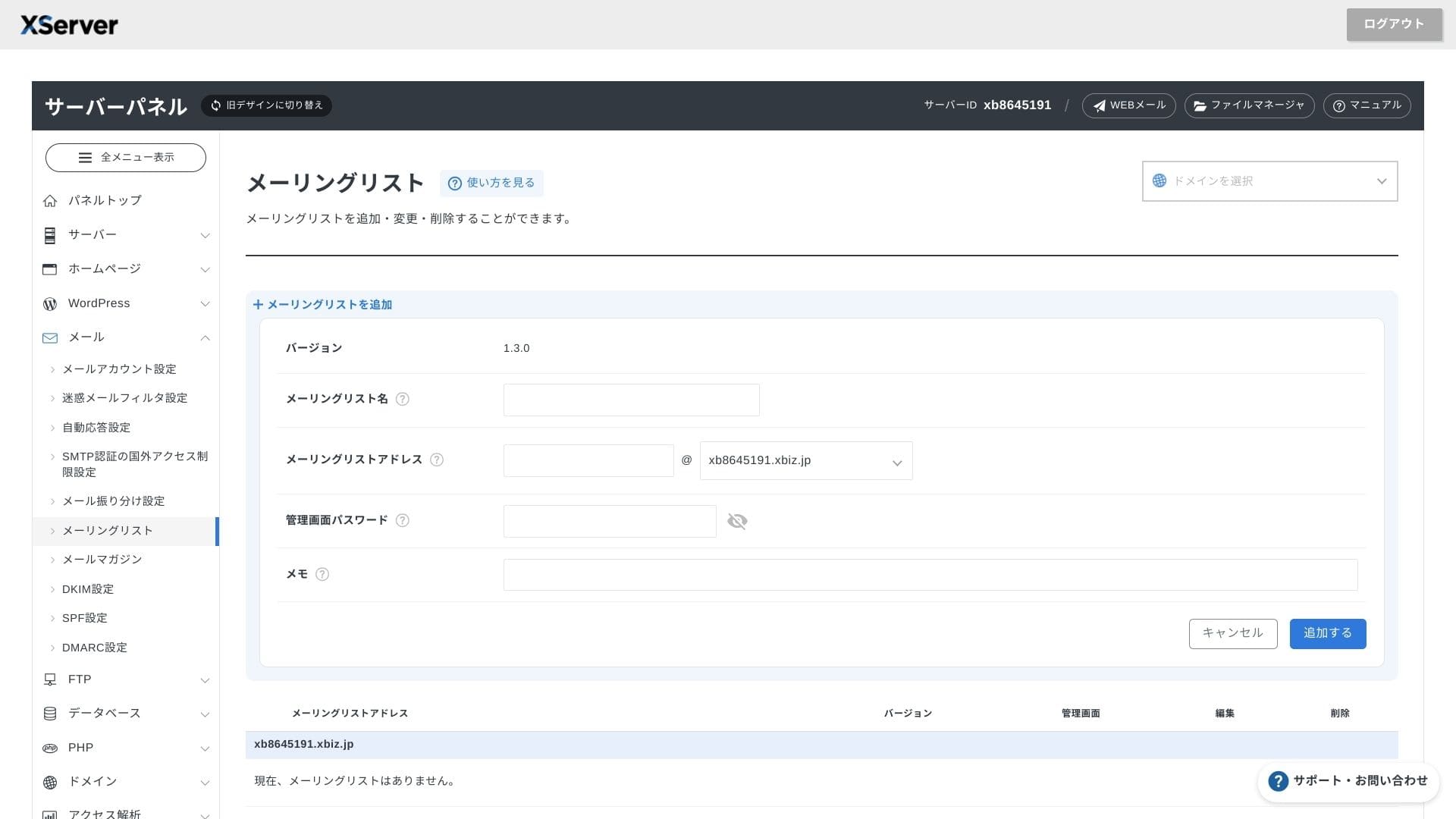
Jednostavno je izraditi i newslettere i mailing liste. Brzo možete slati obavijesti korisnicima ili poruke određenom odjelu unutar tvrtke.
Hikaru Ono
Kao što biste očekivali od poslovnog servera, funkcije e-pošte iznimno su snažne.
Sigurnost i sigurnosne kopije
Sigurnosne mjere
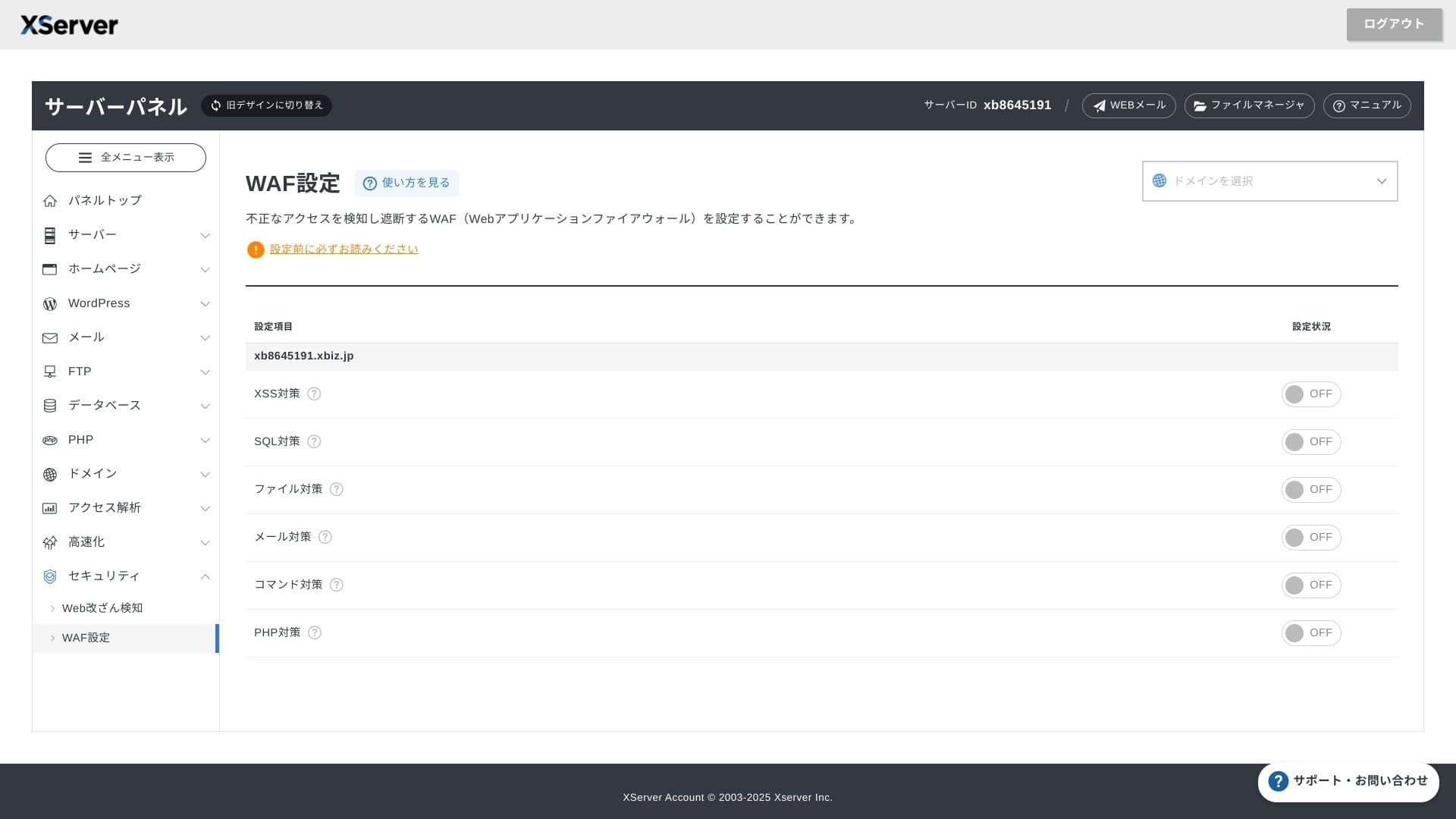
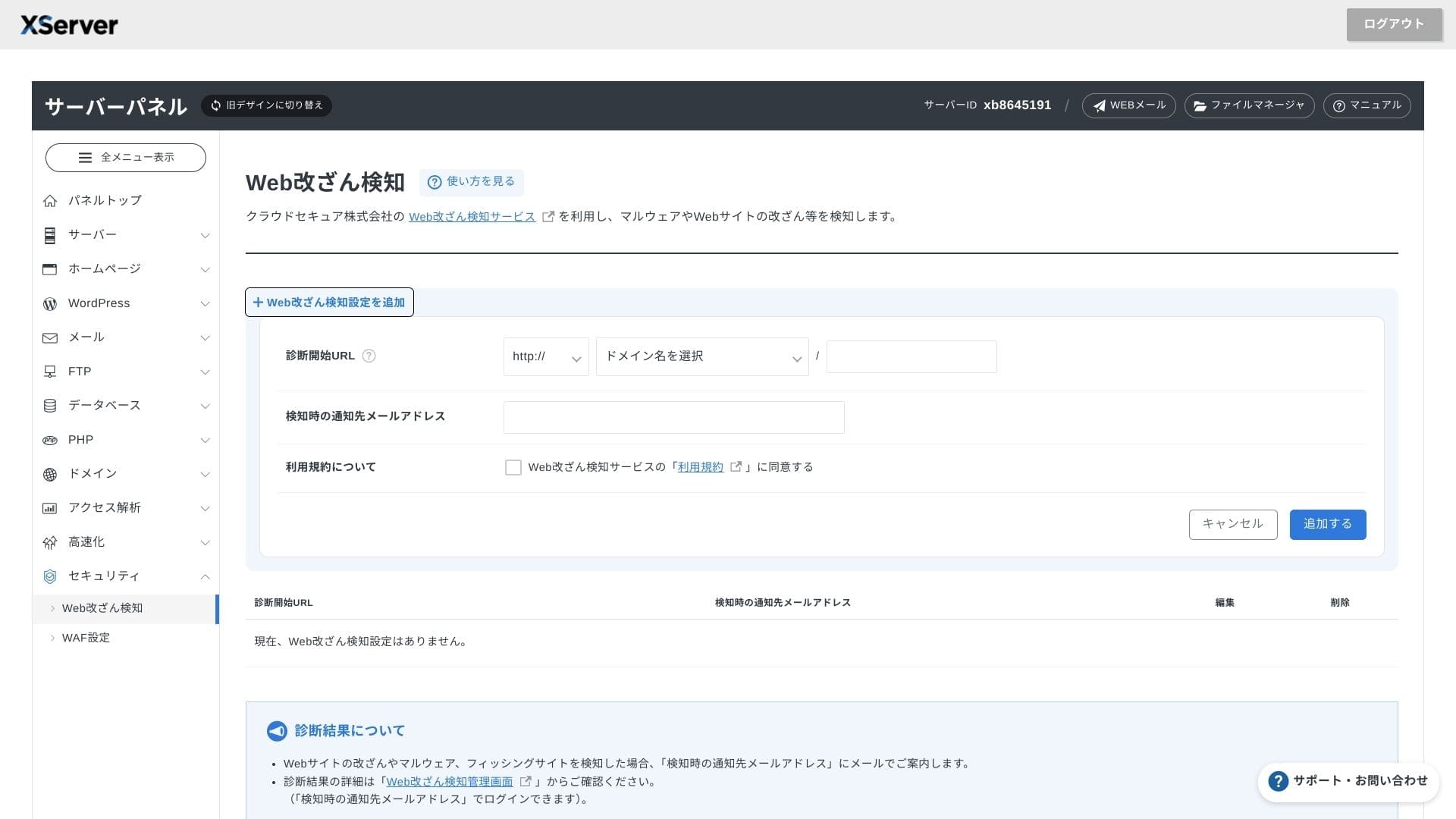
WAF i detekcija neovlaštene izmjene web-stranice dolaze standardno. Sustav automatski blokira napade na ranjivosti i neovlaštene zamjene datoteka te šalje obavijesti e-poštom kada se dogodi nešto neuobičajeno. Vanjska sigurnosna dijagnostika tvrtke Secom također se pruža jednom godišnje bez naknade.
Korištenje detekcije neovlaštene izmjene web-stranice pomaže izbjeći situacije u kojima ne primijetite problem pa on postane ozbiljniji.
Automatskimatic backups
Na svakom planu podaci za web, poštu i baze podataka iz proteklih 14 dana automatski se sigurnosno kopiraju svaki dan. Možete ih besplatno vratiti jednim klikom iz ploče, što smanjuje troškove oporavka nakon pogrešaka ili zaraza zlonamjernim softverom.
Usporedba s konkurentskim poslovnim iznajmljenim serverima
Sazetak
XServer Businessposlovno je usmjeren najamni server koji brzinu, sigurnost i operativnu podršku pruža kao uslugu na jednom mjestu.
- Male i srednje tvrtke koje žele upravljati s više web-stranica i prepustiti infrastrukturu vanjskom pružatelju
- Osobe koje uz redovan posao vode DX projekte i brinu ih pogreške u konfiguraciji
- Timovi koji očekuju budući rast prometa, ali ne žele operativne troškove razine AWS-a
U takvim slučajevima povrat lako može nadmašiti razliku u mjesečnoj cijeni. S druge strane, ako vam treba samo jedna statična stranica ili želite pokretati prilagođenu platformu koja zahtijeva root pristup, možda je bolje razmotriti jeftiniji dijeljeni server ili VPS.
Na kraju, razuman je pristup pretvoriti i trošak osoblja i rizik prekida rada u novac, a zatim odlučiti isplati li se XServer Businesssvojom mjesečnom naknadom.
"XServer Business" is the business hosting service from Xserver Inc., the company with the Ne. 1 market share in Japan. In our measurements, it ranked Ne. 2 for speed. It is one of the best choices when you need to move to a new server, and migration is free as well.
Do 7. listopada 2025. početna naknada (uobičajeno od 16.500 jena do 385.000 jena) je besplatna, a besplatna je i usluga migracije servera