Xserver, Shin Rental Server, या Star Rental Server के साथ sign up करने पर यह और सस्ता हो जाता है
PR
WordPress
Company sites और affiliate sites के लिए well-regarded XWRITE WordPress theme चुनें
प्रकाशित: 2025.02.04
अपडेट: 2026.03.12
यदि आपकी site company website या affiliate site है, तो यह एक ऐसा theme है जिस पर आपको जरूर विचार करना चाहिए.
XWRITEXWRITE Xserver Inc. द्वारा विकसित blog-focused WordPress theme है. हां, यह blogs के लिए बनाया गया है. लेकिन blog-oriented themes का क्षेत्र बहुत भरा हुआ है, और Cocoon तथा SWELL जैसे कई उत्कृष्ट themes पहले से मौजूद हैं.
SWELL stylish दिखता है, और Cocoon free है.
फिर भी XWRITE में ऐसी original features हैं जो Cocoon और SWELL में नहीं मिलतीं. यदि आप उन features को अपने homepage या site पर उपयोग कर सकते हैं, तो मुझे लगता है कि XWRITE बेहतर choice है.
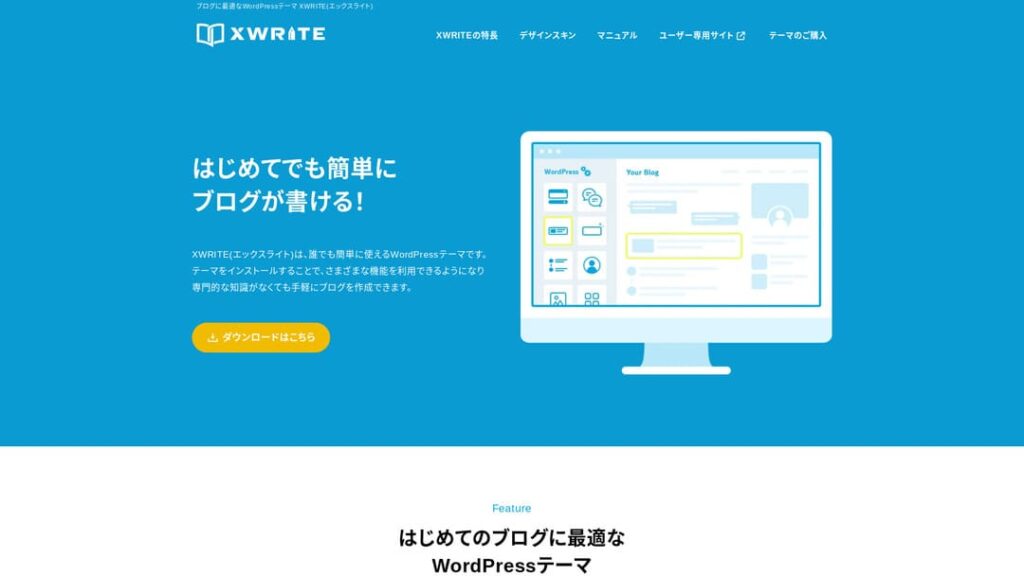
"XWRITE" Xserver Inc. द्वारा प्रदान किया गया WordPress theme है. इसे simple, fast, easy और almost anyone द्वारा usable theme के रूप में reputation मिली है. यह खास तौर पर company websites और affiliate sites के लिए recommended है.

Company homepages और affiliate sites, यही वे दो categories हैं जहां XWRITE वास्तव में चमकता है. बाकी मामलों में, सच कहें तो, design preference के आधार पर चुनना ठीक है. लेकिन यदि यह company homepage या affiliate site है, तो XWRITE को कम से कम गंभीरता से एक बार जरूर देखें.
Complete Comparison of 32 WordPress Hosting Services for Individuals, Companies, and Overseas Use

When you think, “I want to start WordPress,” and search for “WordPress recommendations,” you find all kinds of articles covering personal hosting, options for companies and small businesses, overseas hosting, and low-cost servers. Honestly,
- which site should you trust?
- you may just want a simple and understandable answer.
- you may want to get started with WordPress right away.
That is why this article carefully selects recommended choices from 32 hosting providers for individuals, companies, domestic use, and overseas use. It is explained by the SEO lead at an app development company that uses hosting every day.
मैं company homepages के लिए XWRITE क्यों recommend करता हूं
Xserver द्वारा बनाए गए storefront-style demo site और corporate site को देखें. उन्हें देखकर तुरंत ऐसा लगता है, "अच्छा, तो मैं इस तरह की site भी बना सकता हूं."

DEMO CORPORATION
DEMO CORPORATION
demo.xwrite.jp

DEMO Cafe & Lounge
DEMO Cafe & Lounge
demo.xwrite.jp
Google Maps block से maps को आसानी से style किया जा सकता है
Company homepages और store websites आमतौर पर office या shop की location को Google Maps के साथ दिखाती हैं.
XWRITE में Google Maps block के जरिए Google Maps की appearance को बहुत आसानी से customize किया जा सकता है.
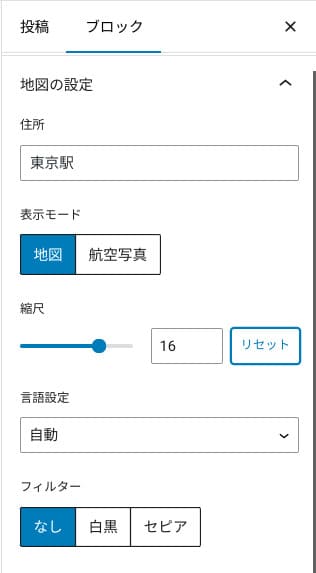
आप map view, aerial-photo view, monochrome या sepia जैसे effects चुन सकते हैं. Cocoon और SWELL में यह सुविधा नहीं है, और CSS से ऐसा बदलाव करना designer या programmer न होने पर कठिन हो सकता है.
लेकिन XWRITE में specialist knowledge के बिना भी यह संभव है. कोई भी व्यक्ति Google Maps को अपनी company या store homepage के atmosphere के अनुरूप adjust कर सकता है.
How to create a Google Map
How to create a Google Map
xwrite.jp
Section block whitespace को भी सुंदर बनाता है
Company homepages और store websites में design मायने रखता है. यह ऐसा atmosphere पहुंचाता है जिसे शब्दों में कहना आसान नहीं होता, जैसे "यह shop stylish लगती है" या "ये लोग काम को सावधानी से संभालेंगे".
इस atmosphere को प्रभावित करने वाली एक surprisingly बड़ी चीज whitespace भी है. अच्छी तरह व्यवस्थित, comfortable whitespace beauty, elegance और कभी-कभी lively energy तक बना सकती है.
यदि आप XWRITE के Section block का उपयोग करें, तो इस atmosphere को shape देने वाली whitespace को भी ठीक वैसे design किया जा सकता है जैसा आप चाहते हैं.
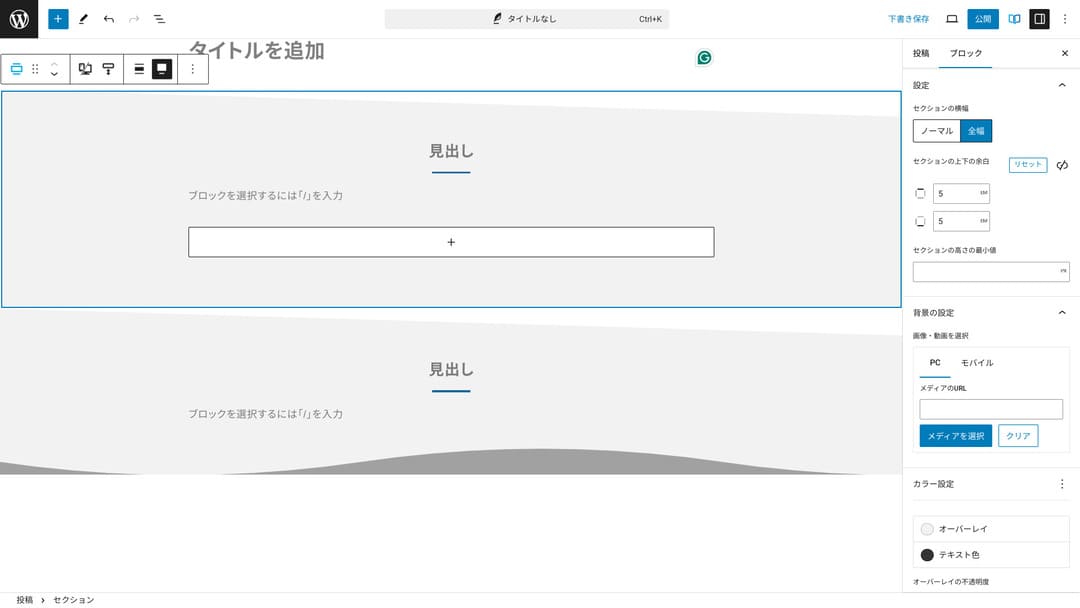
Diagonal cut वाली whitespace या wave-like shapes भी बनाई जा सकती हैं. जब design इस स्तर तक पहुंचता है, तो company या shop की image पर उसका बड़ा प्रभाव पड़ सकता है.
How to create a Section
How to create a Section
xwrite.jp
मैं affiliate sites के लिए XWRITE क्यों recommend करता हूं
Xserver द्वारा बनाई गई affiliate-style demo site को देखें. वहां भले "blog" लिखा हो, लेकिन content design स्पष्ट रूप से affiliate site जैसी दिखाई देती है.

STUDY DEMO BLOG
STUDY DEMO BLOG
demo.xwrite.jp
Product Review block pros और cons को तुरंत स्पष्ट करता है
XWRITE का Product Review block product के advantages और disadvantages को सुंदर और readable तरीके से दिखाता है. Ratings और explanations भी तुरंत समझ आते हैं.
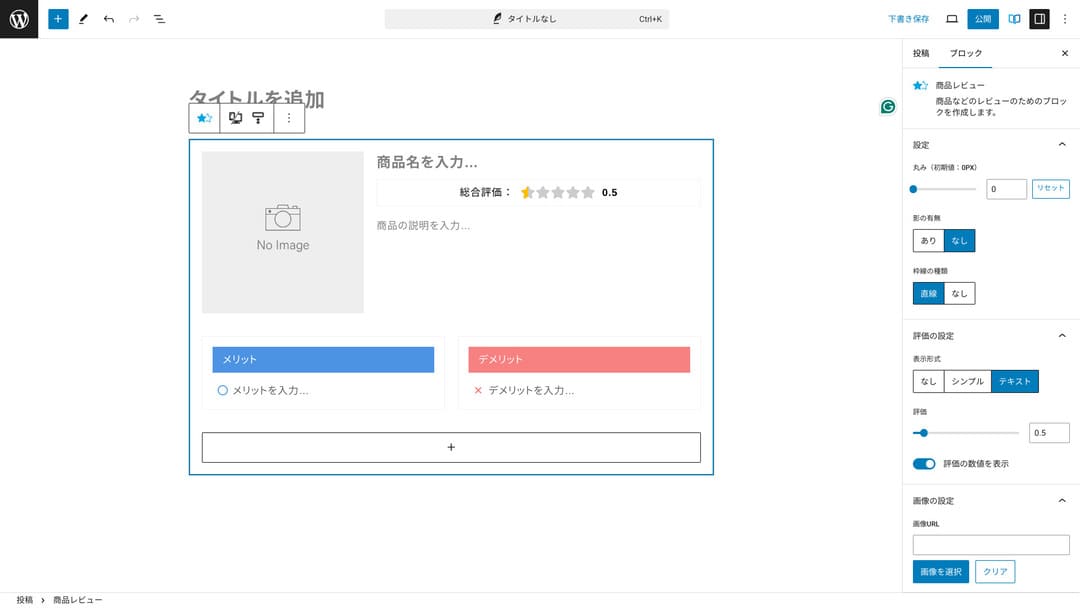
इस block का उपयोग करने पर visitors आपके द्वारा introduce किए गए product की characteristics जल्दी समझ लेते हैं. जब समझ जल्दी आती है, तो खरीदने या न खरीदने का निर्णय लेना भी आसान हो जाता है. दूसरे शब्दों में, बेचने में मदद मिलती है.
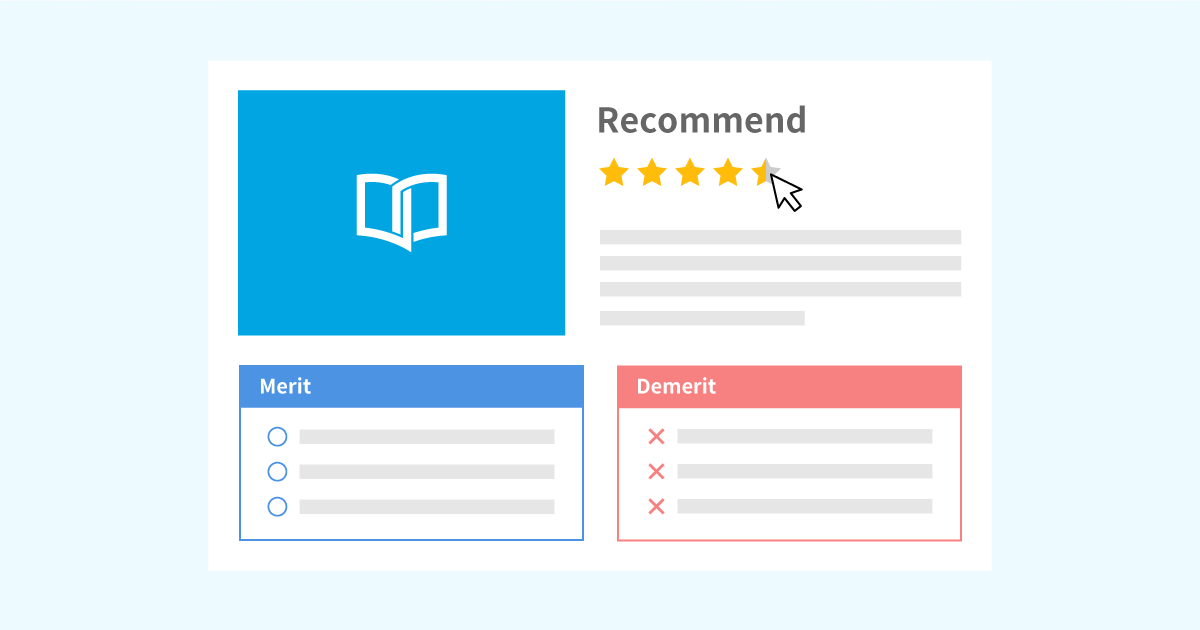
Product explanations और ratings के लिए Product Review block का नमूना
Product explanations और ratings के लिए Product Review block का नमूना
xwrite.jp
Step block procedures और flow को स्पष्ट बनाता है
XWRITE का Step block procedures और flows को समझना आसान बनाता है. "यह करने के बाद वह document तैयार करें, फिर यहां क्लिक करें" जैसी explanations अधिक स्पष्ट हो जाती हैं.
आप Step block का उपयोग product खरीदने के तरीके या contract process के क्रम को दिखाने के लिए कर सकते हैं.
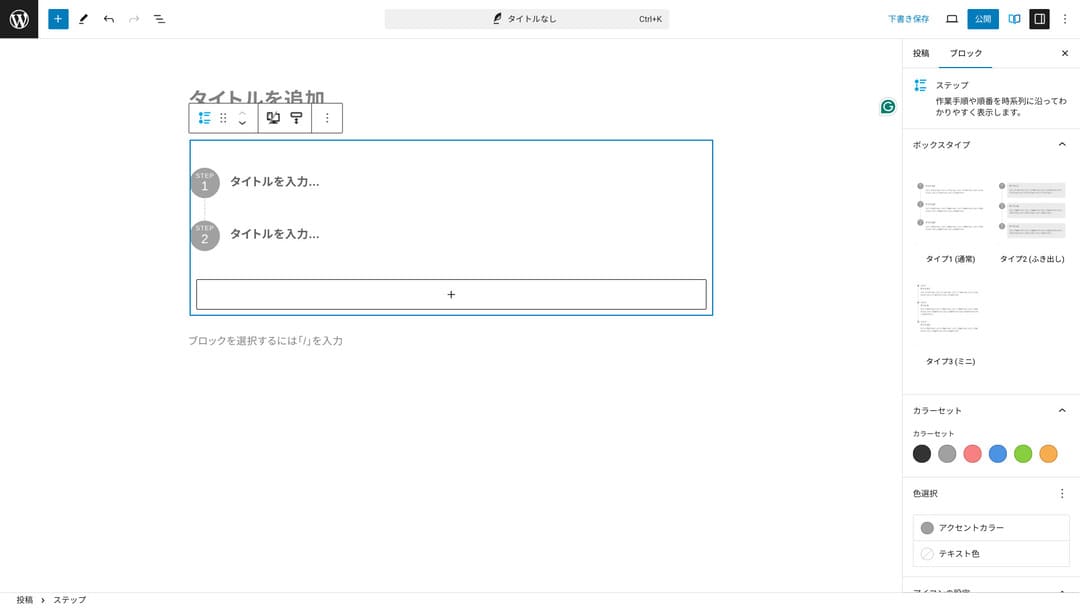
इन प्रक्रियाओं को headings और सामान्य text से भी समझाया जा सकता है, लेकिन तब layout उतना neat नहीं लगता और अनावश्यक whitespace बढ़ सकती है.
इसके अलावा headings के साथ procedures समझाने पर page की table of contents बहुत अधिक detailed हो सकती है, जिससे user experience प्रभावित होता है. Step block चीजों को simple रखता है.
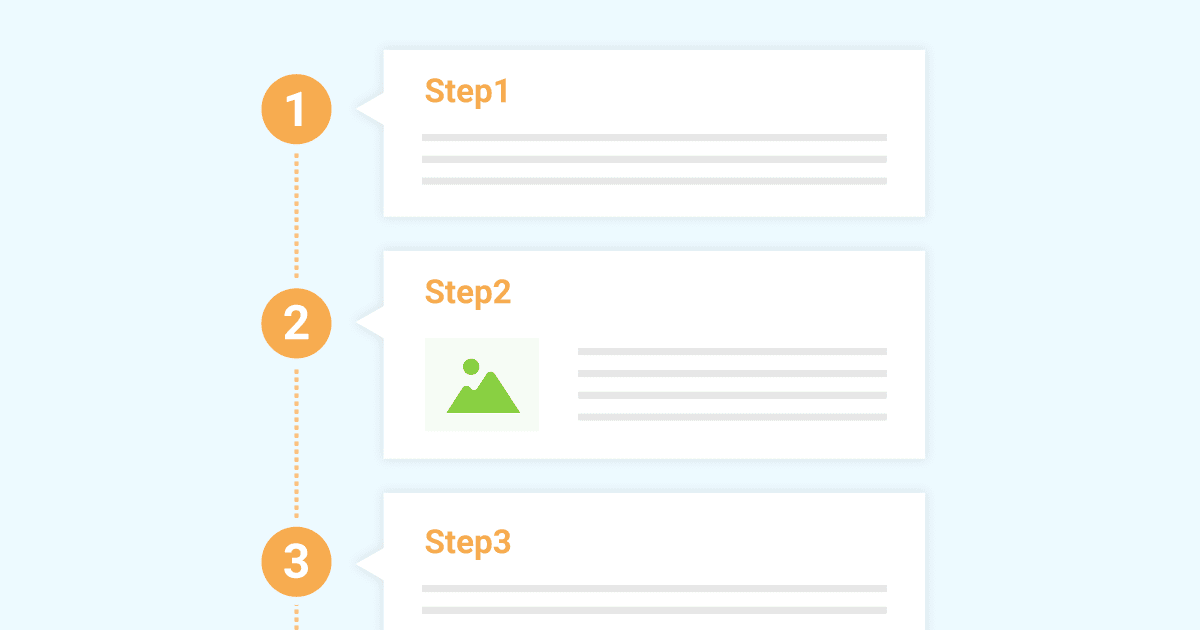
Sample of the Step block for introducing work procedures
Sample of the Step block for introducing work procedures
xwrite.jp
Button block CTR सुधार सकता है
XWRITE का Button block CTR, यानी click-through rate, सुधारने में मदद कर सकता है. इसमें button decoration के कई patterns हैं, जिससे users को यह सोचने की जरूरत नहीं रहती कि "apply कहां से करना है?"
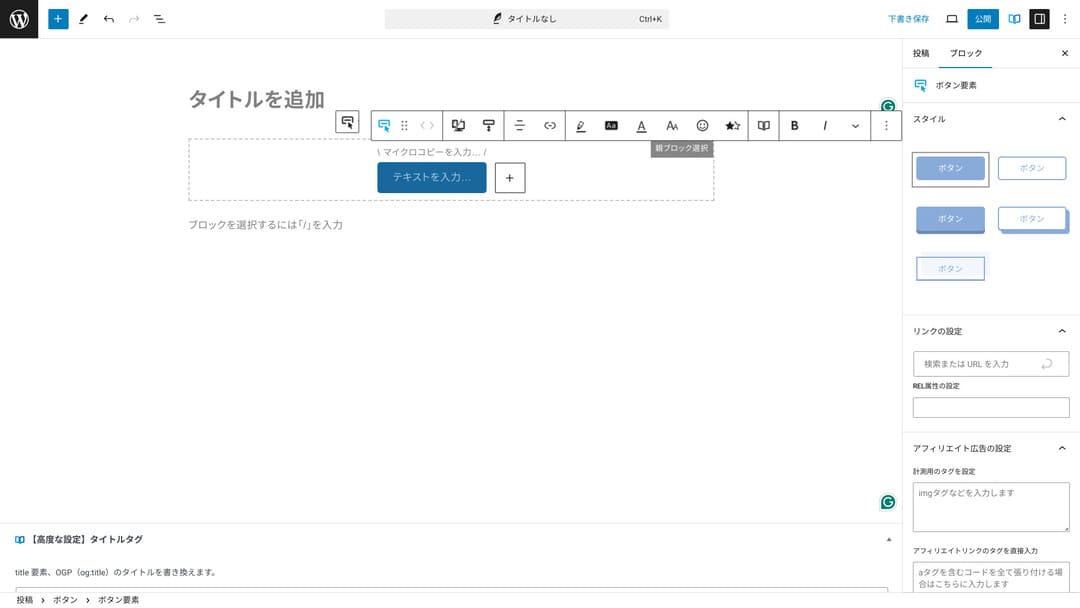
Color और design बदले जा सकते हैं, इसलिए buttons को site के overall atmosphere के साथ match करना भी आसान है.
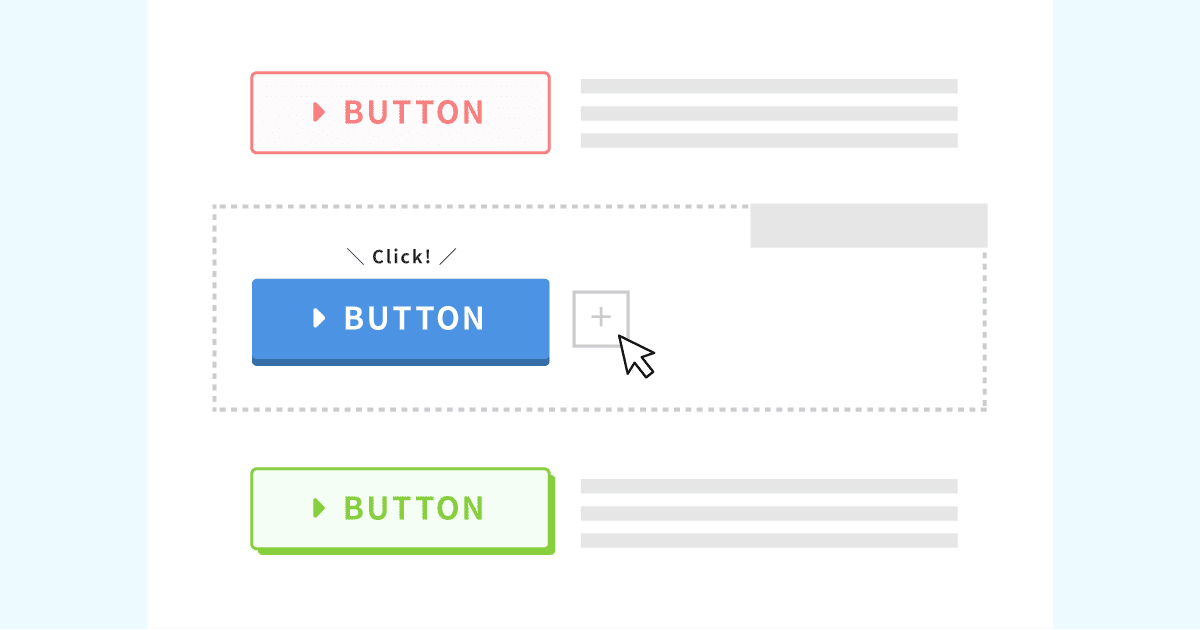
List of original button designs
List of original button designs
xwrite.jp
XWRITE pricing: subscription और one-time purchase
XWRITE में आप subscription plan और one-time purchase, दोनों में से चुन सकते हैं.
- Subscription (monthly): 990 yen प्रति माह
- Subscription (annual): 9,900 yen प्रति वर्ष
- One-time purchase plan: 19,800 yen
Xserver और Shin Rental Server users one-time purchase plan को 15,840 yen में खरीद सकते हैं. यह usual price से लगभग 4,000 yen सस्ता है, इसलिए यदि आप नया server contract और XWRITE दोनों पर विचार कर रहे हैं, तो server sign-up के साथ apply करना बेहतर है.
Both Xserver and Shin Rental Server are excellent servers. I explained them in detail in the articles below.

Xserver की प्रतिष्ठा और review [2025 नवीनतम]: speed, pricing, merits और drawbacks की विस्तृत व्याख्या
Xserver की प्रतिष्ठा और review [2025 नवीनतम]: speed, pricing, merits और drawbacks की विस्तृत व्याख्या
serverfield.org
Shin Rental Server review [2025 नवीनतम]: actual use के आधार पर speed और pricing की विस्तृत व्याख्या
Shin Rental Server review [2025 नवीनतम]: actual use के आधार पर speed और pricing की विस्तृत व्याख्या
serverfield.org
ईमानदारी से कहें तो, अन्य WordPress themes की तुलना में यह सस्ता नहीं है
पूरी ईमानदारी से कहें तो अन्य WordPress themes की तुलना में इसकी price कम नहीं है. यह या तो लगभग समान range में है या थोड़ा अधिक है.
| XWRITE | One-time purchase plan: 19,800 yen |
| Cocoon | Free |
| SWELL | 17,600 yen |
| SANGO | 14,800 yen |
| JIN:R | 19,800 yen |
इसलिए फिर दोहराऊंगा कि Xserver या Shin Rental Server contract के जरिए 15,840 yen वाली price पर apply करना सबसे बेहतर है.
हालांकि यदि आपके पास पहले से server contract है, तो subscription plan चुनें. Theme बदलने पर design का अंतर site PVs और CTR को प्रभावित कर सकता है.
Subscription plan में यदि XWRITE उपयोग करने के बाद आपको लगे कि…
- design आपकी पसंद से बहुत अलग है
- पुराने theme के प्रभाव से layout टूट जाता है और fixes कठिन हो जाते हैं
…तो भी आप relatively low cost पर अपने मूल theme में वापस लौट सकते हैं.
This site also considered signing up through the subscription plan and introducing XWRITE, but I gave up this time because of the second reason above. I cannot secure the time needed for the fixes.
XWRITE के लिए apply कैसे करें
XWRITE के लिए apply करने की प्रक्रिया
- STEP.1User site में log in करें
- STEP.2License page से theme खरीदें
User site के License Authentication section से purchase करें.
- STEP.3Theme download करें
ZIP file download करके WordPress Appearance → Themes → Upload New Theme से install करें और activate करें.
Take the downloaded ZIP file and install it through WordPress Appearance → Temas → Upload New Tema, then activate it.
- STEP.4License authenticate करें
XWRITE Settings → Activation से license authentication पूरा करें.official instructions)
XWRITE में child theme है
XWRITE में शुरुआत में child theme नहीं था, लेकिन 22 January 2025 के update के बाद child themes उपलब्ध हो गईं. यदि संभव हो, child theme बनाना बेहतर है. इससे major design breakage का risk कम होता है.
WordPress child theme बनाने की सामान्य प्रक्रिया
- STEP.1Child theme folder बनाएं
First, access the WordPress installation folder and create a folder for the child theme inside
wp-content/themes/.- Access it either by FTP or by using the WordPress admin screen > Appearance > Tema Editor.
- Create a new folder inside
wp-content/themes/and name it something liketheme-child. The folder name is up to you, but it is better to use a name that is easy to understand.
- STEP.2style.css बनाएं
Child theme का style.css बनाकर Theme Name और Template define करें.style.css file in that folder. This file manages the style information for the child theme.
- Set the contents of theme-child/style.css as shown below.
Copy the CSS code/* Tema Name: Tema Child Template: Tema Version: 1.0*/@import url("../Tema/style.css");/* Write customization CSS here */Tema Name: the name of the child theme (you can change it freely)Template: the directory name of the parent theme- The parent theme’s CSS file is loaded with
@import.
- STEP.3functions.php बनाएं
Parent theme style sheet load करने वाला functions.php जोड़ें.functions.php file to load the parent theme’s styles correctly.
- Create a theme-child/functions.php file and add the following content.
Copy the PHP code<?php// Load the parent theme style sheetfunction theme_child_enqueue_styles() { wp_enqueue_style('parent-style', get_template_directory_uri() . '/style.css');}add_action('wp_enqueue_scripts', 'theme_child_enqueue_styles'); - STEP.4Child theme activate करें
WordPress admin से child theme activate करें.Appearance > Temas. A theme called “Tema Child” will be displayed there, so activate it.
- STEP.5Customization शुरू करें
Direct parent theme editing की जगह child theme के जरिए customization करें.style.css, functions.php, and, if necessary, other template files such as
header.phpandfooter.php. Instead of editing the parent theme’s files directly, make your customizations by overriding them in the child theme.
XWRITE के बारे में अक्सर पूछे जाने वाले सवाल
XWRITE की cost कितनी है?
- Subscription (monthly): 990 yen प्रति माह
- Subscription (annual): 9,900 yen प्रति वर्ष
- One-time purchase plan: 19,800 yen
Xserver और Shin Rental Server users के लिए XWRITE one-time purchase plan 15,840 yen हो जाता है.
यदि subscription renew न करें तो क्या होगा?
Subscription renew न करने पर भी theme unusable नहीं होता. लेकिन theme updates नहीं मिलेंगी, और forum में सवाल पूछने की ability भी खत्म हो जाएगी.
यदि आप subscription चुनते हैं, तो उसे monthly renew करना होगा. यदि cost बचाना चाहते हैं, तो one-time purchase plan अधिक उपयुक्त है.
सारांश
XWRITE मूल रूप से blogs के लिए theme है. यदि आप blog लिखने जा रहे हैं, तो यह निश्चित रूप से recommend करने योग्य है. साथ ही company homepages और affiliate sites के लिए भी यह एक मजबूत विकल्प है.
यदि आप subscription plan चुनते हैं, तो 990 yen में एक महीने तक इसे आजमाया जा सकता है. शुरुआत subscription से करना व्यावहारिक है. यदि feel और design पसंद आएं, तो one-time purchase plan की ओर बढ़ें.
"XWRITE" Xserver Inc. द्वारा प्रदान किया गया WordPress theme है. इसे खास तौर पर company websites और affiliate sites के लिए recommend किया जा सकता है.
Xserver, Shin Rental Server, या Star Rental Server contract के साथ यह और सस्ता हो जाता है
यदि आप एक साथ server भी ढूंढ रहे हैं, तो मैं Xserver को recommend करता हूं.
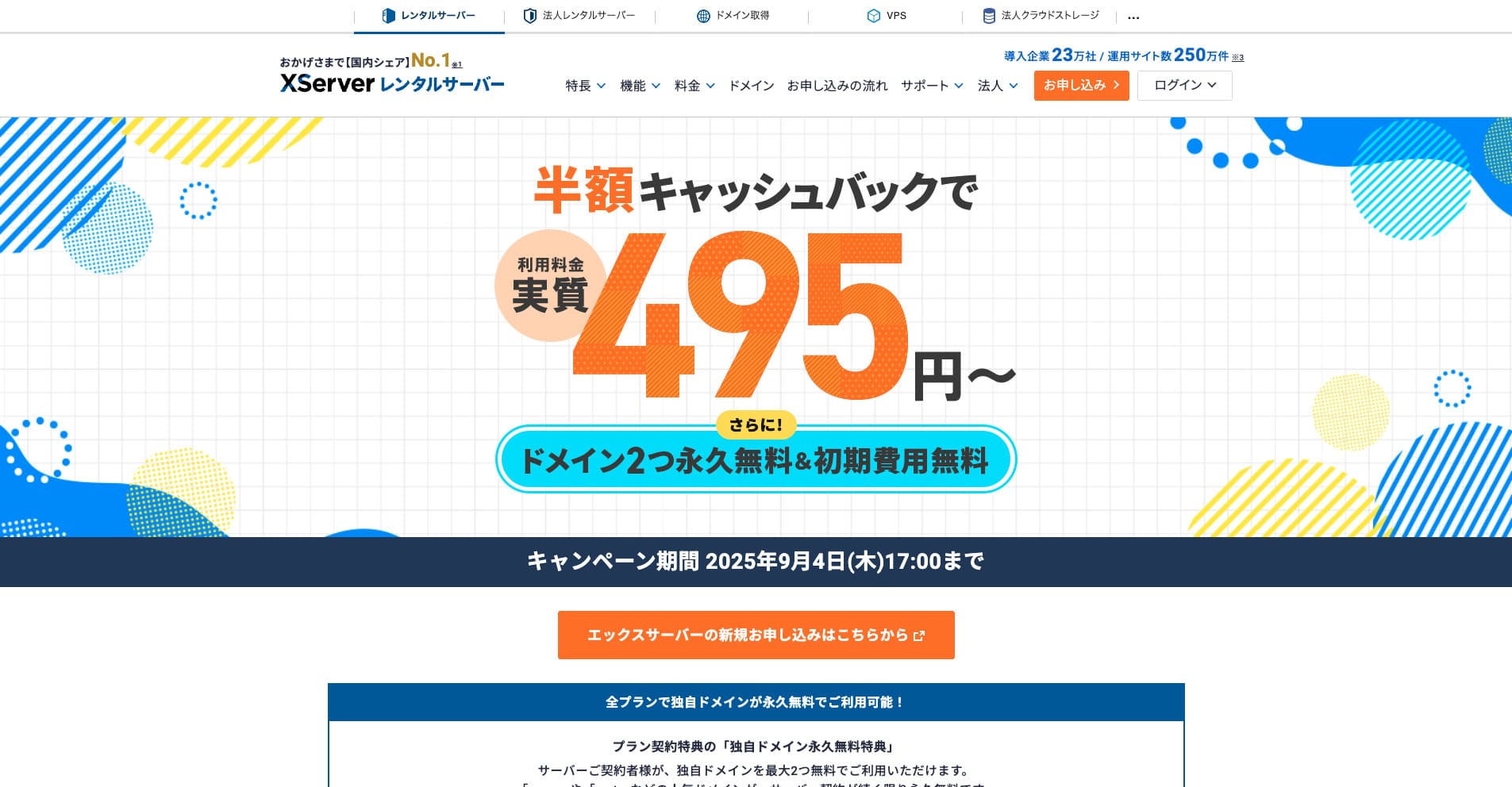
“Xserver” is a long-established high-speed rental server with the No. 1 domestic market share. It is popular with both individuals and companies. Honestly, it has no real drawbacks, and its stability, features, and support are all excellent. With cashback, you can use it from an effective 495 yen.
Until September 34, 2025, it offers half-price cashback and a 10-day free trial
