10-day free trial
PR
VPS
Rapide a plus de 130 Mbps : creer Outline VPN sur ABLENET VPS
Publie : 2025.06.26
Mis a jour : 2025.06.26
Les personnes qui souhaitent naviguer sur internet via un VPN sont de plus en plus nombreuses.
L'utilisation d'un VPN (Virtual Private Network) ameliore la securite et permet aussi d'acceder depuis l'etranger a des services et contenus reserves au Japon.
Cela dit, il est naturel de s'inquieter de la vitesse et de la surete d'une connexion VPN.
La meilleure facon d'obtenir une connexion VPN sure et rapide est de construire votre propre environnement VPN. Pour cela, vous avez besoin d'un serveur. Cette fois, j'ai mis en place un environnement VPN avec ABLENET VPS et Outline VPN.
Pourquoi je recommande ABLENET VPS
La raison principale pour laquelle j'ai choisi ABLENET VPS est sa stabilite.
- Historique d'exploitation : c'est l'une des societes de serveurs les plus anciennes du Japon, avec plus de 25 ans d'activite. Le service VPS existe lui aussi depuis 2011.
- Disponibilite : un uptime de plus de 99,99 % apporte une tranquillite mesurable.
- Trafic : le transfert de donnees est illimite, ce qui est ideal pour un usage VPN.
Au Japon, Xserver et Sakura Internet proposent aussi des VPS, mais ABLENET n'a rien a leur envier en fiabilite. Aujourd'hui, le trafic illimite parait courant, mais ABLENET a ete l'un des pionniers.

Hikaru Ono
Cette information figurait autrefois sur le site officiel, et il semble meme qu'un utilisateur tres intensif ait consomme 25 To en un seul mois. On peut vraiment dire que le transfert etait sans limite reelle.
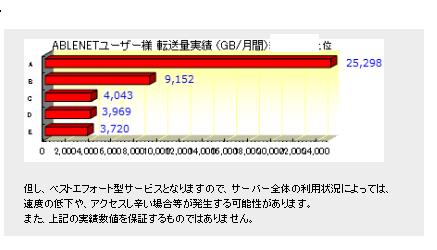
Donc, si vous prevoyez une utilisation importante des donnees pour regarder des films, des videos ou faire du developpement, je recommande fortement de construire votre VPN sur ABLENET VPS.
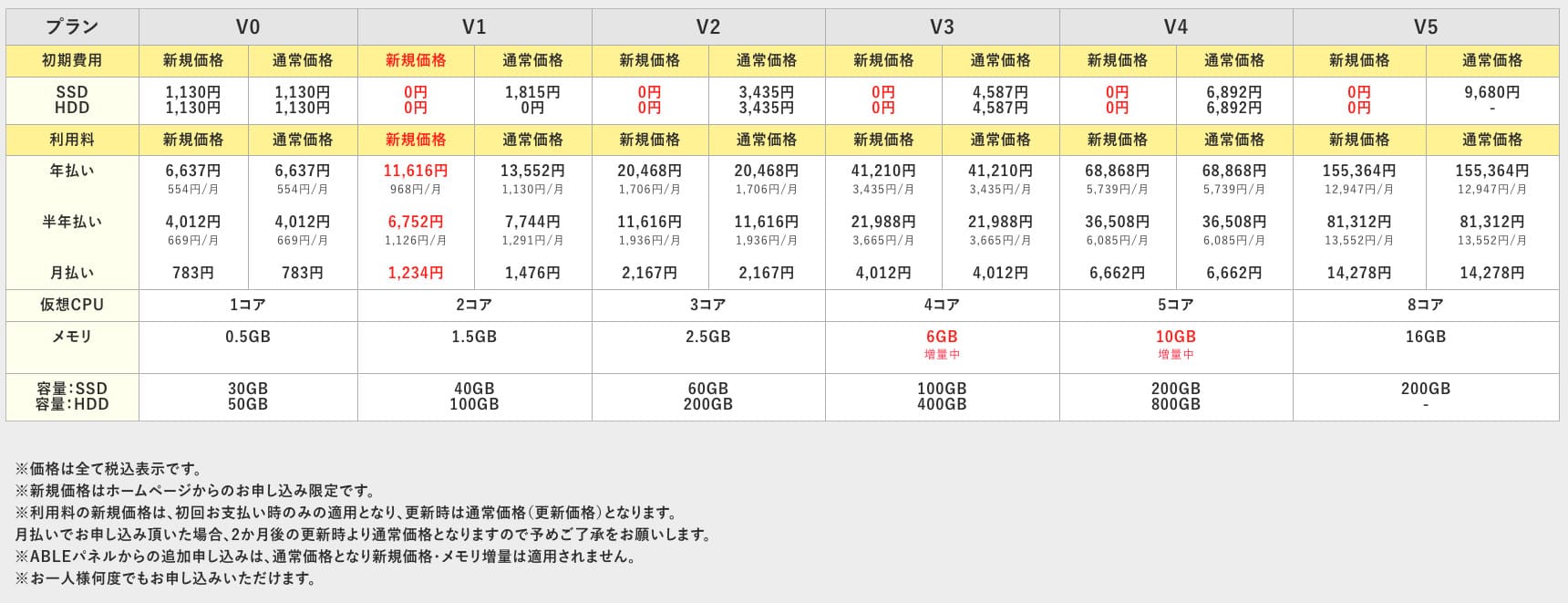
ABLENET VPS is a stable VPS with 99.99% uptime, even though it is affordably priced. It offers a wide range of plans, from the accessible V0 plan with 0.5GB of memory to the high-spec V5 plan with 16GB of memory, so you can find the right option for your needs.

Qu'est-ce qu'Outline VPN ? Un VPN simple meme pour les debutants
Un VPN (Virtual Private Network) est une technologie qui cree un tunnel chiffre sur internet et empeche l'ecoute ou la falsification par des tiers. En faisant transiter votre trafic par un serveur VPN, il masque aussi votre veritable adresse IP et ameliore l'anonymat.
Outline VPN est concu pour rendre ce type de connexion extremement simple.
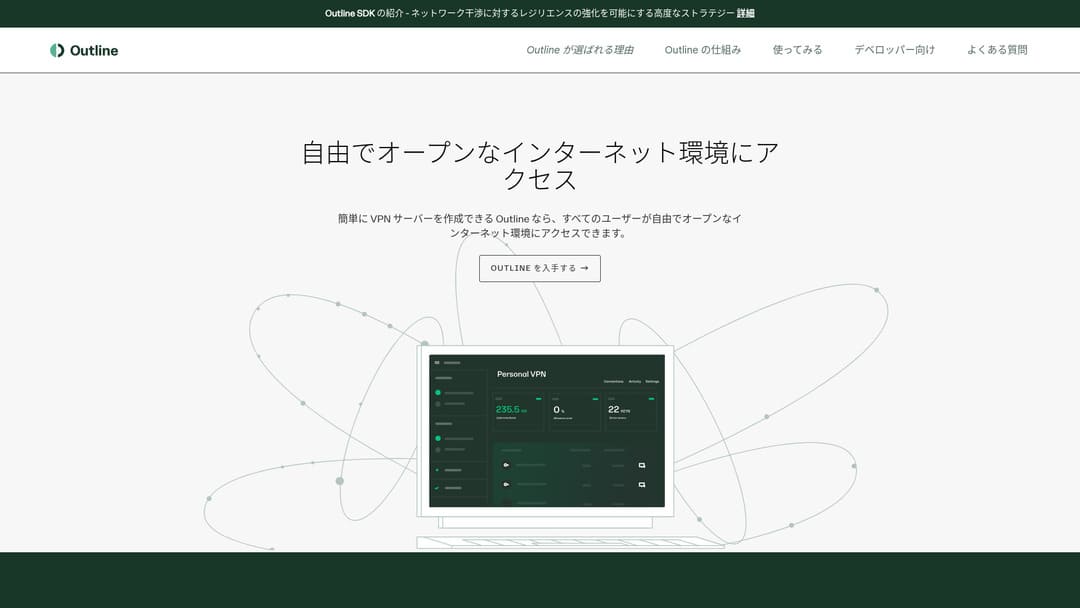
"Outline" est une application gratuite et facile a utiliser proposee par Jigsaw, une entreprise du groupe Google, pour se connecter via un VPN. Meme sans experience prealable, vous pouvez commencer en quelques clics.
Telecharger depuis le site officiel
Hikaru Ono
Cette fois, j'utilise Outline VPN pour que tout le monde puisse construire un VPN facilement.
Creer Outline VPN sur ABLENET VPS en 5 etapes simples
Voyons maintenant en detail comment mettre en place Outline VPN sur ABLENET VPS.
Etape 1 : demarrer avec ABLENET VPS
Si vous n'avez pas encore souscrit a ABLENET VPS, commencez par cette etape.
Get Started with ABLENET VPS
- STEP.1Choose a plan on ABLENET VPS
Go to ABLENET VPS and click "Apply."
You can choose either a Windows plan or a VPS plan. For this VPN setup, use the VPS plan. I recommend the V1 plan with no initial fee and fast SSD storage.
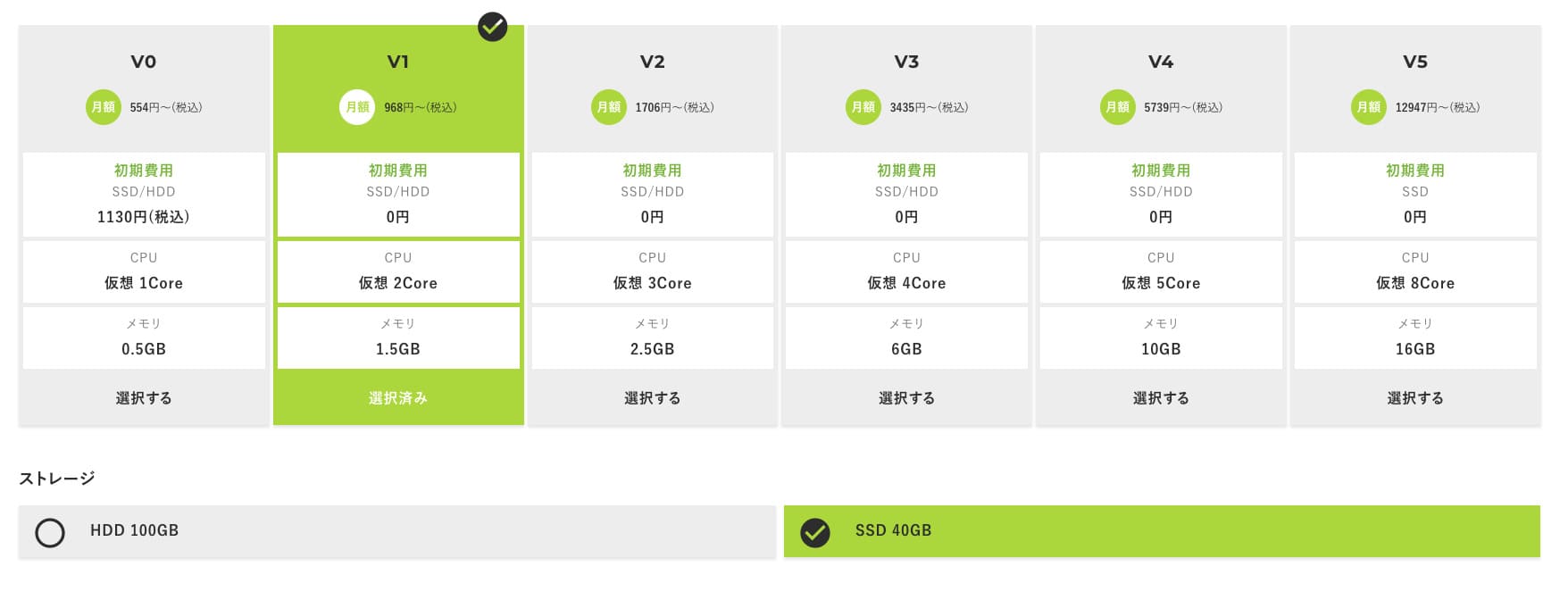
Start with the V1 plan, and if it feels underspecified later, upgrade to V2 or V3. After your service begins, you can request a spec upgrade from the ABLE panel.
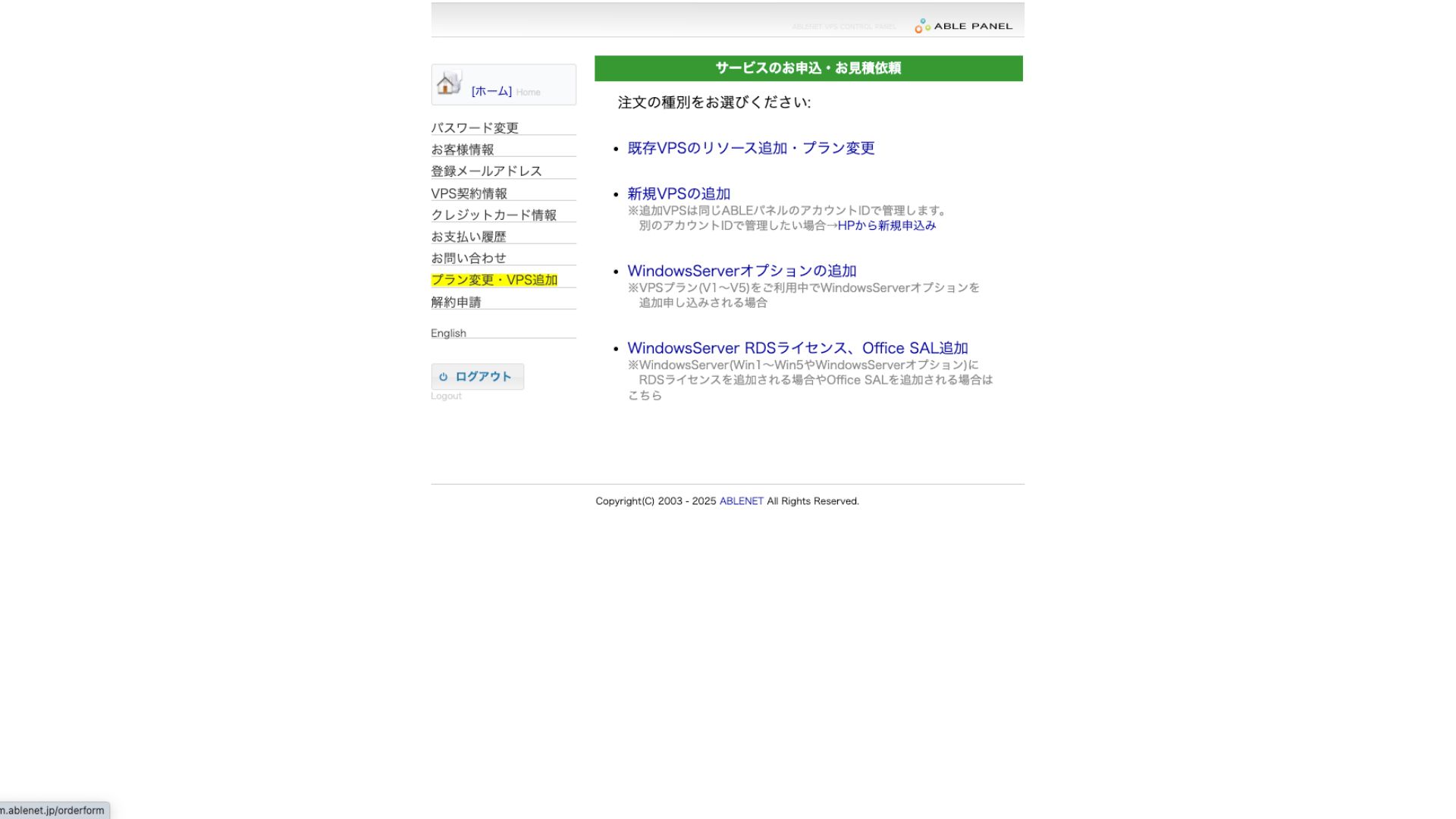
For the payment method, using the credit-card trial period is fine.

Review the terms of use and check the box.
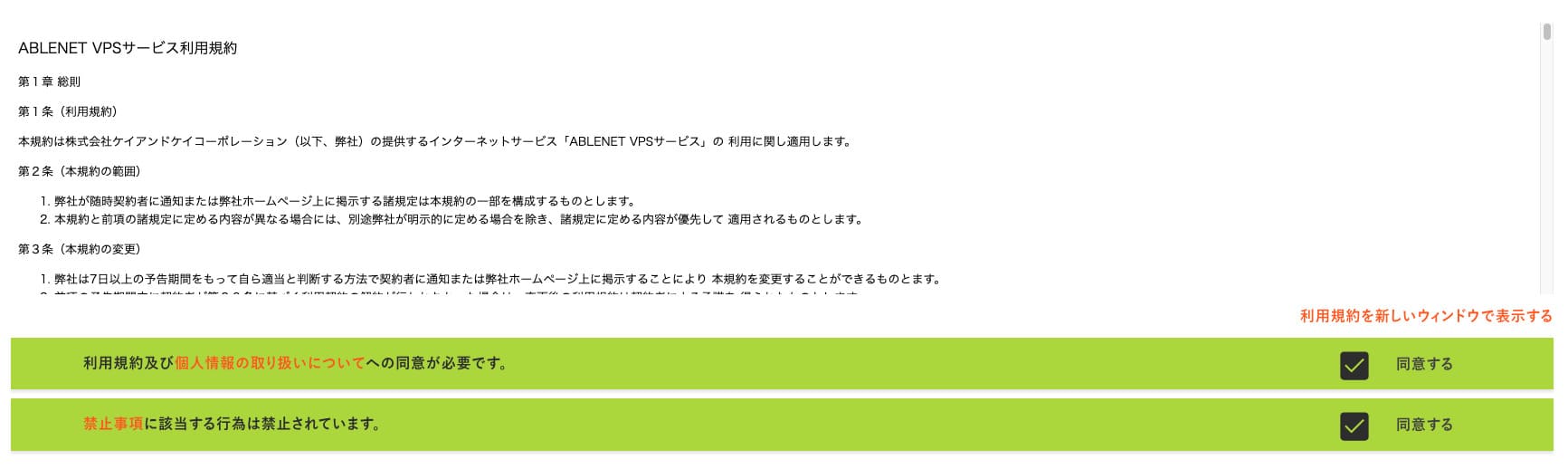
Click "Proceed to select the contract term."
- STEP.2Select the contract term
An annual contract is the better deal for the server term. Since we are using the VPS plan this time, no options are needed.
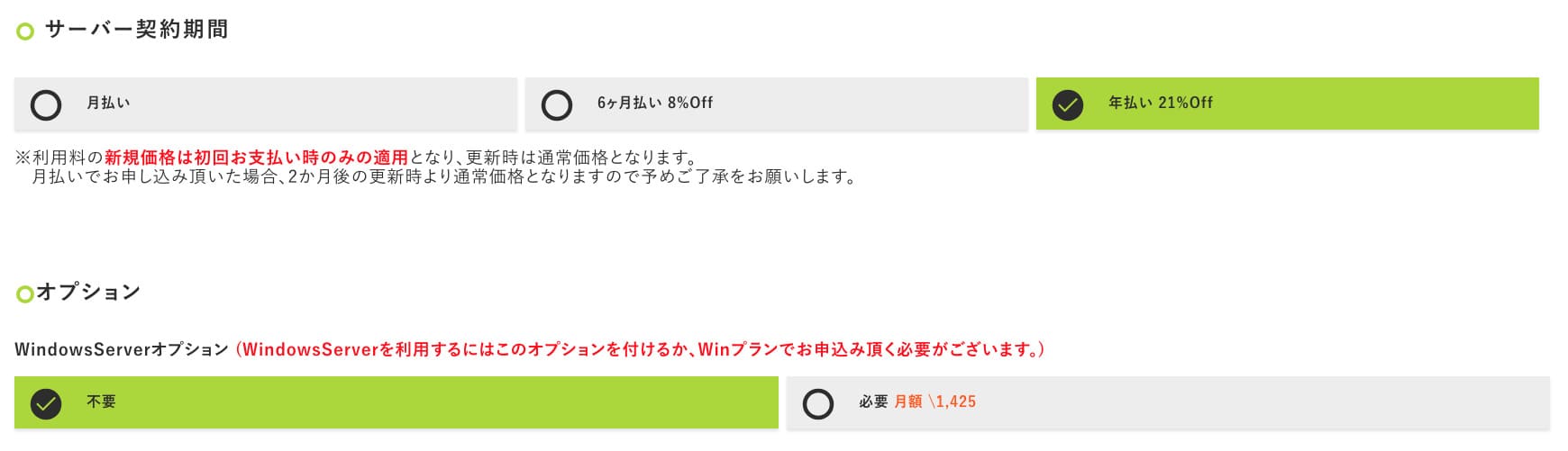
After filling it in, click "Proceed to the estimate screen." Review the estimate, and if everything looks fine, click "Proceed to enter applicant information."
- STEP.3Enter applicant information
Enter your name, address, and other applicant details. Continue to the order review screen and submit the application.
- STEP.4Enter payment information
If you are paying by credit card, enter the cardholder information and other required details. If everything is correct, click "Confirm order" to submit.
Once you receive the email with your VPS information, the application is complete.
Etape 2 : installer Outline Manager
Ensuite, installez Outline Manager sur votre ordinateur afin de configurer et gerer le serveur VPN.
Install Outline Manager
- STEP.1Visit the official Outline site
Go to Outline.
- STEP.2Download Outline Manager
From the "Get Outline Manager" section, download the version of Outline Manager that matches your computer's OS (Windows, macOS, or Linux).
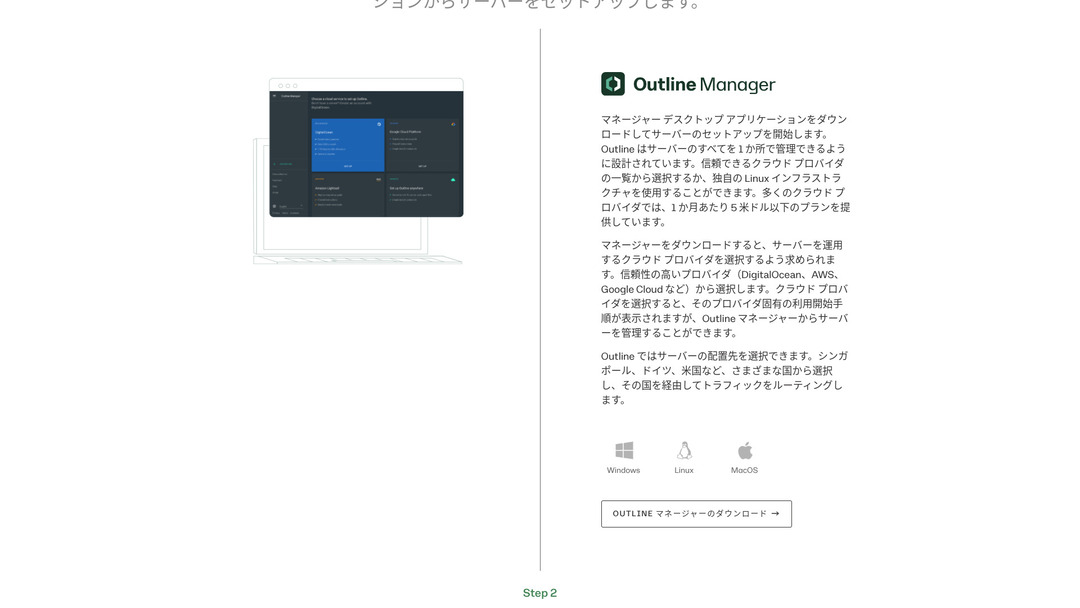
- STEP.3Install
Run the downloaded file and follow the on-screen instructions to install Outline Manager.
Etape 3 : installer le serveur Outline sur le VPS
Utilisez Outline Manager pour installer le serveur Outline sur ABLENET VPS.
Build an Outline Server on Your VPS with Outline Manager
- STEP.1Launch Outline Manager
After installation is complete, launch Outline Manager.
- STEP.2Click "Set up server"
When you launch it for the first time, the server setup screen appears. Click "Set up server."
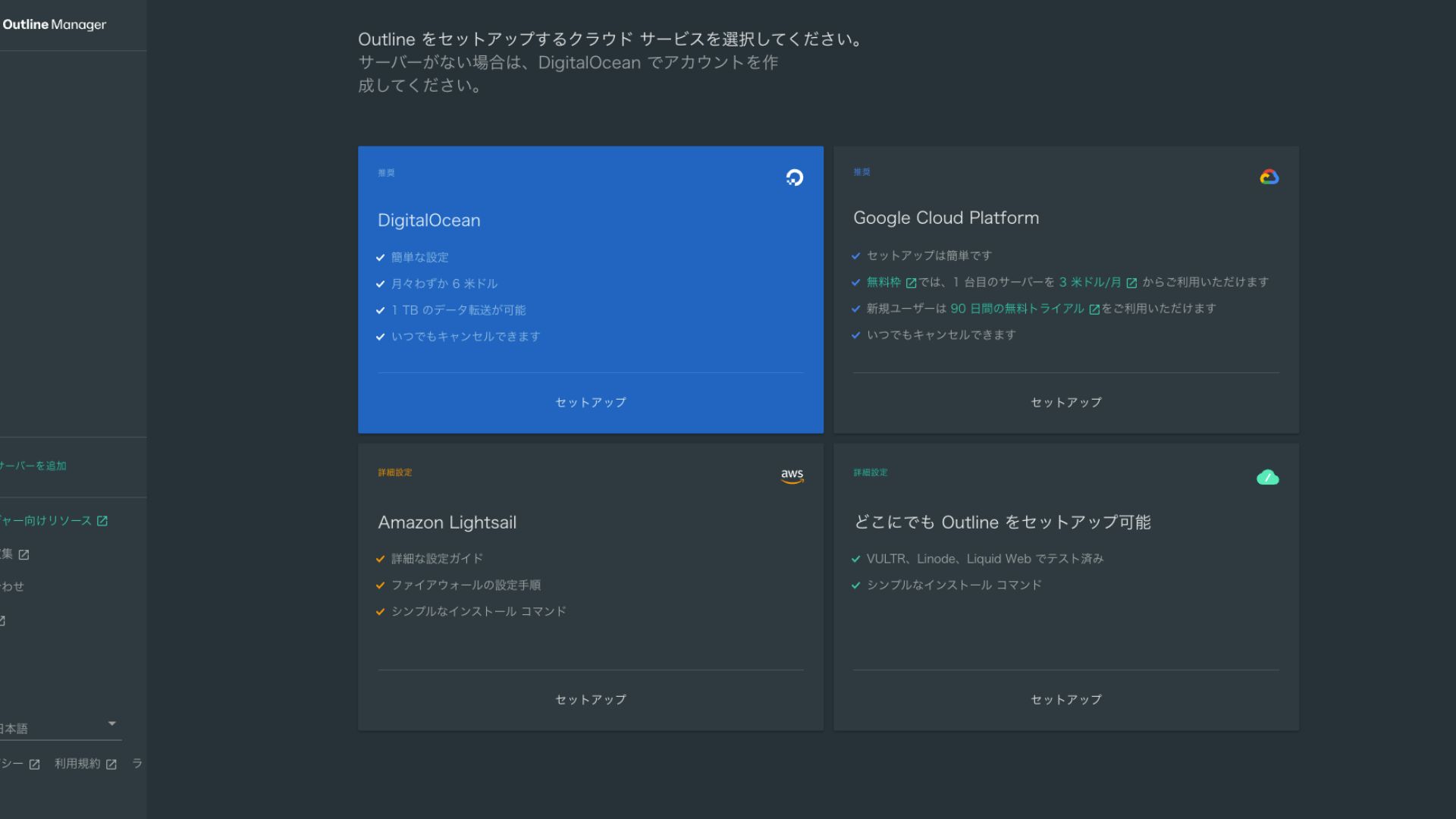
- STEP.3Select "Set up Outline anywhere"
You will see the cloud provider selection screen. Choose "Set up Outline anywhere."
- STEP.4Enter the installation command
The screen displays the command used to install the Outline server on your VPS. Enter this command manually.
Hikaru OnoBecause you cannot copy and paste it, be careful not to make any mistakes.
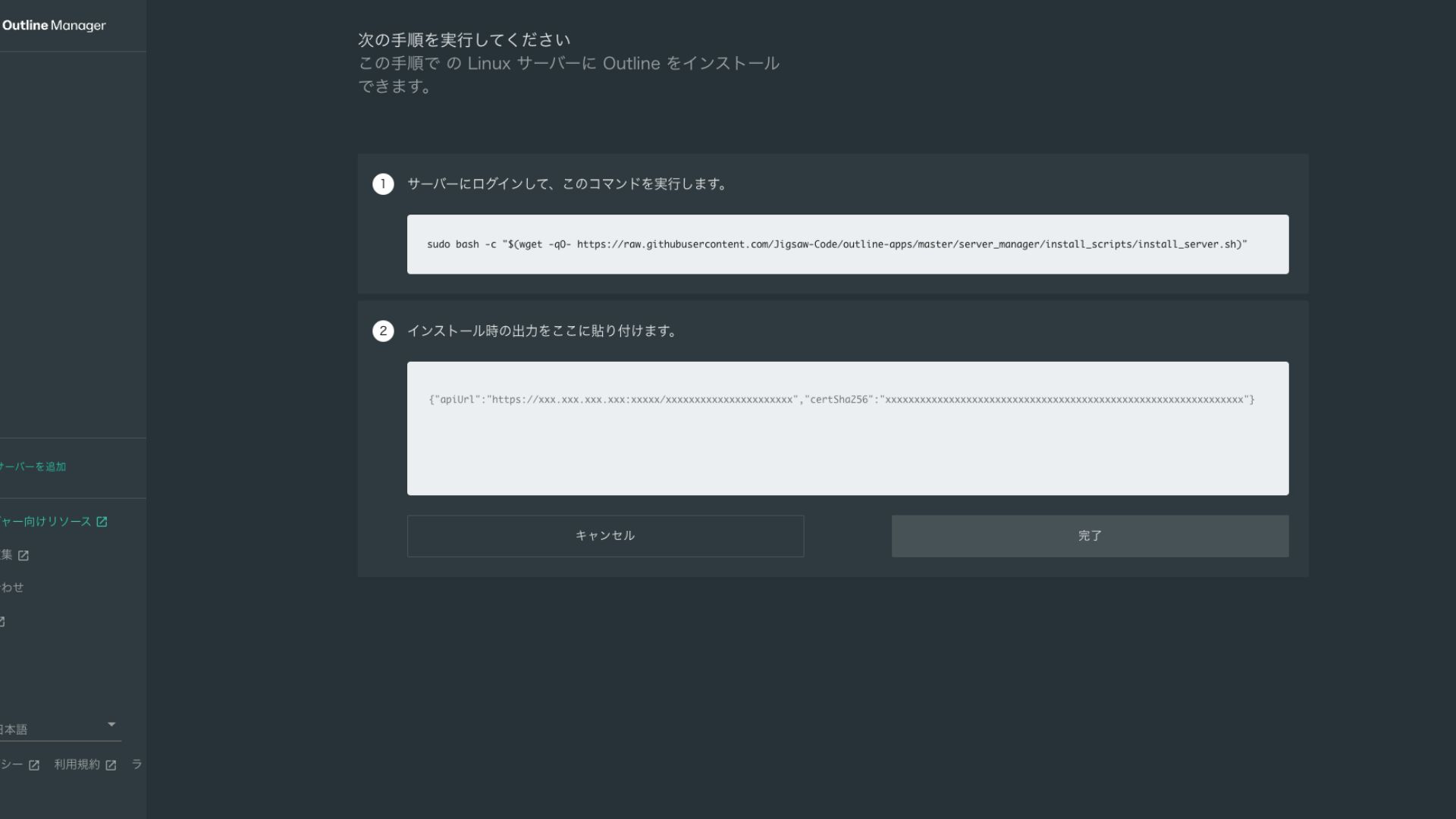
- STEP.5Run the command
- Installation can take several minutes. Watch the messages shown on screen carefully and wait until it finishes.
- You may be asked a few questions along the way, but in most cases pressing Enter to accept the default choice is fine.
- STEP.6Enter the information in Outline Manager
After the installation is complete, Outline Manager shows a screen where you enter the "Server details."
- Admin API URL: The API URL generated during installation on the VPS is shown here. Usually it is reflected automatically in Outline Manager, but if it is not, copy and paste the API URL shown in the SSH terminal.
- Server location (optional): You can enter the server location (for example, Tokyo, Japan). This is for management only and does not affect the connection.
- STEP.7Click "Done with server"
After entering all the information, click "Done with server."
Etape 4 : creer une cle d'acces et autoriser la connexion
Une fois le serveur Outline cree, il faut preparer une cle d'acces pour la connexion VPN reelle.
Create an Access Key and Allow VPN Connections
- STEP.1Check the Outline Manager screen
One default access key is displayed on the Outline Manager screen. Here, it is labeled Key 0.
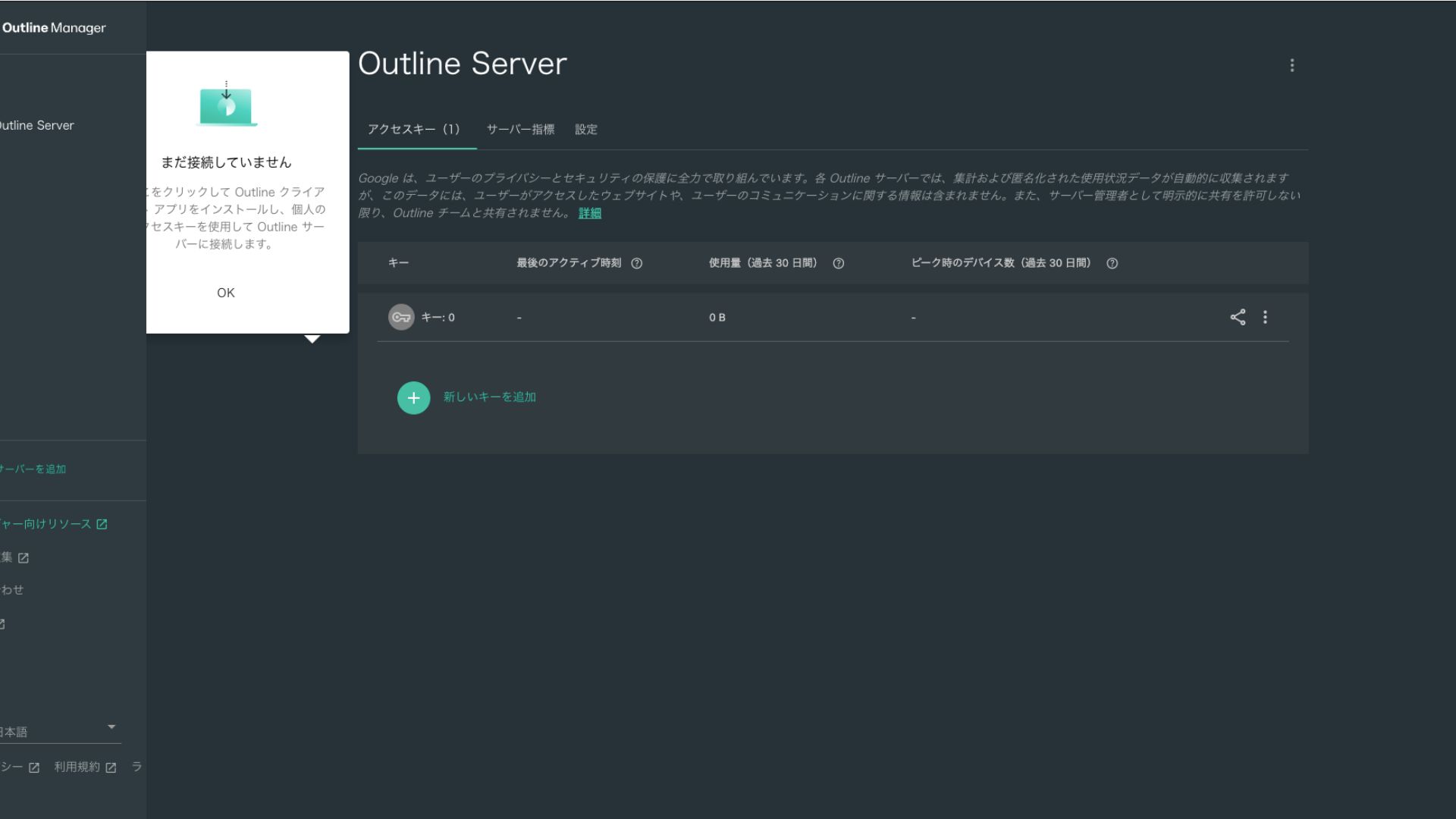
- STEP.2Share the access key
The access key you created is required when connecting with the Outline client. When you select the access key, a button labeled "Share invite" appears.
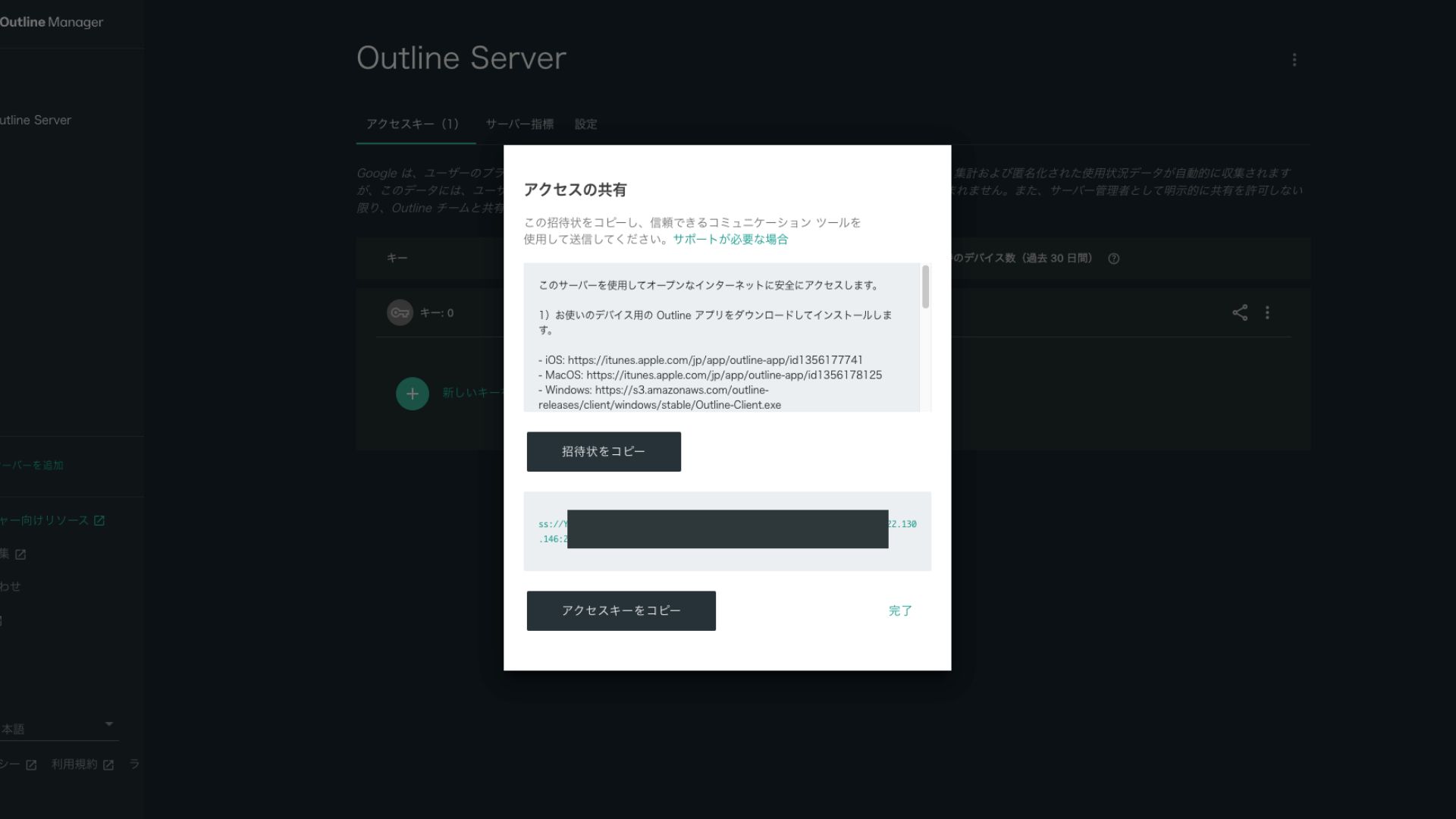
Clicking it copies the access key URL. Share this URL with the device you want to connect through the VPN.
Etape 5 : installer le client Outline et se connecter
Installez le client Outline sur l'appareil que vous souhaitez utiliser pour la connexion VPN, comme un PC, un smartphone ou une tablette. Ici, l'installation a ete faite sur un smartphone Android.
Connect to Outline VPN Using the Issued Access Key
- STEP.1Launch the Outline client
Launch the Outline client you installed.
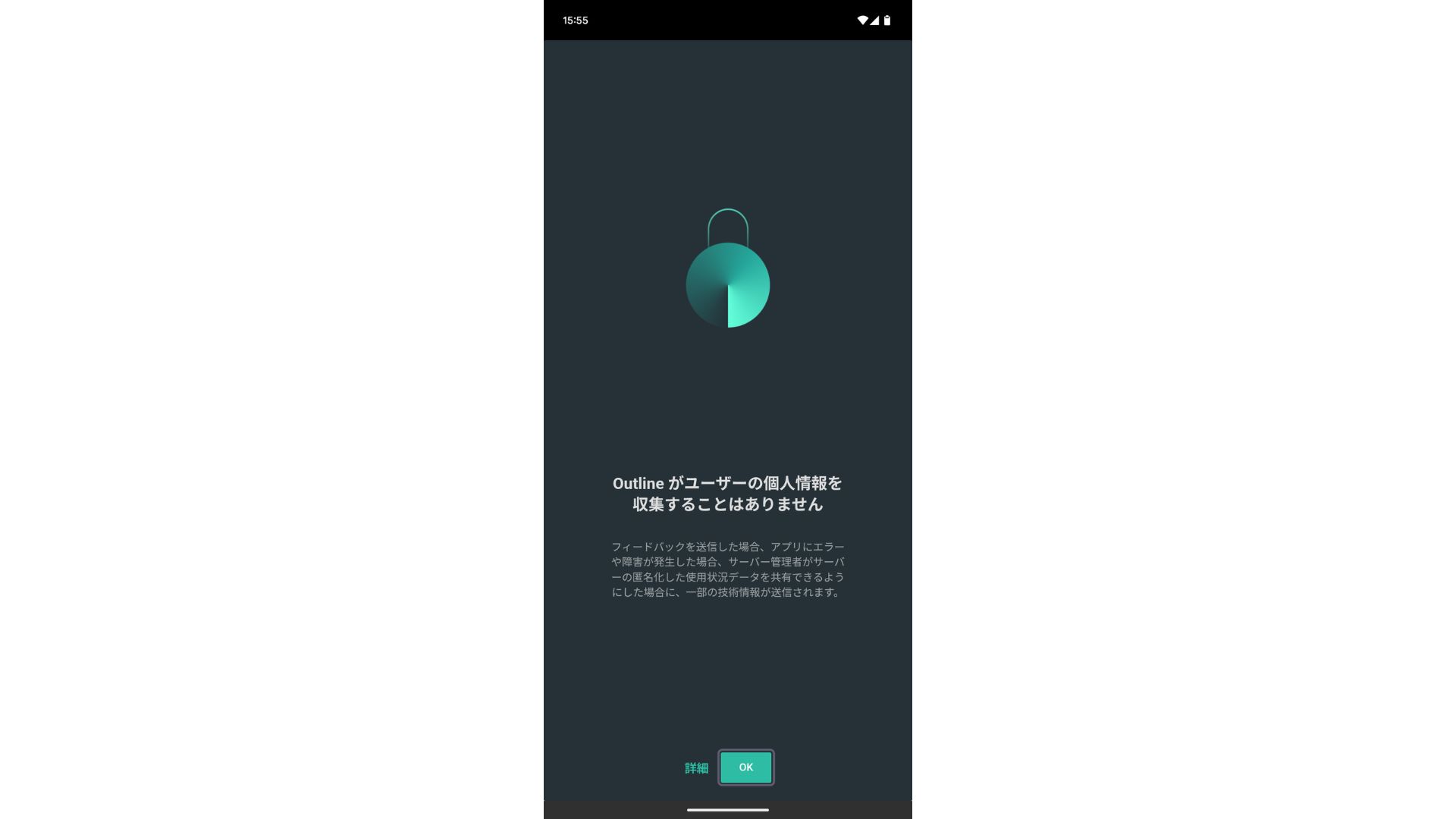
- STEP.2Add the access key
- On a PC: Click "Add server" or a similar button, paste the access key URL you copied in Step 4, and click "Add server."
- On a smartphone or tablet: When you open the app, you may be asked to enter an access key. Copy and paste the access key URL shared in Step 4. If a QR code is shown, you can scan that as well.
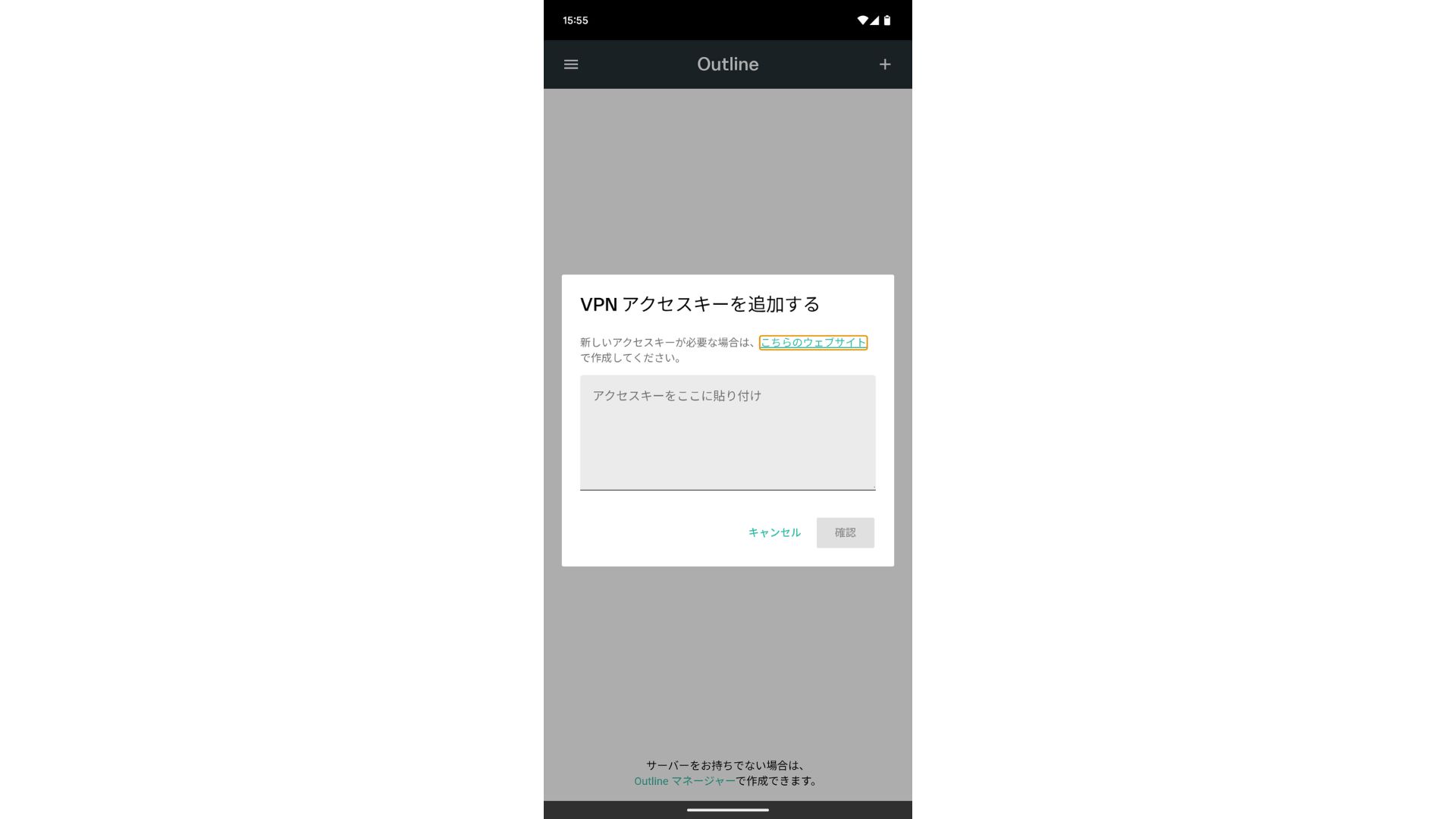
After adding the access key, press Confirm.
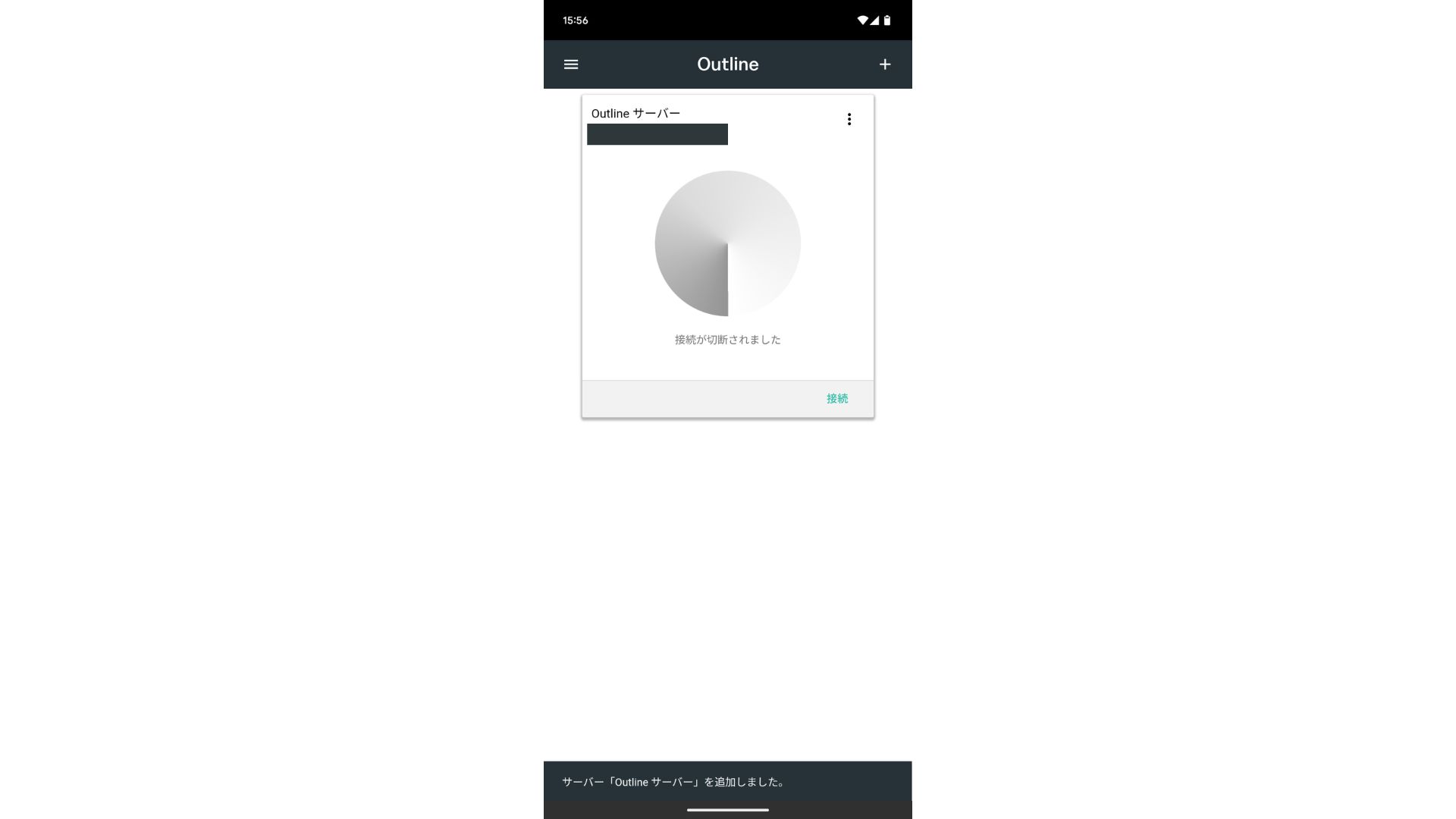
- STEP.3Connect
Once the server has been added, press "Connect."
Tap "OK" on the connection request.
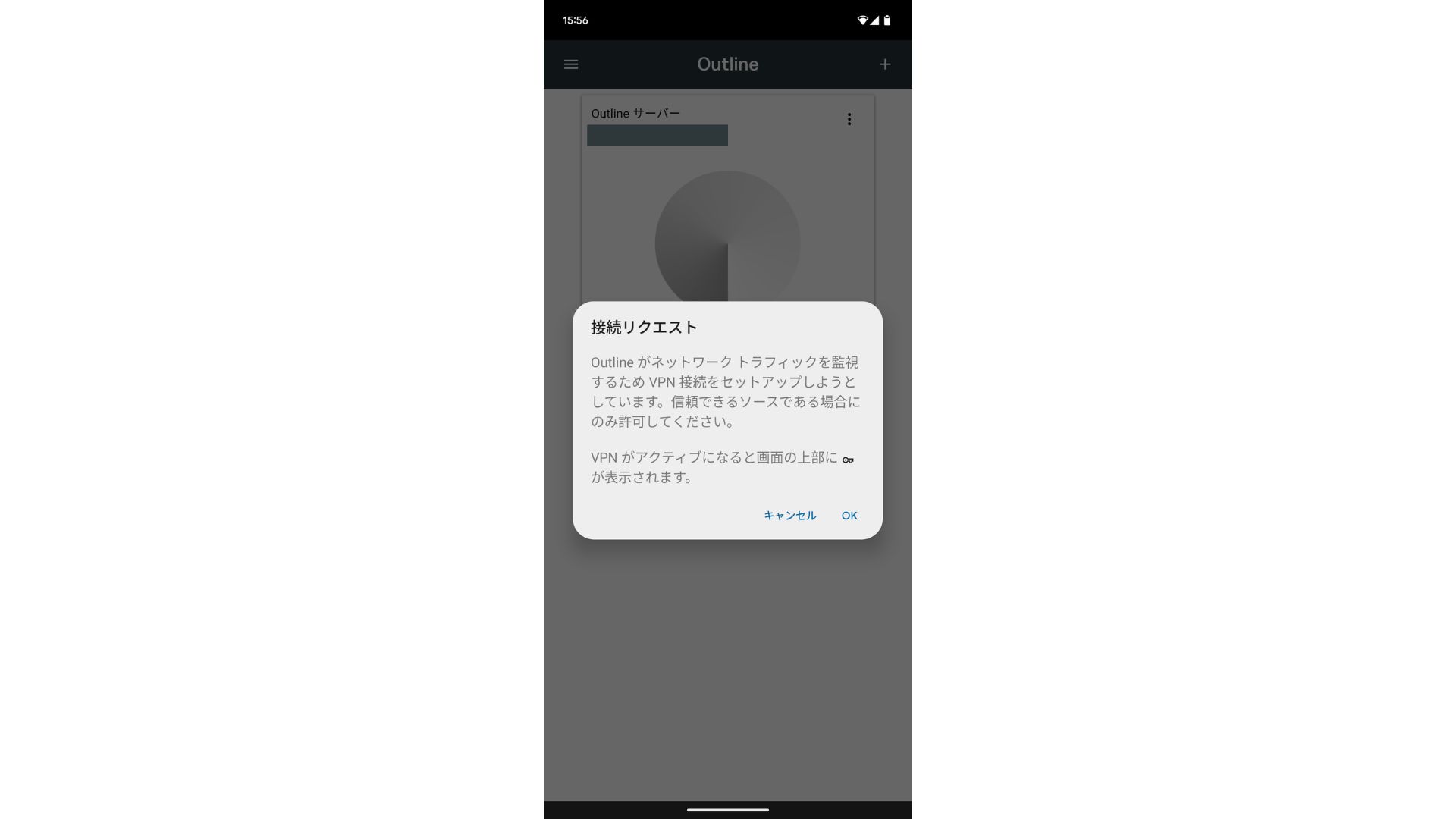
The connection is now complete.
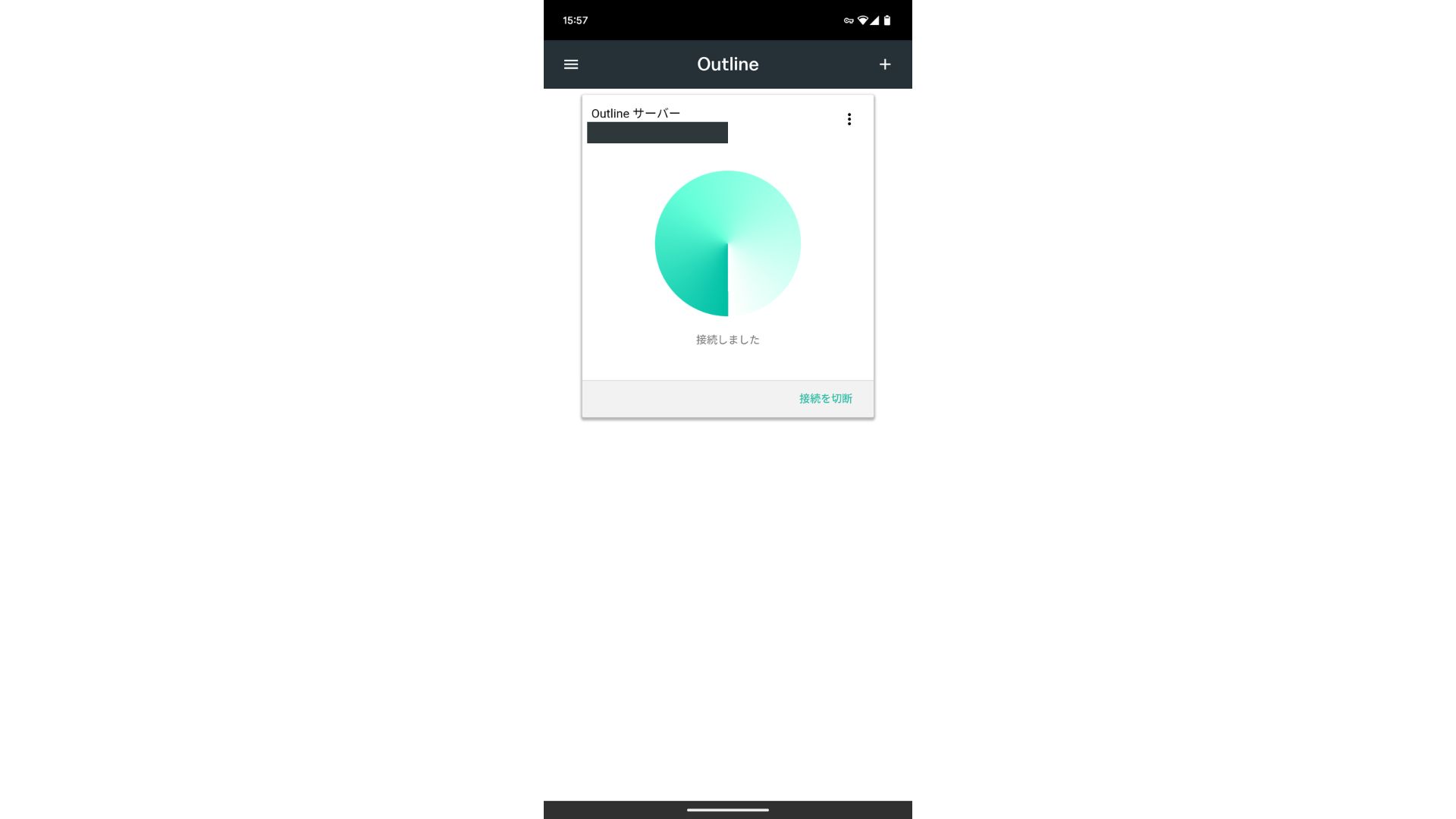
After the server is added, a Connect button appears. Clicking this button starts the VPN connection.
Avec cela, votre connexion VPN via Outline VPN et ABLENET VPS est terminee. Votre trafic est chiffre, donc plus sur, et il transite par l'emplacement du serveur choisi.
ABLENET VPS et Outline VPN sont rapides et confortables
On dit souvent qu'un VPN ralentit internet. Vous vous demandez donc peut-etre quelle vitesse offre ABLENET VPS. Lors de ma mesure, le debit a atteint 130 Mbps, ce qui montre une utilisation confortable sans frustration.
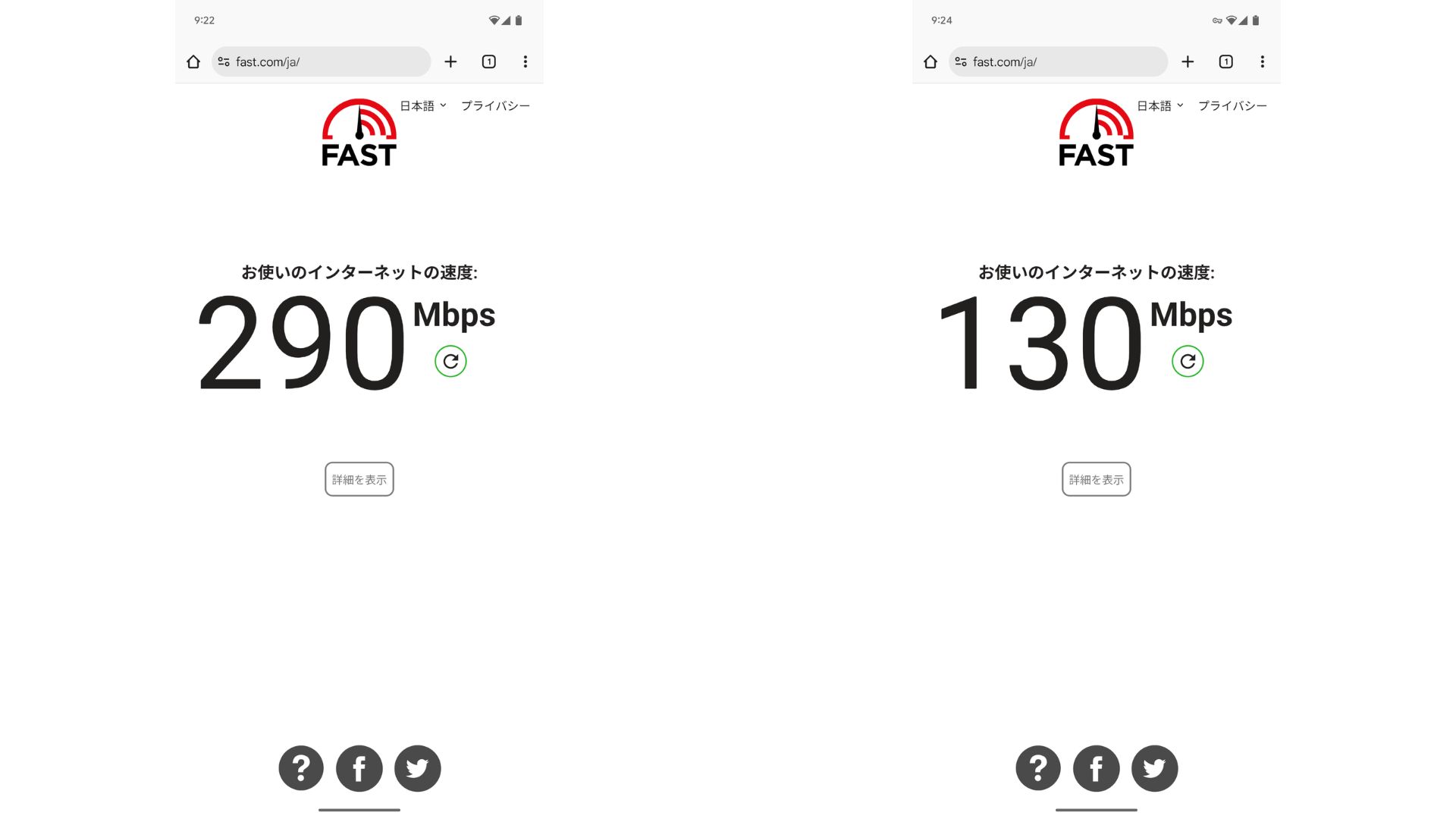
Par rapport a une connexion sans VPN, on conserve environ la moitie de la vitesse. La raison principale est que ABLENET VPS utilise une ligne partagee a 200 Mbps. Comme 100 Mbps reste plus courant, on peut le considerer rapide.

Hikaru Ono
Grace a ABLENET VPS, j'ai pu communiquer a une vitesse tres elevee.
Caracteristiques et prix d'ABLENET VPS
| Type de serveur | VPS |
| Vitesse de connexion | Ligne partagee 200 Mbps |
| IPv4 | 1 adresse |
| IPv6 | 65,536 adresses |
| Trafic | Illimite |
| Plan recommande | Plan annuel V1 |
| CPU virtuel | 2 coeurs |
| Memoire | 1,5 Go |
| Stockage | 40GB SSD or 100GB HDD |
| Essai / garantie | Essai gratuit 10 jours |
| Prix mensuel (contrat 12 mois) | 968 yens |
| Frais initiaux | Gratuits |
| Support | |
| Disponibilite | 99,99 % ou plus |
| OS | Ubuntu Server 22.04 LTS / Ubuntu Server 20.04 LTS / AlmaLinux 9.5 / AlmaLinux 8.10 / Rocky Linux 9.5 / Rocky Linux 8.10 / Oracle Linux 9.5 / Oracle Linux 8.10 / CentOS Stream8 / CentOS Stream9 / Minecraft Server(ubuntu/java/Integrated)/Rust Server(ubuntu)/Palworld Server(ubuntu)/ARK Server(ubuntu)/7days Server(ubuntu)/Valheim Server(ubuntu)/Ubuntu Desktop 22.04 with MT4/5/Ubuntu Desktop 22.04 with AutoGPT/ CentOS 7.9 and more |
Resume
Avec Outline VPN, qui facilite beaucoup la construction d'un VPN, meme les personnes qui n'ont jamais utilise un VPN peuvent commencer rapidement.
Cependant, comme les VPN ont tendance a etre plus lents, je recommande ABLENET VPS, qui fournit une connexion rapide. Avec une facturation annuelle, le cout reste sous les 1 000 yens par mois, ce qui lui donne un excellent rapport qualite-prix. Surtout, le trafic illimite et la stabilite a plus de 99,99 % permettent de profiter d'internet sans stress.
ABLENET VPS is a stable VPS with 99.99% uptime, even though it is affordably priced. It offers a wide range of plans, from the accessible V0 plan with 0.5GB of memory to the high-spec V5 plan with 16GB of memory, so you can find the right option for your needs.
10-day free trial