For Company Sites and Affiliate Sites, Go With the Well-Regarded XWRITE WordPress Theme
If your site is a company website or an affiliate site, this is one you should consider.
XWRITE is a blog-focused WordPress theme developed by Xserver Inc. Yes, it is for blogs. But to be honest, the field of blog-oriented WordPress themes is crowded, and there are many wonderful themes besides XWRITE, such as Cocoon and SWELL. (That is probably why Xserver partners with those two themes as well.)
SWELL looks stylish, and Cocoon is free.
Even so, XWRITE has original features that Cocoon and SWELL do not have, and if you can make use of those features on your homepage or site, I think XWRITE is the better choice.
“XWRITE” is a WordPress theme provided by Xserver Inc. It has a reputation for being simple, fast, easy, and usable by anyone. It is especially recommended for company websites and affiliate sites.

For company homepages and affiliate sites, these two categories are where XWRITE really shines. For everything else, to put it bluntly, just choose based on the design you prefer. But if it is a company homepage or an affiliate site, give XWRITE at least one serious look.
Complete Comparison of 32 WordPress Hosting Services for Individuals, Companies, and Overseas Use

When you think, “I want to start WordPress,” and search for “WordPress recommendations,” you find all kinds of articles covering personal hosting, options for companies and small businesses, overseas hosting, and low-cost servers. Honestly,
- which site should you trust?
- you may just want a simple and understandable answer.
- you may want to get started with WordPress right away.
That is why this article carefully selects recommended choices from 32 hosting providers for individuals, companies, domestic use, and overseas use. It is explained by the SEO lead at an app development company that uses hosting every day.
Why I recommend XWRITE for company homepages
Take a look at the storefront-style demo site and corporate site created by Xserver. They make you think, “Oh, so this is the kind of site I could build.”


The Google Maps block lets you style Google Maps easily
Company homepages and store websites usually show the location of the office or shop with Google Maps.
With XWRITE, you can use the Google Maps block to customize how Google Maps appears very easily.
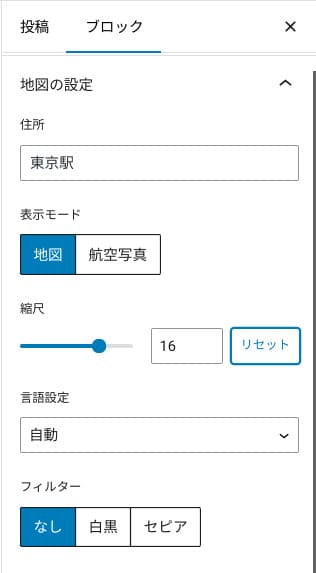
You can switch it to a map or aerial-photo view, or change it to monochrome or sepia. Cocoon and SWELL do not have this feature. Changing those things with CSS is honestly difficult unless you are a designer or programmer.
With XWRITE, however, that is not a problem even without specialist knowledge. Anyone can easily customize Google Maps so that it matches the atmosphere of their company or store homepage.
The Section block makes even the whitespace beautiful
Design matters for company homepages and store websites. It conveys an atmosphere that cannot easily be expressed in words, such as “This shop looks stylish” or “They seem as if they would handle the work carefully and properly.”
Something that affects that atmosphere, surprisingly enough, is the whitespace. Well-arranged, comfortable whitespace can create beauty and elegance, or even a sense of lively energy.
If you use XWRITE’s Section block, you can beautifully design even the whitespace that shapes that atmosphere exactly the way you want.
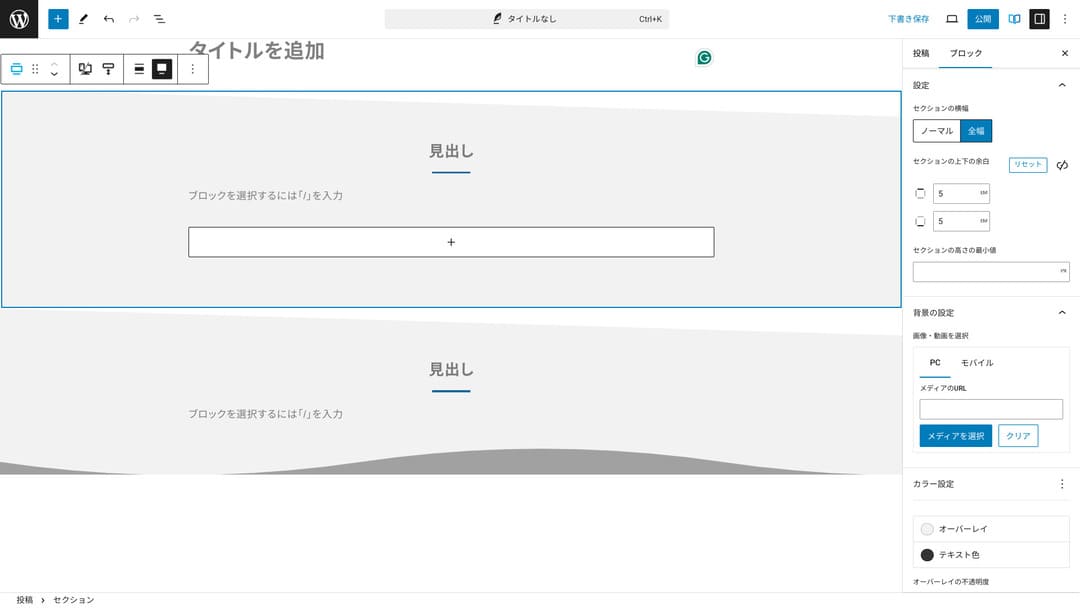
You can create whitespace cut on a diagonal or add wave-like shapes. Once the design reaches even that level of detail, including the whitespace, it can greatly improve the image of a company or shop.
Why I recommend XWRITE for affiliate sites
Take a look at the affiliate-style demo site created by Xserver. It says “blog,” but the content design you can glimpse there is really that of an affiliate site.

The Product Review block makes pros and cons clear at a glance
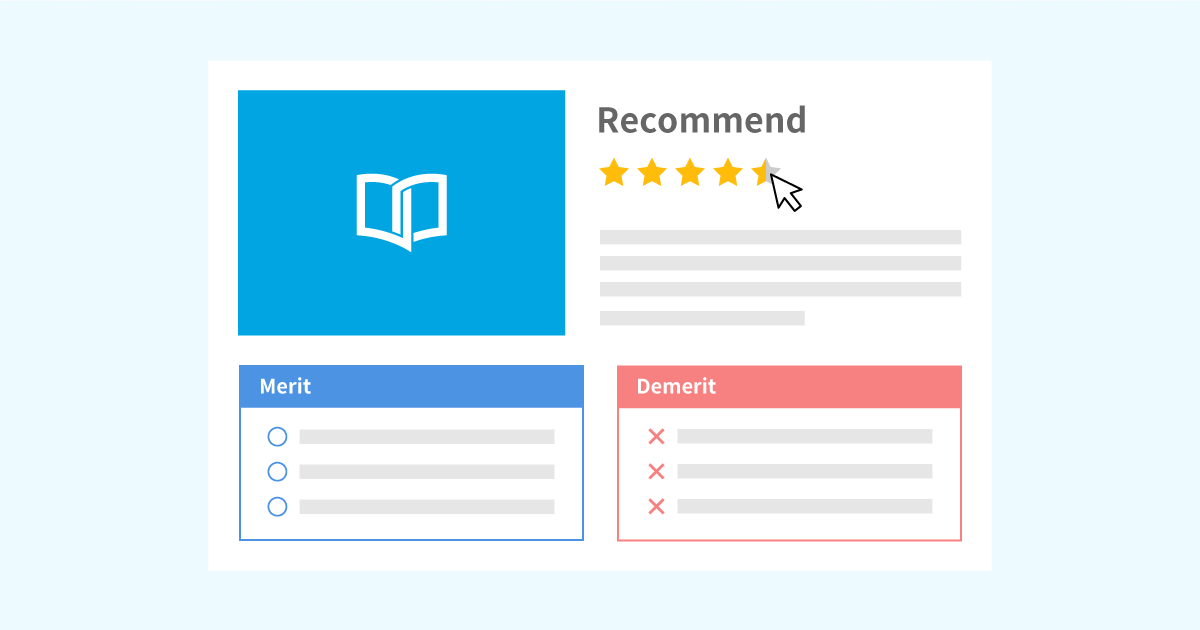
If you use XWRITE’s Product Review block, you can present a product’s advantages and disadvantages beautifully. People can immediately see what is good about it and what is not. The rating and explanation are easy to read as well.
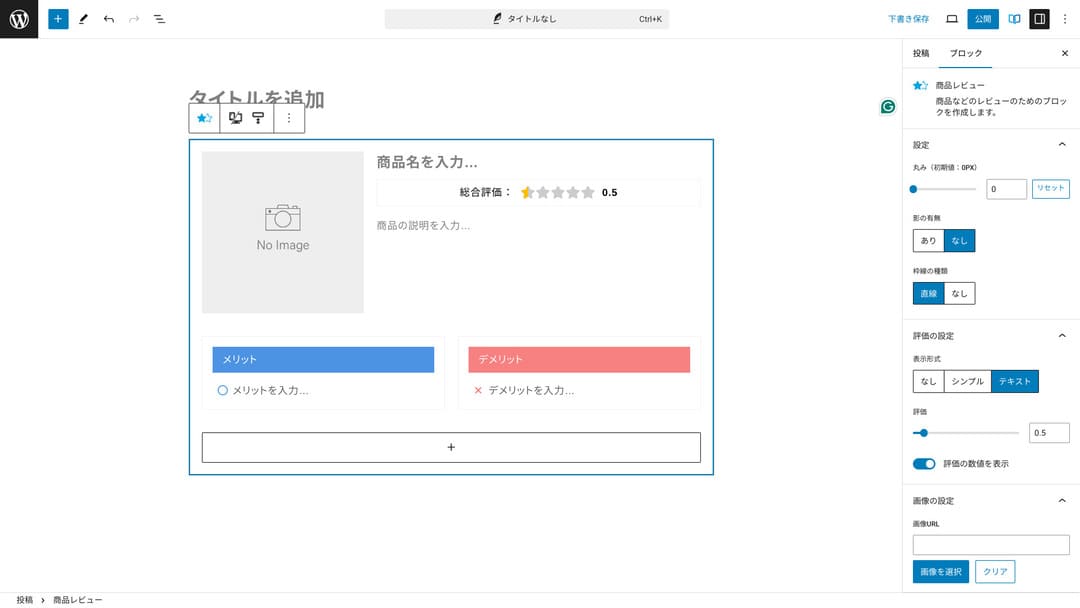
When you use this, site visitors can understand the characteristics of the product you are introducing right away. If they can understand it quickly, it becomes easier for them to decide whether to buy it or not. In other words, it is easier to sell.
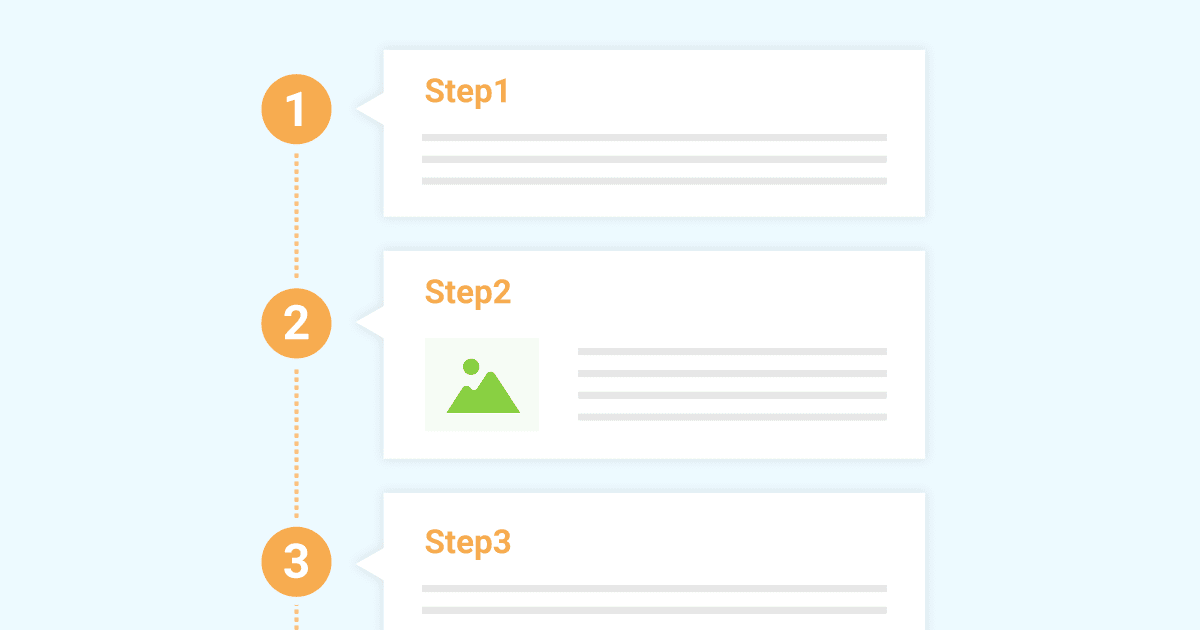
The Step block communicates procedures and flow clearly
XWRITE’s Step block makes procedures and flows easy to understand. Explanations such as “after doing this, prepare that document and click here next” become much clearer.
You can use the Step block to show how to purchase a product or the order of steps in a contract process.
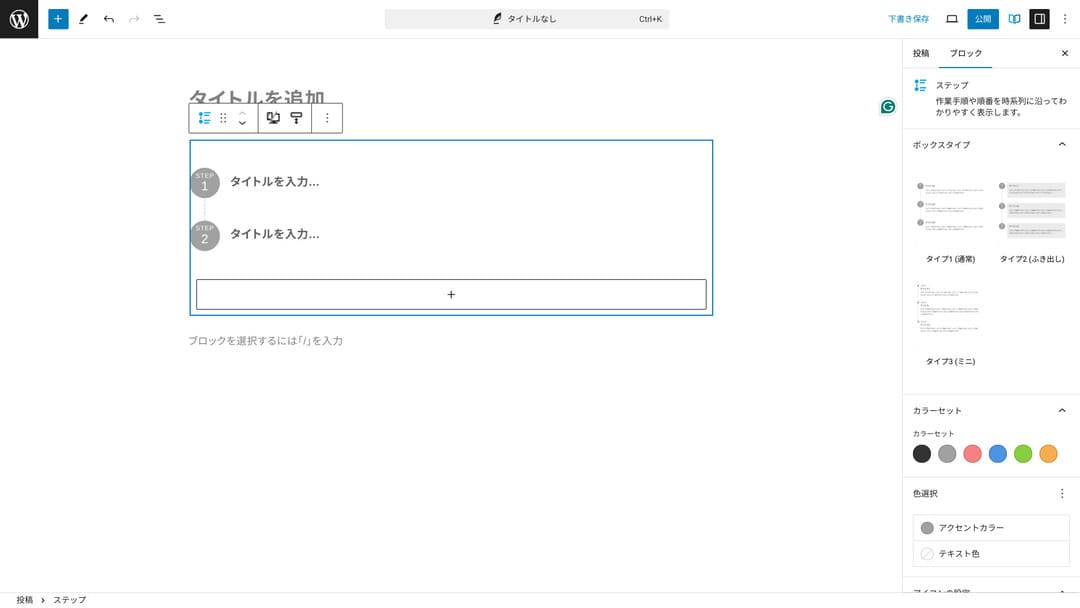
You could also explain procedures with headings and regular body text, but if you do, it does not come together as neatly and tends to create unnecessary whitespace.
Also, if you use headings to explain procedures, the page’s table of contents can become too detailed and harm the user experience. The Step block keeps things simple.
The Button block can improve CTR
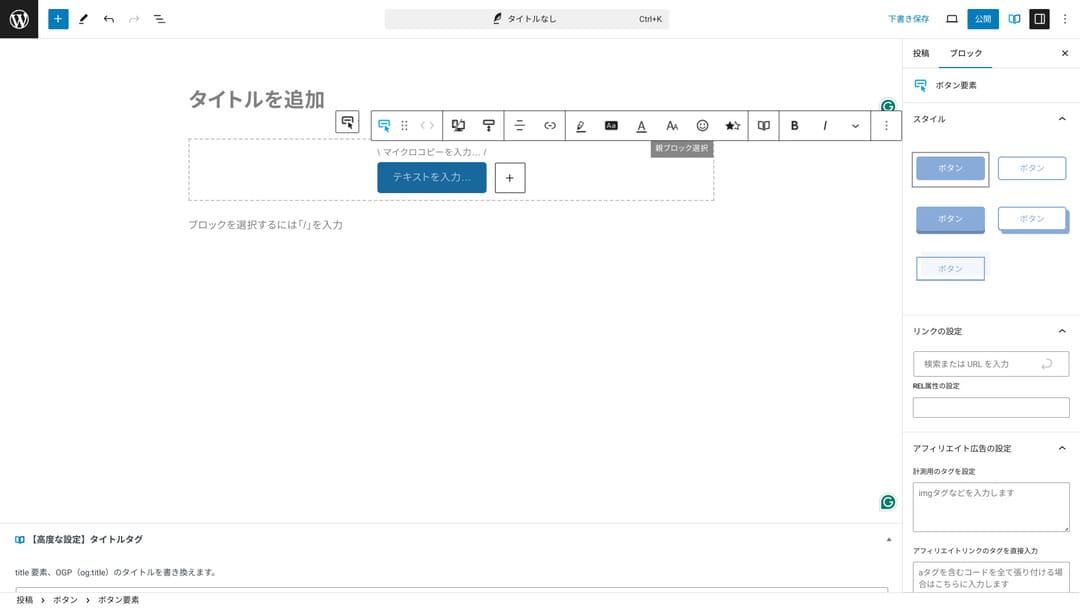
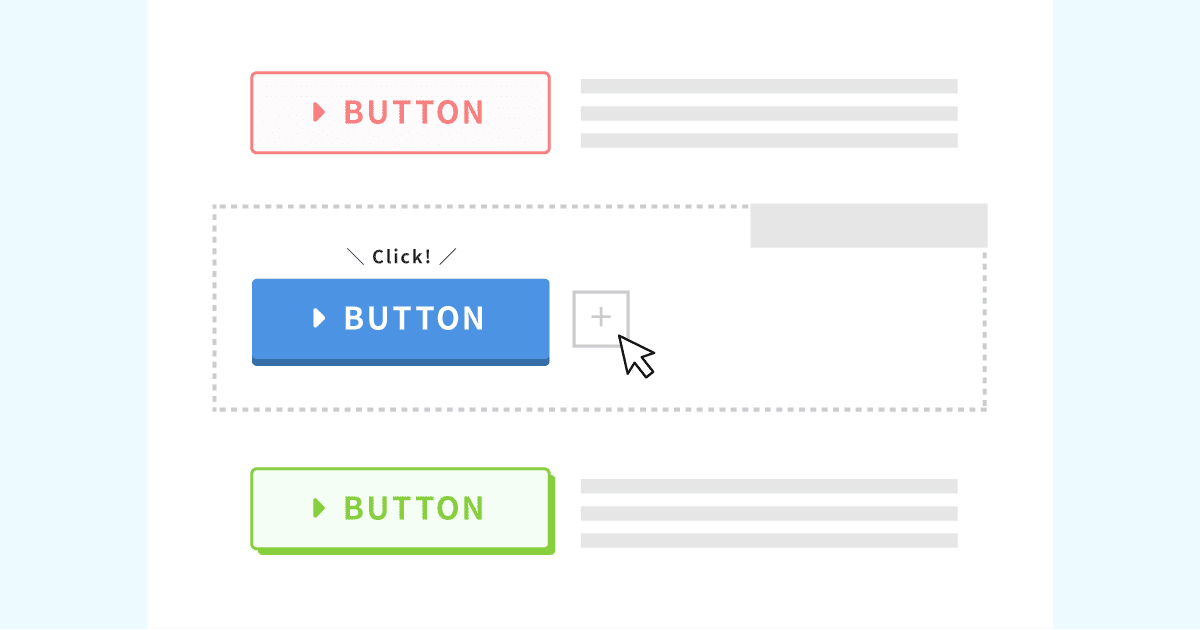
If you use XWRITE’s Button block, you can probably improve CTR, or click-through rate. You can apply many different kinds of decoration to buttons, creating buttons that do not leave users wondering, “Where am I supposed to apply from?”
Because you can change the color and design, it can also be matched to the atmosphere of the site.
XWRITE pricing: subscription and one-time purchase
With XWRITE, you can choose either a subscription plan or a one-time purchase.
- Subscription (monthly): 990 yen per month
- Subscription (annual): 9,900 yen per year
- One-time purchase plan: 19,800 yen
Users of Xserver and Shin Rental Server can buy the one-time purchase plan for 15,840 yen. Because that makes it about 4,000 yen cheaper than usual, I recommend applying when you sign up for the server if you are thinking about both XWRITE and a new server contract.
Both Xserver and Shin Rental Server are excellent servers. I explained them in detail in the articles below.

Honestly, it is not cheap compared with other WordPress themes
To be completely honest, compared with other WordPress themes, the price is not low. It is either around the same price or a little higher.
| XWRITE | One-time purchase plan: 19,800 yen |
| Cocoon | Free |
| SWELL | 17,600 yen |
| SANGO | 14,800 yen |
| JIN:R | 19,800 yen |
So, to repeat myself, the best option is to apply at the price of 15,840 yen through a server contract with Xserver or Shin Rental Server.
However, if you already have a server contract, choose the subscription plan. You probably had a major reason for choosing the theme you are using now, and when you change themes, the difference in design can affect site PVs, meaning the number of pages viewed, and CTR, meaning click-through rate.
With the subscription plan, if you switch to XWRITE and then find that…
- the design is very different from your taste
- the influence of your previous theme makes the layout collapse and fixes become difficult
…you can still return to your original theme with minimal cost.
This site also considered signing up through the subscription plan and introducing XWRITE, but I gave up this time because of the second reason above. I cannot secure the time needed for the fixes.
How to apply for XWRITE
- STEP.1Log in to the user site
- STEP.2Purchase the theme from the license page
Please purchase the theme from “License Authentication” on the user site.
- STEP.3Download the theme
Download the theme.
Take the downloaded ZIP file and install it through WordPress Appearance → Themes → Upload New Theme, then activate it.
- STEP.4Authenticate the license
Authenticate the license through XWRITE Settings → Activation. (official instructions)
XWRITE has a child theme
XWRITE did not originally have a child theme, but it was updated on January 22, 2025, and child themes became available. If possible, create a child theme. When you create a child theme for a WordPress theme, you can prevent major design breakage when switching to another theme.
- STEP.1Create a folder for the child theme
First, access the WordPress installation folder and create a folder for the child theme inside
wp-content/themes/.- Access it either by FTP or by using the WordPress admin screen > Appearance > Theme Editor.
- Create a new folder inside
wp-content/themes/and name it something liketheme-child. The folder name is up to you, but it is better to use a name that is easy to understand.
- STEP.2Create the child theme style sheet (style.css)
Next, create a style.css file in that folder. This file manages the style information for the child theme.
- Set the contents of theme-child/style.css as shown below.
Copy the CSS code
/*
Theme Name: Theme Child
Template: Theme
Version: 1.0
*/
@import url("../Theme/style.css");
/* Write customization CSS here */Theme Name: the name of the child theme (you can change it freely)Template: the directory name of the parent theme- The parent theme’s CSS file is loaded with
@import.
- STEP.3Create the child theme’s functions.php
Next, create a functions.php file to load the parent theme’s styles correctly.
- Create a theme-child/functions.php file and add the following content.
Copy the PHP code
<?php
// Load the parent theme style sheet
function theme_child_enqueue_styles() {
wp_enqueue_style('parent-style', get_template_directory_uri() . '/style.css');
}
add_action('wp_enqueue_scripts', 'theme_child_enqueue_styles'); - STEP.4Activate the child theme
Return to the WordPress admin screen and go to Appearance > Themes. A theme called “Theme Child” will be displayed there, so activate it.
- STEP.5Start customizing
After the child theme is activated, customize style.css, functions.php, and, if necessary, other template files such as
header.phpandfooter.php. Instead of editing the parent theme’s files directly, make your customizations by overriding them in the child theme.
Frequently asked questions about XWRITE
How much does XWRITE cost?
- Subscription (monthly): 990 yen per month
- Subscription (annual): 9,900 yen per year
- One-time purchase plan: 19,800 yen
For users of Xserver and Shin Rental Server, the XWRITE one-time purchase plan becomes 15,840 yen.
What happens if I do not renew the subscription?
Even if you do not renew the subscription, the theme does not become unusable. However, you will no longer be able to update the theme. You will also lose the ability to ask questions in the forum.
If you choose the subscription, renew it every month. If you want to save money, the one-time purchase plan is recommended.
Summary
XWRITE is a theme for blogs. If you are going to write a blog, it is certainly a theme I can recommend. At the same time, I also recommend it for company homepages and affiliate sites.
If you choose the subscription plan, you can try it for one month for 990 yen. I recommend starting with the subscription. If you are satisfied with the feel and the design, then move to the one-time purchase plan.
“XWRITE” is a WordPress theme provided by Xserver Inc. It has a reputation for being simple, fast, easy, and usable by anyone. It is especially recommended for company websites and affiliate sites.
If you are looking for a server at the same time, I recommend Xserver.
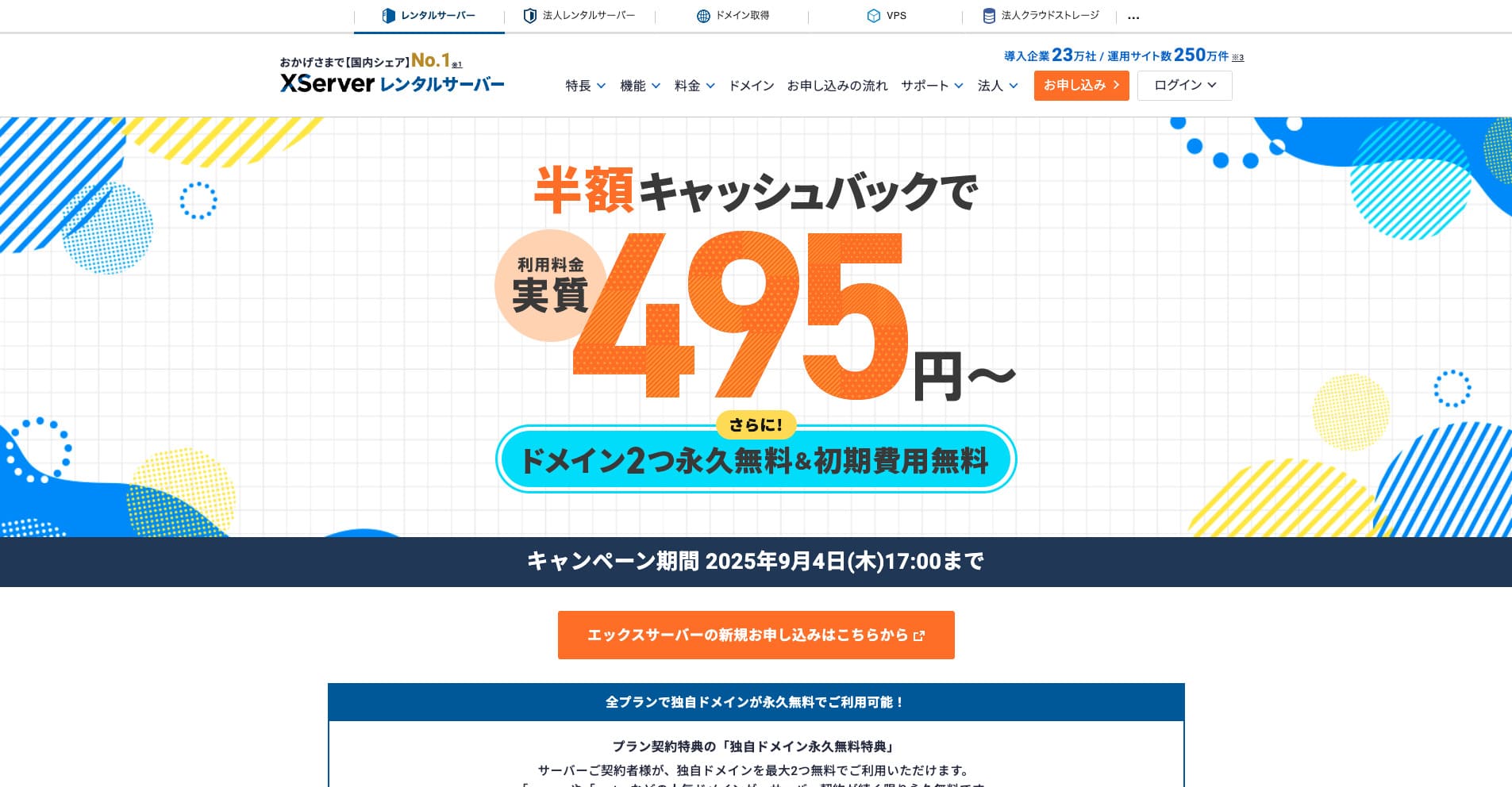
“エックスサーバー” is a long-established high-speed rental server with the No. 1 domestic market share. It is popular with both individuals and companies. Honestly, it has no real drawbacks, and its stability, features, and support are all excellent. With cashback, you can use it from an effective 495 yen.
