Hostinger Review [2025 Latest]: Officially Recommended by WordPress. Pros, Cons, and Competitor Comparison
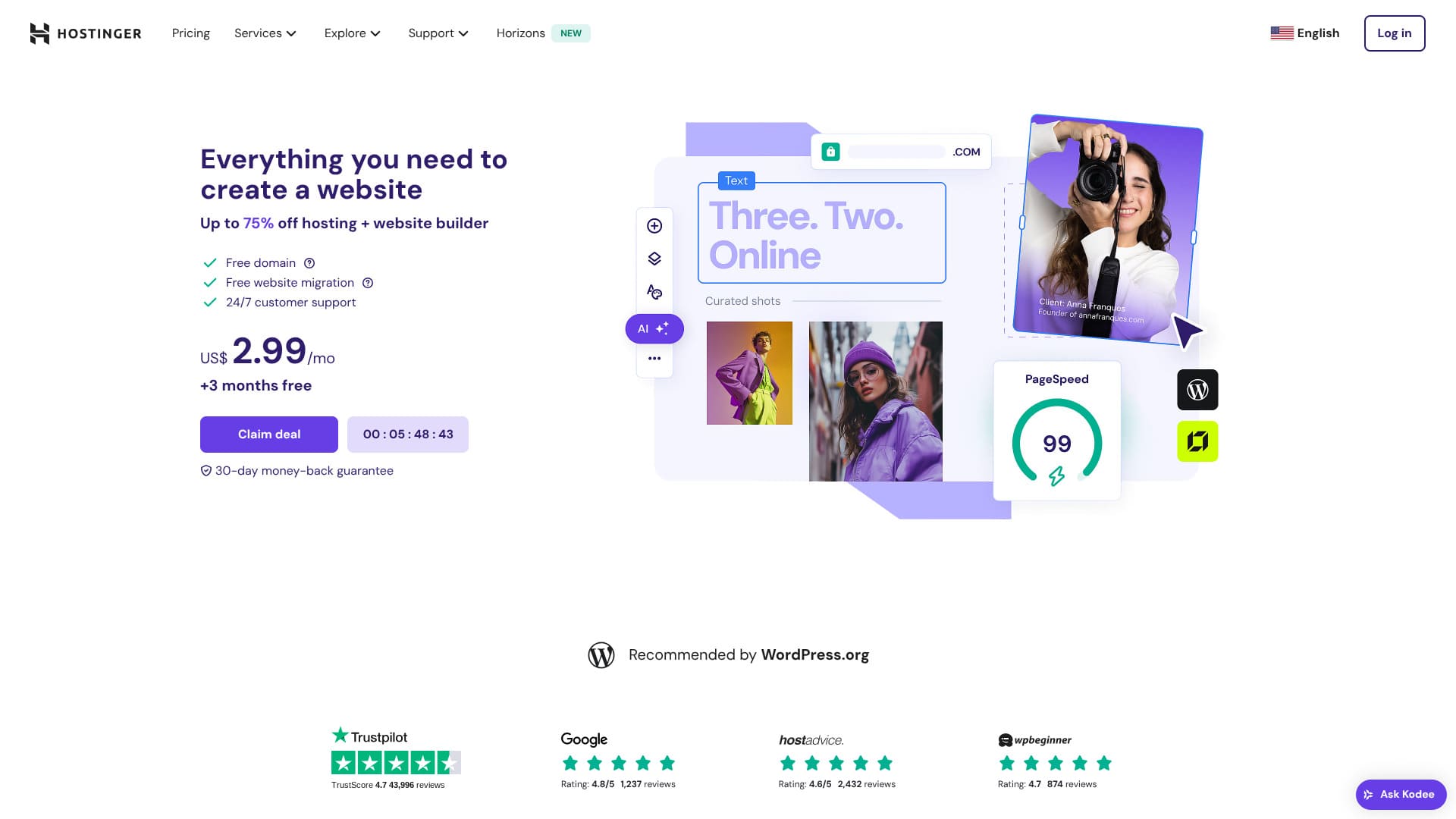
Hostinger is a server officially recommended by WordPress, with support available 24 hours a day, 365 days a year. It also includes easy installation features so anyone can launch their own WordPress site.
| Server type | Shared hosting |
| Speed (TTFB) | 31ms |
| Recommended plan and term | Premium Web Hosting 12 months |
| Free trial / money-back guarantee | 30-day money-back guarantee |
| Monthly price (12-month plan) | 4.50 USD (438 yen) |
| Initial setup fee | Free |
| Free domain | 1 free domain for the first year |
| Support | 24/7 chat |
| Uptime | 99.9% |
| Storage | 100 GB |
| Number of databases | 50 |
| Security | DDoS protection, malware scanning, firewall, Cloudflare protected name servers, Secure Access Manager |
| SSL | Free SSL |
| Backups | 7-day backups & 7-week backups |
| Number of email accounts | 100 |
| Email security | — |
| Server / website migration service | None |
| WordPress preinstall | None |
| CDN | Free |
| Data centers | France, Lithuania, the Netherlands, the United Kingdom, India, Indonesia, Singapore, the United States, and Brazil |
Hostinger lets you start WordPress at a very low price when promotions are running. It also includes the essentials you need for dependable operation, such as uptime and security.
The control panel was also extremely well designed and easy to use.
- Data based on market research as of November 4, 2025, arranged in order of speed
- Monthly prices are the first-year cost of the cheapest plan that supports WordPress
- Speed is the Time to First Byte measured on demo sites under the same conditions
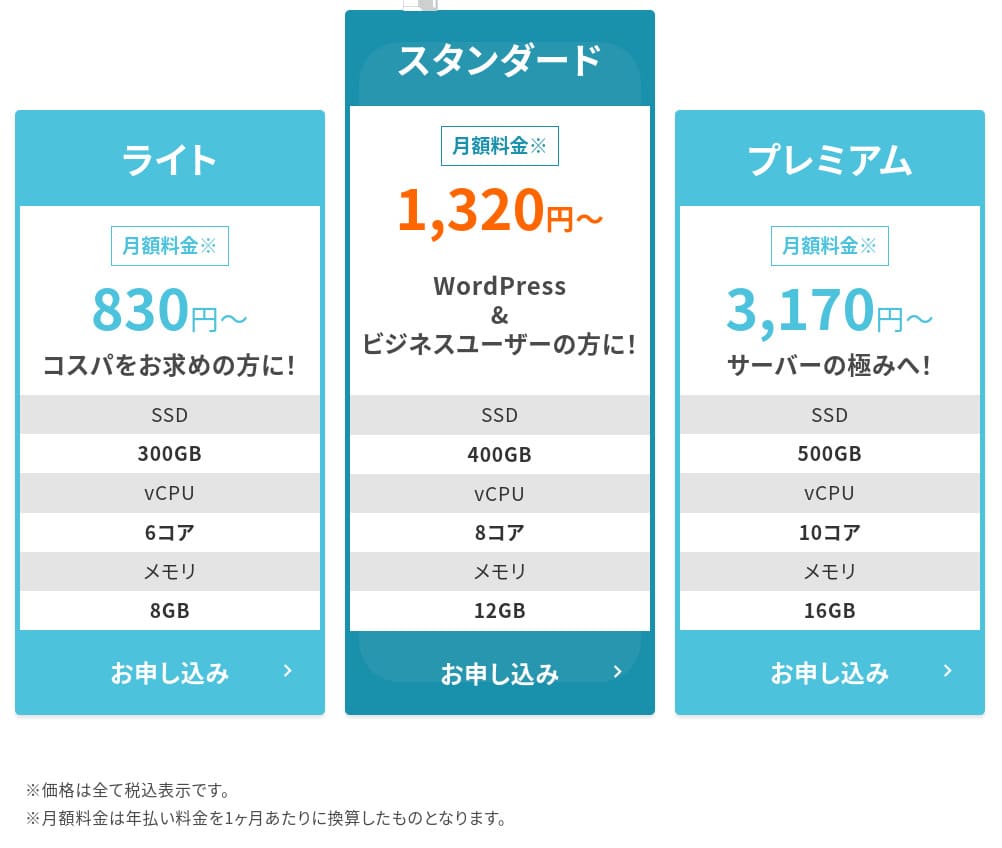
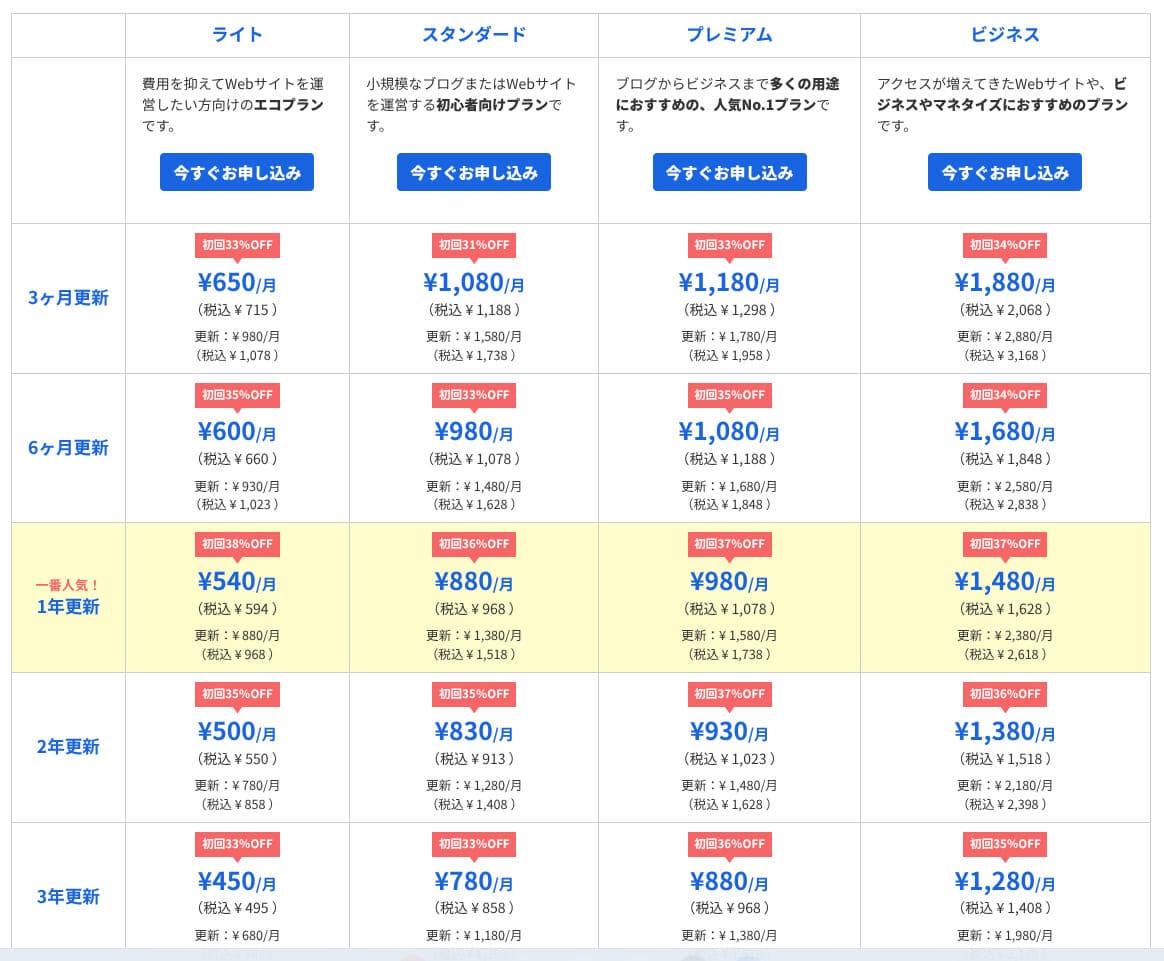
| Hosting service (plan) | Speed | Monthly price | WordPress Preinstalled | Uptime | Support (hours) |
|---|---|---|---|---|---|
| Average and recommended | 222.2ms | 1,109 yen | Yes | 99.99%+ | 24/7 or better |
| Kinsta
| 30ms | 30 USD (4,525 yen) | Yes | 99.9% | Chat (Japanese support, 24/7) / Email |
【Hostinger】
 (Premium) (Premium) | 31ms | 439 yen | No | 99.9% | Chat (24/7) |
XServerビジネス
 (Shared hosting) (Shared hosting) | 40ms | 2,926 yen | Yes | 99.99% | Phone / Email (weekdays 10:00-18:00) |
wpX Speed
 (W1) (W1) | 40ms | 1,320 yen | No | Not disclosed | Phone / Email (10:00-18:00) |
LOLIPOP
 (Light) (Light) | 80ms | 495 yen | Yes | 99.99% | Email / Chat (weekdays 10:00-18:00) |
スターレンタルサーバー
 (Free) (Free) | 90ms | 418 yen | No | Not disclosed | No |
| Rakko Server(RK1) | 120ms | 440 yen | Yes | Not disclosed | Email (weekdays 10:00-19:00) |
エックスサーバー
 (Standard) (Standard) | 130ms | 770 yen | Yes | 99.99% | Phone / Email / Chat (weekdays 10:00-18:00) |
mixhost
 (Light) (Light) | 150ms | 594 yen | Yes | 99.99% | Email (weekdays 10:00-18:00) |
ConoHa WING
 (Basic) (Basic) | 160ms | 941 yen | Yes | 99.99% | Phone / Email / Chat (weekdays 10:00-18:00) |
ColorfulBox
 (BOX1) (BOX1) | 190ms | 383 yen | Yes | Not disclosed | Phone (24-hour reception) / Chat / LINE / Email (weekdays 09:30-12:00, 13:00-17:30) |
シンレンタルサーバー
 (Basic) (Basic) | 200ms | 985 yen | Yes | Not disclosed | Phone / Email (10:00-18:00) |
リトルサーバー
 (Mini) (Mini) | 200ms | 165 yen | No | Not disclosed | Email (business hours not disclosed) |
CORESERVER
 (MINI) (MINI) | 210ms | 264 yen | Yes | Not disclosed | Email / Chat (10:00-12:00, 13:00-17:00) |
| DreamHost(WordPress Starter) | 400ms | 2.99 USD (461 yen) | No | 100% | Chat (24/7) / Email / Phone callback |
| Bluehost(Basic) | 420ms | 4.99 USD (769 yen) | No | 100% | Chat (24/7) |
さくらのレンタルサーバ
 (Standard) (Standard) | 440ms | 550 yen | No | 99.99% | Chat / Email / Phone / Callback reservation (10:00-18:00) |
| Namecheap(EasyWP Supersonic) | 440ms | 9.88 USD (1,523 yen) | No | 99.9% | Chat (24/7) |
| Shin Free Server | — | Free | No | Not disclosed | No |
XREA
 (Free) (Free) | — | Free | No | Not disclosed | No |
Value Server
 (Eco) (Eco) | — | 220 yen | No | Not disclosed | Email / Chat (weekdays 10:00-17:00) |
| KAGOYA JAPAN(Grade 1) | — | 440 yen | Yes | 99.999% | Phone / Email (weekdays 10:00-17:00) |
| SiteGround(StartUp) | — | 3.99 USD (615 yen) | No | 99.99% | Chat (24/7) / Email / Phone |
| Hostgator(Baby) | — | 4.45 USD (686 yen) | No | 99.9% | Phone / Chat (24/7) |
| IONOS(Start) | — | 1.00 USD (154 yen) | No | 99.98% | Phone / Email / Chat (24/7) |
onamae.com Rental Server
 | — | 2,398 yen | No | 99.99% | Phone / Email / Chat (weekdays 10:00-18:00) |
ABLENET RentalServer
 (Light) (Light) | — | 830 yen | No | 99.99% | Email (business hours not disclosed) |
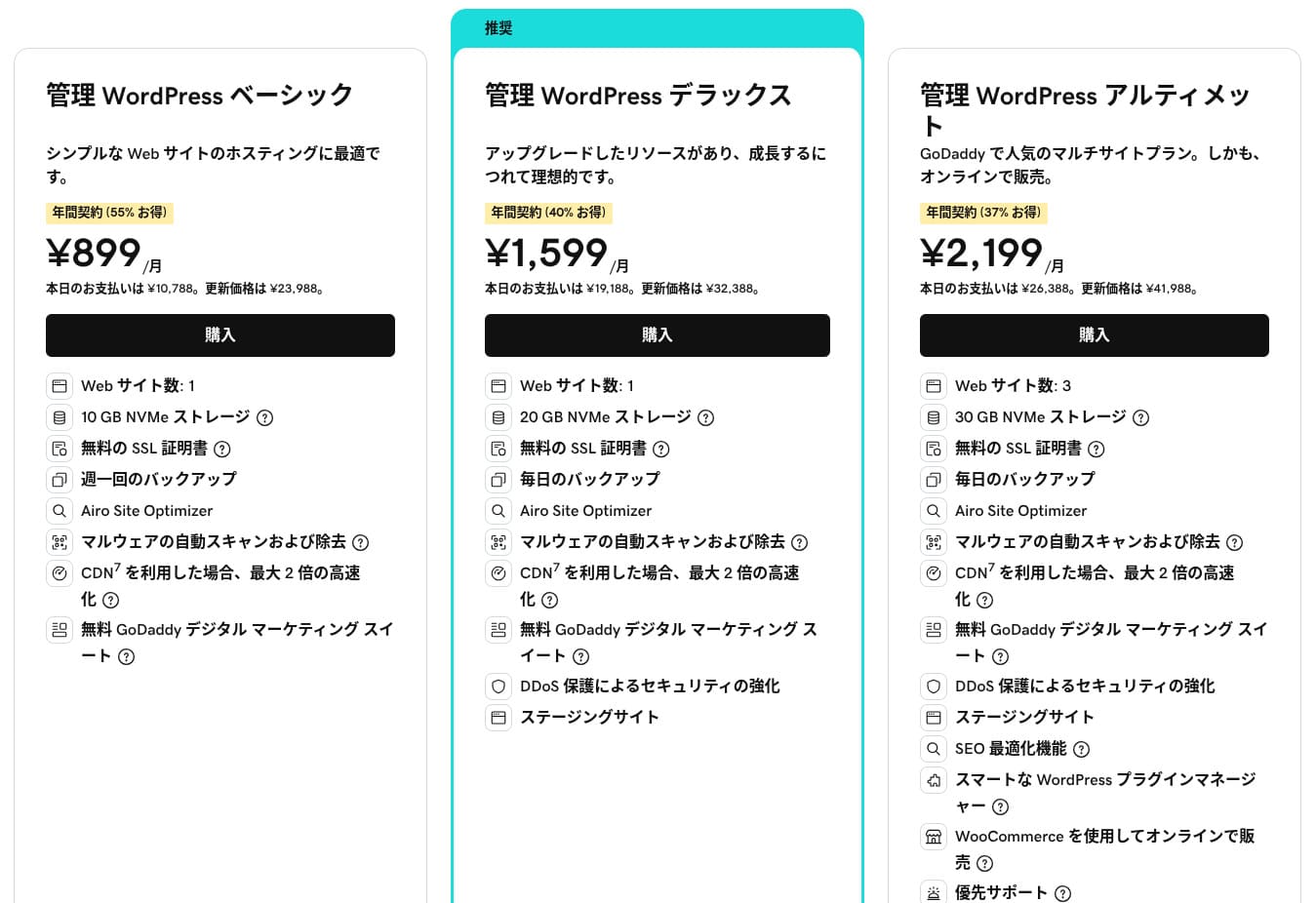
| Godaddy(Basic) | — | 899 yen | Yes | 99.9% | Chat (24/7) / Phone (weekdays 10:00-17:00) |
iCLUSTA+ byGMO
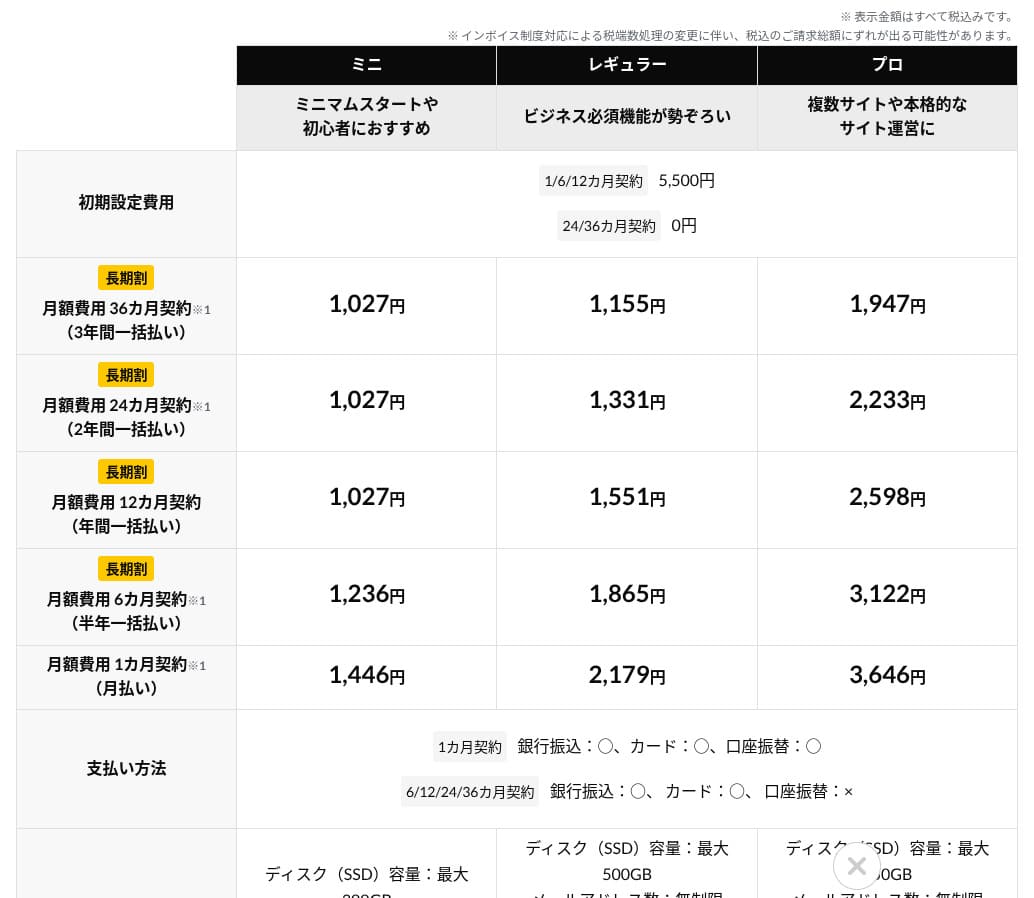
 (Mini) (Mini) | — | 1,027 yen | No | 100% | Phone (weekdays 10:00-18:00) Email support is available 24/7 |
ムームーサーバー
 | — | 1,430 yen | No | 99.99% | Email / Chat (9:30-13:00, 14:00-17:30) |
WADAX
 (WP Standard) (WP Standard) | — | 2,200 yen | No | 99.9% | weekdays 09:00-22:00, weekends 09:00-18:00 |
| WebARENA SuiteX | — | 1,997 yen | No | 100% | Email / Chat (weekdays 09:30-17:00) |
heteml
 | — | 2,035 yen | No | 99.99% | Phone / Email (weekdays 10:00-18:00) |
CPI
 (Shared) (Shared) | — | 4,840 yen | No | 100% | Phone / Email (weekdays 10:00-18:00) |
【Hostinger】
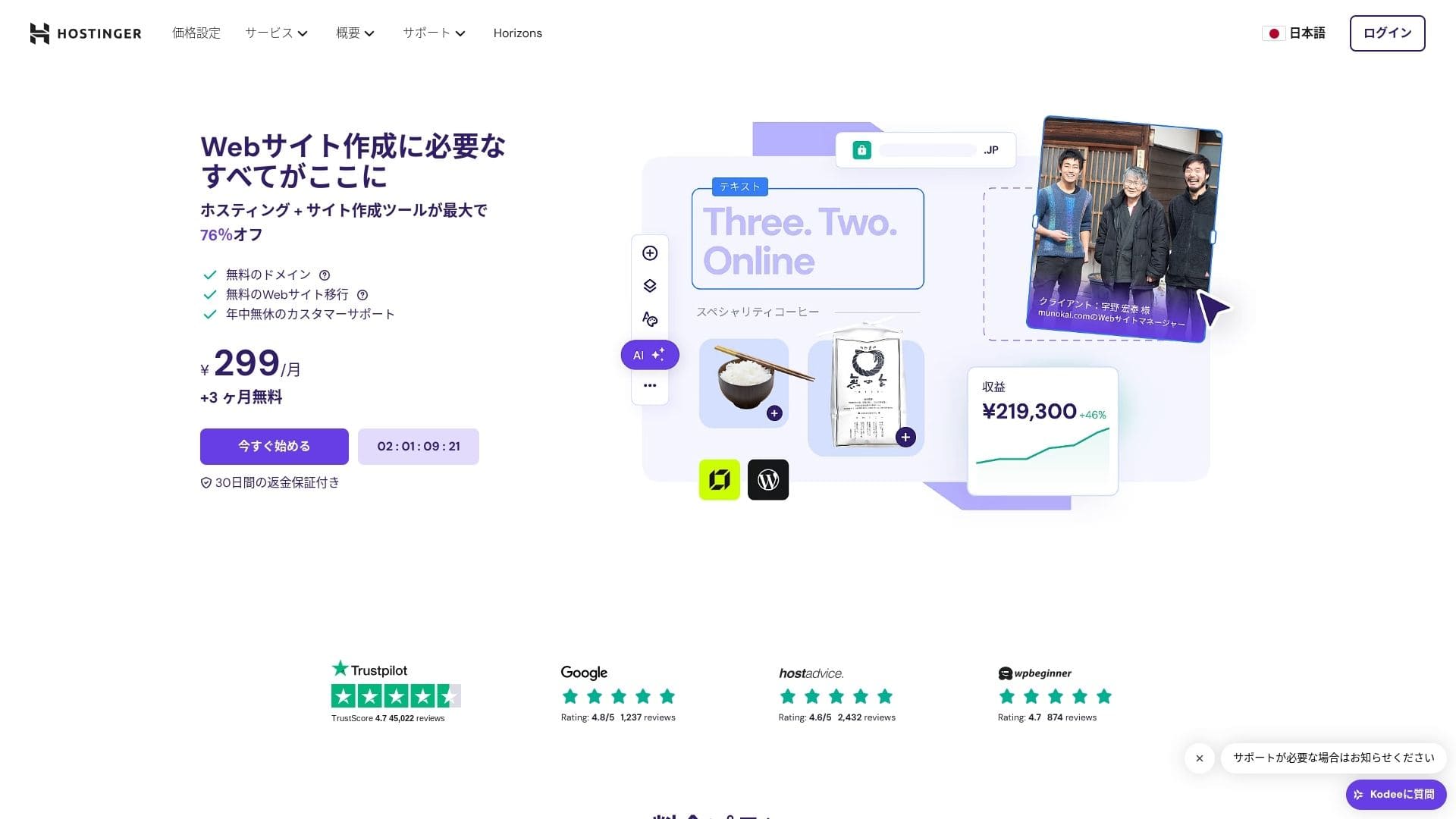
is a hosting company that started in Lithuania and is used by more than 29 million people. Its strong backup system lets you store WordPress data safely. Because it also offers large server capacity, it is a great fit for bigger sites.
WordPress-related reviews
Easy WordPress installation
The initial setup wizard includes one-click WordPress installation, and you can finish theme selection, SSL activation, and automatic update settings in just five minutes. It also detects plugin vulnerabilities and warns you in the admin dashboard, which keeps maintenance work to a minimum.
- STEP.1【Hostinger】: Sign up and log in
Go to the official HOSTINGER site and click "Get Started Now."
- STEP.2Choose the Premium plan and purchase it
Choose from the hosting plans. I recommend the 12-month "Premium Shared Hosting" option. A longer term lowers your server cost, and you also get one free domain. The best overall value is the 48-month contract.
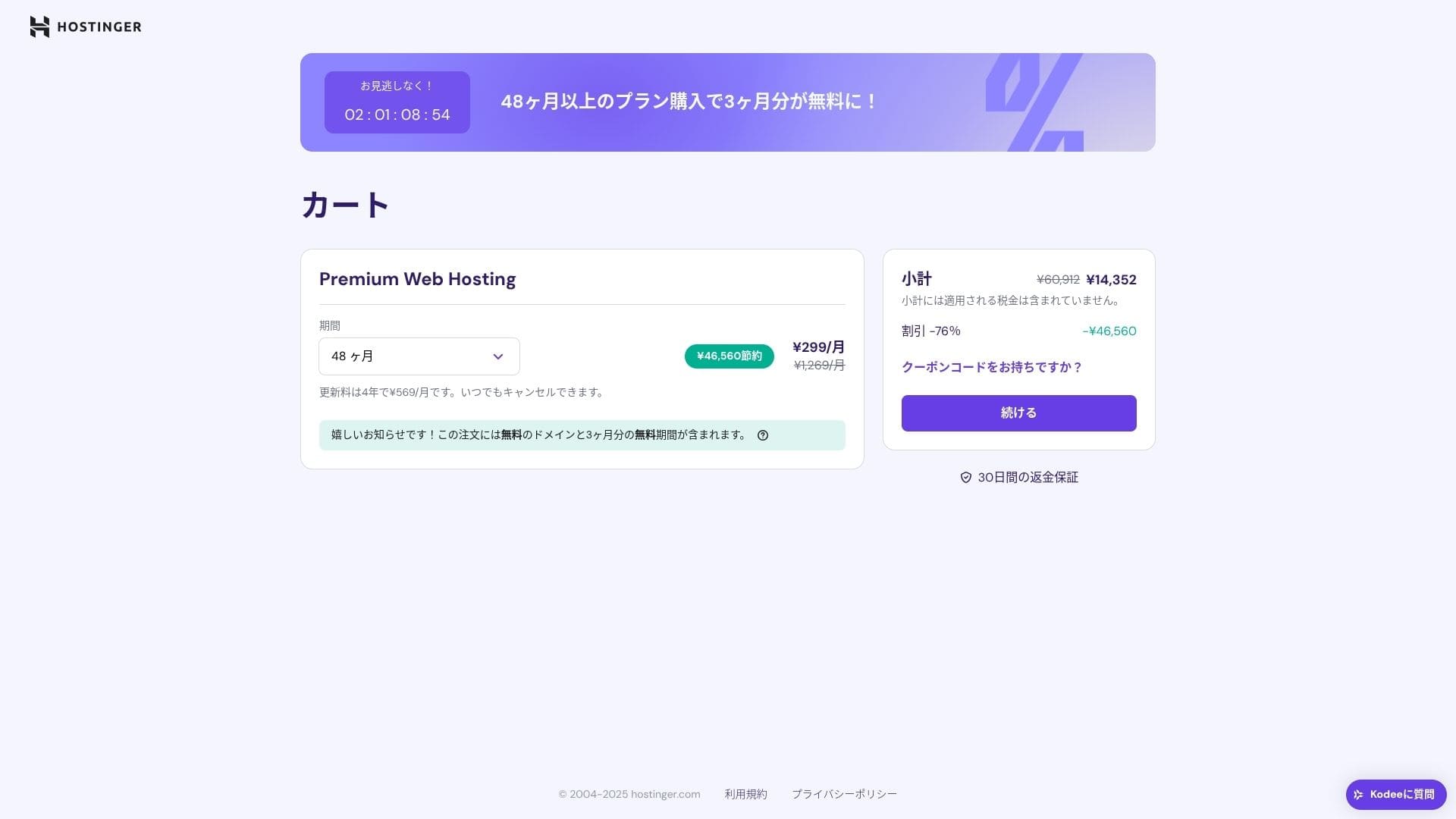
If you do not already have an account, sign up for one.
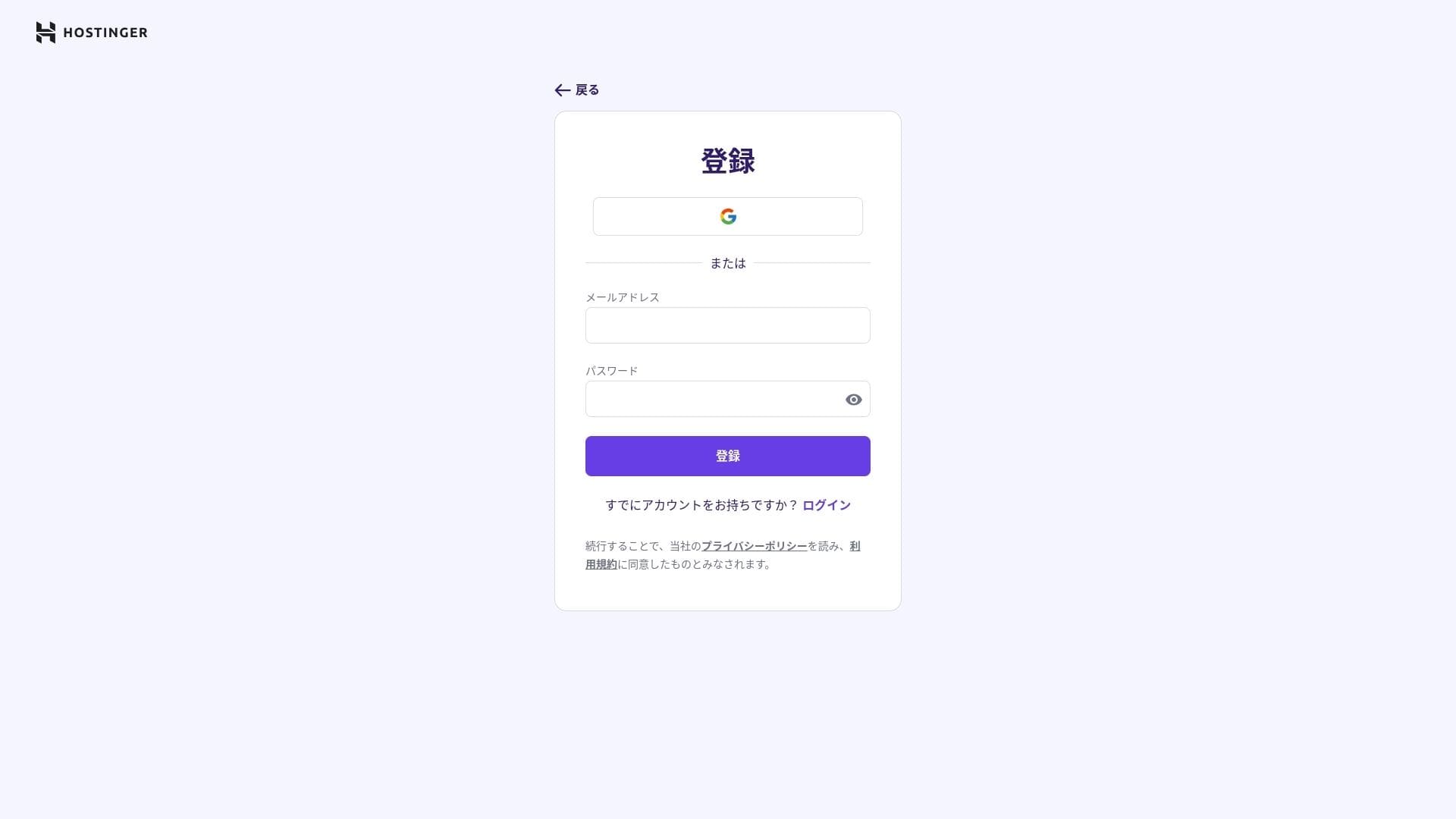
Enter your address and payment details.
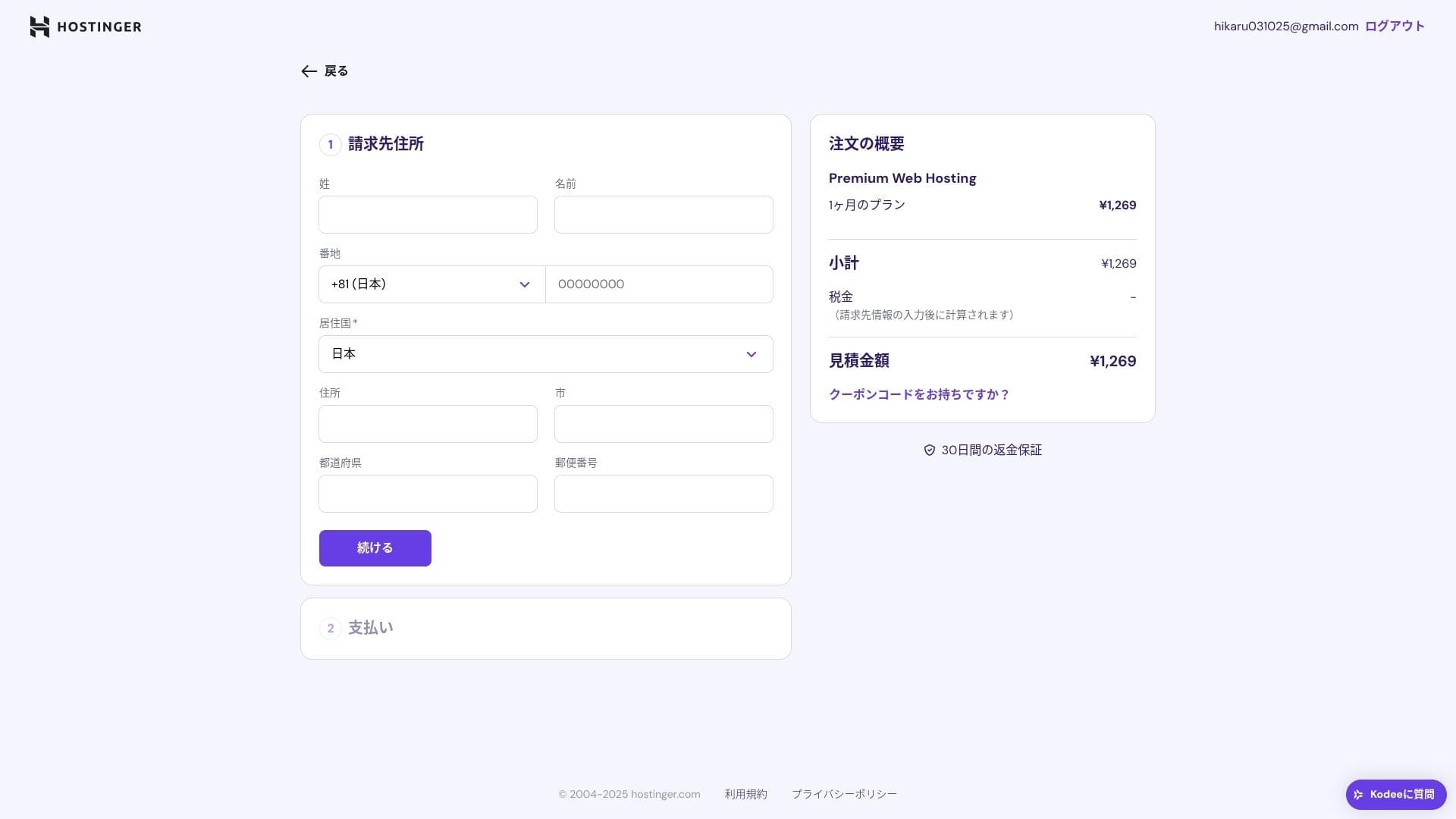
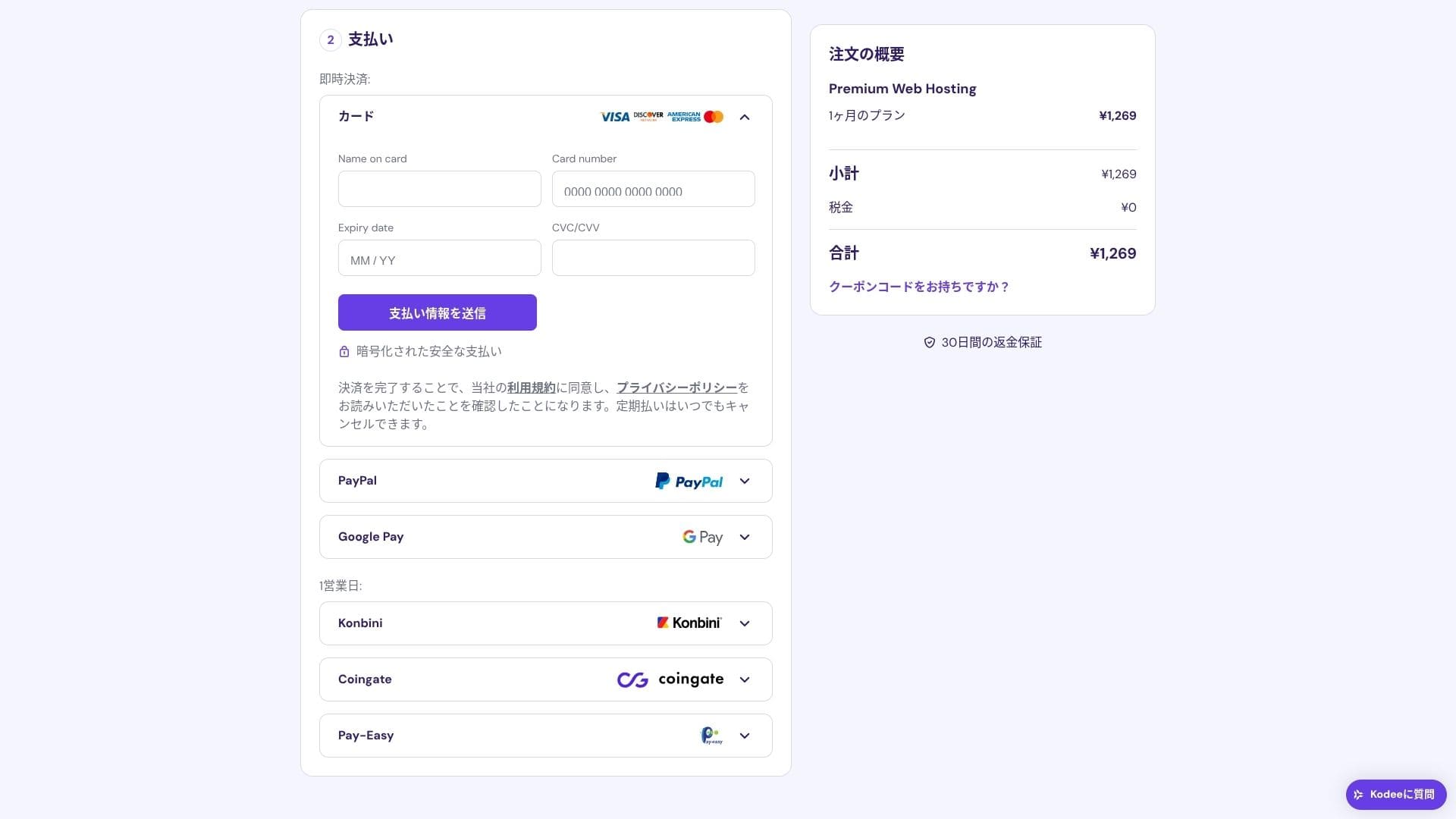
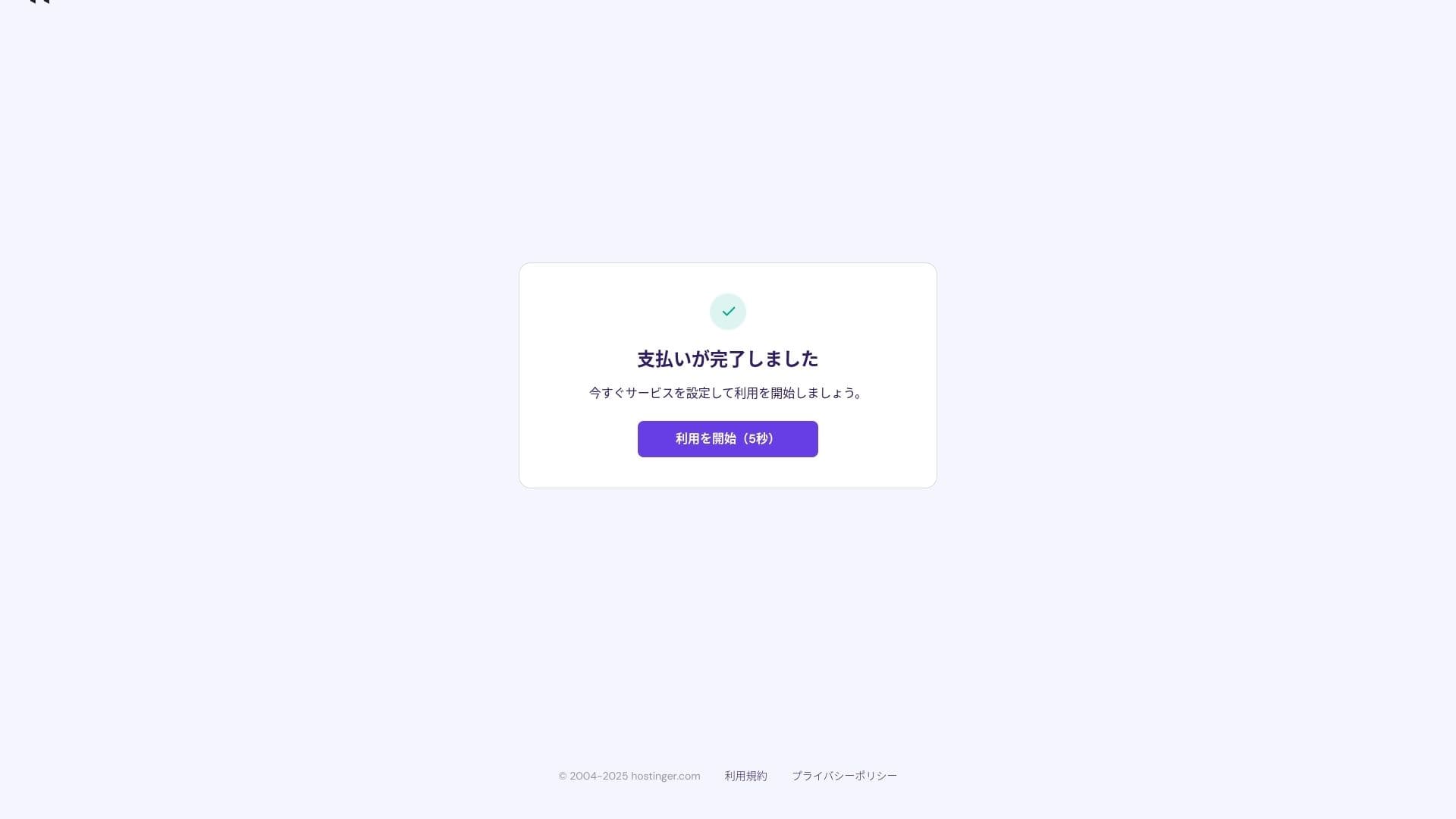
Once payment is complete, click "Start Using." You will then be able to sign in to the control panel.
- STEP.3Install WordPress
Sign in to the control panel, then click "Continue" in the task list.
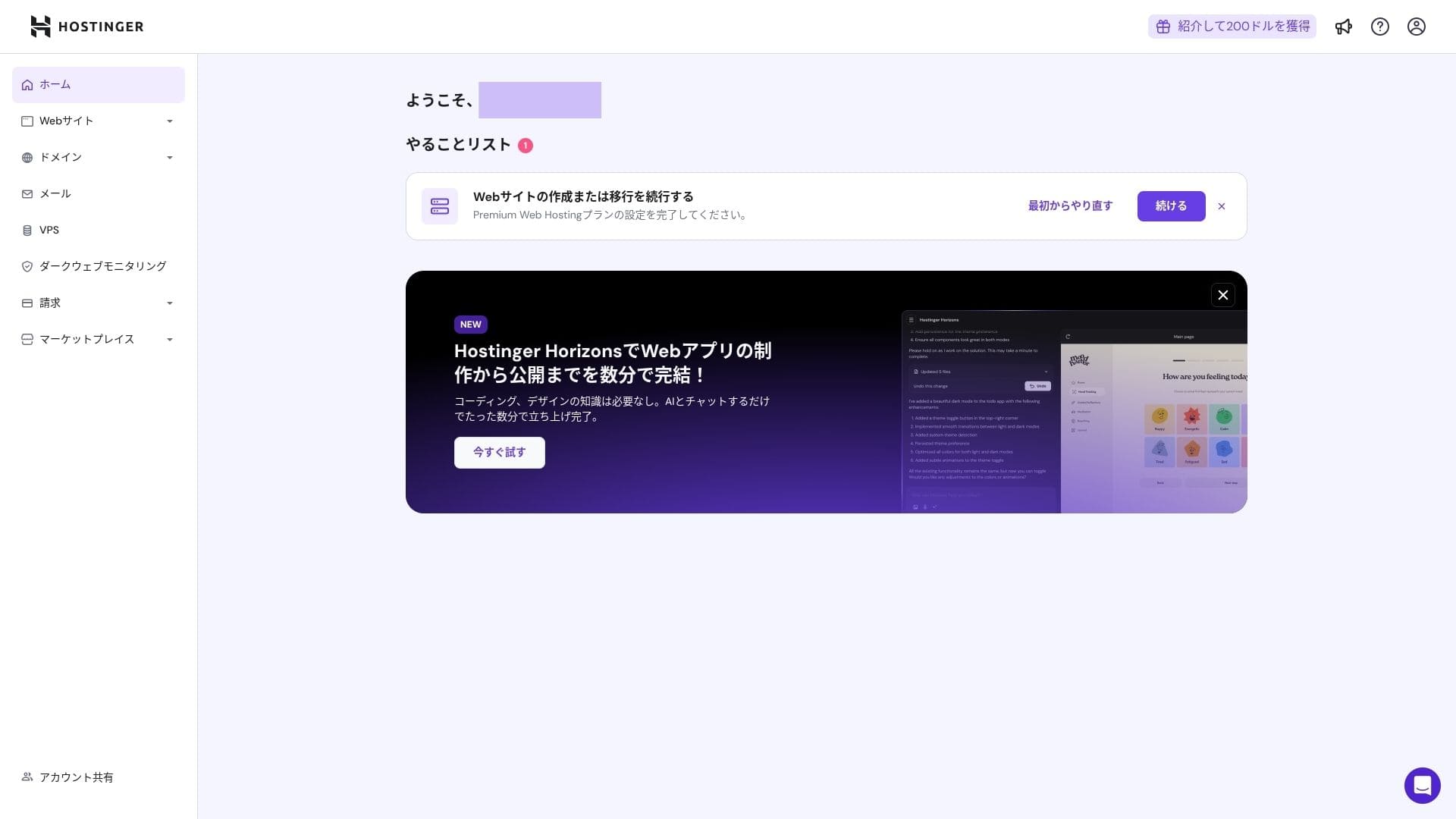
Click "Create a website."
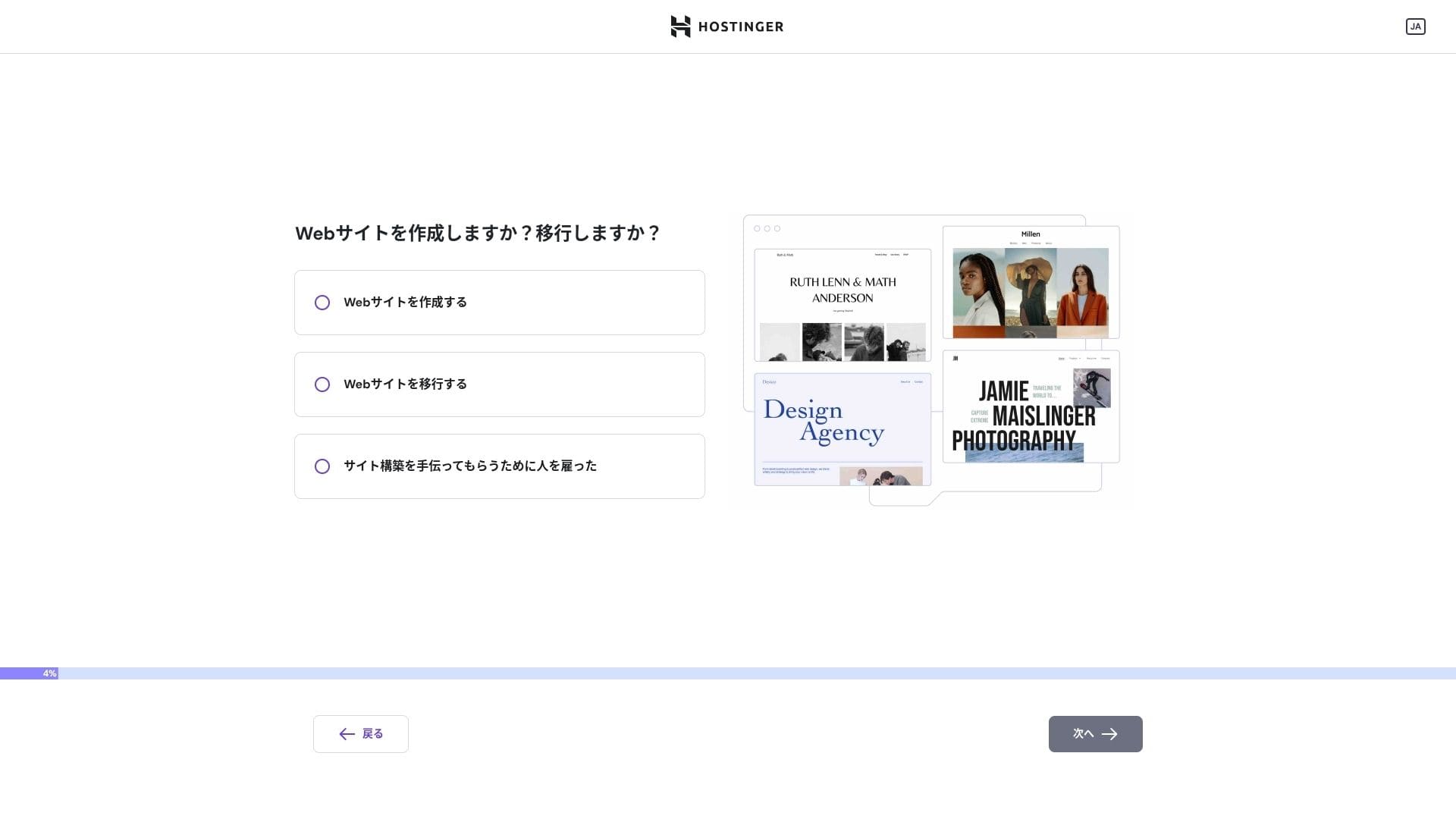
Click "Myself or my business." If you are building it on behalf of a client, choose "Other people."
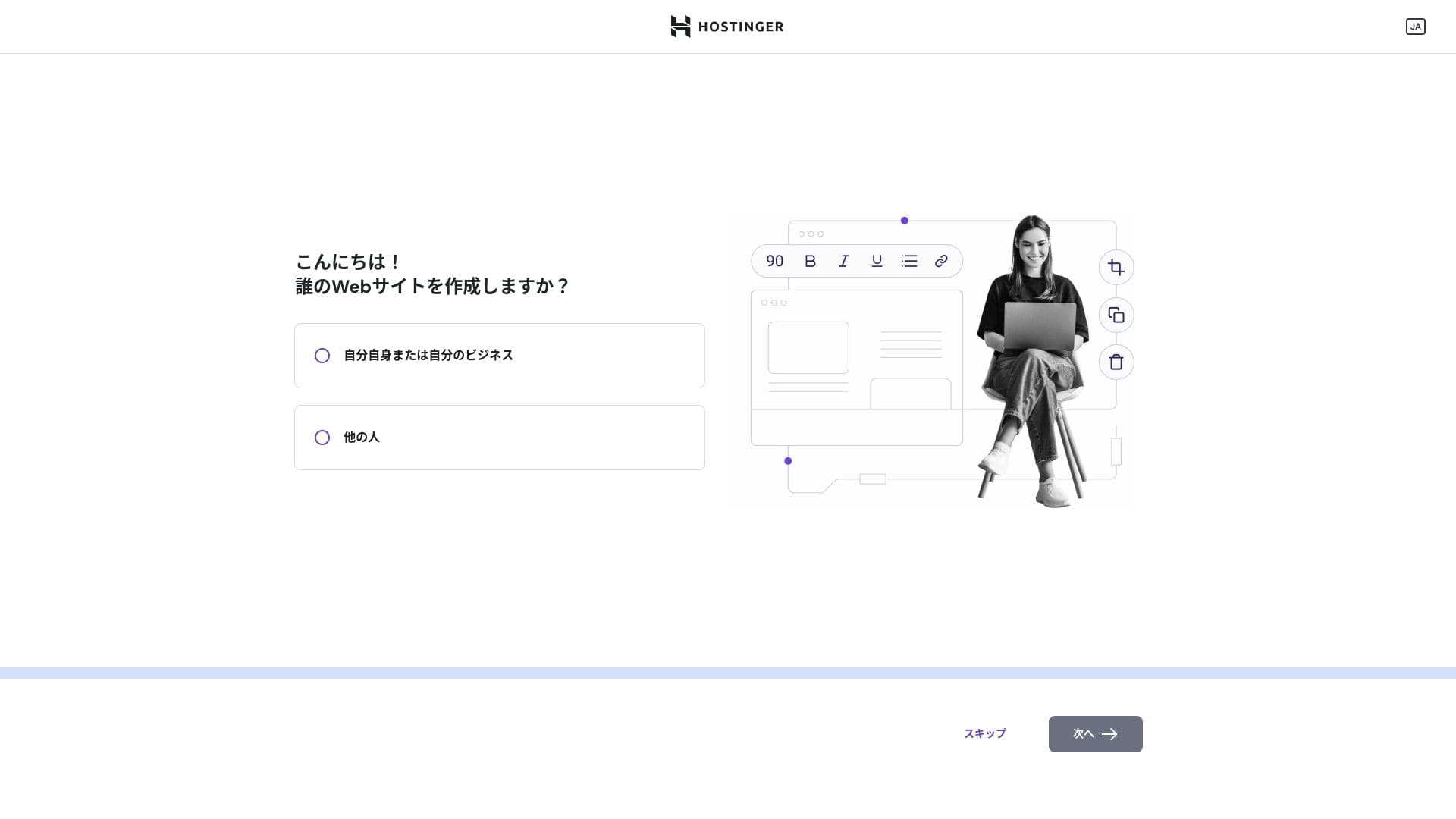
Choose "WordPress" as the way you want to build the site.
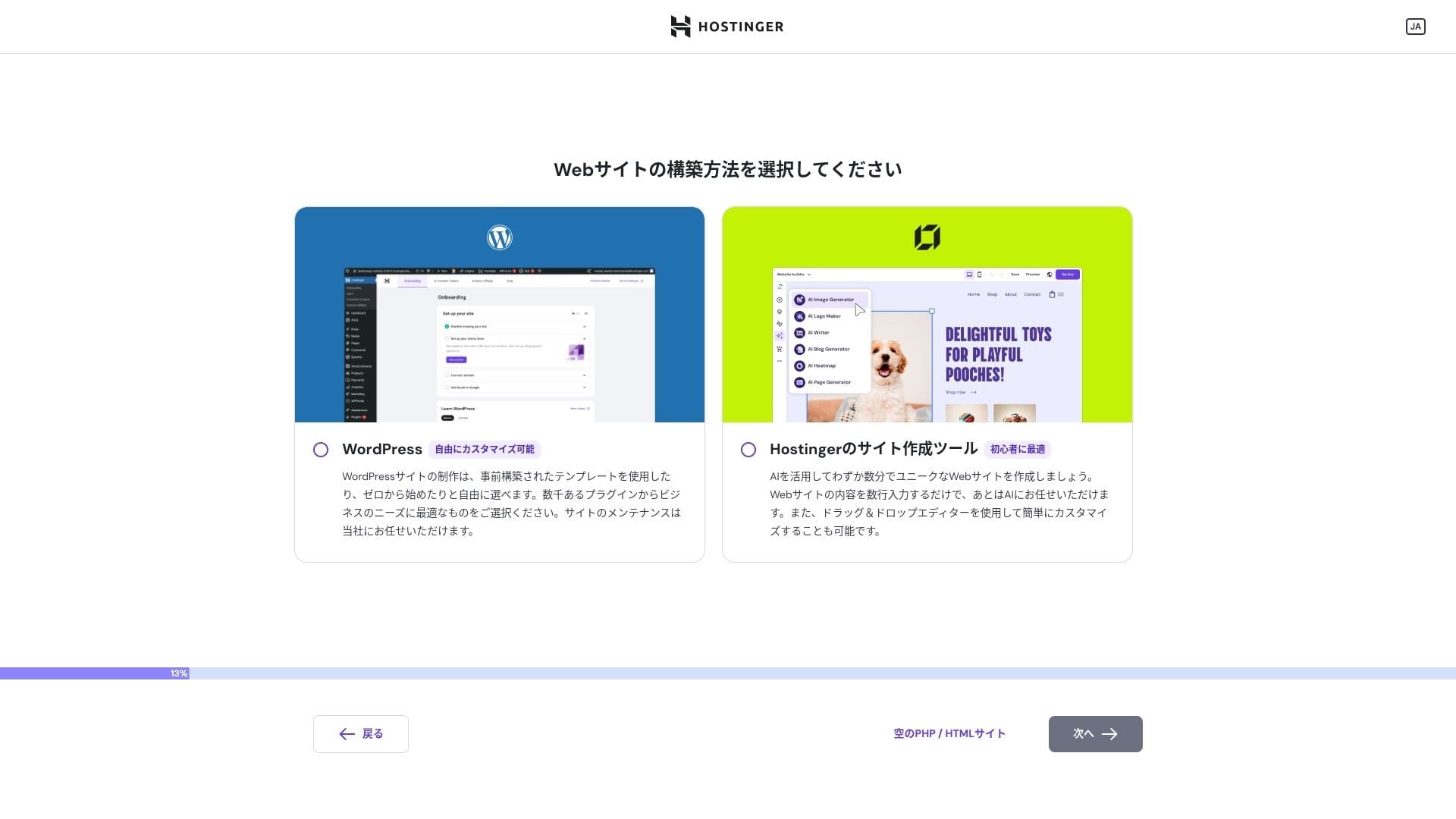
Set the login credentials for your WordPress account. Create an email address and password.Be sure to write down this email address and password so you do not forget them.After creating them, click "Next."
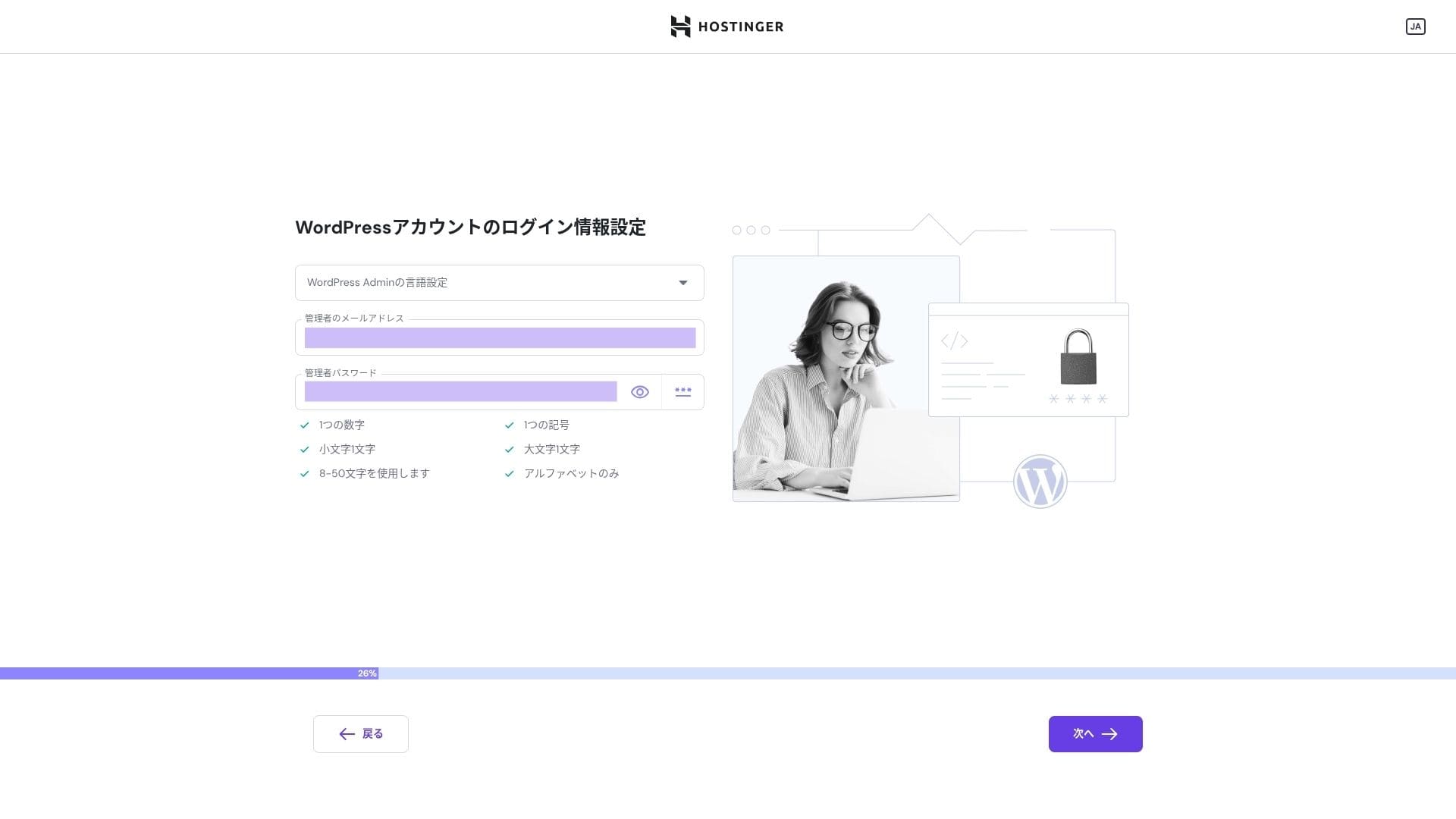
Choose your domain. Acquire or transfer a custom domain.
You can also choose "Use a temporary domain." In that case, a HOSTINGER subdomain will be created for you.
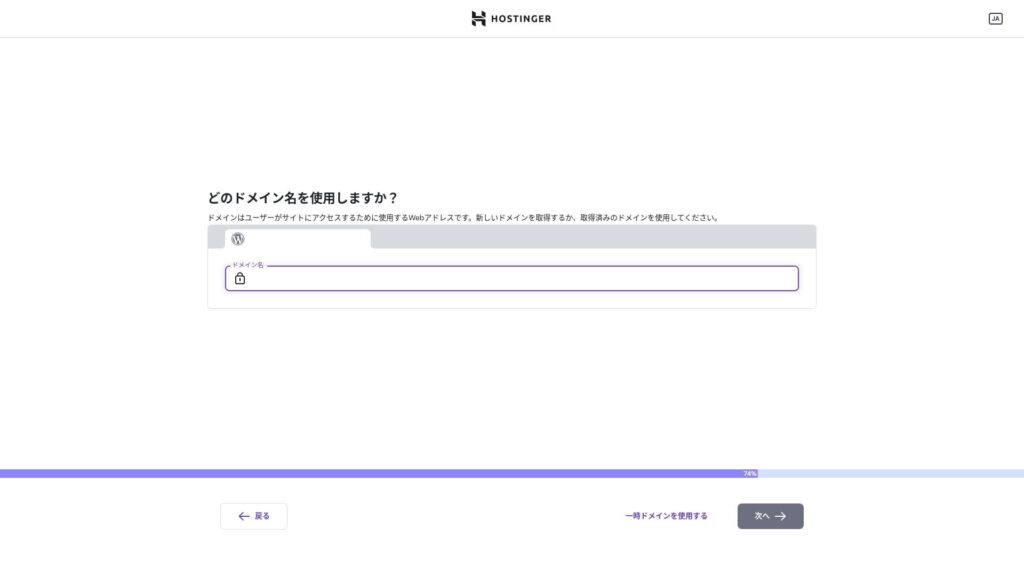
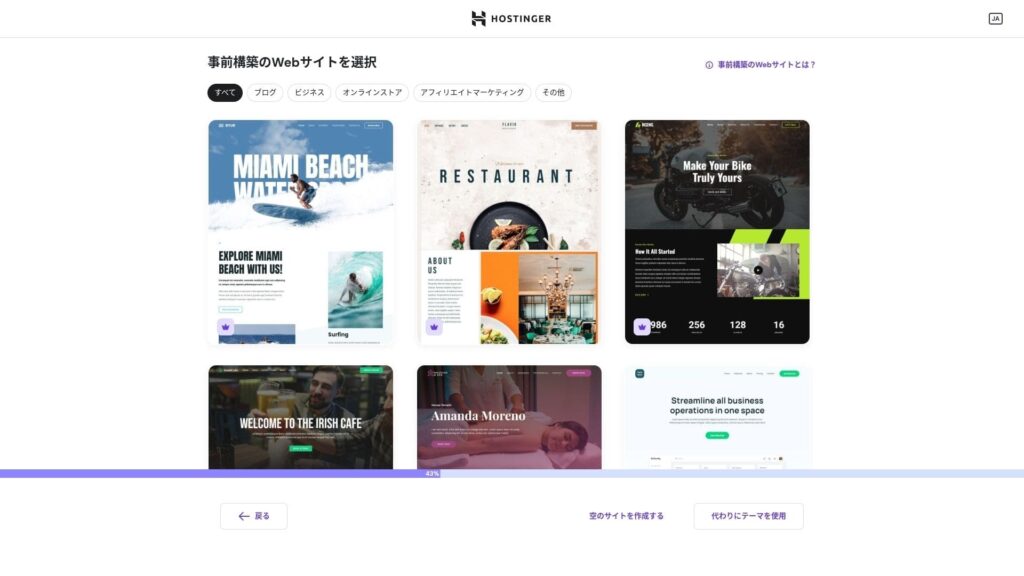
Choose a template. I recommend selecting "Create a blank website" and then installing a Japanese WordPress theme after WordPress itself is installed.
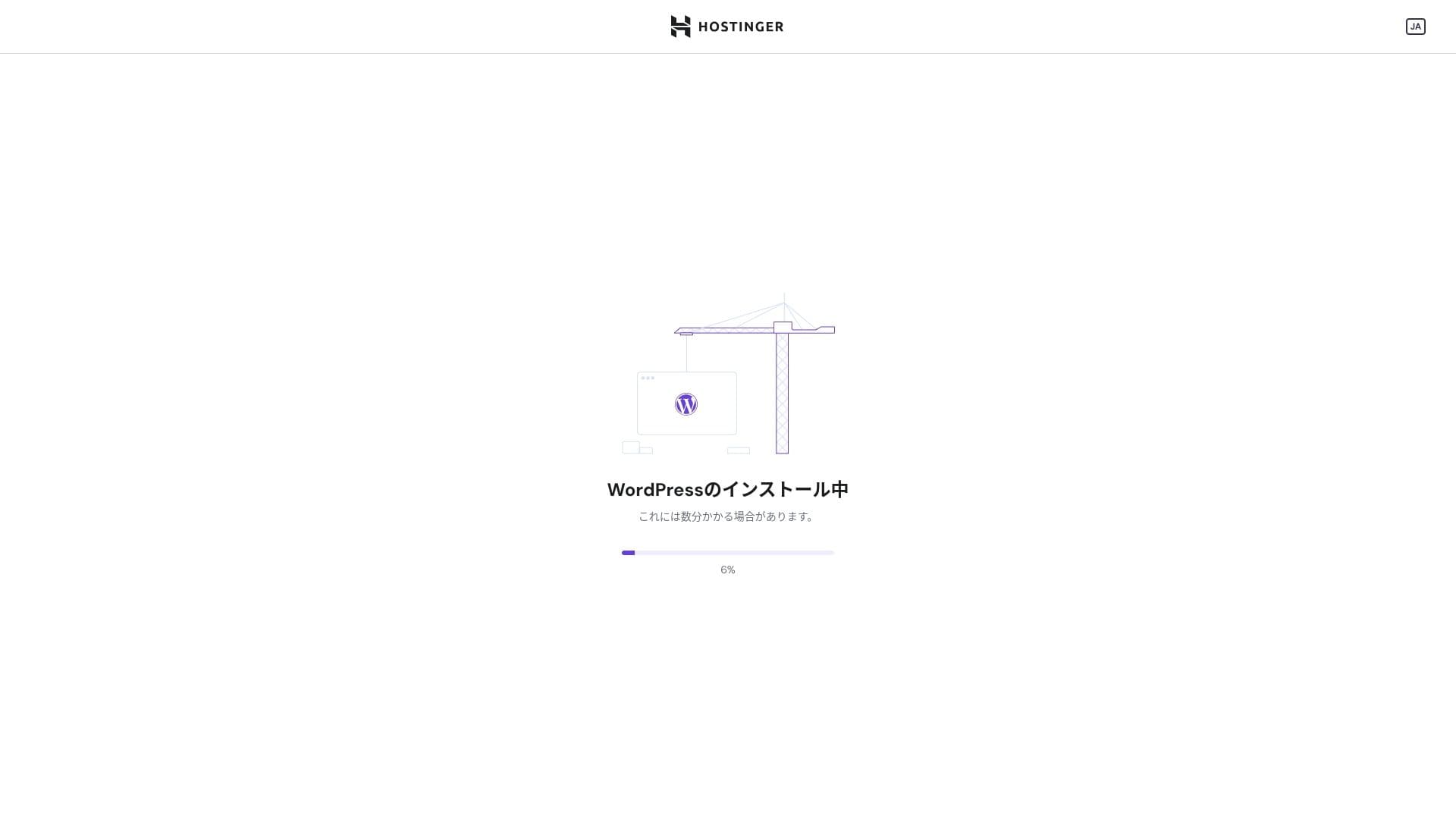
WordPress installation has started. Wait a minute or two.
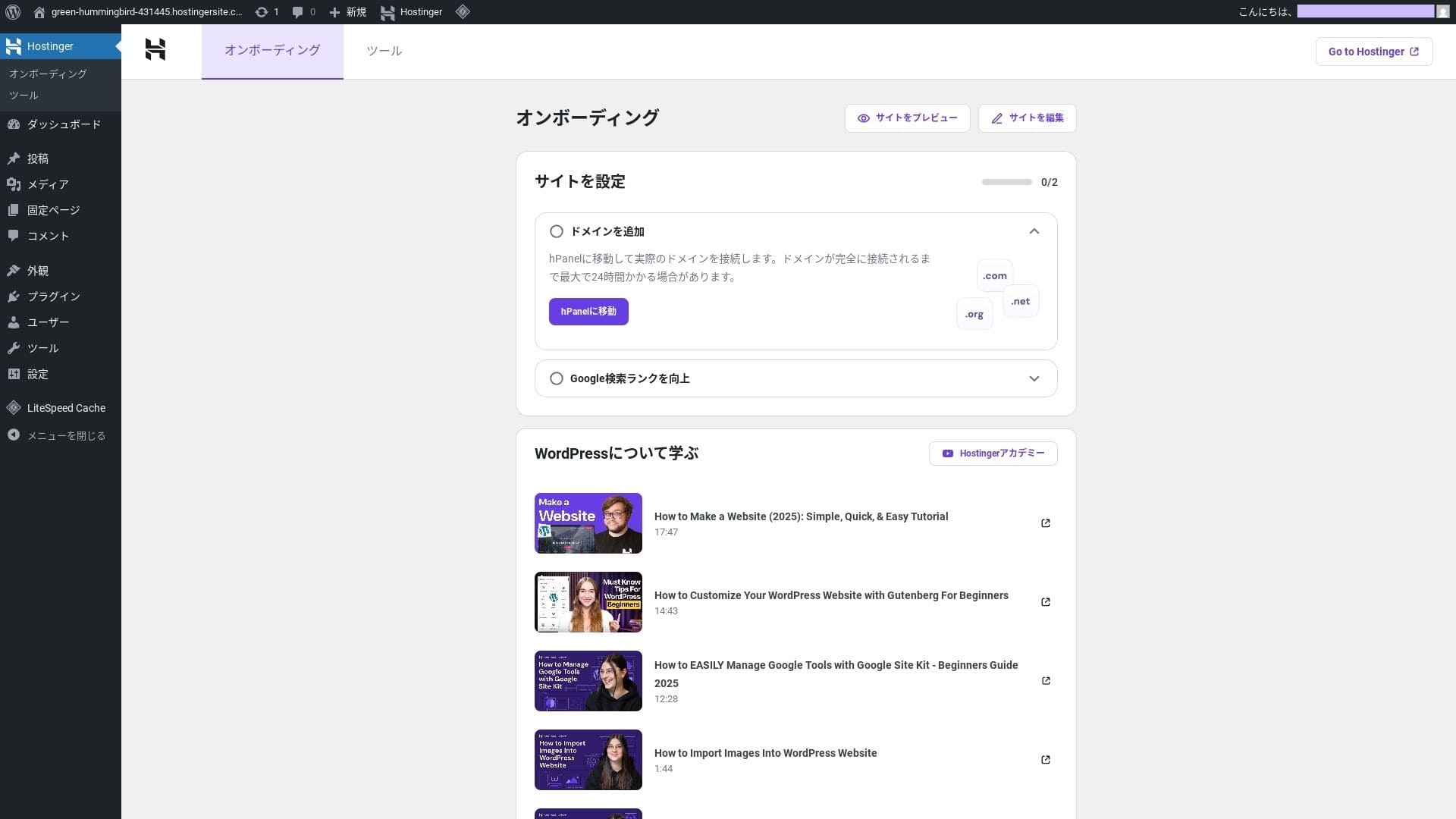
Once installation is complete, you will be logged in to WordPress. That finishes the WordPress installation process.
- Step.4Set up your domain and DNS
If you want to use a custom domain, acquire or transfer it first. Once that is done, configure the DNS settings.
Running multiple sites
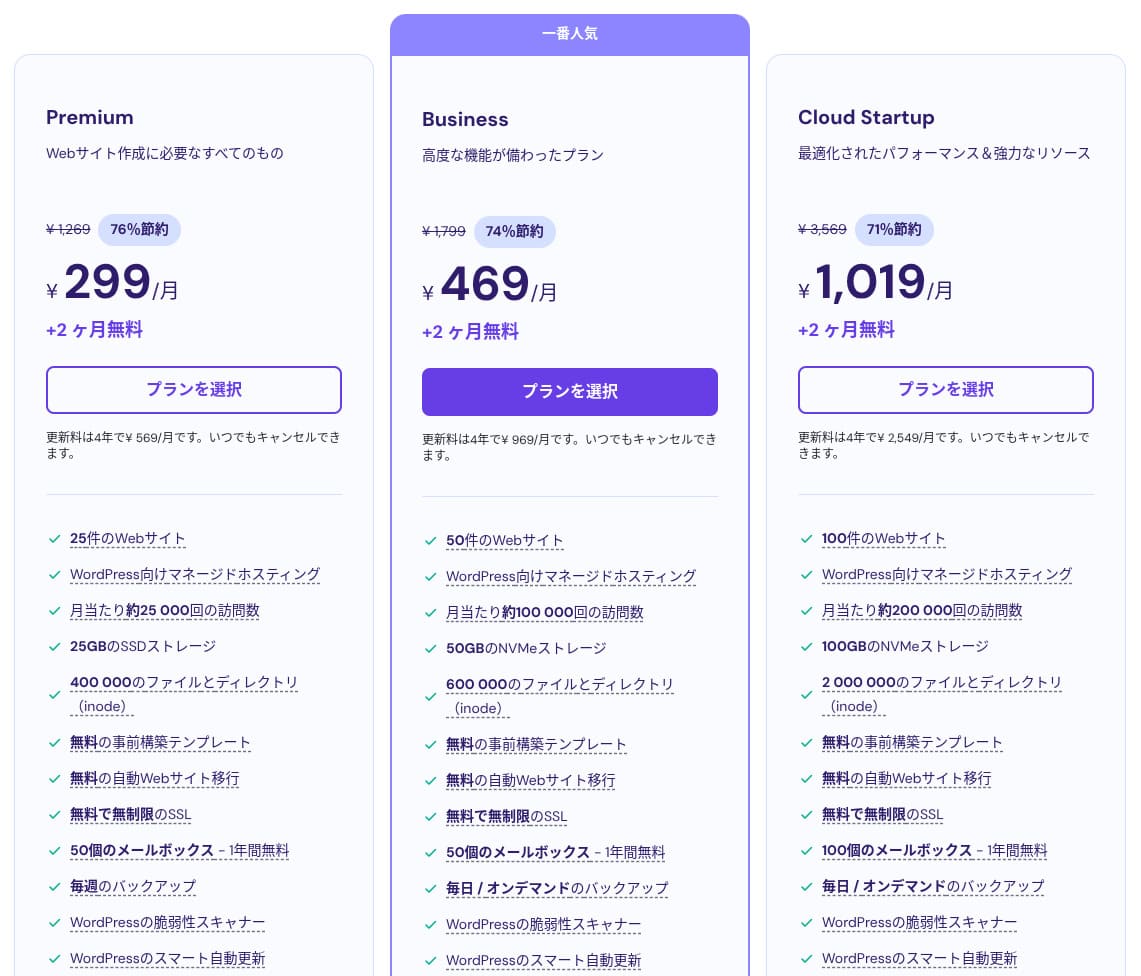
Hostinger shared hosting has three plans. Even the lowest-priced Premium plan lets you host up to 25 sites.
| Plan | Sites | Storage | Backup frequency | Monthly price (initial term) |
|---|---|---|---|---|
| Premium | 25 | 25 GB SSD | Weekly | 299 yen |
| Business | 50 | 50 GB NVMe | Daily + on-demand | 469 yen |
| Cloud Startup | 100 | 100GB NVMe | Daily + on-demand | 1,019 yen |
- STEP.1Log in to the control panel
After logging in, click "+ Add Website" from the website list.
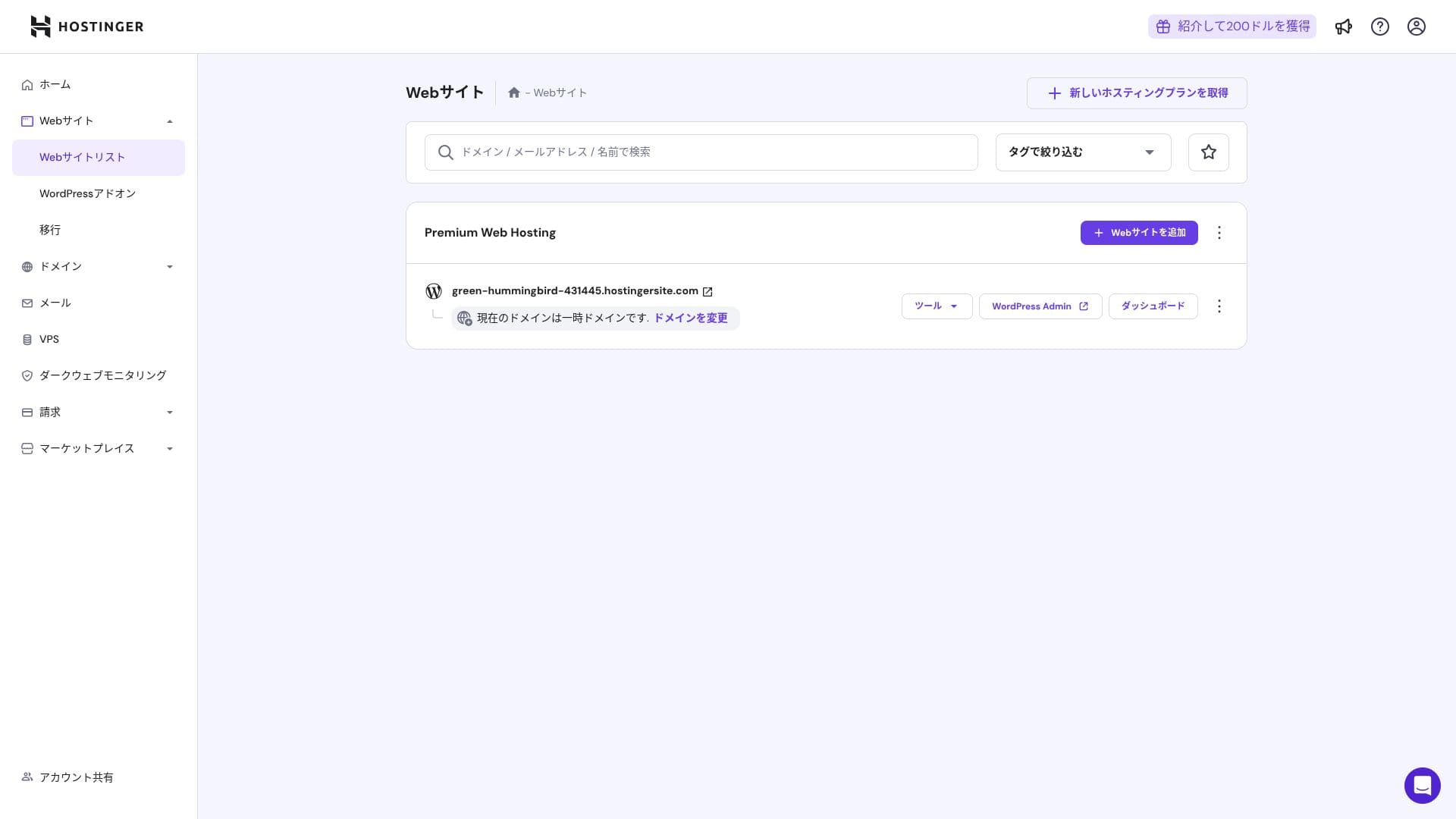
- STEP.2Choose "WordPress" from the popup that appears
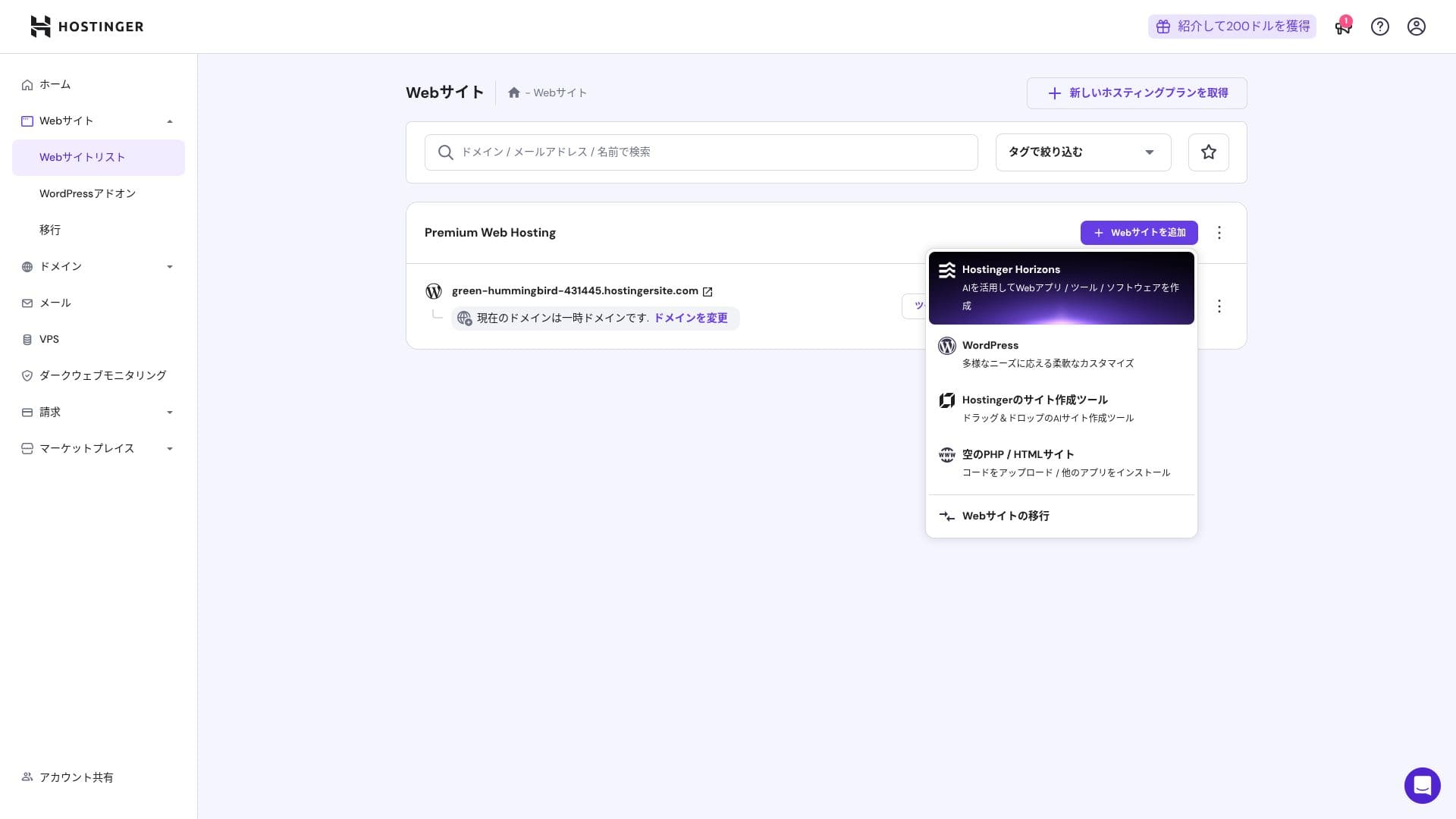
- STEP.3Set the WordPress login details
- STEP.4Set up the domain and DNS
Configure the domain and DNS settings.
If your need to run multiple sites grows, upgrade your plan.
Performance and specs review
Our measurements: speed review
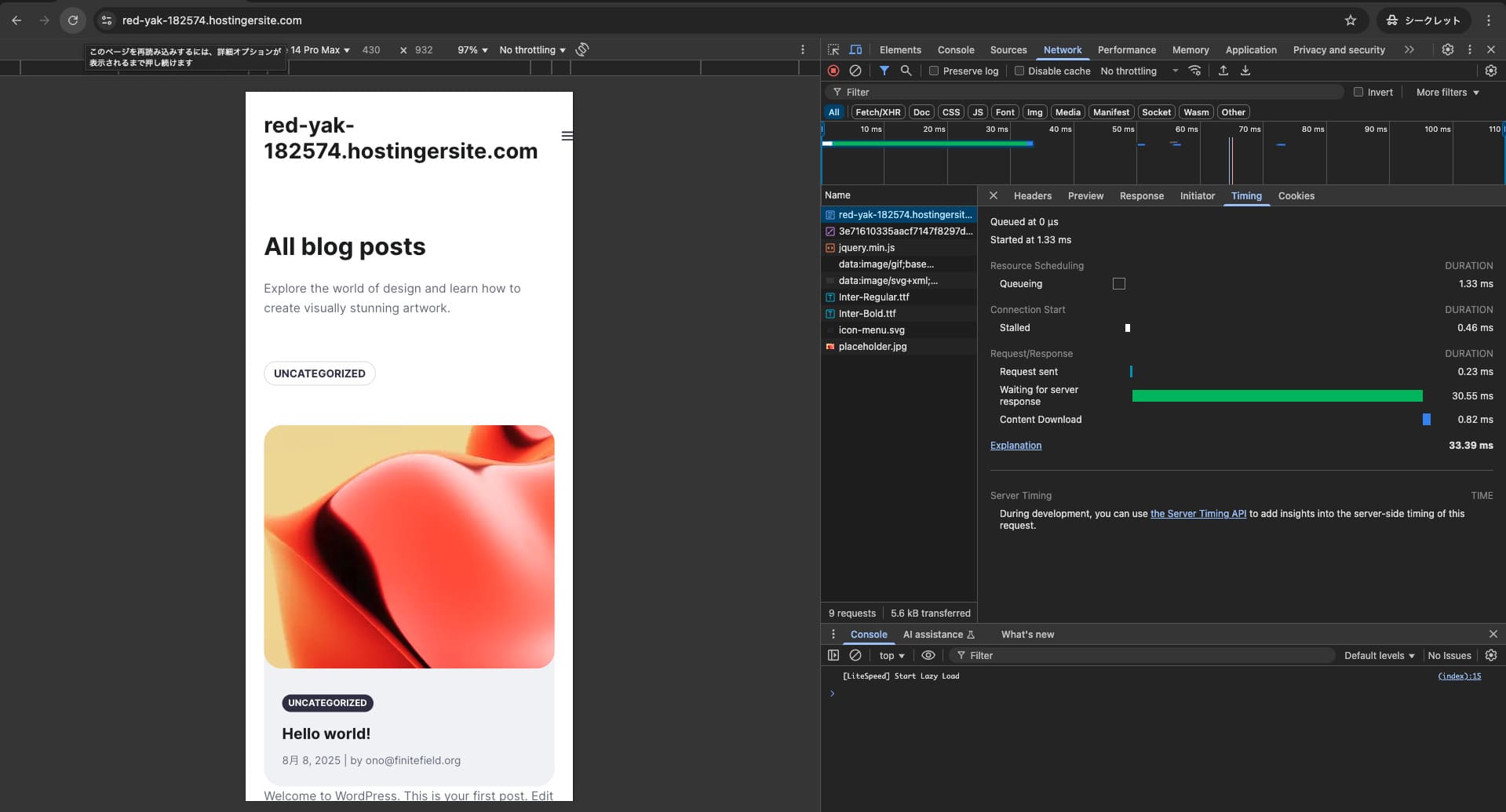
We measured Hostinger's page speed. In our testing, it ranked No. 2. Its TTFB (Time to First Byte, in other words, the time until the page's main content starts to display) was 30.55 ms. That is far faster than the 200 ms server speed Google expects.
You should reduce your server response time under 200ms.
Improve Server Response Time

It uses a combination of LiteSpeed Web Server, NVMe SSD, and its own CDN. Using a CDN also reduces fluctuations even for overseas requests, which helps lower abandonment on ecommerce sites.
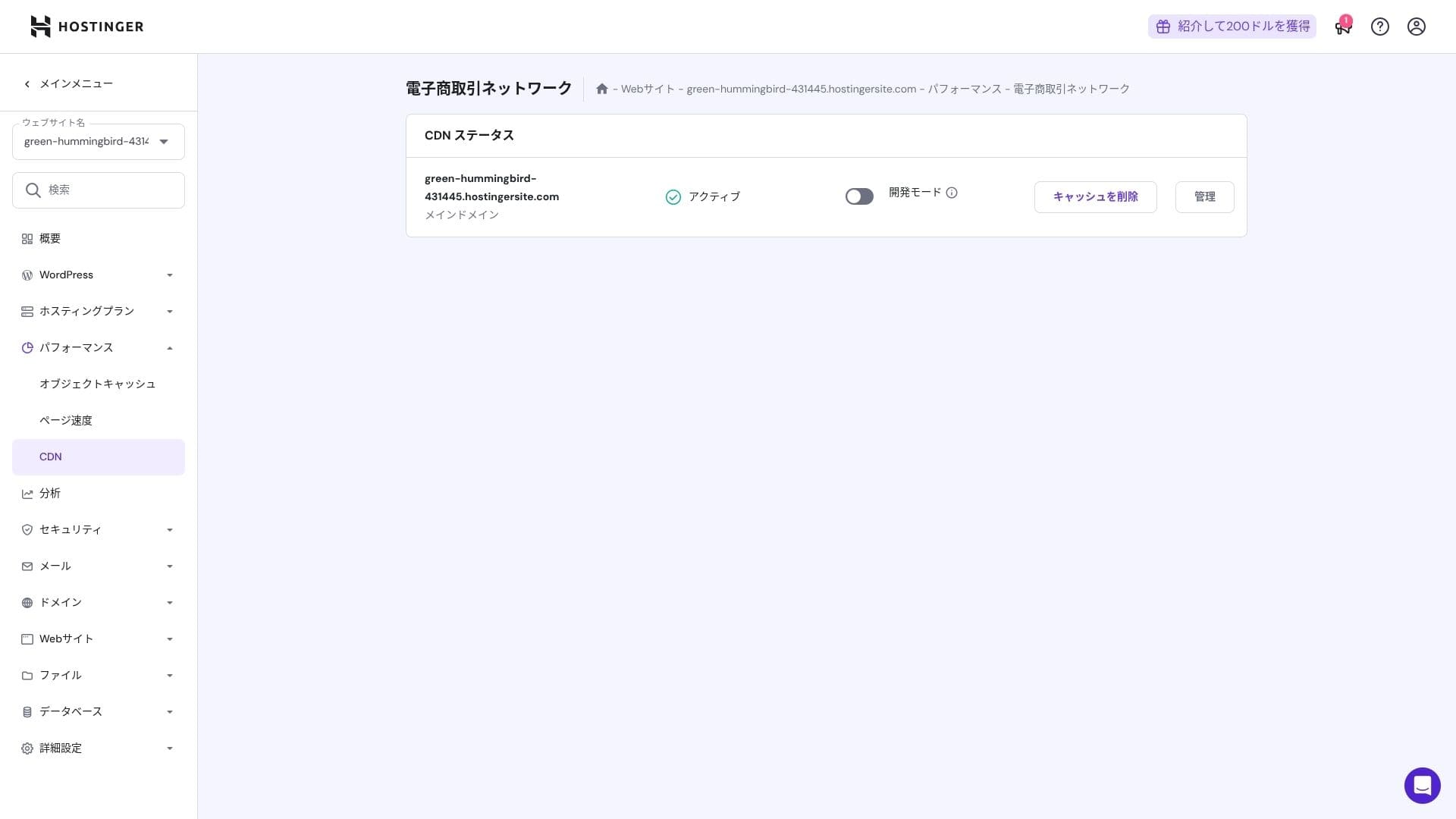
Hostinger uses SSD or NVMe storage. That is one of the reasons it is so fast.
Storage capacity
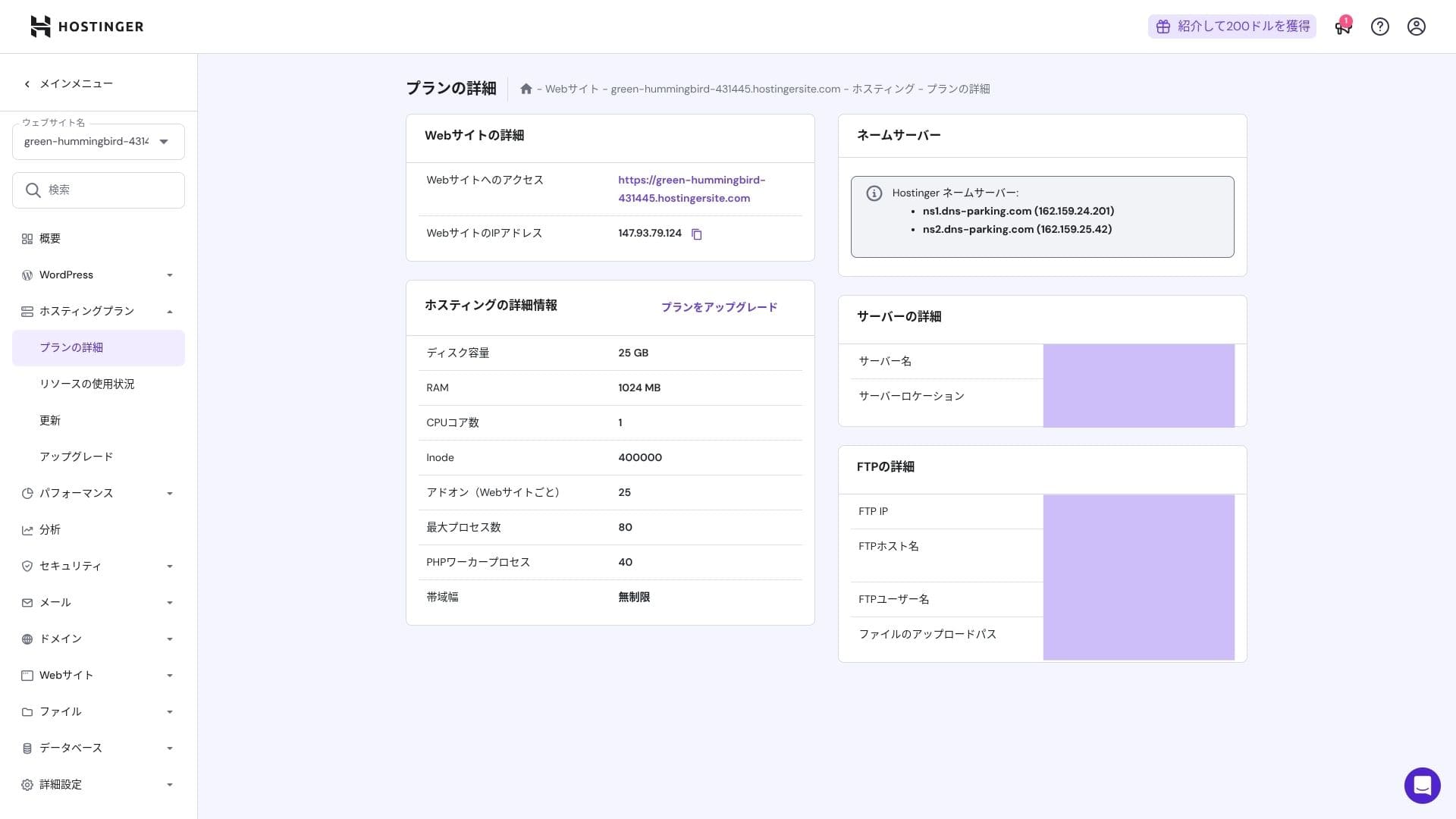
The storage allocations are 25 GB for Premium, 50 GB for Business, and 100 GB for Cloud Startup. If you run media-heavy sites, I recommend Cloud or above, but for blogs and small to midsize business sites, Premium is sufficient.
In fact, simply installing WordPress uses only about 130 MB.
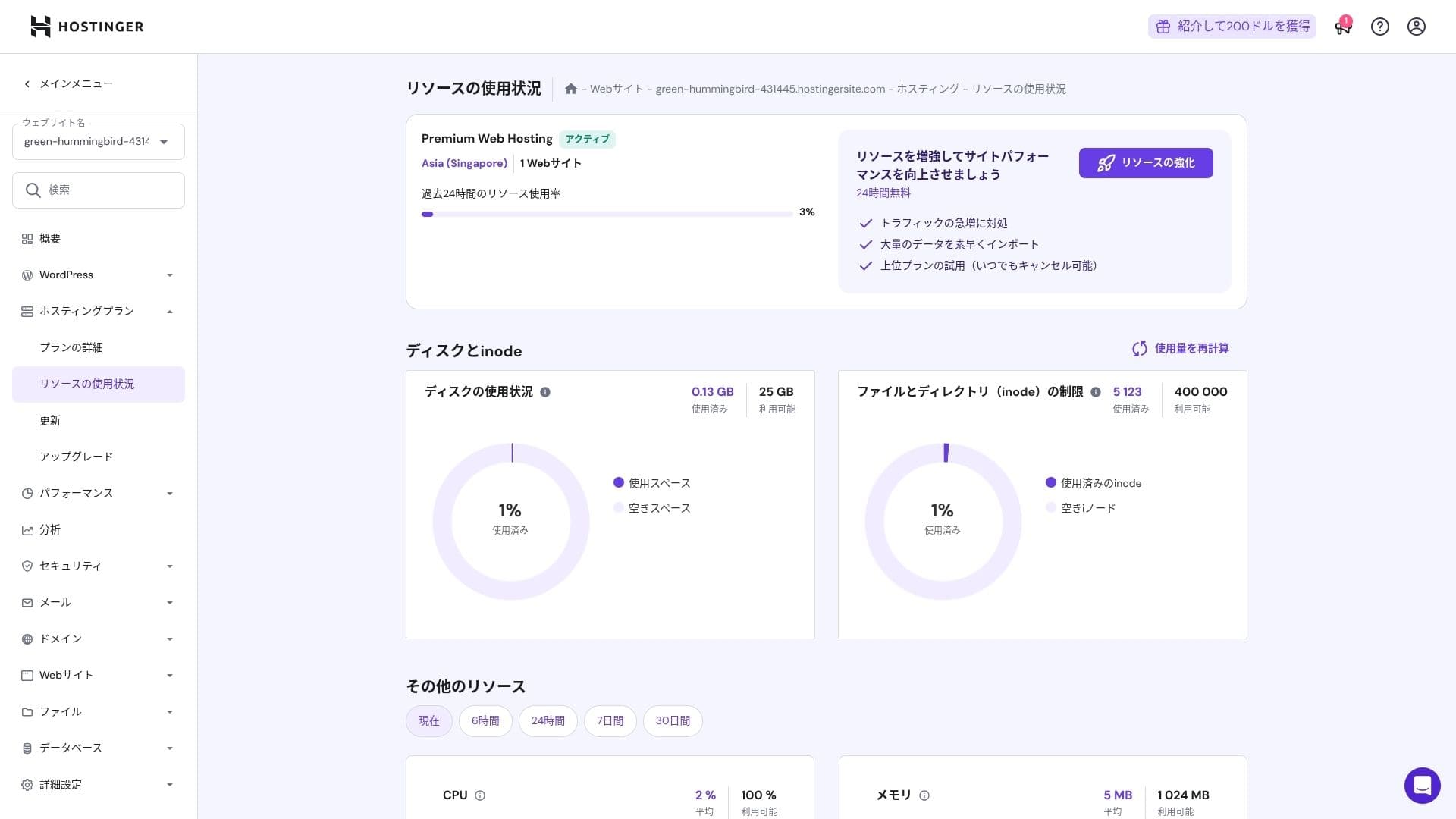
This site itself uses only about 2 GB of storage.
Data transfer
All plans from Premium upward include unmetered bandwidth. However, because inode limits and CPU usage still create practical caps, if you expect more than 100,000 page views per month, moving to Cloud is the safer choice.
For blogs and small to midsize business sites, Premium is enough.
★ What are traffic and data transfer? Managing and optimizing web traffic
Server stability and uptime
Hostinger provides a 99.9% uptime guarantee on all plans. Because its uptime is high, you can use it confidently even for corporate and business websites.
★ A must-read for beginners: Understand rental server uptime and SLAs
Pricing and cost review
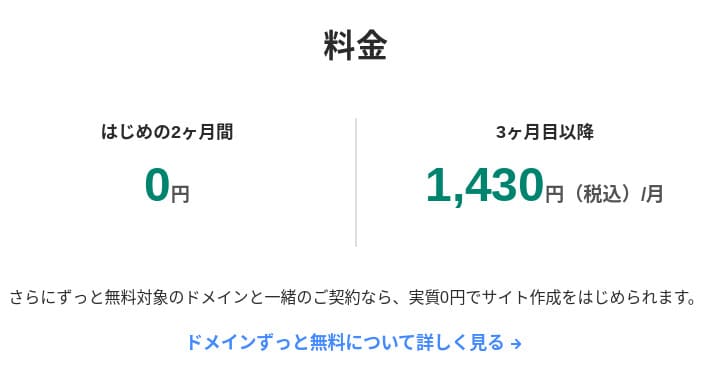
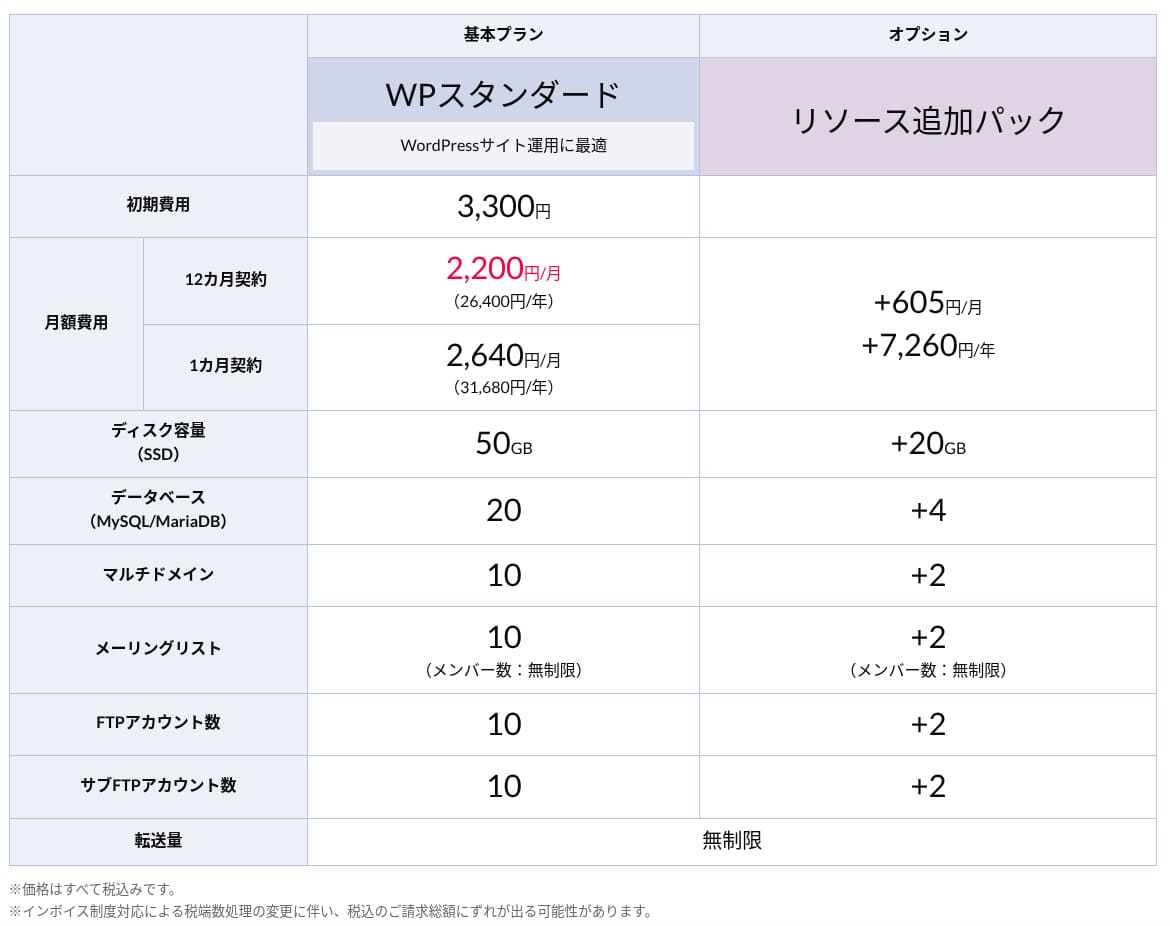
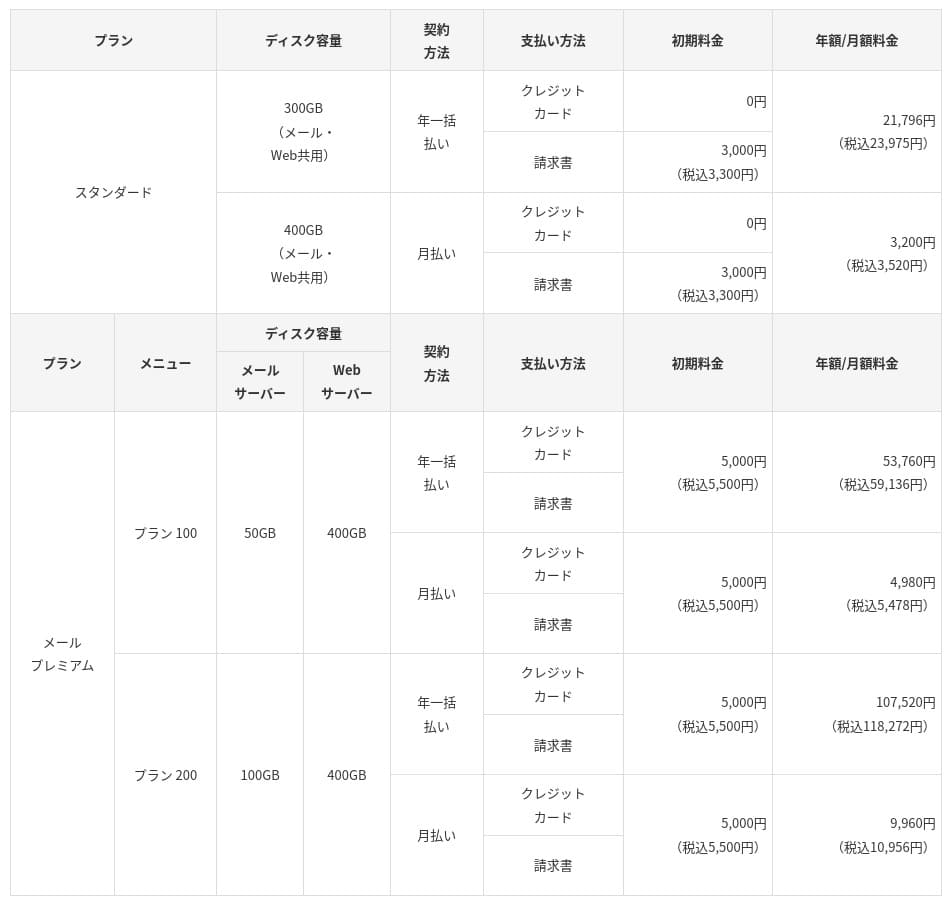
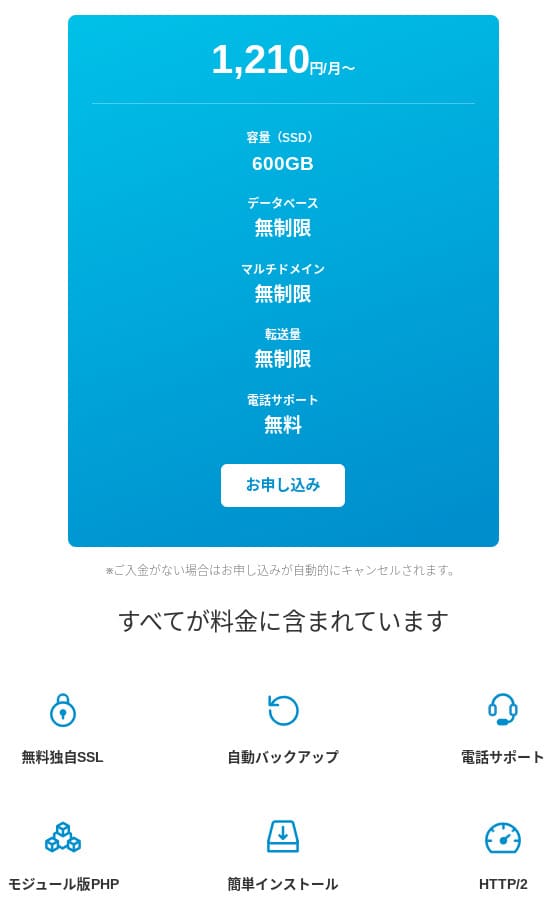
Initial fees and monthly cost
There are no initial fees on any plan. Monthly prices vary greatly depending on the contract term. At the initial signup, the Premium plan costs 299 yen per month, but after renewal it rises to 1,269 yen.
- Hostinger
- Kinsta
- XServer Business
- wpx
- Lolipop!
- Star Rental Server
- Rakko Server
- XServer
- ConoHa
- Colorful Box
- Shin Rental Server
- Little Server
- CORESERVER
- DreamHost
- Bluehost
- Sakura
- Namecheap
- Shin Free
- XREA
- Value Server
- KAGOYA
- SiteGround
- Hostgator
- IONOS
- Onamae.com
- ABLENET
- mixhost
- GoDaddy
- iCLUSTA+
- MuuMuu Server
- WADAX
- WebARENA
- heteml
- CPI Rental Server
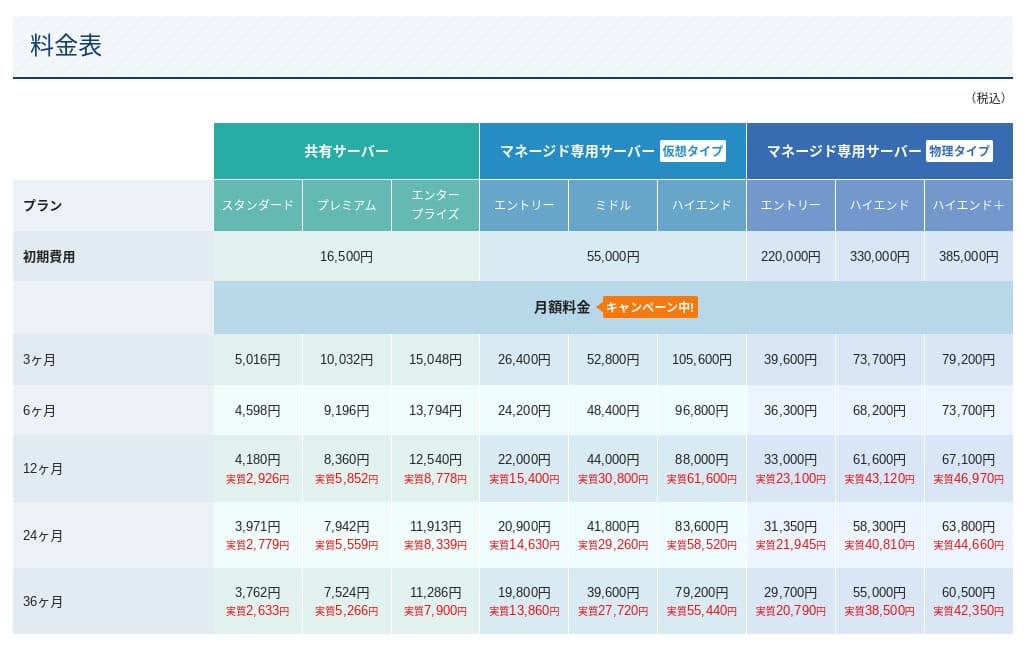
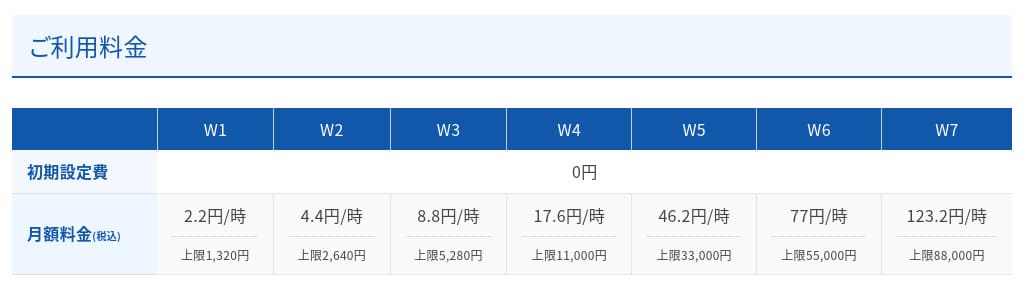
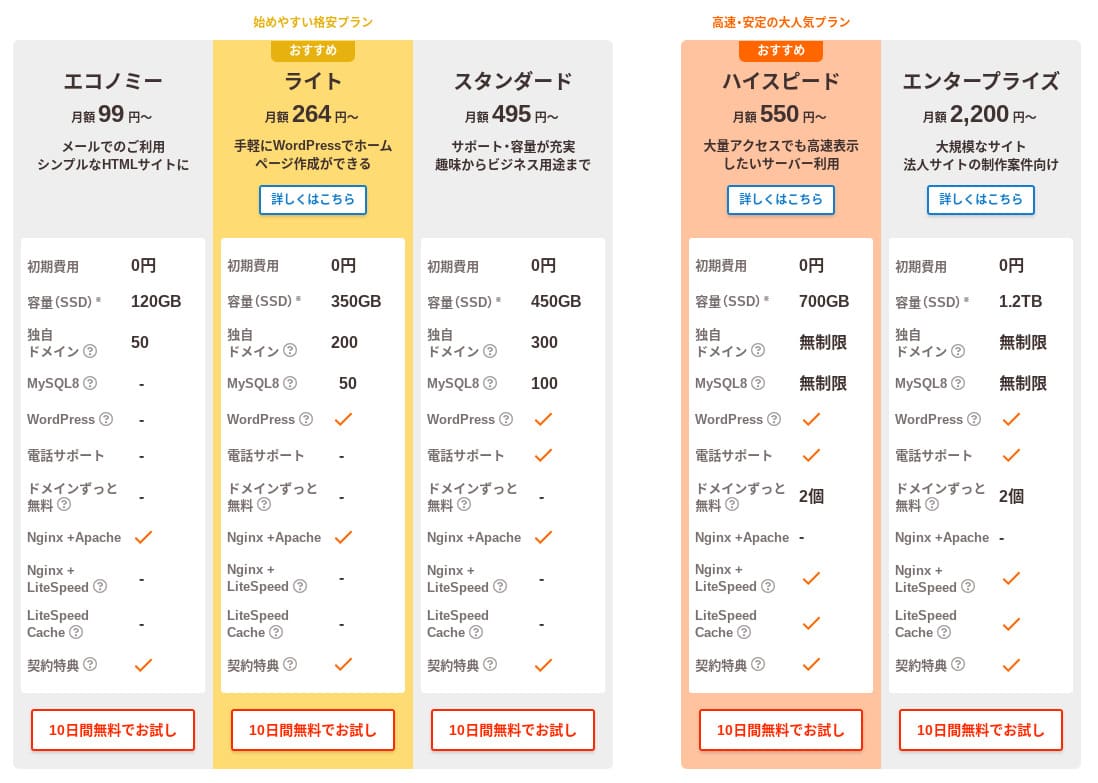
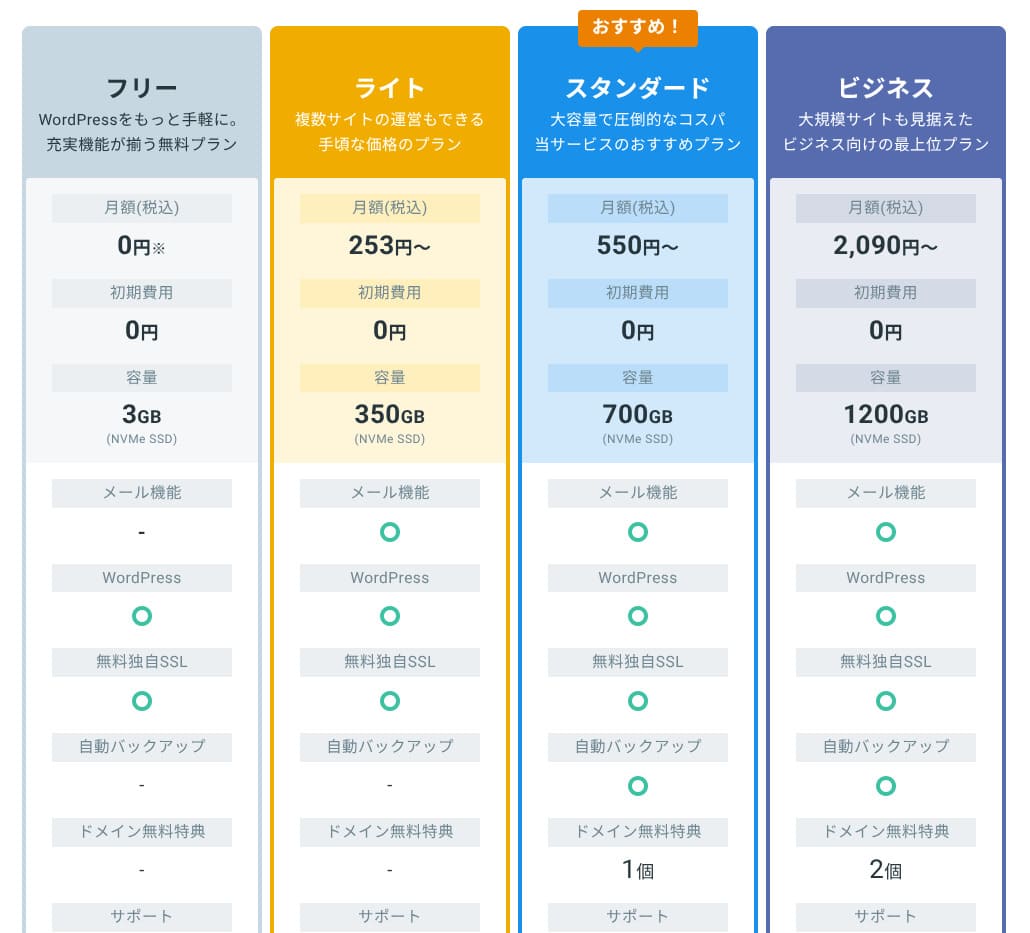
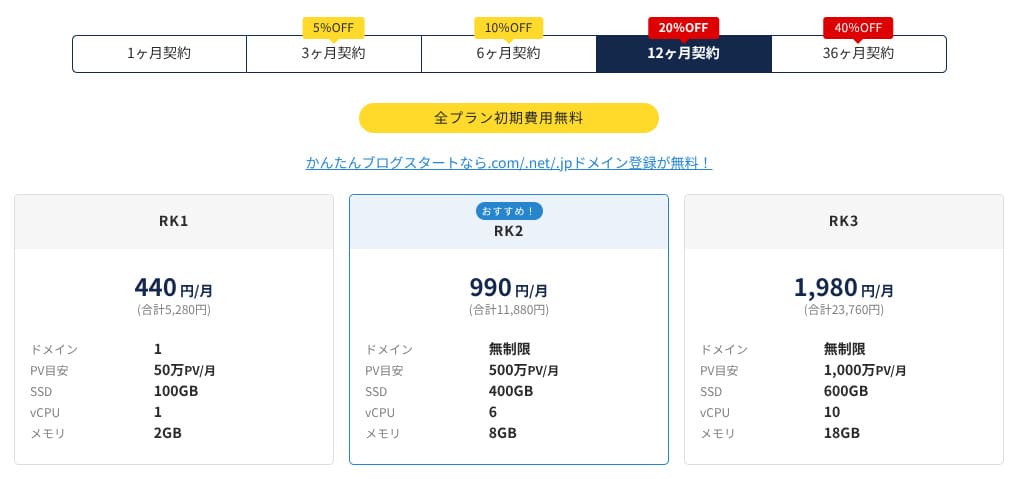
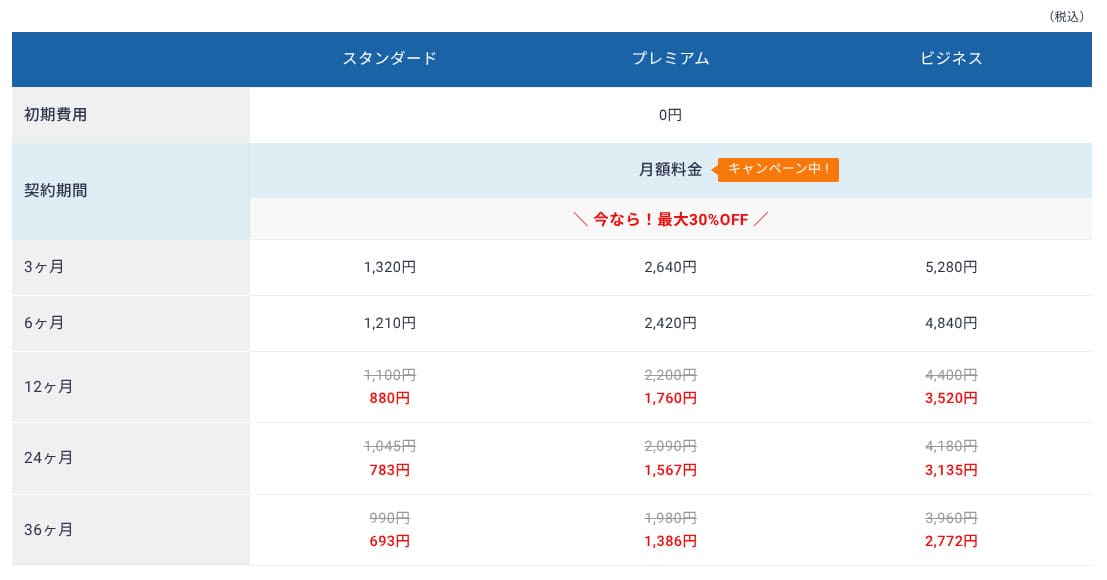
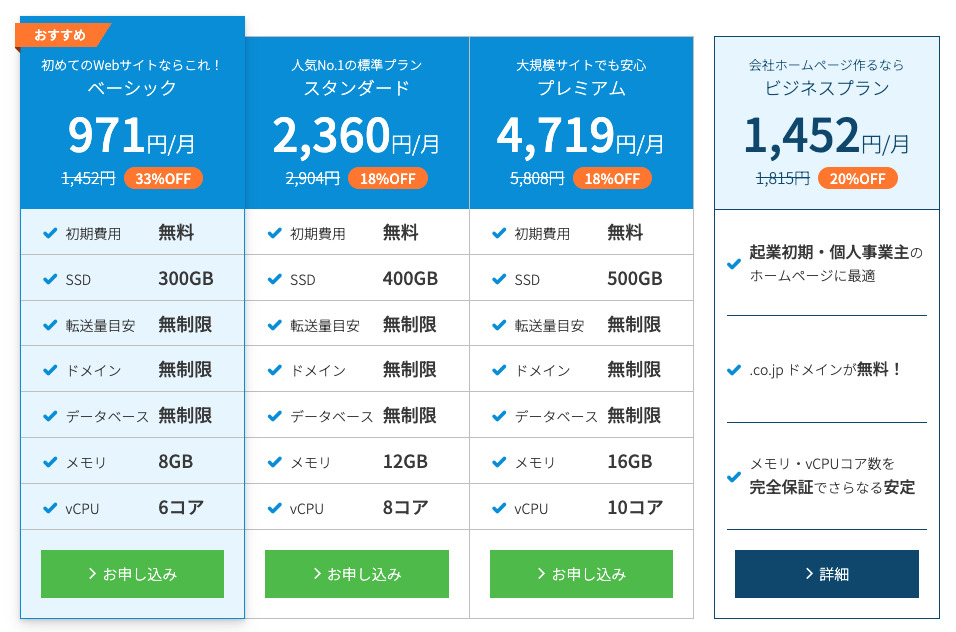
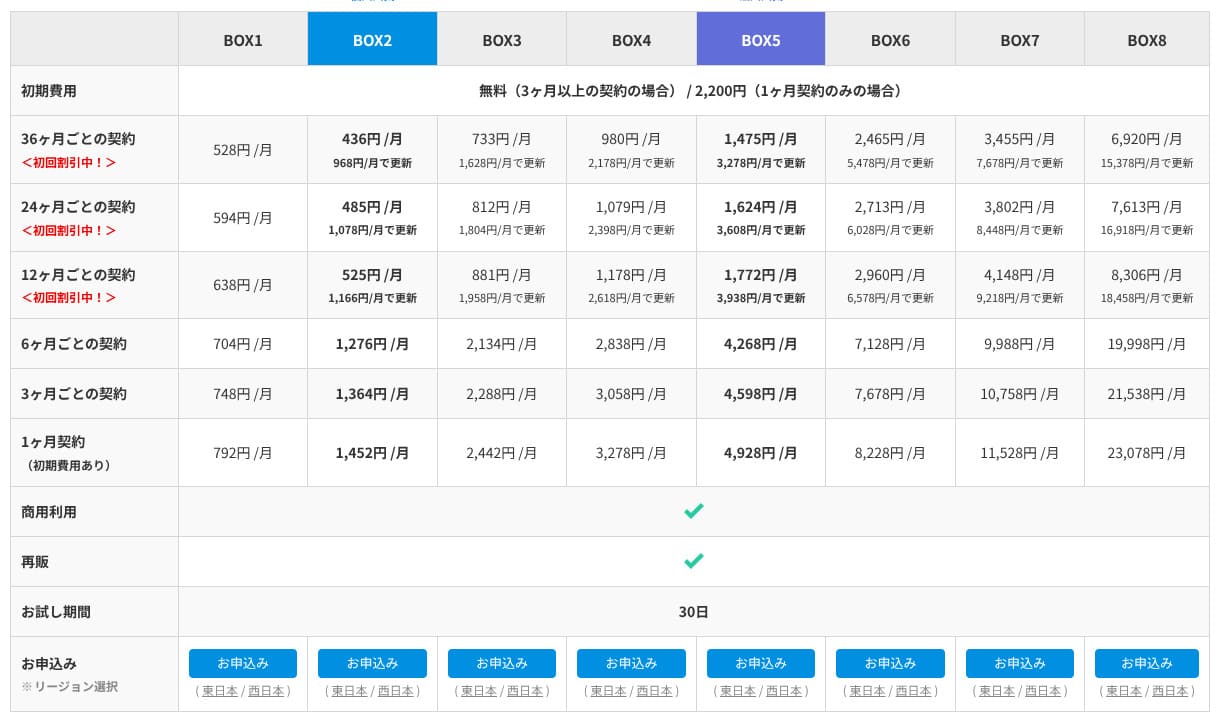
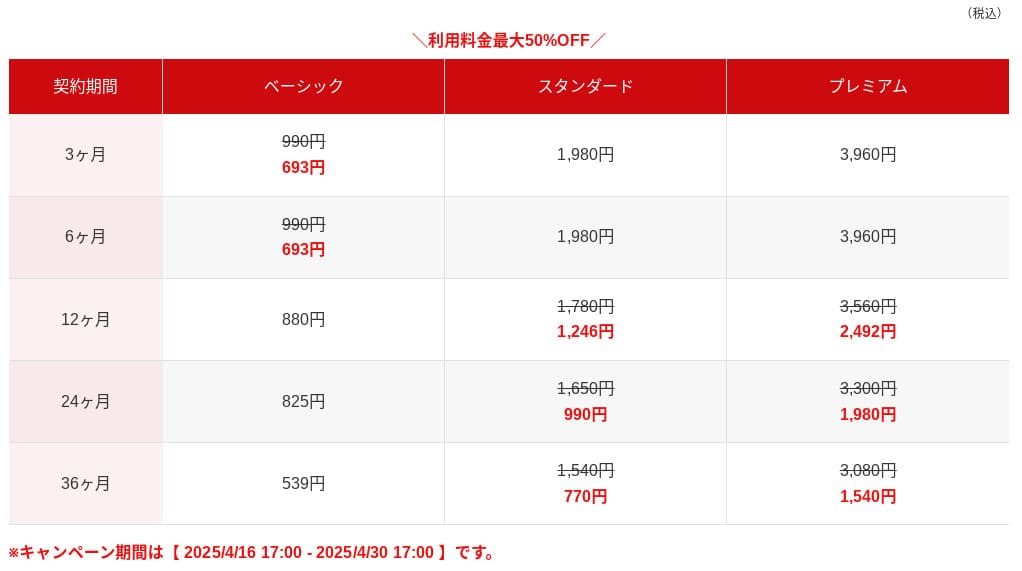
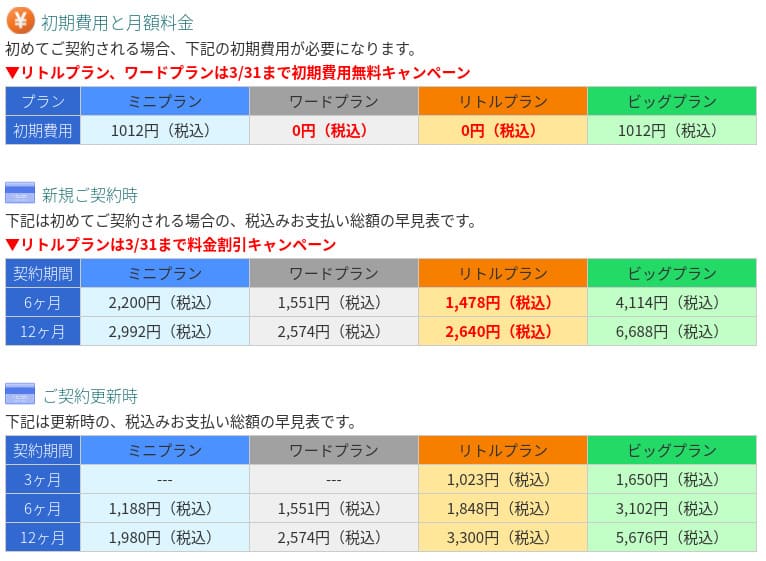
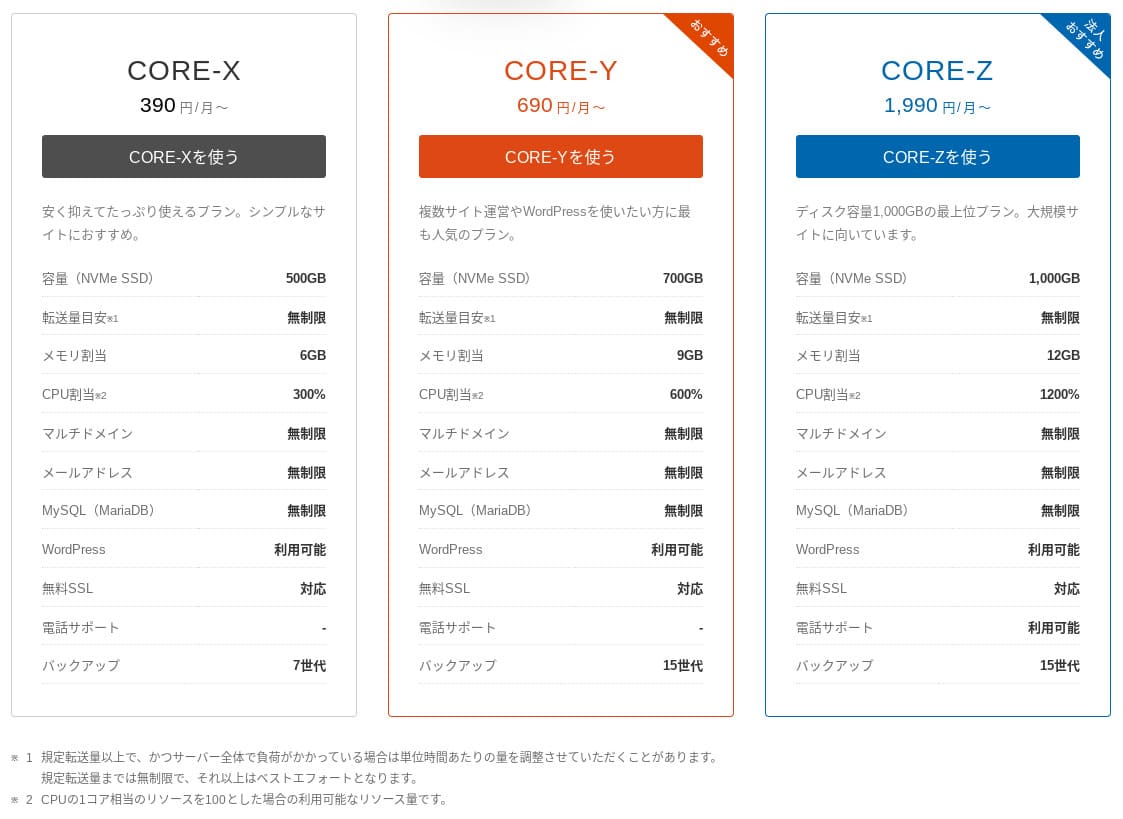
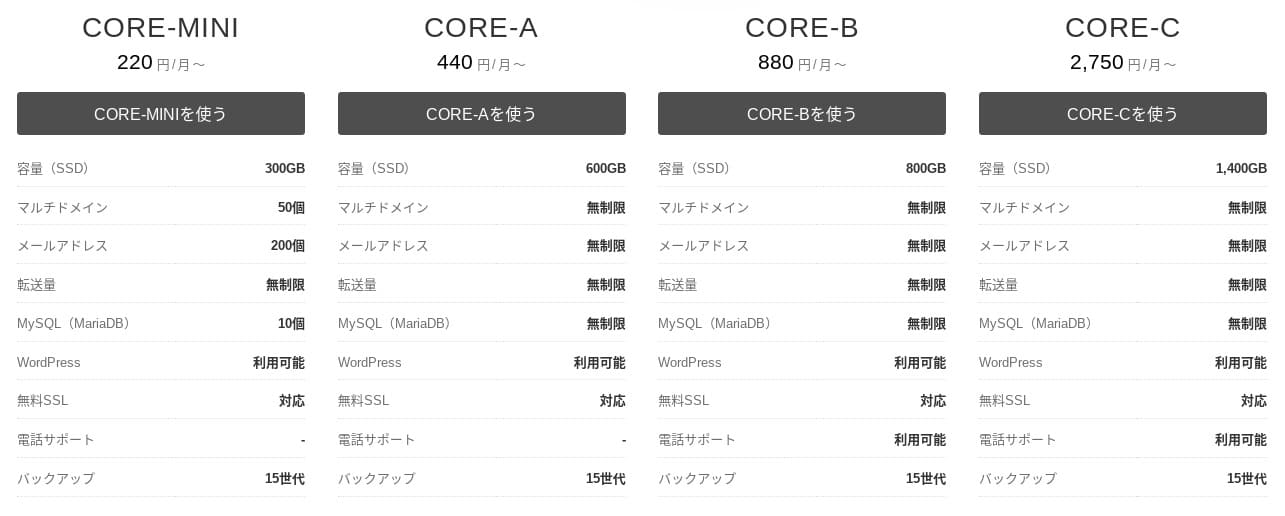
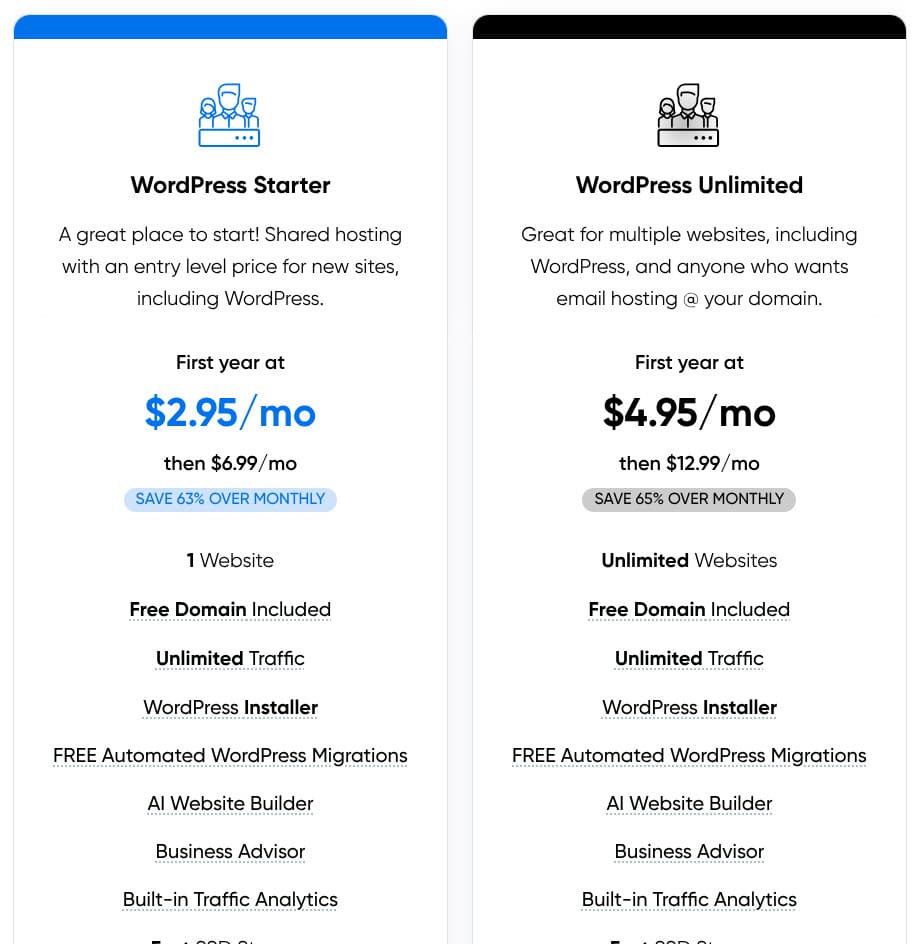
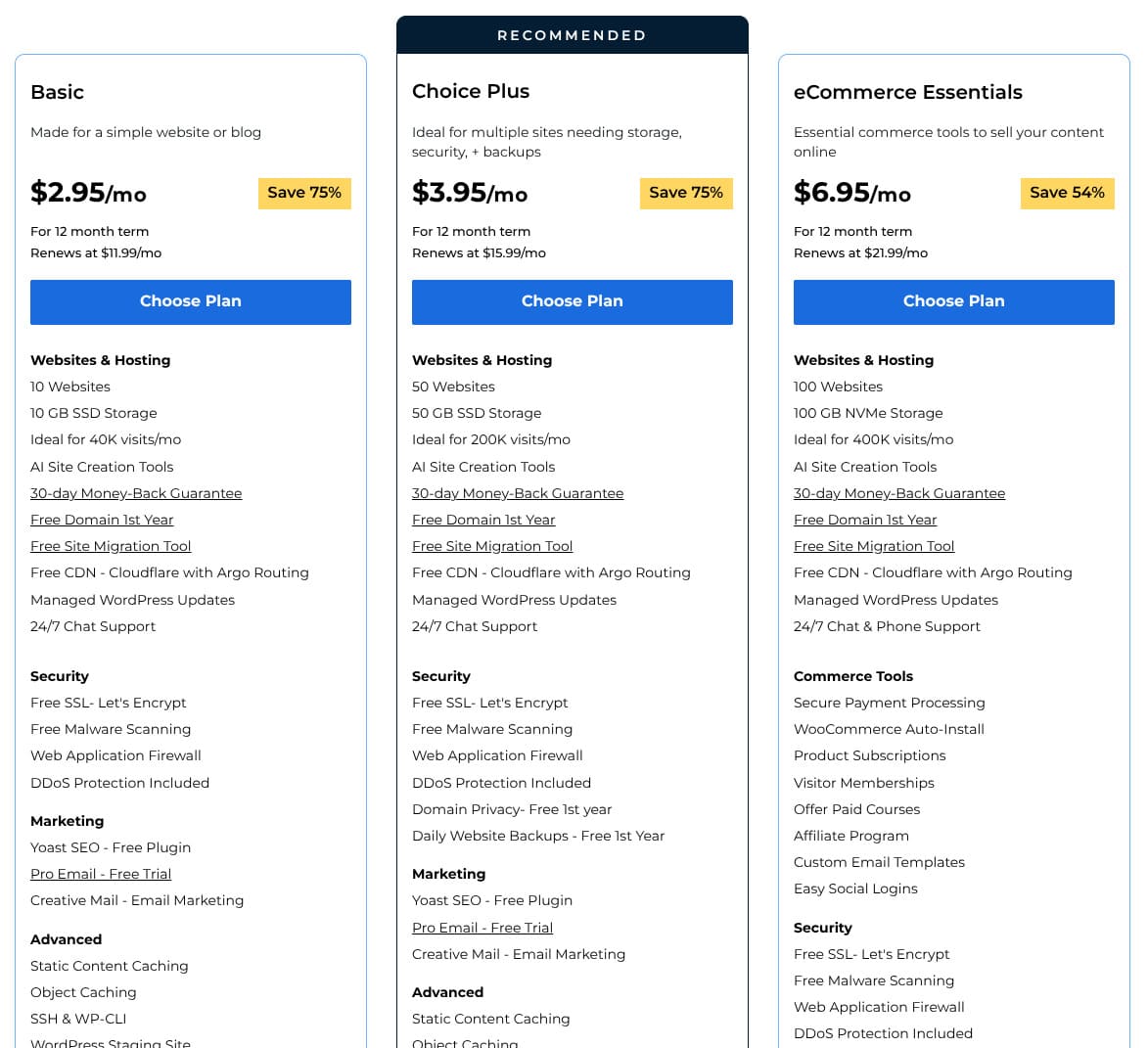
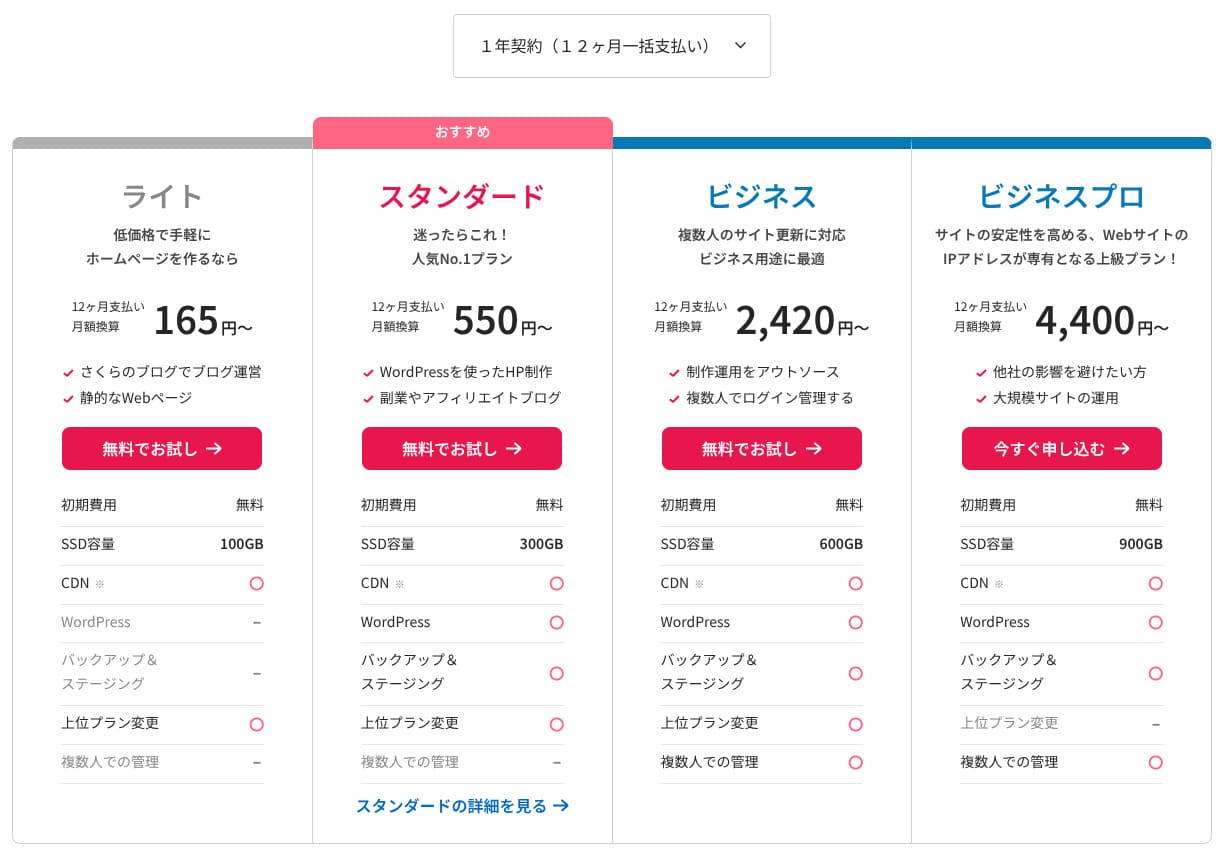
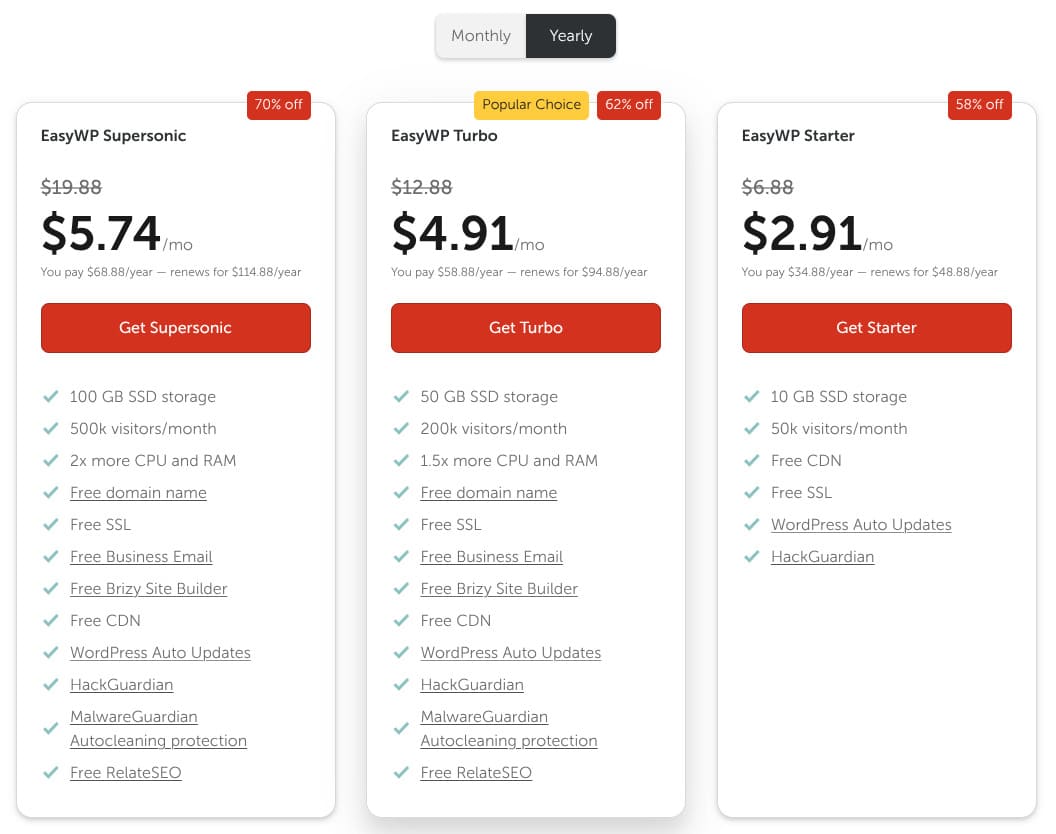
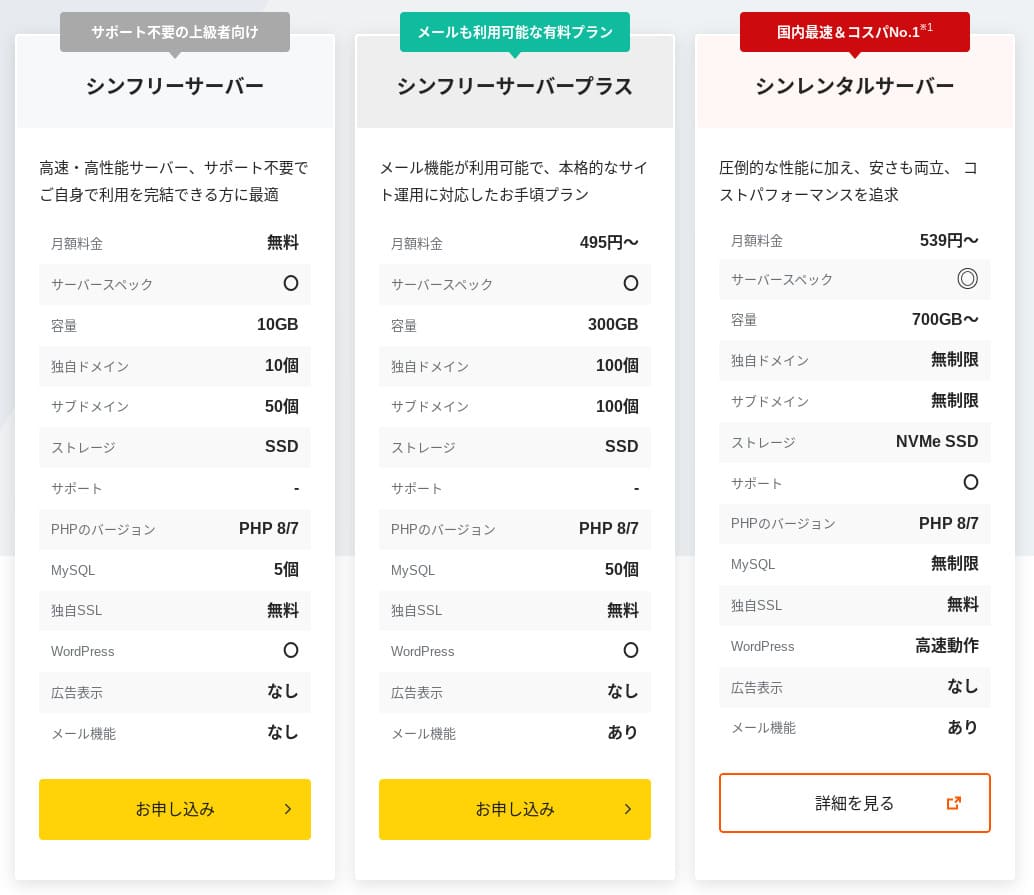
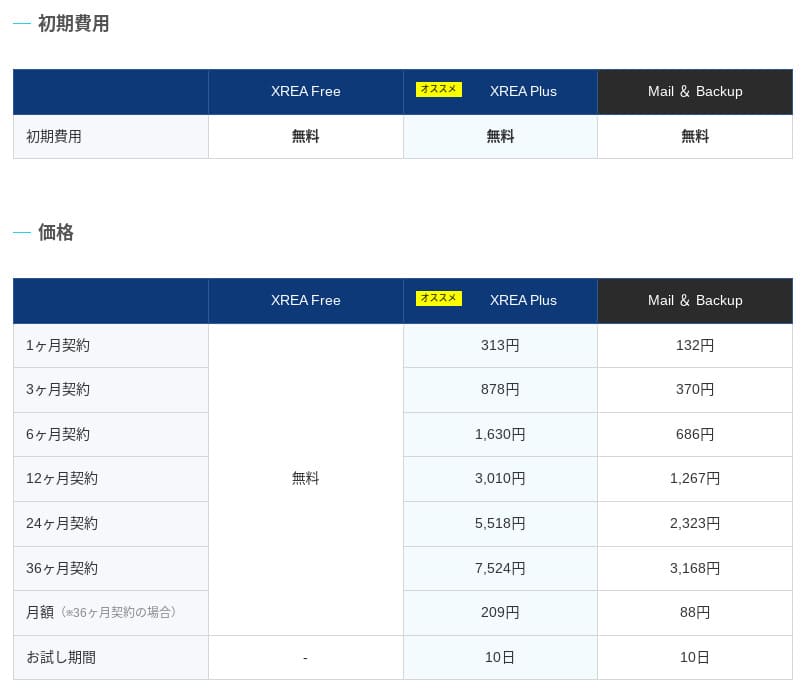
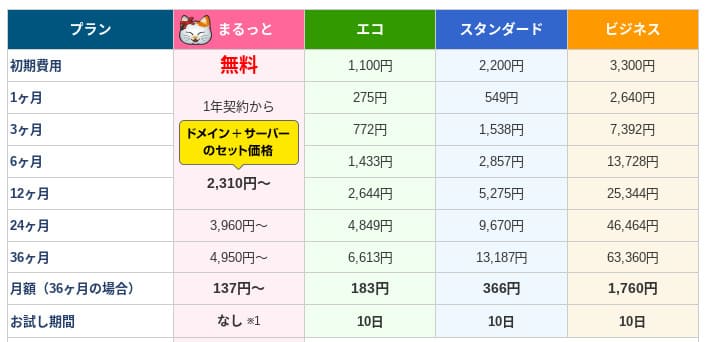
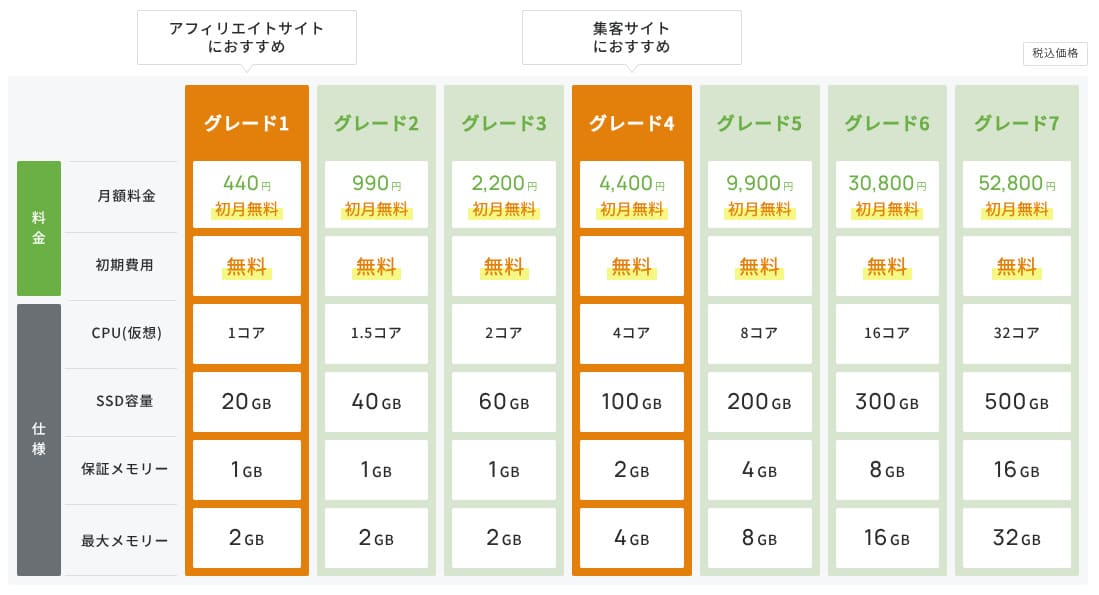
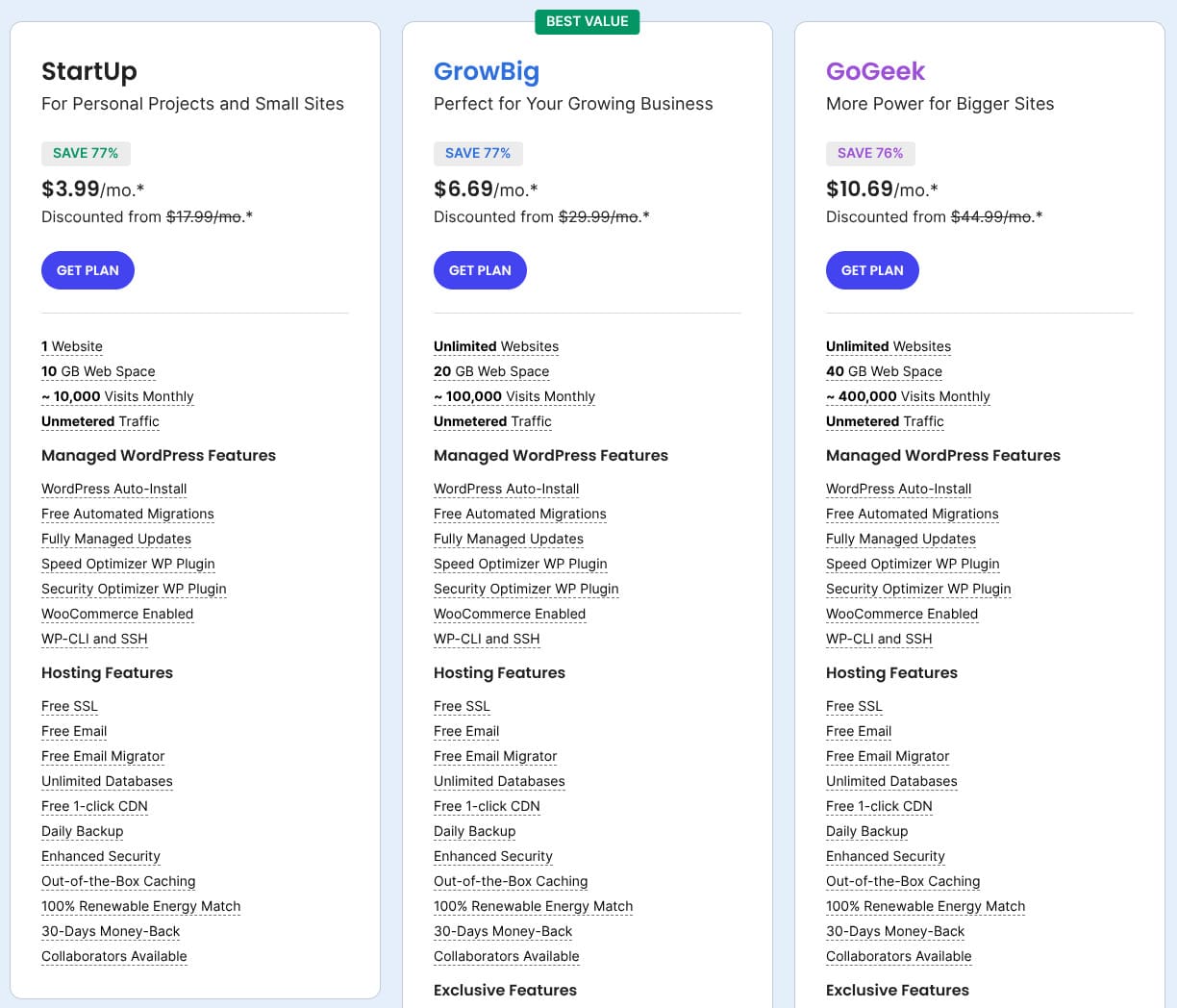
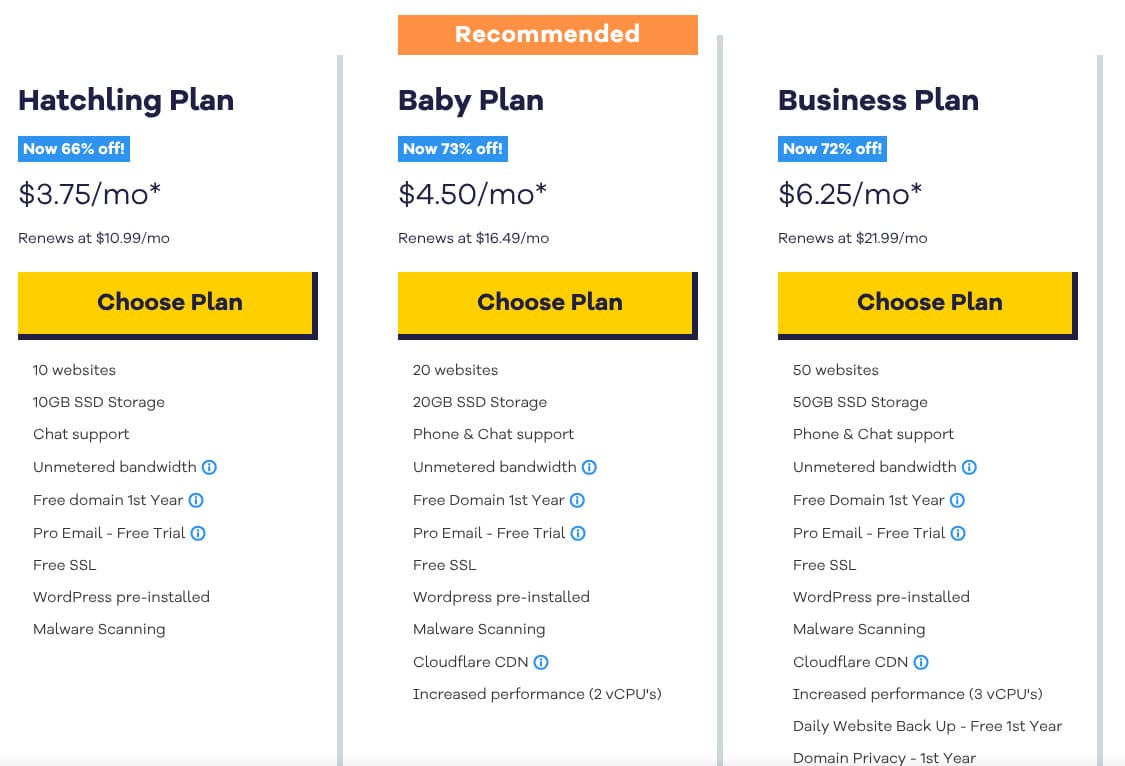
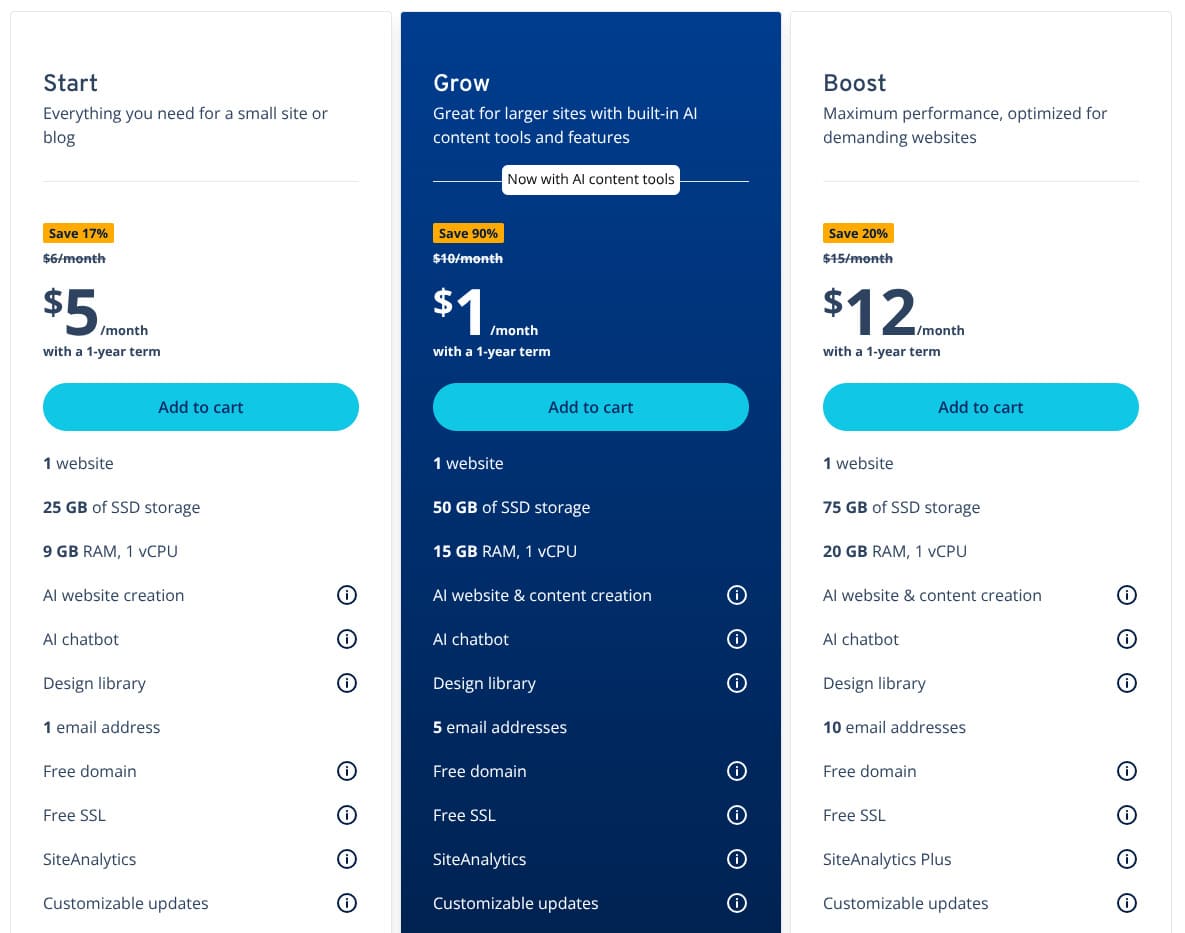
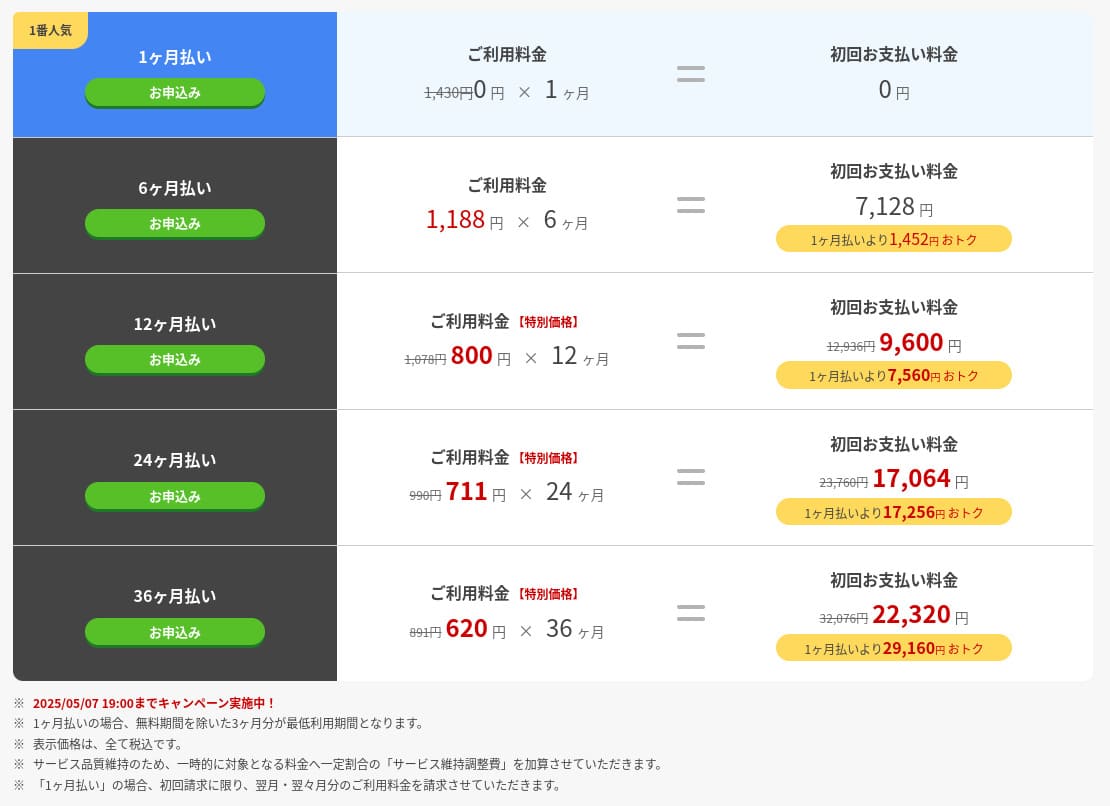
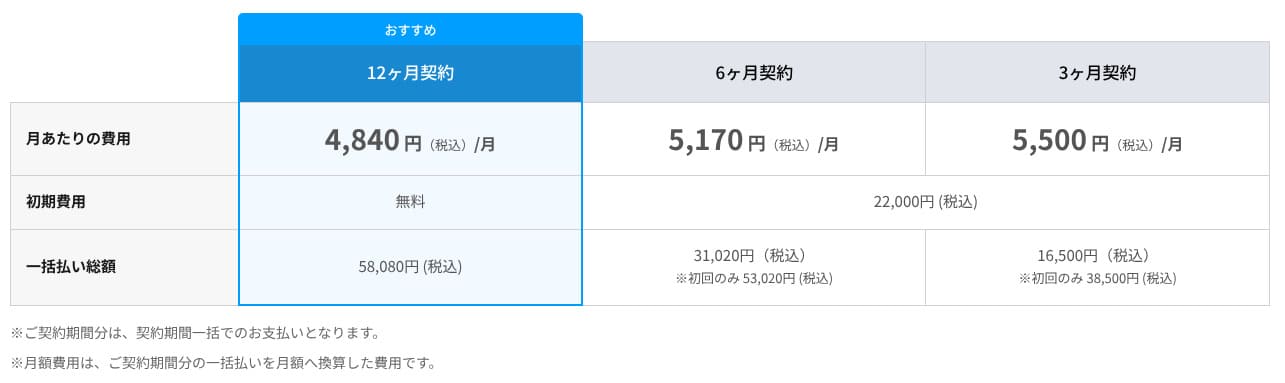
Domain pricing
Premium and above include one free year for a custom domain such as .com. You can also bring in an existing domain.
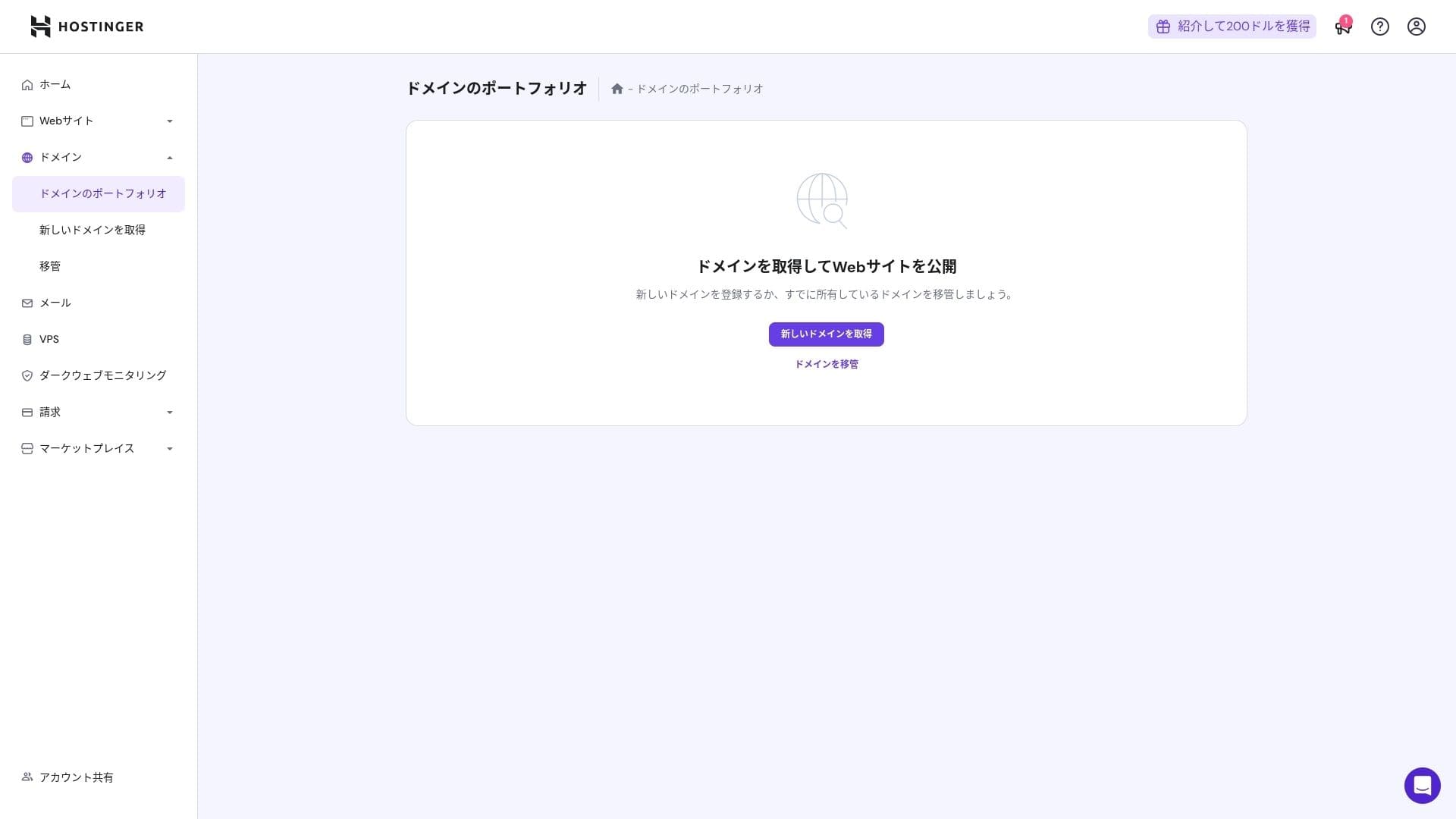
Annual domain fees are a few thousand yen. Because websites and blogs are meant to be used for the long term, if you want to keep domain costs as low as possible, getting your domain from another company is also a good option.
- Onamae.com
- Xserver Domain
- MuuMuu Domain
- Value Domain
- Shin Domain
- Star Domain
- Colorful Domain
- Rakko Domain
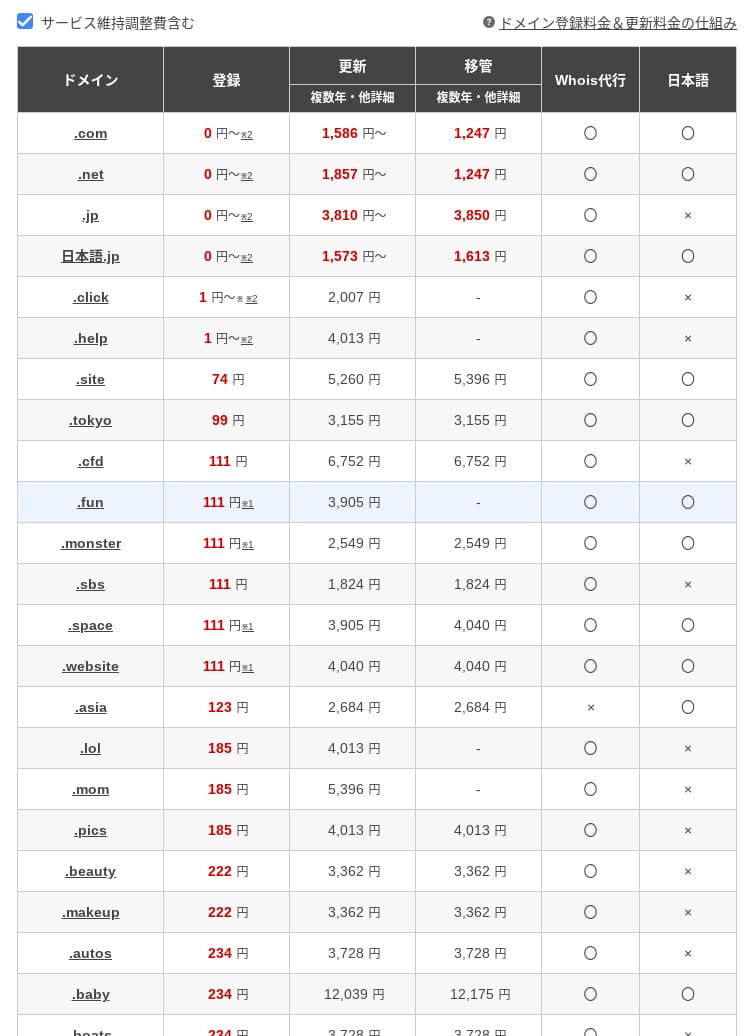
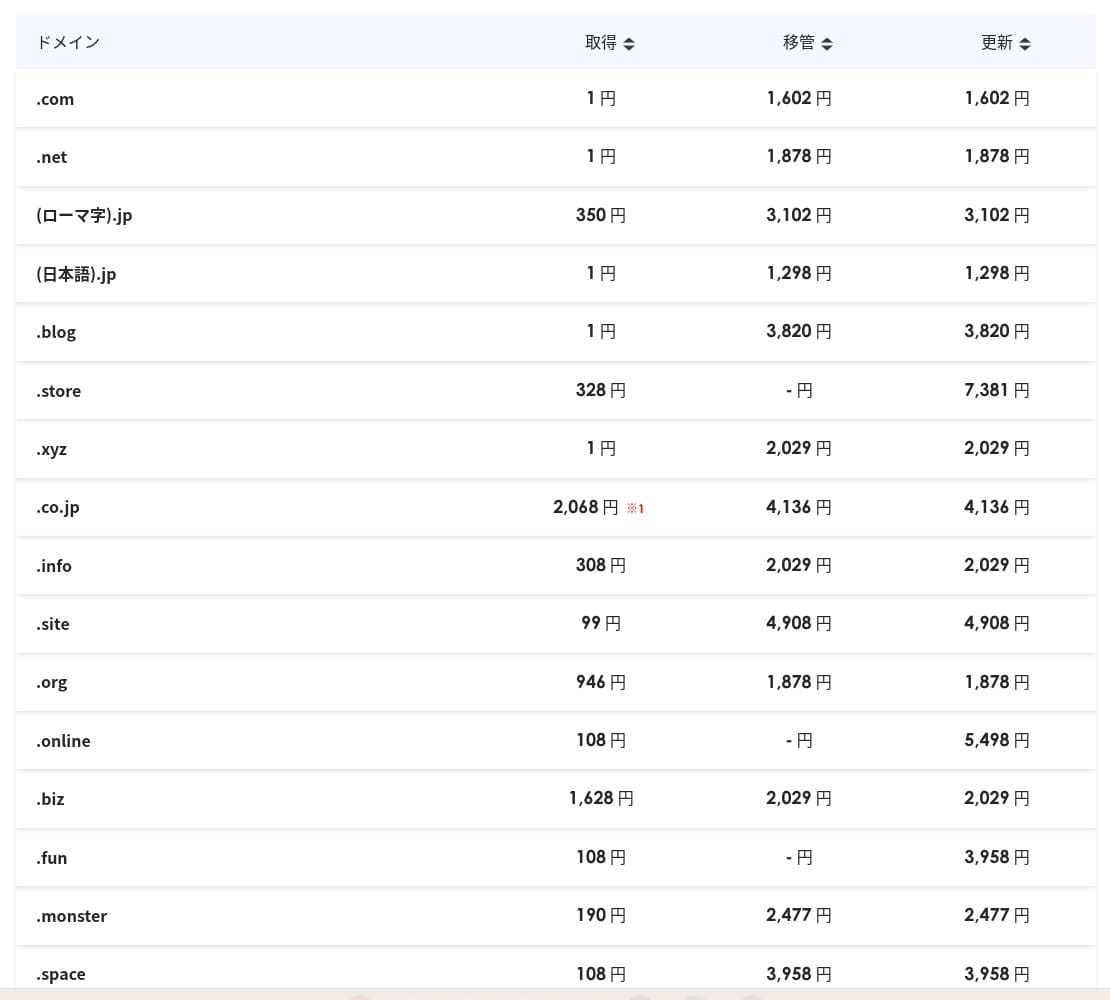
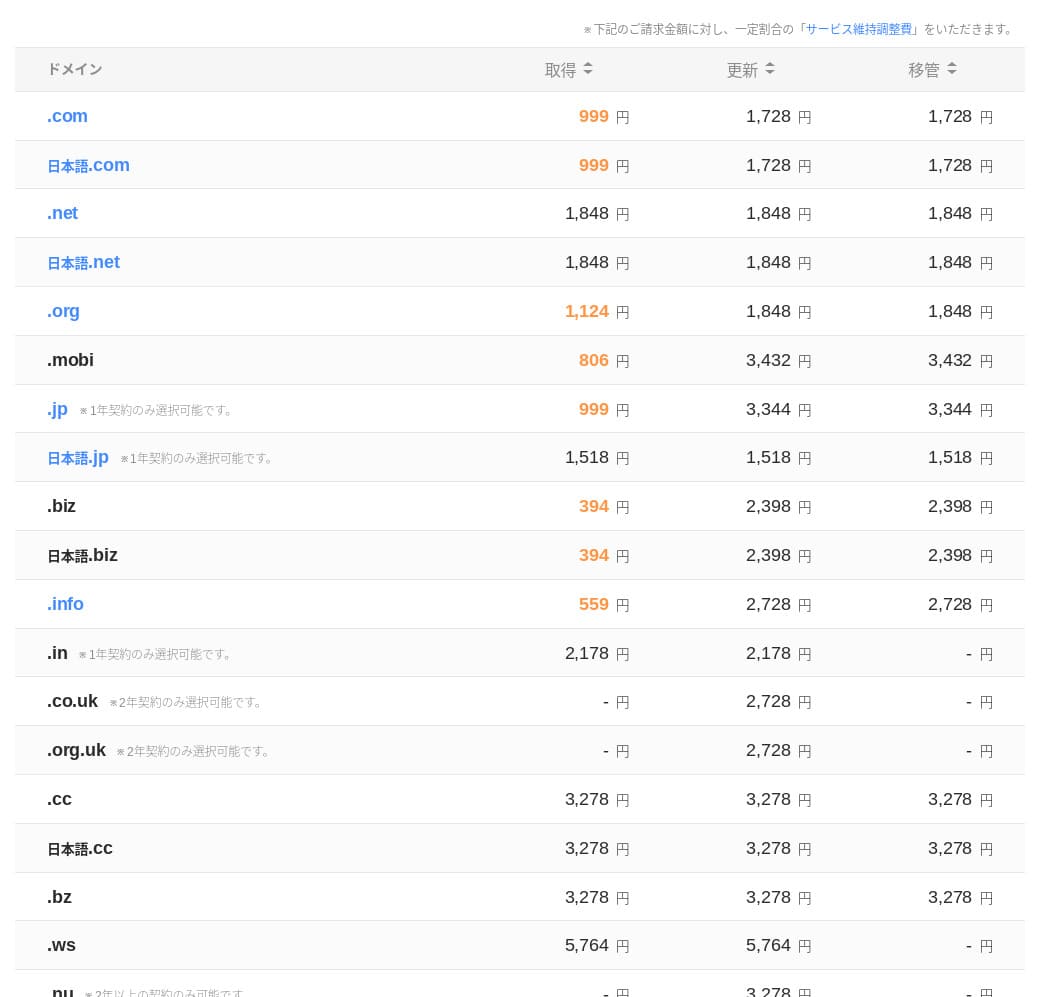
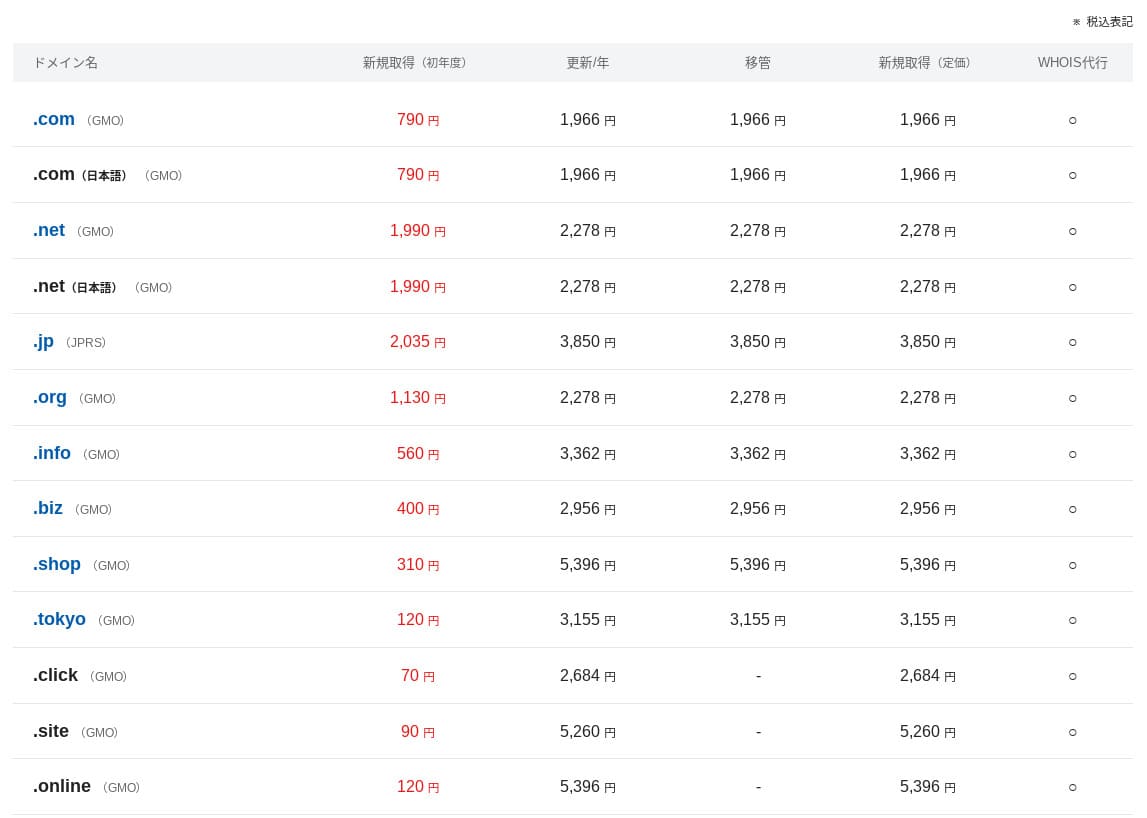
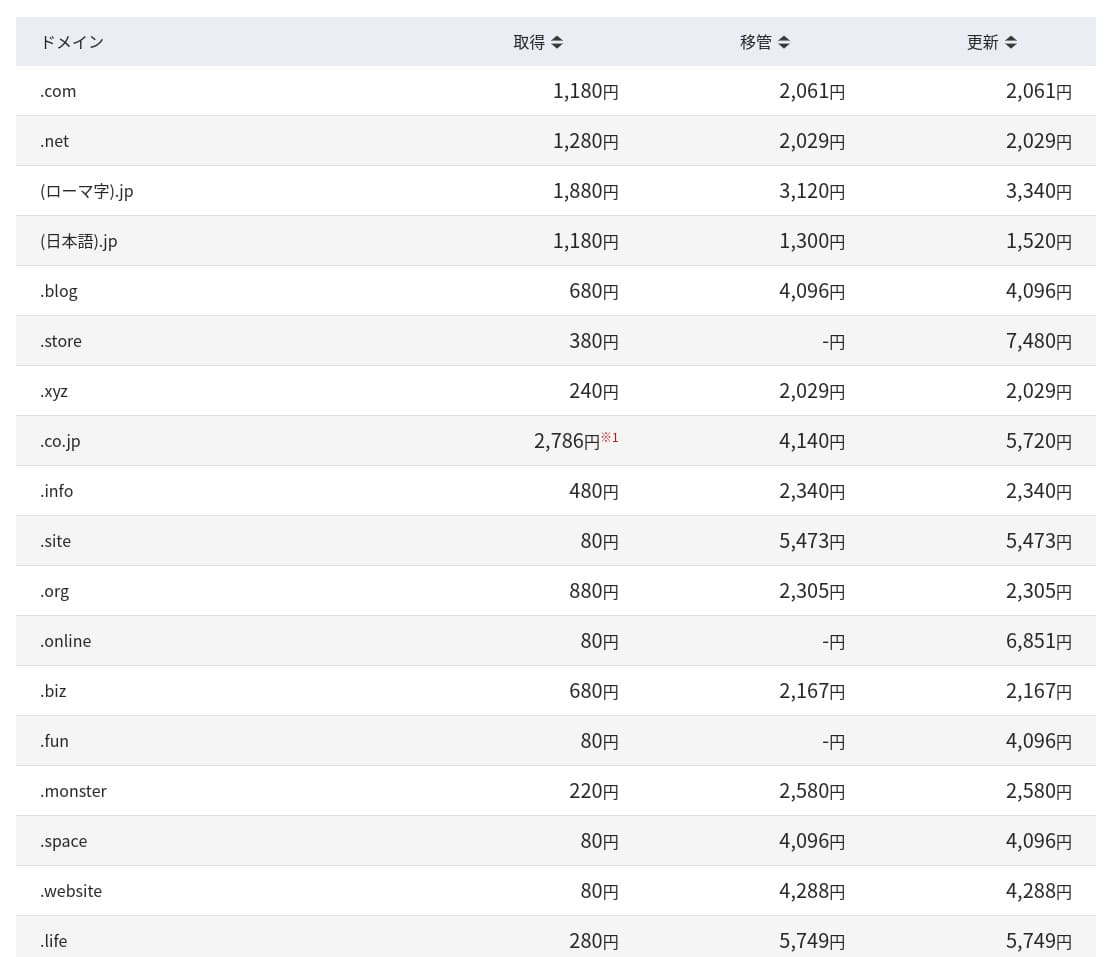
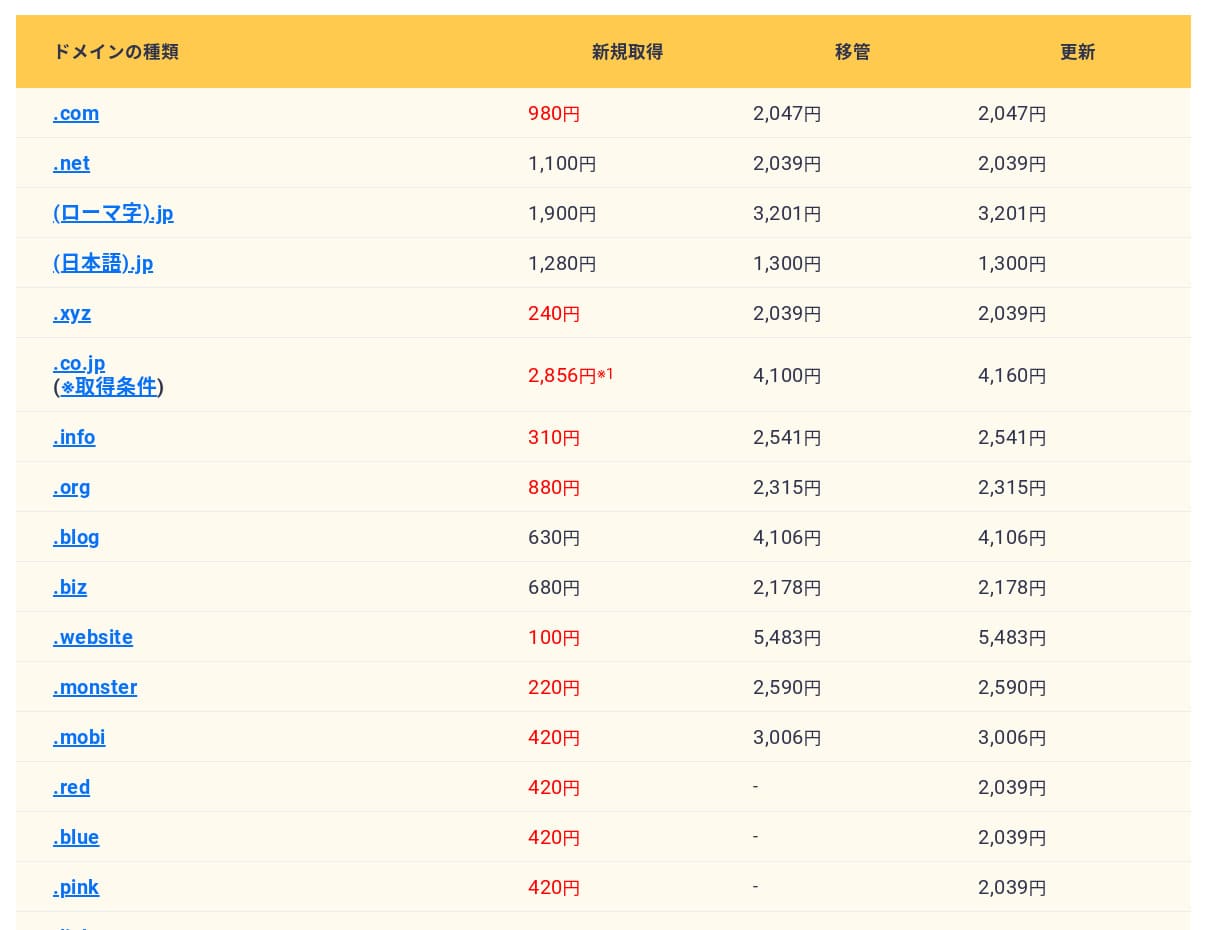
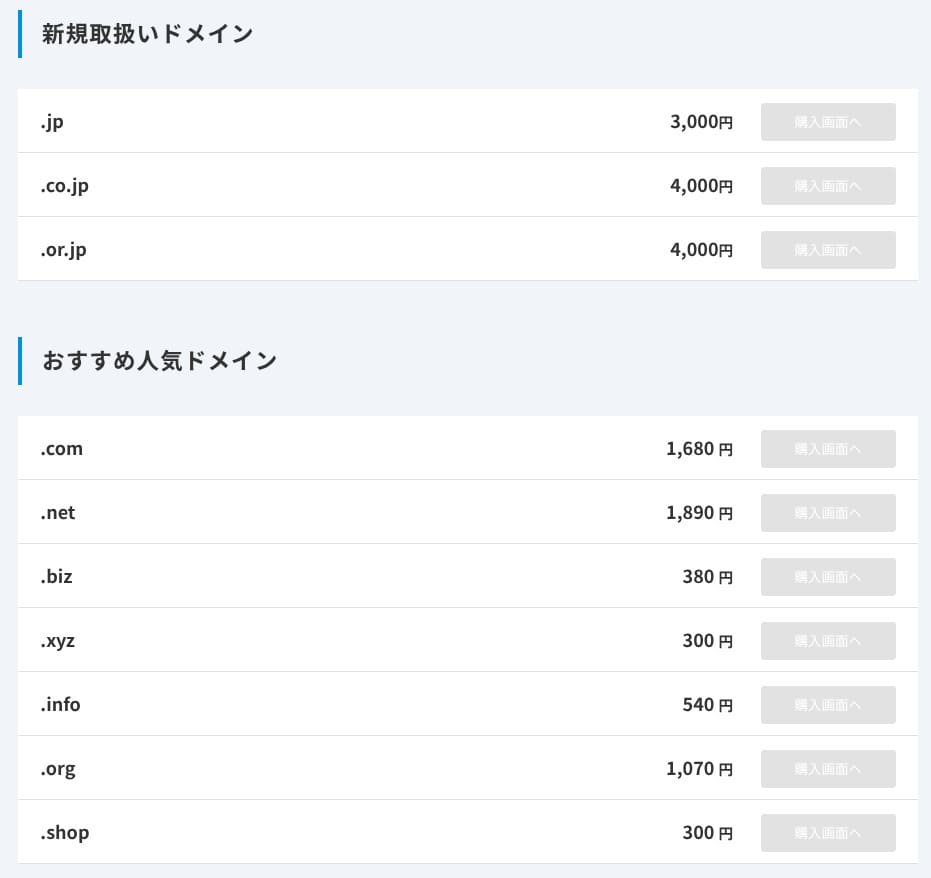
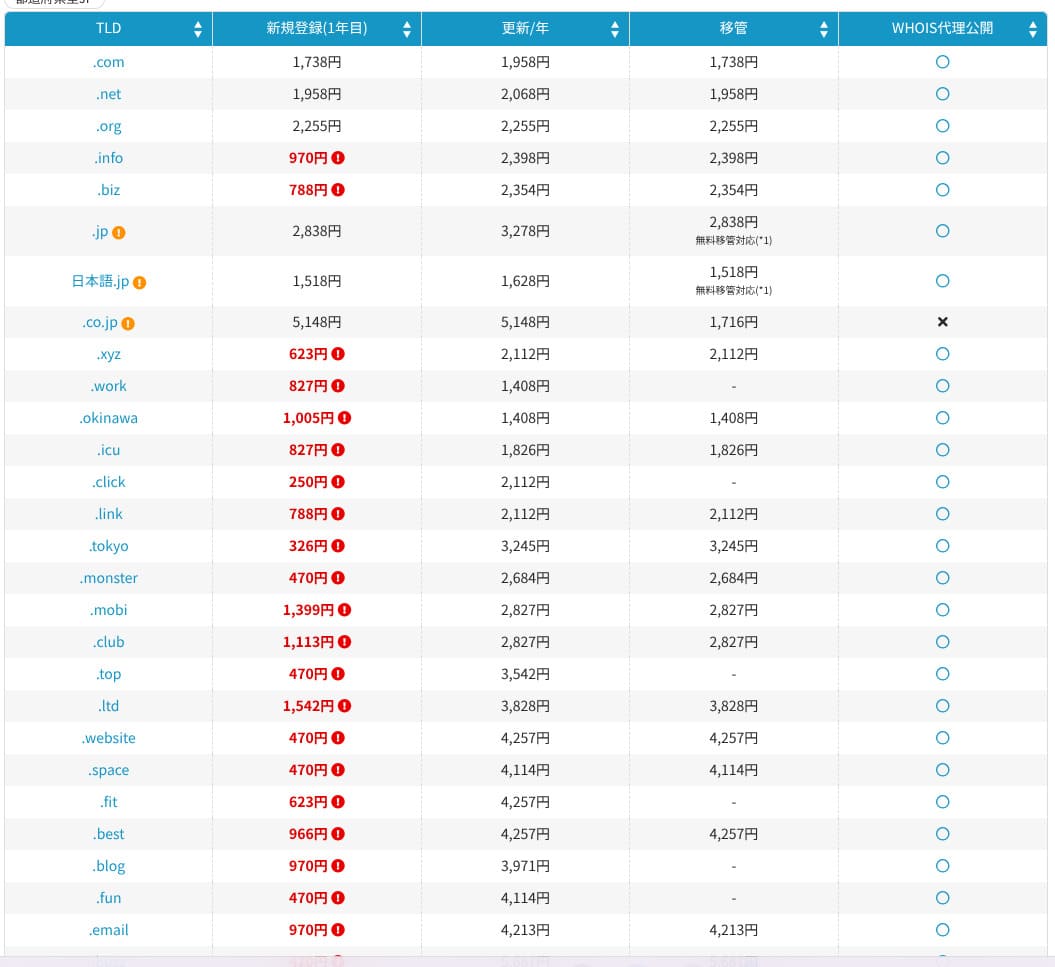
Japanese hosting companies such as ConoHa WING and XServer keep your domain free forever while your server contract remains active, so in this area Hostinger loses to some competitors.
SSL certificate cost
A Let's Encrypt-based DV SSL certificate is included with unlimited issuance and automatic renewal. There is no additional cost.
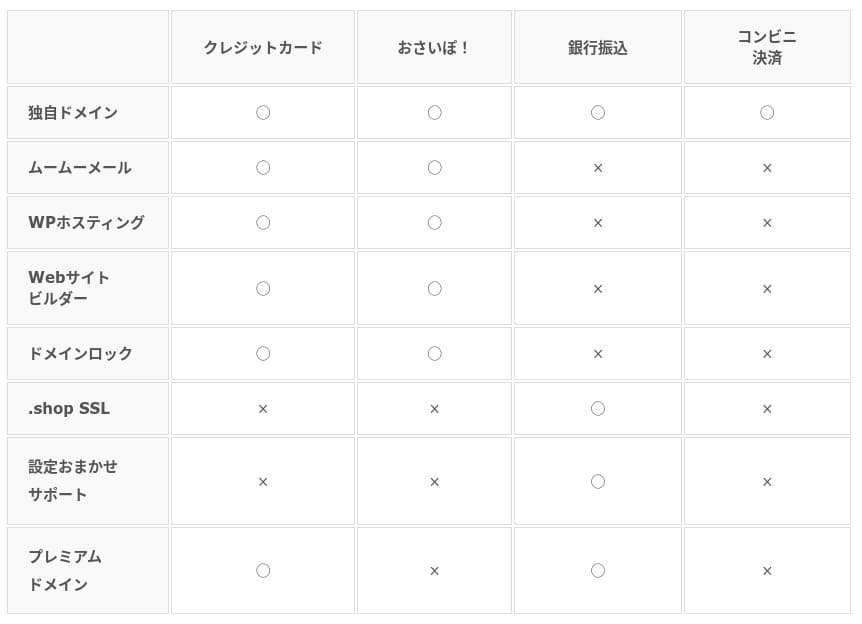
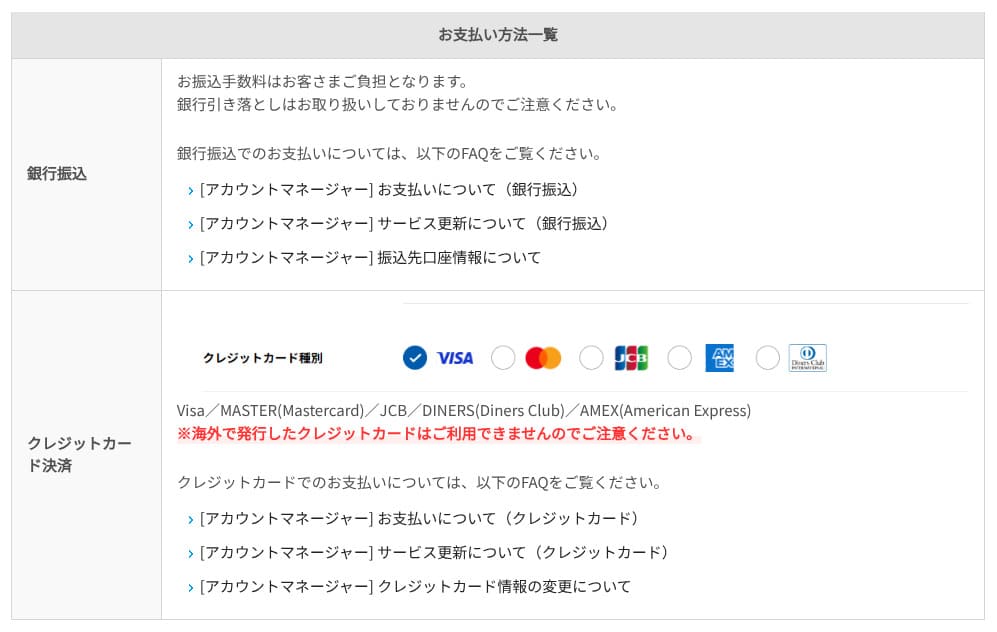
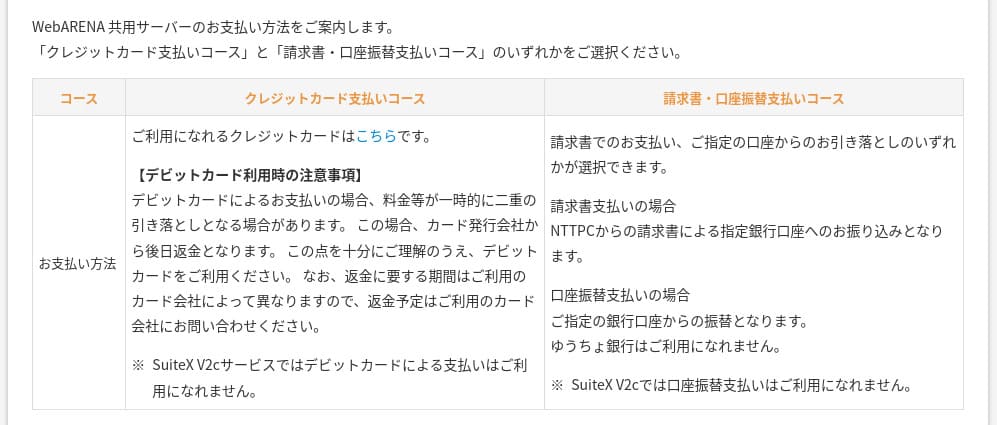
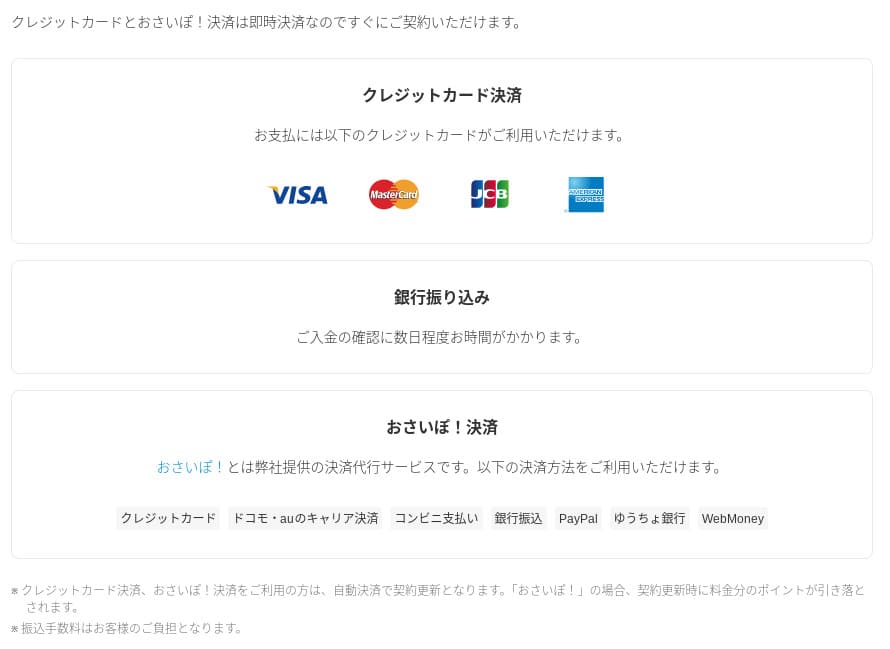
Payment methods
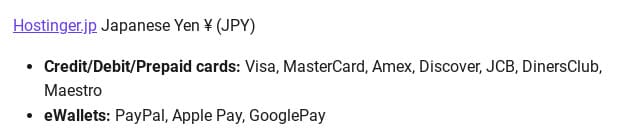
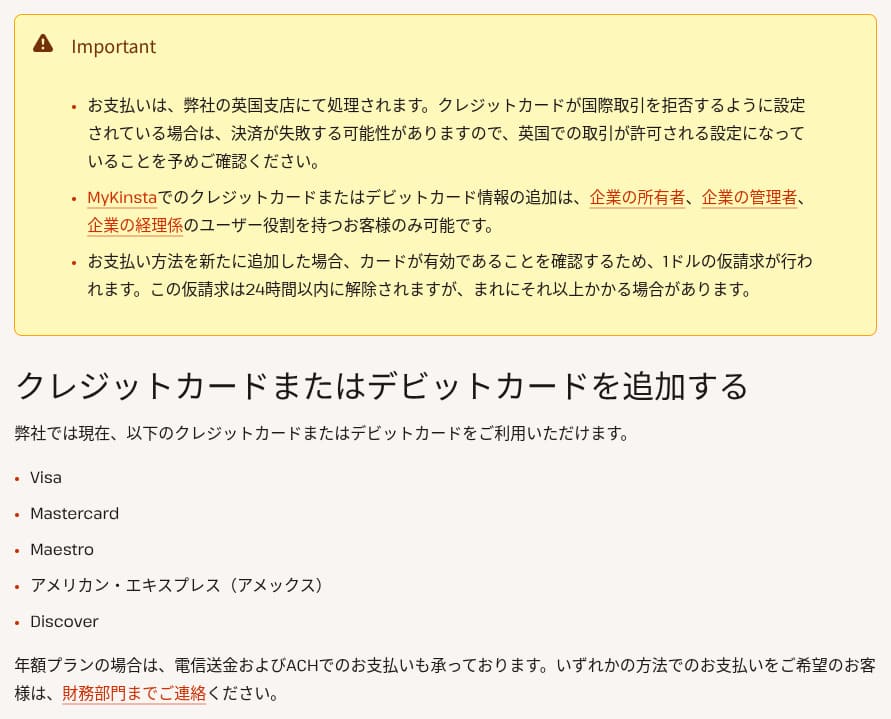
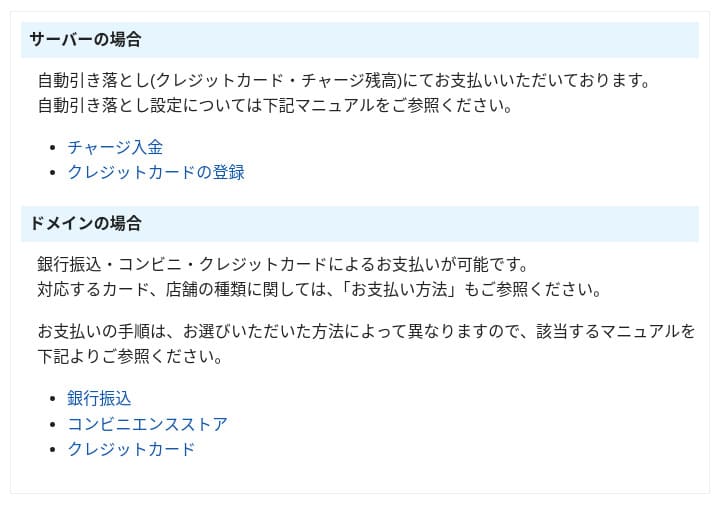
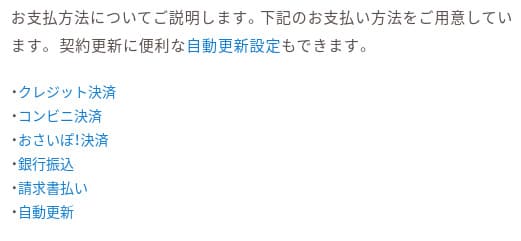
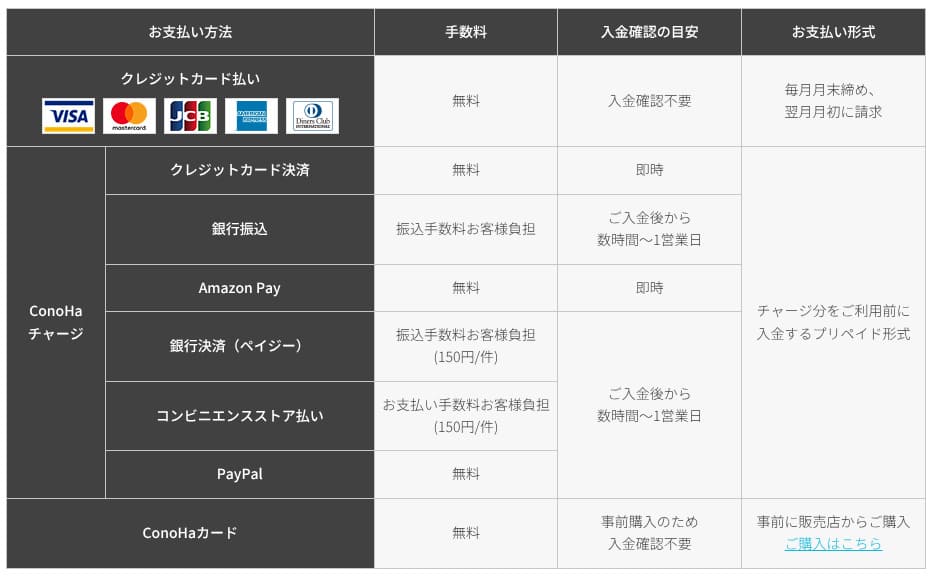
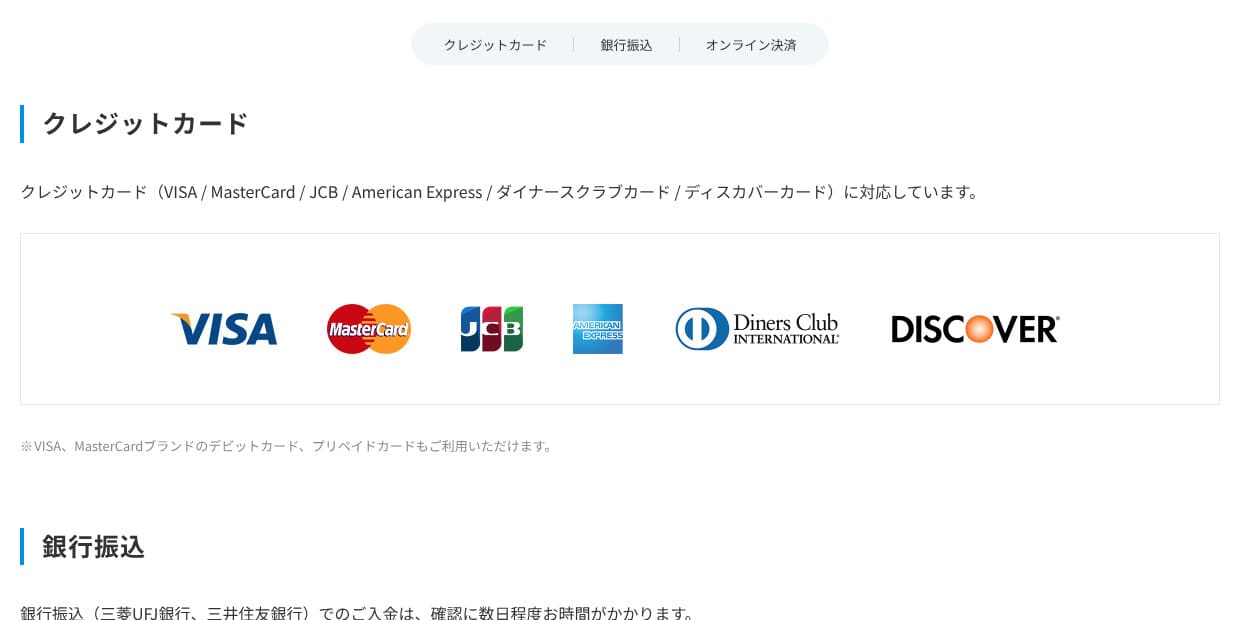
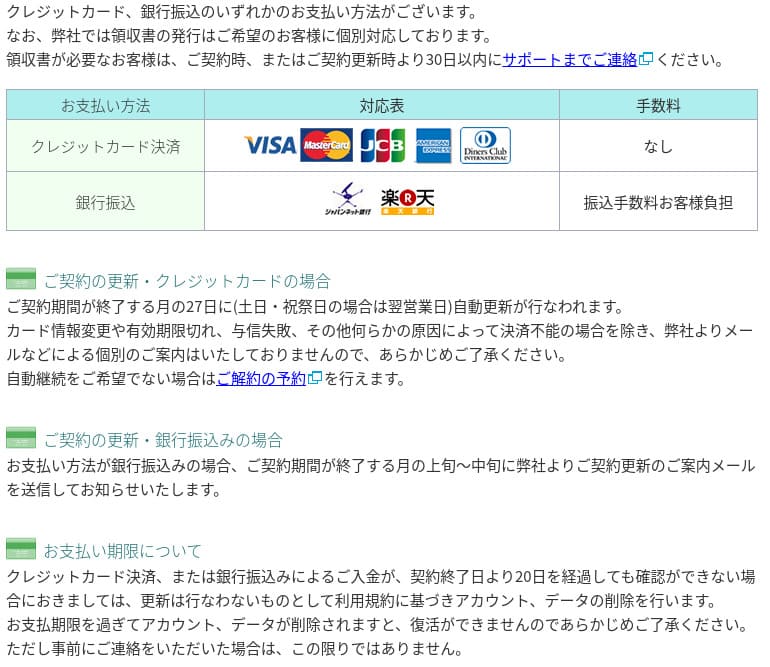
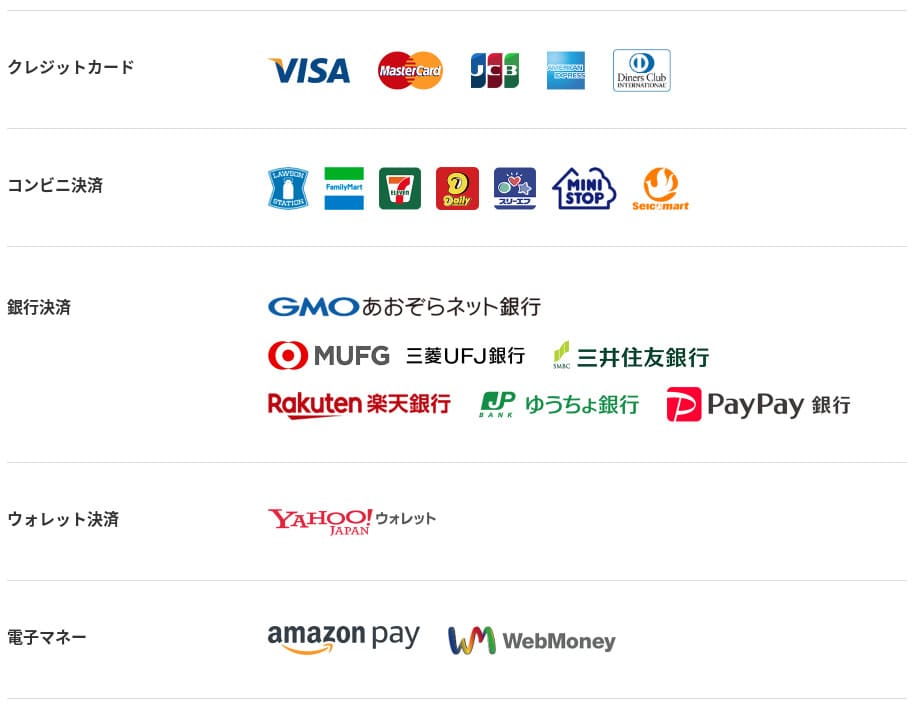
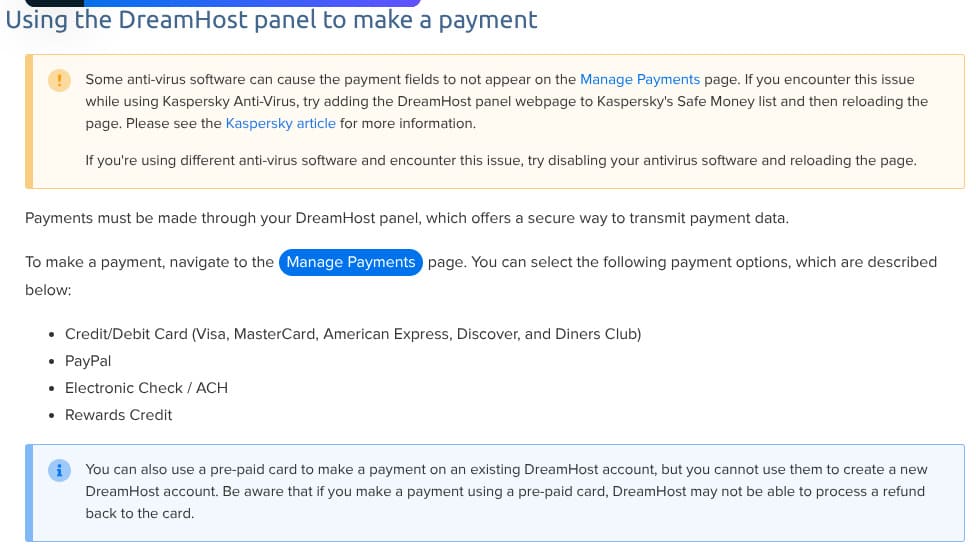
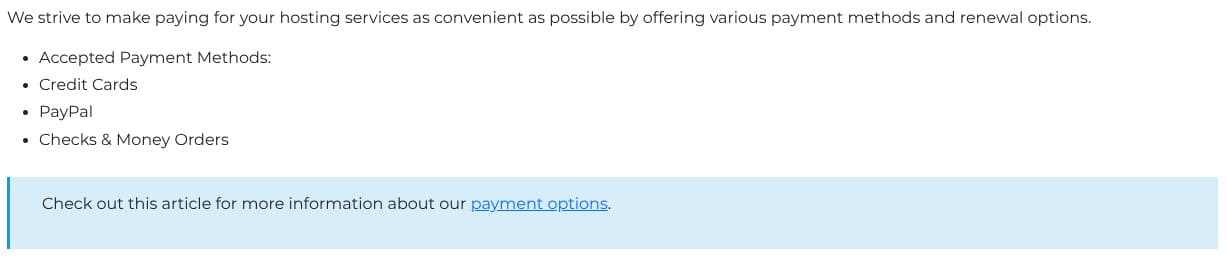
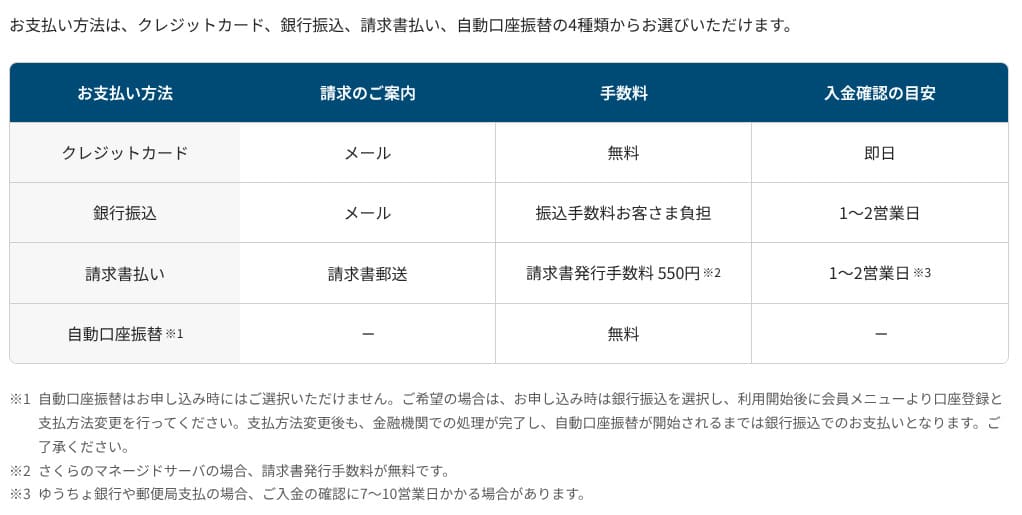
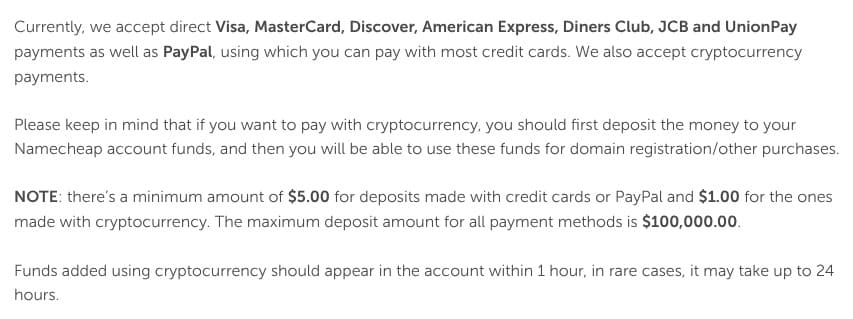
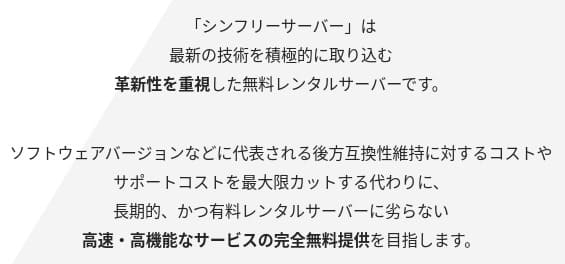
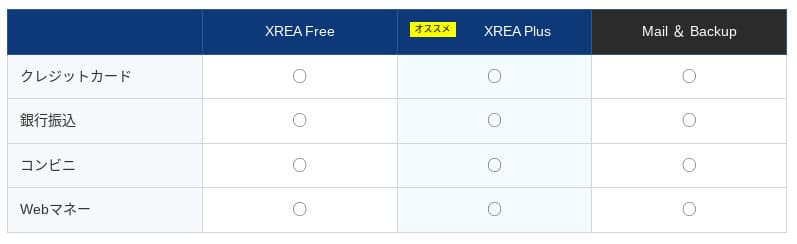
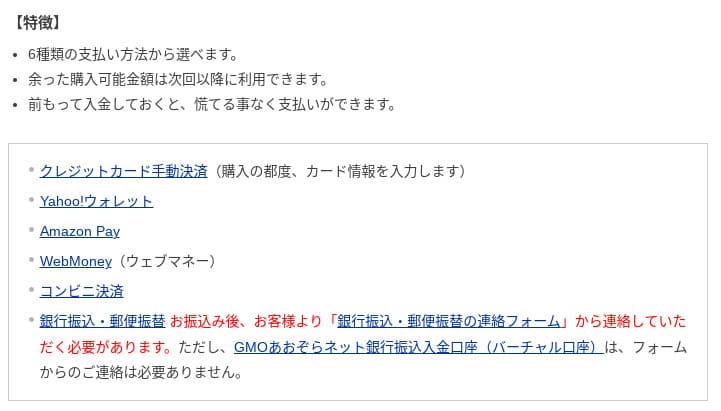
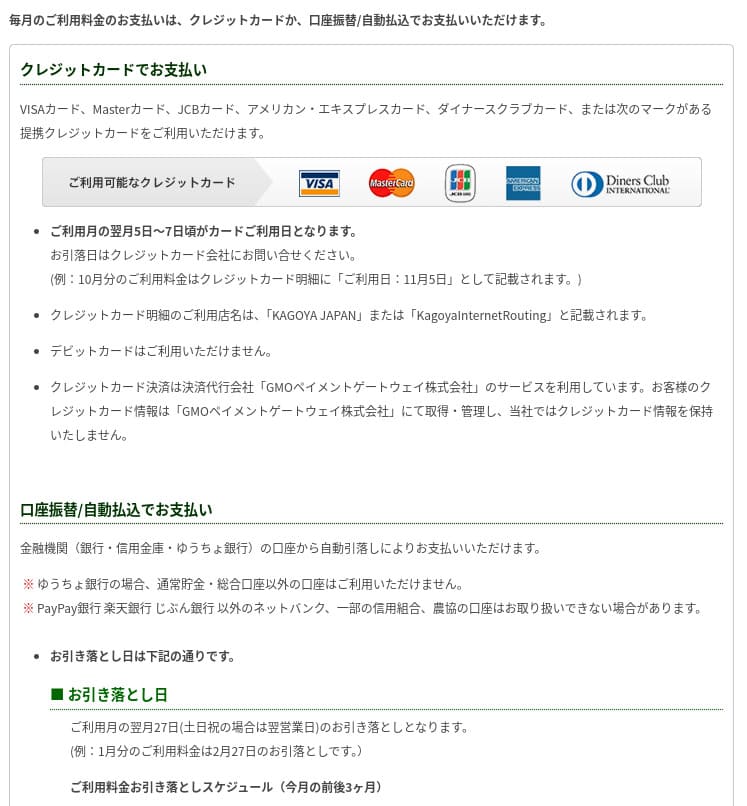
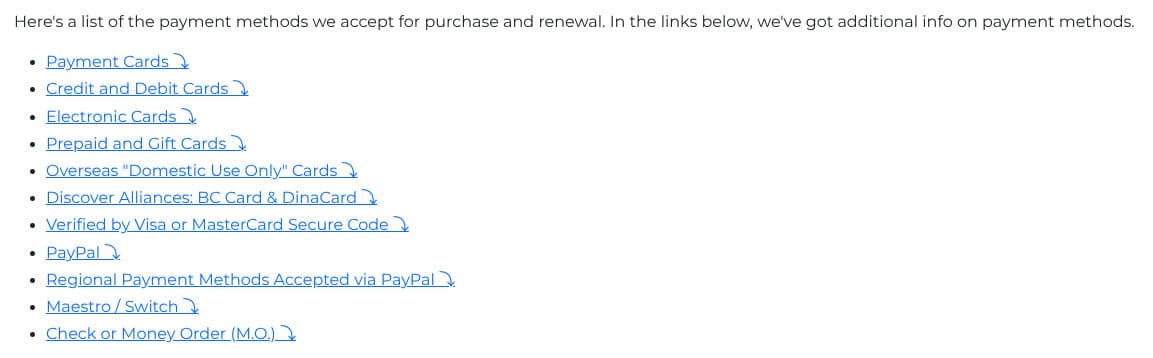
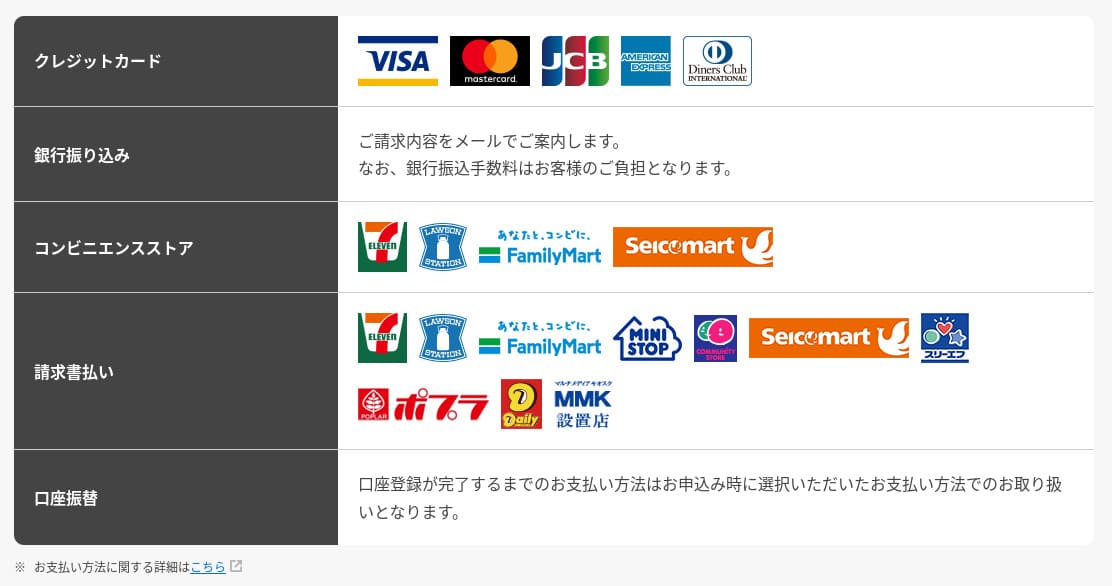
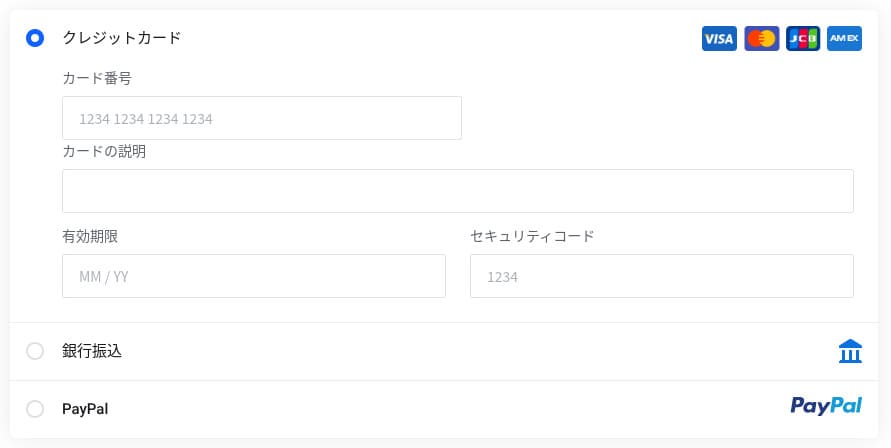
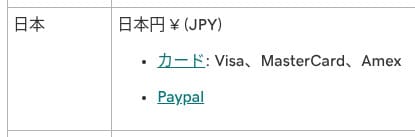
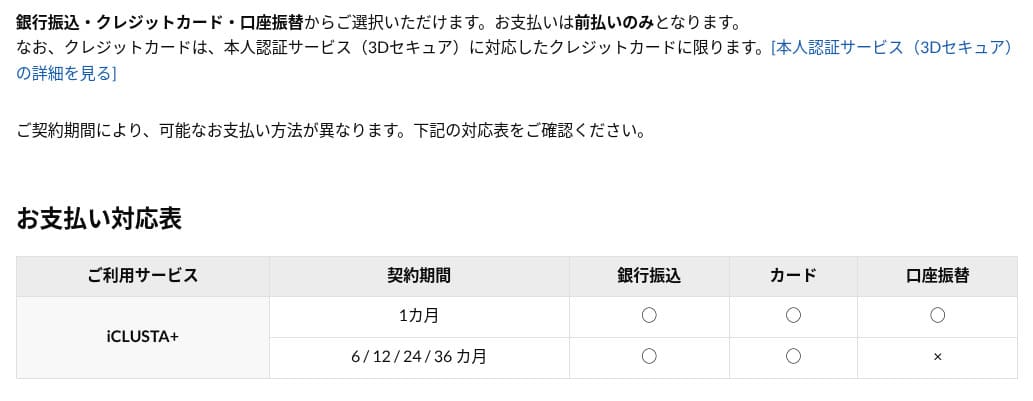
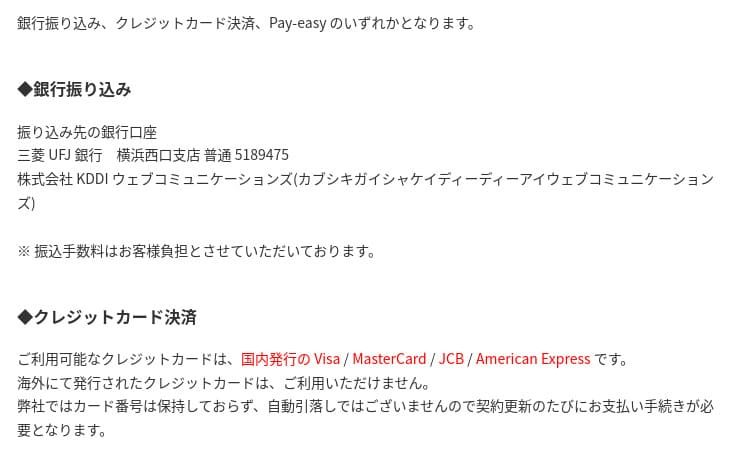
It offers a wide range of payment methods. Major credit cards such as Visa and MasterCard are supported, along with PayPal and other options. In practice, it is also helpful that corporate cards and overseas payments are less likely to be rejected.
- Hostinger
- Kinsta
- XServer Business
- wpx
- Lolipop!
- Star Rental Server
- Rakko Server
- XServer
- ConoHa
- Colorful Box
- Shin Rental Server
- Little Server
- CORESERVER
- DreamHost
- Bluehost
- Sakura
- Namecheap
- Shin Free
- XREA
- Value Server
- KAGOYA
- SiteGround
- Hostgator
- IONOS
- Onamae.com
- ABLENET
- mixhost
- GoDaddy
- iCLUSTA+
- MuuMuu Server
- WADAX
- WebARENA
- heteml
- CPI Rental Server







Usability and support review
How easy the control panel is to use
Hostinger's in-house control panel, hPanel, is very easy to use because its categories are neatly organized. If you dislike the clutter of cPanel, you will probably find it much easier to work with.
- Home
- Billing
- WordPress
- Domains
- Backups
- File Manager
- FTP
- Redirects
- Error Pages
- Cron
- Performance
- Marketplace
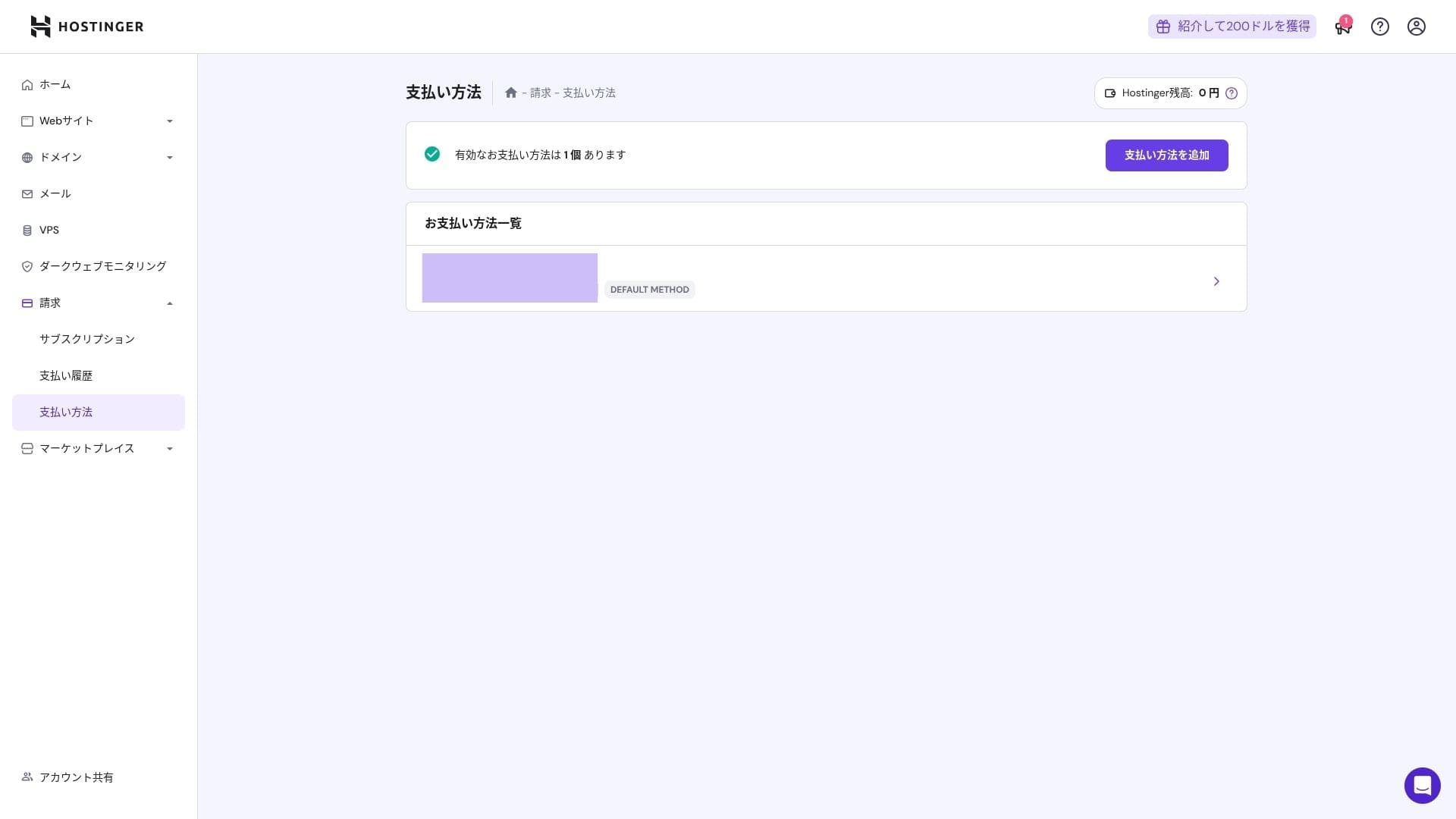
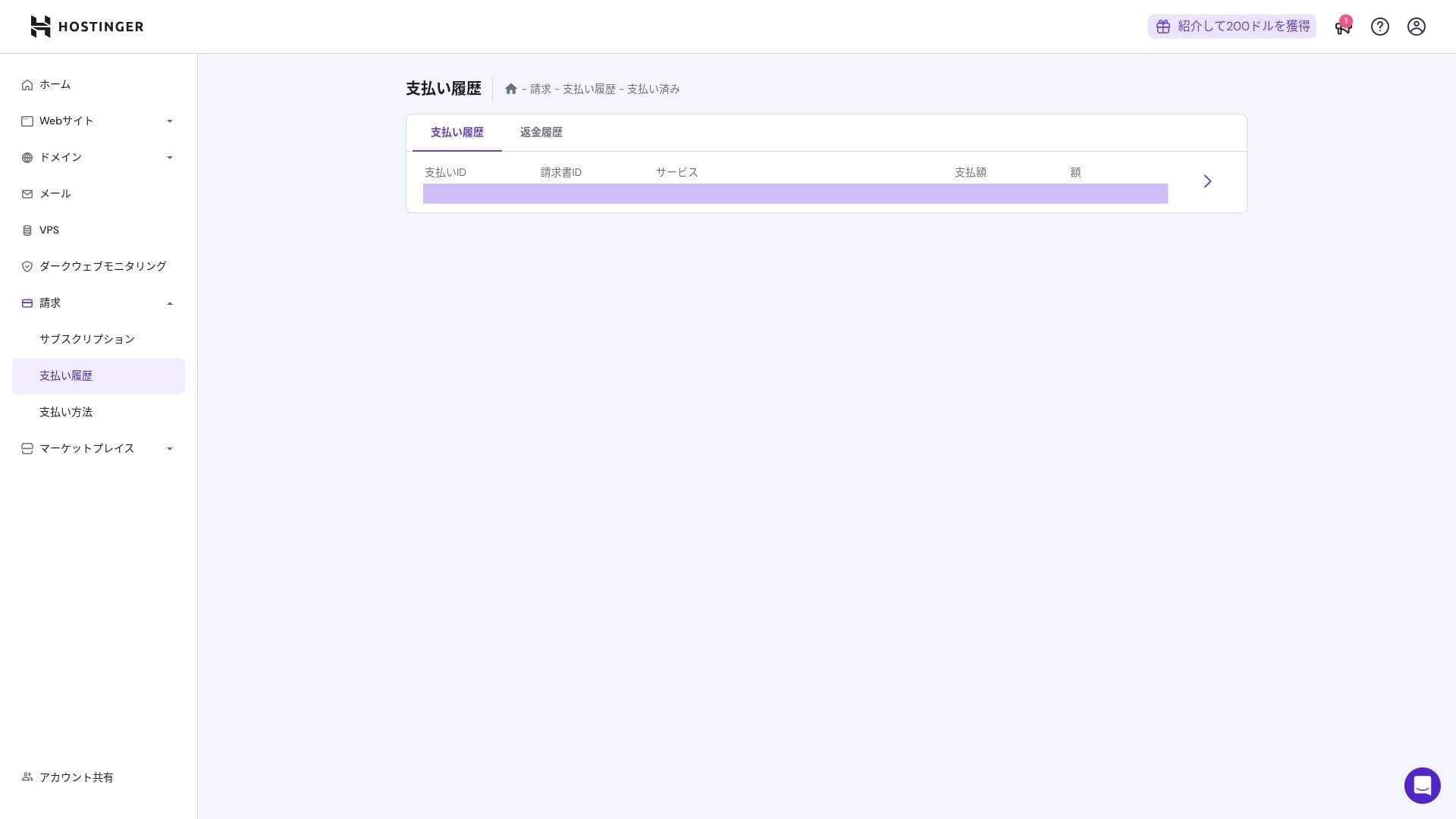
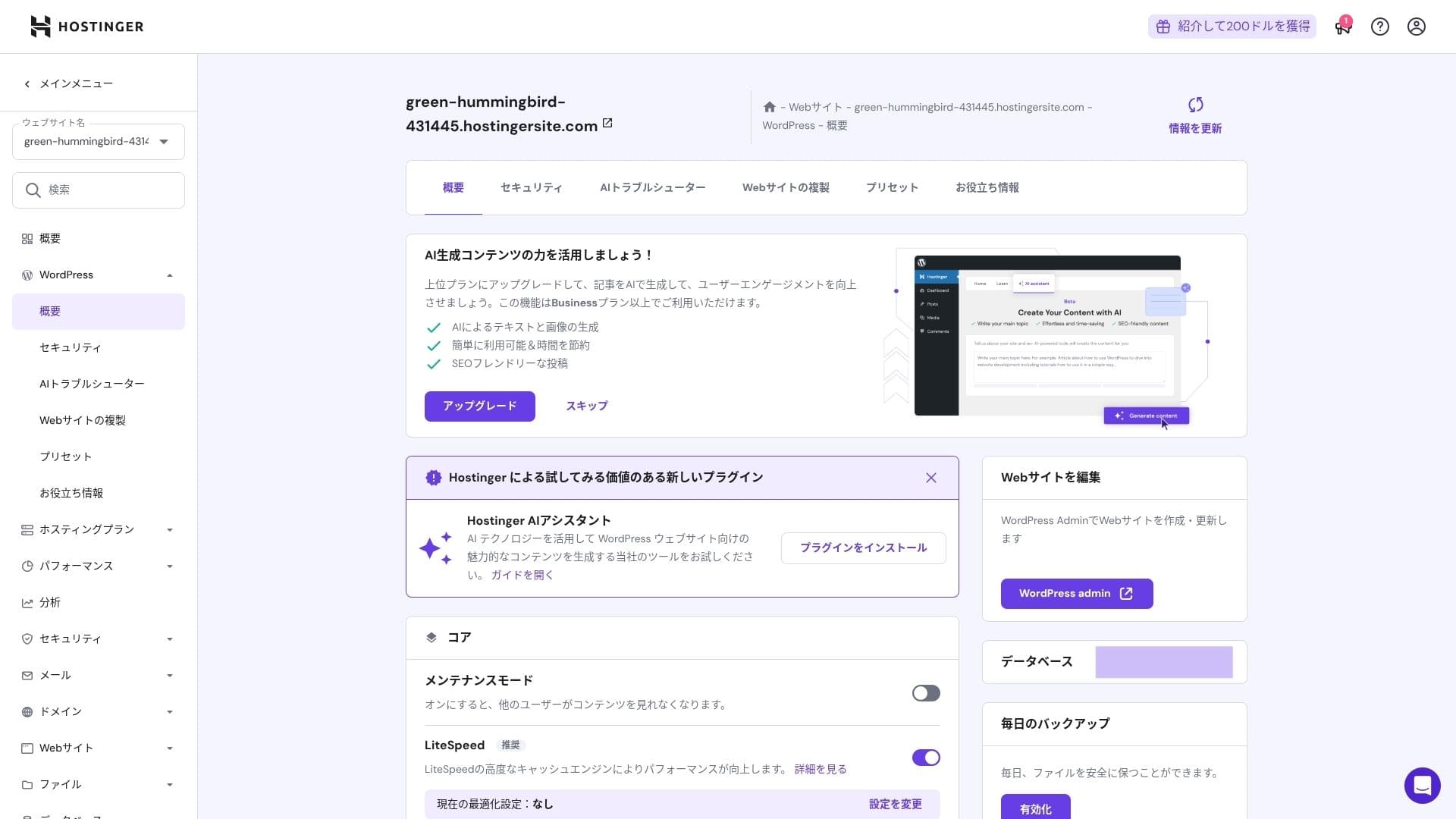
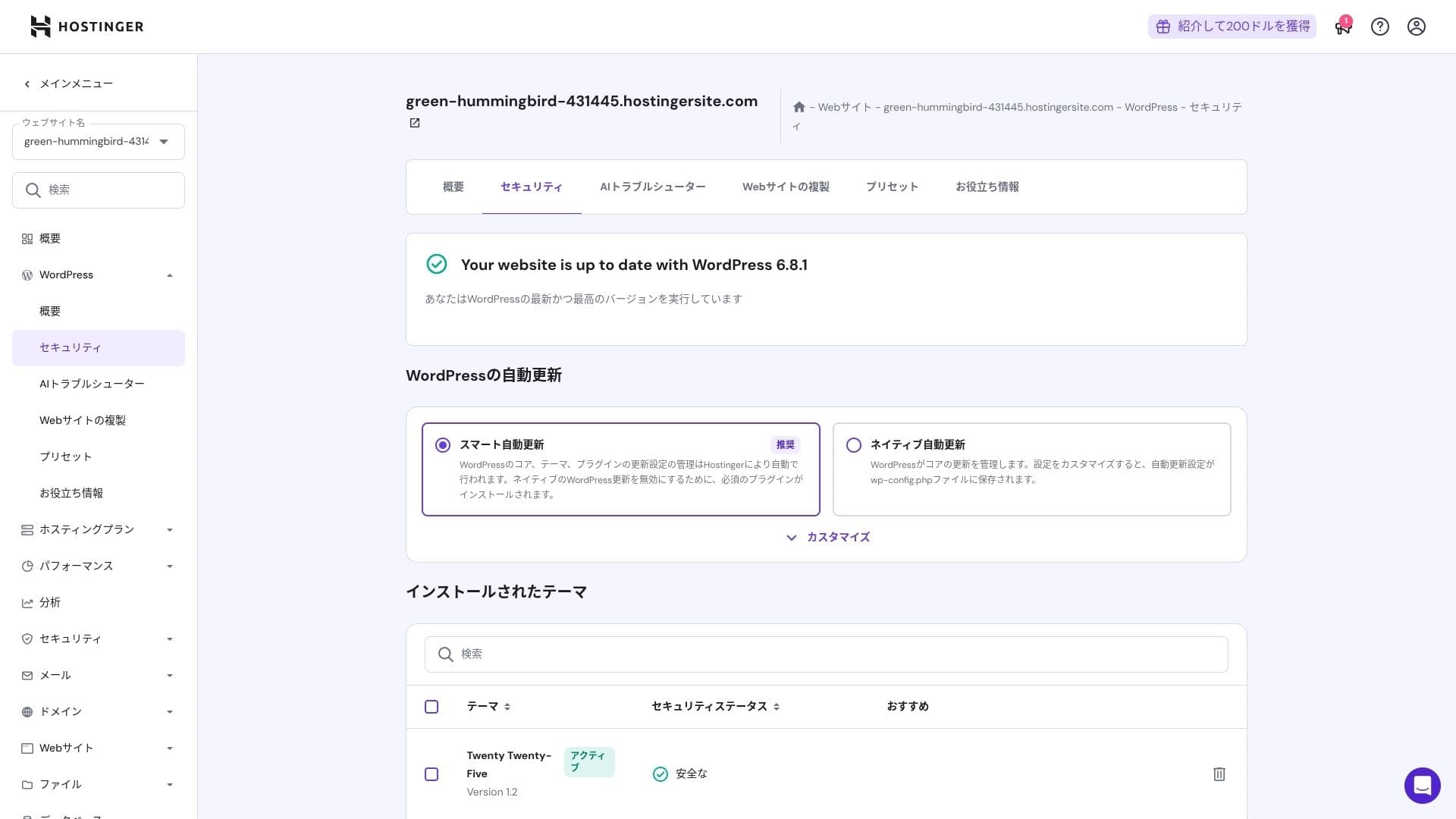
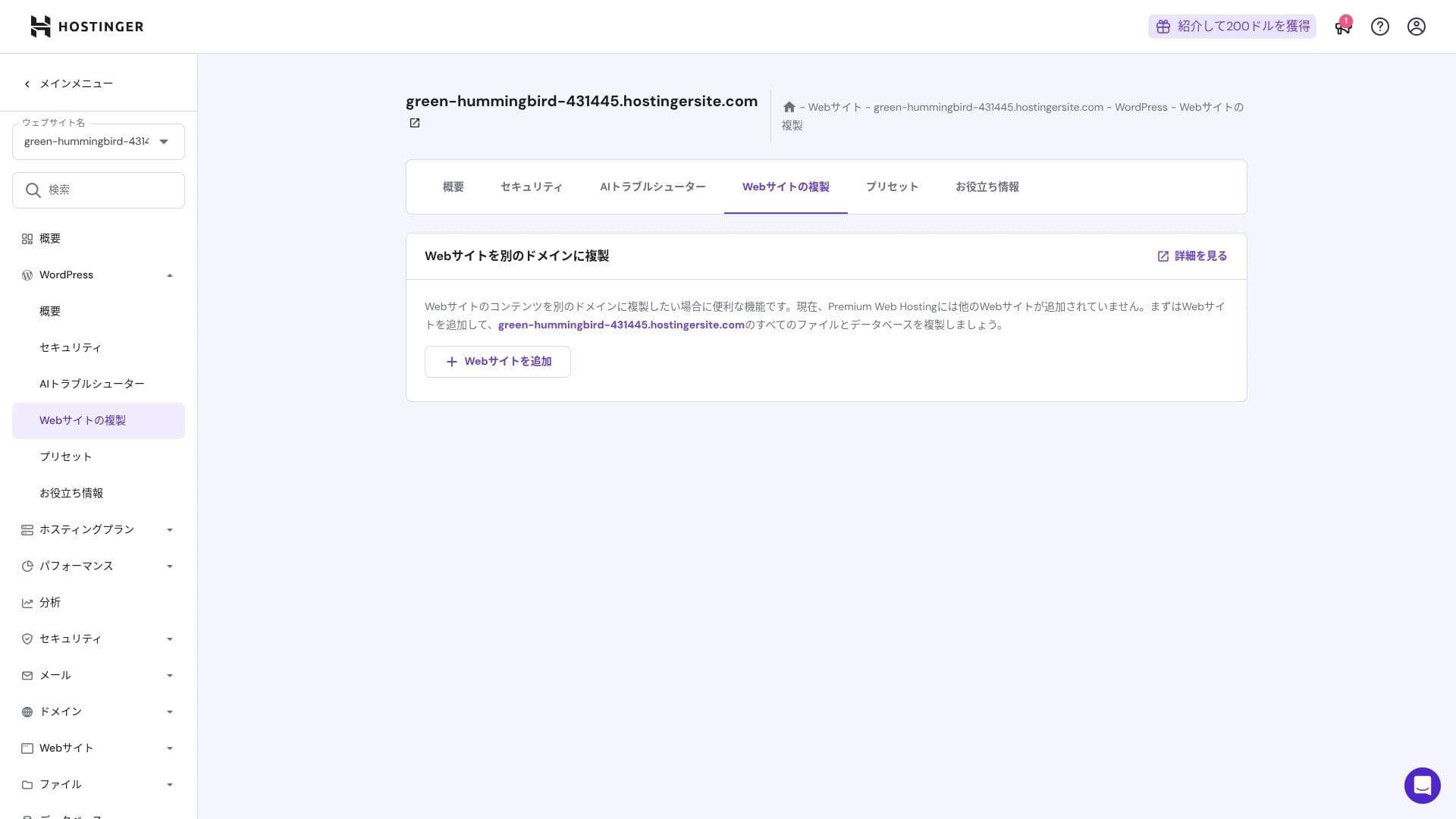
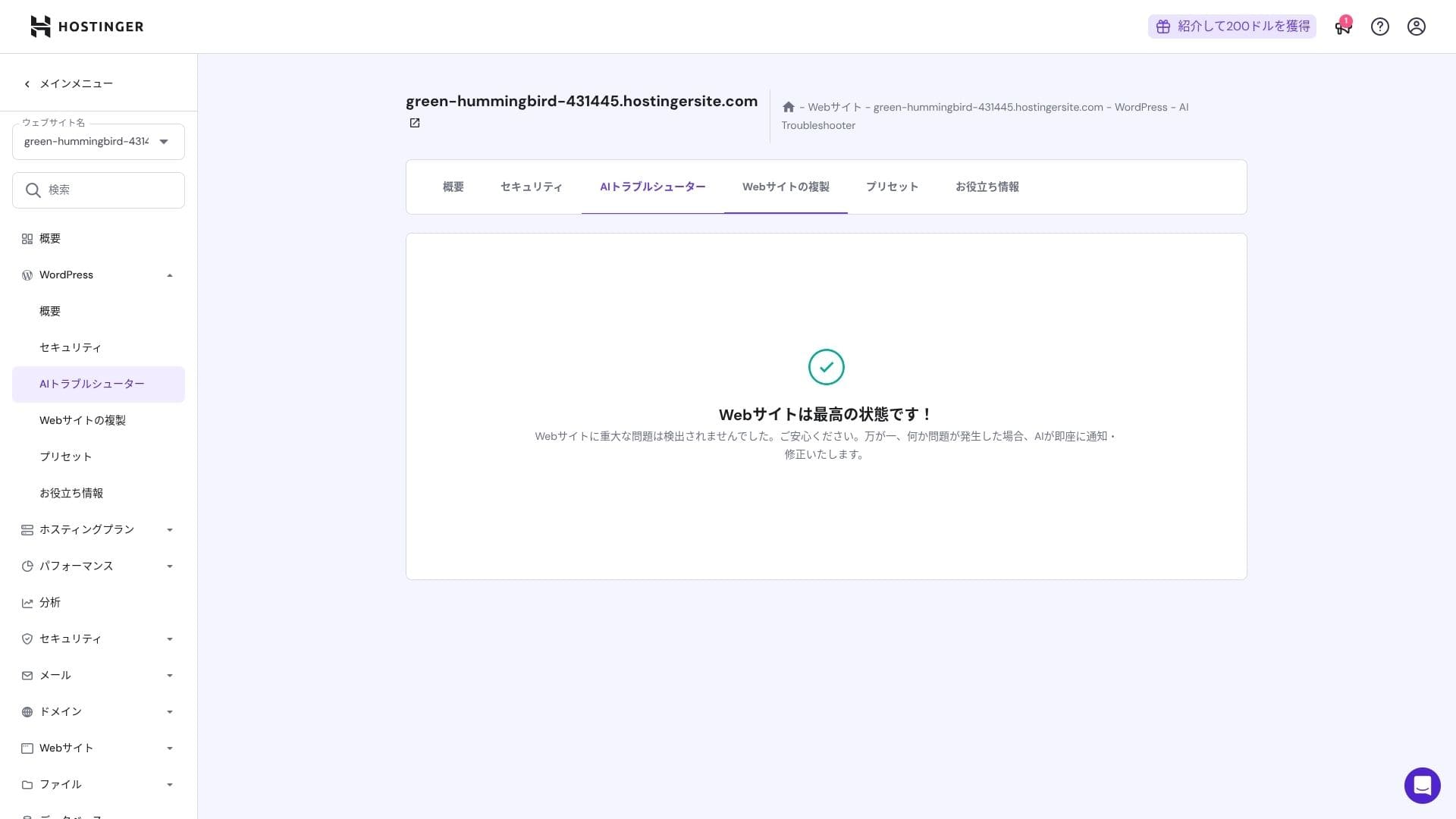
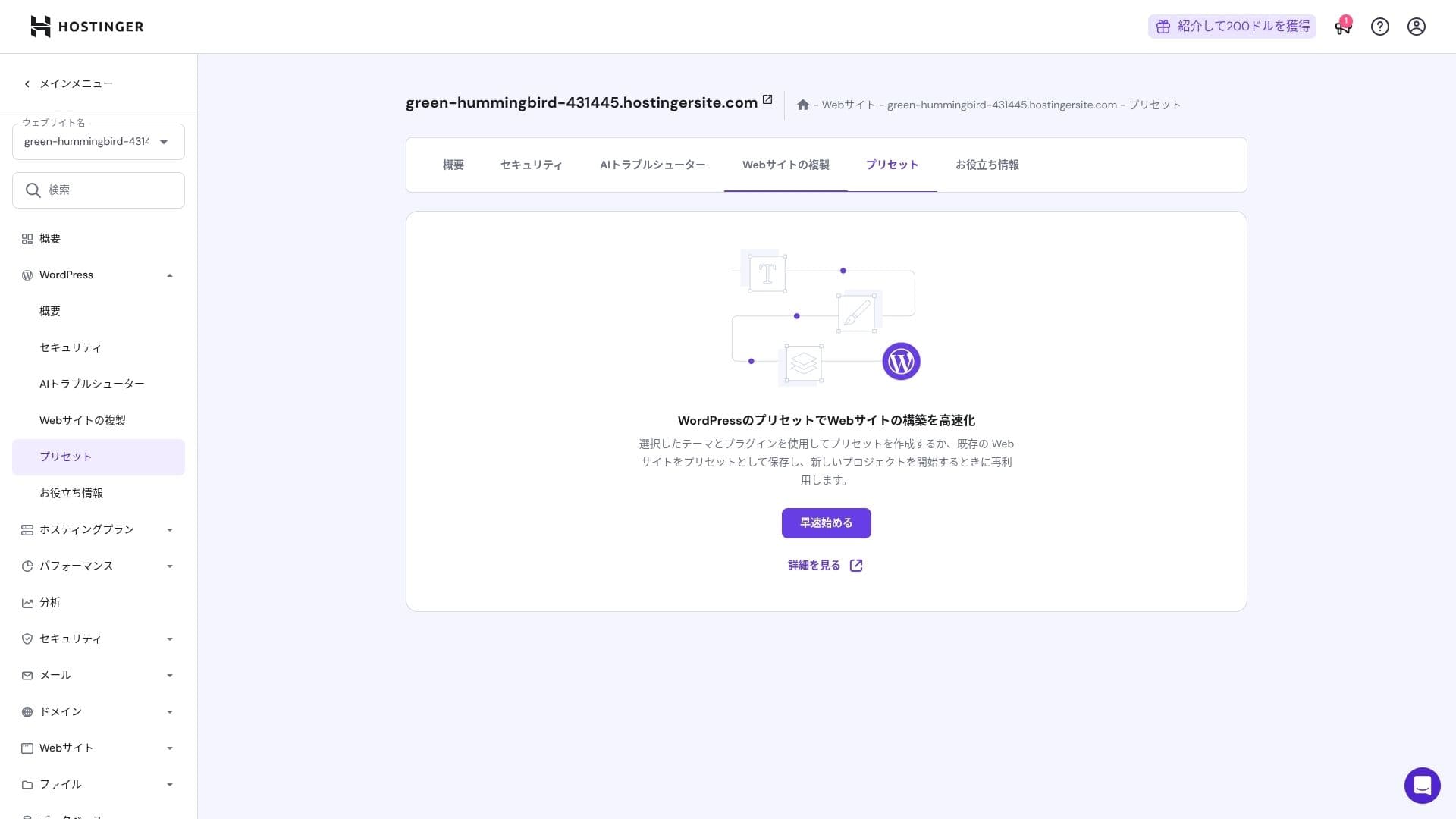
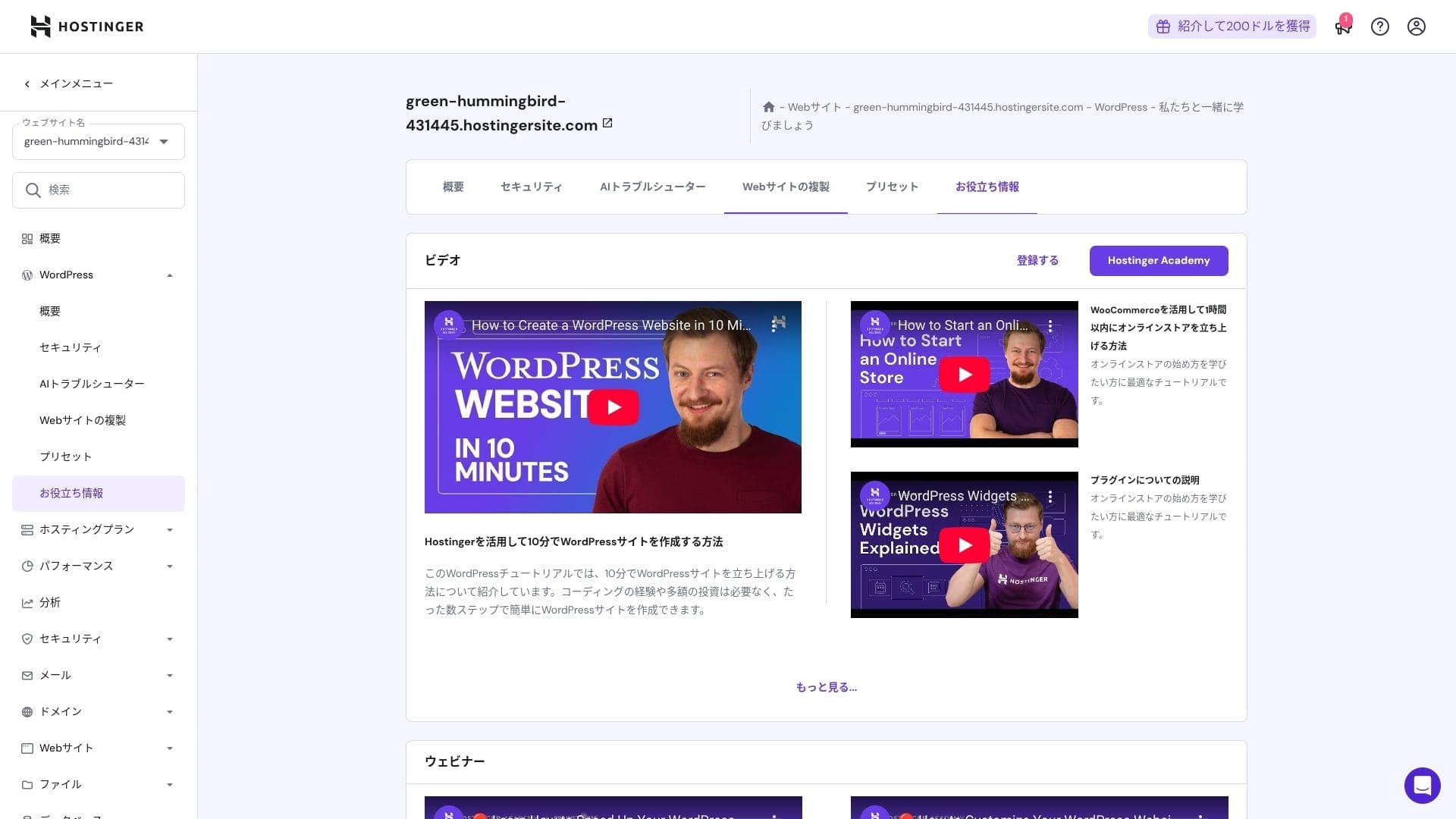
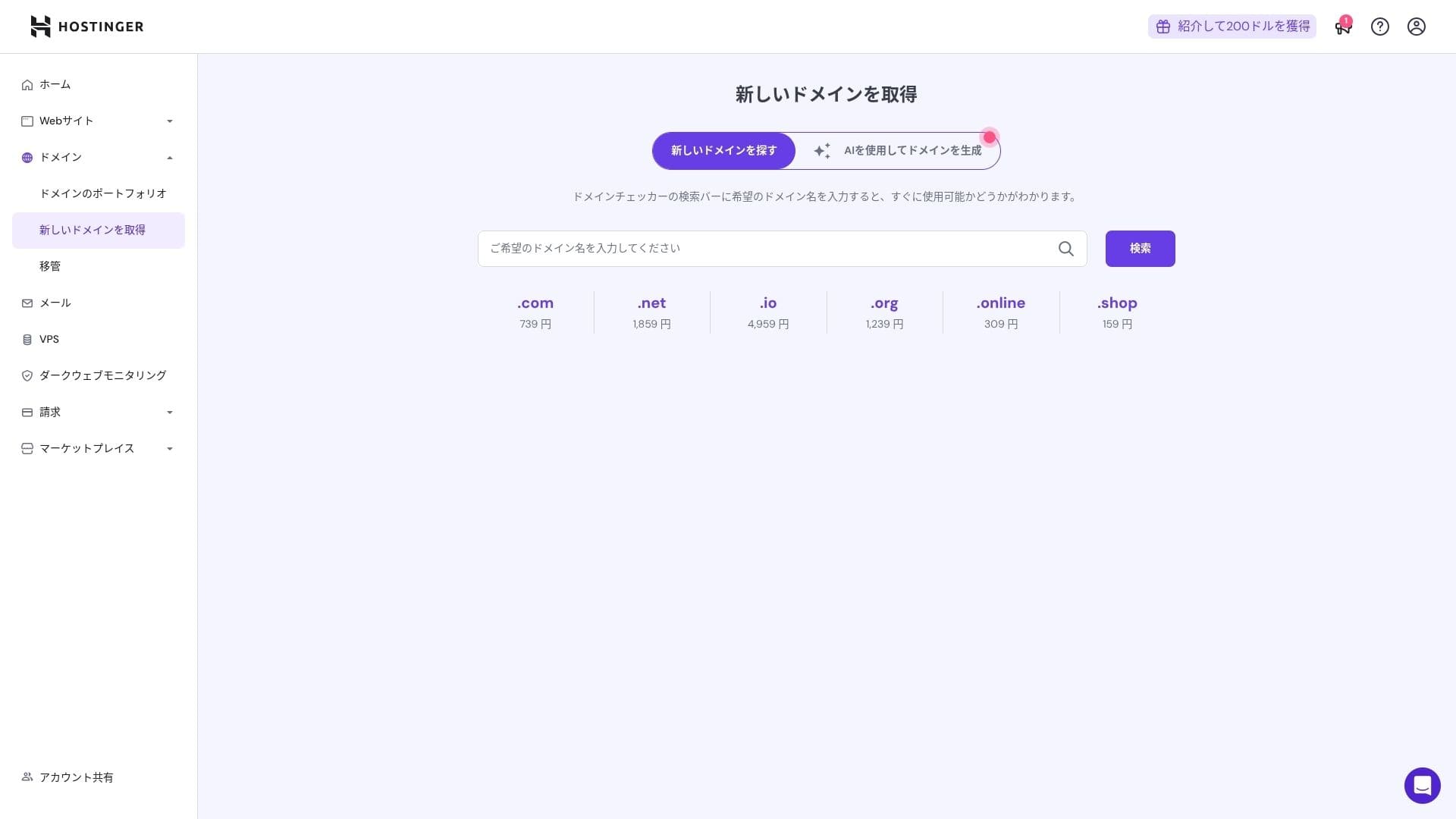
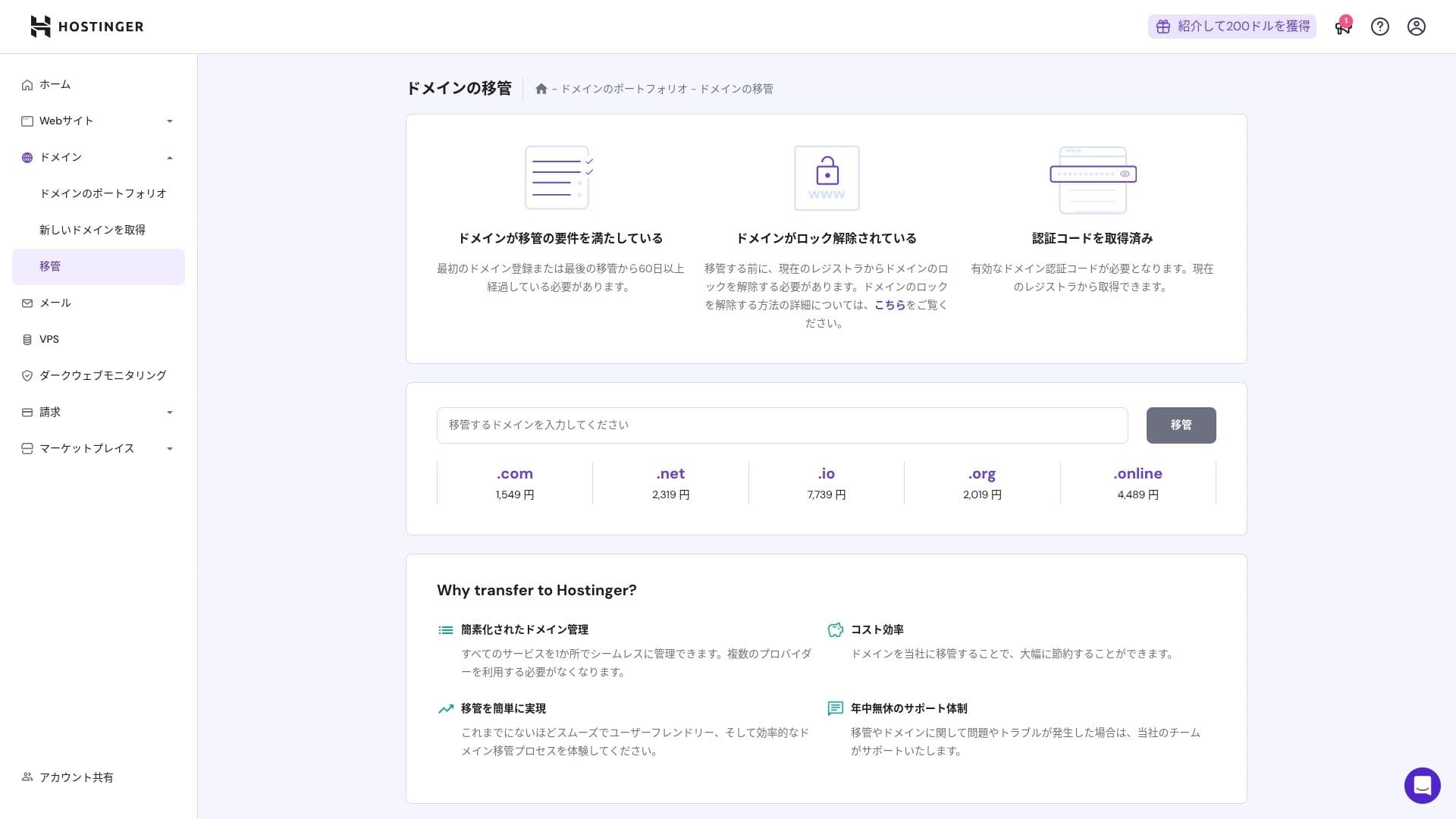
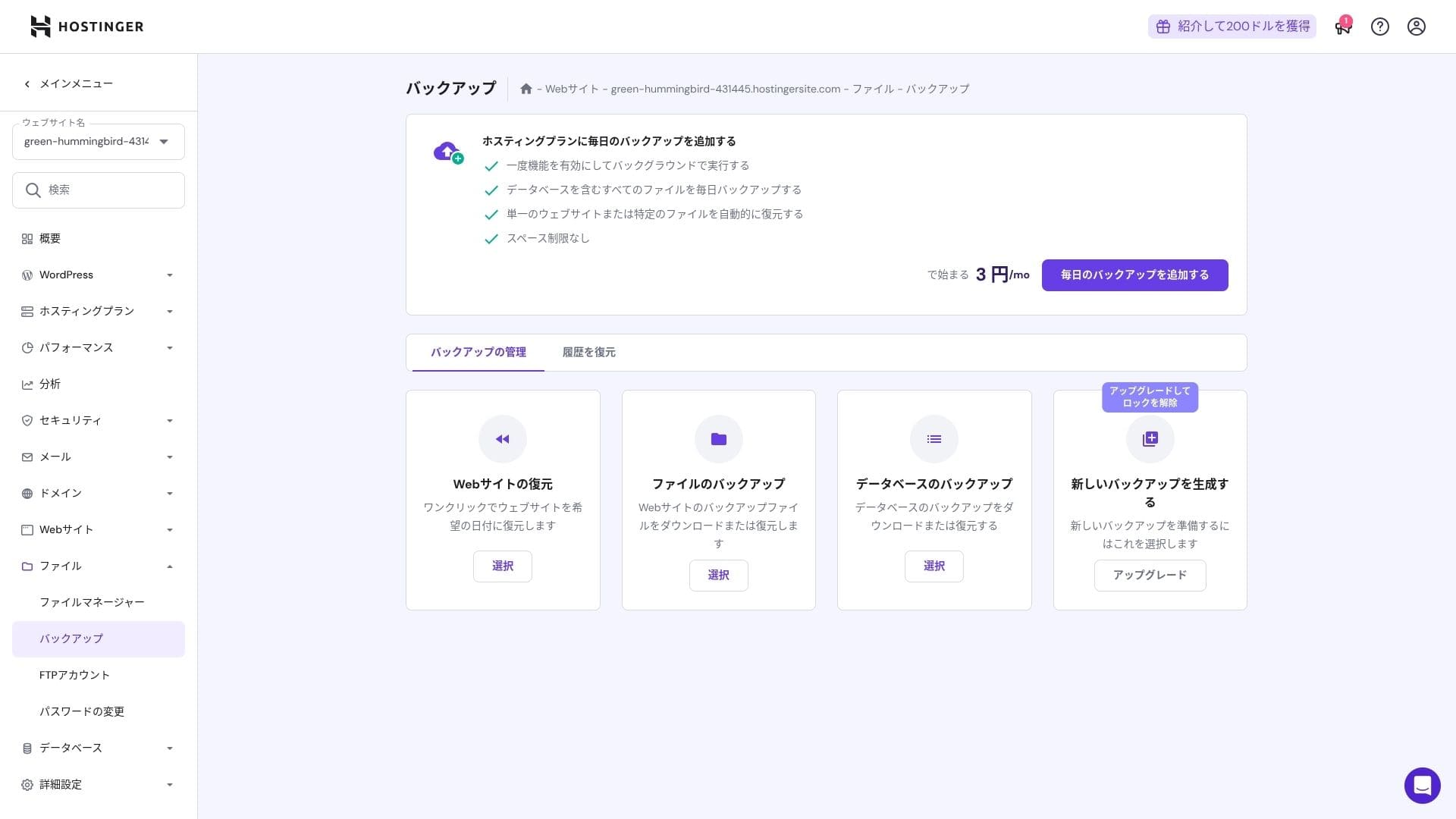
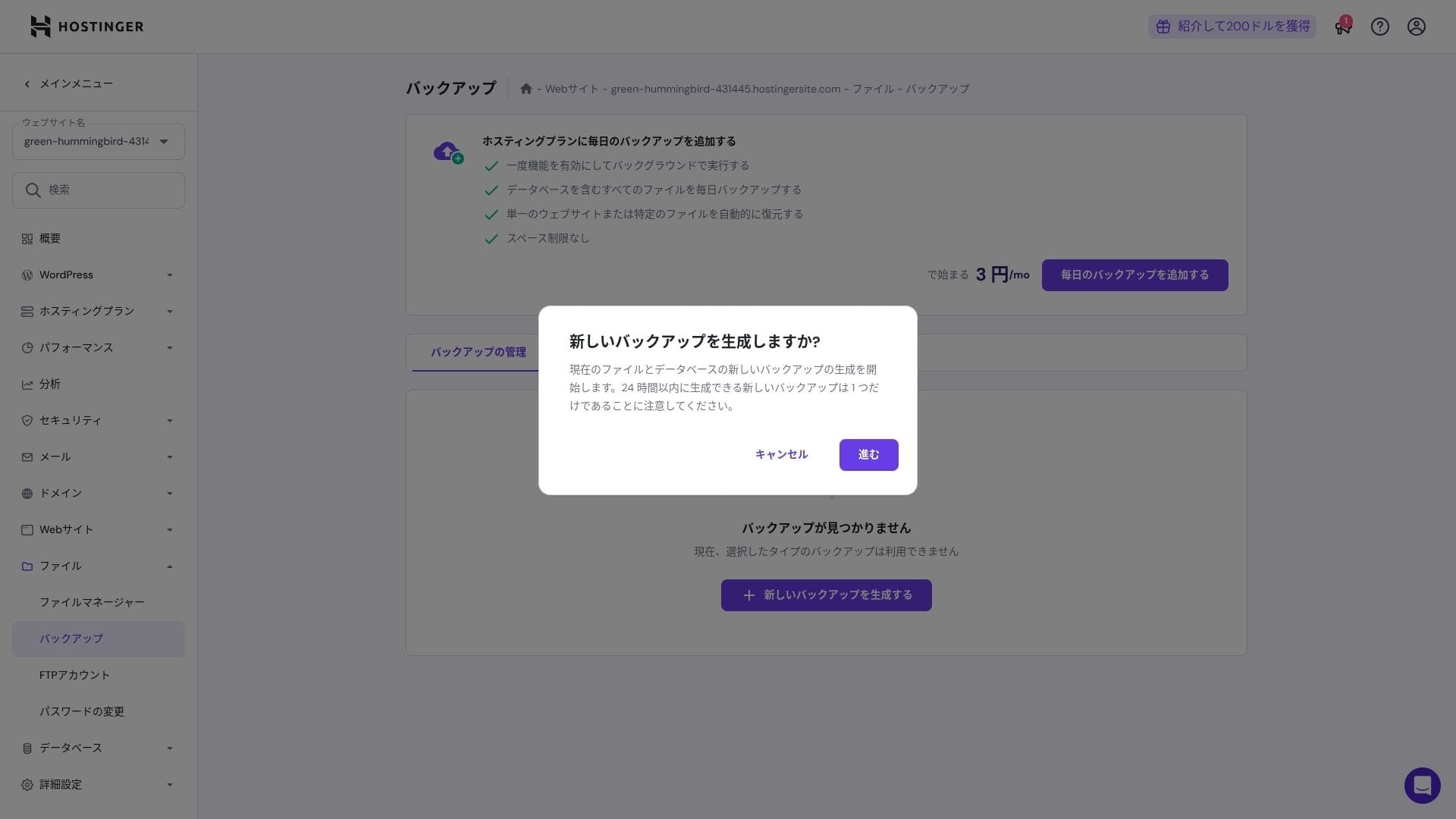
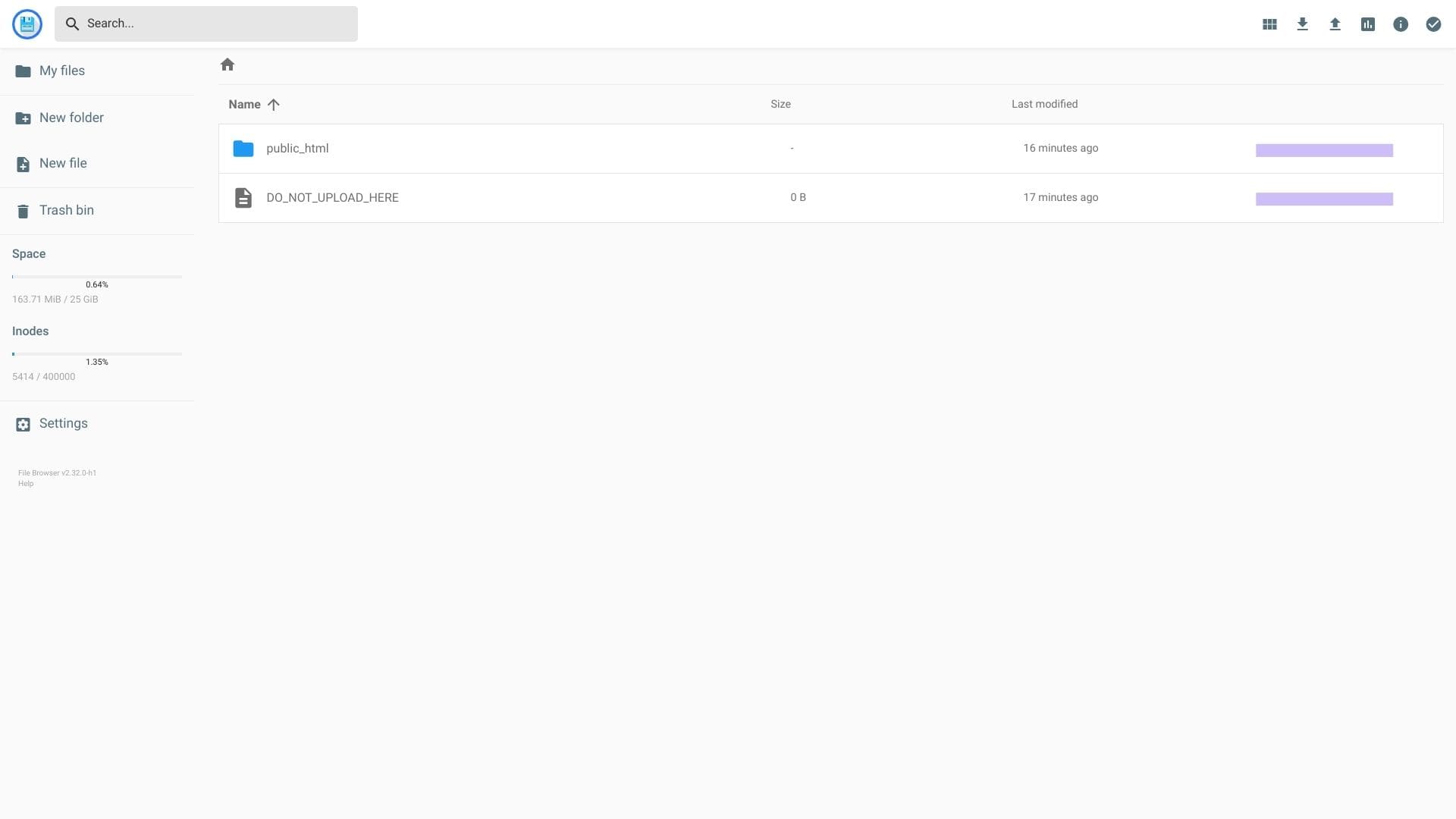
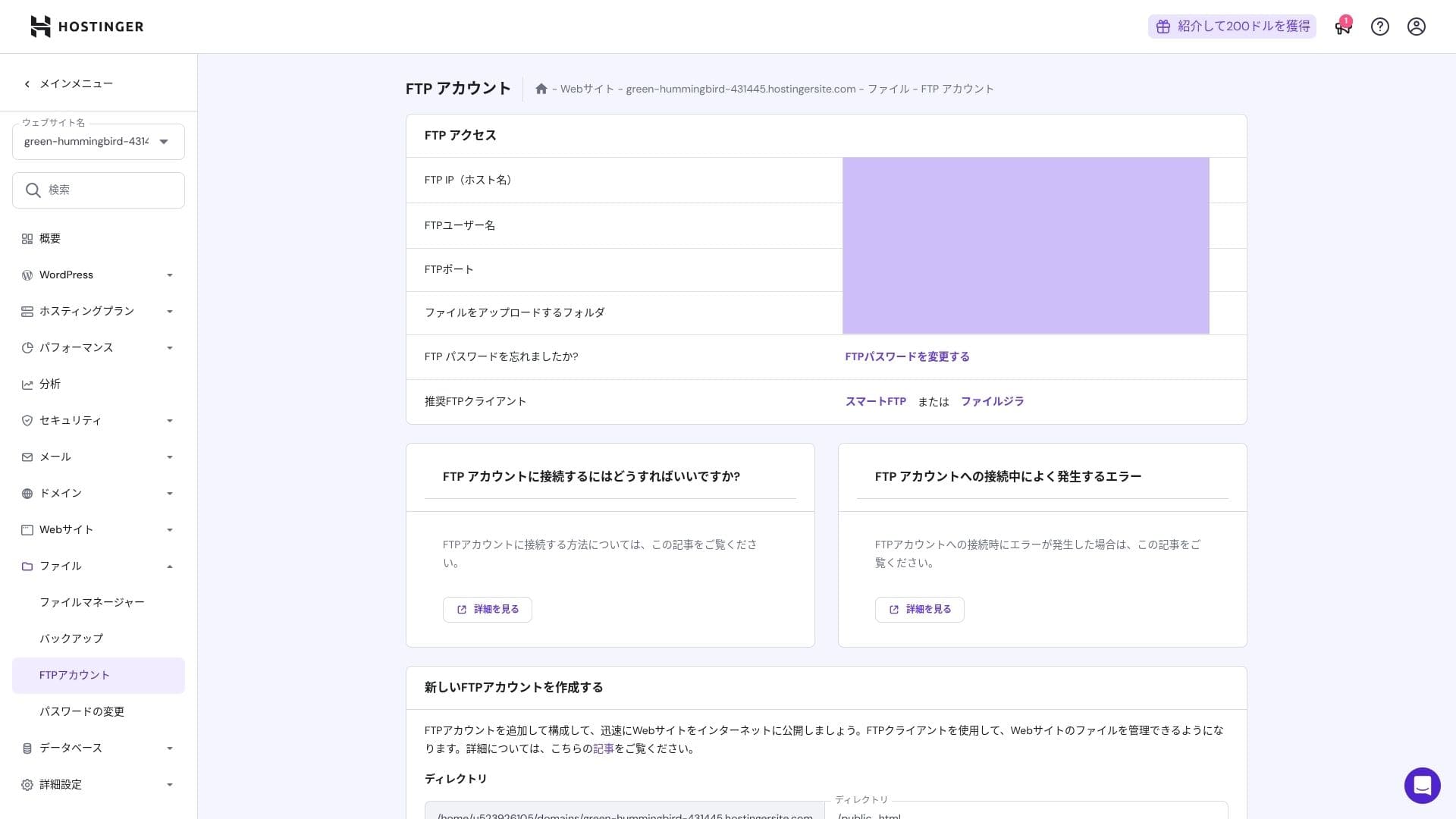
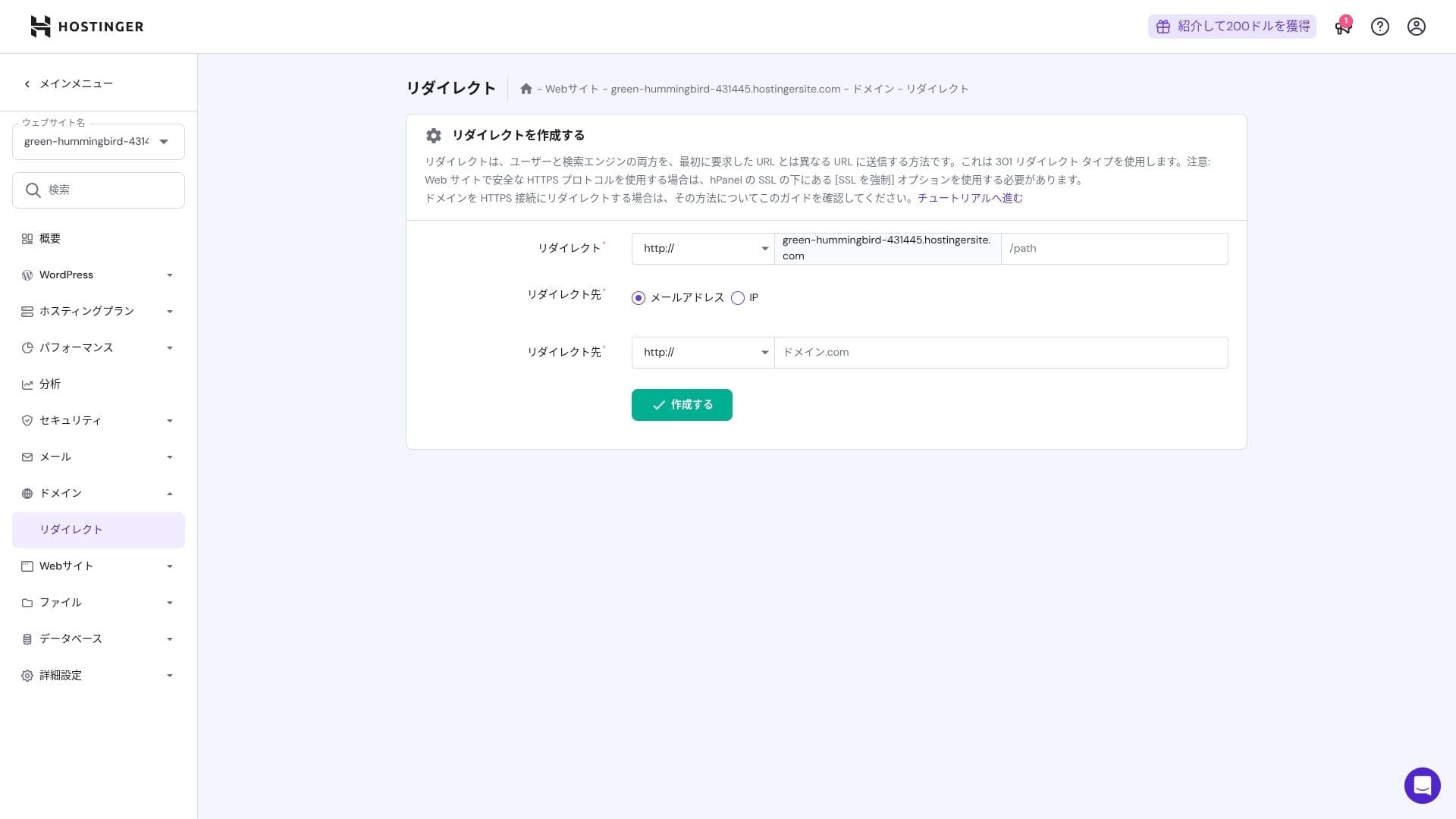
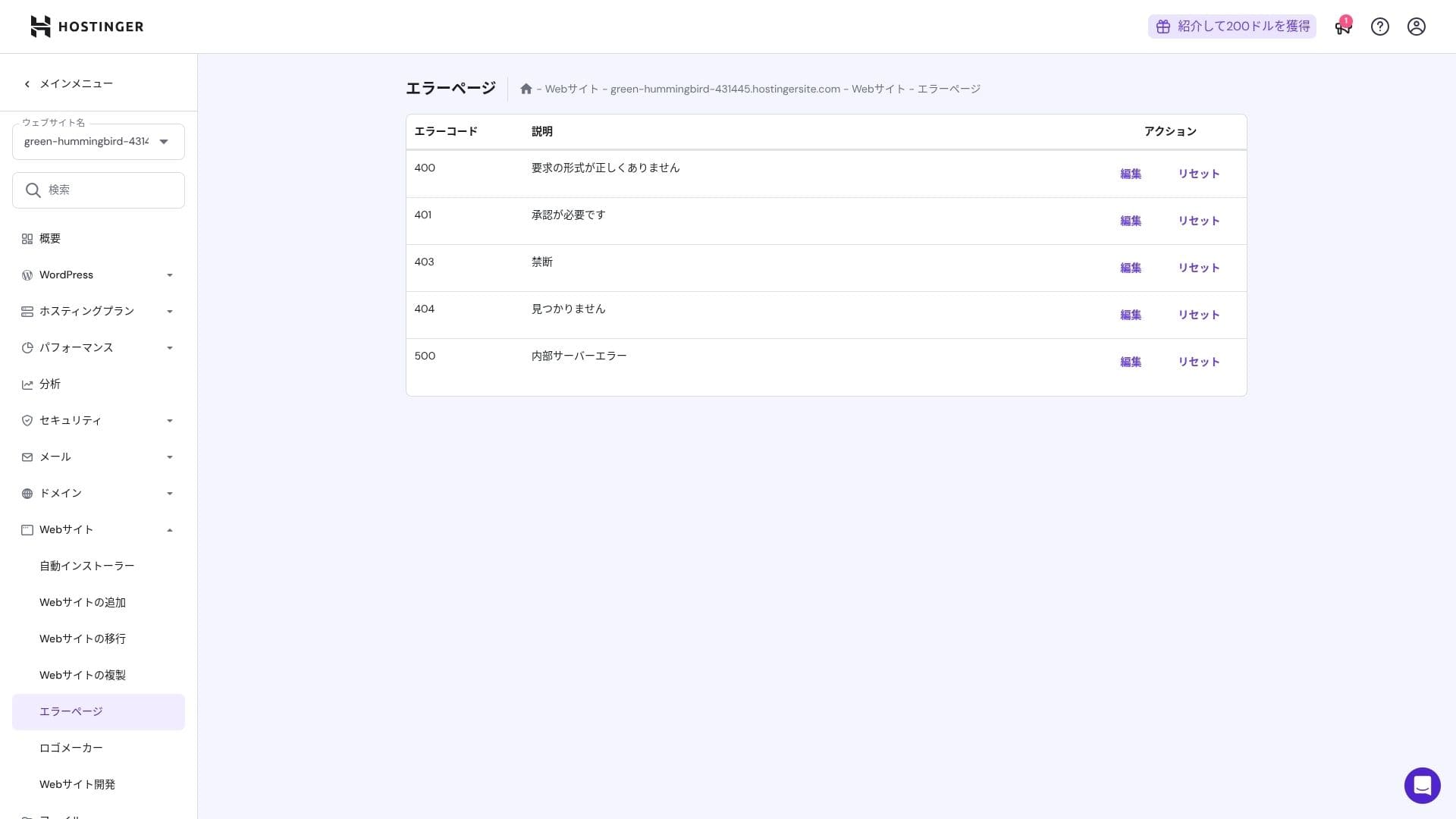
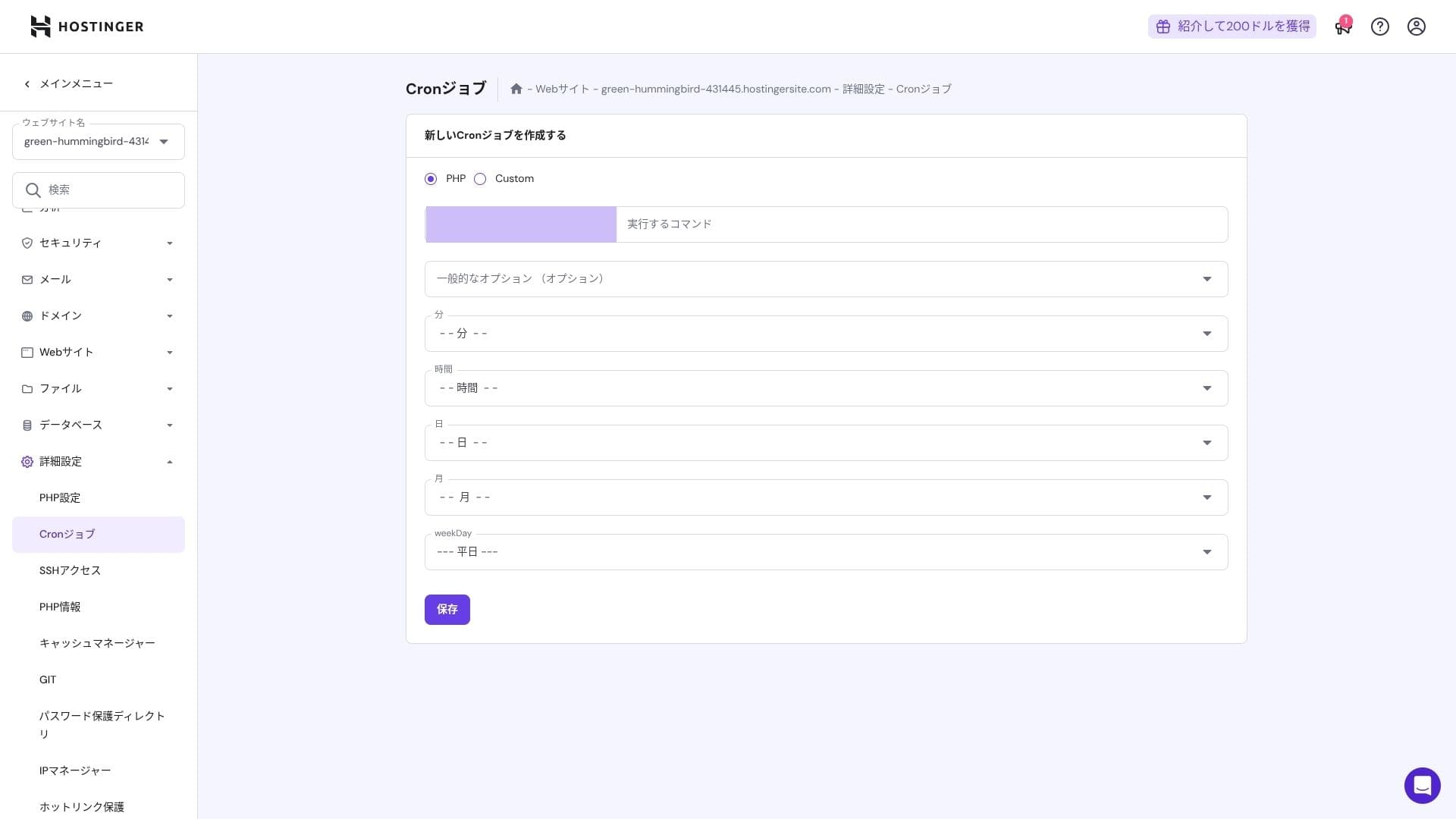
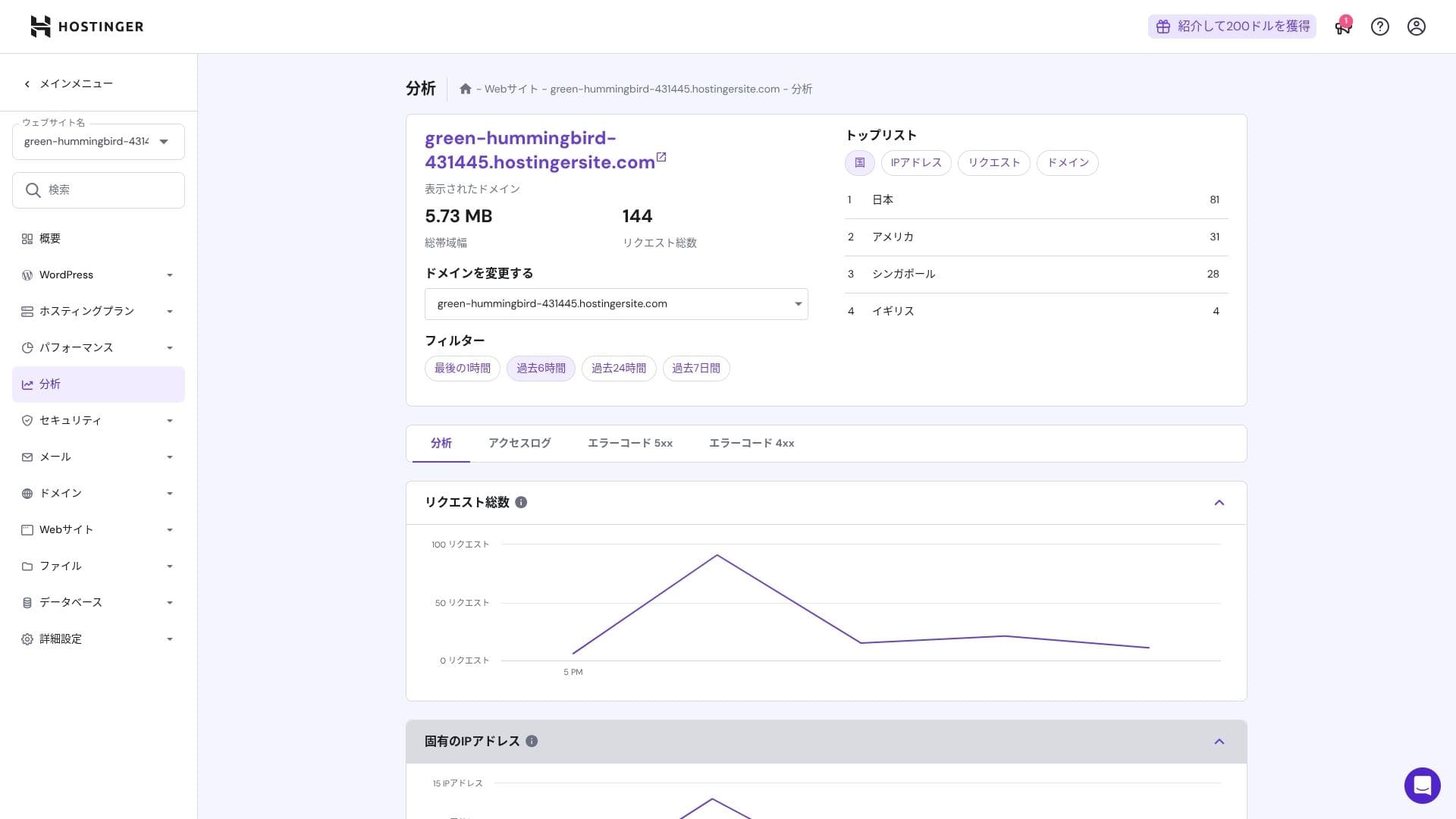
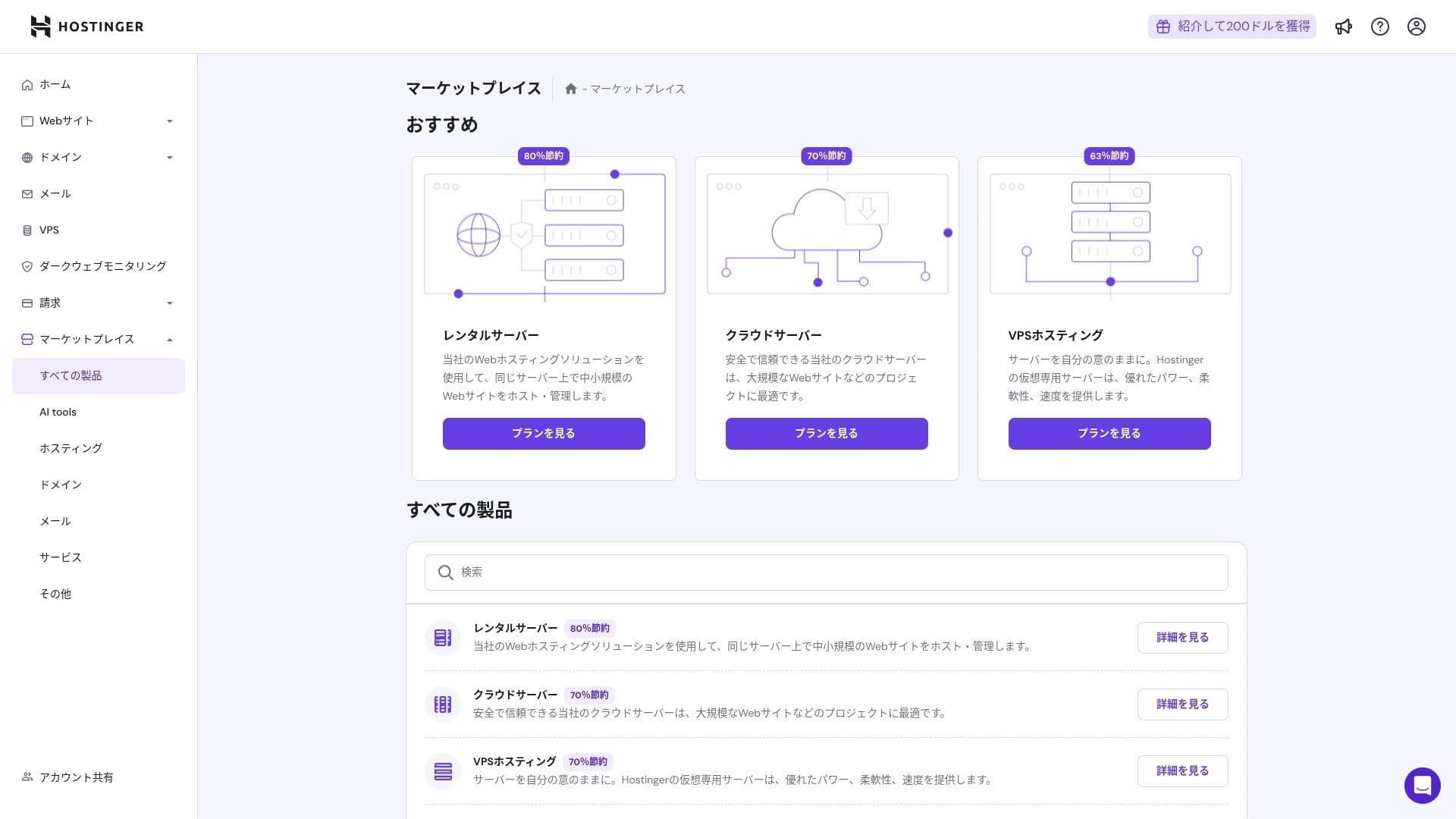
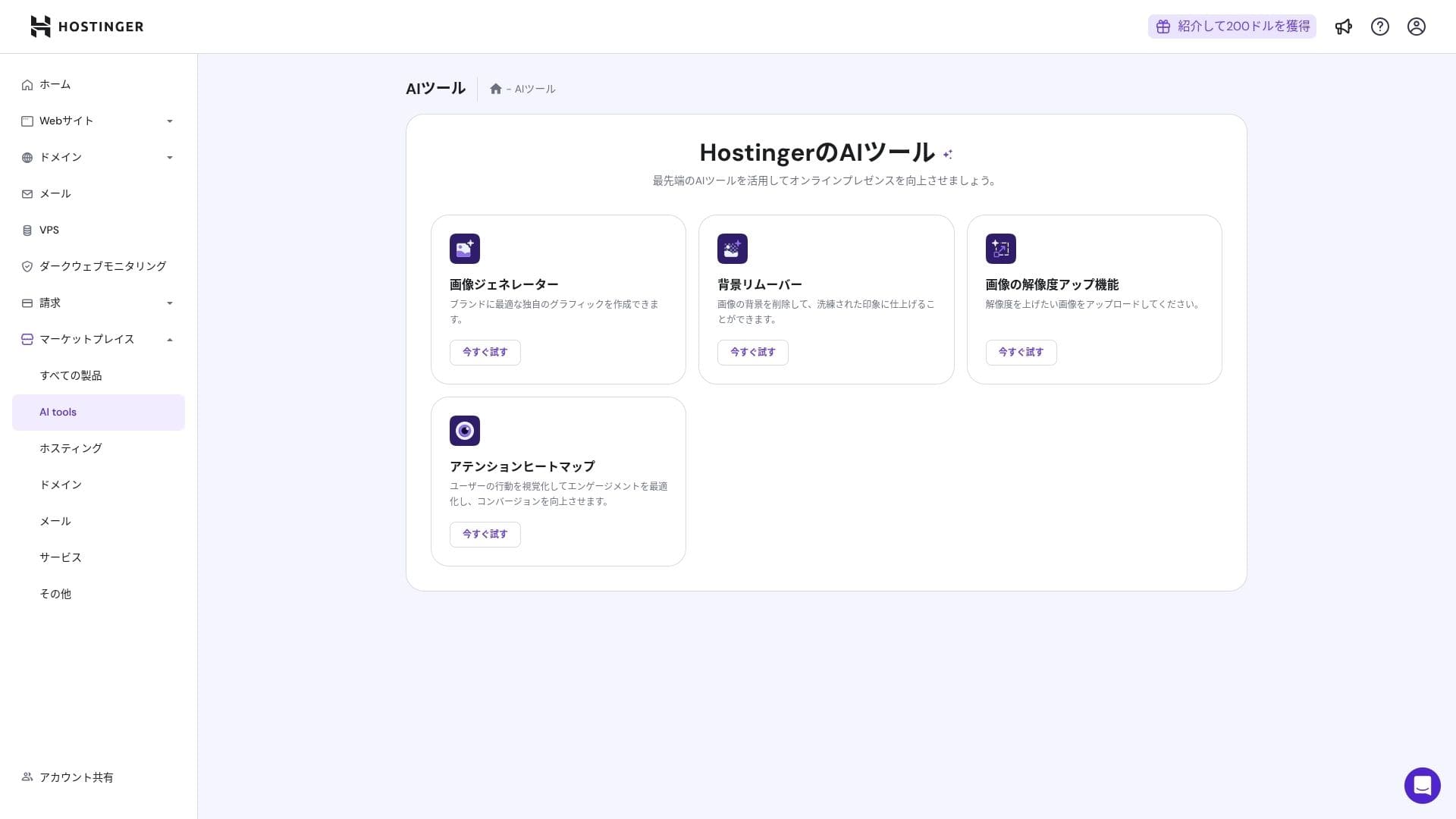
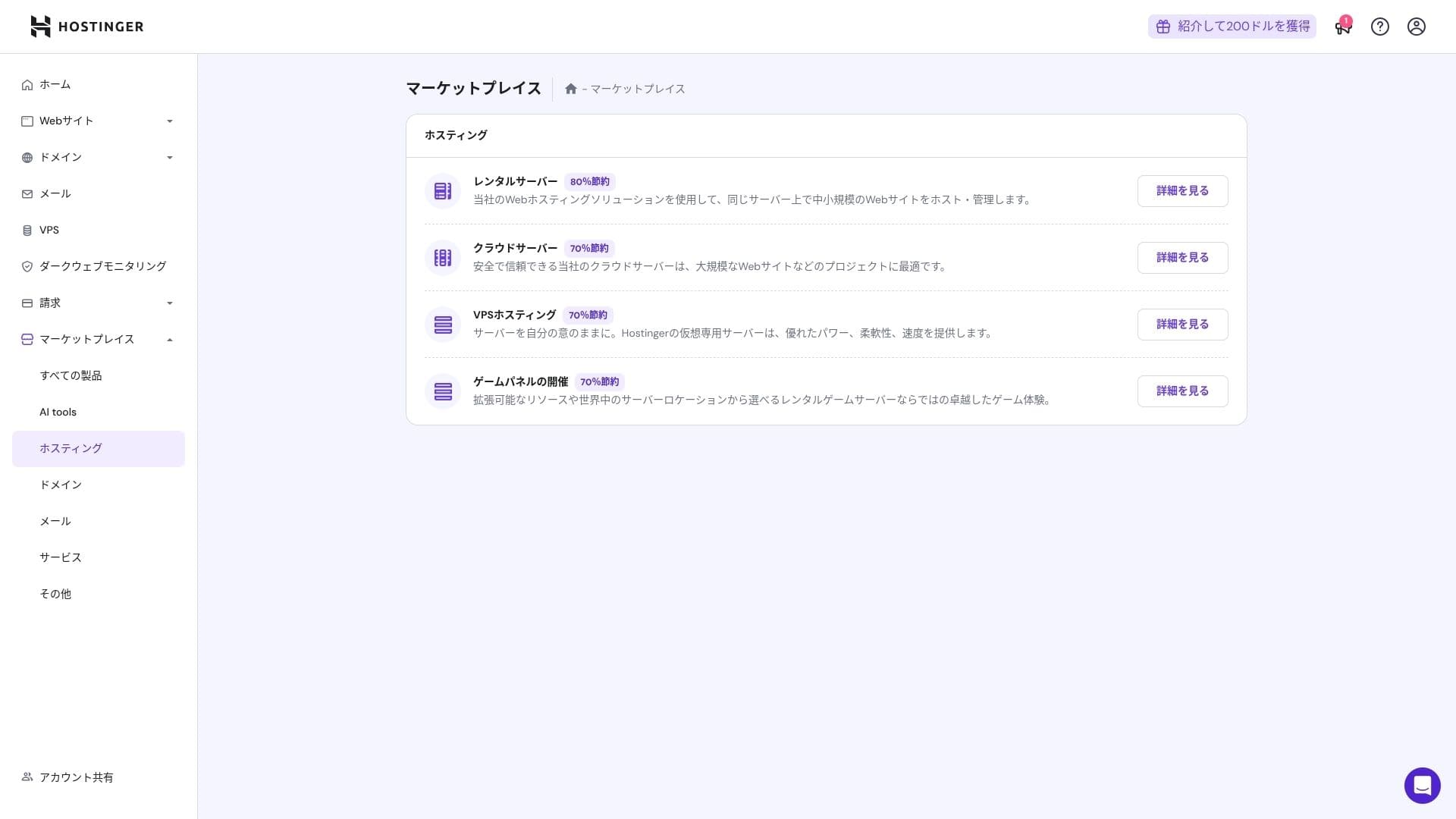
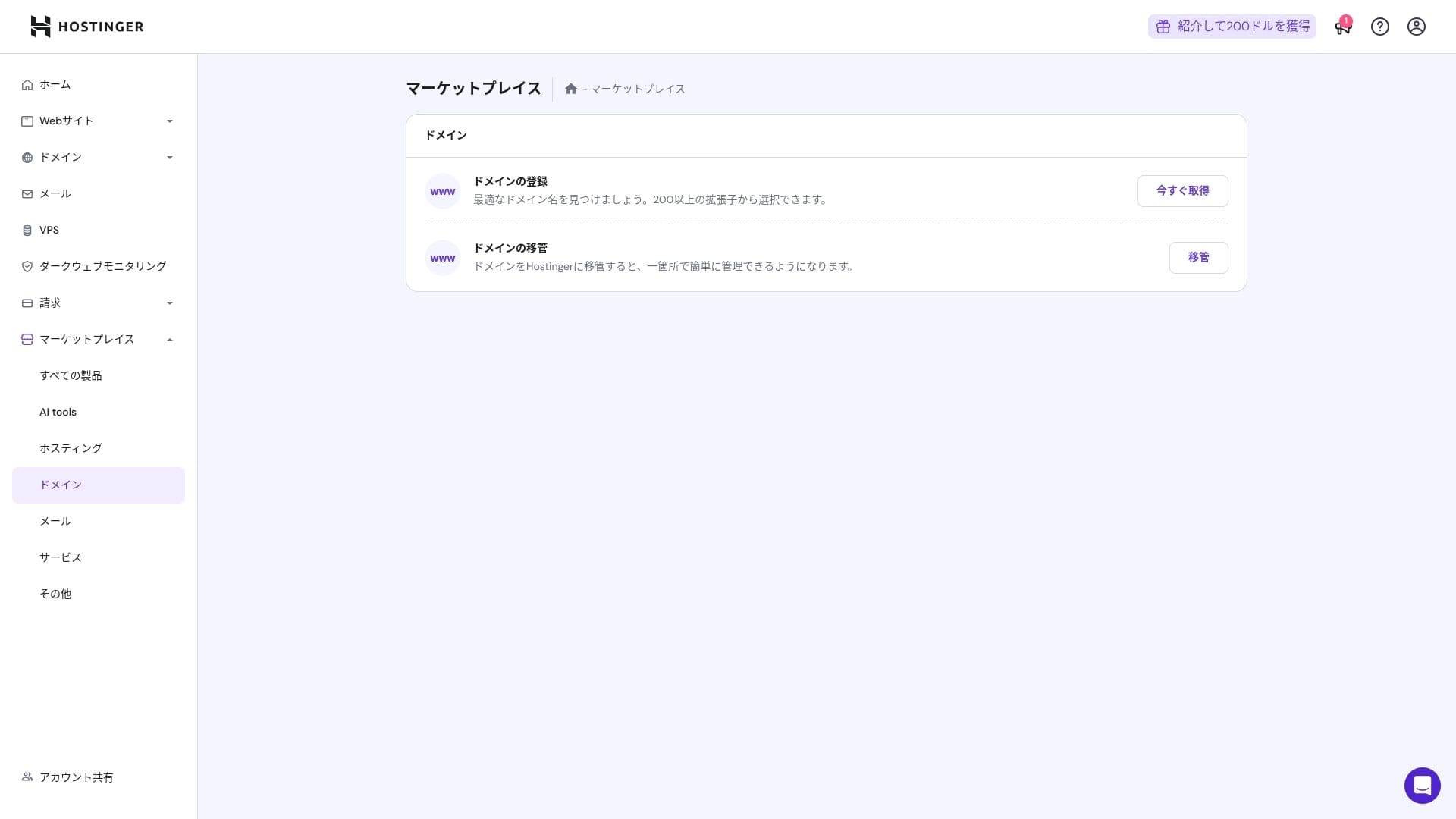
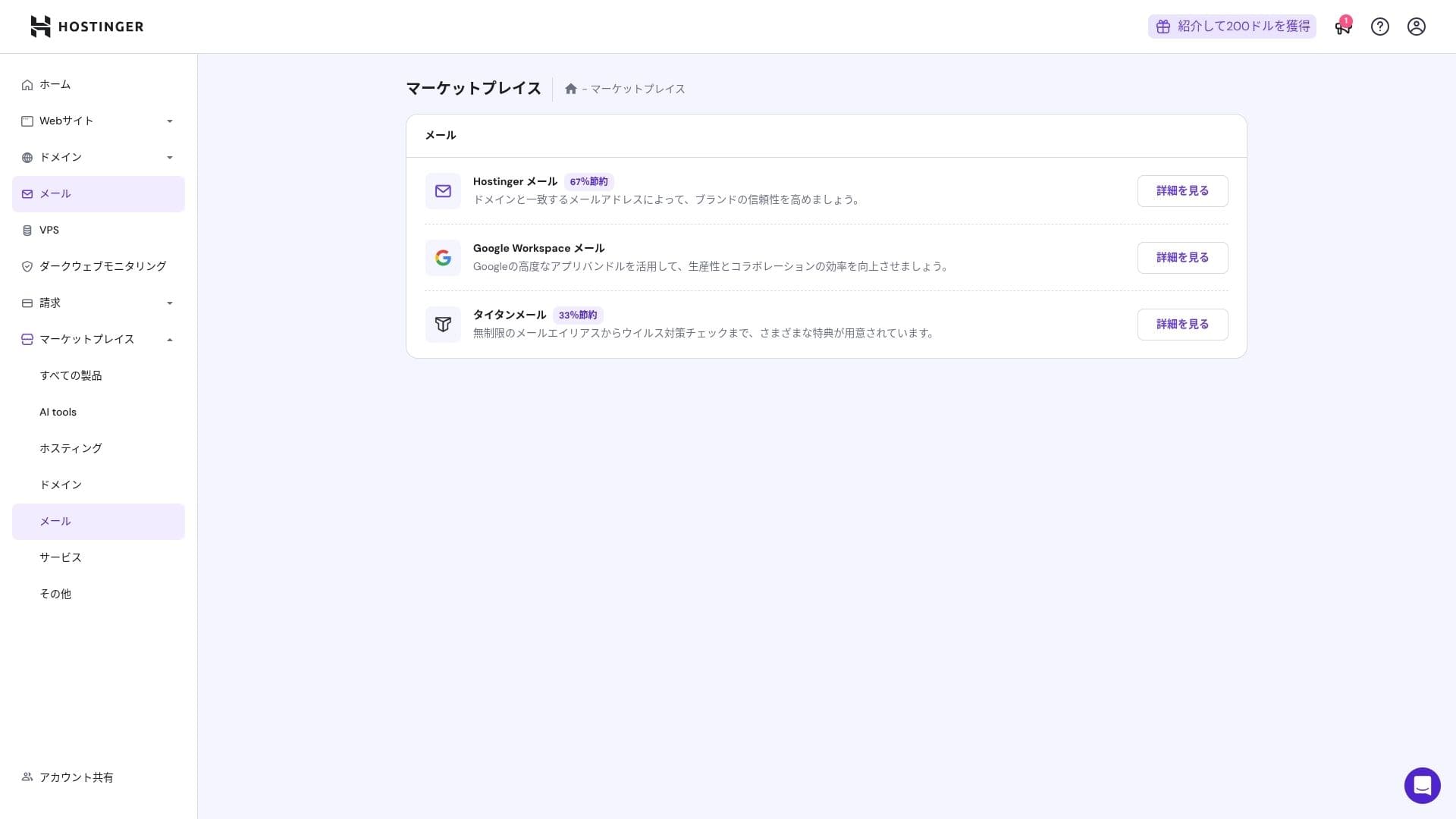
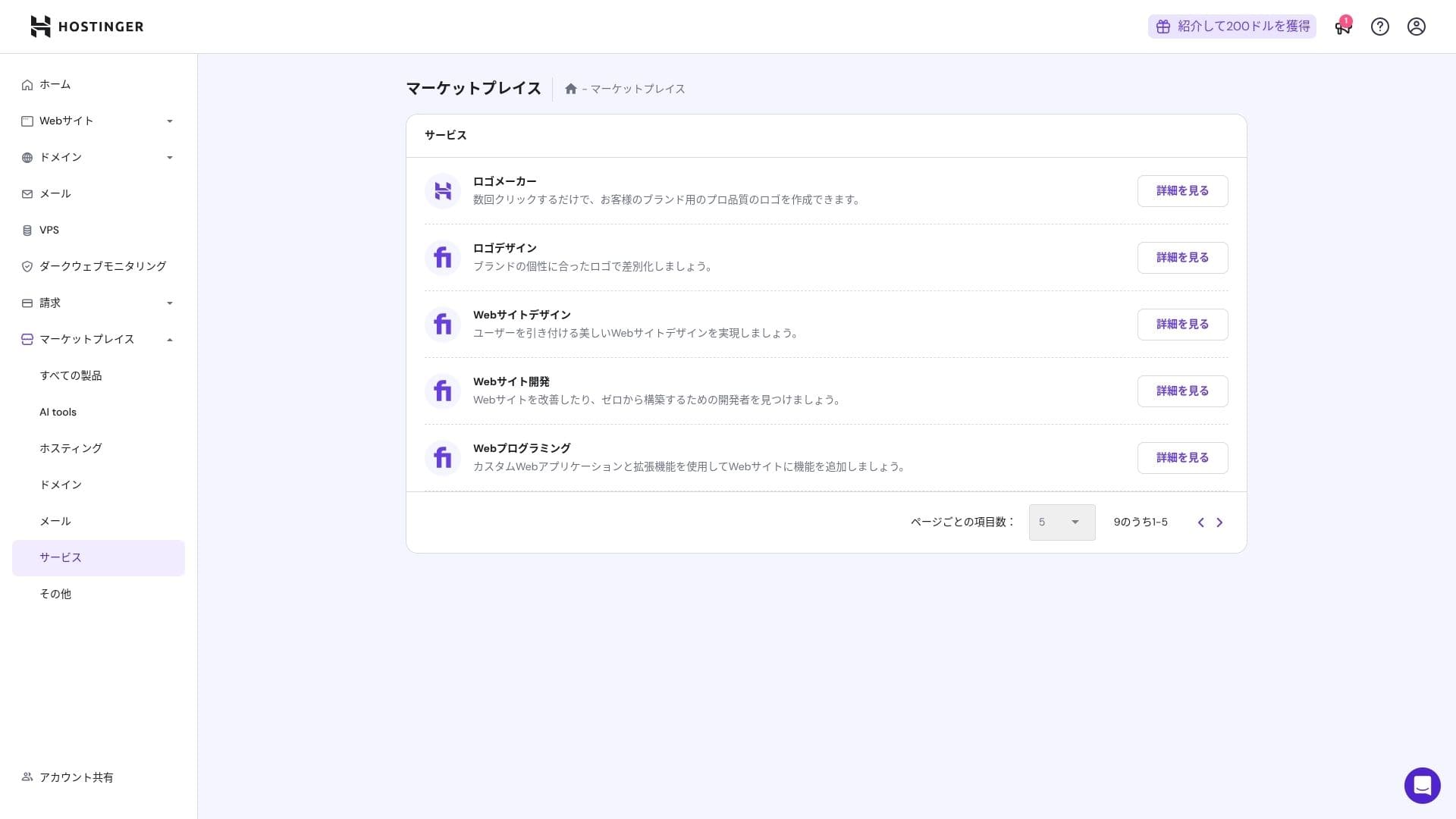
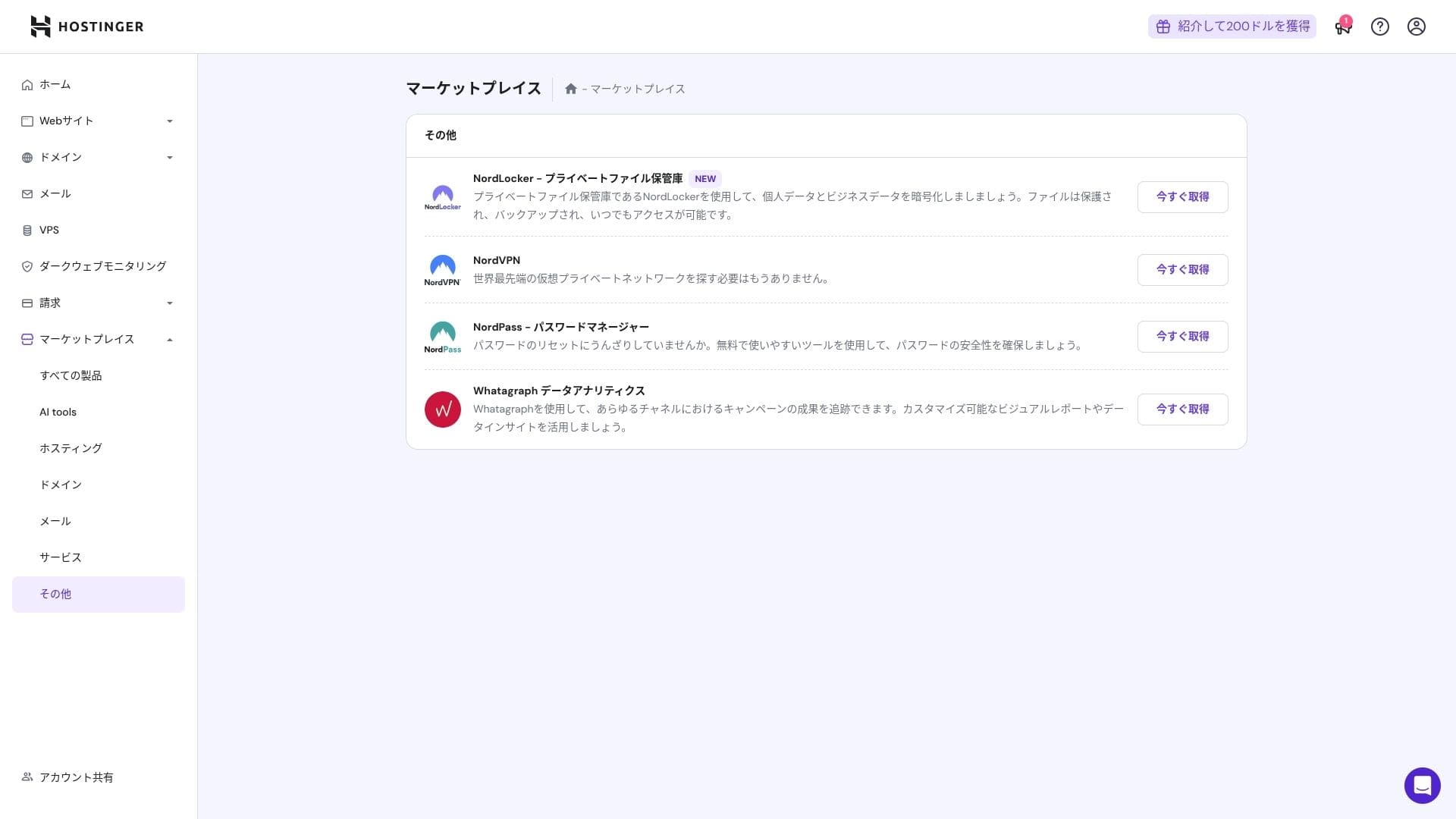
That said, people who are already comfortable with cPanel may find it less intuitive.
Support system
The live chat, available 24 hours a day, 365 days a year, has an average response time of one to three minutes. Even though the replies are auto-translated, the staff still give answers that go deep enough to cover technical questions.
How complete the manuals and FAQ are
The Japanese knowledge base still contains some machine-translated sections, but if you use it together with the explanations on the YouTube channel "Hostinger Academy," one person can handle things well enough on their own.
Email features review
From Premium upward, custom-domain email is free for one year. However, the storage is only 1 GB. You can also use Business Starter for 69 yen per month (10 GB per account).
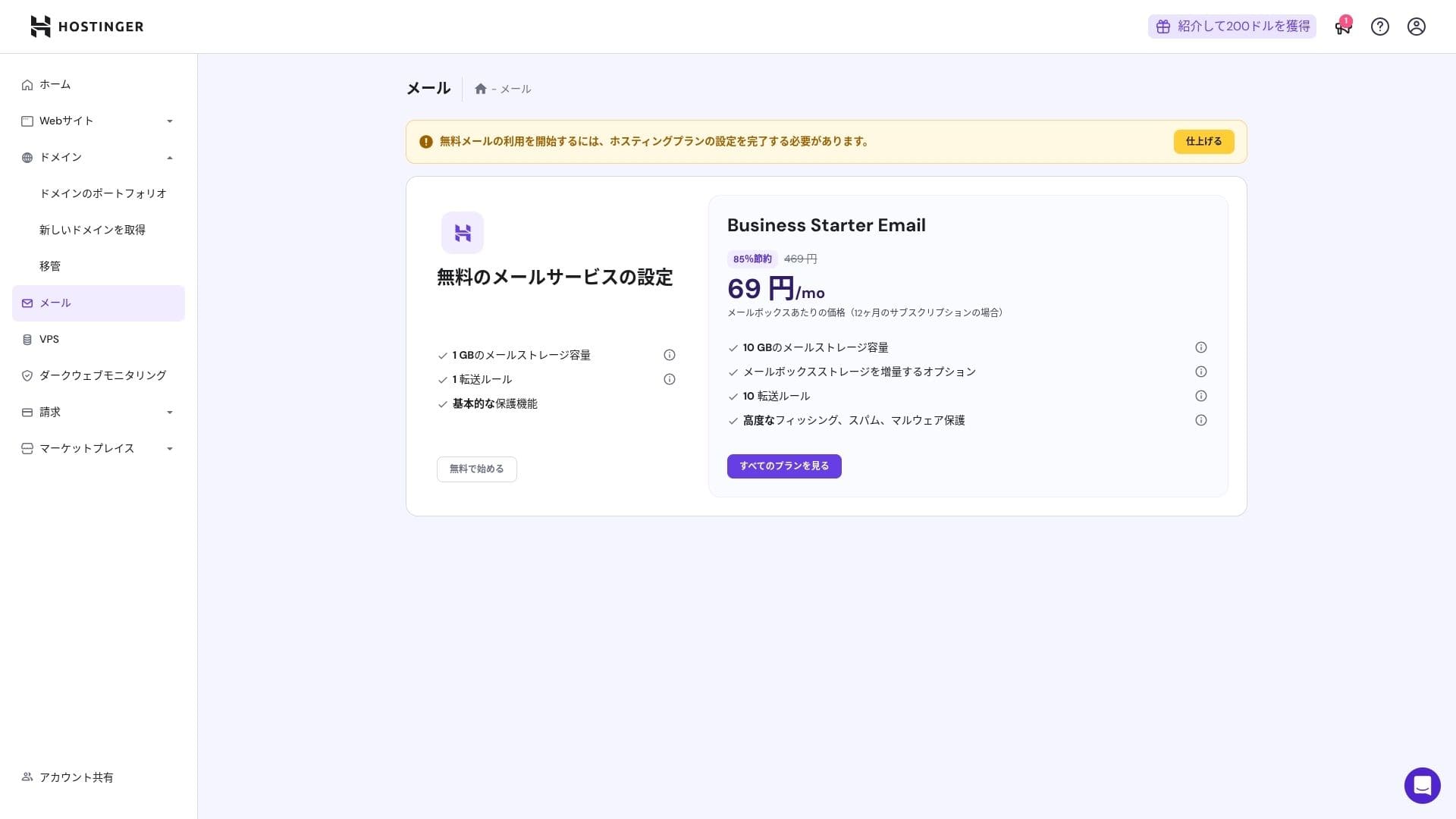
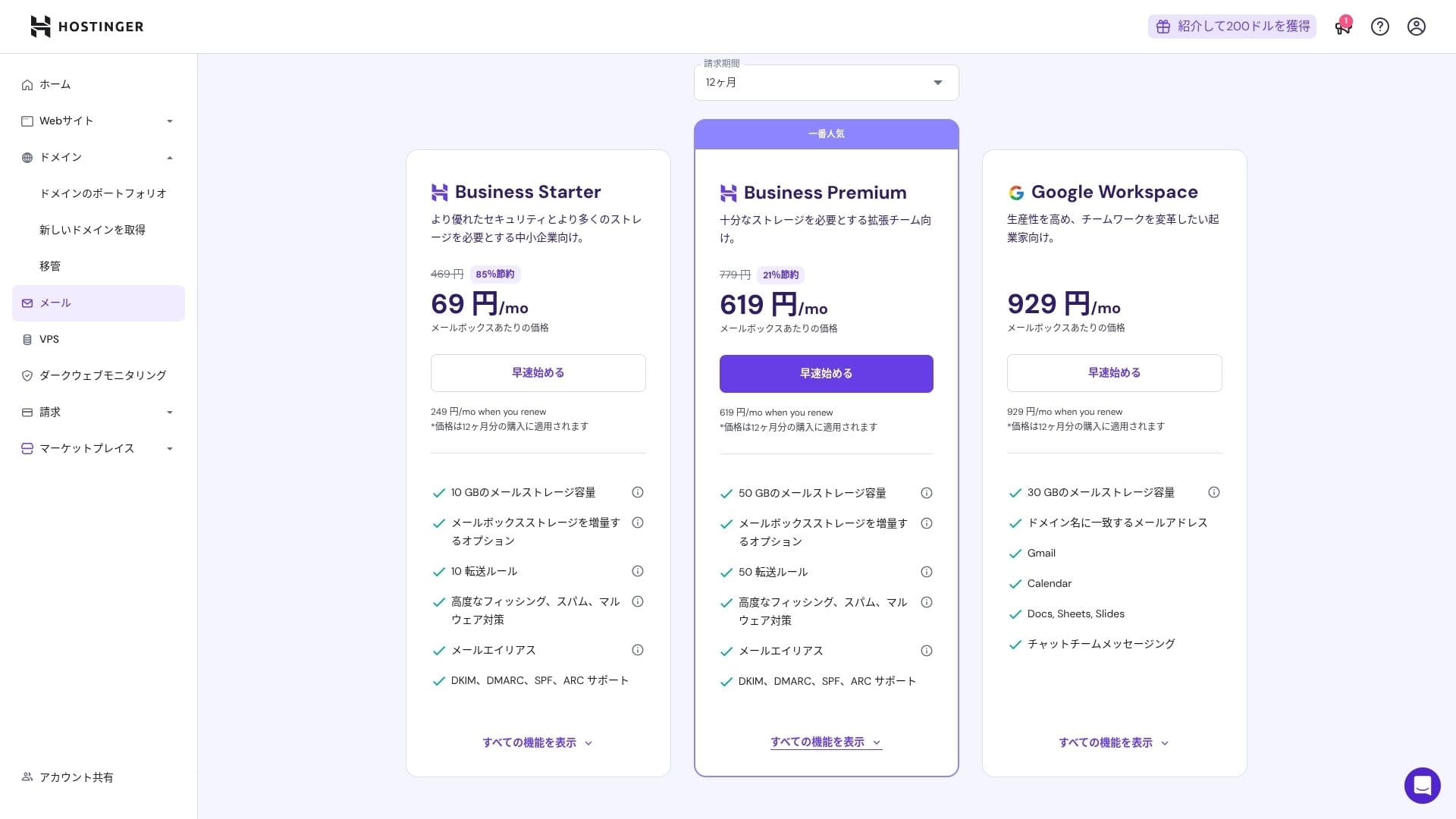
Because it includes virus and spam protection, even corporations and businesses can use it with confidence.
Security and backup review
Security measures
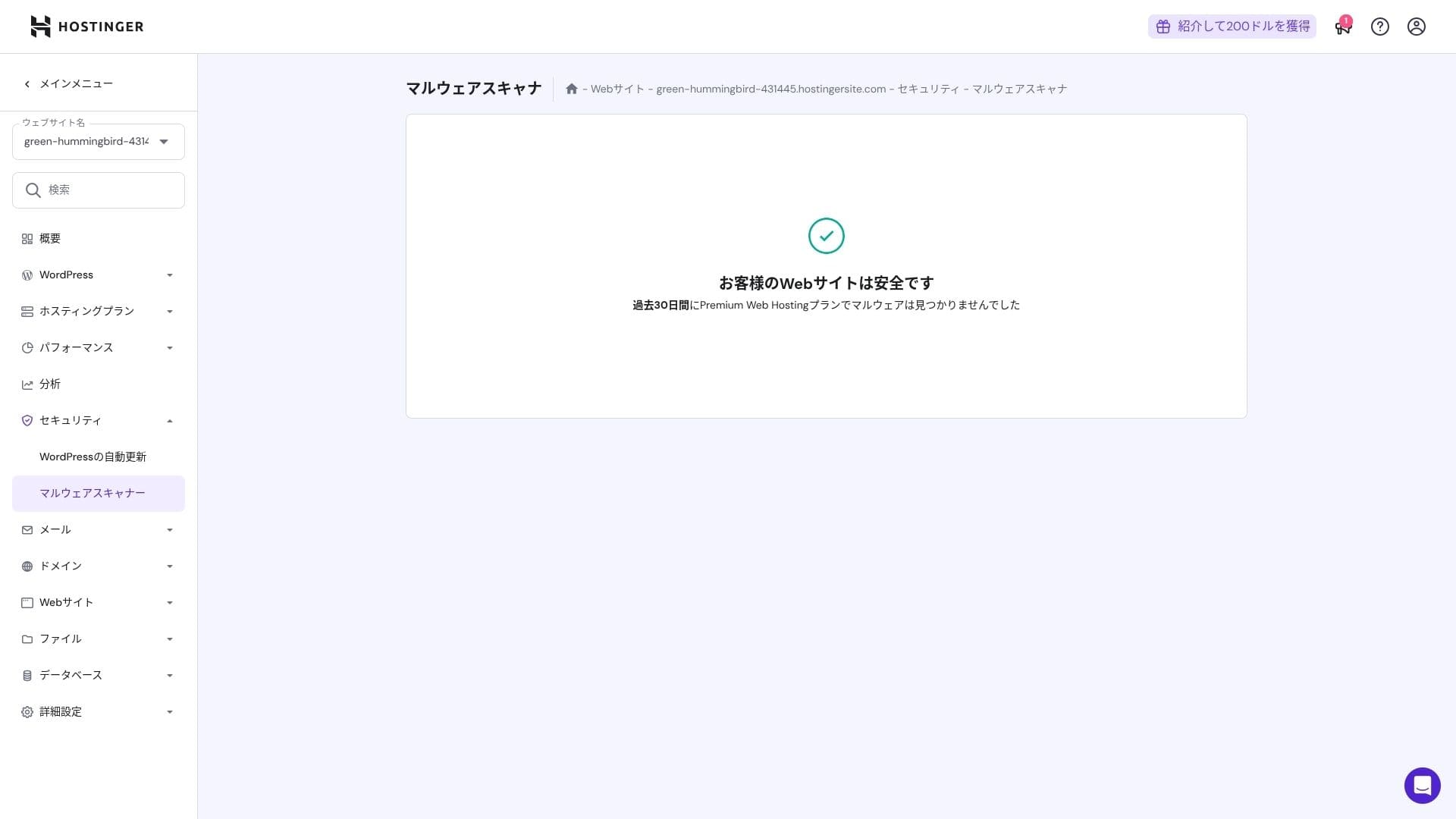
It comes standard with a WAF, DDoS filters, a malware scanner, and WHOIS privacy. Combined with free SSL, it covers the foundational security layer.
Automatic backup feature
Premium includes weekly backups. Business and higher plans support daily backups plus on-demand recovery. You can restore with one click from the admin panel.
★ Five powerful WordPress backup plugins to recover your data
Summary
- Fast performance with NVMe + LiteSpeed + CDN
- Free domain, SSL, migration, and AI tools keep setup costs low
- hPanel is intuitive, and 24/7 chat support is fast
- Discounted pricing assumes a 48-month contract. Check the renewal price carefully
- For media-heavy or high-CPU-load sites, Cloud or higher is recommended
- Japanese documentation still contains some machine-translated sections that are harder to read
Overall, I consider this best for bloggers, small and midsize businesses, and production companies that want strong speed and features while keeping costs under control. If you plan around step-up upgrades from Premium to Business to Cloud while taking renewal pricing into account, it is a service you are unlikely to regret over the long term.