DreamHost Review: Recommended if you want to start WordPress at a reasonable price, with a 97-day money-back guarantee
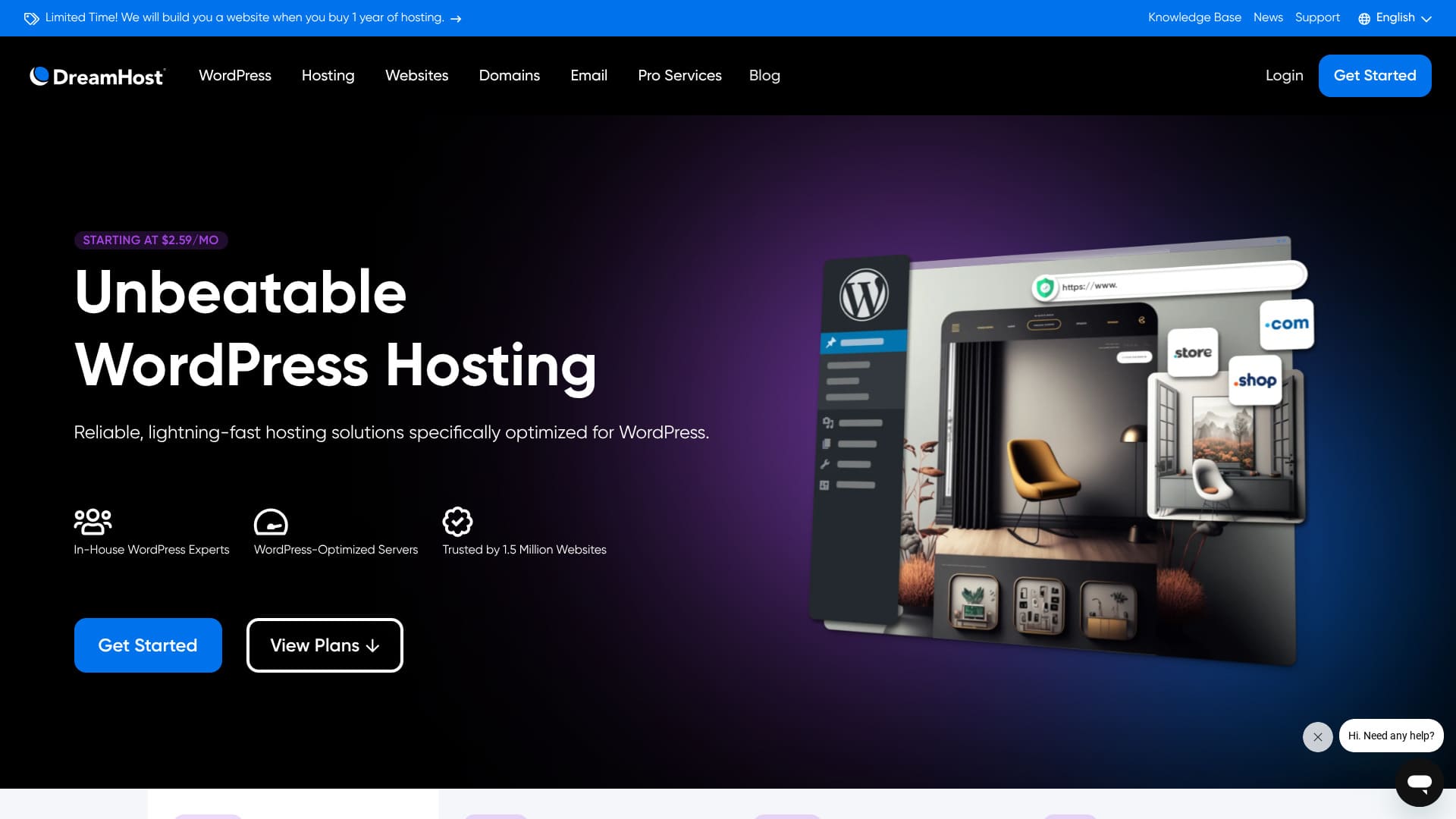
DreamHost is a global company based in Los Angeles that provides domain registration and hosting. It is confident in the quality of its servers, and it offers an exceptionally long 97-day money-back guarantee.

I recommend DreamHost to people looking for overseas hosting for three reasons:
- The reassurance of using a server officially recommended by WordPress
- You can receive support 24 hours a day, 365 days a year
- 100% uptime
Those are the reasons. I think you will be satisfied. It comes with a 97-day money-back guarantee, so you can try it with peace of mind.

DreamHost is a relatively affordable overseas host. I had no problems with the usability of its control panel; it was easy to use.
Because it is stable with 100% uptime, it is a host you can keep using for a long time.
| Server type | Shared hosting |
| Server response speed (TTFB) | 400ms |
| Recommended plan and term | WordPress Starter, 1 year |
| Trial / money-back guarantee | 97-day money-back guarantee |
| Monthly fee (12-month plan) | $2.95 (432 yen) |
| Initial setup fee | Free |
| Free domain | 1 domain free for 3 months |
| Support | 24/7 chat, email, and phone callback |
| Uptime | 100% |
| Storage | 50GB |
| Number of databases | 6 |
| SSL | Free SSL |
| Backups | Included |
| Email accounts | None |
| Email security measures | None |
| Server / website migration service | None |
| WordPress preinstall | None |
| CDN | None |
| Data center locations | Ashburn, Virginia, USA; Hillsboro, Oregon, USA |
DreamHost compared with other hosts
- Overallrating ★★★☆☆
- Server speed ★★☆☆☆
- Pricing ★★★★☆
- Stability ★★★★★
- Ease of starting WordPress* ★★★☆☆
- Operations such as domain management and SSL setup* ★★★★☆
* Based on how it felt when I used it myself.

Based on market research data as of November 4, 2025, sorted by speed
The monthly fee is the first-year cost of the lowest-priced plan that can run WordPress.
The speed is the Time to First Byte value measured on demo sites under identical conditions.
| Hosting server (plan) | Speed | Monthly fee | WordPress preinstalled | Uptime | Support (hours) |
|---|---|---|---|---|---|
| Average and recommended | 222.2ms | 1,109 yen | Yes | 99.99% or higher | 24/7 or more |
| Kinsta
| 30ms | $30 (4,525 yen) | Yes | 99.9% | Chat (Japanese support, 24/7) / Email |
【Hostinger】
 (Premium) (Premium) | 31ms | 439 yen | None | 99.9% | Chat (24/7) |
XServerビジネス
 (Shared Hosting) (Shared Hosting) | 40ms | 2,926 yen | Yes | 99.99% | Phone / Email (weekdays 10:00-18:00) |
wpX Speed
 (W1) (W1) | 40ms | 1,320 yen | None | Not disclosed | Phone / Email (10:00-18:00) |
LOLIPOP
 (Light) (Light) | 80ms | 495 yen | Yes | 99.99% | Email / Chat (weekdays 10:00-18:00) |
スターレンタルサーバー
 (Free) (Free) | 90ms | 418 yen | None | Not disclosed | None |
| Rakko Server(RK1) | 120ms | 440 yen | Yes | Not disclosed | Email (weekdays 10:00-19:00) |
エックスサーバー
 (Standard) (Standard) | 130ms | 770 yen | Yes | 99.99% | Phone / Email / Chat (weekdays 10:00-18:00) |
mixhost
 (Light) (Light) | 150ms | 594 yen | Yes | 99.99% | Email (weekdays 10:00-18:00) |
ConoHa WING
 (Basic) (Basic) | 160ms | 941 yen | Yes | 99.99% | Phone / Email / Chat (weekdays 10:00-18:00) |
ColorfulBox
 (BOX1) (BOX1) | 190ms | 383 yen | Yes | Not disclosed | Phone (accepted 24/7) / Chat / LINE / Email (weekdays 09:30-12:00, 13:00-17:30) |
シンレンタルサーバー
 (Basic) (Basic) | 200ms | 985 yen | Yes | Not disclosed | Phone / Email (10:00-18:00) |
リトルサーバー
 (Mini) (Mini) | 200ms | 165 yen | None | Not disclosed | Email (business hours undisclosed) |
CoreServer
 (MINI) (MINI) | 210ms | 264 yen | Yes | Not disclosed | Email / Chat (10:00-12:00, 13:00-17:00) |
| DreamHost(WordPress Starter) | 400 ms | $2.99 (461 yen) | None | 100% | Chat (24/7) / Email / phone callback |
| Bluehost(Basic) | 420ms | $4.99 (769 yen) | None | 100% | Chat (24/7) |
さくらのレンタルサーバ
 (Standard) (Standard) | 440ms | 550 yen | None | 99.99% | Chat / Email / Phone / callback reservation (10:00-18:00) |
| Namecheap(EasyWP Supersonic) | 440ms | $9.88 (1,523 yen) | None | 99.9% | Chat (24/7) |
| Shin Free Server | — | Free | None | Not disclosed | None |
XREA
 (Free) (Free) | — | Free | None | Not disclosed | None |
Value Server
 (Eco) (Eco) | — | 220 yen | None | Not disclosed | Email / Chat (weekdays 10:00-17:00) |
| KAGOYA JAPAN(Grade 1) | — | 440 yen | Yes | 99.999% | Phone / Email (weekdays 10:00-17:00) |
| SiteGround(StartUp) | — | $3.99 (615 yen) | None | 99.99% | Chat (24/7) / Email / Phone |
| Hostgator(Baby) | — | $4.45 (686 yen) | None | 99.9% | Phone / Chat (24/7) |
| IONOS(Start) | — | $1.00 (154 yen) | None | 99.98% | Phone / Email / Chat (24/7) |
onamae.com Rental Server
 | — | 2,398 yen | None | 99.99% | Phone / Email / Chat (weekdays 10:00-18:00) |
ABLENET RentalServer
 (Light) (Light) | — | 830 yen | None | 99.99% | Email (business hours undisclosed) |
| Godaddy(Basic) | — | 899 yen | Yes | 99.9% | Chat (24/7)・Phone (weekdays 10:00-17:00) |
iCLUSTA+ byGMO
 (Mini) (Mini) | — | 1,027 yen | None | 100% | Phone (weekdays 10:00-18:00) Email is available 24/7 |
ムームーサーバー
 | — | 1,430 yen | None | 99.99% | Email / Chat (9:30-13:00, 14:00-17:30) |
WADAX
 (WP Standard) (WP Standard) | — | 2,200 yen | None | 99.9% | Weekdays 09:00-22:00, weekends 09:00-18:00 |
| WebARENA SuiteX | — | 1,997 yen | None | 100% | Email / Chat (weekdays 09:30-17:00) |
heteml
 | — | 2,035 yen | None | 99.99% | Phone / Email (weekdays 10:00-18:00) |
CPI
 (Shared) (Shared) | — | 4,840 yen | None | 100% | Phone / Email (weekdays 10:00-18:00) |
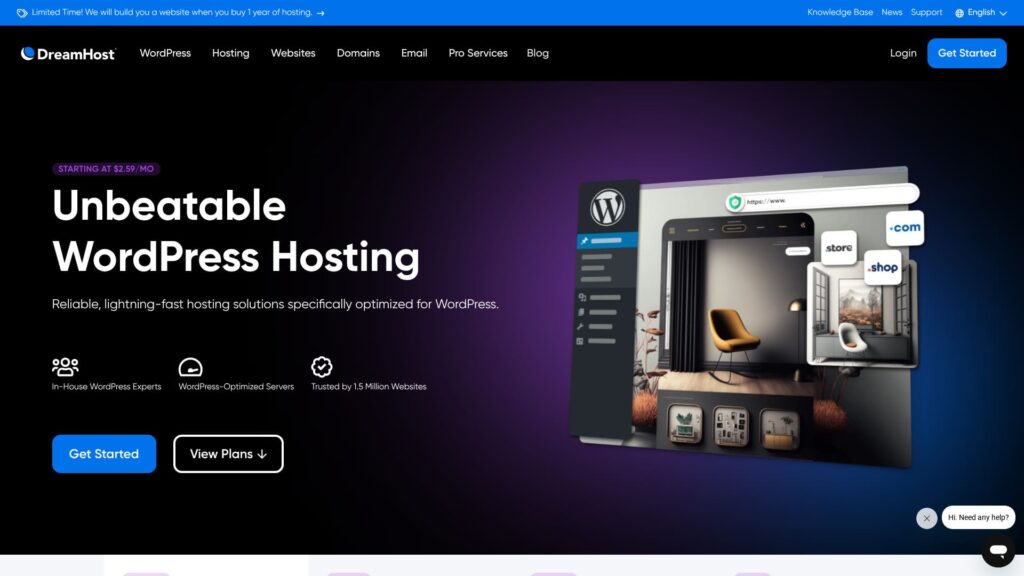
“DreamHost” is a hosting company based in Los Angeles, USA. Its biggest appeal is the exceptionally long 97-day money-back guarantee. Because it is an overseas host, being able to try it for a long period feels reassuring. It is also reasonably priced among overseas hosts.
DreamHost review: an affordable and stable host with few drawbacks
DreamHost is one of the hosts officially recommended by WordPress.
DreamHost has been committed to WordPress and its community for more than 10 years. Its hosting platform is optimized for WordPress, and its team actively contributes to the WordPress community.
It is a good-quality host you can use at a reasonable price. If you want to build a website for people who live in the United States, where its hosting bases are located, it is an especially strong option.
Six features of DreamHost

It delivers standard-level server speed
According to this site's own tests, DreamHost delivered standard-level server speed.
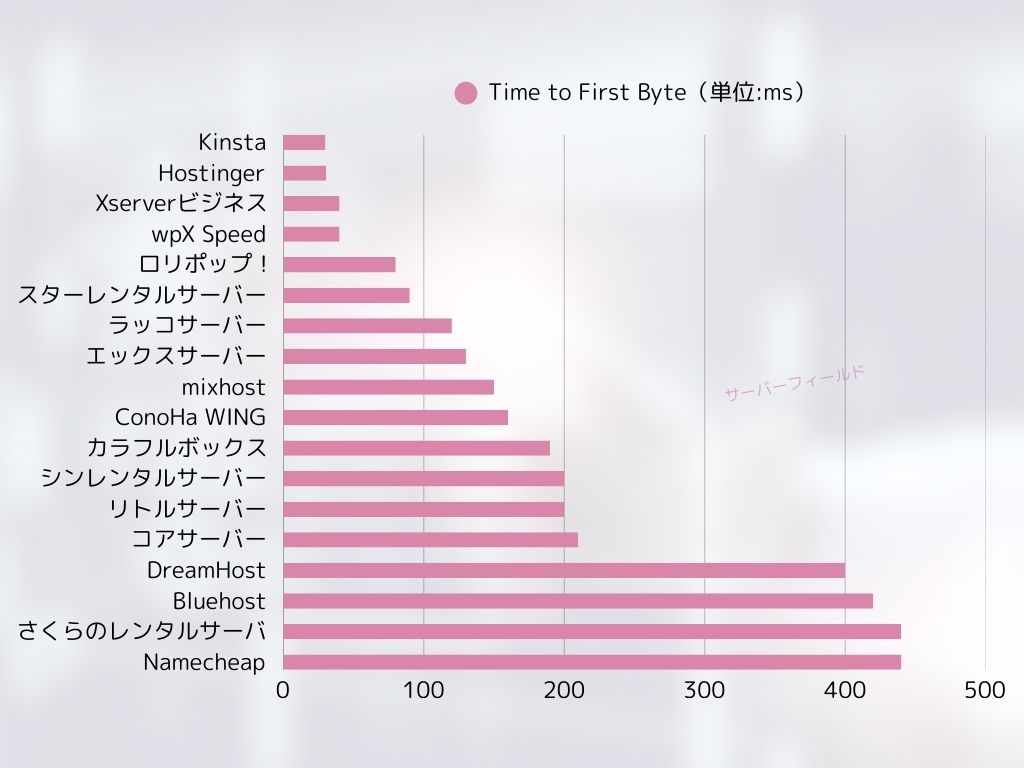
Compared with Japan's ultra-fast hosts, it does not stand out. Still, DreamHost's 400 ms server response time (TTFB) is not a bad number at all.
★ Is it fast? I compared the speed rankings of 15 hosting companies
It comes with 24/7 support
DreamHost comes with 24/7 support. It is reassuring to know you can ask for support at any time.
With overseas hosts, support may sometimes be limited to local business hours, which makes it harder for users in Japan to get help because of the time difference. With 24/7 support, that problem disappears. Even if it is late at night locally, you can still contact them.
That feels reassuring, doesn't it?
It comes with a 100% uptime guarantee
DreamHost guarantees 100% uptime. It can make that promise only because the servers are extremely stable.
If the server is stable, your website operations and email operations stay stable as well. Whether a company uses it for a corporate site or an individual uses it for affiliate marketing, it helps you avoid missing business opportunities.
★ A beginner's guide to hosting uptime and SLAs
It has been used by 1.5 million websites
DreamHost has already been used by 1.5 million websites. That track record is evidence that DreamHost provides good-quality hosting. If the quality were poor, that many people would not keep using it.
There is a reassuring sense of trust that comes from being supported by so many users.
You can install WordPress with one click
DreamHost lets you install WordPress with one click. Because it is easy to install WordPress, anyone can start a website with WordPress.
That said, some major Japanese hosts provide an even easier way to start WordPress than DreamHost does. They offer a system that preinstalls WordPress when you sign up for the server. I summarized hosts like that in the article below.
It comes with a 97-day money-back guarantee
DreamHost comes with a 97-day money-back guarantee. That means the guarantee lasts for more than three months. It must be very confident in the services it provides.
From the user's side, being able to try it for that long is a real advantage. It feels reassuring to take your time and judge how it works for you.
The drawback of DreamHost is that Shared Starter can host only one WordPress site

DreamHost's Shared Starter plan can host only one WordPress site. If you want to run multiple sites, you will need another server or a higher-tier plan.
Because there are hosts at a similar price point that can handle multiple sites, that is a drawback in comparison.
Compare DreamHost with two competing hosts
I compared DreamHost with two competing overseas hosts.
Kinsta
Kinsta, often described as top-tier hosting, is honestly quite expensive. The monthly fee is close to 5,000 yen. DreamHost is easier to choose because it is more affordable.
That said, Kinsta is also known as one of the best options for WordPress display speed and overall comfort. If you want to push usability as far as possible, it is one option to consider.
| Item | DreamHost | Kinsta
|
|---|---|---|
| Biggest strength | Ultra-long money-back guarantee | A reputation for top-tier hosting |
| Trial / money-back guarantee | 97-day money-back guarantee | 30-day money-back guarantee |
| Uptime | 100% | 99.9% |
| Storage | 50GB | 10GB |
| First-year hosting cost | 5,303 yen | 31,466 yen |

Bluehost
Bluehost is a host where AI helps create your WordPress site. Like DreamHost, it offers good-quality hosting and support, including 24/7 support and 100% uptime.
Because DreamHost offers more storage, it is the better recommendation when you want to build a portfolio site that uses a lot of images.
| Item | DreamHost | Bluehost |
|---|---|---|
| Biggest strength | Ultra-long money-back guarantee | Outstanding stability |
| Trial / money-back guarantee | 97-day money-back guarantee | 30-day money-back guarantee |
| Uptime | 100% | 100% |
| Storage | 50GB | 10GB |
| First-year hosting cost | 5,303 yen | 5,303 yen |

Six steps to start a WordPress website with DreamHost right now
- STEP.1Create your DreamHost account
Go to the DreamHost website and click “Get Started.”
Choose the Shared Starter plan and click “Sign Up Now.”
Enter your account details, provide your payment information, and create the account.
- STEP.2Get a custom domain
Log in to the DreamHost dashboard.
Click “Domains” in the menu on the left and choose “Register a Domain.”
Search for the domain name you want, and if it is available, go through the purchase process.
- STEP.3Install WordPress
Go back to the DreamHost dashboard and choose “WordPress” from the menu on the left.
Click “One-Click Installs” and choose WordPress.
Choose the domain where you want to install it, click “Install it for me now!,” and wait for the installation to finish, which usually takes a few minutes.
- STEP.4Set up WordPress
After the installation finishes, click the link provided and open the WordPress setup page.
Choose a language and click “Continue.”
Enter the site title, username, password, and email address, then click “Install WordPress.”
Once the installation is complete, go to the login page and sign in to the admin dashboard.
- STEP.5Choose and customize a WordPress theme
After logging in to the WordPress admin area, choose “Appearance” → “Themes” from the menu on the left.
If you want to add a new theme, click “Add New Theme,” search for the theme, and install it.
Activate the theme you installed.
Customize the theme from “Appearance” → “Customize.”
- STEP.6Install plugins
From the menu on the left, choose “Plugins” → “Add New.”
Search for the plugins you need, install them, and activate them.
Summary
“DreamHost” is a hosting company based in Los Angeles, USA. Its biggest appeal is the exceptionally long 97-day money-back guarantee. Because it is an overseas host, being able to try it for a long period feels reassuring. It is also reasonably priced among overseas hosts.
DreamHost is a host you can use with confidence thanks to its 24/7 support and 100% uptime guarantee.
It is affordable, and it also comes with a 97-day money-back guarantee. Give it a try first.