10-day free trial for paid plans
PR
Servery
Star Rental Server Review [Launched December 19, 2024]: Pros and Cons of a High-Value Server That Starts Free
Publikováno: 2025.11.04
Aktualizováno: 2025.11.04
Hodnotenie: 4.0
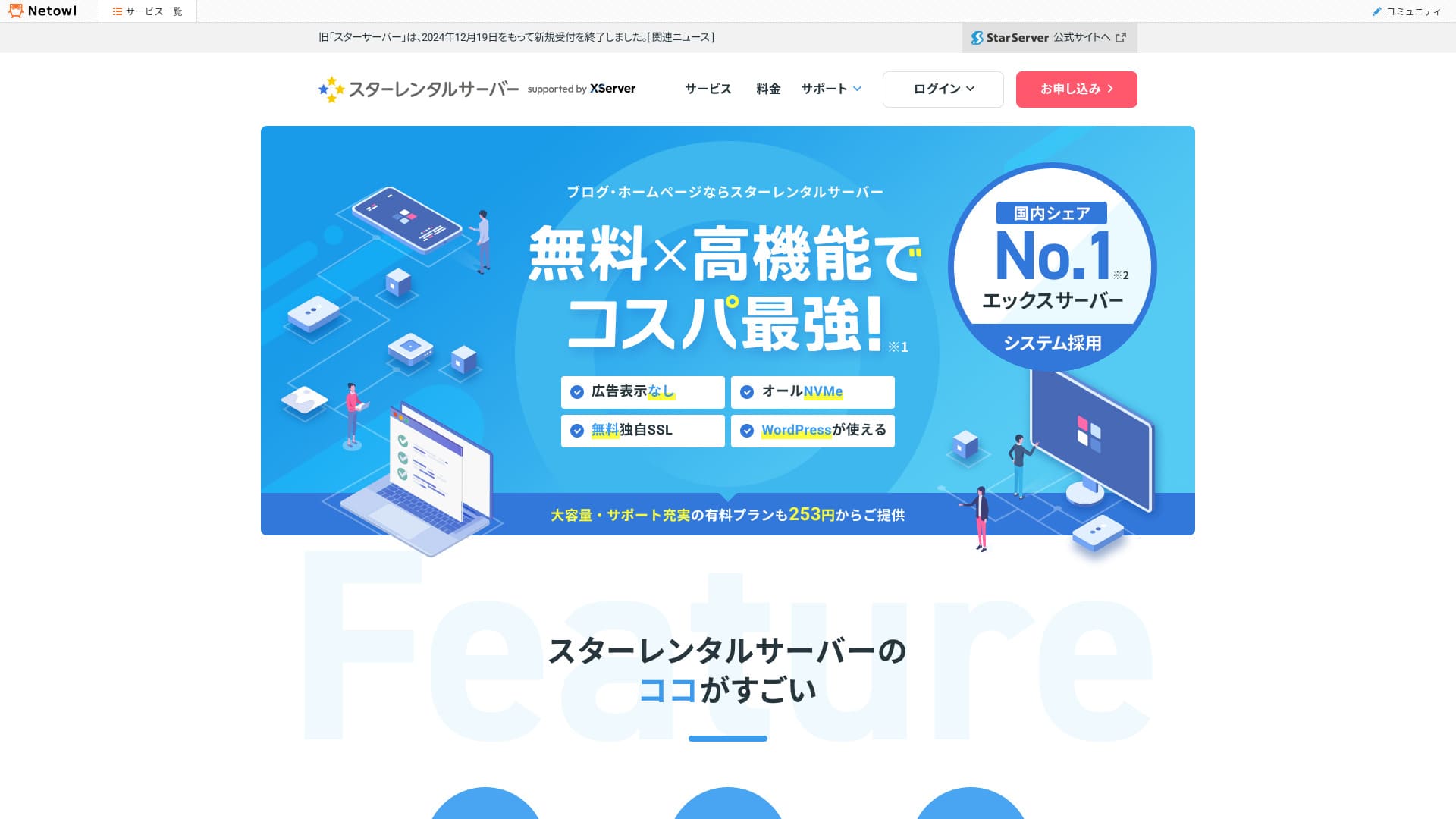
Nový uchazeč o server s nejlepším poměrem hodnoty a ceny.
Star Rental Server je rental server spuštěný společností Netowl, Inc. 19. prosince 2024 a lze ho začít používat zdarma.Používá stejný server jako Xserver a dokonce i administrační panel a další uživatelské rozhraní pocházejí z Xserveru, takže působí dojmem „není to v podstatě Xserver?“, jen s tím rozdílem, že je zdarma.
I actually used it, so if you want to try Star Rental Server, use this article as a reference. I thoroughly cover not only the speed and usability I felt in practice, but also its pricing and specs.
Complete Comparison of 32 WordPress Rental Servers: Recommendations by Personal, Business, and Overseas Use

When you think, “I want to start WordPress,” and search for “WordPress recommendations,” you see all kinds of articles, from personal-use services and servers for companies and small businesses to overseas and low-cost options. Honestly,
- Which site should I read?
- I just want to choose a server simply and clearly.
- Show me how to start WordPress right away.
Do you ever feel that way? This article introduces carefully selected recommendations from 32 rental servers for individuals, businesses, domestic use, and overseas use. It is explained by the SEO lead of an app development company that works with rental servers every day.
Star Rental Server review: a high-value server you can start using for free
「 Star Rental Server” is a high-value rental server from Netowl, Inc. that starts free. Despite being free, it is extremely fast and highly functional. Even the paid Light plan starts from just 246 yen, so it is a strong pick if you care about value.

| Server type | Shared server |
| Display speed (TTFB) | 90ms |
| Recommended plan and contract term | Free plan |
| Trial / money-back guarantee | None |
| Monthly fee (12-month contract) | Free |
| Initial setup fee | Free |
| Free domain | None |
| Support | None |
| Uptime | Not disclosed |
| Server storage | 3GB |
| Number of databases | 5 |
| Security measures | WAF, login attempt limits, restrictions on access from overseas IP addresses, limits on mass comments and trackbacks, and limits on comments and trackbacks from certain country IP addresses |
| SSL | Free custom SSL, Optional custom SSL |
| Backup / restore | None |
| Number of email accounts | None |
| Email security measures | Antivirus, spam filter, POP over SSL, SMTP over SSL, IMAP over SSL, DKIM, and DMARC |
| Server / website migration service | None WordPress migration tool available |
| WordPress preinstall | Yes |
| CDN | None |
Six features of Star Rental Server

Má bezplatný tarif
Star Rental Server má bezplatný tarif.Je dobrou volbou pro lidi, kteří chtějí začít s WordPressem bez utrácení peněz. Neobsahuje ani reklamy, které jsou u bezplatných tarifů běžné.
Existují určitá omezení, například nemožnost používat e-mail a menší kapacita databáze, ale v praxi nejde o zásadní problémy.

Hikaru Ono
Bezplatný tarif byl bohužel ukončen 22. října 2025.
[Včetně naměřených dat] Velmi rychlý server na úrovni Xserveru
Star Rental Server je poskytován nad Xserverem. To znamená, že kvalita serveru je na úrovni Xserveru. Používá nejnovější procesory AMD a i bezplatný tarif běží ve stejném serverovém prostředí.
Když jsem ho skutečně změřil, výsledek byl mimořádně rychlých 90 milisekund. To je pod hranicí 200 milisekund, kterou doporučuje Google.
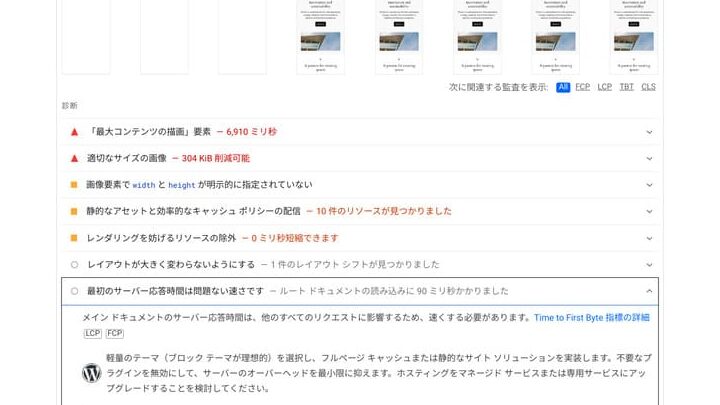
★ Rental Server Speed Comparison Across 15 Services: This One Was Truly Fast [2024 Edition]
Používá stejně známé uživatelské rozhraní jako Xserver
Protože Star Rental Server využívá systém Xserveru, jeho administrační panel je stejný jako u Xserveru.Uživatelské rozhraní Xserveru se používá velmi snadno a má přístupný design.
Even if this is your first time using a rental server, you should be able to register and configure it without getting lost.
Paid plans are inexpensive
Placené tarify Star Rental Serveru jsou levné.Existují tři placené tarify a každý z nich je cenově konkurenceschopný vůči japonským rental serverům stejné třídy.
The most affordable Light plan is the one I recommend most. Let’s compare the pricing.
| Star Rental Server (Light) | 4,008 yen |
| ConoHa WING (Basic) | 11,292 yen |
| Xserver (Standard) | 10,560 yen |
| Lolipop! (Light) | 5,940 yen |
| Sakura Rental Server (Light) | 6,600 yen |
If you want to get started at a low price, Star Rental Server is the pick.
Equipped with a high-function WAF
Star Rental Server obsahuje vysoce funkční WAF.
A WAF is often described as next-generation security and is essential for protecting against the latest cyberattacks. It is often standard on higher-priced servers such as Xserver, but on low-cost servers it is still usually a paid option.
In fact, the old Star Server did not include a WAF either.
But the new Star Rental Server lets you use WAF at no extra cost. Even the free plan can use it.
Anyone can start WordPress easily
Star Server makes it easy for anyone to start WordPress.
Because WordPress is preinstalled when you sign up for the server, even people with no experience using servers or WordPress, or people who are not comfortable with them, can get started with confidence.
Drawback: the cheapest Star Rental Server plan does not include automatic backups

One drawback of Star Rental Server is that automatic backups are not available on the cheapest Light plan. Without automatic backups, you may not be able to recover your data if it gets deleted.
When you run a site, there will inevitably be moments when you wish you had backup data, whether from a cyberattack, accidentally deleting data yourself, or a plugin update causing the site to break.
If you sign up for the Light plan, be sure to install a WordPress backup plugin.If you are not comfortable handling backups yourself with plugins, I recommend the Standard plan.
★ Five Powerful WordPress Backup Plugins to Help You Recover Data
Compare Star Rental Server with two competing servers

Lolipop!
LOLIPOP is a stable server with 99.99% uptime. More than 2.3 million people have used Lolipop! so far, which gives it a longer track record than Star Server.
It is also designed to make WordPress easy to start. Because you can reliably begin WordPress during sign-up, it is well suited to people running a website for the first time.
However, it is slightly more expensive than Star Rental Server.If keeping costs down matters most, Star Rental Server is the better choice.

Lolipop! Review [2025 Edition]: What Speed Tests Revealed, Plus the Pros and Cons
Lolipop! Review [2025 Edition]: What Speed Tests Revealed, Plus the Pros and Cons
serverfield.org
CoreServer
CoreServer is cheaper than Star Rental Server. It offers a wide range of plans, and you can change plans freely. That makes it easy to move up to a higher plan as traffic grows and reduce unnecessary costs.
However, CoreServer is hard to use when starting WordPress. I have had experiences where things did not go well even after investing time. If you do not have solid server knowledge, it may be difficult.
If you have the technical knowledge, CoreServer is fine. If you do not feel confident, Star Rental Server is the safer option.

CoreServer Review [2025 Edition]: A Thorough Look at Pricing, Speed, Pros, and Cons
CoreServer Review [2025 Edition]: A Thorough Look at Pricing, Speed, Pros, and Cons
serverfield.org
Seven steps to start a WordPress website with Star Rental Server right now
Start WordPress with Star Rental Server right now
- STEP.1Apply on the official site
Apply from the official site.
Click “Start now! New application.”
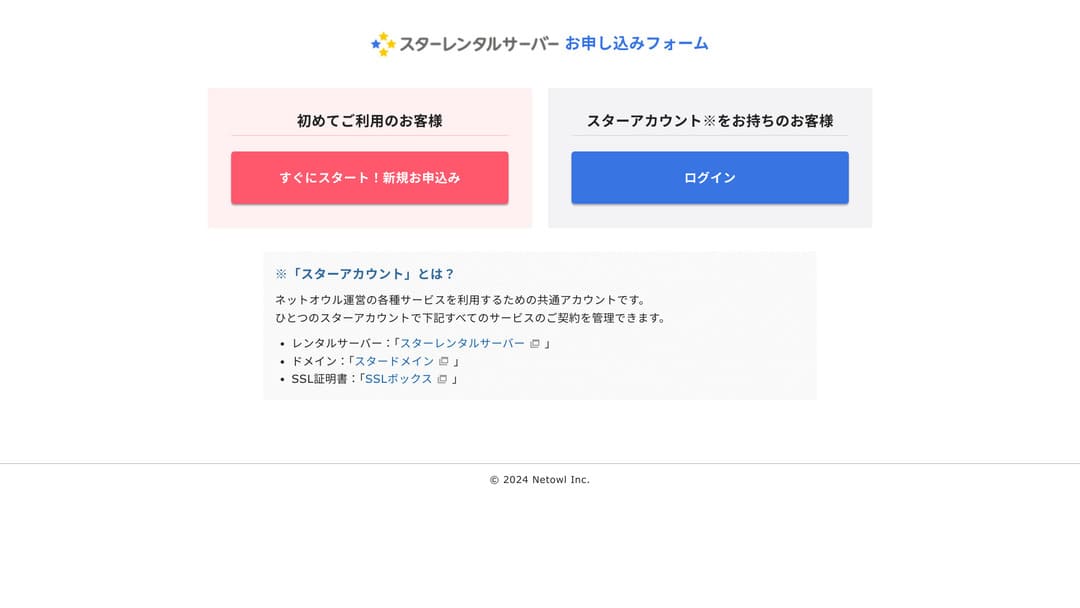
- STEP.2Enter and confirm your customer information
Enter your customer information, such as your email address and name. After filling it in and checking the terms, tick the checkbox and click “Next.”
Identity verification will be sent to your registered email address, so enter the code from the email.
A confirmation screen for your customer information will appear, so review the details once more. If everything is fine, click “Register with this information and proceed to server application.”
- STEP.3Apply for Star Rental Server and complete authentication
Choose your server ID and plan. I recommend the Light plan.
Check the terms and click “Review application details.”
Complete SMS authentication. Verification is done by SMS or phone call, so I recommend using the mobile number you normally use.
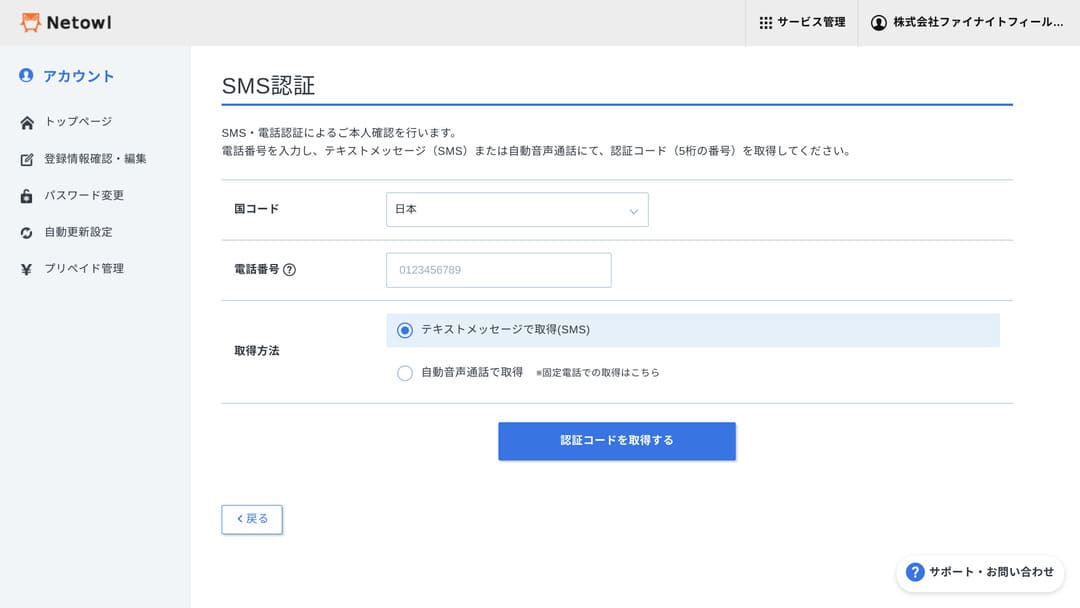
You will be taken back to the plan selection screen, so choose your plan there and click “Apply.”
- STEP.4Use “Easy WordPress Installation” from the server admin panel
Open the server admin screen. There are both a file screen and a server panel, so choose the server panel.
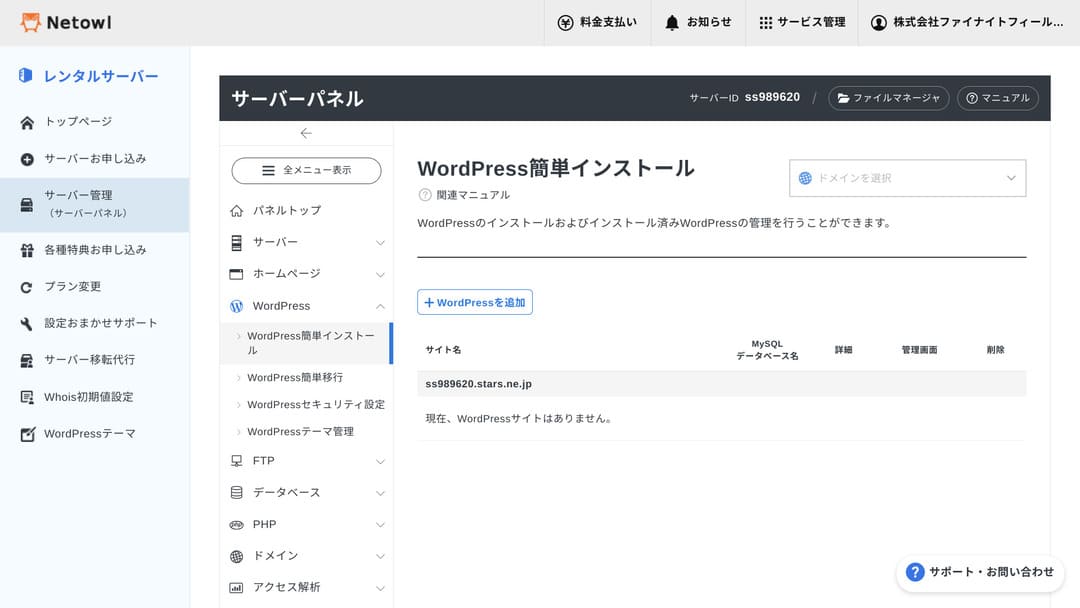
From the “WordPress” menu, go to “Easy WordPress Installation.”
Click “+ Add WordPress.”
- Add method: New installation
- Target domain: leave it as is, or choose the domain you registered if you already have one.
- WordPress version: leave it as is
- Site URL: leave it as is, or enter a subdomain if you prefer.
- Blog name: any name is fine.
- Username: used when logging in to WordPress.
- Password: used when logging in to WordPress.
- Email address: used for WordPress admin access, password resets, and similar tasks.
- Automatic cache deletion: turn it ON.
- Database: create the database automatically
- Memo: leave it as is
- Theme: leave it as is, or choose any theme you like.
After entering the information, click “Install.”
Once installation finishes, log in. After that, install any WordPress plugins you need, and you are done.
How to cancel Star Rental Server
How to cancel Star Rental Server
- STEP.1Click “Contract information”
Log in to your Star Account and click “Contract information” from the menu for the service you want to cancel.
- STEP.2Click “Cancel”
Click “Cancel” at the bottom of the page.
- STEP.3Click “Submit cancellation request”
Make sure the selected server ID is correct. If it is, click “Submit cancellation request.”
When you cancel a server account, delete the domain settings as well. If you leave the domain settings in place, you can run into a problem where you cannot register the same domain when you create another account later.
Frequently asked questions about Star Rental Server
Jaký je rozdíl mezi Star Rental Serverem a starým Star Serverem?
Mezi Star Rental Serverem a starým Star Serverem je několik rozdílů.
- Používá stejný administrační panel jako Xserver
- K dispozici je WAF
- WordPress je předinstalovaný
Lze se Star Rental Serverem používat e-mail?
Webmail je dostupný v tarifu Light a vyšších. V bezplatném tarifu dostupný není.
Can you register a domain with Star Rental Server?
You can register a domain with Star Rental Server. You can also transfer your domain to Star Domain, and even if you keep it with another domain provider, you can still use it without problems as long as you configure the name servers correctly.
Shrnutí
Star Rental Server je levný server, který můžete začít používat zdarma.Tarif Light je natolik výhodný, že ho lze označit za jednu z nejlepších možností z hlediska hodnoty. Vyzkoušejte ho.
Complete Comparison of 32 WordPress Rental Servers: Recommendations by Personal, Business, and Overseas Use
When you think, “I want to start WordPress,” and search for “WordPress recommendations,” you see all kinds of articles, from personal-use services and servers for companies and small businesses to overseas and low-cost options. Honestly,
- Which site should I read?
- I just want to choose a server simply and clearly.
- Show me how to start WordPress right away.
Do you ever feel that way? This article introduces carefully selected recommendations from 32 rental servers for individuals, businesses, domestic use, and overseas use. It is explained by the SEO lead of an app development company that works with rental servers every day.