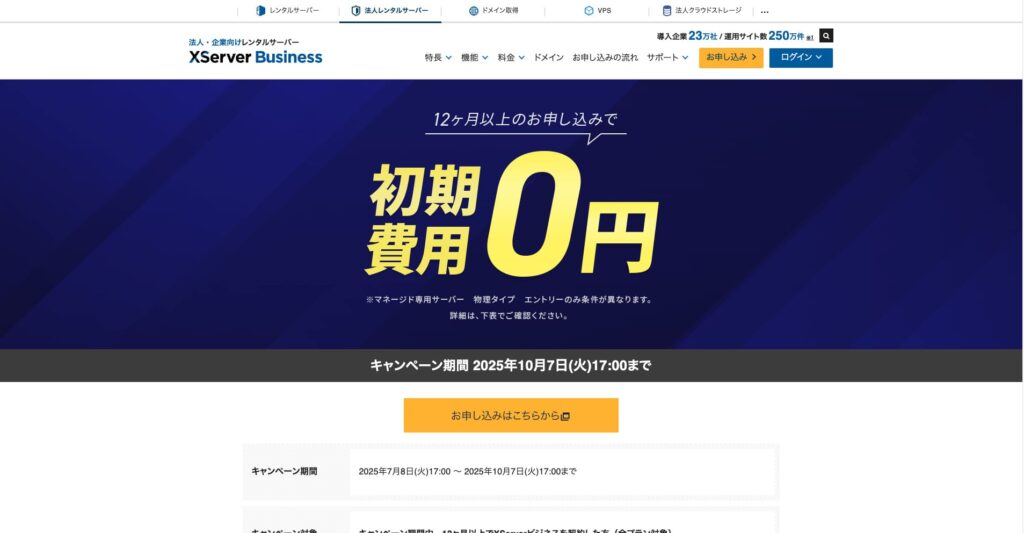
Until October 7, 2025, the initial fee (normally 16,500 yen to 385,000 yen) is free, and server migration service is also free
PR
কাজ
XServer Business review [2025 latest]: speed, pricing এবং features-এর বিস্তারিত পরীক্ষা
প্রকাশিত: 2025.05.13
আপডেট: 2025.05.13
রেটিং: 5.0
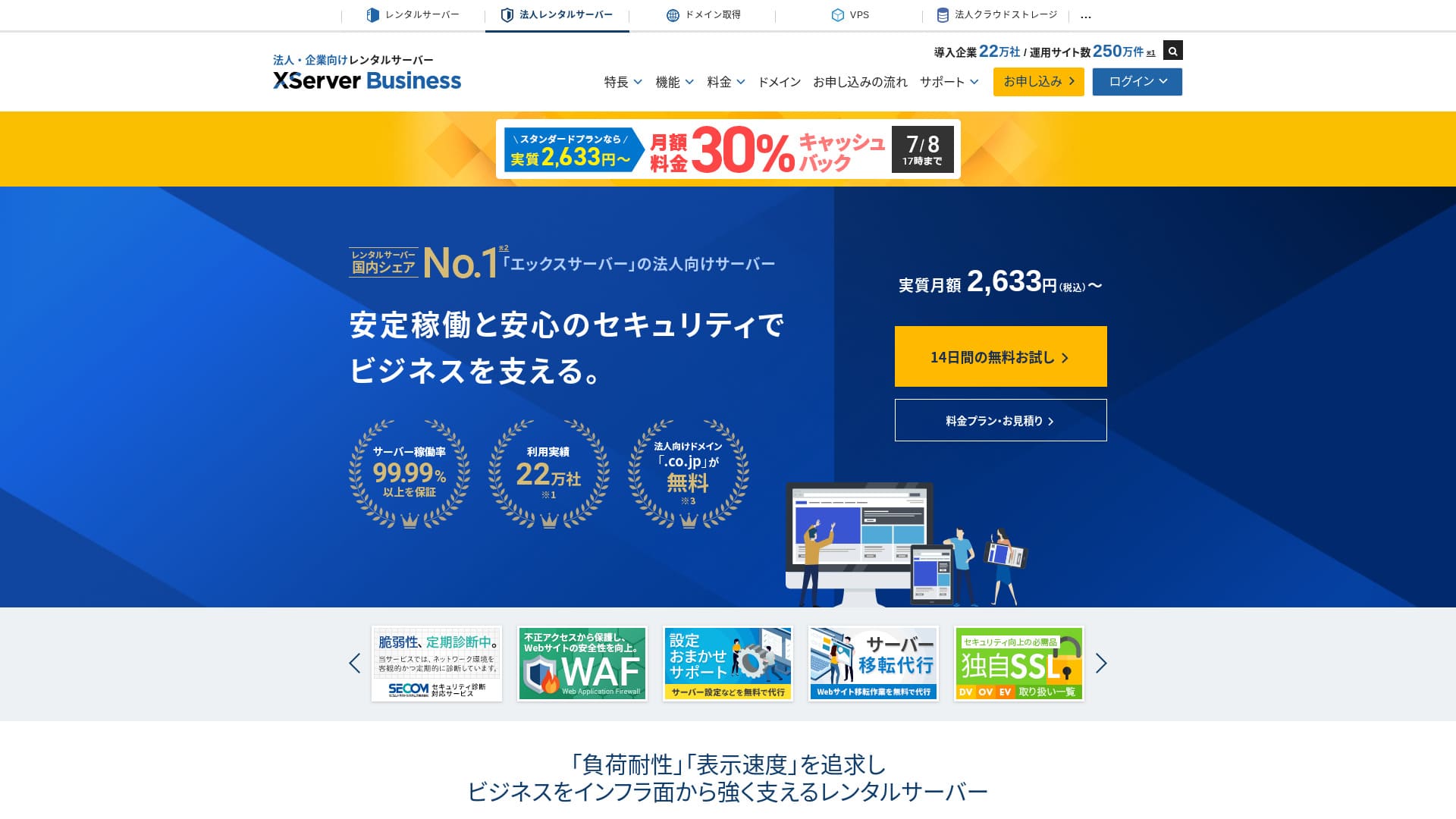
XServer Business Xserver Inc.-এর ultra-fast business hosting service। এটি fast এবং high-capacity দুটোই হওয়ায় email, WordPress websites এবং landing pages চালাতে খুব স্বচ্ছন্দ।
| Server type | Shared hosting / Managed dedicated server |
| Speed (TTFB) | 40ms |
| Recommended plan | Shared Standard, 12 months |
| Free trial | 10-day free trial |
| Monthly price | 2,926 yen |
| Initial setup fee | 16,500 yen |
| Free domains | দুটি domain forever free |
| Uptime | 99.99% guarantee |
| Storage | 700 GB |
| Databases | Unlimited |
| Security | WAF / tamper alerts / Secom security diagnostics |
| Backups | 14 দিনের automatic backups / restore free |
| SSL | Unlimited |
| Migration | প্রথমবার full-service migration free |
| WordPress preinstalled | হ্যাঁ |
| Email security measures | Antivirus / spam filter / high-performance spam filter / POP over SSL / SMTP over SSL / IMAP over SSL / DKIM / DMARC |
| Server / website migration service | Free full-service migration(first time only, up to 10 sites) |
| WordPress preinstalled | Yes |
| CDN | None |

Hikaru Ono
XServer Business server sign-up-এর সময়ই WordPress শুরু করতে দেয়, তাই নতুন website বানানো companies-এর জন্য এটি খুব ভালো পছন্দ। Existing site থাকা businesses-ও migration free হওয়ায় বেশি নিশ্চিন্ত হতে পারে।
এটি long-term use-এর জন্য high-quality server।
- Data based on market research as of November 4, 2025, arranged in order of speed
- Monthly prices WordPress-supporting cheapest plan-এর first-year cost-এর ওপর ভিত্তি করে
- Speed একই conditions-এ measured TTFB
"XServer Business" is the business hosting service from Xserver Inc., the company with the No. 1 market share in Japan. In our measurements, it ranked No. 2 for speed. It is one of the best choices when you need to move to a new server, and migration is free as well.

WordPress সম্পর্কিত review
Easy WordPress installation
XServer Business sign-up-এর সময়ই WordPress install করতে পারে। এতে নতুন corporate website launch করা অনেক সহজ হয়।
Hikaru Ono
Even without an in-house IT department, you can start WordPress reliably and without trouble.
Let's launch your website with XServer Business
- STEP.1Visit the official XServer Business website
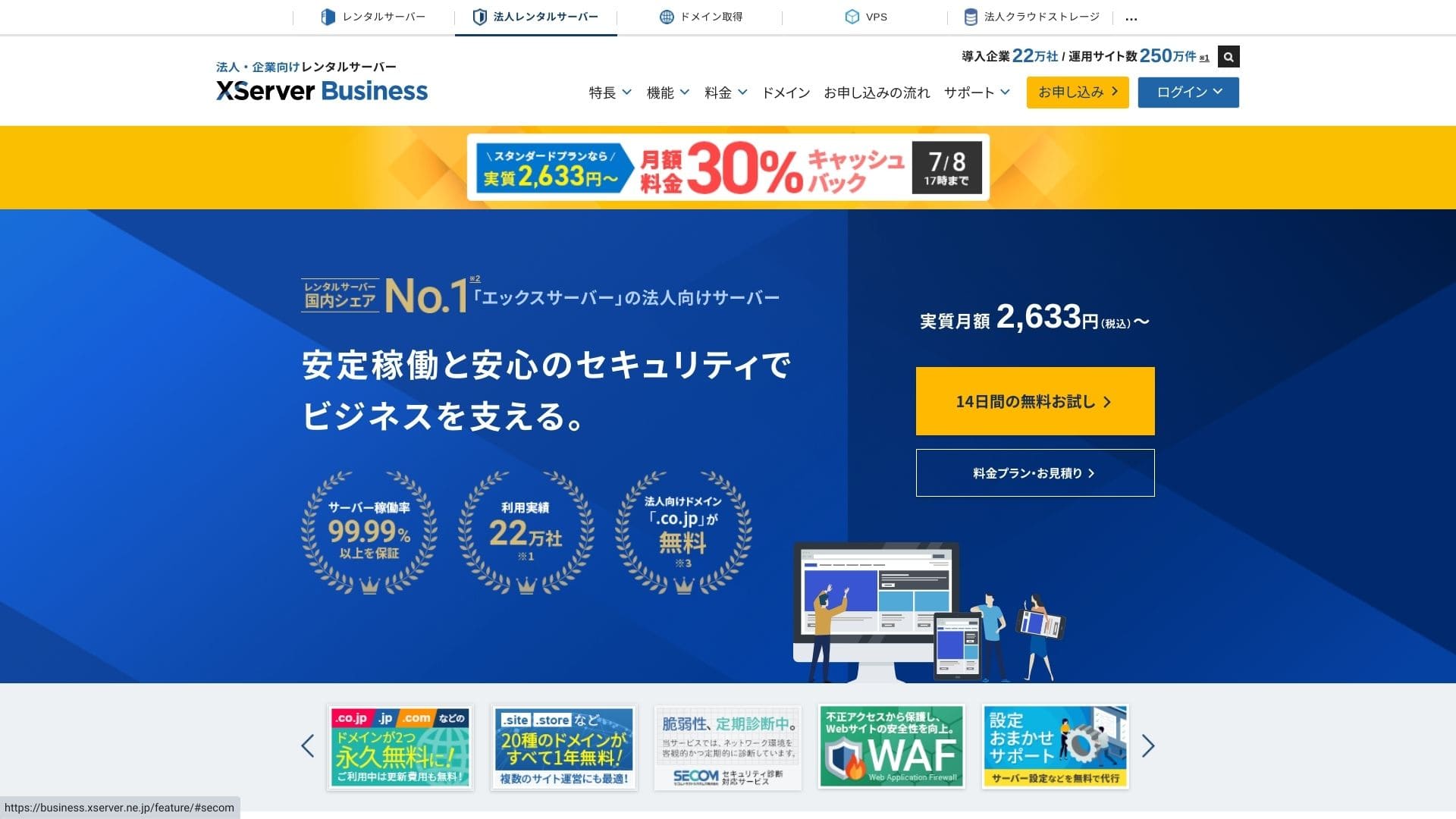
Click "14-day free trial" on the top page. Then, under "First-time customers," click "Start now! New application."
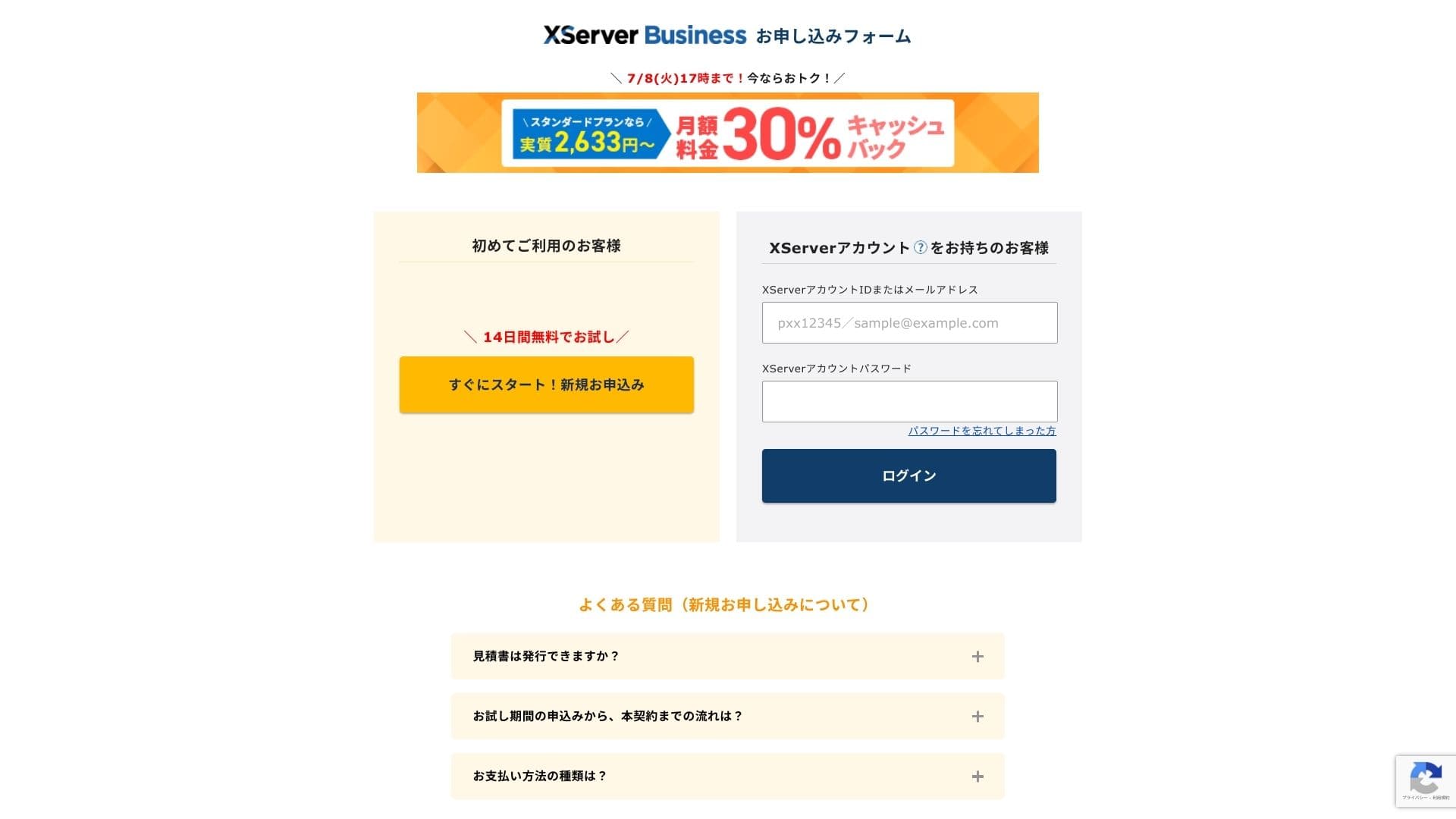
- STEP.2Choose your application details
You can leave the server ID as it is. Choose the shared server, then select a plan. I recommend the Standard plan. If traffic grows and the specifications become insufficient, you can upgrade later.
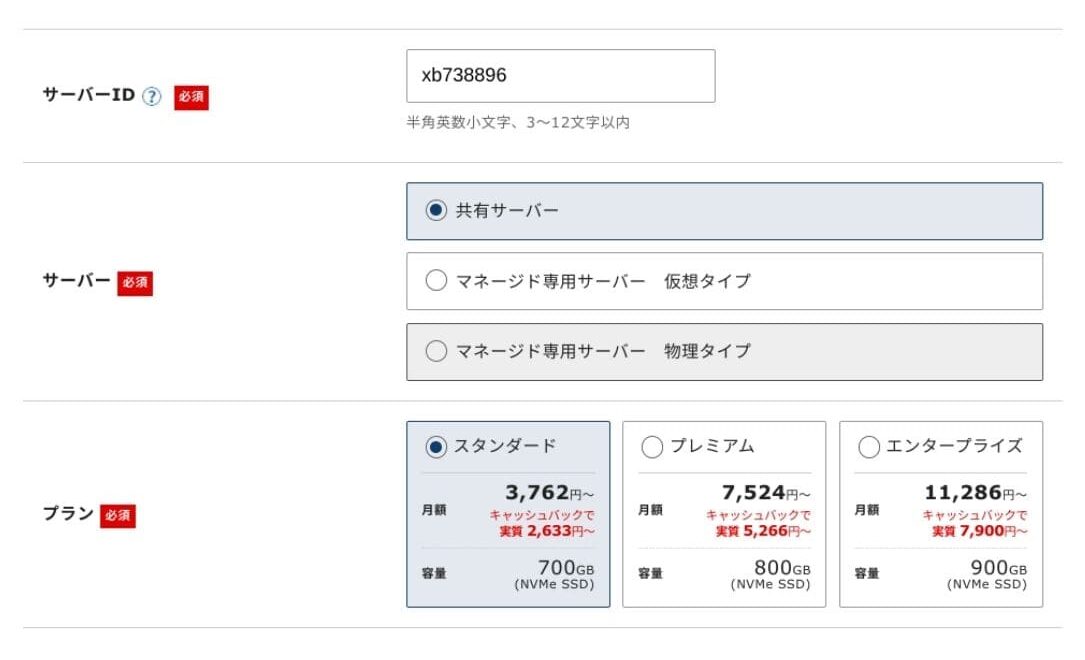
Click "Proceed to customer information entry."
- STEP.3Create your Xserver Account and enter your customer information
Enter your email address, name, address, and the other required details.
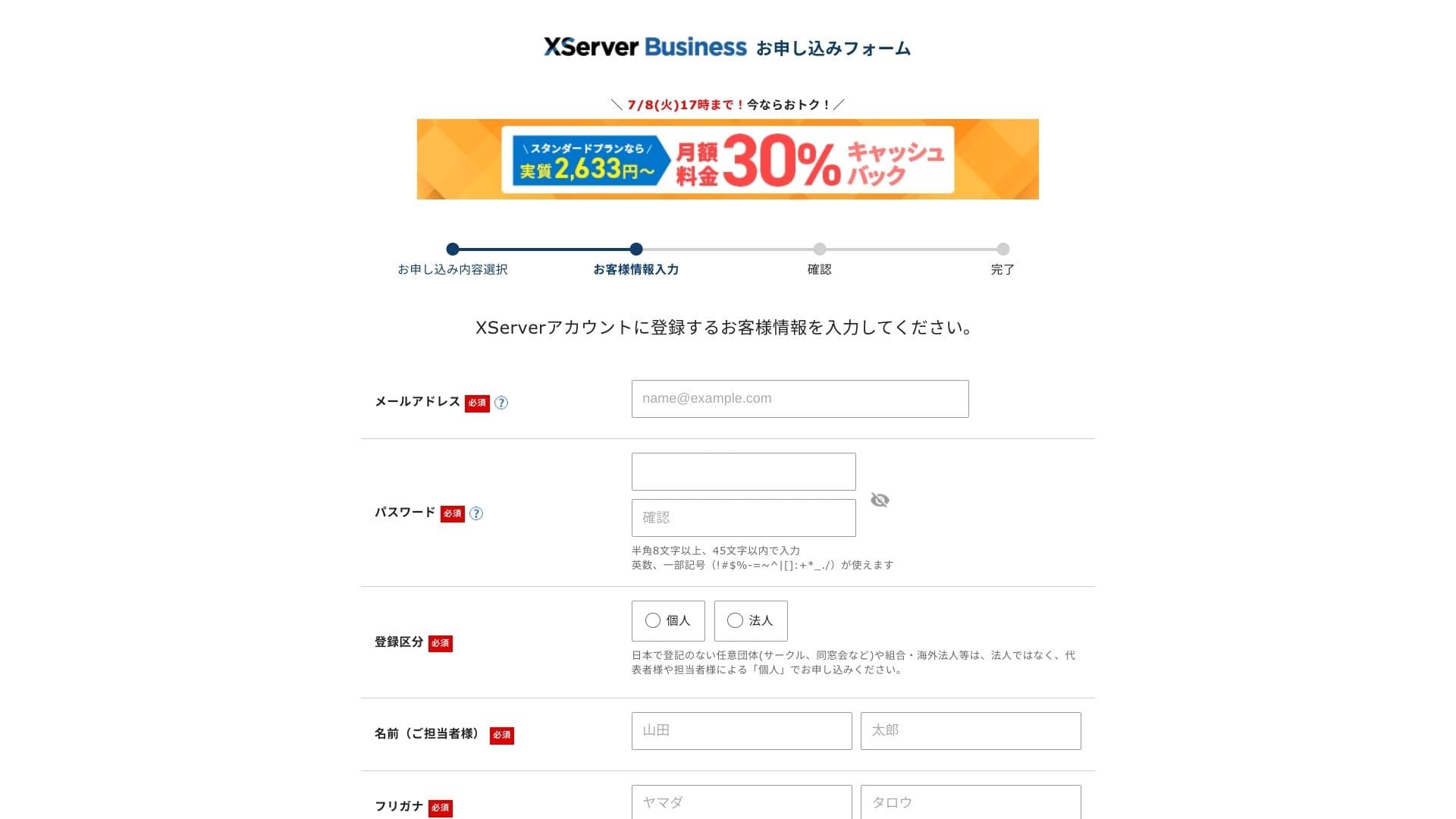
Anmeldelse the Terms of Use and the Handling of Personal Information. If you agree, check the box and click "Next."
Enter the verification code shown on the screen. A verification code will be sent to the email address you registered, so check that message first.
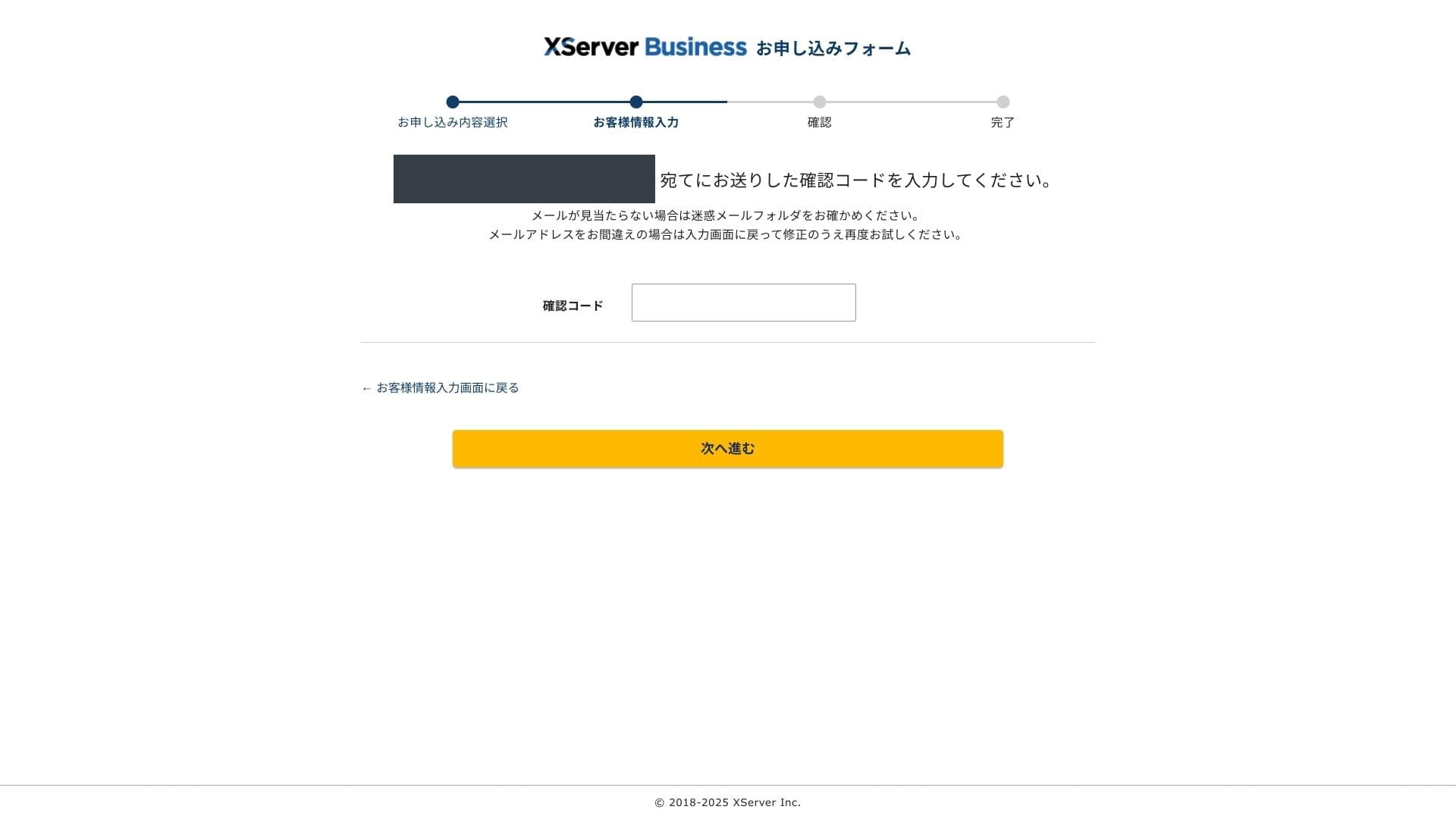
- STEP.4Anmeldelse
Anmeldelse your application details and Xserver Account information one more time. If everything looks correct, click "Proceed to SMS / phone verification."
Your application details will be reviewed again using your phone number.
Enter the phone number to use, choose either SMS or an automated voice call to receive the verification code, and click "Get verification code." Once you receive it, enter the code.
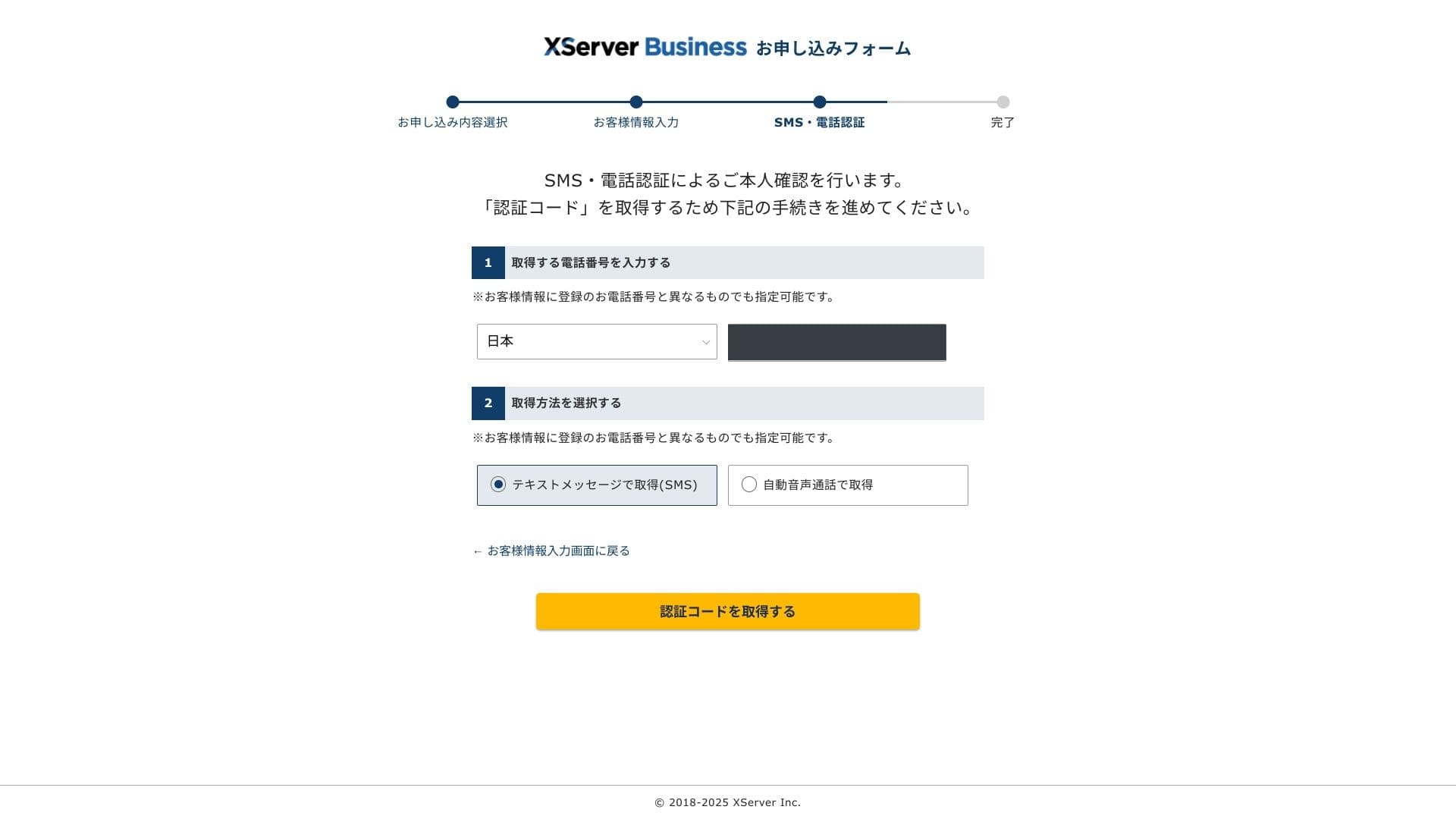
When you see "Your application has been completed," the application is finished.
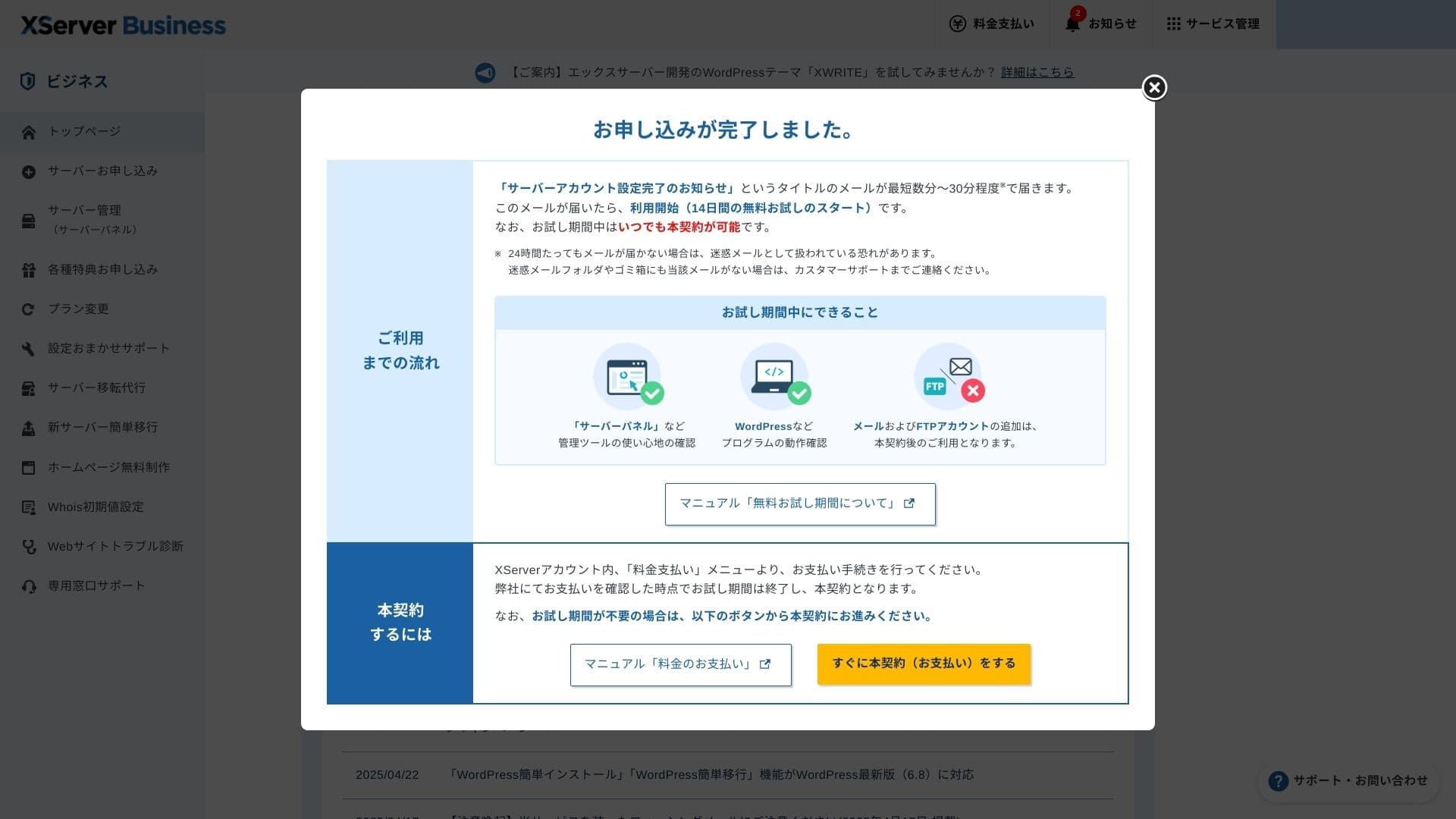
Once this page appears, complete the payment from "Proceed to paid contract now." If you do not complete the paid contract, you cannot use the one-year free domain benefit or the email features.
- STEP.5Get your custom domain and configure it
Log in to the Server Panel from the Xserver Account admin screen. Get your domain from the Domain section. It is a good deal to use the one-year free benefit.
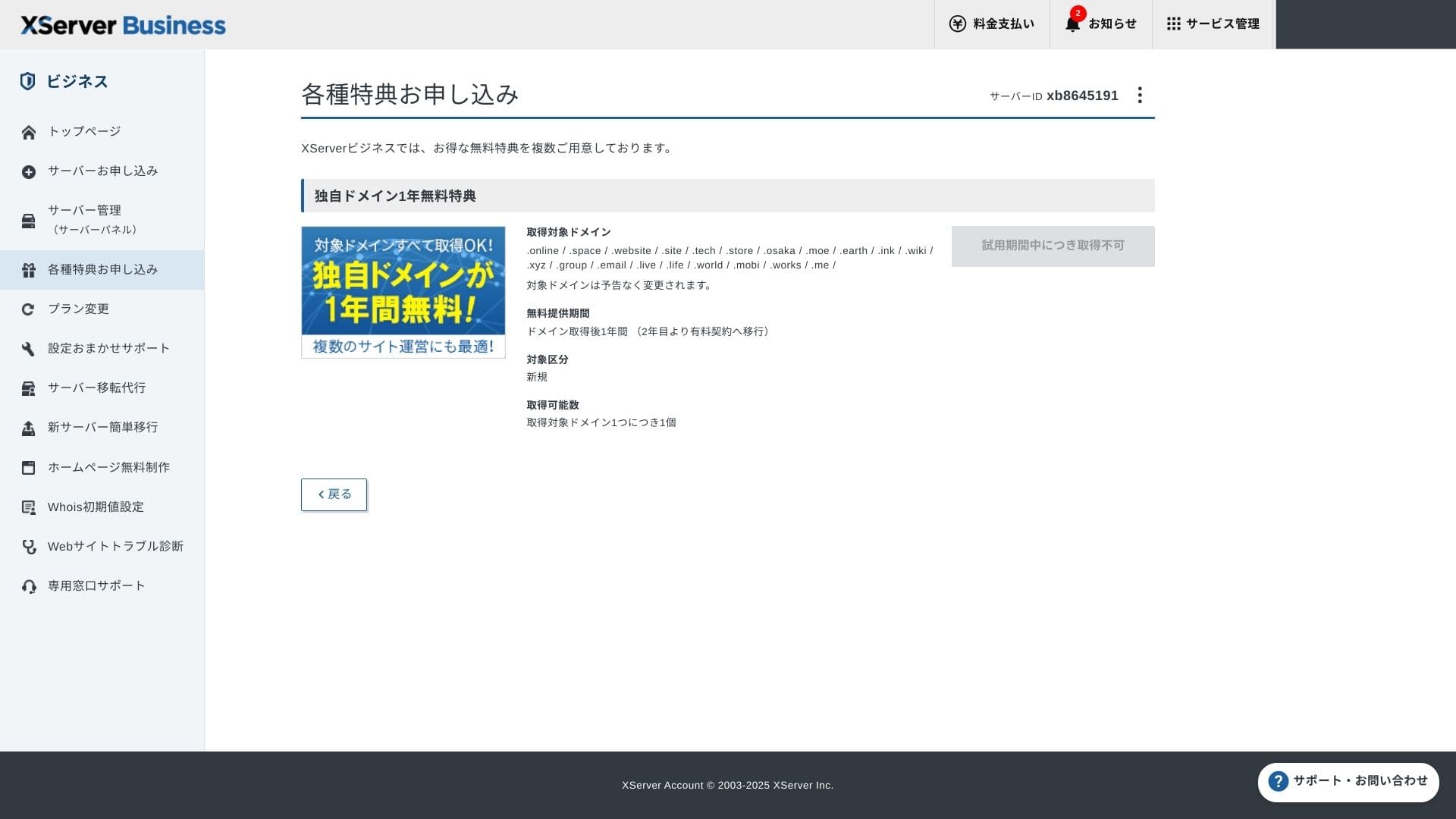
Get your custom domain. From Apply for special offers in the admin screen, choose Permanent free custom domain benefit, then click Use this benefit.
Choose New registration as the category. Enter any string you want for the domain name. Your domain matters, so think carefully before deciding.
★ What is a domain? Its role as an address on the internet and how to obtain one
Search for the domain name you want and choose it. Click "Apply to get the selected domain." Anmeldelse the application details on the Anmeldelse screen. Check the box to agree to the Terms of Use and the Handling of Personal Information, then click "Submit your application."
Next, configure the domain. From the admin screen, choose "Server Management." This opens the Server Panel. Under "Domain," click "Domain Settings." Click "Add Domain Setting," enter the custom domain you obtained, and click "Proceed to Anmeldelse."
Check the details on the Anmeldelse screen and click "Add." When the completion screen appears, the domain setup is complete.
- STEP.6Install WordPress and complete the initial setup
From WordPress in the Server Panel, choose Easy WordPress Installation.
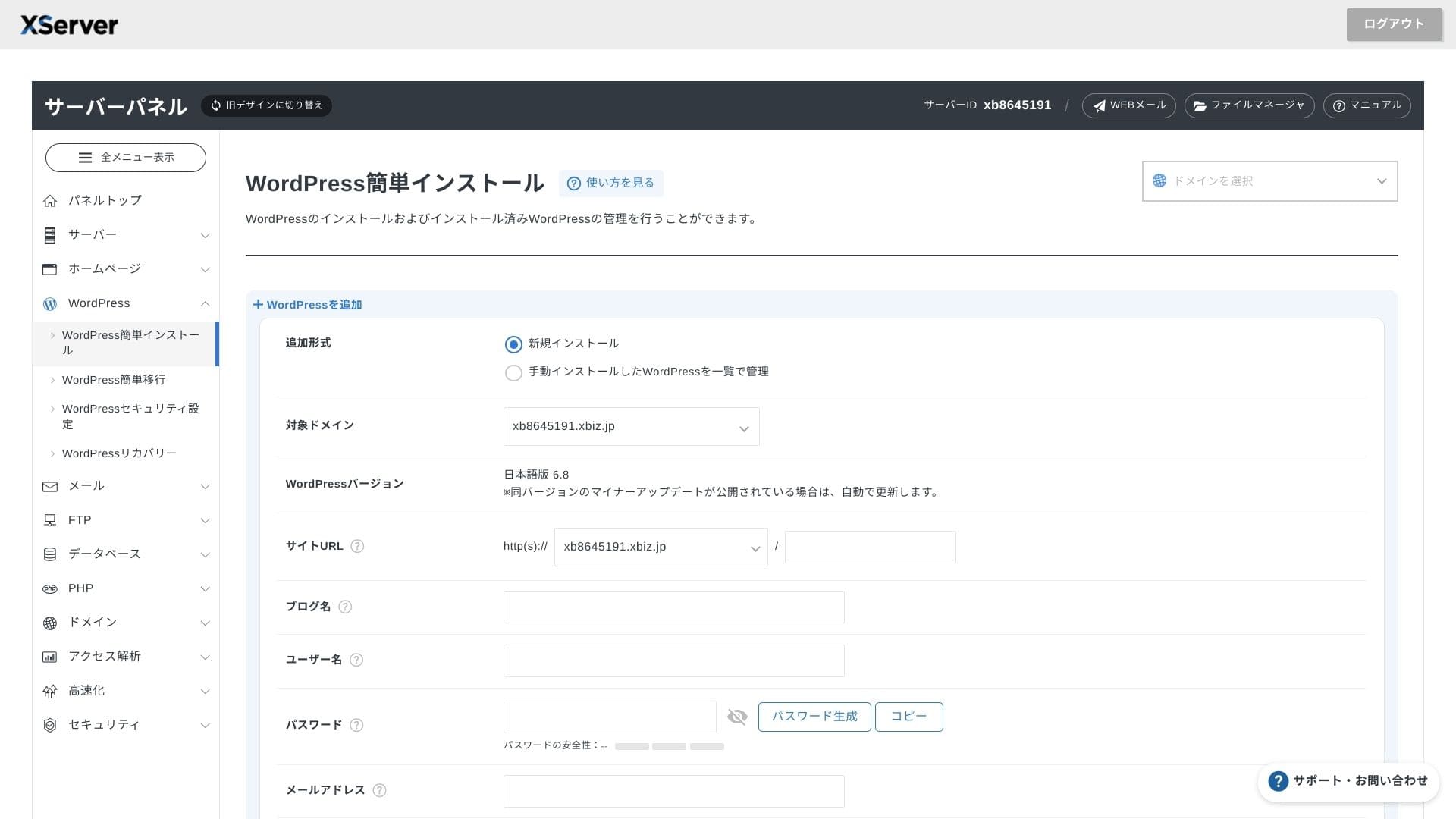
Click WordPress Installation and enter the installation settings for WordPress.
- Site URL: Select the domain name you obtained earlier
- Site title: The title of your website
- Username: Any username for WordPress login
- Password: A WordPress login password, preferably as complex as possible
- Email address: Use the email address you normally use. For a business site, a company email is recommended
- Database: Generate the database automatically
After entering everything, click "Proceed to Anmeldelse" and then click "Install." When the completion screen appears, the installation is complete.
Next, handle the initial WordPress setup. Click Admin panel URL on the WordPress installation completion screen. On the login screen that appears, enter the username and password you wrote down earlier and click Log in.
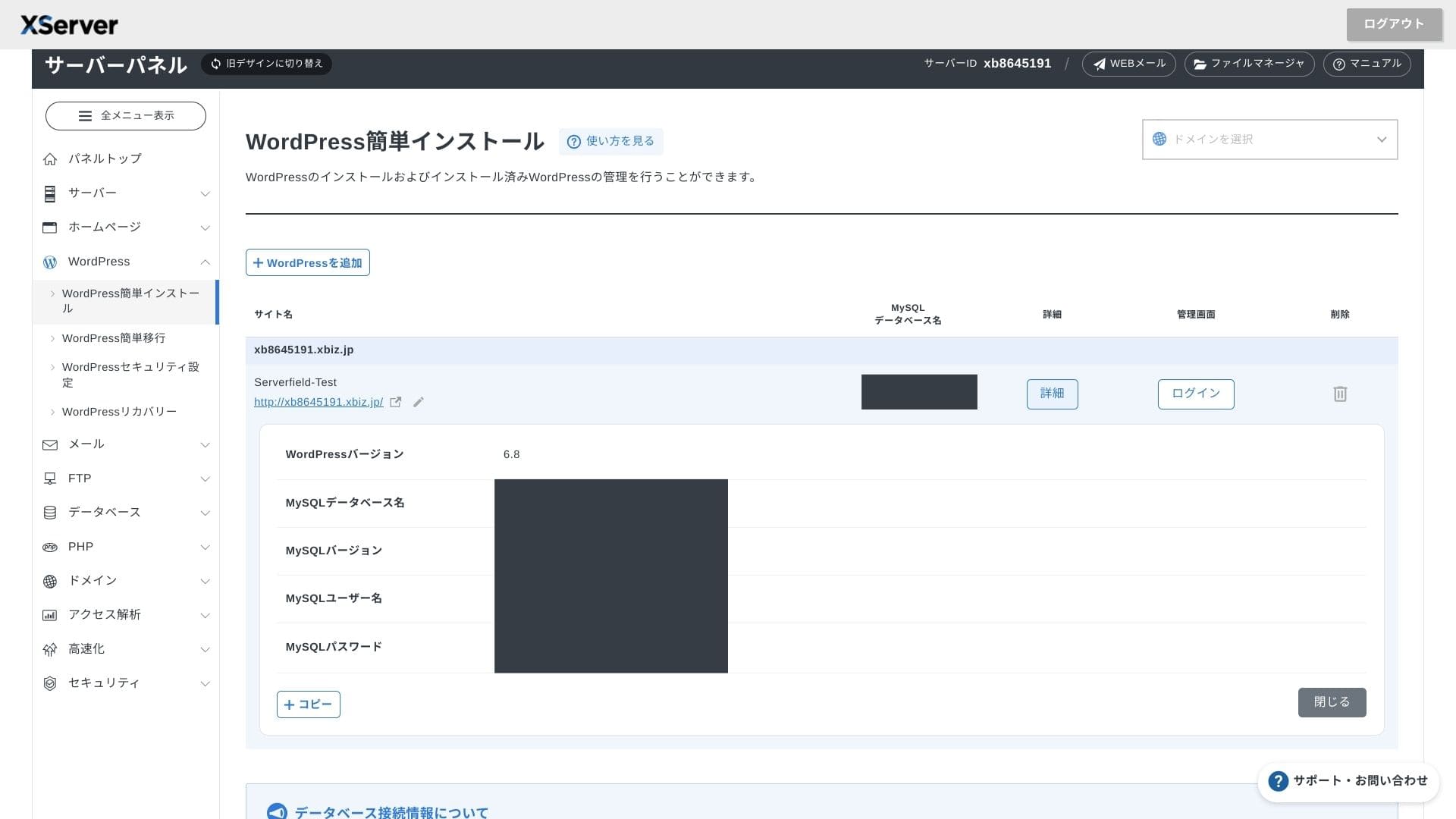
If you see a warning saying A secure connection is not supported, the DNS settings have not propagated yet. In that case, all you can do is wait, so try logging in again every hour or so.
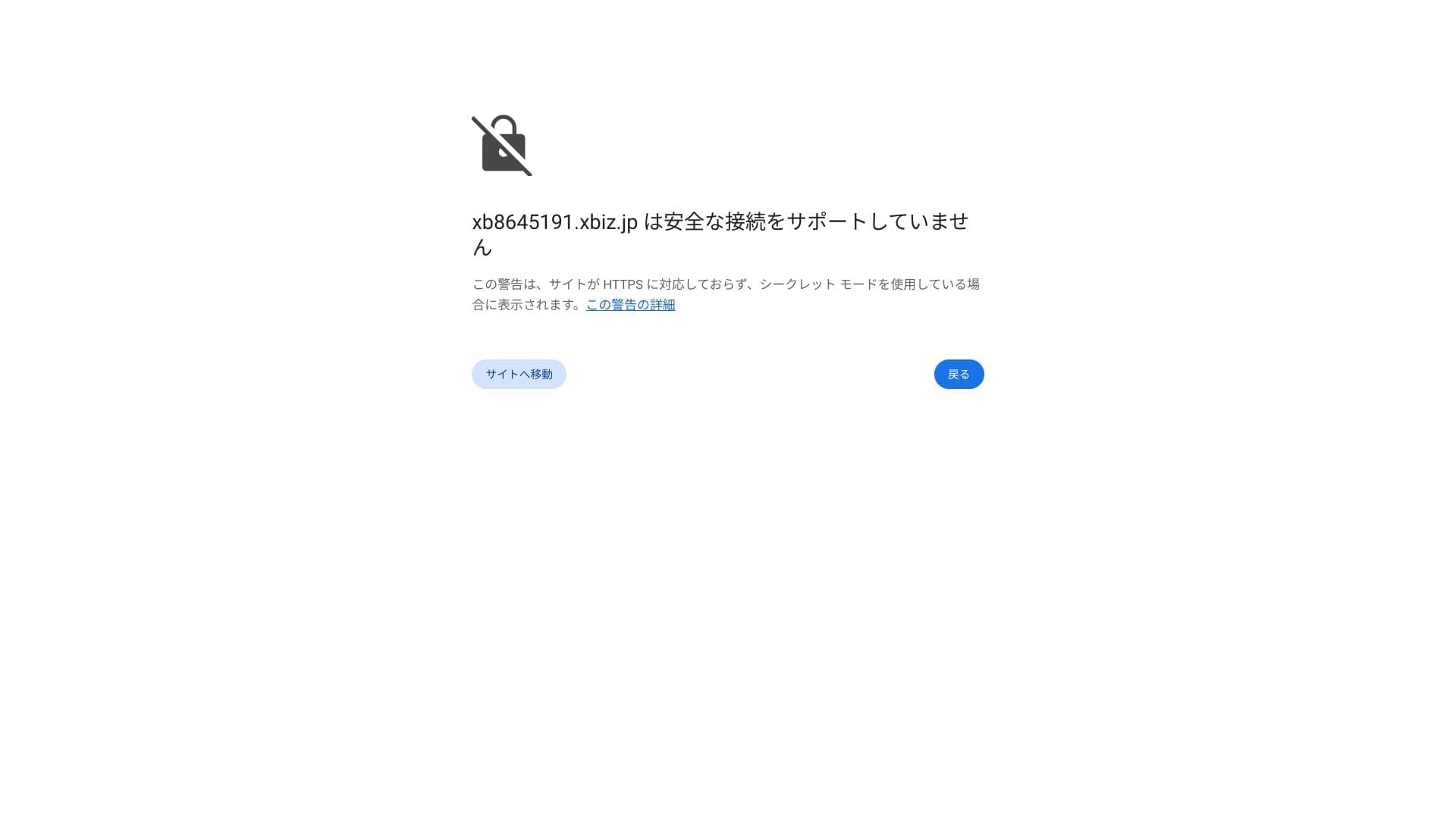
★ What are DNS and nameservers? Connecting your domain and server
Set your permalinks. In the WordPress admin screen, go to Settings and then Permalinks. Choose Post name and click Save Changes.
If you choose Post name, you will be able to enter any string you want in each article URL. I recommend a short string that helps readers imagine the article content. If the URL is too long, some people may feel uneasy and wonder whether the site is unsafe.
- STEP.7Install plugins
Go back to the WordPress admin screen, open Plugins, then Add New, and install the plugins you need.
When you find the plugin you want through search, click Install Now and then Activate. After that, follow the instructions for each plugin.
Be sure to install security and backup plugins.
- 5 security-focused WordPress plugins and how to choose them
- 5 powerful WordPress backup plugins to recover your data
Once the plugins are in place, your WordPress website is ready to go.
Multiple sites চালানো
Multidomain, subdomains এবং email accounts unlimited হওয়ায় এক contract-এ multiple sites, campaign pages এবং internal portals সামলানো সহজ হয়।
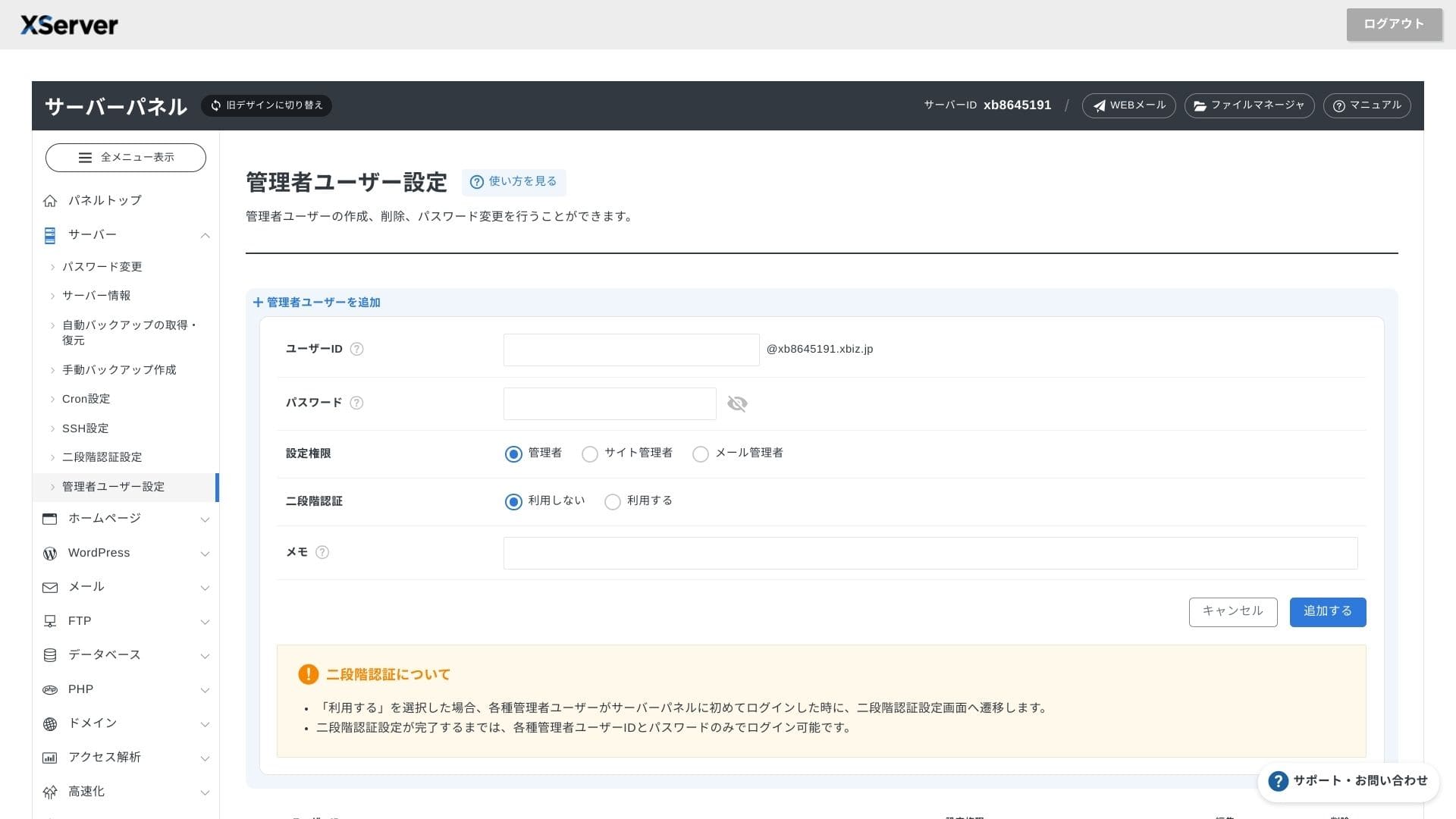
WordPress site migration
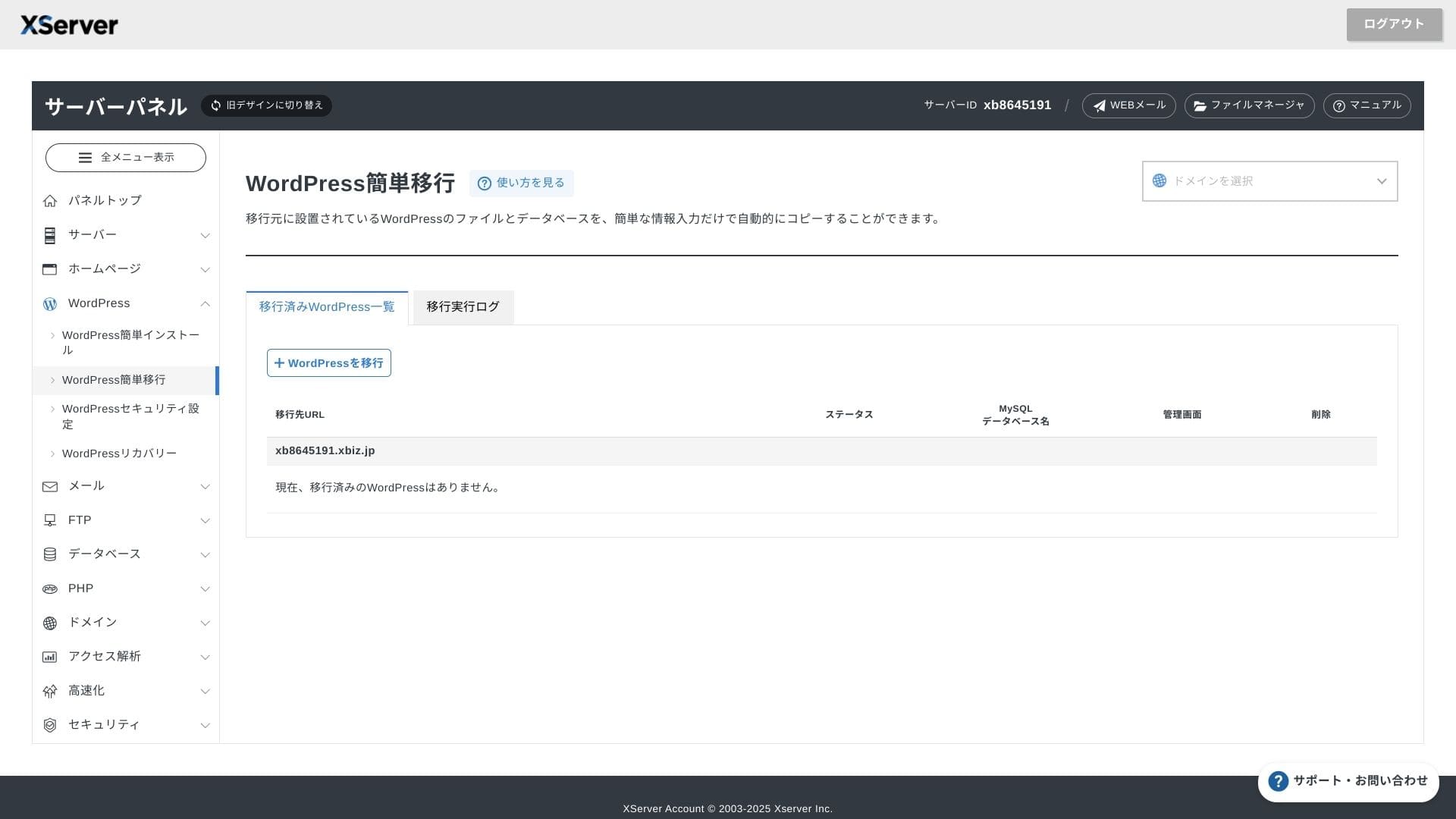
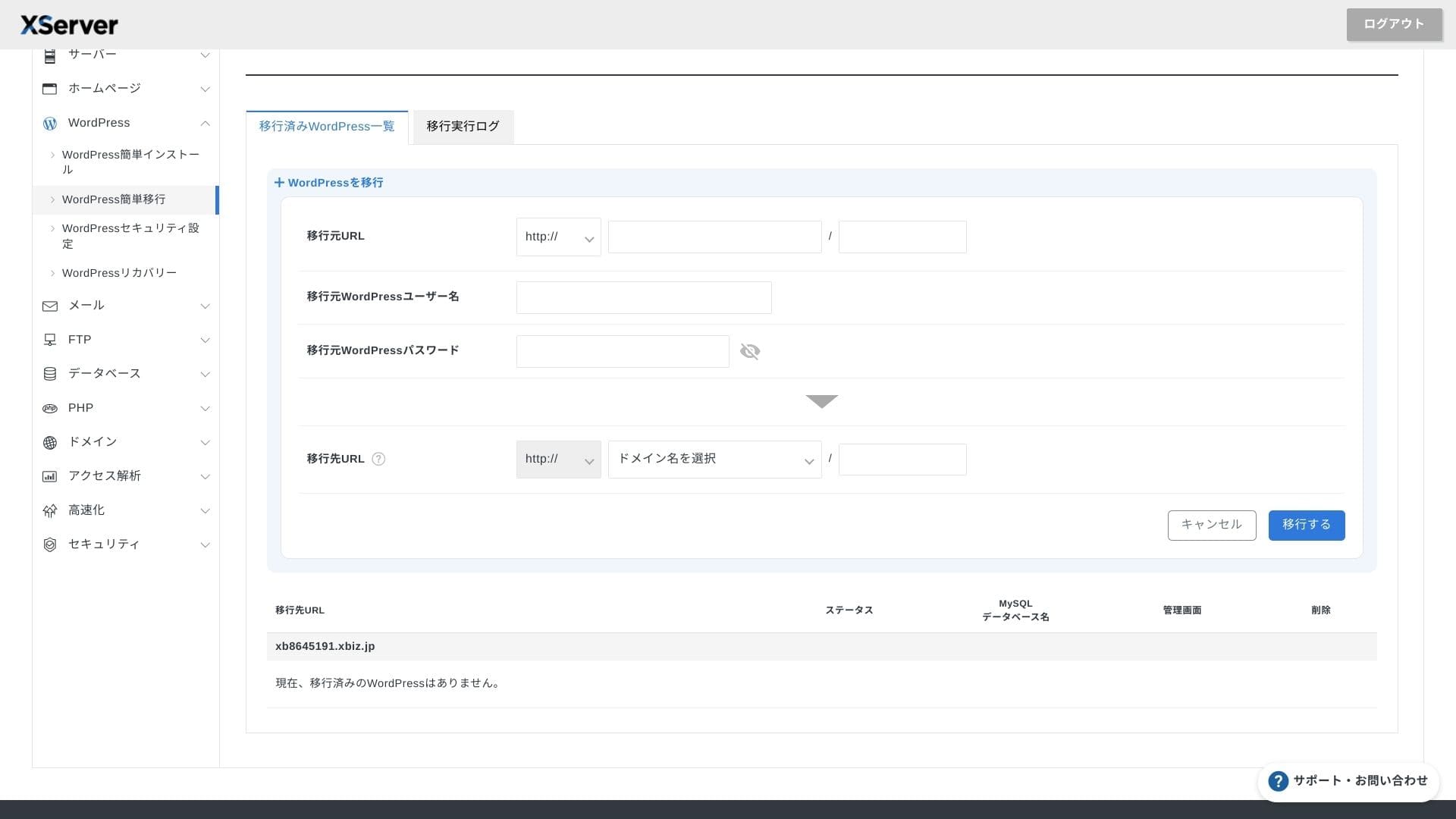
এই service Easy WordPress Migration এবং managed migration দুটোই দেয়। Existing site অন্য server থেকে আনতে চাওয়া teams-এর জন্য এতে practical value আছে।
Hikaru Ono
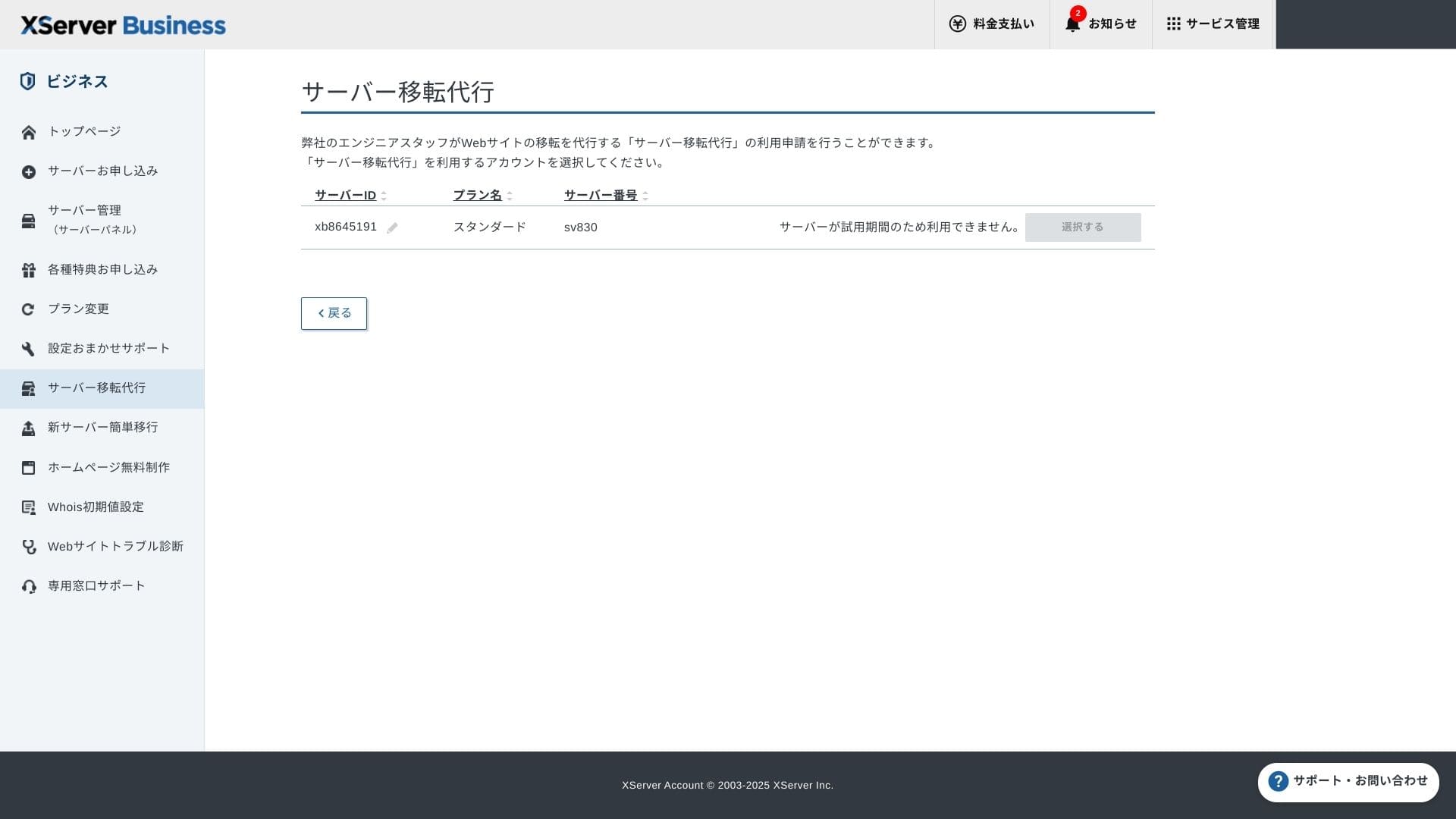
If you are comfortable with servers and domains, using Easy WordPress Migration and setting it up yourself is smoother because you do not have to wait for the managed migration service.
In particular, the managed migration service also handles the DNS switch, so I especially recommend it for businesses that already have traffic and absolutely want to avoid DNS mistakes during migration.
Performance এবং specs review
আমাদের measurements-ভিত্তিক performance
XServer Business এর measured TTFB ছিল 40ms, যা business hosting category-তে খুব দ্রুত ফলাফল।
Google 200ms-এর কম server response time সুপারিশ করে, তাই 40ms ফলাফল SEO এবং user experience দুদিক থেকেই শক্তিশালী ধরা যায়।
You should reduce your server response time under 200ms.
Improve Server Response Time
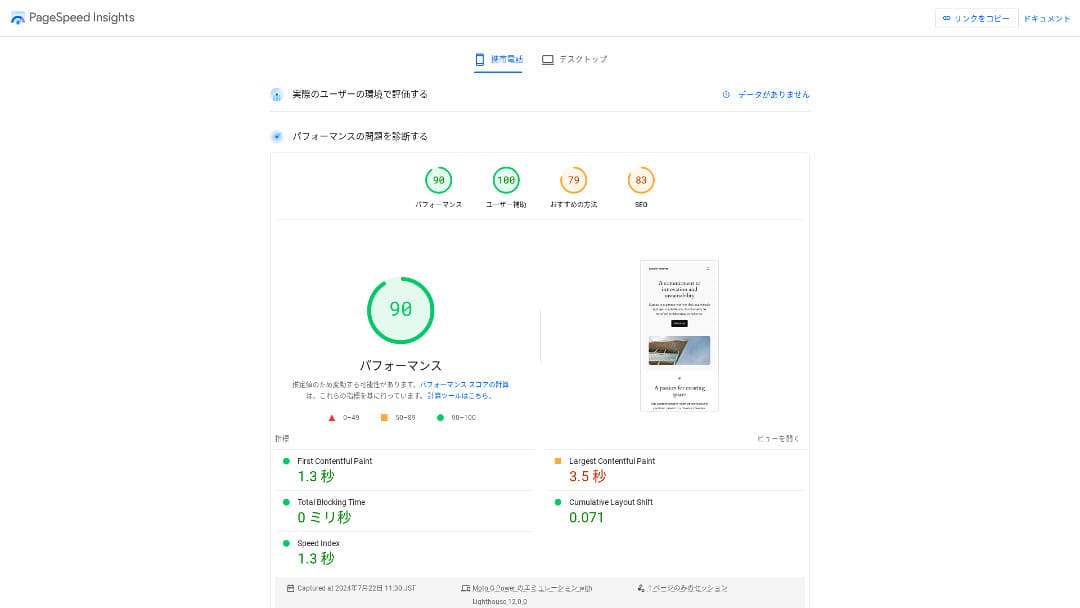
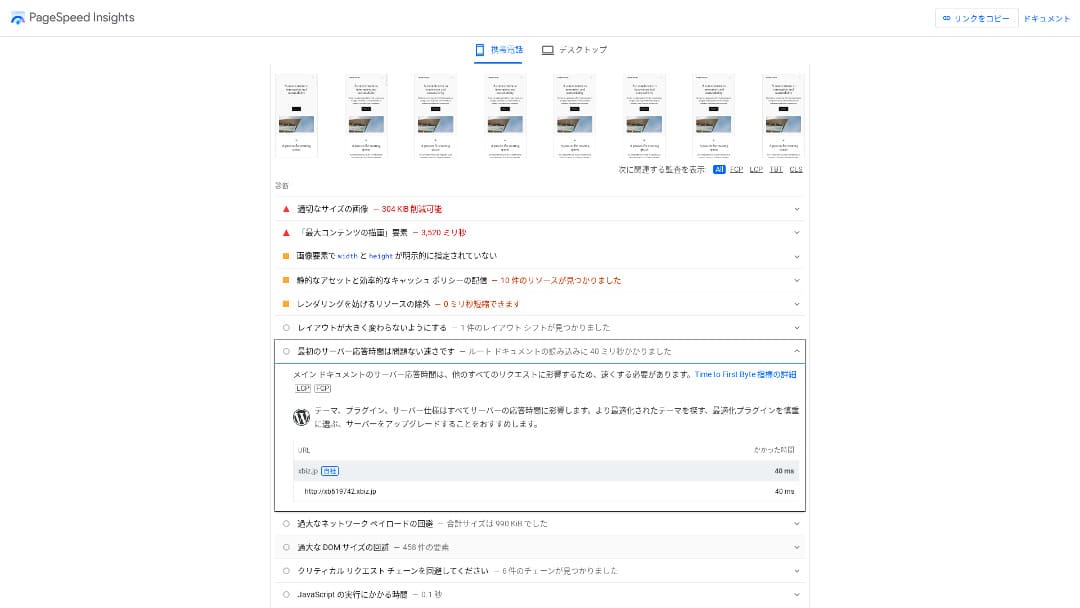
আমাদের measured 18 server-এর মধ্যে এটি দ্বিতীয় দ্রুততম ছিল। শুধু Kinsta এর আগে ছিল।
Hikaru Ono
It is the fastest domestic server. For corporate sites and ecommerce sites where even 0.1 seconds affects traffic and sales, that speed is a major advantage.
10 Gbps direct domestic backbone এবং NVMe RAID10 storage-এর মতো infrastructure details এর speed-কে support করে।
Disk capacity
Shared plans 700 GB, 800 GB এবং 900 GB পর্যন্ত বাড়ানো হয়েছে, তাই email retention, multiple sites এবং large assets রাখা businesses-এর জন্য capacity যথেষ্ট।700 GB / 800 GB / 900 GB (all NVMe). Even if you launch many landing pages with lots of photos and videos, you still have plenty of headroom.
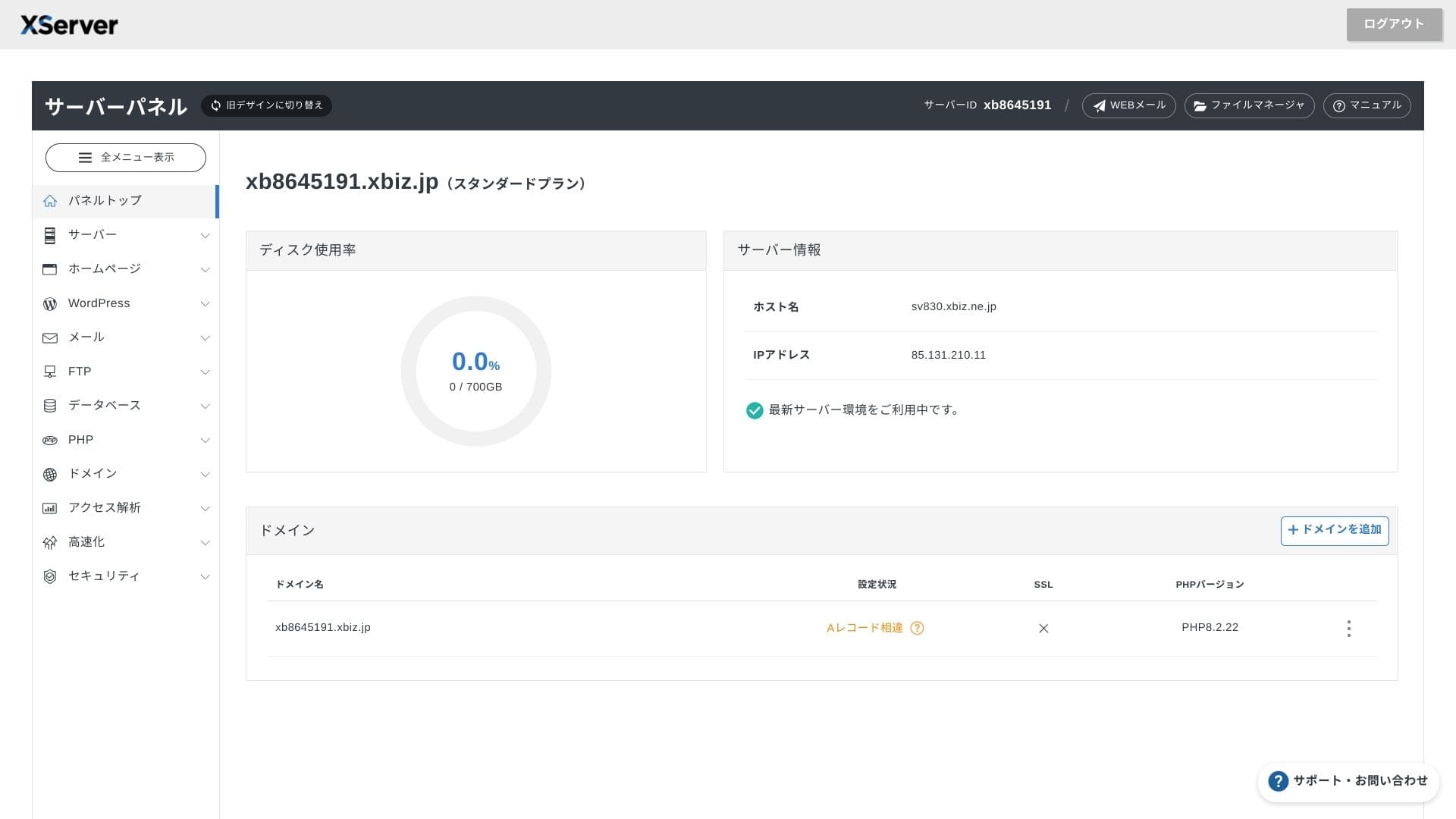
Finance বা healthcare-এর মতো ক্ষেত্রে email বহু বছর রাখতে হতে পারে; সেখানে এই large capacity ব্যবহারিক গুরুত্ব রাখে।
You can also build on-premises-style storage such as WebDAV or Nextcloud and manage internal documents securely over a VPN connection.
Hikaru Ono
XServer Businessalone can reduce the workload on your operations team while still leaving enough headroom for future business growth.
Transfer volume
XServer Business campaigns, LPs এবং growing corporate sites-এর জন্য যথেষ্ট transfer margin দেয়। High traffic handle করার সক্ষমতা business operations-এ কাজে লাগে।
★ What are traffic and data transfer volumes? Managing and optimizing web traffic
Server stability এবং uptime
Shared plan-এও monthly 99.99% SLA অন্তর্ভুক্ত। Downtime limit ছাড়ালে compensation rules আছে, তাই reliability contract level-এ বোঝা যায়।
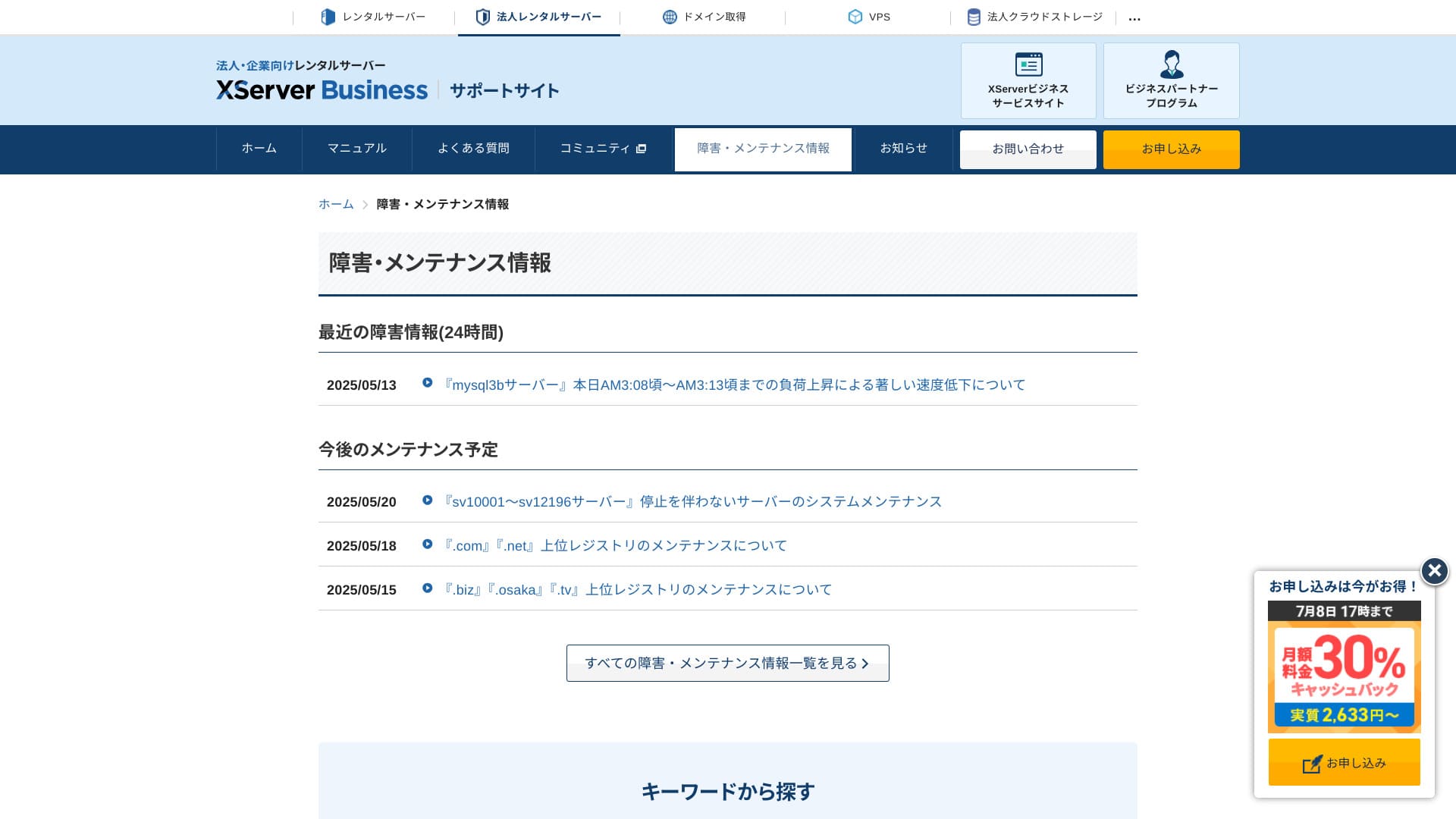
Because server outages and maintenance information are openly published on the official site, anyone can check them at any time.
Hikaru Ono
A company that shares this information openly instead of hiding it is easier to trust.
Pricing এবং cost
Initial fee এবং monthly cost
XServer Business এর monthly fee low-cost shared hosting-এর চেয়ে বেশি, কিন্তু এতে speed, security, migration এবং support-এর package অন্তর্ভুক্ত। Infrastructure outsourcing-এর দৃষ্টিকোণ থেকে cost মূল্যায়ন করা উচিত।
- XServer Business
- Kinsta
- wpx
- Lolipop!
- Star Server
- Rakko Server
- XServer
- ConoHa
- ColorfulBox
- Shin Rental Server
- Little Server
- CORESERVER
- DreamHost
- Bluehost
- Sakura
- Namecheap
- Shin Free Server
- XREA
- Value Server
- Hostinger
- KAGOYA
- SiteGround
- HostGator
- IONOS
- Onamae.com
- ABLENET
- mixhost
- GoDaddy
- iCLUSTA+
- MuuMuu Server
- WADAX
- WebARENA
- Heteml
- CPI Rental Server


































Domain pricing
XServer Businessincludes one free domain such as .com or .net, plus a second one (chosen from .blog, .online, or .site) that is also free forever. The permanent free custom domain benefit supports new registration, transfers from other companies, switching an already obtained domain, and changing the eligible domain.
Hikaru Ono
Because these domains are meant for long-term business use, this free benefit is not something to overlook.
- XServer Domain
- Onamae.com
- MuuMuu Domain
- Value Domain
- Shin Domain
- Star Domain
- Colorful Domain
- Rakko Domain








SSL certificate cost
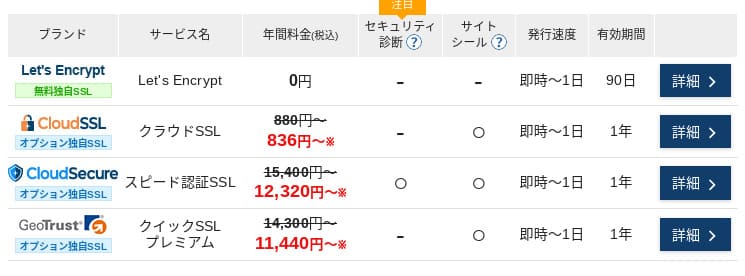
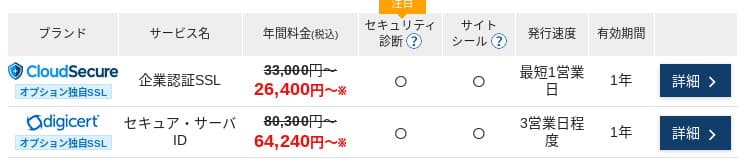
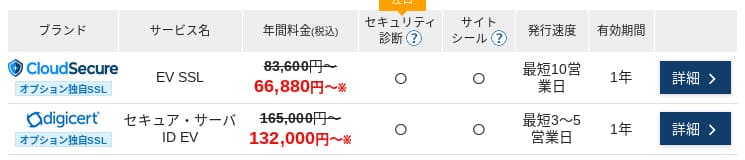
Let's Encrypt-এর মাধ্যমে domain-validated SSL free। Paid DV, OV এবং EV certificates-ও official one-stop ordering থেকে পাওয়া যায়, তাই requirements অনুযায়ী choice করা যায়।
Prices can vary depending on the campaign.
Payment methods
XServer Businesssupports credit cards, bank transfer, Pay-easy, convenience store payment, and invoice billing. It can also issue PDF quotations and invoices, so adoption is smooth even for companies that need internal approval.
Hikaru Ono
Because many domestic hosting services do not support invoice payments, this is one of XServer Business's strengths.
- XServer Business
- Kinsta
- wpx
- Lolipop!
- Star Server
- Rakko Server
- XServer
- ConoHa
- ColorfulBox
- Shin Rental Server
- Little Server
- CORESERVER
- DreamHost
- Bluehost
- Sakura
- Namecheap
- Shin Free Server
- XREA
- Value Server
- Hostinger
- KAGOYA
- SiteGround
- HostGator
- IONOS
- Onamae.com
- ABLENET
- mixhost
- GoDaddy
- iCLUSTA+
- MuuMuu Server
- WADAX
- WebARENA
- Heteml
- CPI Rental Server


































Ease of use এবং support
Control panel usability
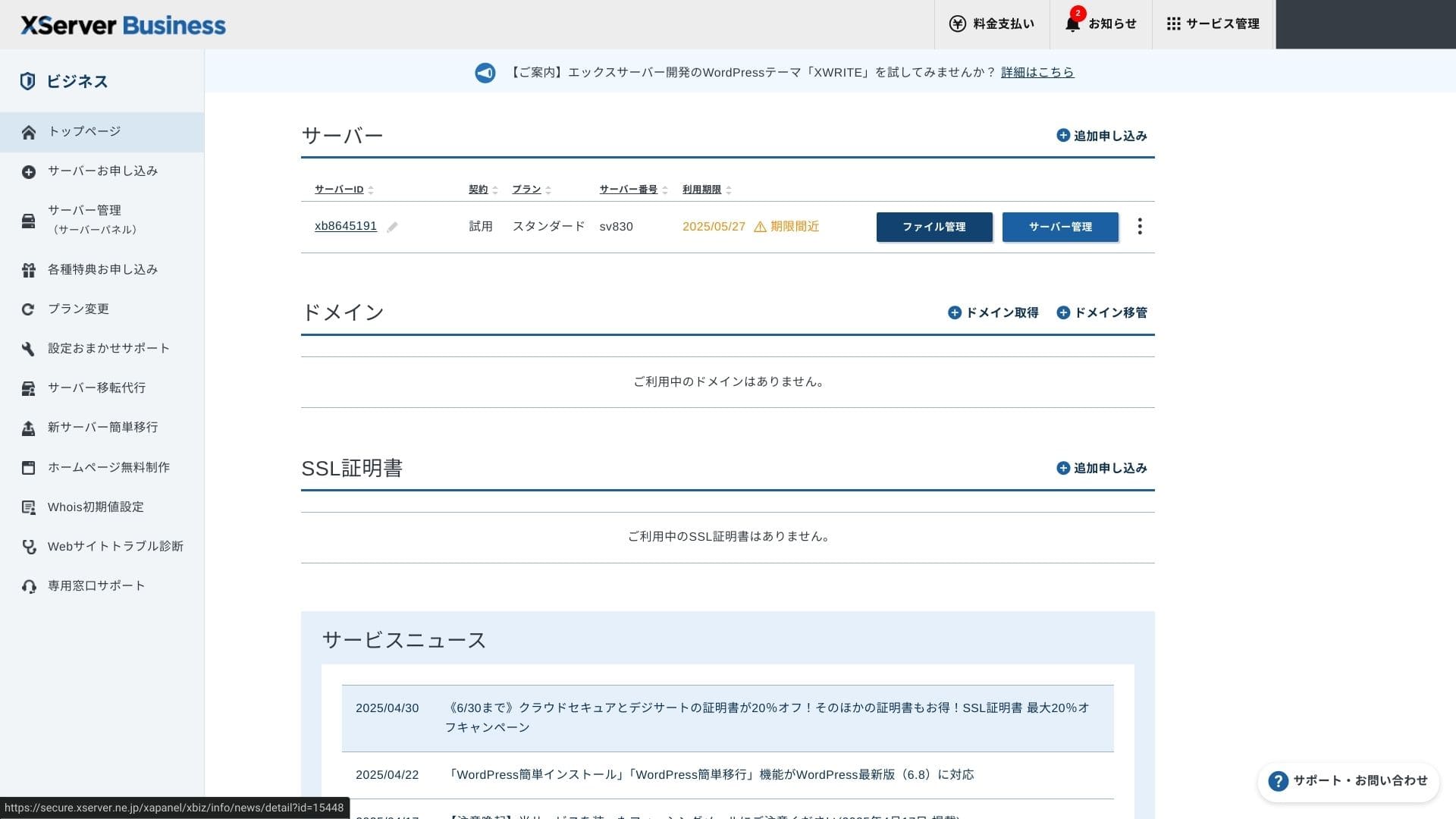
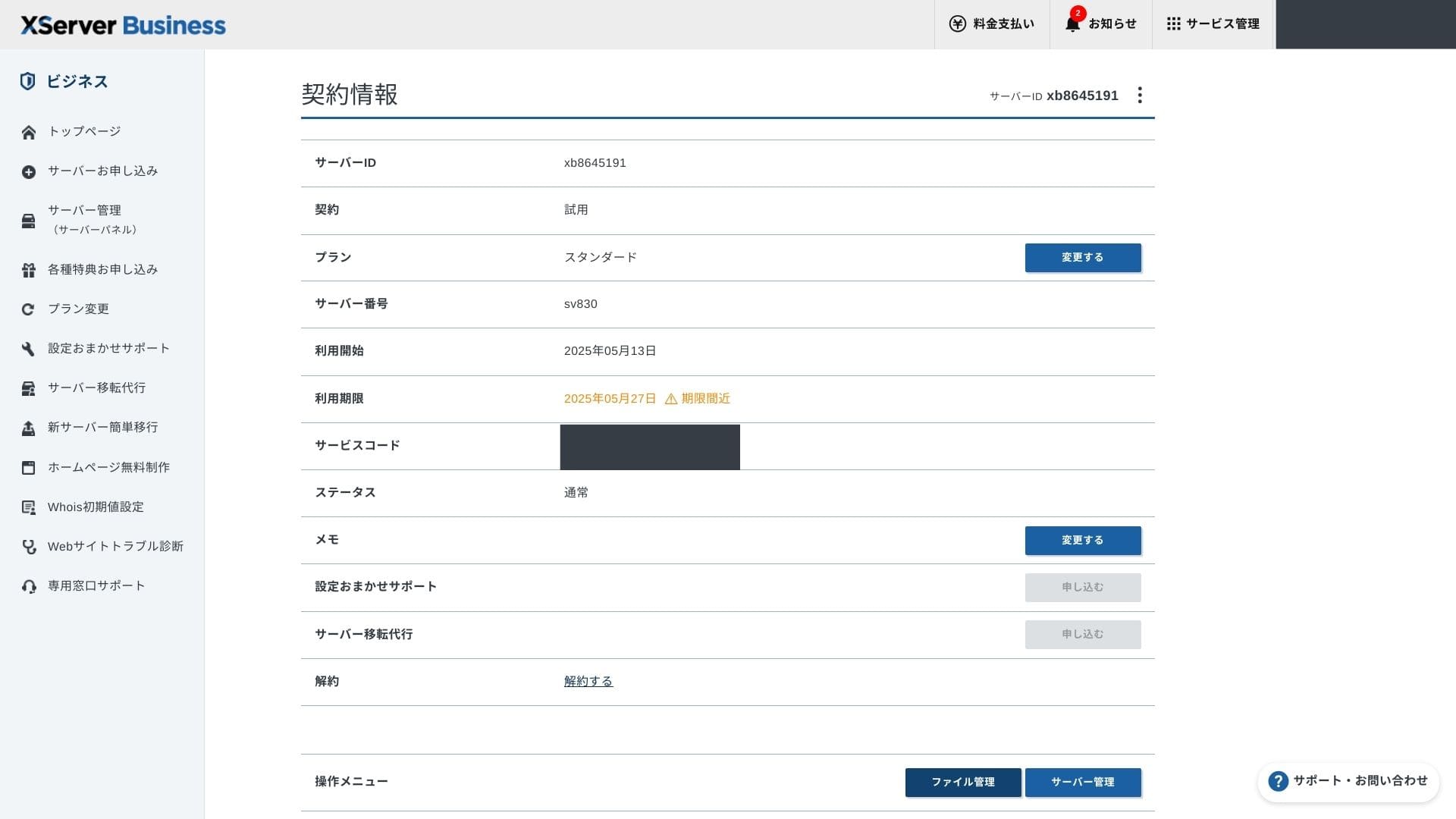
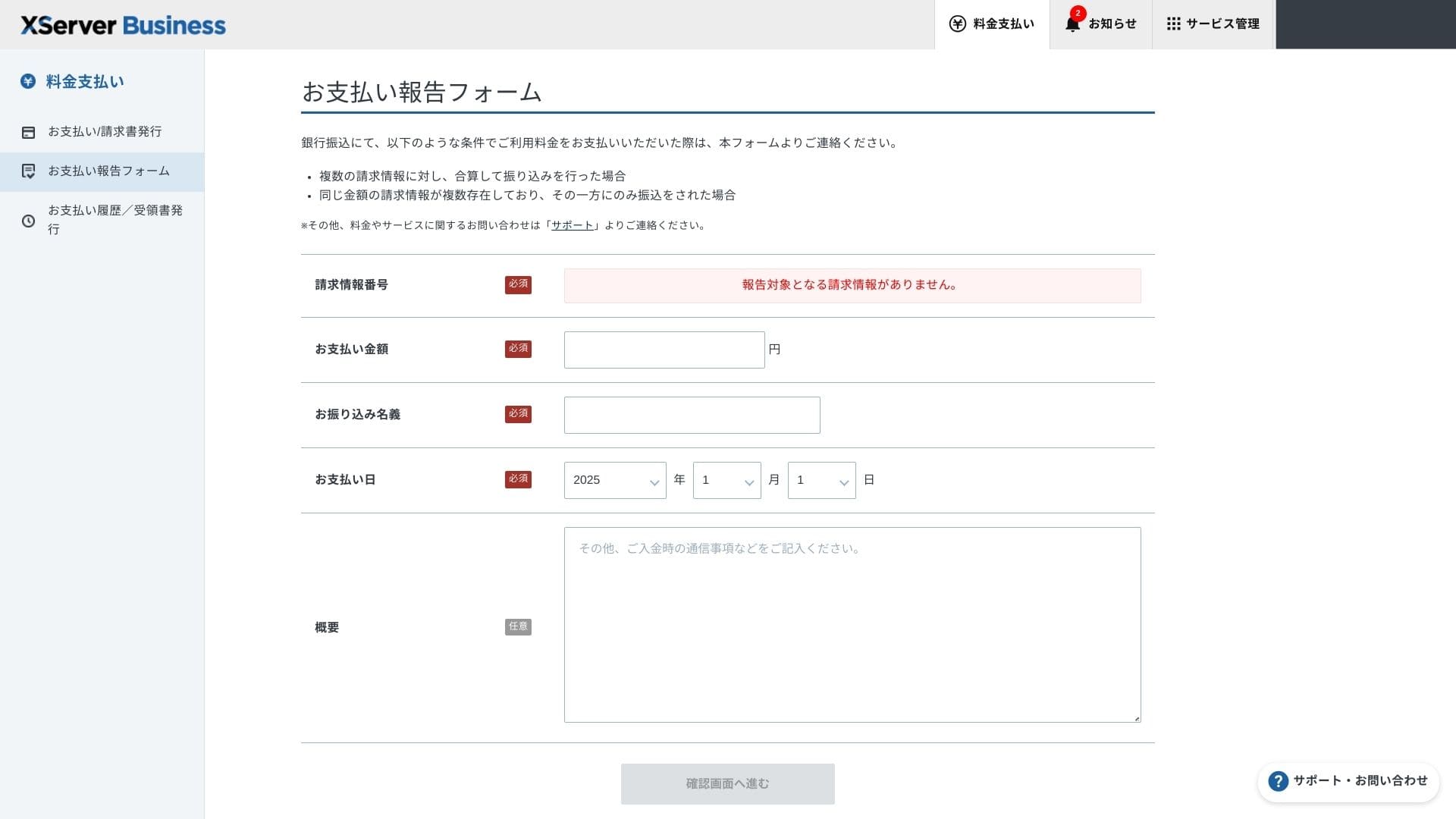
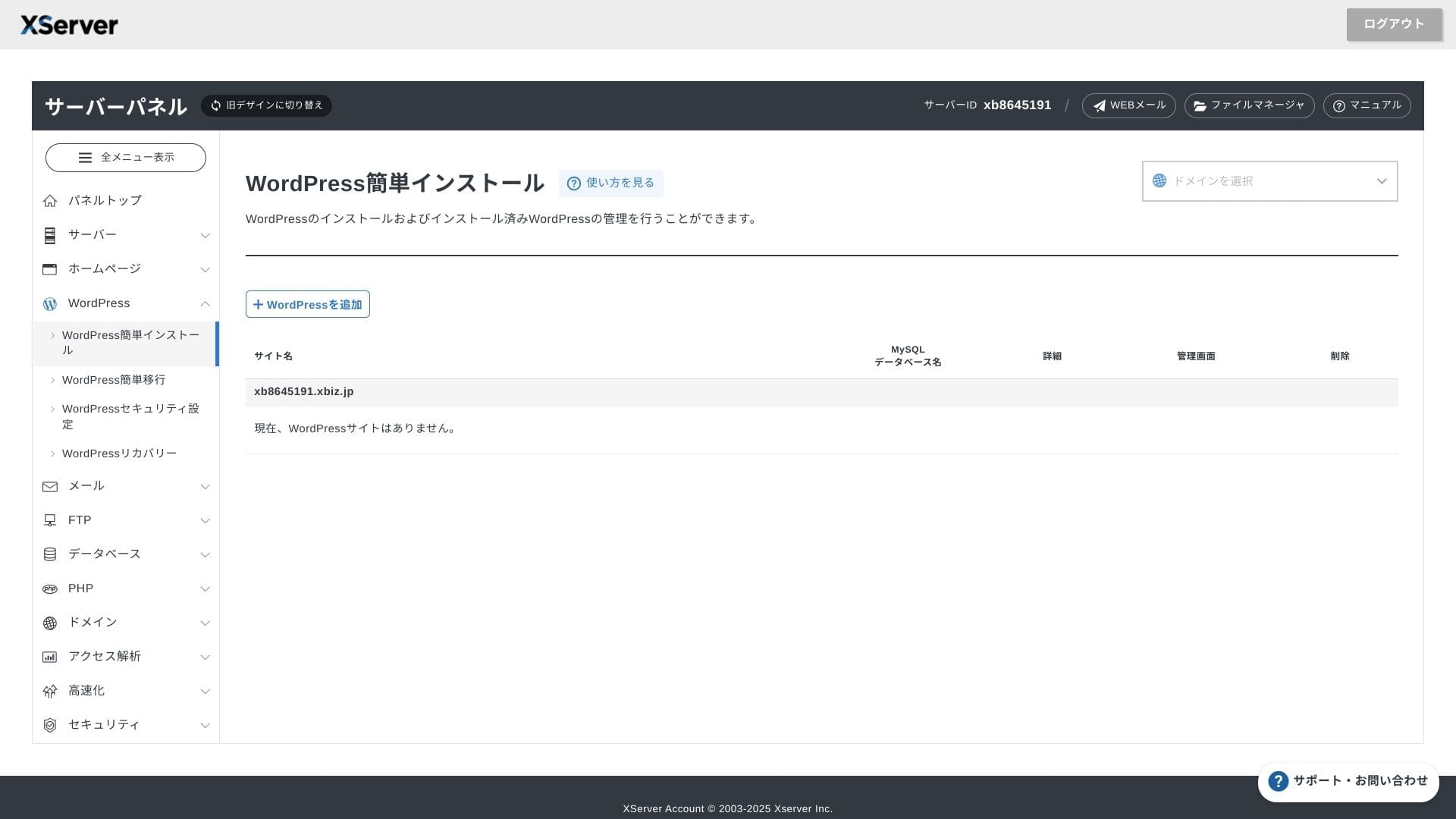
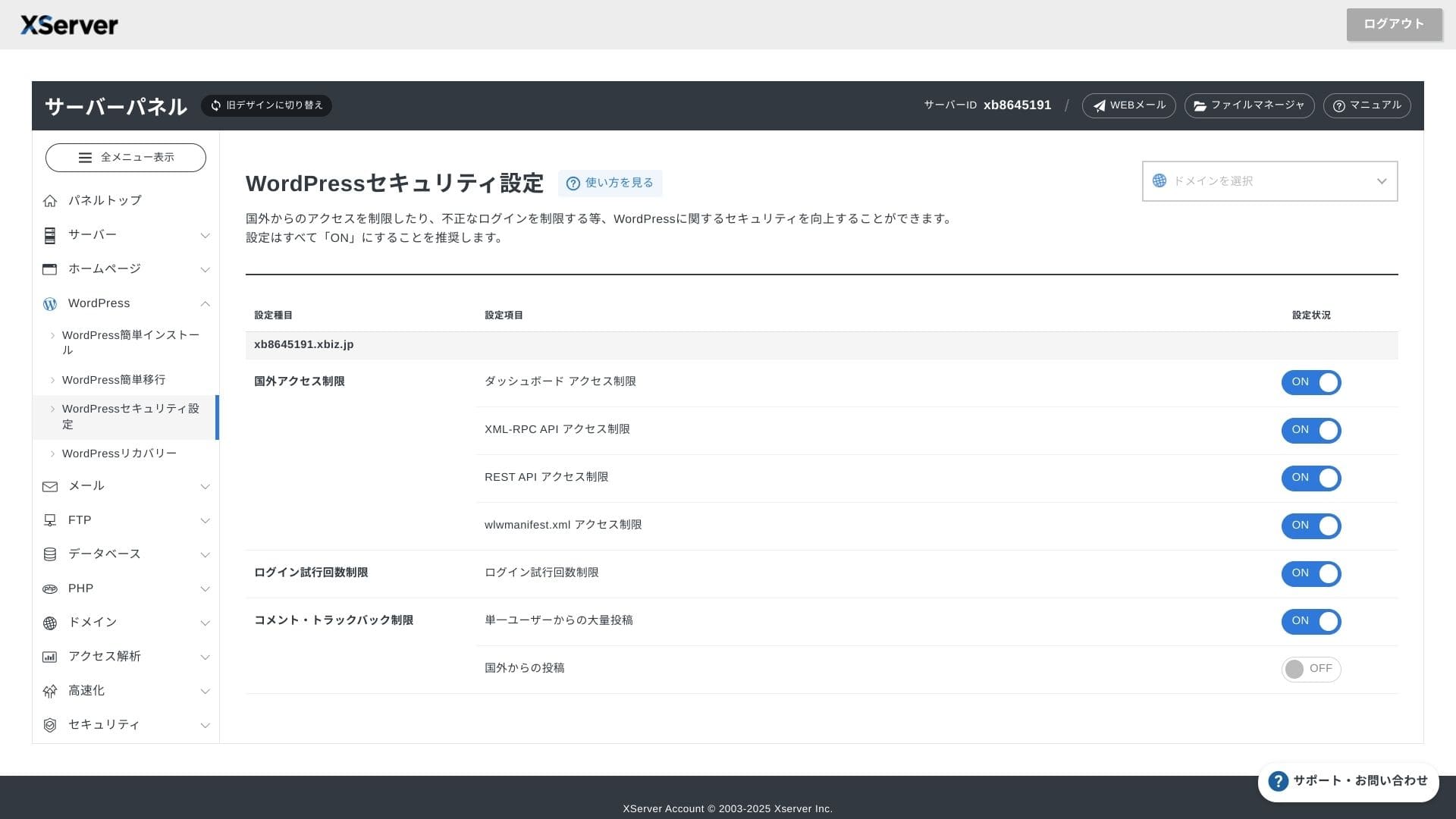
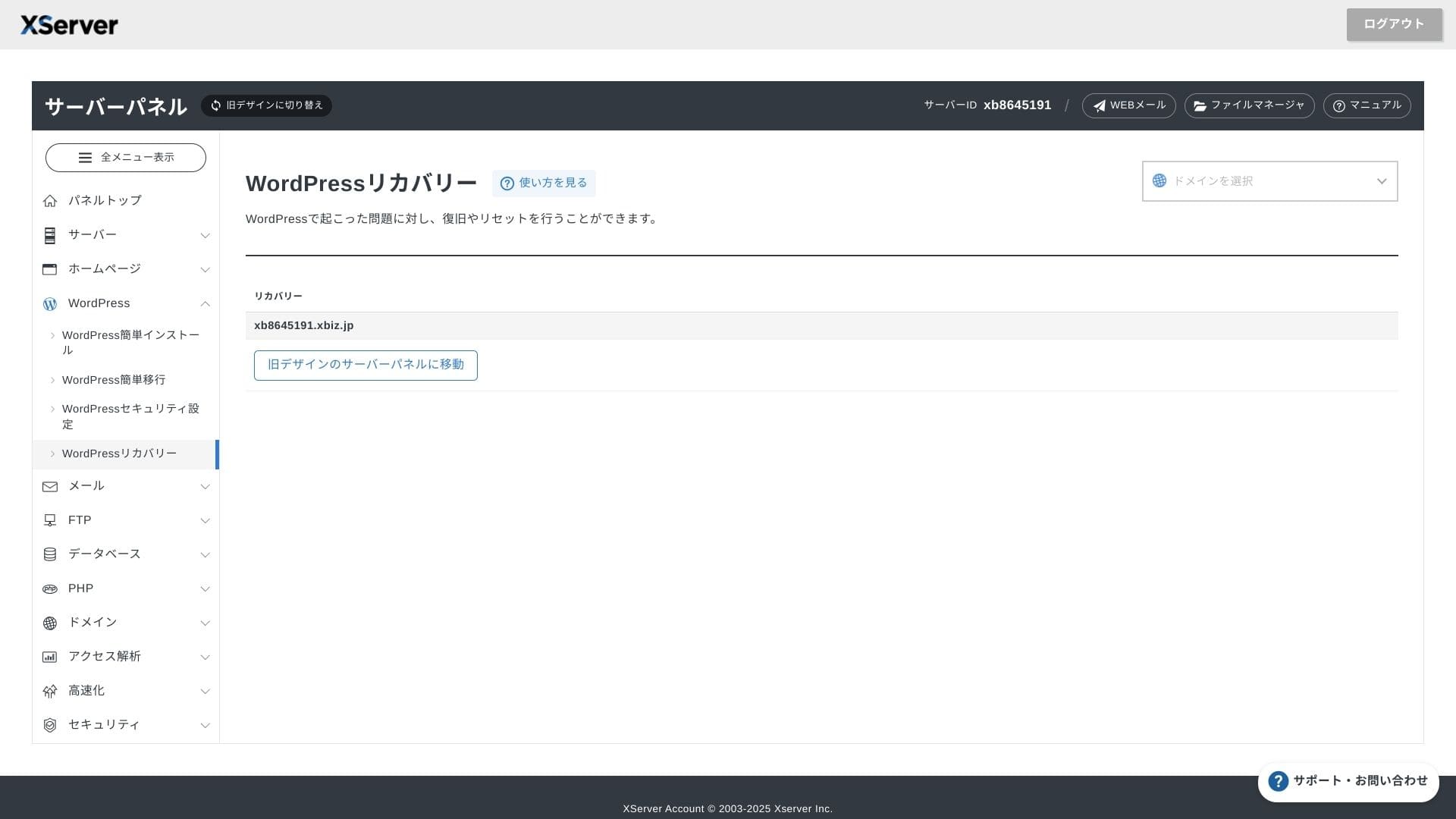
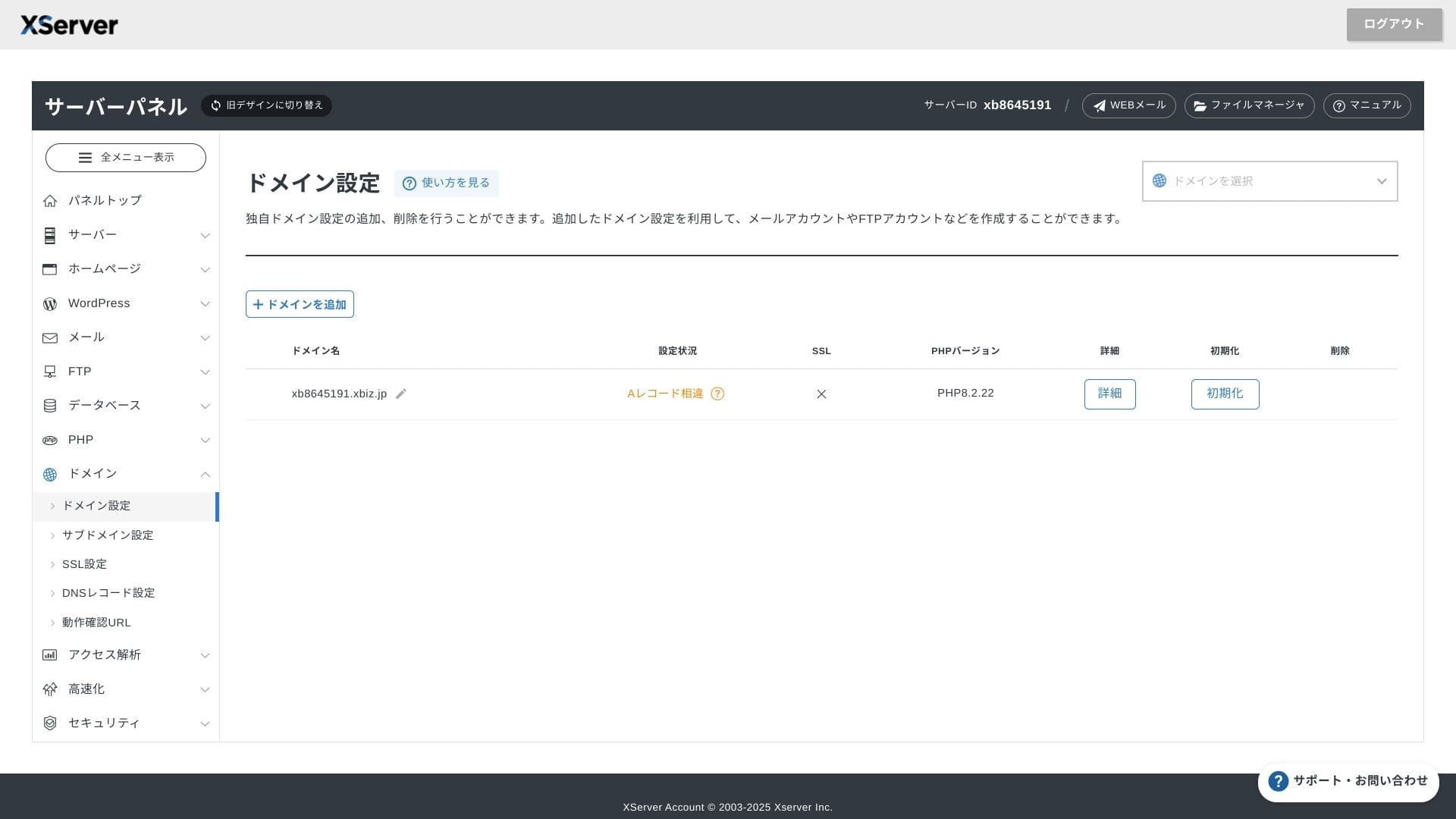
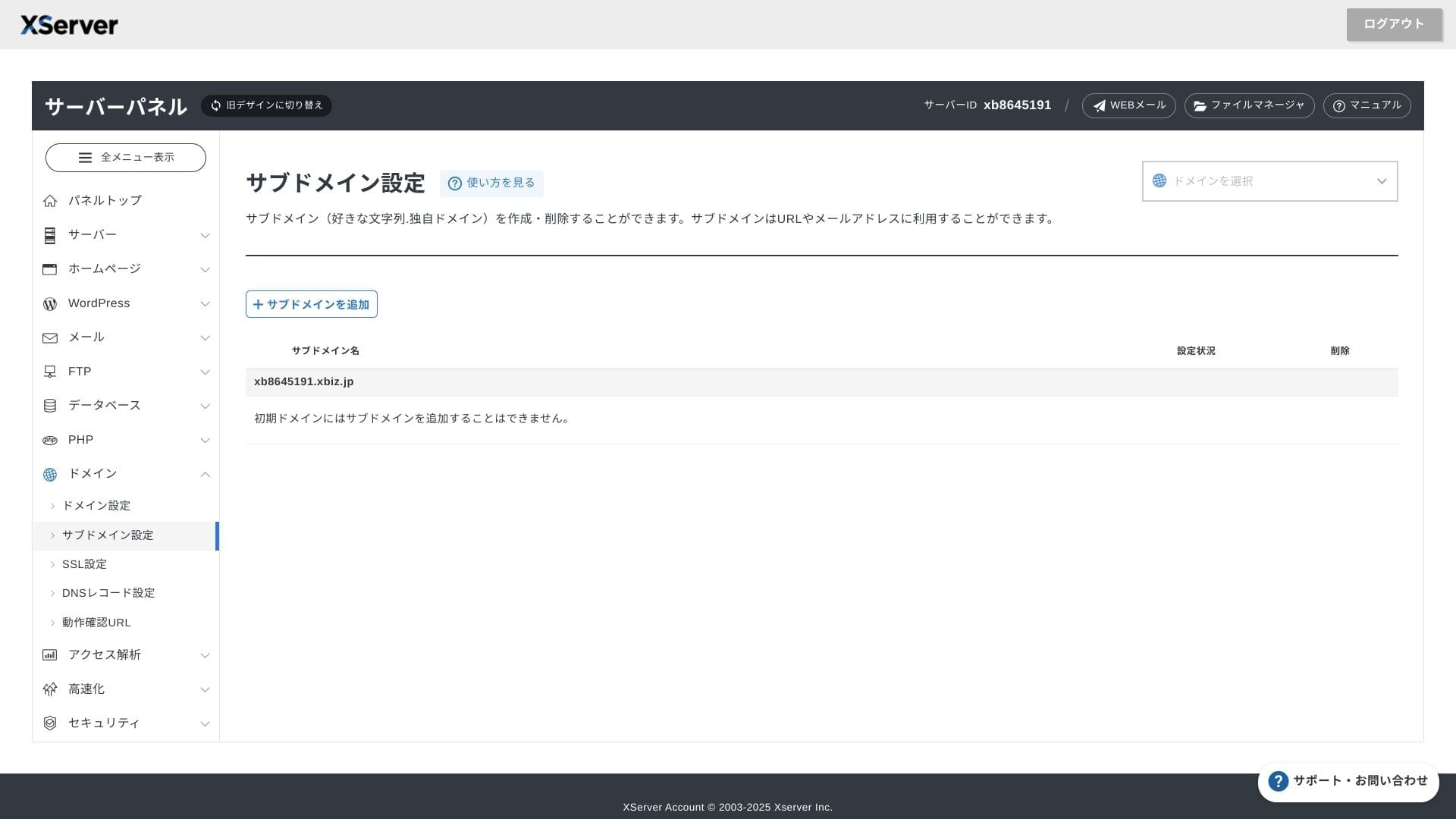
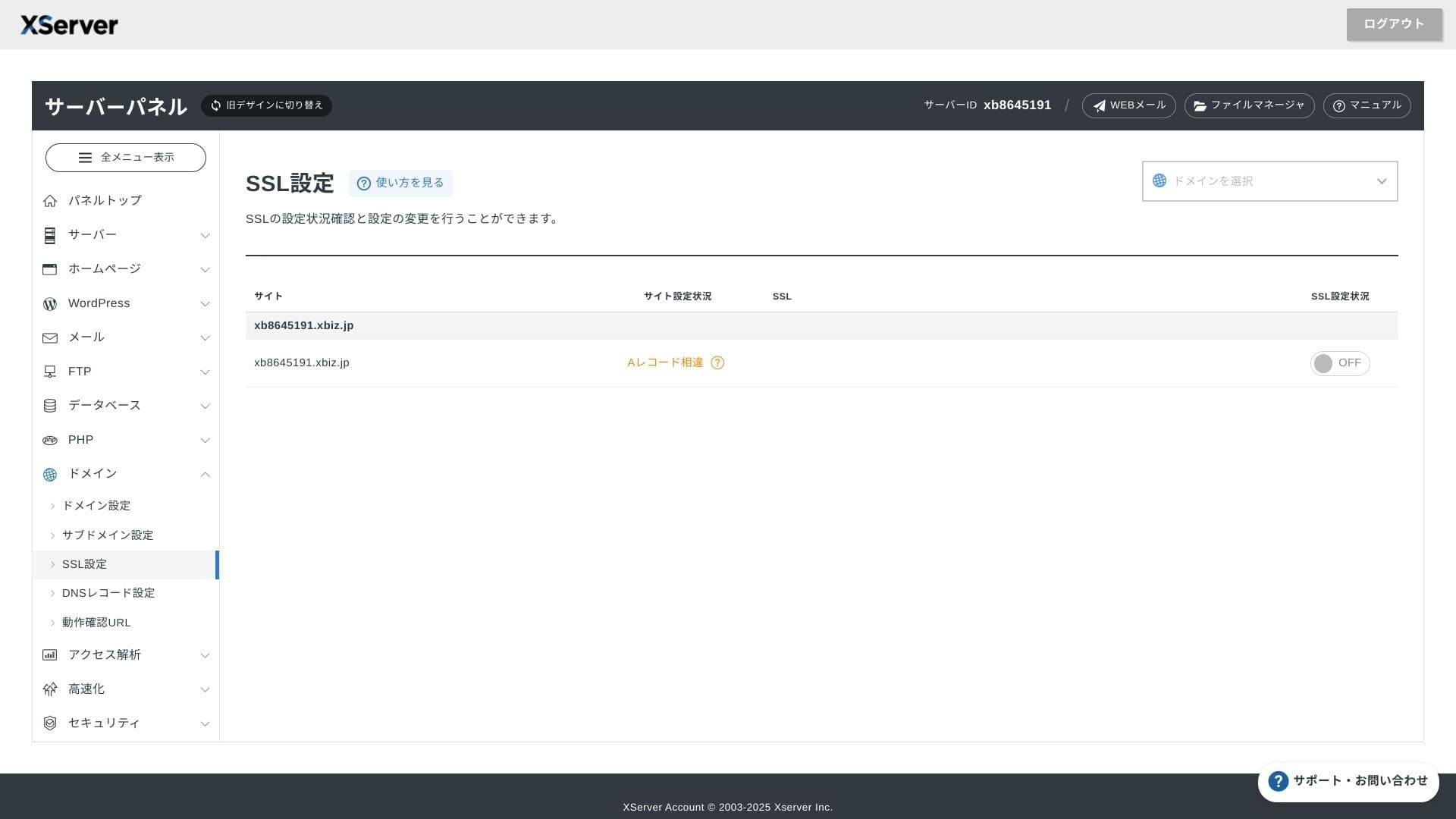
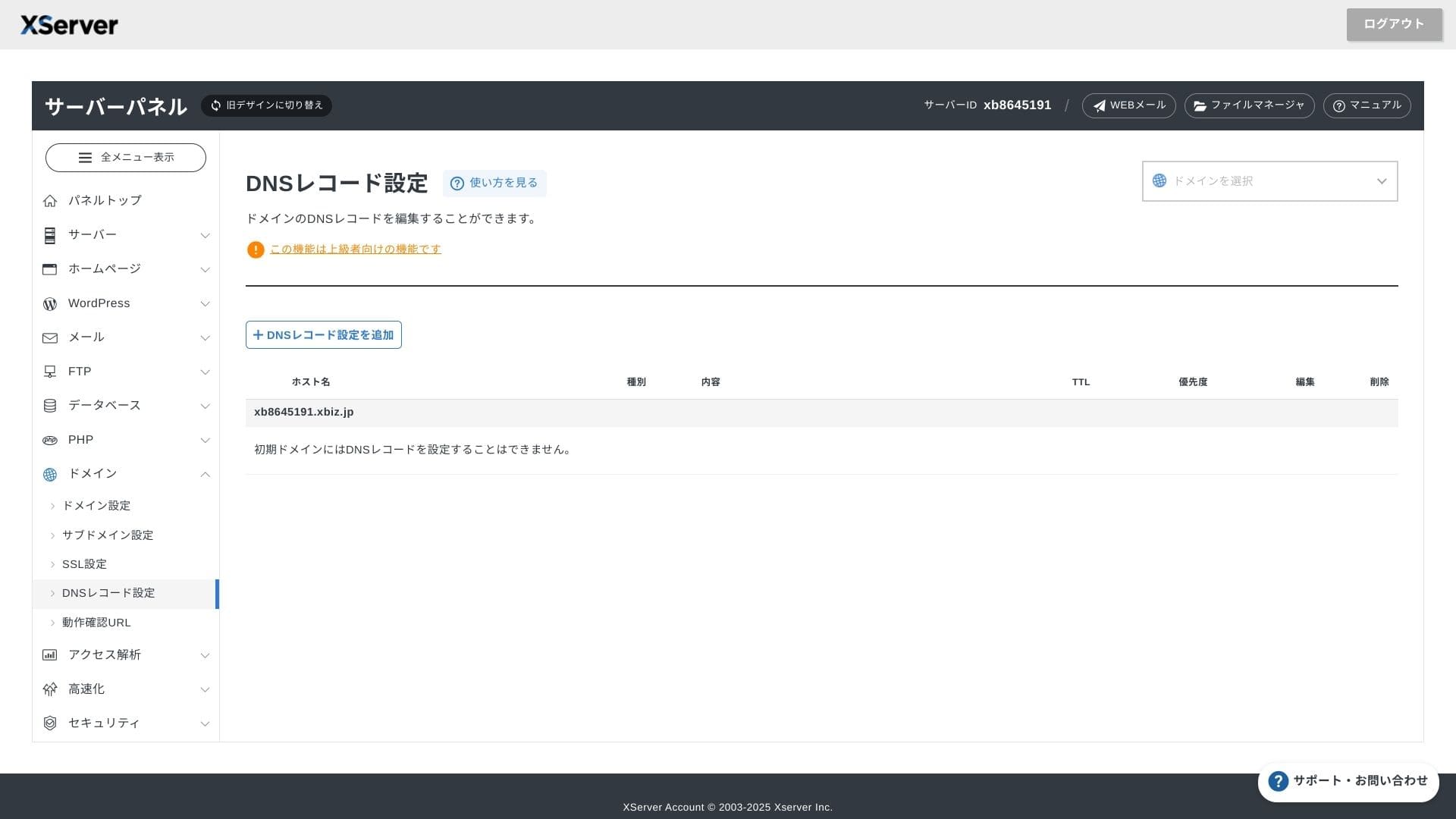
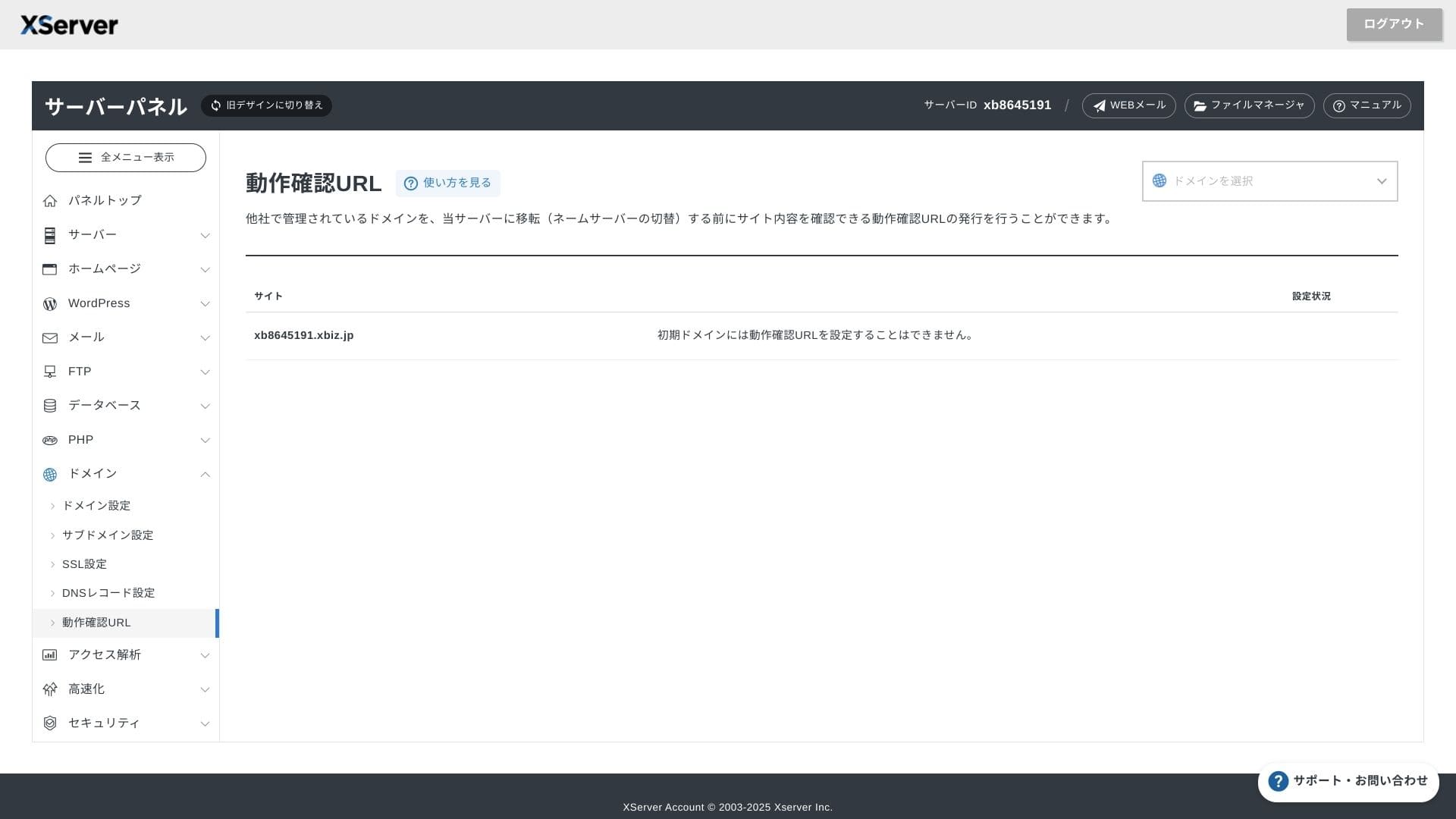
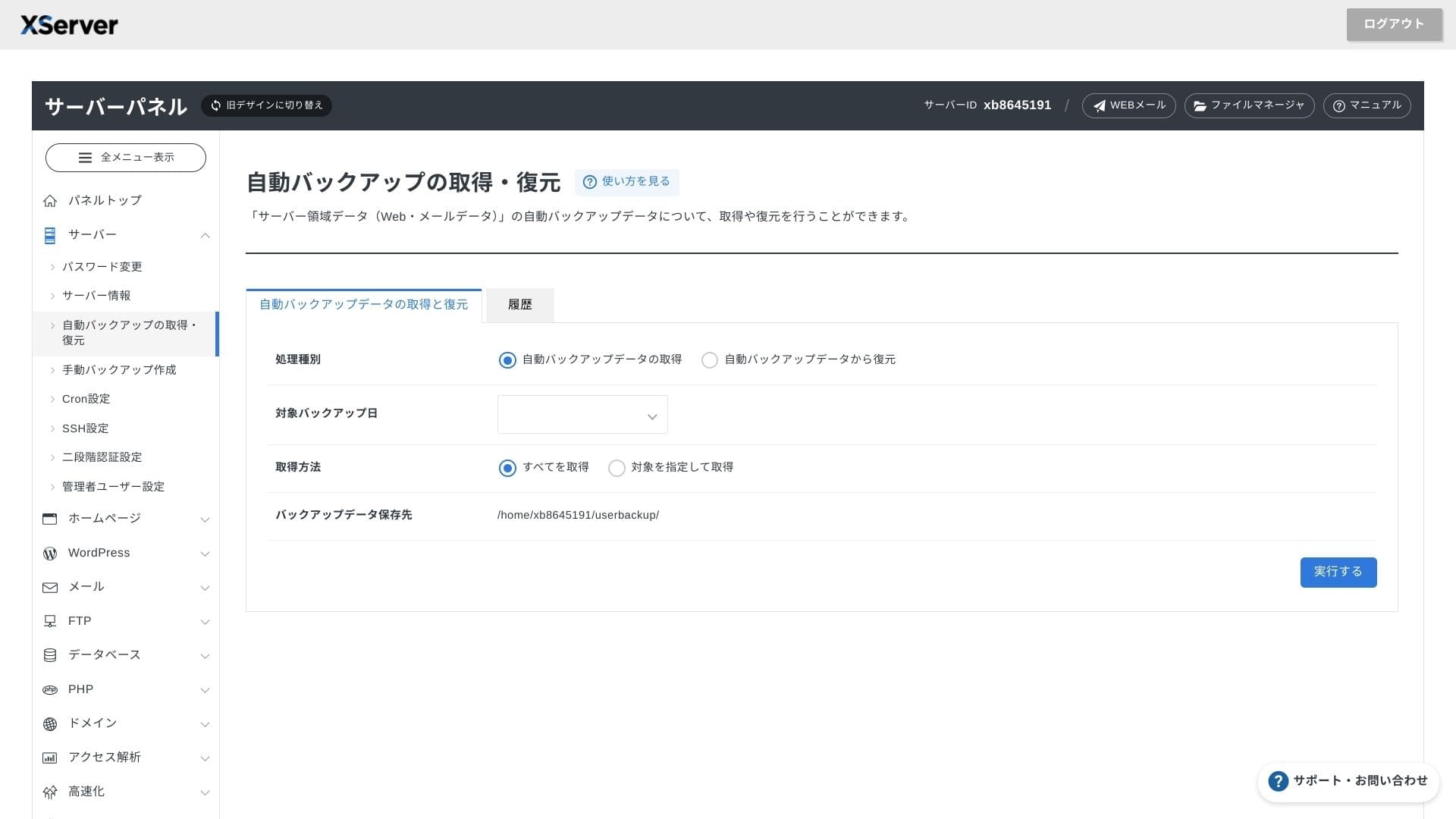
XServer Businessuses its own UI so file operations, SSL settings, and email settings are all handled with one click. Because the official documentation clearly states that setup is completed within 24 hours, it is easy to plan your launch schedule.
Hikaru Ono
The server panel has been redesigned, and it is now even easier to use.
- Home screen
- Billing
- WordPress
- Domain
- Backup
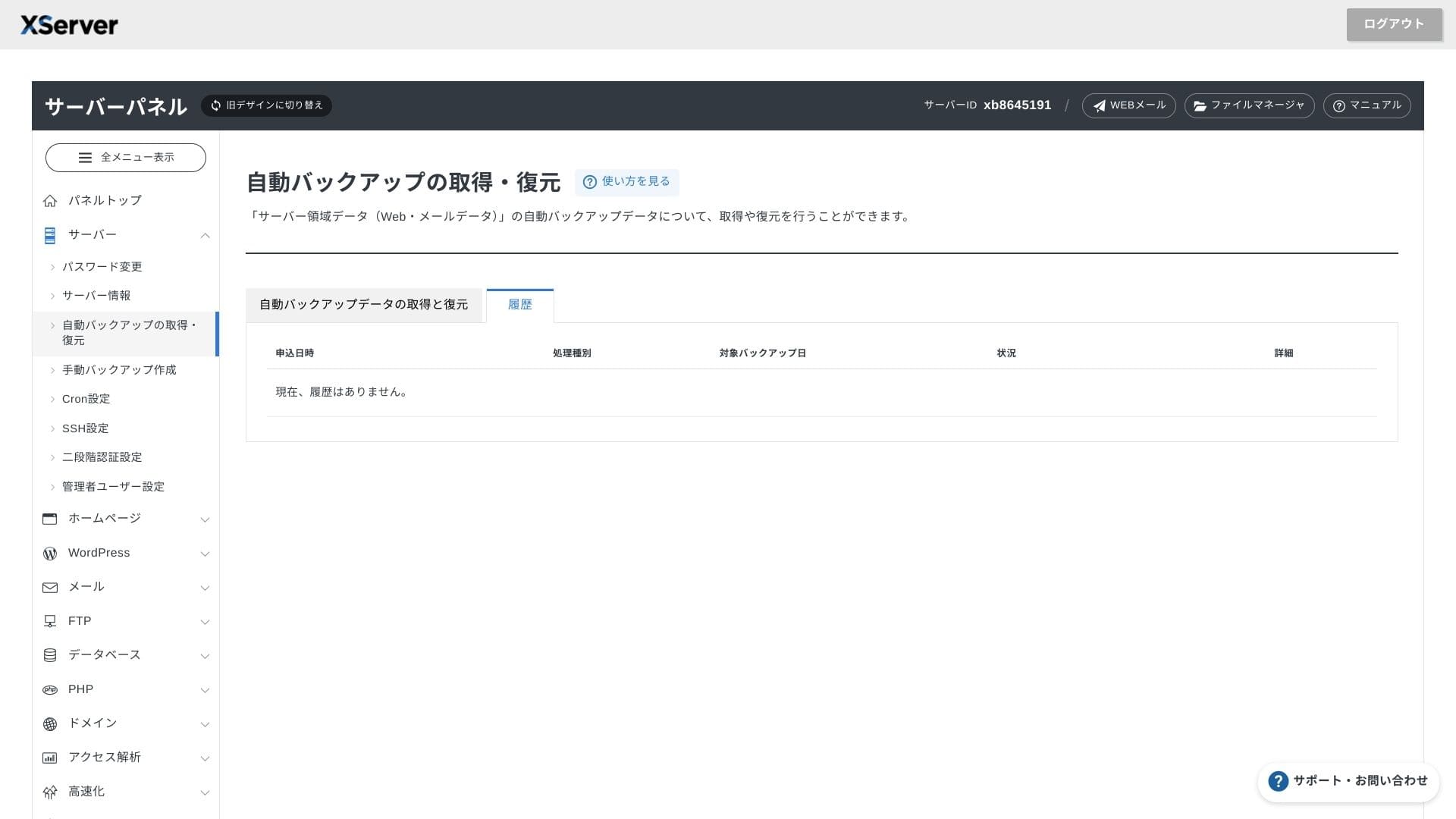
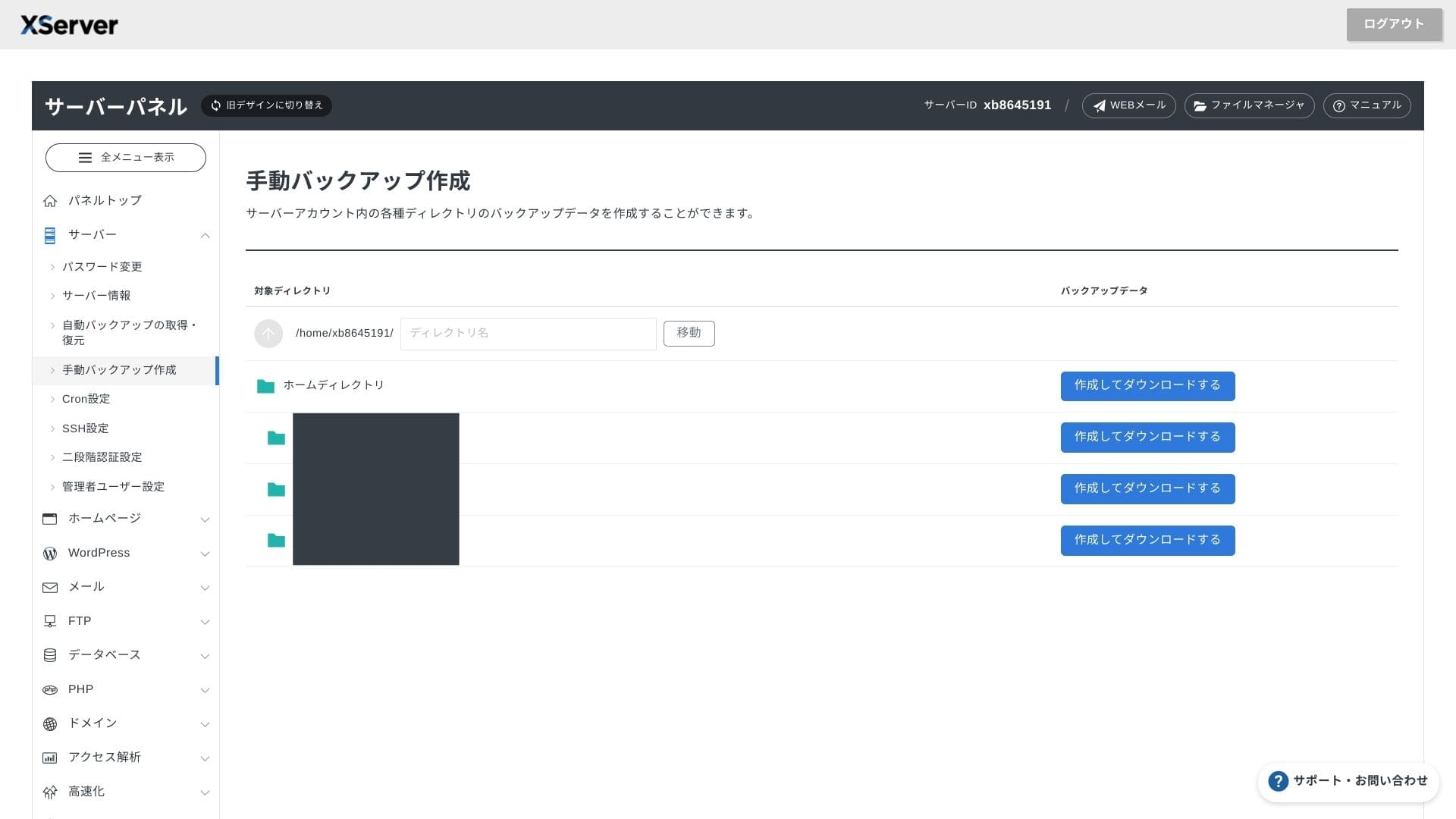
Support system
Weekdays-এ phone, email এবং chat support পাওয়া যায়। Setup mistakes বা migration concerns থাকা teams-এর জন্য এটি practical reassurance দেয়।
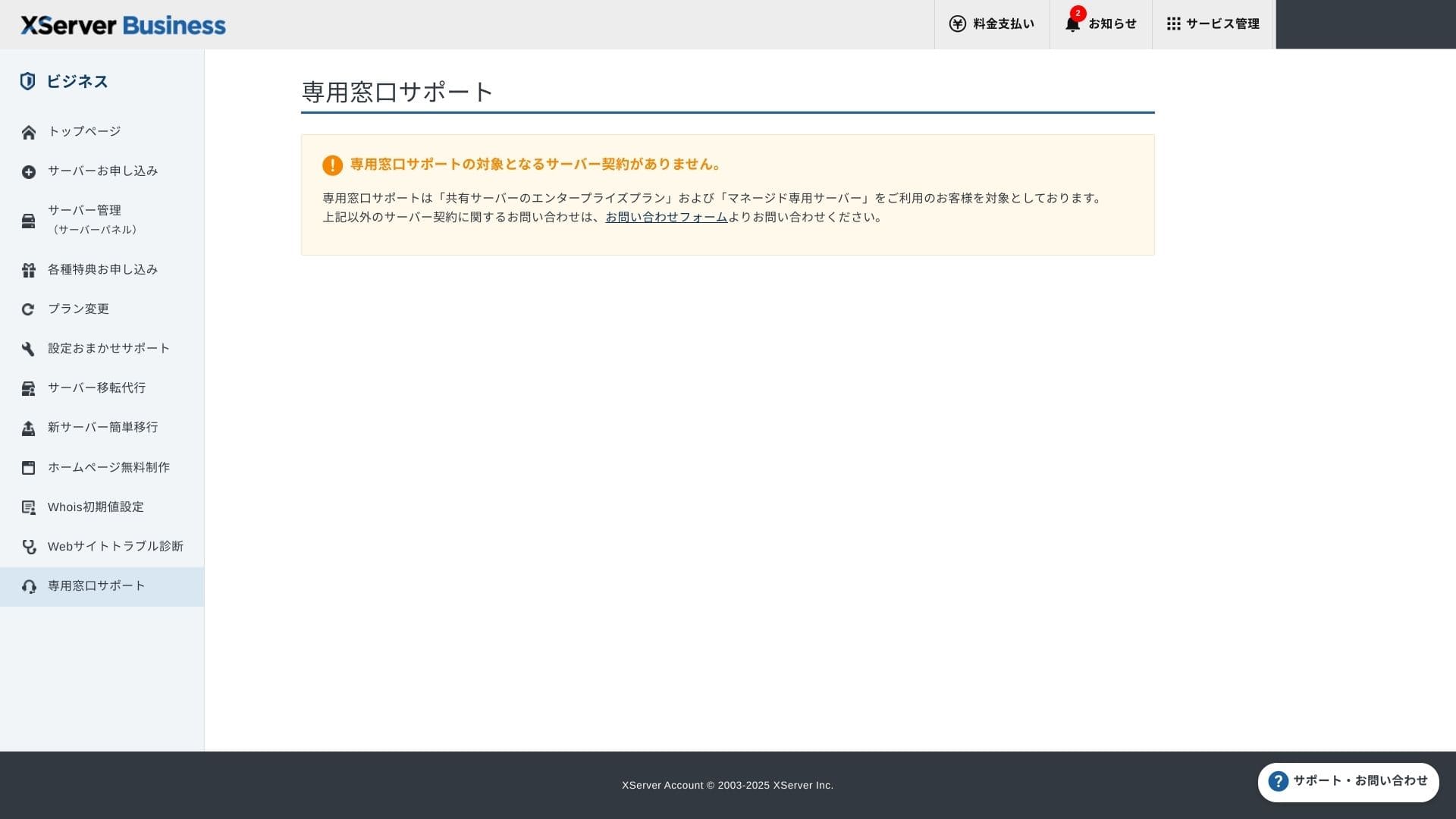
Setup support free এবং unlimited। DNS changes থেকে Cron settings পর্যন্ত সাহায্য চাওয়া যায়, তাই dedicated IT staff না থাকলেও এটি useful।
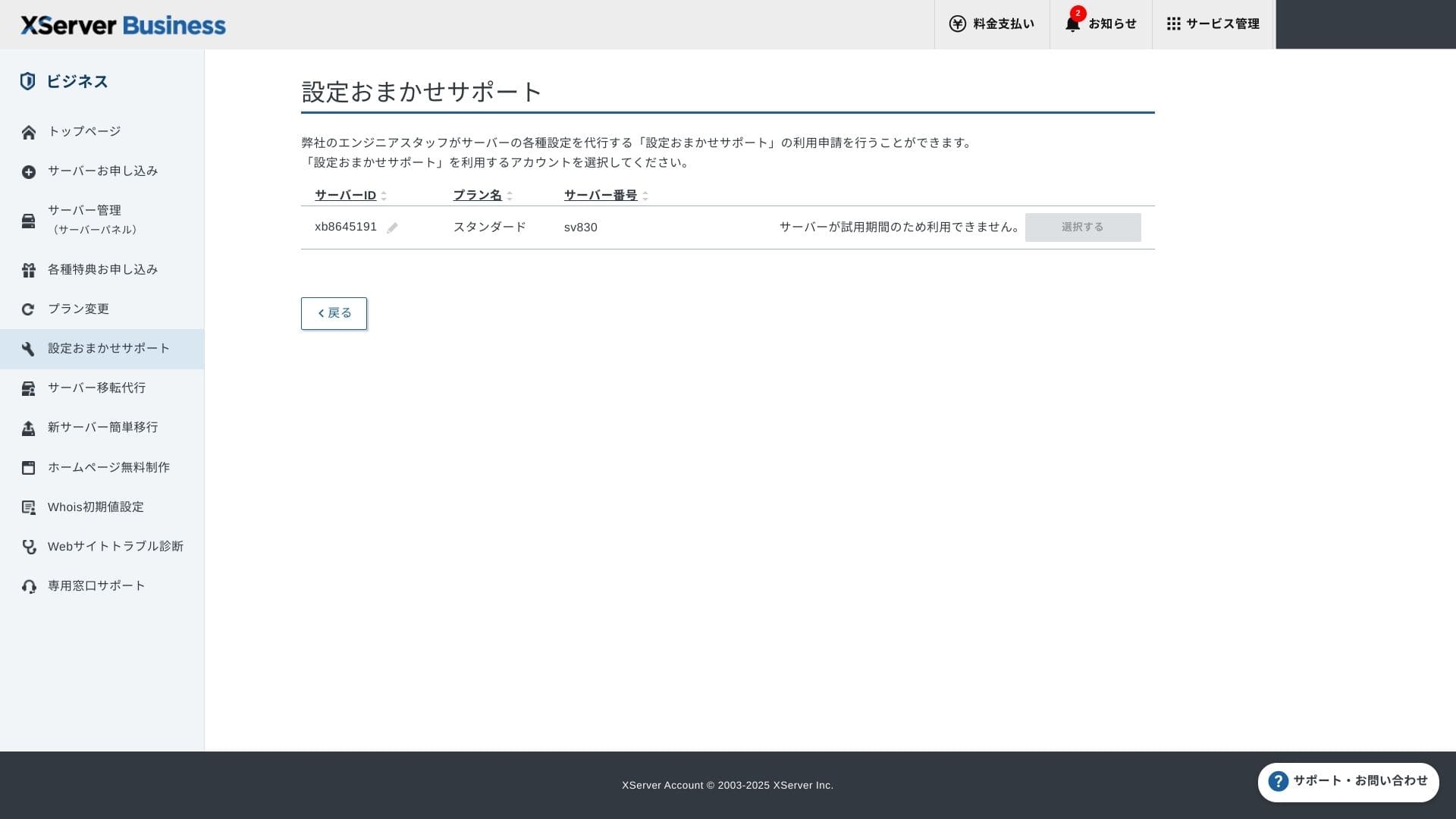
Managed services
Managed server migration service প্রথমবার free। HTML site হোক বা CMS site, copy করে migration করার strong track record এটিকে downtime-sensitive projects-এর জন্য আকর্ষণীয় করে।
Manuals এবং FAQs
Official PDF catalog-এ payment methods থেকে plan upgrades পর্যন্ত সব আছে এবং search করা সহজ। অনেক users support contact করার আগেই answers খুঁজে পেতে পারেন।
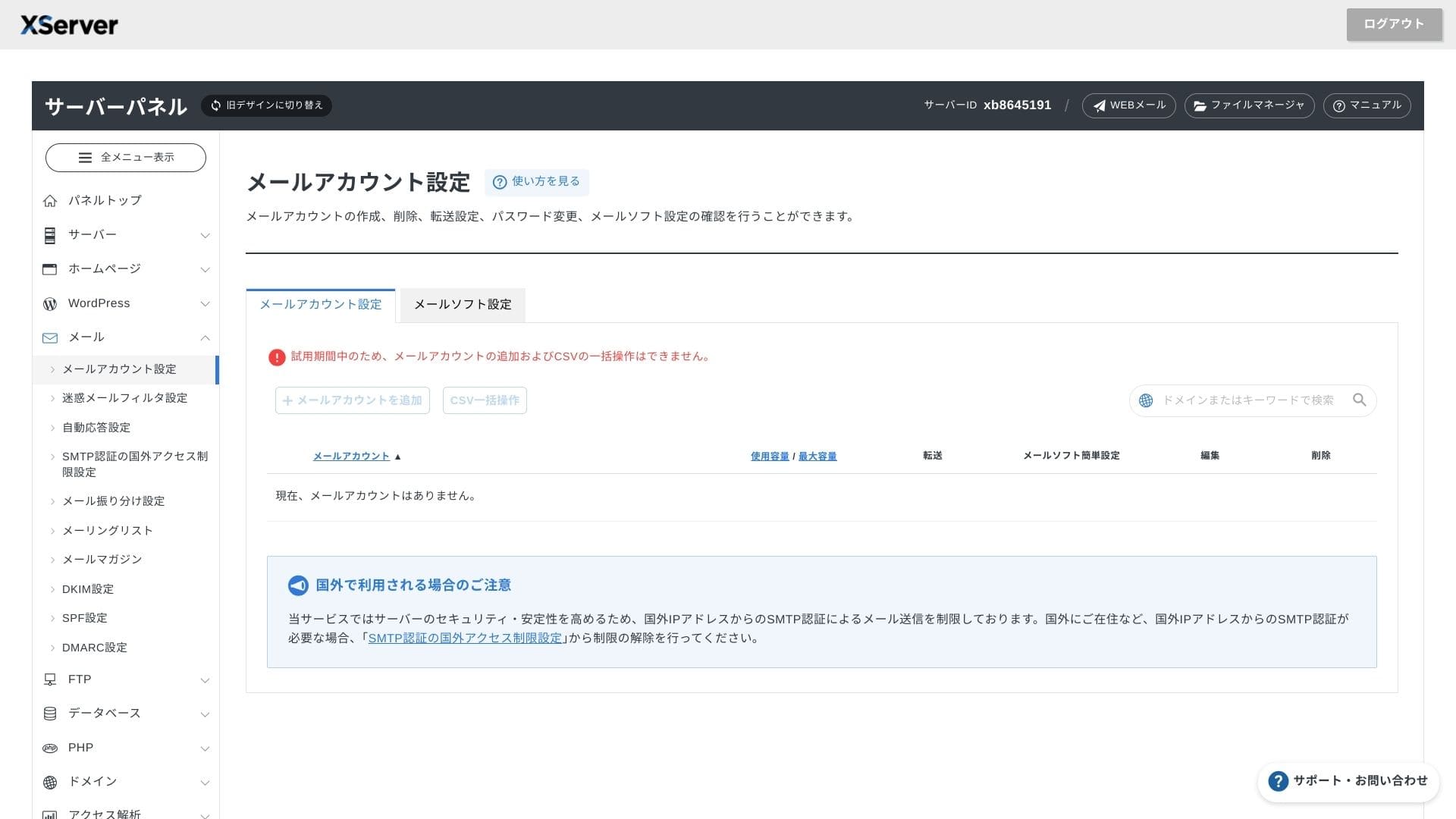
Email features
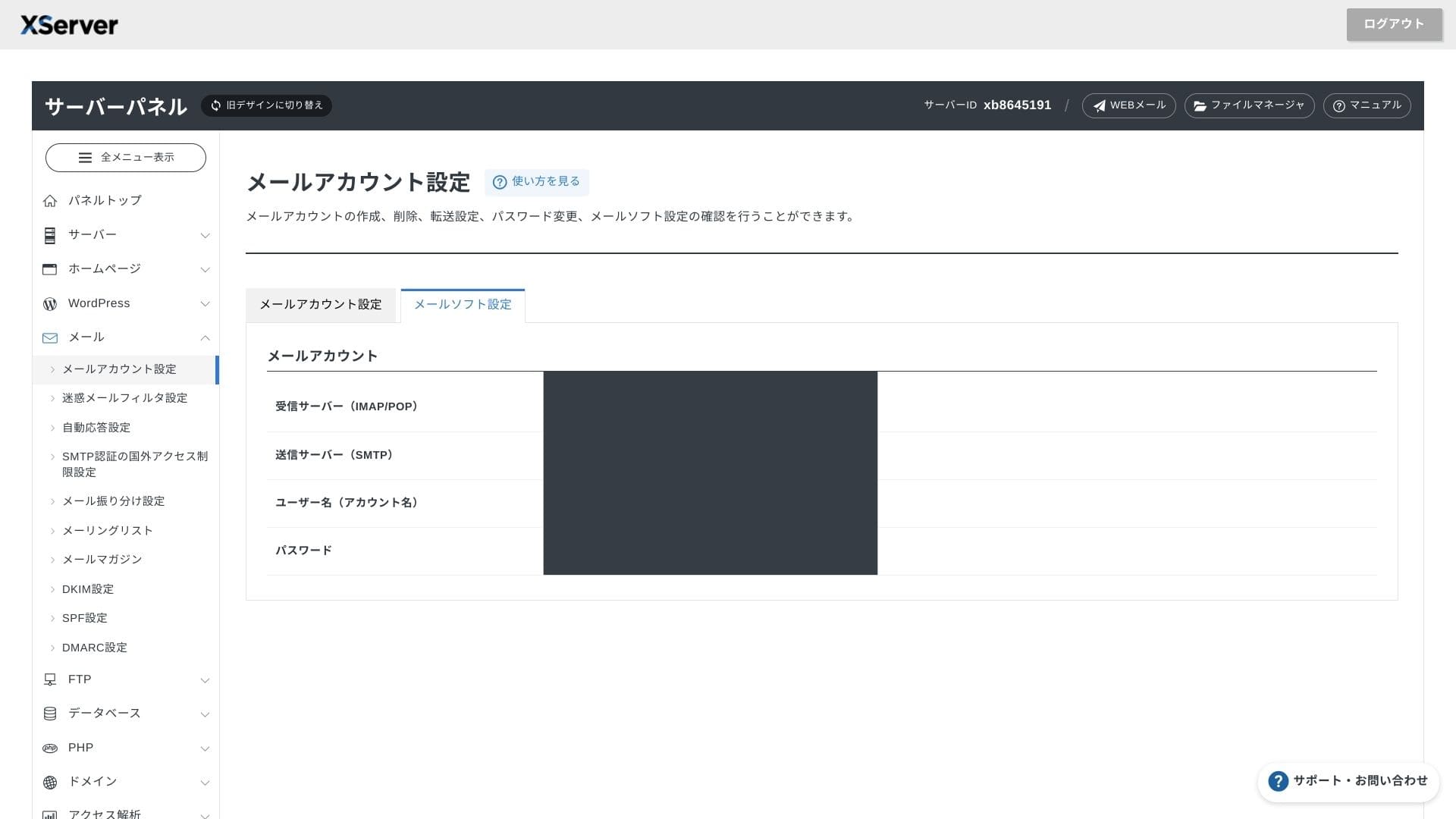
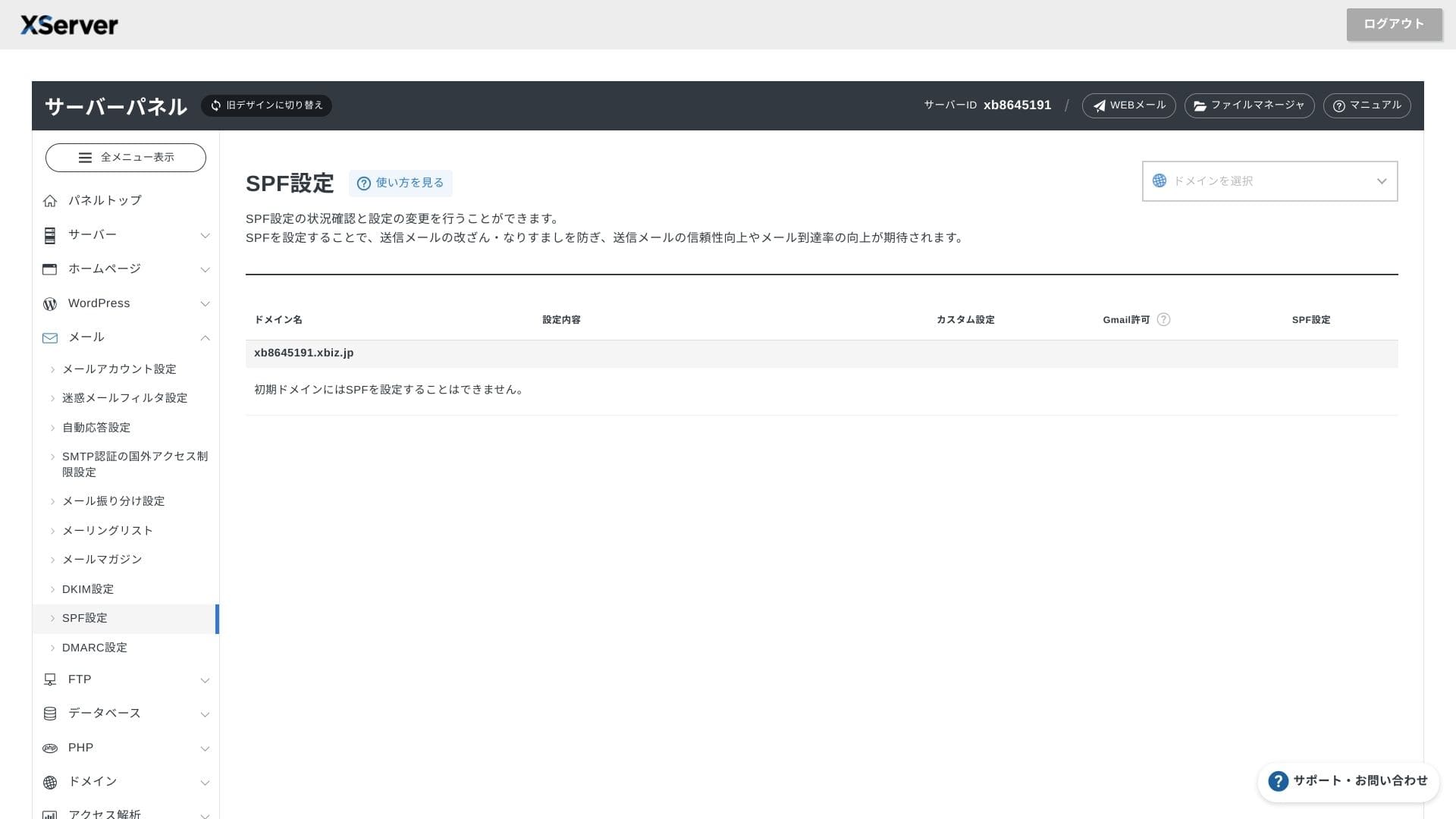
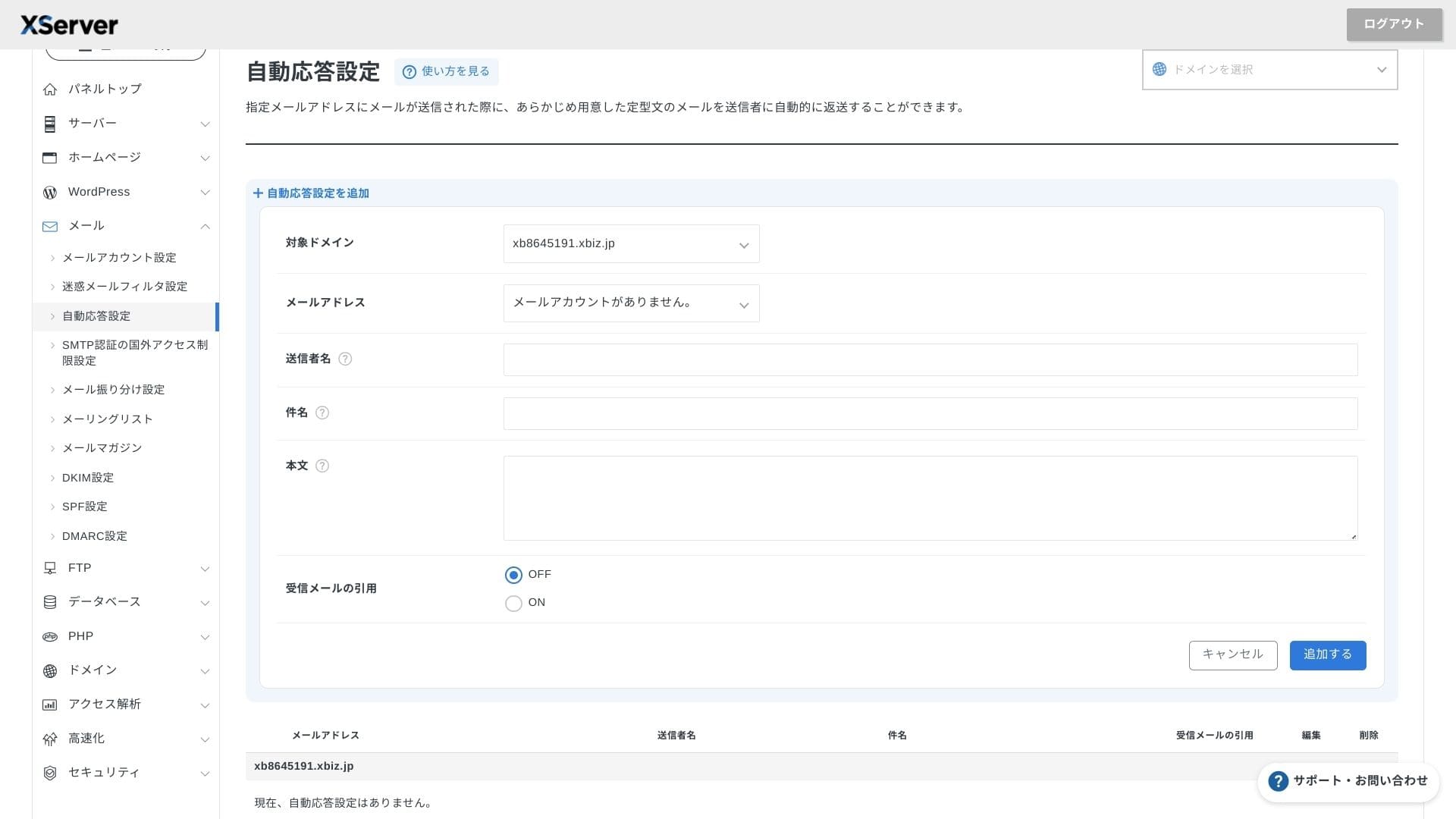
XServer Business unlimited email accounts দেয়, spring 2025-এ webmail UI refresh করা হয়েছে, এবং Cloudmark Authority-ভিত্তিক high-performance spam filter 1,000 accounts পর্যন্ত free। Company অনুযায়ী এর effective detection rate 99%-এর বেশি।
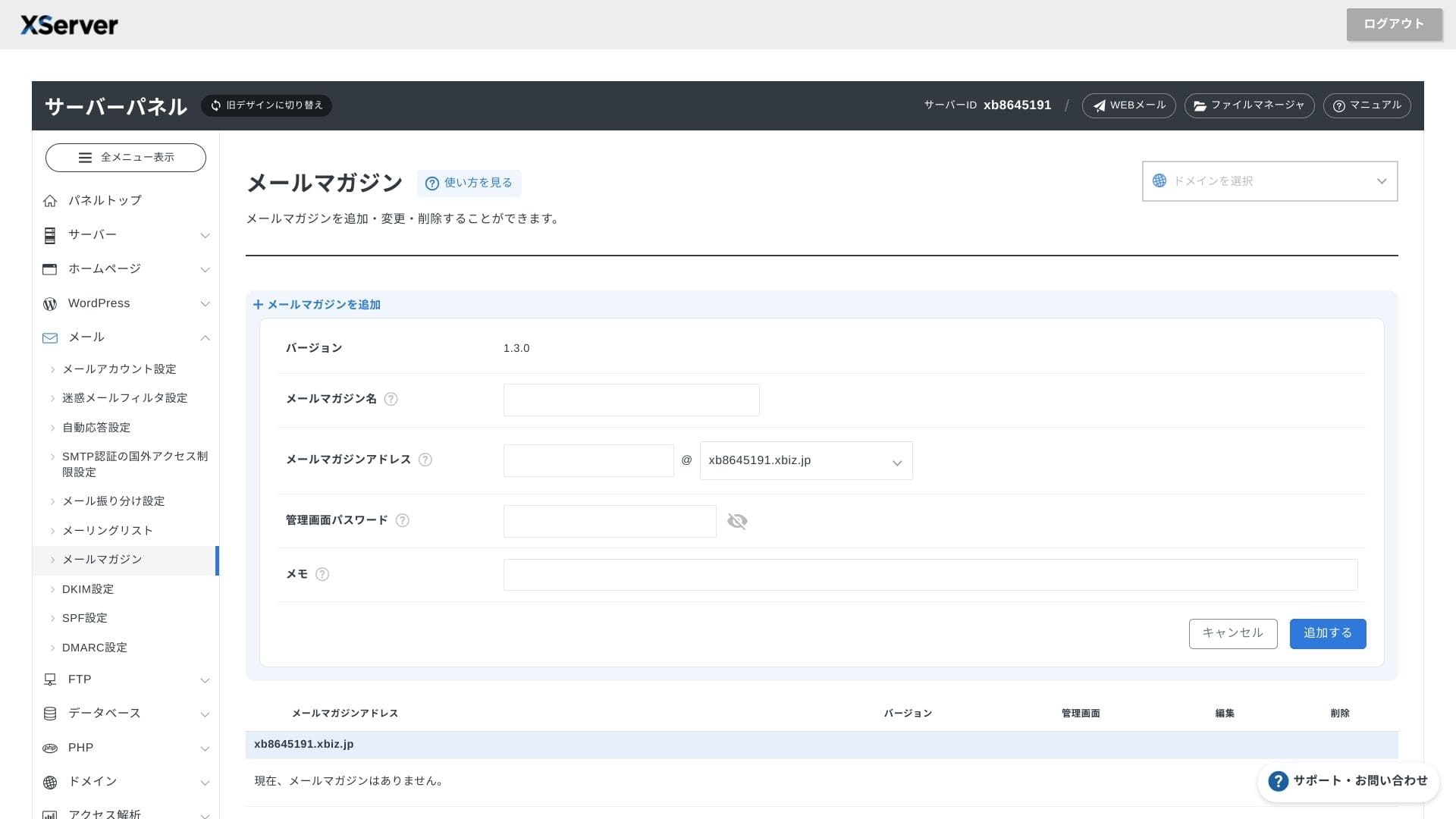
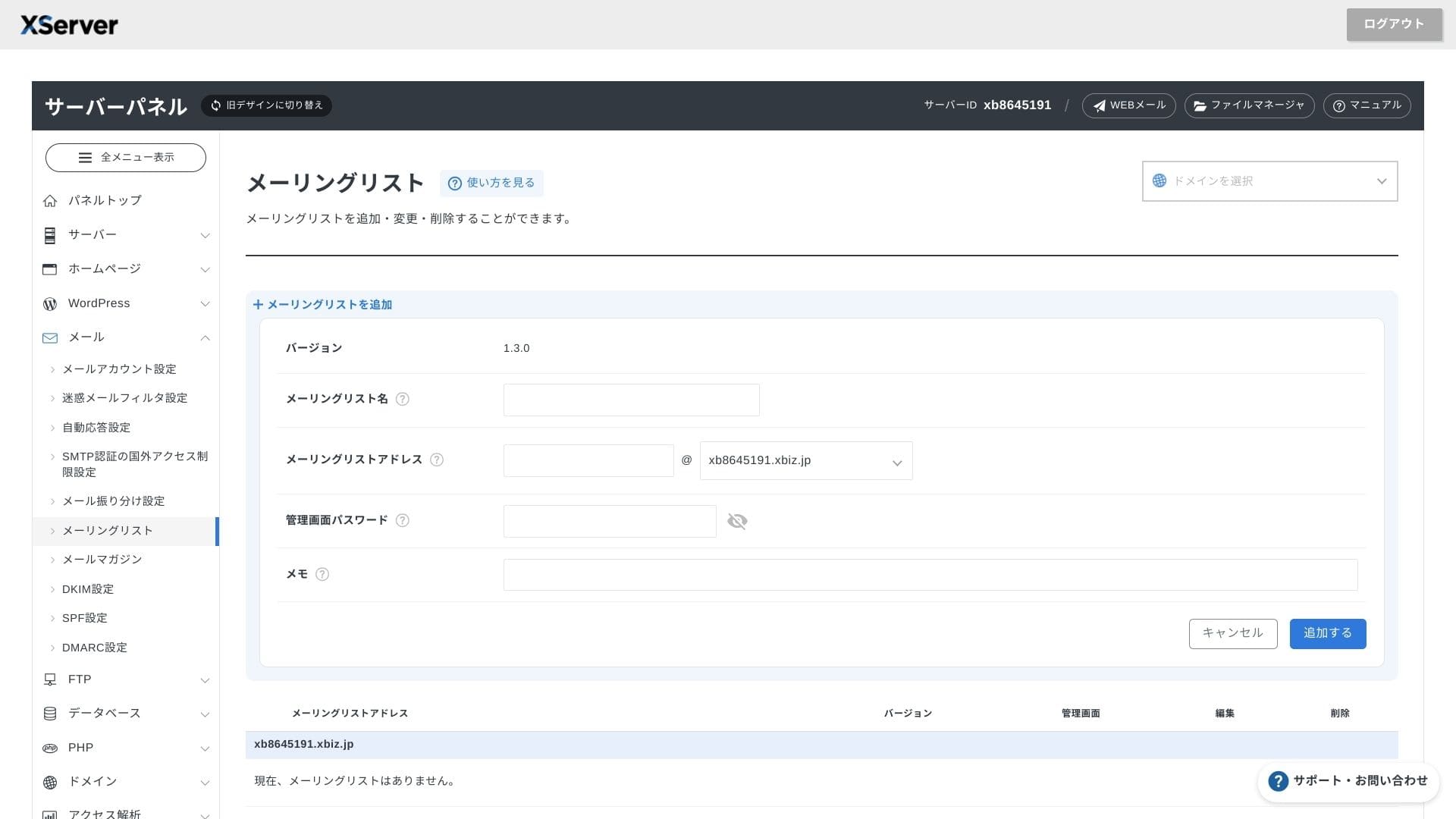
Newsletters এবং mailing lists বানানোও সহজ, তাই customer updates বা internal department communication দ্রুত পাঠানো যায়।
Hikaru Ono
Business server থেকে যেমন আশা করা হয়, email features তেমনই শক্তিশালী।
Security এবং backups
Security measures
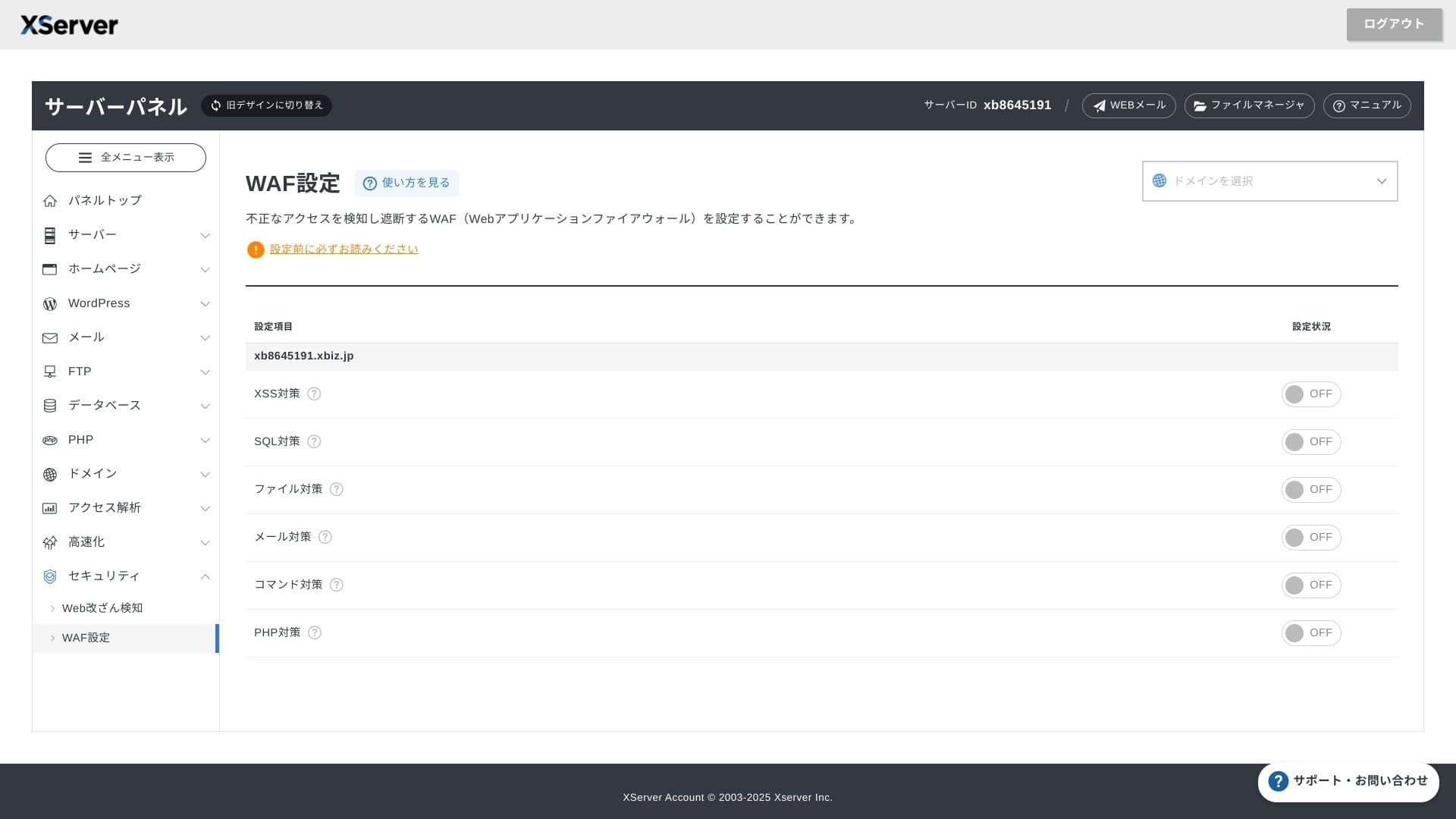
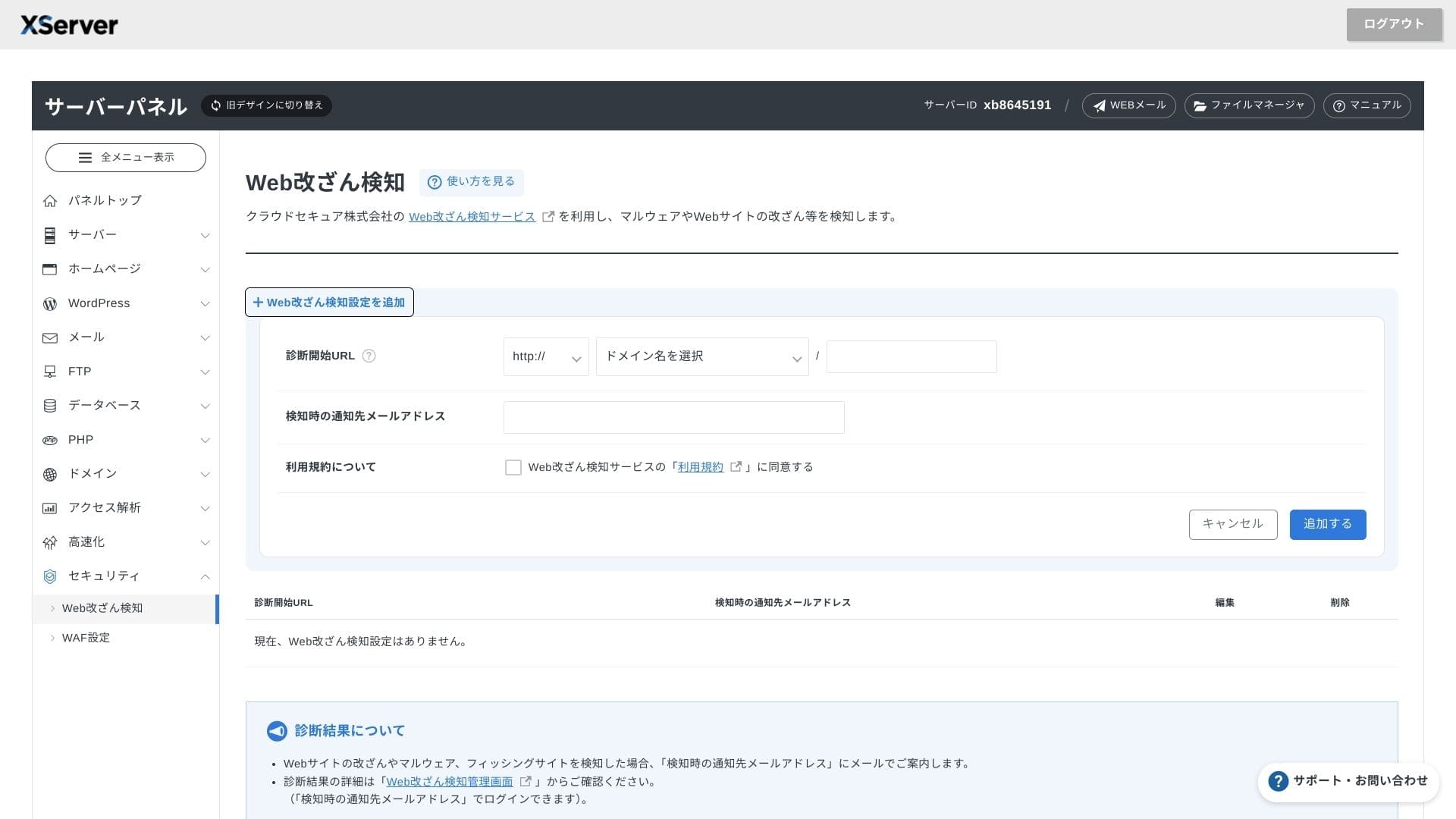
WAF এবং website tamper detection standard হিসেবে অন্তর্ভুক্ত। এটি vulnerability attacks এবং unauthorized file replacement block করে, আর abnormal events হলে email notifications পাঠায়। Secom-এর external security diagnostic-ও বছরে একবার free পাওয়া যায়।
Website tamper detection-এর সুবিধা হলো problem দেরিতে ধরা না পড়ে দ্রুত notice করা যায়।
Automatic backups
প্রতিটি plan-এ web, mail এবং database data-র গত 14 দিন পর্যন্ত automatic backup রাখা হয়। Panel থেকে one-click restore free হওয়ায় mistakes বা malware incidents-এর পর recovery cost কমে।
Competing business rental servers-এর সঙ্গে comparison
সারাংশ
XServer Business business-focused rental server যা speed, security এবং operational support এক জায়গায় দেয়।
- Small এবং midsize businesses যারা multiple sites চালাতে চায় এবং infrastructure outsource করতে চায়
- যারা অন্যান্য দায়িত্বের পাশাপাশি DX work সামলাচ্ছেন এবং configuration mistakes নিয়ে চিন্তিত
- যেসব teams future traffic growth আশা করছে কিন্তু AWS-level operating cost চায় না
এসব ক্ষেত্রে monthly price difference থেকে পাওয়া return সহজেই বেশি হতে পারে। অন্যদিকে, যদি শুধু একটি static page দরকার হয় বা root access দরকার এমন custom platform চালাতে চান, তাহলে সস্তা shared server বা VPS বেশি উপযুক্ত হতে পারে।
শেষ পর্যন্ত বুদ্ধিমান পদ্ধতি হলো personnel cost এবং outage risk দুটোই টাকার হিসাবে দেখা, তারপর সিদ্ধান্ত নেওয়া যে XServer Business এর monthly fee যথার্থ কি না।
"XServer Business" জাপানে market share-এ leading Xserver Inc.-এর business hosting service। আমাদের measurements-এ এটি speed-এ second place ছিল, এবং server migration-ও free, তাই migration projects-এর জন্য এটি বিশেষভাবে শক্তিশালী পছন্দ।
Initial fee free campaign এবং migration service free