WordPress contact form আয়ত্ত করুন: standard pick থেকে hidden gem পর্যন্ত carefully chosen পাঁচটি plugin

Contact forms are essential for WordPress sites. Setting one up is easier than many people expect, and you can add one to your own site right away. Here, we introduce five carefully selected plugins that can be used by everyone from beginners to advanced users.
pluginগুলোর পাশাপাশি security ও usability বিবেচনা করে form best way-তে কীভাবে run করবেন সেটিও ব্যাখ্যা করি। article শেষ করার সময় আপনি confidence সহ contact form install ও operate করতে পারবেন।
individual, company এবং overseas use-এর জন্য ৩২টি WordPress hosting service-এর complete comparison

আপনি যখন “WordPress শুরু করতে চাই” ভাবেন এবং “WordPress recommendations” search করেন, তখন personal hosting, company ও small business-এর option, overseas hosting এবং low-cost server নিয়ে নানা article পাওয়া যায়। সত্যি বলতে,
- কোন site trust করবেন?
- আপনি হয়তো শুধু simple ও understandable answer চান।
- আপনি হয়তো WordPress এখনই শুরু করতে চান।
তাই এই article individual, company, domestic use এবং overseas use-এর জন্য ৩২টি hosting provider থেকে recommended choice carefully select করে। প্রতিদিন hosting ব্যবহার করা app development company-এর SEO lead এটি ব্যাখ্যা করেছেন।
simple ও convenient WordPress contact form তৈরি করার পাঁচটি plugin
website চালালে user-এর কাছ থেকে সরাসরি শুনতে contact form indispensable। WordPress-এ coding knowledge ছাড়াই plugin দিয়ে form তৈরি করে site-এ embed করা যায়। এবার অনেক available option-এর মধ্যে especially recommend করার মতো পাঁচটি plugin বেছে নিয়েছি।
1. Contact Form 7: a simple, classic form-building tool
Contact Form 7 is a long-established WordPress plugin known for its ease of use and high extensibility. It covers everything from basic forms to forms that can meet more complex needs.
free to use হওয়ার পাশাপাশি abundant customization option ও wide range extension plugin দেয়, তাই নানা requirement handle করতে পারে।

2. WPForms: intuitive form building that beginners can handle easily
WPForms features a user-friendly interface that lets you create forms with drag and drop. Even beginners can build attractive forms in a short amount of time.
large template selection ও intuitive operation যে কারও জন্য form create করা সহজ করে। free version-তেও অনেক useful feature থাকা আরেক major advantage।

3. Gravity Forms: a powerful form builder that suits business use
Gravity Forms is an excellent fit for business sites that need complex forms. It allows you to build forms with advanced field management and conditional logic.
এর অনেক add-on ব্যবহার করে form entry manage ও email notification customize করা যায়, যা business operation-এ major advantage দেয়।

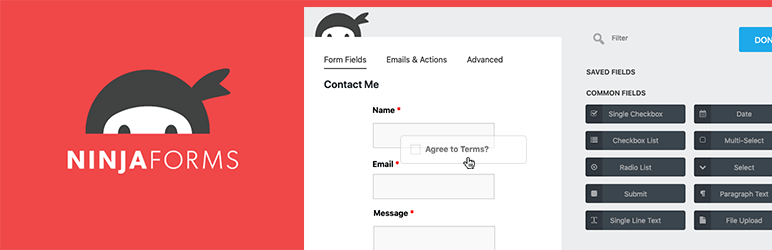
4. Ninja Forms: a form plugin that balances flexibility and ease of use
Ninja Forms is a plugin that combines ease of use with flexible customization. It supports a wide range of users, from beginners to developers.
core feature free available, এবং প্রয়োজন হলে paid add-on যোগ করা যায়, তাই getting started barrier খুব low।
5. Formidable Forms: a form plugin that excels at data collection and application building
এটি advanced plugin, যা information directly database-এ save করতে পারে এবং form-এর মাধ্যমে application-like functionality দিতে পারে।
collected form data থেকে report সহজে create করতে পারে, পাশাপাশি complex calculation ও conditional logic সহ form তৈরি করতে পারে, তাই business use-এর জন্য especially well suited।

contact form operate করার সময় important point

contact form install ও operate করার সময় নিচের pointগুলোতে pay attention করুন।
- Security comes first: spam থেকে protect করতে CAPTCHA configure করা এবং SSL দিয়ে information encrypt করা essential।
- Usability prioritize করুন: form এমনভাবে design করা উচিত যাতে মানুষ intuitively বুঝে সহজে fill out করতে পারে। mobile-friendly করতেও ভুলবেন না।
- Law comply করুন: GDPR-এর মতো personal information handling সম্পর্কিত law follow করুন এবং site-এ privacy policy clearly state করুন।
Summary
এই pointগুলো মনে রাখলে user এবং site operator উভয়ের জন্য easy-to-use contact form create করা যায়। effective communication tool হিসেবে contact form-এর সর্বোচ্চ ব্যবহার করুন।