অফিসিয়াল সাইট থেকে ডাউনলোড করুন
PR
VPS
সহজ সেটআপ: আউটলাইন এবং এক্সসার্ভার ভিপিএস দিয়ে নিরাপদ ভিপিএন সংযোগ
প্রকাশিত: 2025.06.26
আপডেট: 2025.06.26
আপনি কি আরও শক্তিশালী ইন্টারনেট নিরাপত্তা চান, কিন্তু সেটআপ করা কঠিন হবে বলে চিন্তিত? আপনি কি বিদেশ থেকে জাপানি পরিষেবাগুলো ব্যবহার করতে চান, কিন্তু সেগুলো অ্যাক্সেস করতে পারছেন না? এই উদ্বেগগুলো কি আপনার মনে ঘুরপাক খাচ্ছে?
ঠিক তখনই একটি ভিপিএন সংযোগ কাজে আসে। আপনি যদি ভিপিএন ব্যবহারের একটি সাশ্রয়ী এবং সহজ উপায় চান, তবে আমি নিম্নলিখিত কম্বিনেশনের সুপারিশ করছি: Outline VPN ও XServer VPS।
Outline VPN হলো গুগল দ্বারা তৈরি একটি ওপেন-সোর্স ভিপিএন টুল, এবং এর সবথেকে বড় সুবিধা হলো এটি ব্যবহার করা অত্যন্ত সহজ। XServer VPS, যা উচ্চ-ক্ষমতাসম্পন্ন এবং স্থিতিশীল সার্ভার পরিবেশের জন্য পরিচিত জাপানের একটি বড় কোম্পানি Xserver Inc. দ্বারা সরবরাহ করা হয়, ব্যবহার করে আপনি নিজের সুবিধাজনক এবং নিরাপদ ভিপিএন পরিবেশ তৈরি করতে পারেন।
আপনি যদি ভাবছেন যে "আউটলাইন ভিপিএন কী?Outline VPN?" বা "VPS কঠিন মনে হচ্ছে..." বলে ভাবছেন, তবে চিন্তার কিছু নেই। আপনি এই নিবন্ধটি পড়ার পর কোনো সমস্যা ছাড়াই একটি ভিপিএন সংযোগ সেট আপ করতে পারবেন এবং নিরাপদ ও সুরক্ষিত ইন্টারনেট অভিজ্ঞতা উপভোগ করতে পারবেন।
এক্সসার্ভার ভিপিএস দিয়ে শুরু করা: সম্পূর্ণ নতুনদের জন্য আউটলাইন ভিপিএন
আউটলাইন ভিপিএন কী? নতুনদের জন্য সহজ ভাষায় ব্যাখ্যা করা ভিপিএন
একটি ভিপিএন (ভার্চুয়াল প্রাইভেট নেটওয়ার্ক) হলো এমন একটি প্রযুক্তি যা ইন্টারনেটে একটি এনক্রিপ্টেড টানেল তৈরি করে এবং তৃতীয় পক্ষকে আপনার যোগাযোগ আড়ি পেতে দেখা বা পরিবর্তন করা থেকে বিরত রাখে। একটি ভিপিএন সার্ভারের মাধ্যমে ট্রাফিক চালনা করে এটি আপনার আসল আইপি ঠিকানাও লুকিয়ে রাখতে পারে এবং নাম প্রকাশ না করার সুবিধা বাড়িয়ে দেয়।
Outline VPN এই ভিপিএন সংযোগ প্রক্রিয়াটিকে অত্যন্ত সহজ করার জন্য ডিজাইন করা হয়েছে।
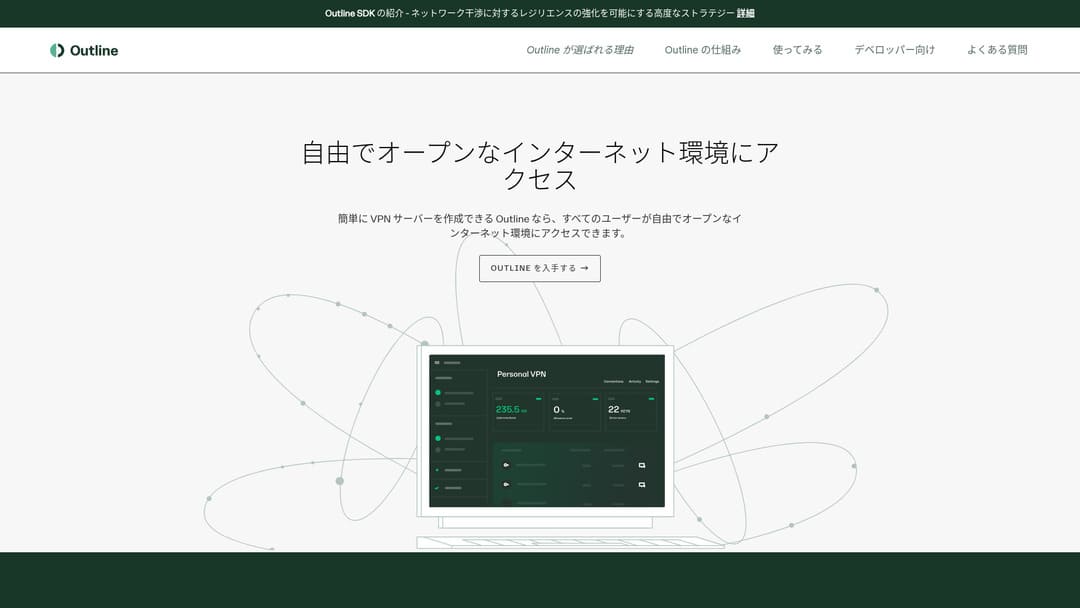
আউটলাইন হলো ভিপিএন-এর সাথে সংযোগ করার জন্য একটি বিনামূল্যের, সহজে ব্যবহারযোগ্য অ্যাপ্লিকেশন, যা গুগলের অংশ জিগস (Jigsaw) দ্বারা সরবরাহ করা হয়। এমনকি আপনি যদি এর আগে কখনো ভিপিএন চালু না করে থাকেন, তবুও মাত্র কয়েকটি ক্লিকে এটি ব্যবহার শুরু করতে পারেন।
এটির জন্য কোনো জটিল প্রযুক্তিগত জ্ঞানের প্রয়োজন নেই। লক্ষ্য হলো একটি অ্যাপ ইনস্টল করার মতো সহজেই ভিপিএন ব্যবহার করা এবং একটি বোতাম টিপে সংযোগ সম্পন্ন করা।
আউটলাইন ভিপিএন এবং এক্সসার্ভার ভিপিএস কেন এত শক্তিশালী কম্বিনেশন
Outline VPN নিজে সহজ এবং ব্যবহার করা সহজ, তবে যে সার্ভারটি এটিকে সমর্থন করে সেটিও সমান গুরুত্বপূর্ণ। এখানেই XServer VPS এর প্রয়োজন হয়।
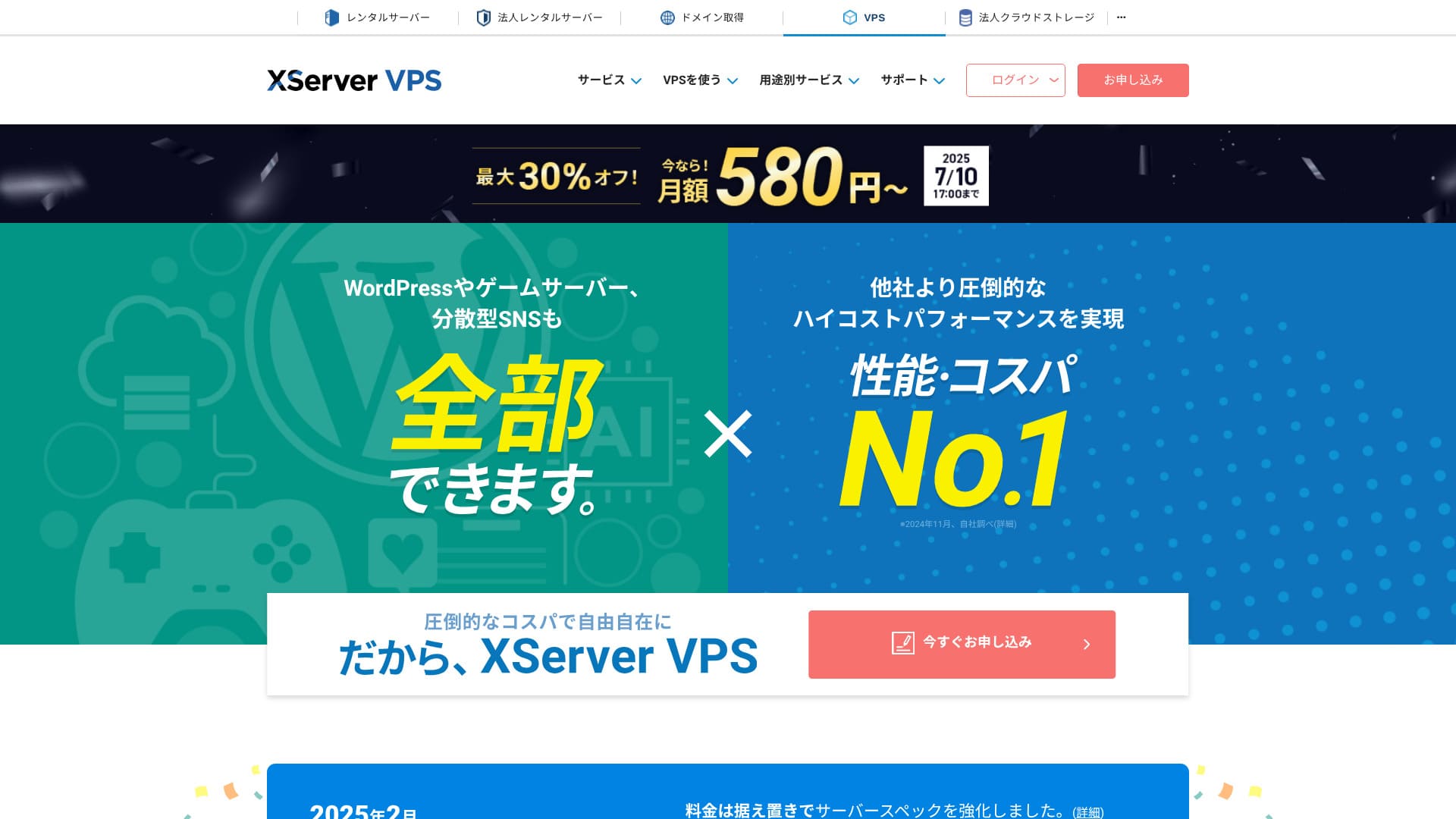
XServer VPS হলো ১ নম্বর দেশীয় মার্কেট শেয়ারসহ একটি সুপ্রতিষ্ঠিত, উচ্চ-গতির রেন্টাল সার্ভার থেকে আসা একটি VPS পরিষেবা। এটি সাশ্রয়ী মূল্যের ২জিবি প্ল্যান থেকে শুরু করে ৮জিবি প্ল্যান পর্যন্ত অফার করে। যেহেতু এটি ফোন এবং ইমেল সমর্থন প্রদান করে, তাই ভিপিএস-এর কোনো অভিজ্ঞতা ছাড়াই মানুষ ভিপিএন সংযোগ বা ওয়েবসাইট তৈরির জন্য এটি সহজে ব্যবহার করতে পারেন।
১০ দিনের ফ্রি ট্রায়ালসহ ৫ই আগস্ট, ২০২৫ পর্যন্ত ৩০% পর্যন্ত ছাড়

XServer VPS এর দ্রুত ও স্থিতিশীল নেটওয়ার্ক পরিবেশ এবং এর শক্তিশালী সাপোর্ট সিস্টেমের জন্য আলাদাভাবে পরিচিত। নিজের সার্ভার পরিচালনা করতে কিছুটা কাজ করতে হয়, তবে আপনি যখন এটিকে Outline VPN, আপনি নিম্নলিখিত সুবিধাগুলো পাবেন।
- নির্ভরযোগ্য দেশীয় অবস্থান: যেহেতু সার্ভারটি জাপানে অবস্থিত, তাই আপনি এটি নিশ্চিন্তে ব্যবহার করতে পারেন।
- উচ্চ নিরাপত্তা: যেহেতু আপনি এটি নিজেই পরিচালনা করেন, তাই আপনি সঠিকভাবে নিরাপত্তা ব্যবস্থা প্রয়োগ করতে পারেন।
- স্থিতিশীল যোগাযোগের গতি: যেহেতু আপনি Xserver-এর উচ্চ-ক্ষমতাসম্পন্ন অবকাঠামো ব্যবহার করতে পারেন, তাই আরামদায়ক সংযোগের গতি আশা করতে পারেন।
- খরচ ও কার্যকারিতার পারফরম্যান্স: ভাড়ায় চালিত ভিপিএন পরিষেবার তুলনায় দীর্ঘমেয়াদে এটি আরও সাশ্রয়ী হতে পারে। চুক্তি যত দীর্ঘ হবে, খরচ তত কম হবে।
নিজের ভিপিএন সার্ভার তৈরি করা কঠিন মনে হতে পারে, তবে আউটলাইন ম্যানেজারের সাহায্যে আপনি মাত্র কয়েকটি কমান্ড দিয়ে এটি সহজেই সেট আপ করতে পারেন।
সহজ ব্যবহার: ৬টি ধাপে এক্সসার্ভার ভিপিএস-এ আউটলাইন ভিপিএন তৈরি করুন
এখন আমি আপনাকে ভিপিএন তৈরির বাস্তব পদক্ষেপগুলোর মধ্য দিয়ে নিয়ে যাই Outline VPN -এ XServer VPS।
ধাপ ১: এক্সসার্ভার ভিপিএস প্রস্তুত করুন - এখান থেকে শুরু
আপনি যদি এখনও XServer VPS এখনও না করে থাকলে, প্রথমে চুক্তিটি সম্পন্ন করে শুরু করুন।
এক্সসার্ভার ভিপিএস প্রস্তুত করা
- ধাপ ১: এক্সসার্ভার অফিসিয়াল ওয়েবসাইটে একটি অ্যাকাউন্ট তৈরি করুনযান XServer VPS। Apply now-এ ক্লিক করুন। আপনার যদি আগে থেকে কোনো অ্যাকাউন্ট না থাকে, তবে Start now! New application বেছে নিন।নিবন্ধন সম্পন্ন করতে আপনার ইমেল ঠিকানা, নাম এবং অন্যান্য প্রয়োজনীয় তথ্য লিখুন।
- ধাপ ২: আপনার এক্সসার্ভার অ্যাকাউন্টে একটি সার্ভারের জন্য আবেদন করুনআপনার প্রয়োজন অনুযায়ী VPS প্ল্যানটি বেছে নিন। এটি আপনার প্রথমবার হলে, তুলনামূলকভাবে সাশ্রয়ী একটি প্ল্যান দিয়ে শুরু করা ভালো। ১২ মাসের ২জিবি প্ল্যানটি ক্যাম্পেইন মূল্যে বেশ লাভজনক।
- ধাপ ৩: চুক্তি প্রক্রিয়া সম্পন্ন করুনচুক্তি প্রক্রিয়া সম্পন্ন করতে স্ক্রিনের নির্দেশনাবলী অনুসরণ করুন।
- ধাপ ৪: সার্ভার অপারেটিং সিস্টেম বেছে নিনযে স্ক্রিনে আপনি সার্ভার অপারেটিং সিস্টেম বেছে নেবেন, সেখানে আমি দৃঢ়ভাবে সুপারিশ করব লেটেস্ট স্থিতিশীল সংস্করণটি নির্বাচন করতে Ubuntu বা Debian। এগুলোই হলো সুপারিশকৃত পরিবেশ Outline VPN, এবং সেটআপ আরও মসৃণভাবে সম্পন্ন হবে।
- ধাপ ৫: প্রাথমিক সেটআপচুক্তি সম্পন্ন হওয়ার পর, Xserver-এর সার্ভার প্যানেলে লগইন করুন এবং প্রাথমিক VPS সেটআপ সম্পন্ন করুন। এর মধ্যে হোস্টনেম এবং রুট পাসওয়ার্ড সেট করা অন্তর্ভুক্ত। একটি শক্তিশালী রুট পাসওয়ার্ড বেছে নেওয়া নিশ্চিত করুন এবং এটি নিরাপদে সংরক্ষণ করুন যাতে আপনি ভুলে না যান।
- ধাপ ৬: SSH অ্যাক্সেস নিশ্চিত করুনভিপিএন সার্ভার কনফিগার করার জন্য আপনাকে SSH-এর মাধ্যমে ভিপিএস-এ সংযুক্ত হতে হবে।
- উইন্ডোজের জন্য: Tera Term-এর মতো একটি SSH ক্লায়েন্ট ইনস্টল করুন, তারপর VPS আইপি ঠিকানা, পোর্ট নম্বর (সাধারণত ২২), ব্যবহারকারীর নাম (root) এবং পাসওয়ার্ড ব্যবহার করে সংযুক্ত হতে পারছেন কিনা তা নিশ্চিত করুন।
- م্যাকওএস/লিনাক্সের জন্য: টার্মিনাল খুলুন এবং রান করুন
ssh root@your-vps-ip-address। আপনার প্রথম সংযোগে আপনি একটি নিরাপত্তা নিশ্চিতকরণ বার্তা দেখতে পারেন, তাই yes টাইপ করুন। তারপর আপনার সেট করা রুট পাসওয়ার্ড লিখুন।
ধাপ ২: আউটলাইন ম্যানেজার ইনস্টল করুন - সহজ সেটআপ
এরপরে, আপনার পিসিতে আউটলাইন ম্যানেজার ইনস্টল করুন যাতে আপনি ভিপিএন সার্ভার কনফিগার এবং পরিচালনা করতে পারেন।
VPN সেটআপ প্রসঙ্গে: Install Outline Manager
- ধাপ ১: আউটলাইন অফিসিয়াল ওয়েবসাইটে যানভিজিট করুন Outline।
- VPN সেটআপ প্রসঙ্গে: STEP.2: Download Outline ManagerGet Outline Manager সেকশন থেকে আপনার পিসির অপারেটিং সিস্টেমের (উইন্ডোজ, ম্যাকওএস বা লিনাক্স) সাথে সামঞ্জস্যপূর্ণ আউটলাইন ম্যানেজারের সংস্করণটি ডাউনলোড করুন।
- ধাপ ৩: এটি ইনস্টল করুনডাউনলোড করা ফাইলটি রান করুন এবং আউটলাইন ম্যানেজার ইনস্টল করতে স্ক্রিনের নির্দেশনাবলী অনুসরণ করুন।
ধাপ ৩: আউটলাইন ম্যানেজার দিয়ে ভিপিএস-এ একটি আউটলাইন সার্ভার তৈরি করুন
আউটলাইন ম্যানেজার ব্যবহার করে একটি আউটলাইন সার্ভার ইনস্টল করুন XServer VPS।
আউটলাইন ম্যানেজার দিয়ে ভিপিএস-এ একটি আউটলাইন সার্ভার তৈরি করুন
- ধাপ ১: আউটলাইন ম্যানেজার চালু করুনইনস্টলেশন সম্পন্ন হওয়ার পর, আউটলাইন ম্যানেজার চালু করুন।
- ধাপ ২: সেট আপ সার্ভার-এ ক্লিক করুনআপনি যখন এটি প্রথমবার চালু করবেন, তখন সার্ভার সেটআপ স্ক্রিনটি উপস্থিত হবে। Set up server-এ ক্লিক করুন।
- ধাপ ৩: আপনার নিজস্ব সার্ভার ব্যবহার করুন বেছে নিনআপনাকে একটি ক্লাউড প্রোভাইডার নির্বাচন স্ক্রিন দেখানো হবে, তবে Set up Outline anywhere বেছে নিন এবং আপনার নিজস্ব সার্ভার ব্যবহার করুন।
- ধাপ ৪: ইনস্টলেশন কমান্ডটি কপি করুনআপনার ভিপিএস-এ আউটলাইন সার্ভার ইনস্টল করার জন্য একটি আদেশ বা কমান্ড স্ক্রিনে উপস্থিত হবে। সম্পূর্ণ কমান্ডটি নির্বাচন করুন এবং কপি করুন।
- ধাপ ৫: SSH-এর মাধ্যমে VPS-এ সংযুক্ত হনSSH-এর মাধ্যমে সংযুক্ত টার্মিনাল বা কমান্ড প্রম্পটে কপি করা ইনস্টলেশন কমান্ডটি পেস্ট করুন এবং রান করতে এন্টার প্রেস করুন।
- ধাপ ৬: কমান্ডটি রান করুন
- ইনস্টলেশন সম্পন্ন হতে কয়েক মিনিট সময় লাগতে পারে। স্ক্রিনের বার্তাগুলো মনোযোগ সহকারে পড়ুন এবং এটি শেষ হওয়া পর্যন্ত অপেক্ষা করুন।
- প্রক্রিয়া চলাকালীন আপনাকে কয়েকটি প্রশ্ন জিজ্ঞাসা করা হতে পারে, তবে বেশিরভাগ ক্ষেত্রে এন্টার চেপে ডিফল্ট বিকল্পটি গ্রহণ করাই যথেষ্ট।
- ধাপ ৭: আউটলাইন ম্যানেজারে তথ্য প্রবেশ করানইনস্টলেশন শেষ হলে, আউটলাইন ম্যানেজার একটি স্ক্রিন প্রদর্শন করে যেখানে আপনি সার্ভারের বিবরণ প্রবেশ করান।
- অ্যাডমিনিস্ট্রেটর API URL: VPS ইনস্টলেশনের সময় তৈরি হওয়া API URLটি প্রদর্শিত হবে। বেশিরভাগ ক্ষেত্রে এটি আউটলাইন ম্যানেজারে স্বয়ংক্রিয়ভাবে প্রতিফলিত হয়, তবে তা না দেখালে SSH টার্মিনালে প্রদর্শিত API URLটি কপি এবং পেস্ট করুন।
- সার্ভারের অবস্থান (ঐচ্ছিক): আপনি সার্ভারের অবস্থান যেমন টোকিও, জাপান লিখতে পারেন। এটি কেবল পরিচালনার উদ্দেশ্যে এবং সংযোগের ওপর কোনো প্রভাব ফেলে না।
- ধাপ ৮: ডান উইথ সার্ভার-এ ক্লিক করুনসব তথ্য দেওয়ার পর, "ডান উইথ সার্ভার"-এ ক্লিক করুন।
ধাপ ৪: অ্যাক্সেস কি তৈরি করুন এবং ভিপিএন সংযোগের অনুমতি দিন
আউটলাইন সার্ভার তৈরি হয়ে গেলে, বাস্তব ভিপিএন সংযোগের জন্য প্রয়োজনীয় অ্যাক্সেস কি-গুলো তৈরি করুন।
অ্যাক্সেস কি তৈরি করুন এবং ভিপিএন সংযোগের অনুমতি দিন
- ধাপ ১: আউটলাইন ম্যানেজার স্ক্রিনটি চেক করুনআউটলাইন ম্যানেজার স্ক্রিনে আপনি একটি ডিফল্ট অ্যাক্সেস কি দেখতে পাবেন।
- ধাপ ২: প্রয়োজনে একটি নতুন অ্যাক্সেস কি যোগ করুনআপনি যদি একটি নতুন অ্যাক্সেস কি তৈরি করতে চান, তবে Add new key বোতামে ক্লিক করুন।
- ধাপ ৩: আপনি চাইলে অ্যাক্সেস কি-র নাম পরিবর্তন করুনআপনি যে ডিভাইস বা ব্যবহারকারী সংযুক্ত হবে তার সাথে মিল রেখে তৈরি করা অ্যাক্সেস কি-র নাম পরিবর্তন করতে পারেন। কি-টি নির্বাচন করুন, Edit name-এ ক্লিক করুন এবং এটি পরিবর্তন করুন।
- ধাপ ৪: অ্যাক্সেস কি-টি শেয়ার করুনআপনার তৈরি করা অ্যাক্সেস কি-টি আউটলাইন ক্লায়েন্টের সাথে সংযোগ করার সময় প্রয়োজন হবে। আপনি যখন অ্যাক্সেস কি-টি নির্বাচন করবেন, তখন Share invite লেবেলযুক্ত একটি বোতাম প্রদর্শিত হবে। অ্যাক্সেস-কি ইউআরএল কপি করতে এটিতে ক্লিক করুন, তারপর সংযোগ করতে চান এমন ডিভাইসের সাথে সেই ইউআরএলটি শেয়ার করুন।
ধাপ ৫: আউটলাইন ক্লায়েন্ট ইনস্টল করুন - যেকোনো ডিভাইসে কাজ করে
ভিপিএন-এর সাথে সংযুক্ত হবে এমন ডিভাইসে (যেমন পিসি, স্মার্টফোন বা ট্যাবলেট) আউটলাইন ক্লায়েন্ট ইনস্টল করুন।
আউটলাইন ক্লায়েন্ট ইনস্টল করুন
- ধাপ ১: আউটলাইন অফিসিয়াল ওয়েবসাইটে যানভিজিট করুন Outline।
- ধাপ ২: আউটলাইন ক্লায়েন্ট ডাউনলোড করুনGet Outline Client সেকশন থেকে আপনার ডিভাইসের অপারেটিং সিস্টেমের জন্য আউটলাইন ক্লায়েন্ট ডাউনলোড এবং ইনস্টল করুন।
- পিসি (উইন্ডোজ, ম্যাকওএস, লিনাক্স): এটি ইনস্টল করতে ডাউনলোড করা ফাইলটি রান করুন।
- স্মার্টফোন / ট্যাবলেট (অ্যান্ড্রয়েড, আইওএস): অ্যাপ স্টোর বা গুগল প্লে স্টোরে Outline লিখে সার্চ করুন এবং ইনস্টল করুন।
ধাপ ৬: ইস্যু করা অ্যাক্সেস কি দিয়ে আউটলাইন ভিপিএন-এ সংযুক্ত হন
আউটলাইন ক্লায়েন্ট ইনস্টল হয়ে গেলে, ভিপিএন-এর সাথে সংযুক্ত হওয়ার সময় এসেছে।
ইস্যু করা অ্যাক্সেস কি দিয়ে আউটলাইন ভিপিএন-এ সংযুক্ত হন
- ধাপ ১: আউটলাইন ক্লায়েন্ট চালু করুনআপনার ইনস্টল করা আউটলাইন ক্লায়েন্টটি চালু করুন।
- ধাপ ২: অ্যাক্সেস কি যোগ করুন
- পিসির জন্য: অ্যাড সার্ভার বা অনুরূপ বোতামে ক্লিক করুন, ধাপ ৪-এ কপি করা অ্যাক্সেস-কি ইউআরএল পেস্ট করুন এবং অ্যাড সার্ভার-এ ক্লিক করুন।
- স্মার্টফোন / ট্যাবলেটের জন্য: আপনি যখন অ্যাপটি চালু করবেন, এটি আপনার কাছে একটি অ্যাক্সেস কি চাইতে পারে। ধাপ ৪-এ শেয়ার করা অ্যাক্সেস-কি ইউআরএল কপি এবং পেস্ট করুন। কিউআর কোড দেখালে আপনি তা স্ক্যানও করতে পারেন।
- ধাপ ৩: সংযুক্ত হনসার্ভারটি যোগ হয়ে গেলে একটি সংযোগ করার বোতাম প্রদর্শিত হবে। ভিপিএন সংযোগ শুরু করতে এটিতে ক্লিক করুন।
- ধাপ ৪: সংযোগ নিশ্চিত করুনসংযোগ সফল হলে, আউটলাইন ক্লায়েন্টে Connected দেখাবে এবং স্ক্রিনের শীর্ষে স্ট্যাটাস বারে বা অনুরূপ স্থানে একটি ভিপিএন আইকন উপস্থিত হবে।
এর মাধ্যমে, আপনার ভিপিএন সংযোগ যা ব্যবহার করে Outline VPN এবং XServer VPS সম্পূর্ণ হয়েছে। আপনার ইন্টারনেট ট্রাফিক এনক্রিপ্ট করা হয়েছে, যা এটিকে নিরাপদ করে তোলে, এবং এটি আপনার নির্বাচিত সার্ভারের অবস্থানের মাধ্যমে পরিচালিত হয়।
আউটলাইন ভিপিএন এবং এক্সসার্ভার ভিপিএস-এর সুবিধা এবং ব্যবহারের ক্ষেত্রসমূহ

এটি কত দ্রুত? এটি কতটা স্থিতিশীল? আউটলাইন ভিপিএন-এর সুবিধাগুলোর সম্পূর্ণ বিবরণ
Outline VPN শ্যাডোসক্স (Shadowsocks) প্রোটোকলের ওপর ভিত্তি করে তৈরি, তাই আপনি অপেক্ষাকৃত হালকা এবং দ্রুত যোগাযোগের আশা করতে পারেন।
এর উচ্চ-ক্ষমতাসম্পন্ন অবকাঠামো ব্যবহার করে XServer VPS, আপনি আরও বেশি স্থিতিশীল যোগাযোগের পরিবেশ অর্জন করতে পারেন। তবুও, আপনার বোঝা উচিত যে ভিপিএন-এর গতি শারীরিক দূরত্ব এবং নেটওয়ার্কের ভিড়ের ওপর ভিত্তি করে পরিবর্তিত হতে পারে।
যেকোনো স্থান থেকে নিরাপদে অ্যাক্সেস করুন: আউটলাইন ভিপিএন-এর ব্যবহারের ক্ষেত্রসমূহ
- পাবলিক ওয়াই-ফাইতে নিরাপত্তা: ক্যাফে এবং হোটেলের মতো জায়গাগুলোর পাবলিক ওয়াই-ফাই সুরক্ষার দিক থেকে দুর্বল হতে পারে। একটি ভিপিএন সংযোগ ব্যবহারের মাধ্যমে আপনি আপনার যোগাযোগ এনক্রিপ্ট করেন এবং তৃতীয় পক্ষকে সেগুলোতে আড়ি পাতা থেকে বিরত রাখে।
- বিদেশ থেকে অ্যাক্সেস নিষেধাজ্ঞা এড়ানো: আপনি যদি বিদেশ থেকে কেবল জাপানে উপলব্ধ privacy পরিষেবা বা কনটেন্ট অ্যাক্সেস করতে চান, তবে জাপানের একটি ভিপিএন সার্ভারের মাধ্যমে আপনার সংযোগটি চালনা করলে তা সম্ভব হতে পারে।
- গোপনীয়তা সুরক্ষা: একটি ভিপিএন সার্ভারের মাধ্যমে ট্রাফিক চালনা করে আপনি আপনার আসল আইপি ঠিকানা লুকিয়ে রাখতে পারেন এবং ওয়েবসাইট এবং বিজ্ঞাপন ট্র্যাকারদের পক্ষে আপনাকে অনুসরণ করা আরও কঠিন করে তোলে।
- সেন্সরশিপ এড়ানো: কিছু দেশ এবং অঞ্চলে অন্তত কিছু ইন্টারনেট সেন্সরশিপ থাকতে পারে। একটি ভিপিএন ব্যবহার করা আপনাকে সেই বিধিনিষেধগুলো এড়াতে সাহায্য করতে পারে।
বিদেশ থেকেও সুবিধাজনক অ্যাক্সেস: আঞ্চলিক বিধিনিষেধ এড়িয়ে চলুন
ব্যবহার করে Outline VPN এবং XServer VPS, আপনি নিজের পছন্দমতো স্থানে একটি ভিপিএন সার্ভার তৈরি করতে পারেন। উদাহরণস্বরূপ, আপনি যদি বিদেশ থেকে জাপানি পরিষেবাগুলো ব্যবহার করতে চান, তবে আপনি জাপানের একটি ভিপিএস সার্ভারের মাধ্যমে আপনার ট্রাফিক চালনা করতে পারেন যাতে মনে হয় আপনি জাপানের ভেতর থেকেই পরিষেবাটি অ্যাক্সেস করছেন।
ফলে, আঞ্চলিক বিধিনিষেধের কারণে পূর্বে অনুপলব্ধ থাকা কনটেন্টগুলো আপনি ব্যবহার করতে সক্ষম হতে পারেন।
আউটলাইন ভিপিএন আরও আরামদায়কভাবে ব্যবহারের টিপস

কীভাবে এটি একাধিক ডিভাইসে ব্যবহার করবেন - পরিবার বা দলের সাথে শেয়ার করুন
আপনার তৈরি করা অ্যাক্সেস কি-টি একাধিক ডিভাইসে শেয়ার এবং ব্যবহার করা যেতে পারে।
আউটলাইন ম্যানেজারে একটি নতুন অ্যাক্সেস কি ইস্যু করে এবং অন্য ডিভাইসে আউটলাইন ক্লায়েন্টে তা যুক্ত করার মাধ্যমে আপনি সহজেই একাধিক ডিভাইসে ভিপিএন সংযোগটি ব্যবহার করতে পারেন। এটি সুবিধাজনক যখন আপনি পরিবারের সদস্য বা ছোট দলের সাথে ভিপিএন শেয়ার করতে চান।
ডেটা ব্যবহার পরীক্ষা এবং পরিচালনা করুন - অতিরিক্ত ব্যবহার প্রতিরোধ করুন
আউটলাইন ম্যানেজারে, আপনি প্রতিটি অ্যাক্সেস কি-র জন্য ডেটা ব্যবহার পরীক্ষা করুন।
এর মাধ্যমে আপনি দেখতে পারবেন কে কতটুকু ডেটা ব্যবহার করছে এবং প্রয়োজনে ডেটা সীমাও সেট করতে পারবেন। সীমা নির্ধারণ করার মাধ্যমে আপনি ব্যান্ডউইথের অনিচ্ছাকৃত অতিরিক্ত ব্যবহার প্রতিরোধ করতে পারেন।
নিরাপত্তা আরও উন্নত করার জন্য সুপারিশকৃত সেটিংস
- VPS নিরাপত্তা ব্যবস্থা: ফায়ারওয়াল সেটিংস পর্যালোচনা করুন XServer VPS এবং অপ্রয়োজনীয় পোর্টগুলো বন্ধ করুন। এছাড়াও অপারেটিং সিস্টেম এবং সফটওয়্যার সম্পূর্ণ আপডেট রাখা জরুরি।
- শক্তিশালী পাসওয়ার্ড: VPS রুট অ্যাকাউন্ট এবং আউটলাইন ম্যানেজার অ্যাক্সেস কি-র জন্য শক্তিশালী ও অনুমান করা কঠিন এমন পাসওয়ার্ড সেট করুন।
- দ্বি-স্তরবিশিষ্ট প্রমাণীকরণ: আপনার Xserver অ্যাকাউন্ট এবং VPS লগইনের জন্য যেখানে সম্ভব দ্বি-স্তরবিশিষ্ট প্রমাণীকরণ (two-factor authentication) সক্রিয় করুন।
সংক্ষেপ: আউটলাইন এবং এক্সসার্ভার ভিপিএস দিয়ে একটি নিরাপদ ও আরামদায়ক ভিপিএন অভিজ্ঞতা উপভোগ করুন
Outline VPN তার সাধারণ ইন্টারফেসটি যা নির্দেশ করে, তার চেয়েও অনেক বেশি শক্তিশালী ভিপিএন কার্যকারিতা প্রদান করে। যেহেতু আউটলাইন ম্যানেজার জটিল সেটআপটি স্বয়ংক্রিয়ভাবে পরিচালনা করে, তাই এমনকি নতুনরাও আত্মবিশ্বাসের সাথে একটি ভিপিএন পরিবেশ তৈরি এবং ব্যবহার করতে পারেন।
যখন আপনি এটিকে একত্রিত করবেন XServer VPS, Outline VPN আরও বৃদ্ধি পায়। আপনি যেখানে চান আপনার ভিপিএন সার্ভার স্থাপন করতে পারেন এবং স্থিতিশীল ও উচ্চ-গতির যোগাযোগ ব্যবহার করতে পারেন।
এই নিবন্ধটিকে আপনার গাইড হিসেবে ব্যবহার করুন এবং নিজের একটি নিরাপদ ও আরামদায়ক internet পরিবেশ তৈরি করার চেষ্টা করুন Outline VPN এবং XServer VPS।