30-day money-back guarantee সুবিধা
PR
কাজ
Namecheap Review and Setup Guide: pricing, speed, support এবং WordPress compatibility
প্রকাশিত: 2025.07.13
আপডেট: 2025.07.13
রেটিং: 3.0
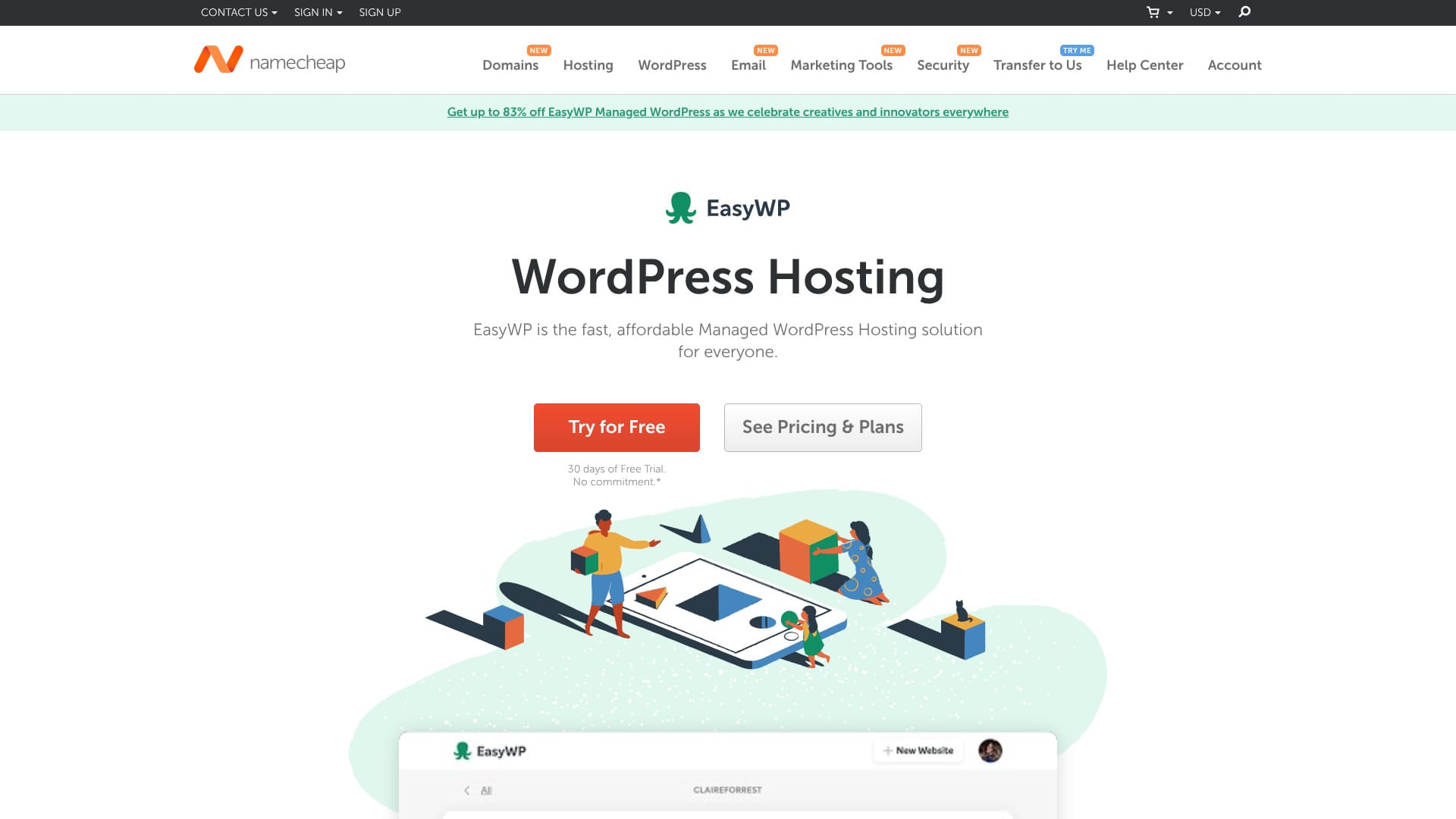
Namecheap হলো Phoenix, Arizona, USA ভিত্তিক domain registrar। hosting-ও দেয়। দাম কম হলেও quality ও support দুটিই highly regarded। drawbacks খুব কম, তাই প্রায় যে কাউকে recommend করা যায়।
| Server ধরন | Shared hosting plan |
| Server response speed (TTFB) | 440ms |
| Recommended plan ও term | EasyWP Starter, 1 year |
| Trial / money-back guarantee | 30-day money-back guarantee সুবিধা |
| Monthly fee-এর তথ্য | $2.98 (437 yen) থেকে |
| Initial setup fee | Free included |
| Free domain সুবিধা | নেই |
| Support ব্যবস্থা | 24/7 chat support |
| Uptime তথ্য | 99.9% |
| Storage capacity | 10GB |
| Database সংখ্যা | 1 |
| SSL | Free SSL included |
| Backup ব্যবস্থা | হ্যাঁ |
| Email account | নেই |
| Email security ব্যবস্থা | নেই |
| Server / website migration service | নেই |
| WordPress preinstall অবস্থা | নেই |
| CDN | Free included |
| Data center locations | Phoenix, Arizona, USA; Timico, Midlands, UK; Amsterdam, Netherlands |

Hikaru Ono
Namecheap's support was extremely polite and helpful. It felt like “the best support any hosting company has ever given me.”
Namecheap বিষয়: It is the kind of server that makes you want to keep using it for a long time.
- Namecheap বিষয়: Data based on market research conducted onNamecheap বিষয়: November 4, 2025Namecheap বিষয়: , sorted byNamecheap এর speed বিচার করতে TTFB, page display, CDN এবং server location একসঙ্গে দেখতে হবে। দ্রুত site user stress কমায় এবং SEO-তেও সহায়তা করে।
- The monthly fee is the first-year cost of the lowest-priced plan that can run WordPress
- Namecheap এর speed বিচার করতে TTFB, page display, CDN এবং server location একসঙ্গে দেখতে হবে। দ্রুত site user stress কমায় এবং SEO-তেও সহায়তা করে।
Namecheap review and five features

Low server pricing
Namecheap has low hosting fees.
EasyWP Starter, 1 year
major Japanese hosting companies-এর সঙ্গে তুলনা করা যাক।
| Hosting company-এর নাম | এক বছরের total cost |
|---|---|
| Namecheap | 2,229 yen |
| ConoHa WING | 11,292 yen |
| Xserver | 10,560 yen |
| heteml | 24,420 yen |
| mixhost | 8,712 yen |
এই comparison দেখায় Namecheap major Japanese hosting services-এর চেয়ে cheaper। hosting cost যতটা সম্ভব কম রাখতে চাইলে এটি strong candidate।
WordPress speed standard level ছিল
আমাদের site-এর নিজস্ব testing অনুযায়ী, WordPress speed standard level ছিল.
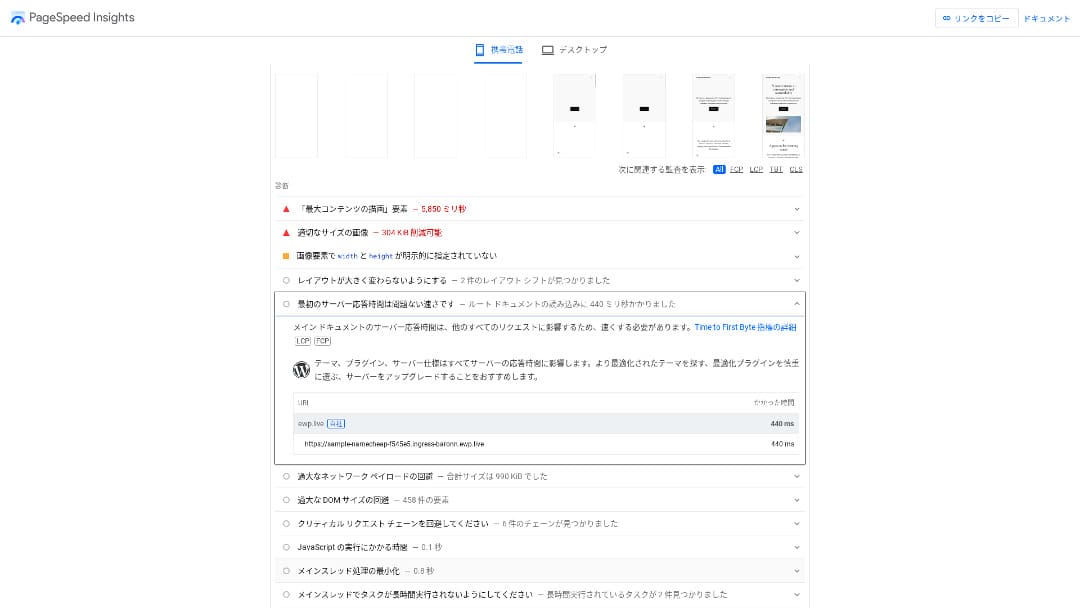
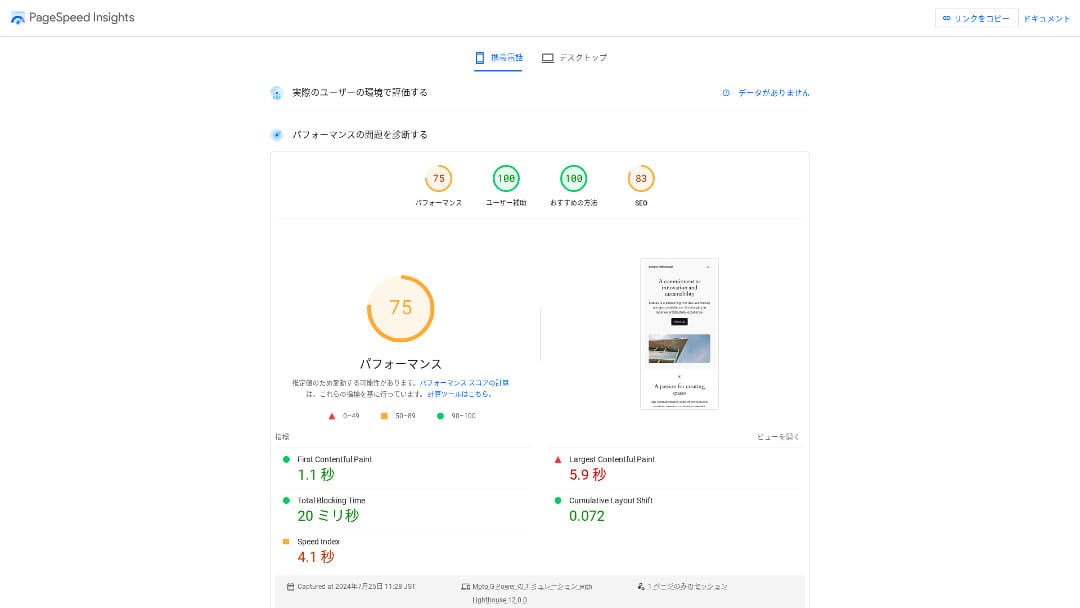
Namecheap এর speed বিচার করতে TTFB, page display, CDN এবং server location একসঙ্গে দেখতে হবে। দ্রুত site user stress কমায় এবং SEO-তেও সহায়তা করে।
Namecheap এর speed বিচার করতে TTFB, page display, CDN এবং server location একসঙ্গে দেখতে হবে। দ্রুত site user stress কমায় এবং SEO-তেও সহায়তা করে।
Its 24/7 support was extremely courteous
24/7 chat supportNamecheap বিষয়: responded with remarkable courtesy.
I contacted chat support because I could not delete my saved credit card details. I was connected to a staff member in about 30 seconds, and they removed the saved information for me.
এই অংশে Namecheap-এর pricing, speed, support, WordPress compatibility এবং cancellation Bengali ভাষায় ব্যাখ্যা করা হয়েছে।Namecheap বিষয়: they helped immediately instead of trying to talk me out of itNamecheap বিষয়: , which impressed me.
99.9% uptime
Namecheap is 99.9% uptimeNamecheap এর speed বিচার করতে TTFB, page display, CDN এবং server location একসঙ্গে দেখতে হবে। দ্রুত site user stress কমায় এবং SEO-তেও সহায়তা করে।
Namecheap এর speed বিচার করতে TTFB, page display, CDN এবং server location একসঙ্গে দেখতে হবে। দ্রুত site user stress কমায় এবং SEO-তেও সহায়তা করে।
99.9% uptime
এই অংশে Namecheap-এর pricing, speed, support, WordPress compatibility এবং cancellation Bengali ভাষায় ব্যাখ্যা করা হয়েছে।
★ Namecheap বিষয়: A beginner's guide to hosting uptime and SLAs
Namecheap বিষয়: You can use a global CDN for free
Namecheap lets you use Namecheap বিষয়: a global CDN for free.review পড়ার সময় pros ও cons আলাদা করে দেখুন। speed, price, support, stability এবং cancellation condition মিলিয়ে সিদ্ধান্ত নিন।
The drawback of Namecheap is that the cheapest plan allows only one WordPress install

drawbacks খুব কম, তাই প্রায় যে কাউকে recommend করা যায়।the cheapest plan allows only one WordPress installationএই অংশে Namecheap-এর pricing, speed, support, WordPress compatibility এবং cancellation Bengali ভাষায় ব্যাখ্যা করা হয়েছে।
EasyWP Starter, 1 year
Compare Namecheap with two competing servers
I compared Namecheap with two other overseas hosting services.
Namecheap বিষয়: DreamHost
Namecheap বিষয়: DreamHost is a server thatWordPress শুরু করতে easy setup, preinstall, control panel usability এবং plugin compatibility গুরুত্বপূর্ণ। beginner হলেও operation সহজ হওয়া দরকার।. Compared with Namecheap, it offers more storage. It is also a server with top-tier stability, backed by 100% uptime.
However, Namecheap is cheaper. If you want to keep costs down, I recommend Namecheap.
| Namecheap বিষয়: Comparison point | Namecheap | Namecheap বিষয়: DreamHost |
|---|---|---|
| সবচেয়ে বড় strength | Namecheap বিষয়: Excellent value for money | Ultra-long money-back guarantee |
| Trial / money-back guarantee-এর শর্ত | 30-day money-back guarantee সুবিধা | 97-day money-back guarantee |
| Uptime তথ্য | 99.9% | 100% |
| Storage capacity | 10GB | 50GB |
| First-year hosting cost | 2,229 yen | 5,303 yen |
Namecheap বিষয়: HOSTINGER
Namecheap বিষয়: HOSTINGER is also a server thatWordPress শুরু করতে easy setup, preinstall, control panel usability এবং plugin compatibility গুরুত্বপূর্ণ। beginner হলেও operation সহজ হওয়া দরকার।. Its backup features are excellent, with seven daily backups and seven weekly backups stored. If seven-week-old backup data is still available, you can recover in most cases even if it takes time to notice a problem on the site.
However, because Namecheap is cheaper, I recommend Namecheap if you want to keep costs down.
Seven steps to start a WordPress website with Namecheap right now
How to start WordPress with Namecheap
- Namecheap বিষয়: STEP.1Create or log in to your Namecheap account
Visit the official Namecheap website and either create a new account or log in to your existing one.
- Namecheap বিষয়: STEP.2Namecheap বিষয়: Choose an EasyWP plan
EasyWP Starter, 1 year
review পড়ার সময় pros ও cons আলাদা করে দেখুন। speed, price, support, stability এবং cancellation condition মিলিয়ে সিদ্ধান্ত নিন।
- Namecheap বিষয়: STEP.3Choose a domain
To use EasyWP, you need a domain. You have two options:
- Buy a new domain: You can purchase a new domain from Namecheap.
- Use an existing domain: You can also use a domain you already own.
- Namecheap বিষয়: STEP.4WordPress শুরু করতে easy setup, preinstall, control panel usability এবং plugin compatibility গুরুত্বপূর্ণ। beginner হলেও operation সহজ হওয়া দরকার।
WordPress শুরু করতে easy setup, preinstall, control panel usability এবং plugin compatibility গুরুত্বপূর্ণ। beginner হলেও operation সহজ হওয়া দরকার।
- Namecheap বিষয়: STEP.5Namecheap বিষয়: Configure your site
WordPress শুরু করতে easy setup, preinstall, control panel usability এবং plugin compatibility গুরুত্বপূর্ণ। beginner হলেও operation সহজ হওয়া দরকার।
- Namecheap বিষয়: STEP.6WordPress শুরু করতে easy setup, preinstall, control panel usability এবং plugin compatibility গুরুত্বপূর্ণ। beginner হলেও operation সহজ হওয়া দরকার।
WordPress শুরু করতে easy setup, preinstall, control panel usability এবং plugin compatibility গুরুত্বপূর্ণ। beginner হলেও operation সহজ হওয়া দরকার।
এই অংশে Namecheap-এর pricing, speed, support, WordPress compatibility এবং cancellation Bengali ভাষায় ব্যাখ্যা করা হয়েছে।
- Namecheap বিষয়: STEP.7Namecheap বিষয়: Publish your site
WordPress শুরু করতে easy setup, preinstall, control panel usability এবং plugin compatibility গুরুত্বপূর্ণ। beginner হলেও operation সহজ হওয়া দরকার।
How to cancel Namecheap
How to cancel Namecheap
- Namecheap বিষয়: STEP.1Log in to your Namecheap account
Visit the official Namecheap site and log in to your account.
- Namecheap বিষয়: STEP.2Namecheap বিষয়: Open the dashboard
এই অংশে Namecheap-এর pricing, speed, support, WordPress compatibility এবং cancellation Bengali ভাষায় ব্যাখ্যা করা হয়েছে।
- Namecheap বিষয়: STEP.3Namecheap বিষয়: Select the EasyWP menu
এই অংশে Namecheap-এর pricing, speed, support, WordPress compatibility এবং cancellation Bengali ভাষায় ব্যাখ্যা করা হয়েছে।
- Namecheap বিষয়: STEP.4Namecheap বিষয়: Open the site management screen
এই অংশে Namecheap-এর pricing, speed, support, WordPress compatibility এবং cancellation Bengali ভাষায় ব্যাখ্যা করা হয়েছে।
- Namecheap বিষয়: STEP.5Namecheap বিষয়: Go to site settings
When the site management screen opens, look for the “Settings” or “Advanced Options” menu in the upper right or lower section and open it.
- Namecheap বিষয়: STEP.6Namecheap বিষয়: Cancel the subscription
এই অংশে Namecheap-এর pricing, speed, support, WordPress compatibility এবং cancellation Bengali ভাষায় ব্যাখ্যা করা হয়েছে।
- Namecheap বিষয়: STEP.7Namecheap বিষয়: Confirm the cancellation
Finally, a confirmation pop-up or email may appear. Follow the instructions to complete the cancellation.
Frequently asked questions about Namecheap
Are Namecheap domains inexpensive?
Namecheap's domains are relatively inexpensive. There is no additional fee for Whois privacy proxy publication, either.
Namecheap বিষয়: However, please remember that payments are affected by exchange rates.
How do you pronounce Namecheap?
Namecheap is pronounced “name-cheap.”
সারাংশ: Namecheap নির্বাচন করার আগে speed, price, support, WordPress usability, backup এবং security একসঙ্গে বিবেচনা করুন।
Namecheap is an affordable overseas hosting service. Its high uptime and courteous support are especially well regarded.overseas audience বা global use case হলে data center, CDN, VPN এবং related services-এর compatibility speed ও operation-এ প্রভাব ফেলে।
Namecheap এর speed বিচার করতে TTFB, page display, CDN এবং server location একসঙ্গে দেখতে হবে। দ্রুত site user stress কমায় এবং SEO-তেও সহায়তা করে।