
14-day free trial
PR
Сървъри
Преглед на wpX Speed: тестове на скоростта, плюсове и минуси и сравнения с други хостове
Публикувано: 2025.04.18
Обновено: 2025.04.18
Оценка: 4.0
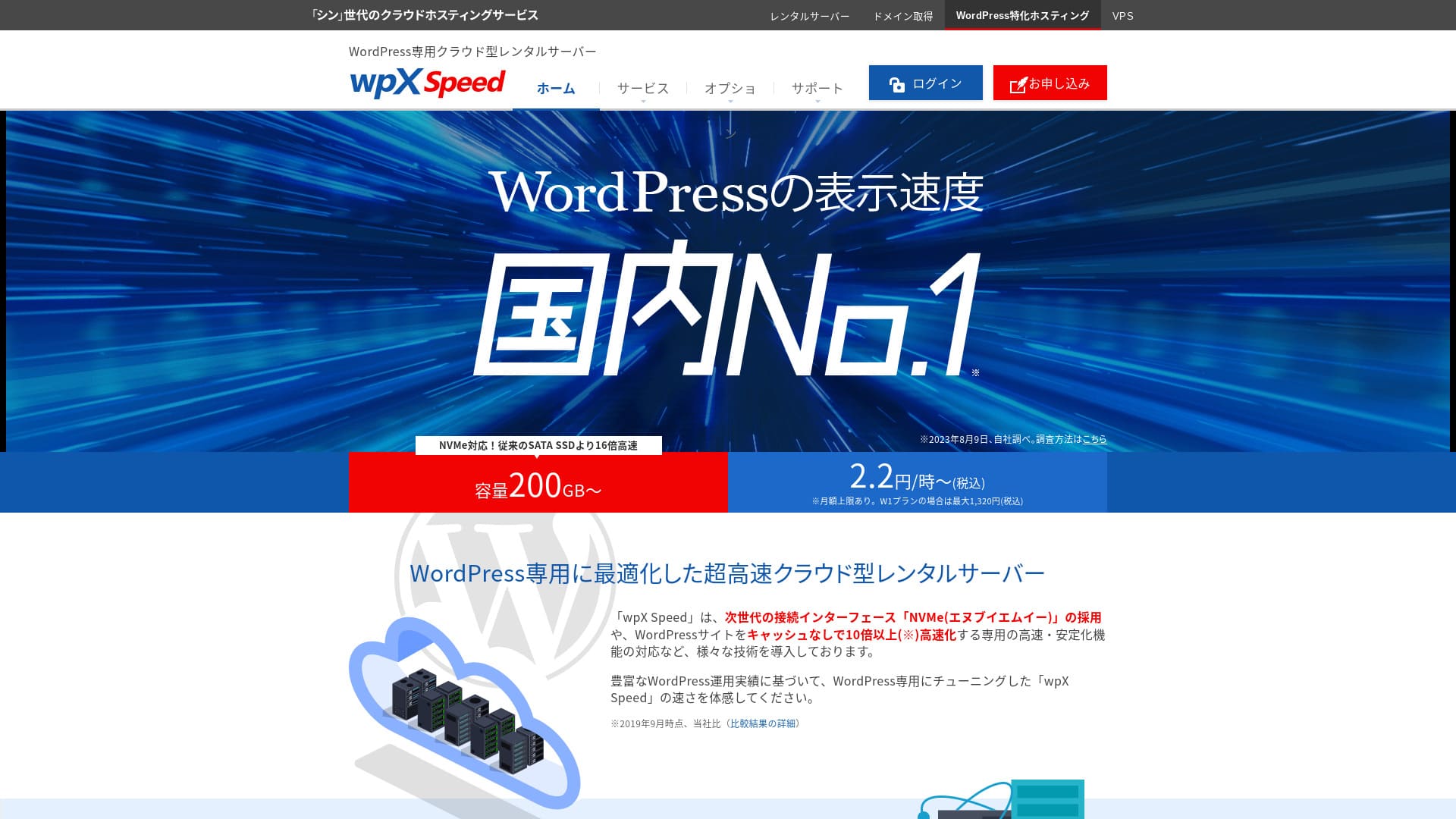
wpX Speed е ултрабърз cloud сървър, управляван от ShinCloud Co., Ltd. и създаден да издържа внезапен viral трафик. Дори ако трафикът рязко скочи, функцията за auto-scaling предотвратява падането на сайта.

Препоръчвам wpX Speed на физически лица, компании и еднолични търговци, които използват WordPress за първи път, защото:
- е вторият най-бърз сървър в нашите измервания
- може да издържи viral трафик благодарение на auto scaling и резервирани ресурси
- има спокойна система за плащане само за използваното
Затова вярвам, че ще останете доволни. Можете да го пробвате безплатно 14 дни.
Конкурентен сървър е ConoHa WING. Той също може да се започне на часова база, а по-ниската му цена е по-силна от wpX Speed в това отношение. Обмислете и него.
★ ConoHa WING Review: Why 750,000 Users Choose It, Tested Through Speed, Pros, and Cons
| Тип сървър | Споделен сървър |
| Скорост на показване (TTFB) | 40 ms |
| Препоръчан план и период на фактуриране | W1, 12 месеца |
| Пробен период / гаранция за връщане на парите | 14 дни |
| Месечна такса (12-месечен план) | 2,2 йени на час*, до 1 320 йени* |
| Първоначална такса за настройка | Безплатно |
| Безплатен домейн | Няма |
| Поддръжка | Телефон и имейл (делнични дни 10:00-18:00) |
| Работно време | Не е разкрито |
| Сървърно пространство | 200 GB* |
| Брой бази данни | Неограничен |
| Мерки за сигурност | WAF, ограничения за достъп от чуждестранни IP адреси, ограничения на опитите за вход, ограничения за масови коментари и trackback-и |
| SSL | Безплатен собствен SSL, собствен SSL |
| Резервно копие / възстановяване | 7 дни автоматични резервни копия безплатно, възстановяване безплатно |
| Брой имейл акаунти | Неограничен |
| Имейл функции за сигурност | SMTP-AUTH, IMAP |
| Услуга за миграция на сървър / уебсайт | Няма |
| Предварителна инсталация на WordPress | Няма |
| CDN | Няма |

Hikaru Ono
wpX Speed беше сървър, който ми позволи гладко да премина от заявката до инсталирането на WordPress. Понеже предлага бърза сървърна среда, го препоръчвам за компании и бизнес употреба.
Тъй като можете да мащабирате през осем плана, това е услуга, която можете да използвате дългосрочно.
wpX Speed Compared with Other Servers
- Overall rating★★★★☆
- Server speed ★★★★★
- Pricing ★★★☆☆
- Stability ★★★★☆
- Ease of getting started with WordPress* ★★★★☆
- Operations such as domain management and SSL setup* ★★★★★
* Based on my actual experience using it.

Comparison of 21 Recommended WordPress Hosting Services for Individuals and How to Choose
Comparison of 21 Recommended WordPress Hosting Services for Individuals and How to Choose
serverfield.org
- November 4, 2025 market research data, arranged by speed
- Monthly fees are the first-year cost of the cheapest plan that can run WordPress
- Speed is the Time to First Byte value from demo sites measured under the same conditions
6 ключови функции зад репутацията на wpX Speed

№2 по скорост на показване в нашите независими тестове
В независимите тестове на този сайт wpX Speed се изравни с XServer Business за второ място по скорост на показване.
Google препоръчва времето за реакция на сървъра (TTFB) да е под 200 ms. wpX Speed измери 40 ms. Може да се оцени като ултрабърз сървър.
Server response times need to be kept under 200 milliseconds.
https://developers.google.com/server/speed/docs/insights/Server?hl=ja
If server speed is fast, pages load quickly and visitors are not kept waiting. It also makes it easier to perform strongly in SEO and to connect visitors to product sales.
★ Is It Really Fast? We Compared 11 Hosting Services in a Speed Ranking
Auto-scale функция, която автоматично увеличава производителността
wpX Speed е силен срещу внезапни пикове в трафика благодарение на функцията си за auto-scaling.
Because it can respond flexibly, even a 503 error caused by a sudden surge in traffic is not something to fear.
★ What Is a 503 Error? Web Congestion, How to Avoid It, and Emergency Responses
Of course, automatic plan upgrades can put pressure on your budget. The auto-scaling feature can be turned on or off, and you can freely decide the conditions and budget for plan changes, so it can be used within a reasonable range.
Резервирани ресурси, които осигуряват постоянна стабилност
wpX Speed поддържа резервирани ресурси, така че показването на сайта остава стабилно.
In general, when you run a site on shared hosting, a surge in traffic to another site on the same server can make your own site harder to access. That happens because the resources available to your own site, such as CPU and cores, are reduced.
Но понеже wpX Speed поддържа резервирани ресурси, не се влияе от други сайтове.
Почасово ценообразуване без излишни разходи
wpX Speed използва почасово ценообразуване. Плащате само за това, което използвате. Няма излишни разходи.
- W1 план: 2,2 йени/час (месечен лимит: 1 320 йени)
- W2 план: 4,4 йени/час (месечен лимит: 2 640 йени)
- W3 план: 8,8 йени/час (месечен лимит: 5 280 йени)
Even though the pricing is hourly, a monthly cap is also set, so your monthly burden does not change whether the month has many days or few.
Because the pricing is hourly, you can try it easily and inexpensively even without a formal trial period.
Можете да използвате WAF функция за сигурност
wpX Speed може да използва WAF. WAF е съвременна мярка за сигурност.
При евтините хостинг услуги WAF често е платена опция. Но с wpX Speed можете да го активирате безплатно.
Peace of Mind with 7 Days of Backups
wpX Speed comes with a seven-day backup feature.
Backups are extremely important. Even if you have security measures such as a WAF, data can still be tampered with in an attack, and you can also accidentally delete data yourself. If you have backup data, you can restore the site to the exact state it was in before the trouble occurred.
On some hosting services, backups are a paid option. But with wpX Speed, they are free. It is a good deal.
wpX Speed's Weak Email Features Are a Drawback

wpX Speed has weak email functionality.
It cannot use DKIM authentication. DKIM authentication is a technology that verifies whether an email was sent by a legitimate sender and has not been tampered with.
If your company wants to use email for business, I recommend considering a separate email service.
Comparing wpX Speed with Two Similar Servers
ConoHa WING
ConoHa WING is also a server that can use hourly pricing. It starts at 2.2 yen per hour. Unlike wpX Speed, it also offers discounts through long-term contracts called WING Packs. You can start more cheaply than with wpX Speed.
However, if you choose its business plan with auto-scaling and reserved resources, the price rises to 3.1 yen per hour (monthly cap: 1,815 yen).
If you want a business-oriented server, wpX Speed is the more affordable recommendation.

ConoHa WING Review: Why 750,000 Users Choose It, Tested Through Speed, Pros, and Cons
ConoHa WING Review: Why 750,000 Users Choose It, Tested Through Speed, Pros, and Cons
serverfield.org
XServer
Xserver is also a fast server that uses NVMe SSD, just like wpX Speed. It is run by the same company. XServer is cheaper to use. Like wpX Speed, it also has reserved resources, so it is not affected by other sites.
However, it does not have an auto-scaling feature like wpX Speed. For that reason, wpX Speed is better at handling sudden traffic spikes. If you regularly run events or campaigns and have a high chance of sudden traffic surges, I recommend wpX Speed.

XServer Review [2025 Latest]: Thoroughly Explained Speed, Pricing, Pros, and Cons
XServer Review [2025 Latest]: Thoroughly Explained Speed, Pricing, Pros, and Cons
serverfield.org
Start Your Website with wpX Speed in 7 Steps
Нека започнем уебсайт с wpX Speed!
- STEP.1Access the official wpX Speed website
On the official site’s top page, click “Apply” at the very bottom. If you do not have a Shin Account ID, click “New Application.”
- STEP.2Enter customer information
This is the contract information. For the server ID, enter any string you like.
I recommend the W1 plan. If traffic increases and the specs become insufficient, upgrade the plan.
Next, enter your registration details such as your email address and name.
Next is the payment method. I recommend paying by credit card. It lets you start building your website right away.
Finally, review the Terms of Use and the handling of personal information. Check the box to agree to the “Terms of Use” and the “Handling of Personal Information,” then click “Proceed to confirm your application details.”
If everything looks fine after you review the application details, complete identity verification.
Once you receive the email confirming that server setup is complete, your server application is finished.
- STEP.3Apply for a domain and add the domain
Log in to the admin screen.
Under “Contract Management,” click “Additional Applications” in the “Contract-related” section. Read the Terms of Use and the handling of personal information, then click “Agree.”
Click “Apply to obtain a new domain” and enter the domain you want. If it is available, a button to apply for that domain will appear, so click it.
Click “Confirm application details” and proceed to domain payment. Once payment is complete, domain acquisition is finished.
From “Server Management” in the admin screen, go to “Domain Management” and then “Add Domain Settings.” Enter the domain you obtained a moment ago, click “Add Domain (Confirm),” and then click “Add Domain (Finalize).”
This completes adding the domain.
- STEP.4Install WordPress
Log in to the control panel. Under “Server Management,” go to “WordPress-related” and then “New Installation.” Configure the following items.
- Site address: Select the domain you added earlier
- WordPress ID: Anything is fine.
- Blog title: Anything is fine. You can easily change it later.
- Email address: Use an email address you normally use. If you are a company, a company email address is recommended.
- Custom SSL: Check “Use custom SSL.” Check “Enable redirect settings to https://”.
After entering everything, click “Next.” Review the details again, and then click “Confirm (Install WordPress).”
- STEP.5Initial WordPress settings
Log in to WordPress.
If you see a warning saying “This site can’t be reached,” the DNS settings have not propagated yet. In that case, all you can do is wait, so try logging in again every hour.
★ What Are DNS and Name Servers?
Let’s configure the permalink settings. From the WordPress admin screen, go to “Settings” and then “Permalinks.” Select “Post name.” After selecting it, click “Save Changes.”
When you choose “Post name,” you can enter any string you like in the URL when publishing an article. It is best to use a short string that helps readers imagine the article content. If it is too long, some people may feel uneasy and think the site looks suspicious.
- STEP.6Install plugins
Go back to the WordPress admin screen, open “Plugins,” and go to “Add New” to install the plugins you need.
Once you find the plugin you want by searching, click “Install Now” and then “Activate.” After that, follow the instructions for each plugin.
Be sure to install security and backup plugins.
- 5 WordPress Security Plugins That Strengthen Protection and How to Choose Them
- 5 Powerful WordPress Backup Plugins That Help You Recover Your Data
Once the plugins are installed, your WordPress website is fully ready!
Обобщение
wpX Speed се отличава със стабилност благодарение на auto-scaling функцията и резервираните ресурси. Понеже почасовото ценообразуване улеснява началото, ако ви интересува, препоръчвам първо просто да го пробвате 14 дни.
A Complete Comparison of 32 WordPress Hosting Providers: Recommendations for Individuals, Businesses, and International Sites

When you decide to start WordPress and search for "best WordPress hosting," you find all kinds of articles, from personal and business options to overseas and low-cost servers. Honestly,
- Which site should I trust?
- I want to choose a server in a simple, easy-to-understand way.
- Please show me how to start WordPress right away.
Don't you feel that way? In this article, I carefully selected recommendations from 32 hosting providers for individuals, businesses, and domestic and international use. The explanation comes from the SEO specialist at an app development company that uses hosting servers every day.