Currently closed to new applications other than migrations
PR
Сървъри
Преглед и недостатъци на Shin Free Server [най-ново за 2025 г.]: започнете WordPress с безплатен сървър
Публикувано: 2025.04.18
Обновено: 2025.04.18
Оценка: 3.0
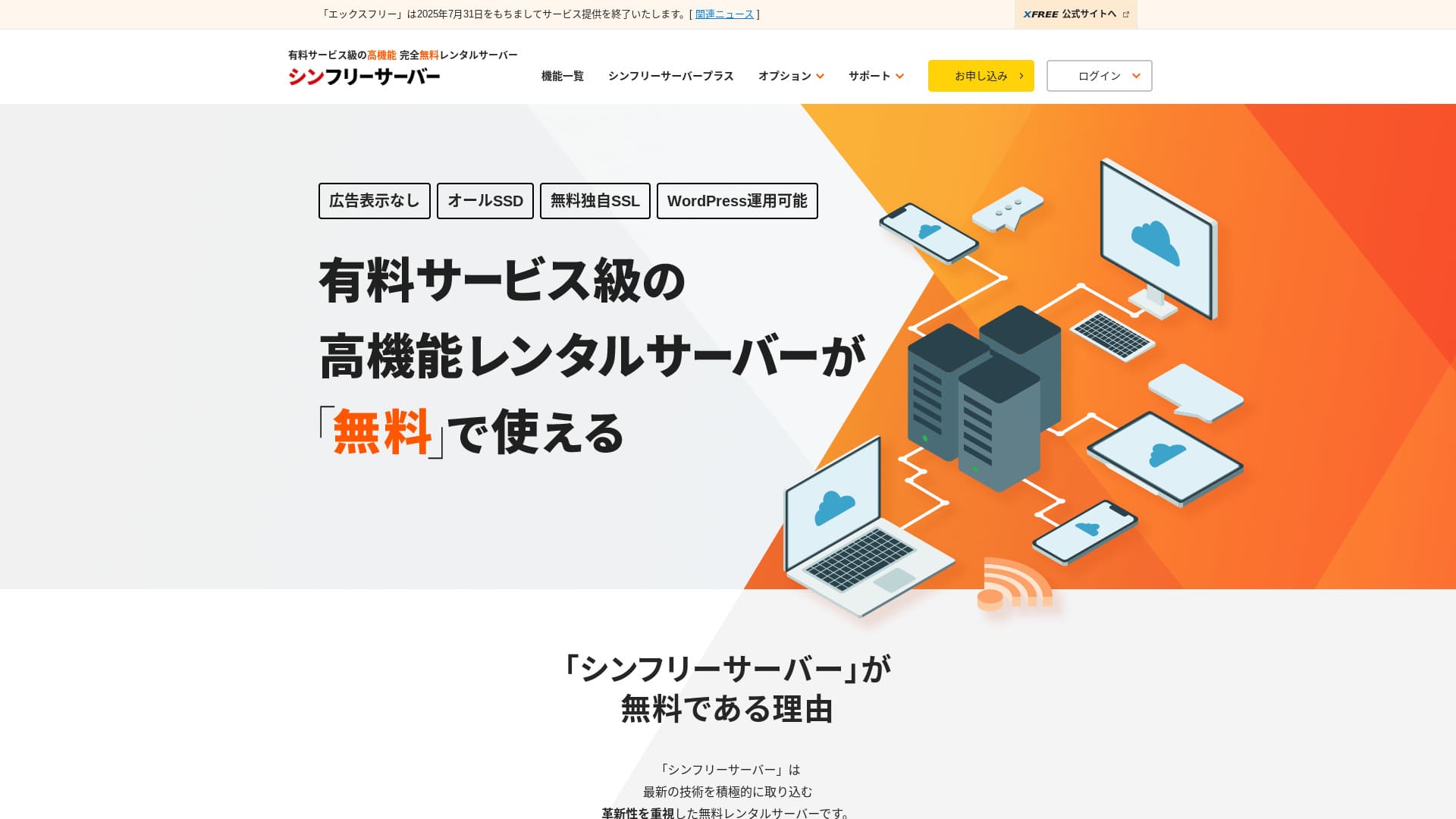
Shin Free Server е безплатен сървър от ShinCloud Co., Ltd. За разлика от много безплатни сървъри, той не показва реклами.

Shin Free Server се препоръчва за хора, които търсят безплатен сървър, защото:
- Няма реклами, въпреки че е безплатен сървър
- Можете да създадете пет WordPress сайта
- Наличен е WAF с висока сигурност
Затова вероятно ще останете доволни.
Конкурентен сървър е Star Rental Server. Той предлага по-силни планове, когато мащабирате, отколкото Shin Free Server. Обмислете и него.
| Тип сървър | Споделен сървър |
| Скорост на показване (TTFB) | Не е измерено |
| Препоръчан план и срок на договора | — |
| Пробен период / гаранция за връщане на парите | — |
| Месечна такса (12-месечен договор) | Безплатно |
| Първоначална такса за настройка | Безплатно |
| Безплатен домейн | Няма |
| Поддръжка | Няма |
| Работно време | Не е разкрито |
| Пространство | 10 GB |
| Брой бази данни | 5 |
| Мерки за сигурност | WAF |
| SSL | Безплатен собствен SSL |
| Резервно копие / възстановяване | 14-дневни автоматични резервни копия безплатно, възстановяване безплатно |
| Брой имейл акаунти | Няма |
| Мерки за имейл сигурност | Няма |
| Предварителна инсталация на WordPress | Няма |
| Услуга за миграция на сървър / уебсайт | Няма |
| CDN | Няма |

Hikaru Ono
Shin Free Server в момента може да се използва само при миграция от друг сървър.
Ако търсите безплатен сървър, препоръчва се Star Rental Server.
Shin Free Server в сравнение с други сървъри
- OverallRating★★★☆☆
- Server speedNot measured
- Pricing★★★★★
- Stability★★★☆☆
- Ease of starting WordPress★★★★☆
- Operations such as domain management and SSL setup★★★☆☆

How to Choose from 21 Recommended WordPress Hosting Services for Individuals
How to Choose from 21 Recommended WordPress Hosting Services for Individuals
serverfield.org
- November 4, 2025 market-research data,by speed sorted
- Monthly fees are the first-year cost of the cheapest plan that can run WordPress
- Speed is the Time to First Byte measured on demo sites under the same conditions
“Shin Free Server” is a free rental server from ShinCloud Co., Ltd. Even though it is free, it does not display the operator’s ads. It is not on the level of paid servers in terms of features or support, but it remains comfortable to use.
Потребителски отзиви за Shin Free Server и четири ключови функции

Без реклами
Докато рекламите са често срещани при безплатните сървъри, Shin Free Server не ги показва.
Това означава, че рекламите няма да развалят атмосферата на фирмен сайт и няма да намалят собствените ви рекламни приходи.
Можете да създадете пет WordPress сайта
Shin Free Server може да създаде до пет бази данни, така че можете да създадете пет WordPress сайта.
Note: What Is a Database? Why WordPress Depends on It for Management and Operations
Освен фирмен сайт, можете да създадете блог или сайтове в няколко жанра.
Наличен е безплатен SSL
Shin Free Server поддържа безплатен SSL.SSL вече е стандартна мярка за сигурност. Ако не е настроен, хората може да възприемат сайта ви като подозрителен, затова е необходим при изграждане на уебсайт.
Note: What Are SSL and TLS? How They Protect Information Through Encryption and Their Benefits
Наличен е WAF с висока сигурност
Shin Free Server може да използва WAF. Това е усъвършенствана сигурност.Тя е толкова напреднала, че някои платени сървъри я предлагат само като платена опция.
Тук също се предоставя безплатно.
Разбира се, дори при сървъри без WAF можете да настроите такъв чрез WordPress плъгини за сигурност. Все пак процесът е досаден и е по-спокойно, когато сървърът се грижи за това.
Note: What Are WordPress Plugins? Their Types and Important Cautions
Недостатъците на Shin Free Server, казани честно

Shin Free Server има много предимства, но за съжаление има и недостатъци.
Няма поддръжка
Първо, Shin Free Server не предлага поддръжка.Колкото и труден да е проблемът, трябва да го решите сами.
XREA, another free server, comes with chat support. Compared with that, this is disappointing.
Няма функция за резервни копия
Също така няма функция за резервни копия.Трябва сами да изградите система за резервни копия, например чрез WordPress плъгини.
If you skip backups because they are a hassle and then delete data by mistake or have data tampered with, all the effort you have put in so far will be wasted.
If you still choose Shin Free Server, be sure to install a WordPress backup plugin.
Note: 5 Powerful WordPress Backup Plugins That Help You Recover Your Data
Работното време не е разкрито
Shin Free Server не разкрива своето работно време.Това означава, че стабилността на сървъра е неизвестна и потребителите не могат да я преценят точно.
Server stability directly affects whether your website remains reliably available. If repeated trouble makes your site repeatedly unavailable, it defeats the purpose. For a company website, it can damage your image and even lead to lost meetings or business opportunities.
Note: A Beginner’s Guide to Understanding Hosting Uptime and SLAs
Comparing Shin Free Server with two similar servers
We compared domestic free servers similar to Shin Free Server. Each has its own strengths, so compare them carefully.
XREA
XREA is a free server that includes 15 generations of automatic backups.It also offers chat support. Even if you have no experience with WordPress or websites, you can start running a website with confidence.
However, it lacks expensive security measures such as a WAF, and it displays ads.
Compared with Shin Free Server, it is hard to say one is clearly better than the other.

XREA Review [2025 Latest]: Pros and Cons of Using WordPress on the Free Plan, Plus Comparisons with Other Free Servers
XREA Review [2025 Latest]: Pros and Cons of Using WordPress on the Free Plan, Plus Comparisons with Other Free Servers
serverfield.org
Star Server Free
Star Server Free is also a well-known free server in Japan.Shin Free Server offers more storage than Star Server Free, making it a better value.
| Comparison item | Shin Free Server | Star Server Free |
|---|---|---|
| Main feature | Free | Free |
| Trial / money-back guarantee | None | None |
| Uptime | Not disclosed | Not disclosed |
| Storage | 10GB | 2GB |
| First-year server cost | 0 yen | 0 yen |

Star Rental Server Review [Released December 19, 2024]: Pros and Cons of a High-Value Server You Can Use from Free Plans
Star Rental Server Review [Released December 19, 2024]: Pros and Cons of a High-Value Server You Can Use from Free Plans
serverfield.org
Start a Website with Shin Free Server in 7 Steps
As of December 2024, Shin Free Server is not accepting applications except for server migrations.
Let’s Start a Website with Shin Free Server!
- STEP.1Visit the official website
Scroll down the top page and click “Create a free server account” around the middle of the page.
- STEP.2Register a Shin Account
Click “Start now! New signup,” then enter your membership information such as your name and address. If everything is correct, check that you agree to the Terms of Use and the handling of personal information. Then click “Next.”
After completing email verification and reviewing the application details, click “Register with these details and proceed to server application.”
Check the server ID, tick the boxes for the Terms of Use and the handling of personal information, then click “Review application details.”
Review the application details again and click “Apply” to register your Shin Account. A confirmation email will arrive.
Once you have selected the domain, check “Install WordPress at the same time.”
Click “Next.”
- STEP.3Acquire a Domain with Shin Domain
Log in to your Shin Account and click “Get a domain.”
Acquire the domain you want. I recommend well-known domains such as “.com” and “.net.” Their renewal fees are also reasonable, at under 2,000 yen.
Note: What Is a Domain? Its Role as an Address on the Internet and How to Obtain One
Enter the domain you want in “Enter the domain name you want to obtain,” search for it, tick the checkbox for the domain you want, and click “Proceed to acquisition.”
Choose your payment information and click “Review application details.” Then enter your credit card information and so on.
Review the application details, agree to the Shin Domain Terms of Use and the handling of personal information, and click “Apply.” You will receive an email with the application details. Once it arrives, you are done.
- STEP.4Register the Domain
Log in to the server panel for Shin Cloud for Free.
Select “Domain settings,” click “Add domain,” enter the domain you acquired, and click “Add.”
- STEP.5Install WordPress
In the Shin Cloud for Free server panel, go to “WordPress” > “Easy WordPress Install” and click “New installation.”
Set up WordPress.
- Target domain:The domain you registered earlier
- Site URL:Same as the target domain
- Blog name:Anything is fine. You can easily change it later
- Username:Anything is fine, but changing it later is troublesome
- Password:Anything is fine, but make it as complex as possible
- Email address:Your everyday email address
- Automatic cache deletion:ON is recommended
- Database:Set it to generate automatically
- Theme:Cocoon is recommended. This site also uses Cocoon.
- Theme option:Check “Install child theme”
Once you have filled everything in, click “Install.”
The username and password are used when logging in to WordPress. Be sure to write them down.
Once installation is complete, click “Log in.”
- STEP.6SSL Settings
In the server panel, open “SSL settings” from “Domain.”
Open the domain you configured for WordPress and switch the SSL setting status slider to “ON.” It will be reflected in about an hour.
- STEP.7Install Plugins
Go back to the WordPress admin screen, open “Plugins,” then go to “Add New” to install the plugins you need.
Search for the plugins you want, click “Install Now,” and then “Activate.” After that, follow each plugin’s instructions.
Be sure to install security and backup plugins.
- How to Choose 5 WordPress Plugins That Strengthen Security
- 5 Powerful WordPress Backup Plugins That Help You Recover Your Data
Once you have installed the plugins, your WordPress website setup is complete.
Обобщение
"Shin Free Server" е безплатен rental server от ShinCloud Co., Ltd. Въпреки че е безплатен, той не показва реклами на оператора. По функции и поддръжка не е на нивото на платените сървъри, но остава удобен вариант.
Currently closed to new applications other than migrations
Shin Free Server е безплатен сървър без реклами. Удобен е за употреба и може да се използва по много начини - от фирмени сайтове до хоби блогове.Въпреки това, понеже няма поддръжка, трябва внимателно да четете ръководството и сами да решавате проблемите, когато възникнат.
Complete Comparison of 32 WordPress Hosting Services: Recommendations for Individuals, Businesses, and Overseas Use

When you want to start WordPress and search for “recommended WordPress hosting,” all kinds of articles appear, ranging from personal and corporate or small-business options to overseas servers and cheap servers. Honestly,
- which site should I read?
- I want to choose a server in a simple, easy-to-understand way!
- Tell me how to start WordPress right now.
Do you ever feel that way? So, this articlecarefully selects recommendations from 32 hosting services for individuals, businesses, and domestic and overseas useand introduces them. It is explained by the SEO lead at an app development company that uses rental servers every day.