Разберете подобренията на скоростта за една минута: как да използвате GTmetrix и какво да проверявате
Открийте проблемите, които забавят вашия уебсайт още сега.
GTmetrix е инструмент, който измерва скоростта на уебсайт и анализира проблемите, засягащи сайта ви. Ако го използвате добре, можете да подобрите потребителското изживяване на уебсайта. Това води до по-добър трафик и по-високи приходи.
Можете да видите как изглежда реално измерване.
В тази статия подробно обяснявам как да използвате GTmetrix и кои точки трябва да проверявате.
Как да използвате GTmetrix
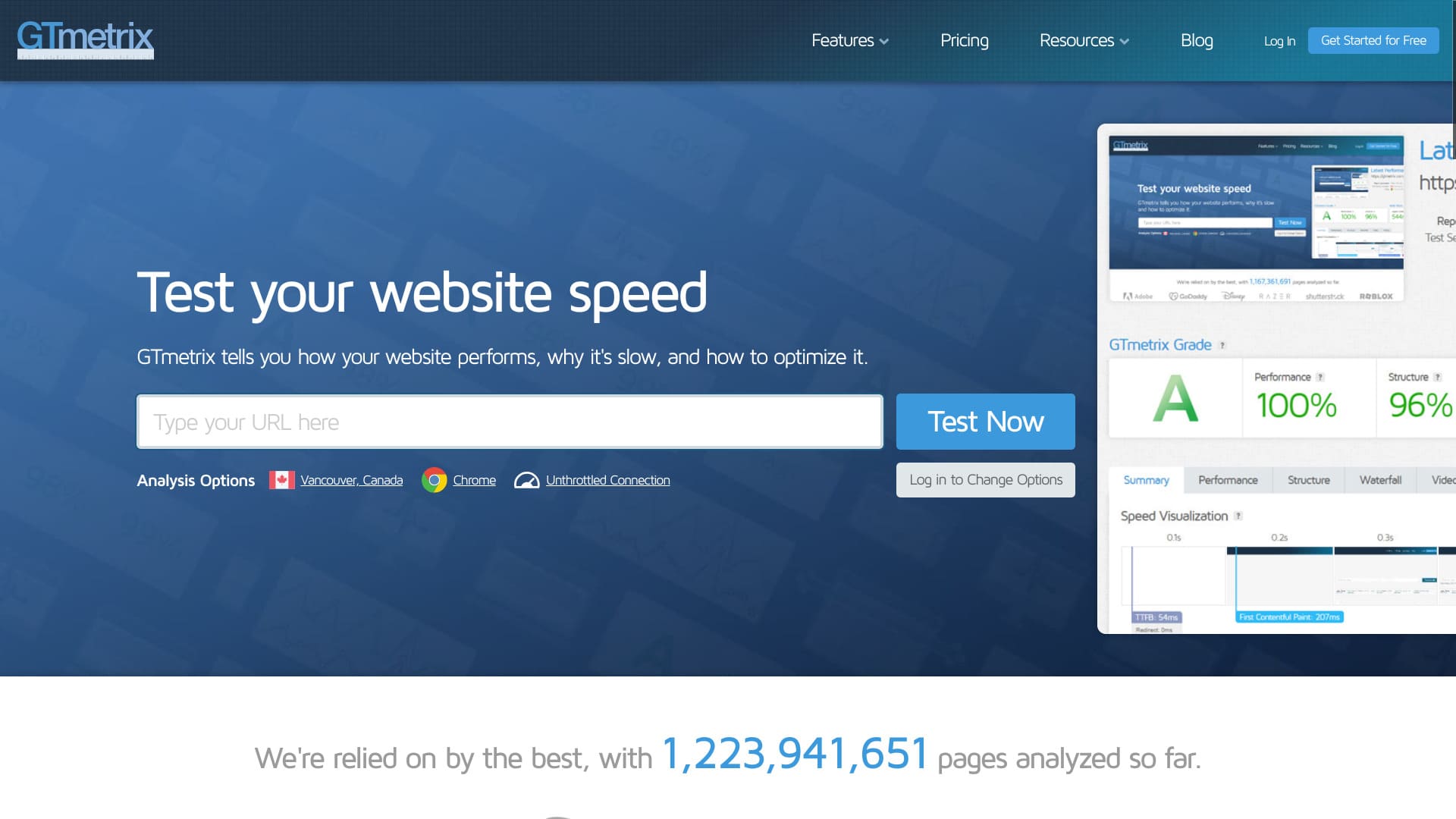
- СТЪПКА 1Visit the official GTmetrix website
First, go to the official GTmetrix website.
- СТЪПКА 2Create a free account
Create a free account. You need to register an account to view detailed analysis results. Click “Get Started for Free” in the upper-right corner of the screen.
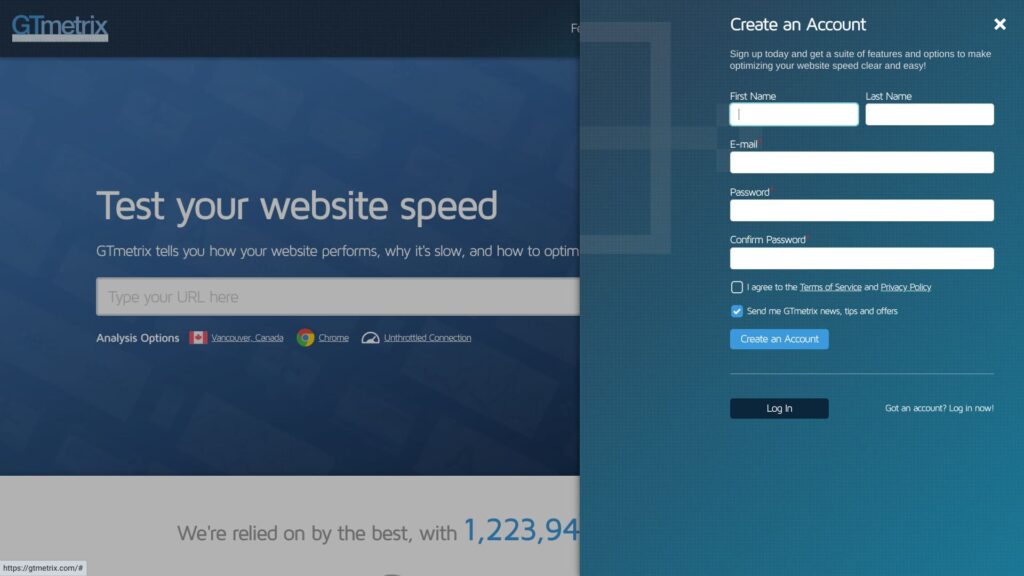
- Name
- Email address
- Password
Check the box to agree to the Terms of Service and Privacy Policy.
Click “Create an Account.” That completes your free account registration.
- СТЪПКА 3Enter your website URL and run the test
Enter your website URL in the “Analyze Performance of:” field.
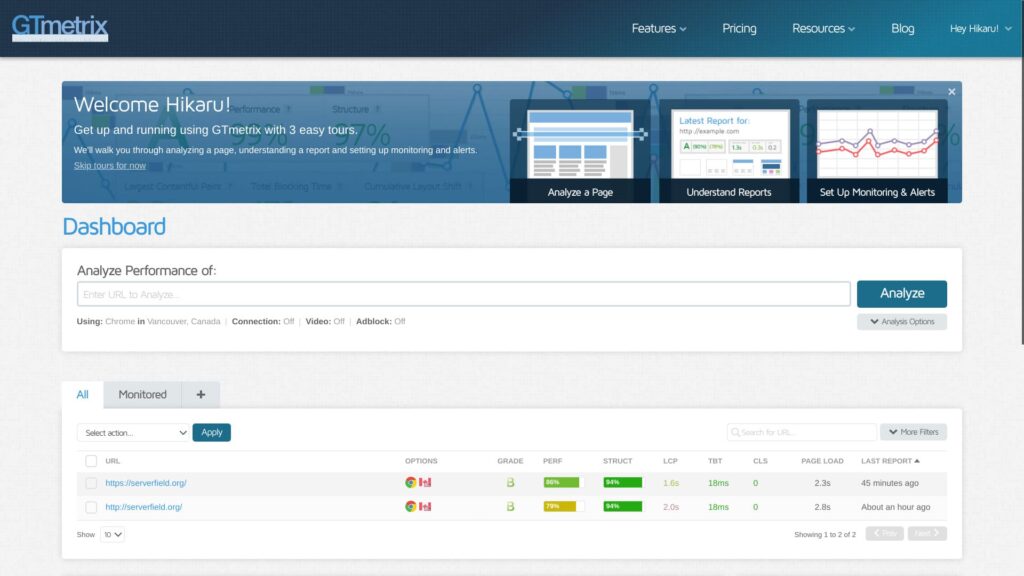
At this point, enter the URL starting with “https://”. If you do not, the site may be measured with “http://”, which changes the result. HTTPS addresses are not only more secure, they also communicate faster.
★ What Are SSL and TLS? The Mechanism and Benefits of Protecting Information Through Encryption
- СТЪПКА 4Review the analysis results
Резултатите от анализа ще бъдат показани.
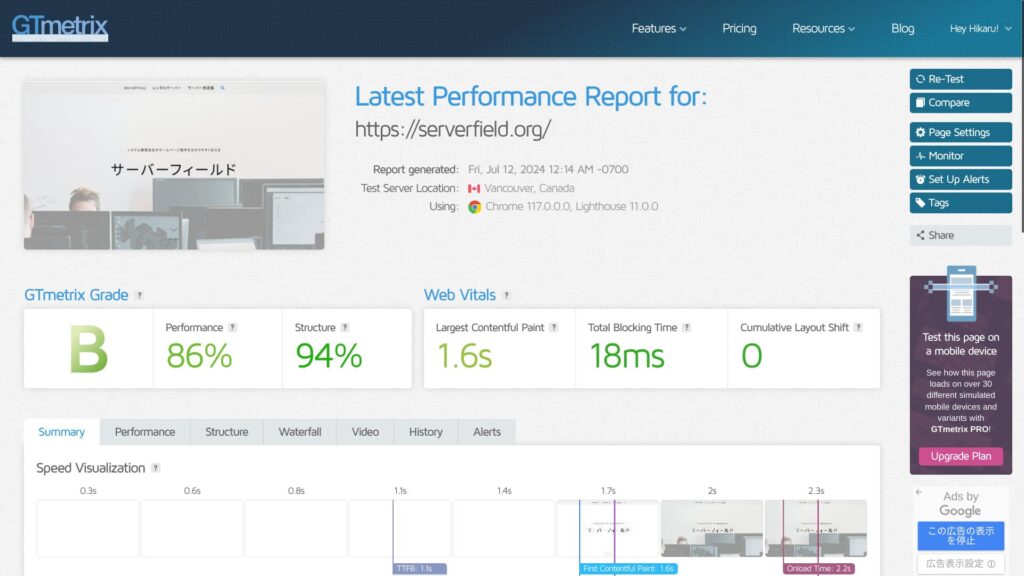
You can review many kinds of analysis results, but the important part of using GTmetrix is making improvements. To do that, you need to identify the problems. Scroll down and look at Summary's Top Issues.
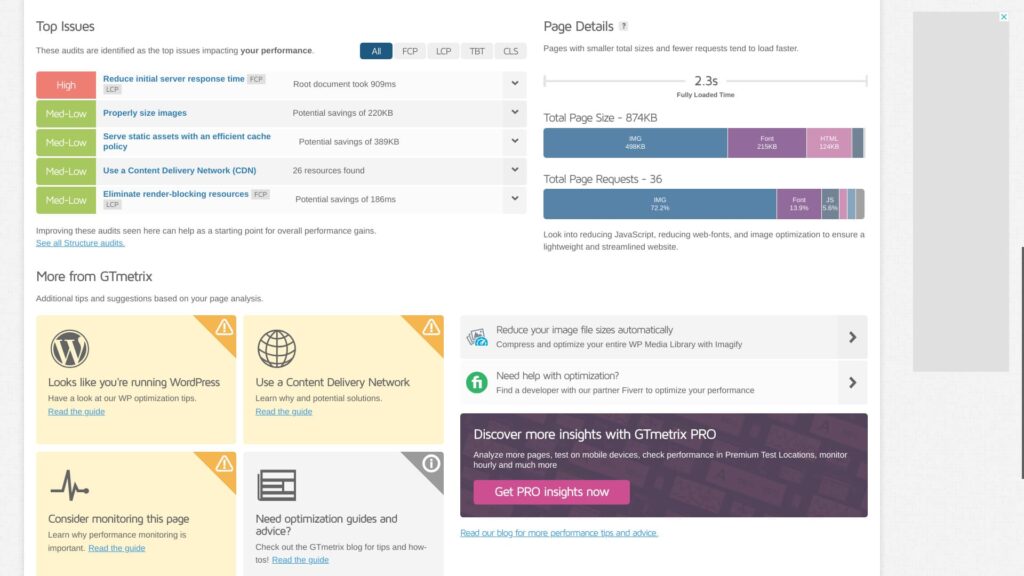
Make sure the improvable issues are listed there. In particular, items marked “High” are the ones where improvements will have the strongest impact.
- СТЪПКА 5Apply the improvements
Address the issues listed in Summary's Top Issues.
- СТЪПКА 6Run the test again
After making improvements, run the test again. Use the retest results to repeat improvement and analysis. Your website's display speed will improve little by little.
GTmetrix checkpoints
GTmetrix shows many kinds of analysis results. You may wonder which ones to look at first. Start by checking the following two points.
Използвайте Largest Contentful Paint в Web Vitals като показател за скорост
В Web Vitals проверявайте „Largest Contentful Paint“ като показател за скорост.
LCP measures how long it takes for the largest content element on your page, such as a hero image or heading text, to become visible within your visitors’ viewport.For a good user experience, aim for an LCP of 1.2 seconds or less.
Learn more.
GTmetrix
В много случаи най-голямото съдържание на страницата е изображение. Когато най-големият визуален елемент се появи, посетителите усещат, че страницата е заредена.
If LCP is slow, the page feels slow to load, which increases stress for visitors.
When improving your site with GTmetrix, use this LCP value as a benchmark and work on lowering it.
Намерете проблеми в Top Issues на Summary
Ако видите Reduce initial server response time, обмислете преминаване към по-бърз сървър
“Reduce initial server response time” means shortening the time from when the server first receives a request until it returns the first byte to the client, in other words the user's browser.
Това се нарича „Time to First Byte (TTFB)“.
It is an important factor that shows whether your server is fast or slow. If this result is poor, consider moving to a different server.
Complete Comparison of 32 WordPress Rental Servers: Recommendations by Personal, Business, and Overseas Use

When you think, “I want to start WordPress,” and search for “WordPress recommendations,” you see all kinds of articles, from personal-use services and servers for companies and small businesses to overseas and low-cost options. Honestly,
- Which site should I read?
- I just want to choose a server simply and clearly.
- Show me how to start WordPress right away.
Do you ever feel that way? This article introduces carefully selected recommendations from 32 rental servers for individuals, businesses, domestic use, and overseas use. It is explained by the SEO lead of an app development company that works with rental servers every day.
Оптимизирайте изображенията за Properly size images
“Properly size images” means setting the size of the images used on a webpage appropriately.
You need to optimize image size and image quality. Make good use of WordPress plugins.
For example, try adding Imagify, a well-known plugin for image optimization. It also supports conversion to the next-generation WEBP image format.
★ Five WordPress plugins that dramatically improve speed and other performance tips
Използвайте кеширане за Serve static assets with an efficient cache policy
“Serve static assets with an efficient cache policy” means serving static assets such as images, CSS, and JavaScript files with an efficient cache policy. This helps improve page loading speed and reduce server load.
★ What Is Cache? Use Temporary Data Storage to Speed Up Websites
You can improve speed dramatically by using cache. If your server offers caching, turn the feature on. If it does not, use a WordPress plugin instead. WP Super Cache is one example.
★ Five WordPress plugins that dramatically improve speed and other performance tips
Benefits of registering a free GTmetrix account
You can use GTmetrix without registering. However, if you register, more features become available.
Можете да изберете мястото на теста
If you register a free account, you can choose the location where the test is run. There are seven locations available with a free account.
- Hong Kong
- London, United Kingdom
- Mumbai, India
- San Antonio, Texas, United States
- Sydney, Australia
- São Paulo, Brazil
- Vancouver, Canada
The default setting is Vancouver.
By choosing a location, you can understand the actual speed results in the regions where your website users are concentrated. More accurate information leads to better improvements.
Можете да изберете мрежов профил, например LTE или широколентова връзка
If you register a free account, you can choose a connection type such as LTE or broadband.
If you test speed using the same types of connections your real users rely on, it becomes easier to decide whether to keep investing in speed improvements or pause those efforts.
Обобщение
Обясних как да използвате GTmetrix. GTmetrix не е само инструмент за измерване на скорост. Това е инструмент за подобряване на скоростта. Използвайте резултатите от анализа като основа за подобрения.
If the server itself appears among the elements that need improvement, consider moving to a different server.
Complete Comparison of 32 WordPress Rental Servers: Recommendations by Personal, Business, and Overseas Use
When you think, “I want to start WordPress,” and search for “WordPress recommendations,” you see all kinds of articles, from personal-use services and servers for companies and small businesses to overseas and low-cost options. Honestly,
- Which site should I read?
- I just want to choose a server simply and clearly.
- Show me how to start WordPress right away.
Do you ever feel that way? This article introduces carefully selected recommendations from 32 rental servers for individuals, businesses, domestic use, and overseas use. It is explained by the SEO lead of an app development company that works with rental servers every day.