
Паспрабаваць бясплатна
PR
Серверы
Агляд Tada Server [абнаўленне 2025]: падрабязны разгляд плюсаў, мінусаў і рэальнай ацэнкі бясплатнага WordPress-хостынгу
Апублікавана: 2025.06.26
Абноўлена: 2025.06.26
Рэйтынг: 3.0
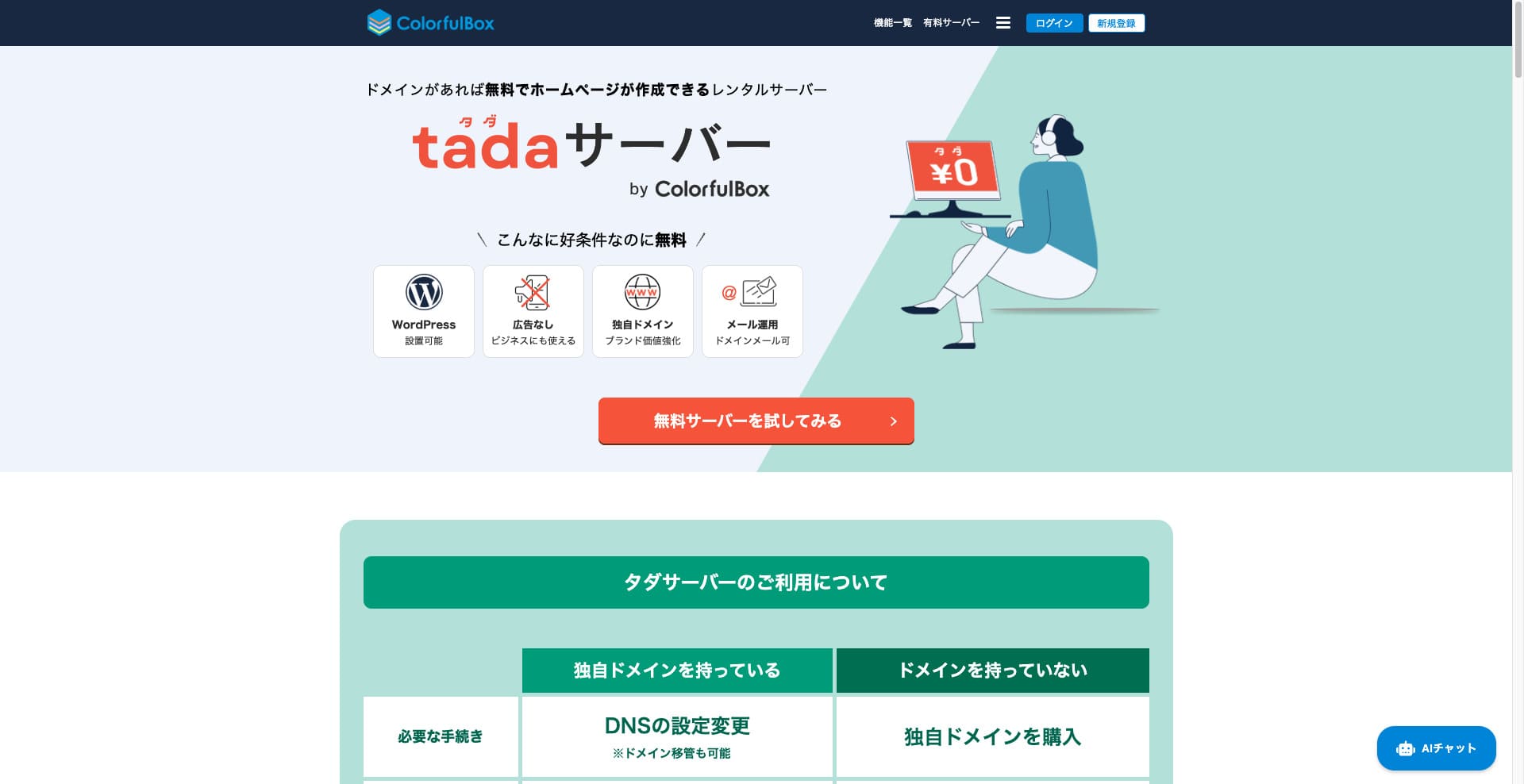
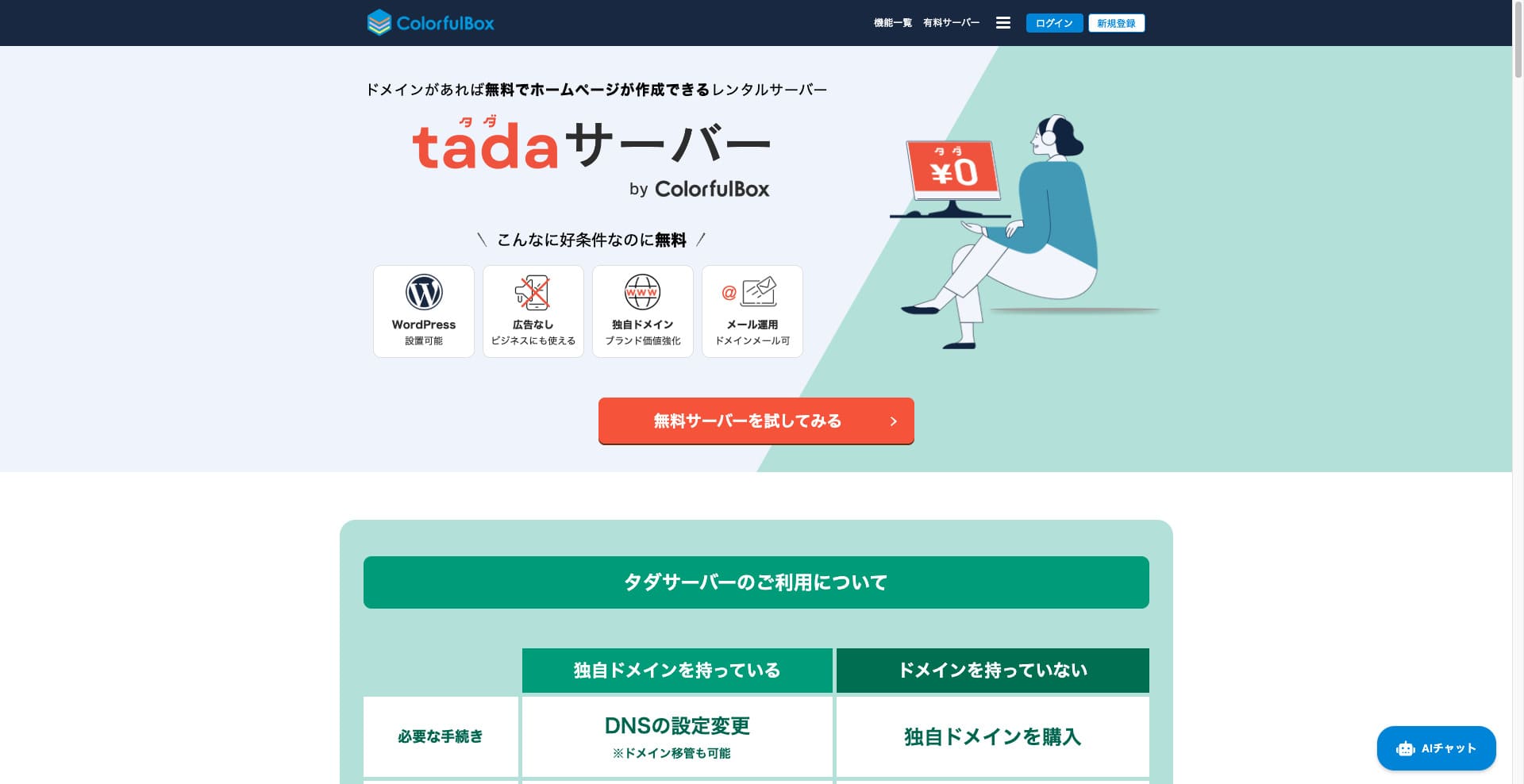
Tada Server - гэта сервер, які дазваляе карыстацца WordPress бясплатна. Яго прадастаўляе Colorful Lab Inc.

Tada Server - гэта тое, што я рэкамендую людзям, якія шукаюць бясплатны сервер, і прычыны такія:
- Вы можаце запусціць WordPress бясплатна.
- Рэклама не паказваецца.
- Падтрымліваецца адпраўка і атрыманне электроннай пошты.
Менавіта таму. Думаю, вы застанецеся задаволены. Калі абнаўляць яго кожныя тры месяцы, ім можна карыстацца бясплатна неабмежаваны час.
Канкурэнтны сервер, які варта параўнаць, - гэта Star Rental Server. Хоць ён бясплатны, гэта вельмі хуткі сервер, таму яго сапраўды варта разгледзець разам з Tada Server.
★★ Star Rental Server Reviews (Published December 19, 2024): Pros and Cons of the Most Cost-Effective Free-to-Use Server

Hikaru Ono
Каб карыстацца Tada Server, вам патрэбен дамен, бо паддамены не прадастаўляюцца.
Параўнанне з іншымі хостынг-сэрвісамі
- Агульны Рэйтынг★★★☆☆
- Хуткасць сервера Не тэставаўся
- Кошт карыстання ★★★★★
- Стабільнасць ★★★☆☆
- Лёгкасць запуску WordPress* ★★★☆☆
- Аперацыі, такія як кіраванне даменам і наладка SSL* ★★★☆☆
* Гэта заснавана на маім рэальным вопыце выкарыстання.

Comprehensive Comparison of 21 WordPress Hosting Providers and How to Choose
Comprehensive Comparison of 21 WordPress Hosting Providers and How to Choose
serverfield.org
- November 4, 2025 на аснове даных маркетынгавага даследавання, адсартавана па хуткасці
- Штомесячная плата - гэта кошт першага года самага таннага плана, сумяшчальнага з WordPress.
- Хуткасць - гэта значэнне Time to First Byte для дэма-сайта з аднолькавымі ўмовамі.
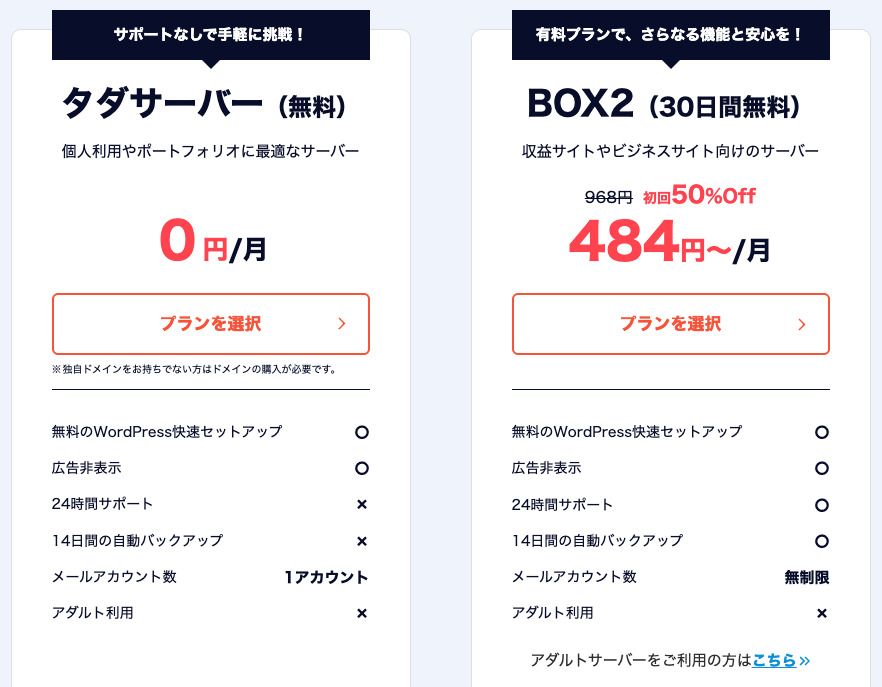
“Tada Server” - гэта эканамічна выгадны рэнтавы сервер ад Colorful Lab Inc., якім можна пачаць карыстацца бясплатна. Нягледзячы на бясплатнасць, у ім няма рэкламы. Ён таксама мае функцыі электроннай пошты. Платныя планы, такія як ColorfulBox BOX2, даступныя пры 36-месячным кантракце па мінімальнай цане 484 ены ў месяц.
Водгукі пра Tada Server адносна WordPress
Лёгкая функцыя ўсталявання WordPress
Tada Server прапануе кантрольную панэль сусветнага стандарту “cPanel”, з якой можна лёгка ўсталяваць WordPress усяго за некалькі клікаў. Паколькі наладка завяршаецца за некалькі клікаў, нават пачаткоўцы без ведаў пра серверы могуць быць спакойныя.
Працэдура ўсталявання WordPress
- КРОК.1Рэгістрацыя ў Tada Server
Націсніце “Паспрабаваць бясплатны сервер”, а потым націсніце “Выкарыстаць бясплатны сервер”, калі гэта з'явіцца.
Калі з'явіцца пытанне “Ці ёсць у вас існуючы дамен?”, выберыце “У вас ужо ёсць дамен”. Паколькі мы выкарыстоўваем існуючы дамен, мы выбралі гэты варыянт.
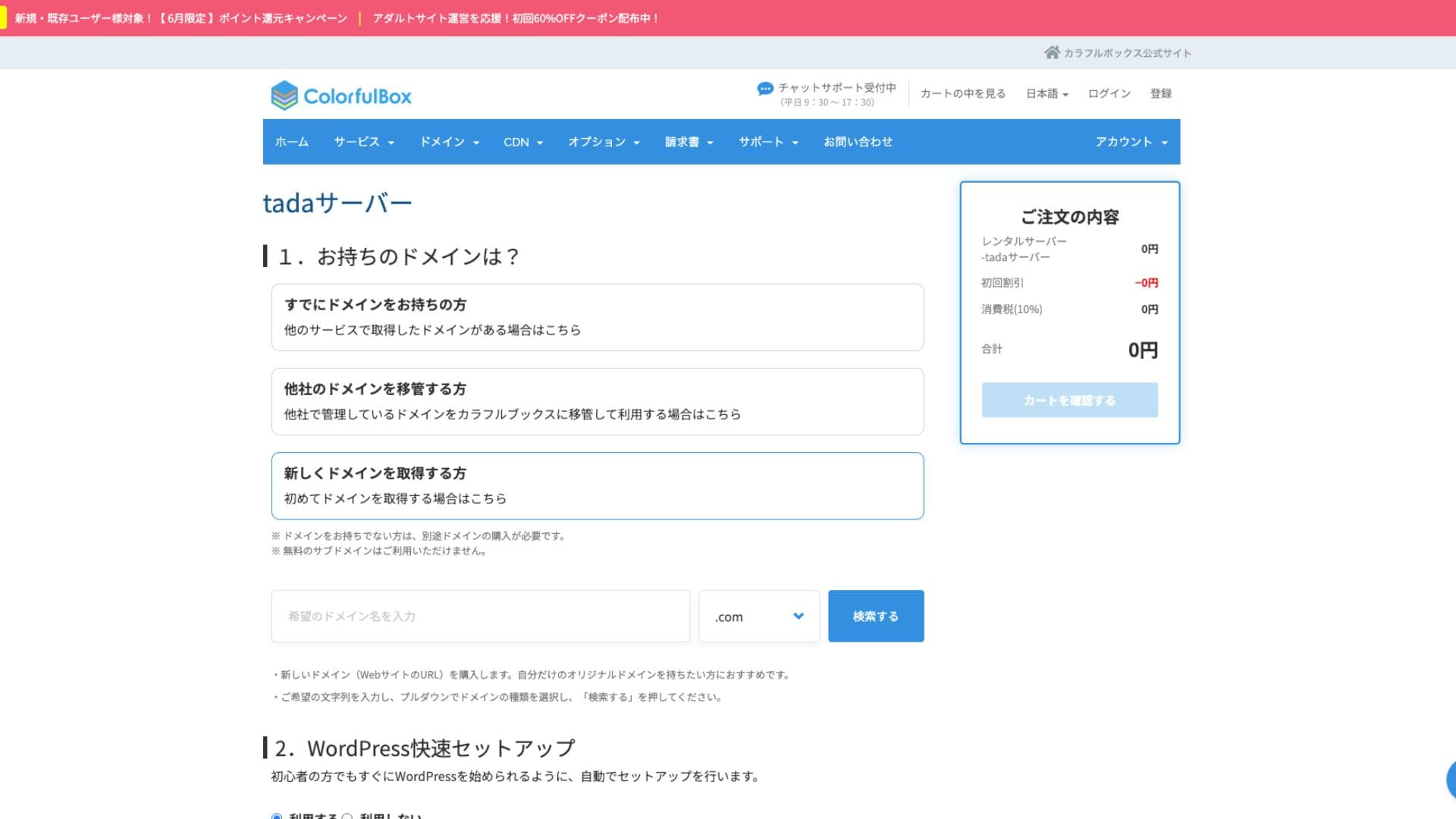
Мы настойліва рэкамендуем выкарыстоўваць “WordPress Quick Setup”.
- Назва сайта
- Імя адміністратара
- Пароль адміністратара
Пасля ўводу інфармацыі націсніце “Праверыць кошык”. Націсніце “Працягнуць пакупкі”.
- КРОК.2Працэс афармлення
Гэта этап афармлення замовы, але плата не спаганяецца. Агульная сума складае 0 ен, таму можна працягваць без хвалявання.
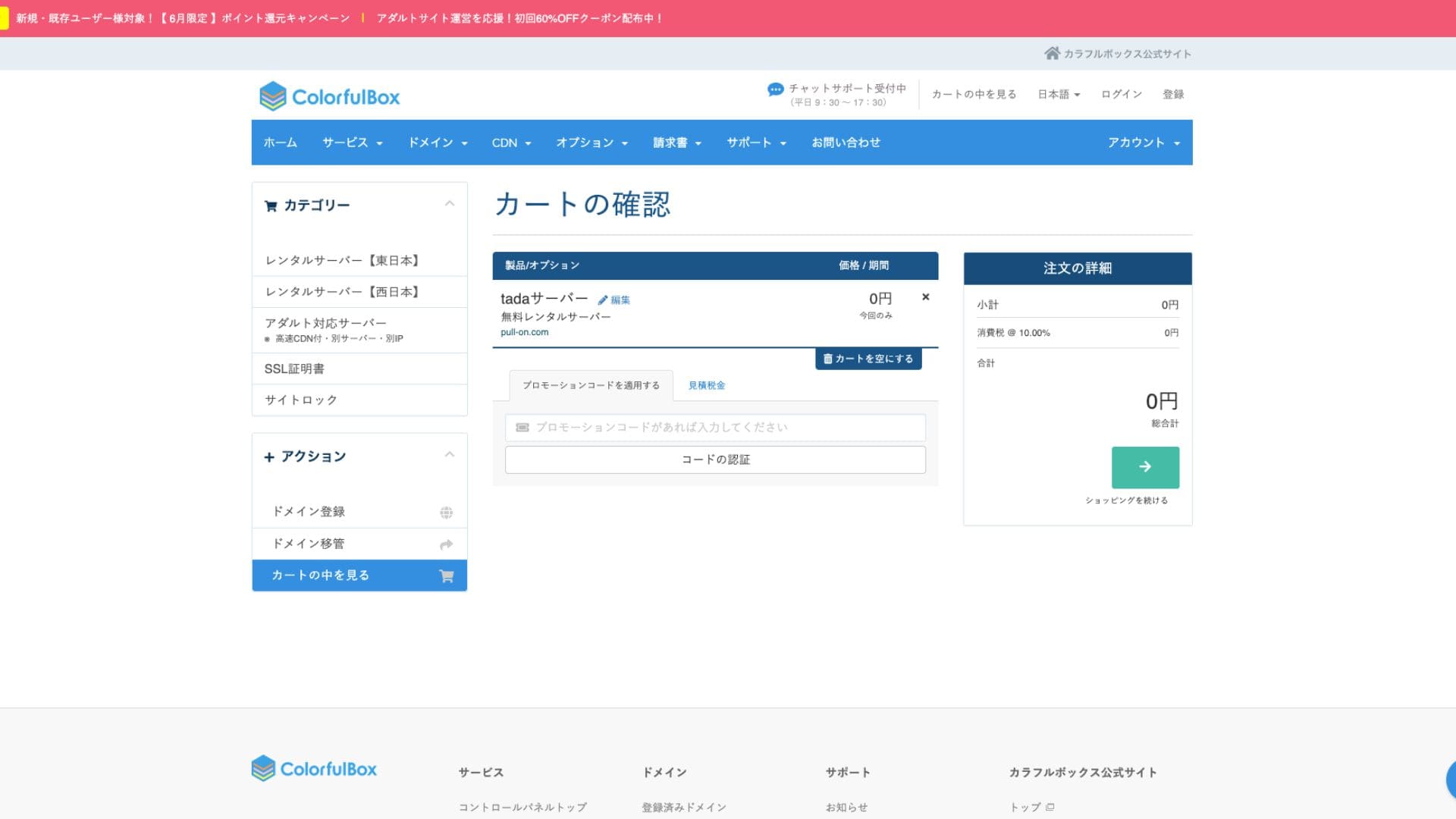
Калі ў вас ужо ёсць уліковы запіс, вы можаце працягнуць куплю з зарэгістраванага ўліковага запісу.
Пасля куплі будзе паказаны нумар замовы.
Калі атрымаеце ліст, праверце яго змесціва. Інфармацыя пра nameserver таксама ўключана, таму абнавіце яе.
Hikaru OnoАбавязкова наладзьце параметры nameserver.
кіраванне некалькімі сайтамі
Tada Server З можна кіраваць толькі адным сайтам, і даступны толькі адзін паддамен (напрыклад, your-name.tada-server.com). Нельга дадаваць некалькі сайтаў або дадатковыя ўласныя дамены.
Водгукі пра прадукцыйнасць і характарыстыкі Tada Server
хуткасць адлюстравання
Tada Server не выкарыстоўвае хуткі вэб-сервер LiteSpeed. Таму не варта чакаць шмат ад хуткасці сервера.
Hikaru Ono
Калі вы хвалюецеся пра хуткасць, мы рэкамендуем платны рэнтавы сервер.
дыскавая прастора
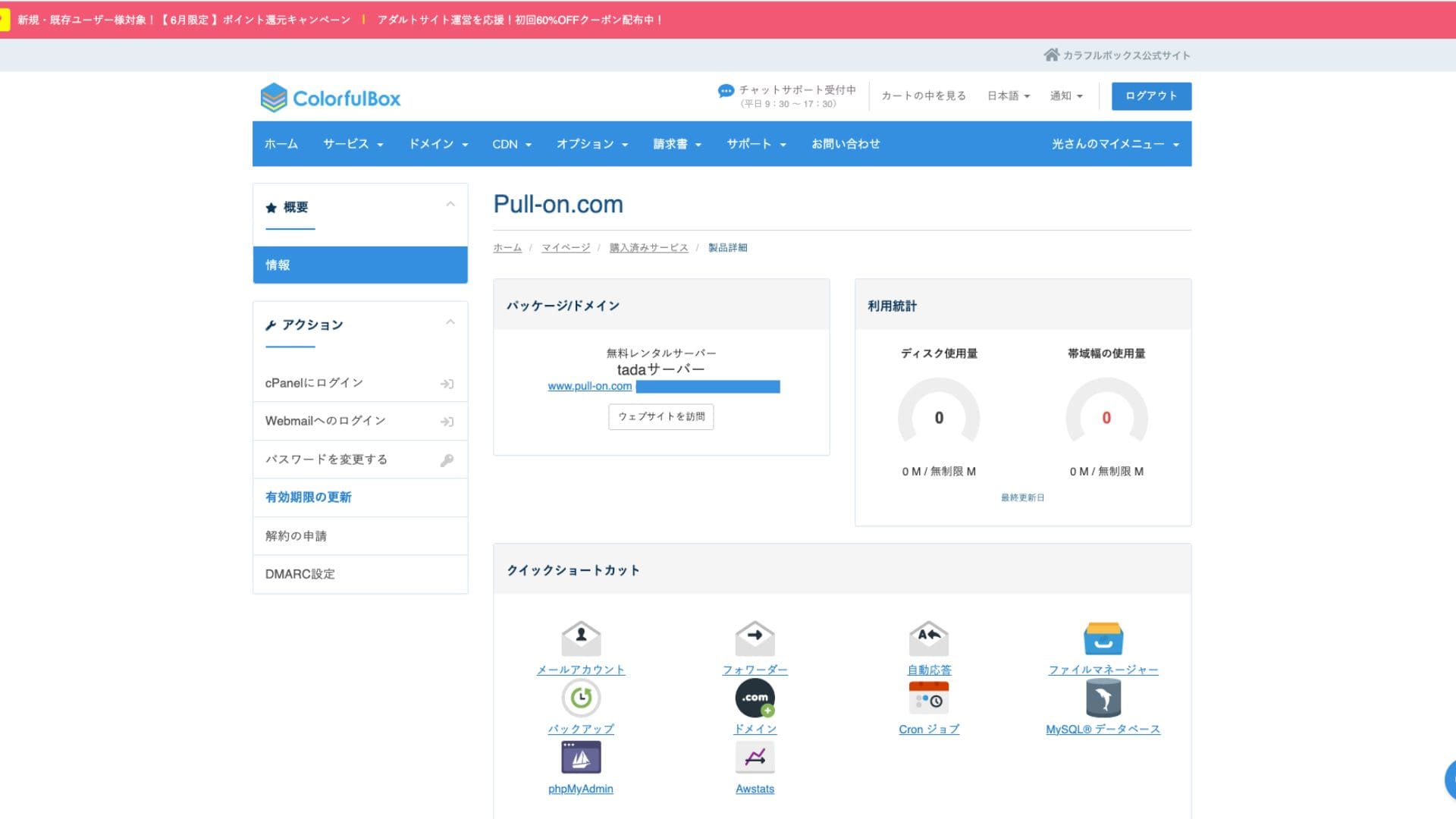
Дыскавая прастора складае 5 ГБ SSD. Гэтага дастаткова для блогаў з акцэнтам на тэкст або невялікіх сайтаў, але месца можа скончыцца, калі загружаць шмат якасных выяў або ўсталёўваць шмат шматфункцыянальных плагінаў.
Хоць на выявах пазначана неабмежаваная прастора, фактычны аб'ём складае 5 ГБ.
Аб'ём перадачы даных
Прыблізны аб'ём перадачы даных складае 500 ГБ/месяц. Гэта падыходзіць для асабістых блогаў як хобі або тэставых сайтаў з невялікім трафікам. Аднак калі ваш сайт стане папулярным і будзе мець шмат наведвальнікаў, трэба ўлічваць, што можна дасягнуць ліміту перадачы даных і сайт можа перастаць адлюстроўвацца.
Стабільнасць і uptime сервера
Афіцыйны сайт не ўказвае uptime. Гэта таксама агульная рыса з платнымі серверамі, такімі як ColorfulBox. Аднак сэрвіс працуе на айчынным серверы з кругласутачным маніторынгам, таму можна чакаць пэўнага ўзроўню стабільнасці.
Інфармацыя пра збоі можа аб'яўляцца на сайце ColorfulBox або ў яго афіцыйным акаўнце X (раней Twitter).
Ацэнка цэн і выдаткаў Tada Server
Пачатковыя выдаткі і штомесячныя плацяжы
Tada Server найбольш прывабны тым, што ён цалкам бясплатны - без пачатковых і штомесячных плацяжоў. Вы можаце пачаць працу свайго сайта WordPress, зусім не турбуючыся пра выдаткі на абслугоўванне сервера.
- Tada Server
- Kinsta
- XServer Business
- wpx
- Lolipop!
- Star Rental Server
- Rakko Server
- XServer
- ConoHa
- Colorful Box
- Shin Rental Server
- Little Server
- CORESERVER
- DreamHost
- Bluehost
- Sakura
- Namecheap
- Shin Free Server
- XREA
- Value Server
- HOSTINGER
- KAGOYA
- SiteGround
- Hostgator
- IONOS
- Onamae.com
- ABLENET
- mixhost
- GoDaddy
- iCLUSTA+
- MuuMuu Server
- WADAX
- WebARENA
- heteml
- CPI Rental Server


































Плата за дамен
Tada Server дазваляе выкарыстоўваць уласны дамен.
Уласны дамен можна атрымаць з экрана кіравання. Ён прапануецца па той жа цане, што і ў ColorfulBox. Кіраванне серверам і даменам у адной кампаніі спрашчае адміністраванне.
- Colorful Domain
- Onamae.com
- XServer Domain
- MuuMuu Domain
- Value Domain
- Shin Domain
- Star Domain
- Rakko Domain








Плата за SSL-сертыфікаты
Меры бяспекі, уключаючы SSL (шыфраваную сувязь), даступныя бясплатна. Паколькі бясплатны SSL “Let’s Encrypt” наладжваецца аўтаматычна, можна забяспечыць пастаянны SSL для сайта нават без спецыяльных ведаў.
Спосабы аплаты
Паколькі гэта бясплатны сэрвіс, не трэба рэгістраваць крэдытную карту або падаваць падобную плацежную інфармацыю.
Агляд зручнасці выкарыстання і падтрымкі Tada Server
Зручнасць выкарыстання панэлі кіравання
Tada Server выкарыстоўвае cPanel, кантрольную панэль, шырока распаўсюджаную ва ўсім свеце. Яна ўключае ўсе неабходныя функцыі для кіравання сайтам, такія як кіраванне файламі, стварэнне баз даных і ўсталяванне WordPress, а інфармацыі пра яе шмат, таму ў працы з ёй не павінна ўзнікнуць значных цяжкасцей.
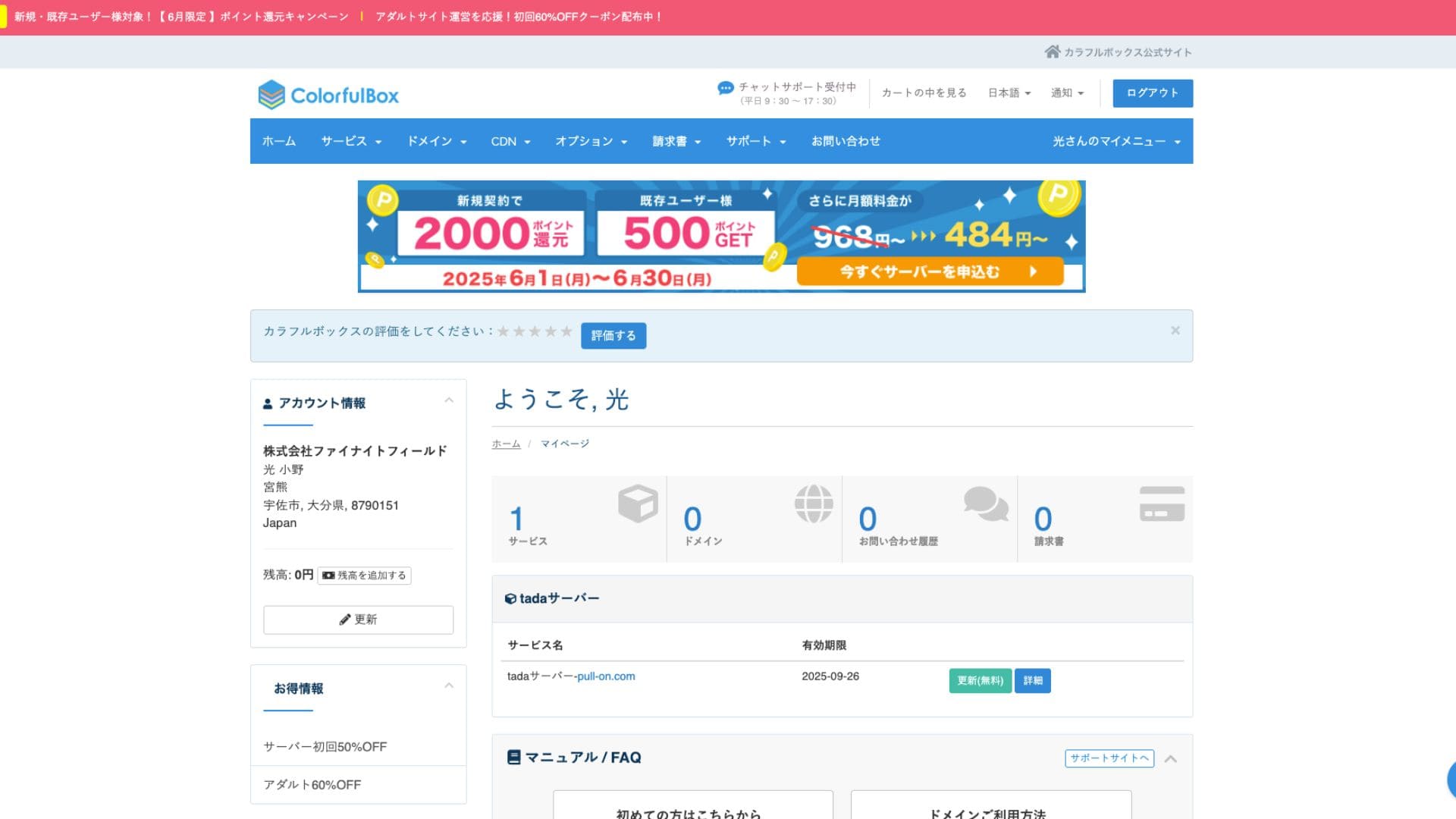
- Галоўны экран
- Абнаўленне кантракта
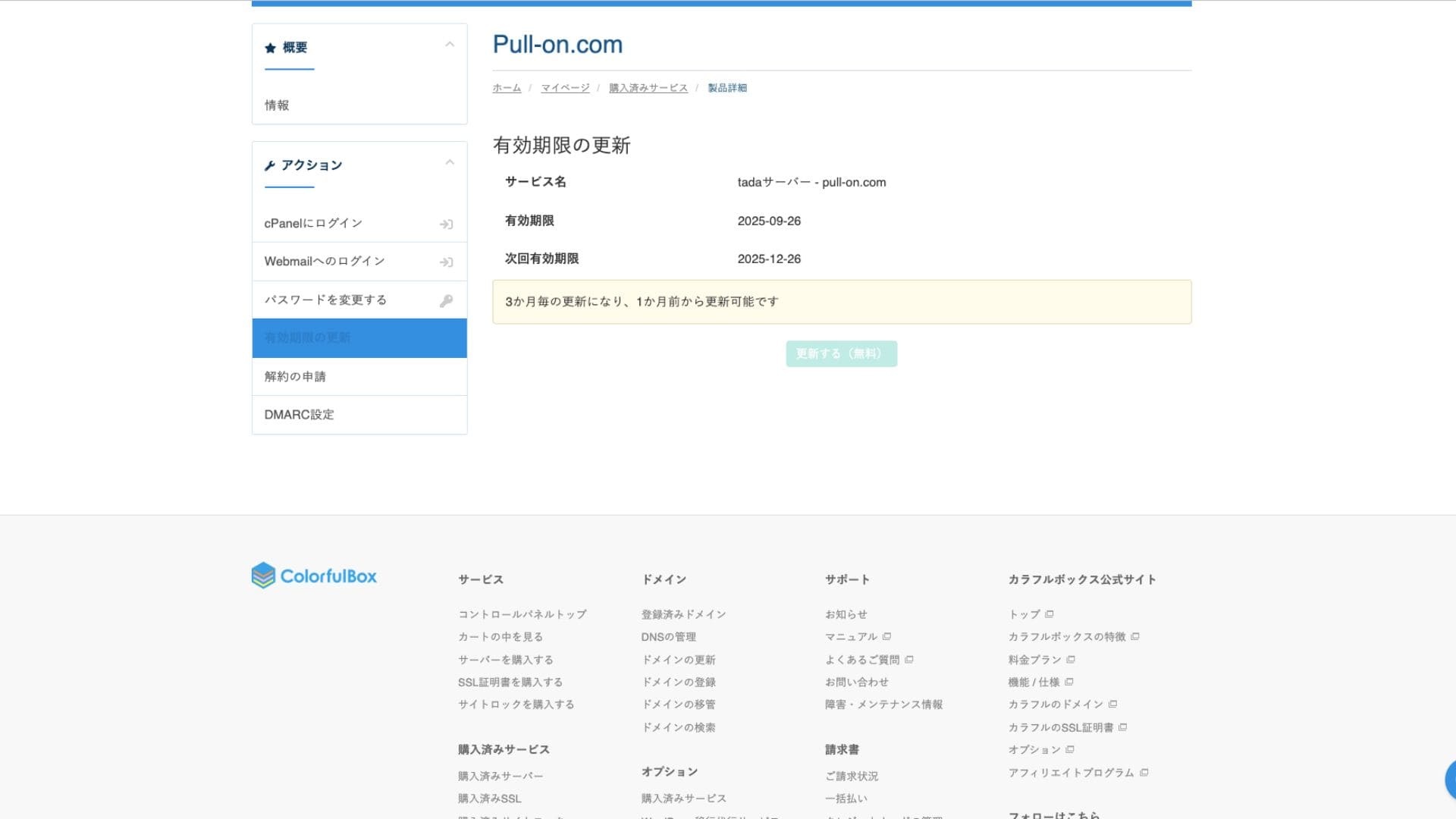
Сістэма падтрымкі
Tada Server не прадастаўляе афіцыйную падтрымку па тэлефоне або электроннай пошце. Гэта самая вялікая розніца з платнымі планамі і галоўны момант, на які трэба звярнуць увагу. Трэба быць гатовым вырашаць праблемы самастойна.
Наяўнасць кіраўніцтваў і FAQ
На афіцыйным сайце ColorfulBox ёсць шырокая дакументацыя, але па пытаннях, спецыфічных для Tada Server, трэба шукаць інфармацыю на згаданым вышэй форуме супольнасці.
Водгукі пра кіраўніцтвы і FAQ
Меры бяспекі
Акрамя бясплатных SSL-сертыфікатаў, стандартна прадугледжаны файрволы (WAF) і сістэмы выяўлення ўварванняў (IDS/IPS), падобныя да платных планаў, што забяспечвае базавы ўзровень бяспекі.
Функцыя аўтаматычнага рэзервовага капіравання
Tada Server не мае функцыі аўтаматычнага рэзервовага капіравання. Калі даныя будуць страчаны, аднавіць іх немагчыма. Вы павінны рабіць ручныя рэзервовыя копіі на ўласную адказнасць з дапамогай плагінаў WordPress або іншымі спосабамі. Гэта самы важны момант, які трэба памятаць пры выкарыстанні Tada Server.
Водгукі пра функцыі электроннай пошты Tada Server
Электроннай поштай можна карыстацца, але даступны толькі адзін уліковы запіс. Таму выкарыстоўваць Tada Server для кампаніі непрактычна.
Зыходная пошта таксама абмежавана 10 паведамленнямі.
Вынік
Tada Server - гэта сервер, які дазваляе карыстацца WordPress бясплатна. Хоць для сур'ёзнага бізнес-выкарыстання могуць быць абмежаванні па дыскавай прасторы і прапускной здольнасці, для пробнага запуску ён цалкам падыходзіць. Абавязкова паспрабуйце.
“Tada Server” - гэта эканамічна выгадны рэнтавы сервер ад Colorful Lab Inc., якім можна пачаць карыстацца бясплатна. Хоць ён бясплатны, ён не паказвае рэкламу і мае функцыі электроннай пошты. Сярод платных планаў ColorfulBox план BOX2 самы танны: 484 ены ў месяц пры 36-месячным кантракце.
Паспрабаваць бясплатна