30-дзённая гарантыя вяртання грошай
PR
Серверы
Агляд GoDaddy: падрабязна пра плюсы, мінусы, наладу WordPress і працэс скасавання
Апублікавана: 2025.07.13
Абноўлена: 2025.07.13
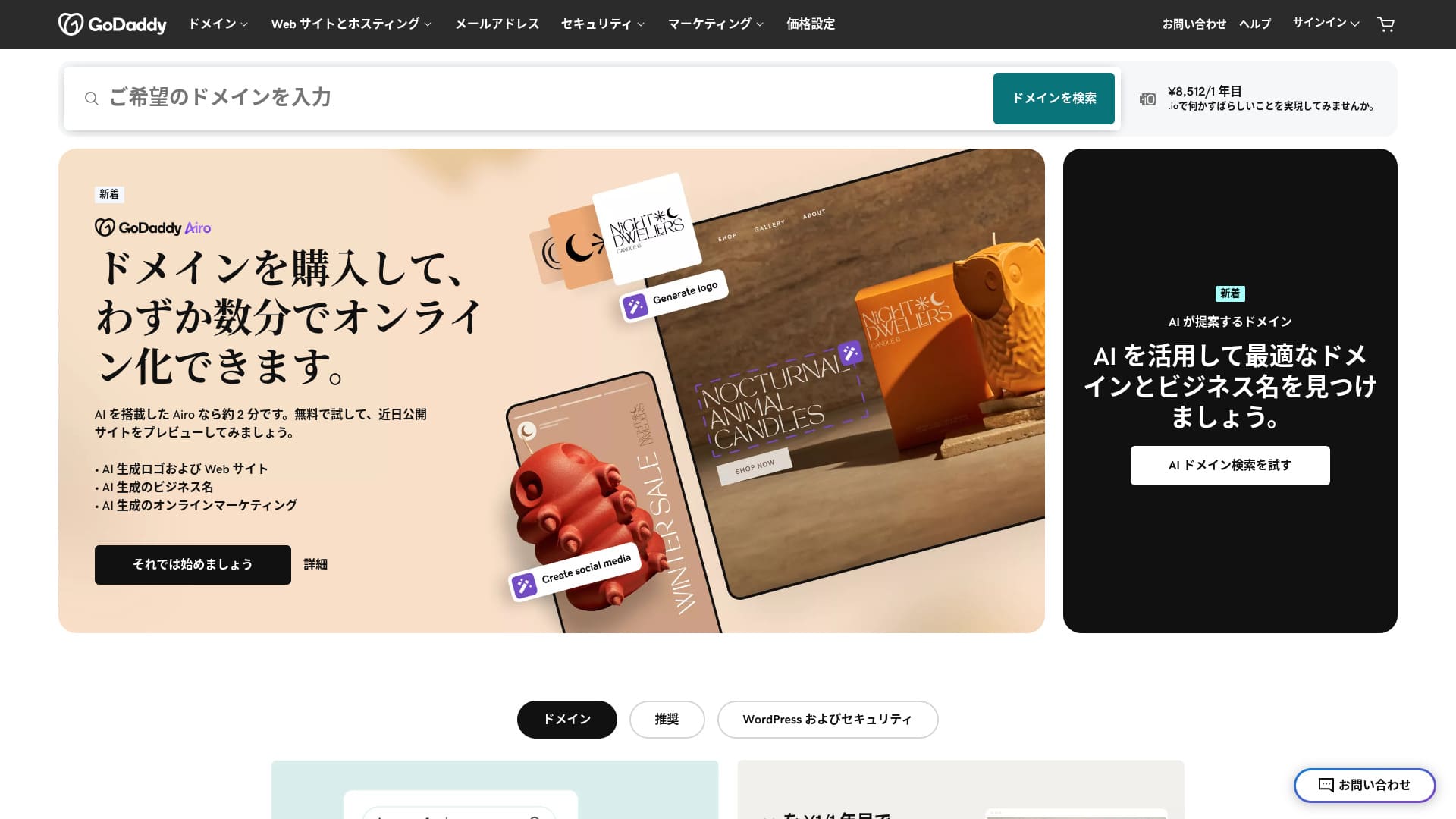
У гэтым раздзеле тлумачацца магчымасці сервера GoDaddy, наладжванне WordPress, адмена паслуг, кошты, падтрымка і параўнанні з іншымі хостынгамі.
У гэтым раздзеле тлумачацца магчымасці сервера GoDaddy, наладжванне WordPress, адмена паслуг, кошты, падтрымка і параўнанні з іншымі хостынгамі.У гэтым раздзеле тлумачацца магчымасці сервера GoDaddy, наладжванне WordPress, адмена паслуг, кошты, падтрымка і параўнанні з іншымі хостынгамі.
У гэтым раздзеле тлумачацца магчымасці сервера GoDaddy, наладжванне WordPress, адмена паслуг, кошты, падтрымка і параўнанні з іншымі хостынгамі.
Параўнайце 10 замежных сервераў

З замежнымі арэнднымі серверамі многія не ўпэўнены, які сервер выбраць, праз моўны бар’ер і культурныя адрозненні.
У гэтым артыкуле я падрабязна параўноўваю 10 старанна адабраных замежных арэндных сервераў з усяго свету і тлумачу асаблівасці, тарыфы і рэальны досвед карыстальніка падрабязна.
Я даю інфармацыю, якая ахоплівае шырокі спектр патрэб: ад крытэраў выбару, якімі пачаткоўцы могуць карыстацца ўпэўнена, да прасунутых магчымасцей, якія шукаюць інжынеры.
Агляд GoDaddy: сервер з японскай чат-падтрымкай
У гэтым раздзеле тлумачацца магчымасці сервера GoDaddy, наладжванне WordPress, адмена паслуг, кошты, падтрымка і параўнанні з іншымі хостынгамі.
| Тып сервера | Агульны сервер |
| Хуткасць адлюстравання (TTFB) | Не вымяралася |
| Рэкамендаваны план і тэрмін кантракта | Basic, 1 год |
| Пробны перыяд / гарантыя вяртання грошай | 30-дзённая гарантыя вяртання грошай |
| Штомесячная плата (кантракт на 12 месяцаў) | 899 yen |
| Першапачатковы адміністрацыйны збор | Бясплатна |
| Бясплатны дамен | Няма |
| Падтрымка | Чат 24/7, тэлефон (будні 10:00-17:00) |
| Час бесперабойнай працы | 99.9% |
| Сховішча сервера | 10 ГБ |
| Колькасць баз даных | 1. |
| SSL | Бясплатны SSL |
| Рэзервовае капіраванне | Штотыднёвая рэзервовая копія |
| Колькасць паштовых уліковых запісаў | Няма |
| Меры бяспекі электроннай пошты | Няма |
| Служба пераносу сервера / сайта | Няма |
| Папярэдняя ўстаноўка WordPress | Так |
| CDN | Бясплатна |
| Дата-цэнтры | Кіркленд, Вашынгтон, ЗША / Бістан, Вялікабрытанія / Ясы, Румынія / Тэмпі, Арызона, ЗША / Бялград, Сербія |
Пяць асаблівасцяў GoDaddy

Сервер хуткі дзякуючы NVMe-сховішчу
GoDaddy выкарыстоўвае NVMe-сховішча. Яно хутчэйшае за звычайны SATA SSD.
У гэтым раздзеле тлумачацца магчымасці сервера GoDaddy, наладжванне WordPress, адмена паслуг, кошты, падтрымка і параўнанні з іншымі хостынгамі.
У гэтым раздзеле тлумачацца магчымасці сервера GoDaddy, наладжванне WordPress, адмена паслуг, кошты, падтрымка і параўнанні з іншымі хостынгамі.
Бясплатны SSL
GoDaddy пастаўляецца з бясплатным SSL. SSL - гэта стандарт бяспекі для сайтаў. Калі сайт выкарыстоўвае SSL, яго адрас пачынаецца з https.
У гэтым раздзеле тлумачацца магчымасці сервера GoDaddy, наладжванне WordPress, адмена паслуг, кошты, падтрымка і параўнанні з іншымі хостынгамі.
У гэтым раздзеле тлумачацца магчымасці сервера GoDaddy, наладжванне WordPress, адмена паслуг, кошты, падтрымка і параўнанні з іншымі хостынгамі.
Перадусталяваны WordPress
GoDaddy мае функцыю папярэдняй усталёўкі WordPress. WordPress ужо ўсталяваны, калі вы рэгіструецеся. Гэта значыць, што пасля заключэння кантракту вам не трэба марнаваць час на ўстаноўку WordPress.
У гэтым раздзеле тлумачацца магчымасці сервера GoDaddy, наладжванне WordPress, адмена паслуг, кошты, падтрымка і параўнанні з іншымі хостынгамі.
Высокая бяспека з WAF
У гэтым раздзеле тлумачацца магчымасці сервера GoDaddy, наладжванне WordPress, адмена паслуг, кошты, падтрымка і параўнанні з іншымі хостынгамі.У гэтым раздзеле тлумачацца магчымасці сервера GoDaddy, наладжванне WordPress, адмена паслуг, кошты, падтрымка і параўнанні з іншымі хостынгамі.У гэтым раздзеле тлумачацца магчымасці сервера GoDaddy, наладжванне WordPress, адмена паслуг, кошты, падтрымка і параўнанні з іншымі хостынгамі.
У гэтым раздзеле тлумачацца магчымасці сервера GoDaddy, наладжванне WordPress, адмена паслуг, кошты, падтрымка і параўнанні з іншымі хостынгамі.
Сістэма штотыднёвых рэзервовых копій
GoDaddy прапануе штотыднёвую сістэму рэзервовага капіравання. Нават калі ўзнікнуць нечаканыя праблемы, напрыклад пашкоджанне даных, выдаленне або ўмяшанне, вы зможаце аднавіць сайт, калі ёсць рэзервовая копія.
Звычайна штотыднёвай рэзервовай копіі дастаткова, але калі вам патрэбныя штодзённыя копіі, выкарыстоўвайце ўбудовы WordPress.
Недахоп GoDaddy ў тым, што найтаннейшы план дазваляе стварыць толькі адзін сайт

У гэтым раздзеле тлумачацца магчымасці сервера GoDaddy, наладжванне WordPress, адмена паслуг, кошты, падтрымка і параўнанні з іншымі хостынгамі.У гэтым раздзеле тлумачацца магчымасці сервера GoDaddy, наладжванне WordPress, адмена паслуг, кошты, падтрымка і параўнанні з іншымі хостынгамі.
У гэтым раздзеле тлумачацца магчымасці сервера GoDaddy, наладжванне WordPress, адмена паслуг, кошты, падтрымка і параўнанні з іншымі хостынгамі.
У гэтым раздзеле тлумачацца магчымасці сервера GoDaddy, наладжванне WordPress, адмена паслуг, кошты, падтрымка і параўнанні з іншымі хостынгамі.
У гэтым раздзеле тлумачацца магчымасці сервера GoDaddy, наладжванне WordPress, адмена паслуг, кошты, падтрымка і параўнанні з іншымі хостынгамі.
У гэтым раздзеле тлумачацца магчымасці сервера GoDaddy, наладжванне WordPress, адмена паслуг, кошты, падтрымка і параўнанні з іншымі хостынгамі.
IONOS
У гэтым раздзеле тлумачацца магчымасці сервера GoDaddy, наладжванне WordPress, адмена паслуг, кошты, падтрымка і параўнанні з іншымі хостынгамі.
У гэтым раздзеле тлумачацца магчымасці сервера GoDaddy, наладжванне WordPress, адмена паслуг, кошты, падтрымка і параўнанні з іншымі хостынгамі.У гэтым раздзеле тлумачацца магчымасці сервера GoDaddy, наладжванне WordPress, адмена паслуг, кошты, падтрымка і параўнанні з іншымі хостынгамі.
Аднак перад рэгістрацыяй IONOS не вельмі зручны з пункту гледжання падтрымкі. Да заключэння кантракту ён прапануе толькі тэлефонную падтрымку. Для большасці людзей тэлефанаваць у службу падтрымкі замежнага сервера нерэалістычна. У адрозненне ад гэтага, GoDaddy дазваляе карыстацца чат-падтрымкай яшчэ да заключэння кантракта. У плане падтрымкі GoDaddy зручнейшы.
| Элемент | GoDaddy | IONOS |
|---|---|---|
| Галоўная перавага | №1 па колькасці карыстальнікаў даменаў | Добрае суадносіны цаны і якасці |
| Пробны перыяд / гарантыя вяртання грошай | 30-дзённая гарантыя вяртання грошай | 30-дзённая гарантыя вяртання грошай |
| Час бесперабойнай працы | 99.9% | 99.98% |
| Сховішча | 10 ГБ | 50 GB |
| Кошт сервера за першы год | 14,388 yen | 1,798 yen |

Агляд IONOS: даступны і стабільны сервер для Еўропы, які працуе з WordPress
Агляд IONOS: даступны і стабільны сервер для Еўропы, які працуе з WordPress
serverfield.org
HOSTINGER
У гэтым раздзеле тлумачацца магчымасці сервера GoDaddy, наладжванне WordPress, адмена паслуг, кошты, падтрымка і параўнанні з іншымі хостынгамі.У гэтым раздзеле тлумачацца магчымасці сервера GoDaddy, наладжванне WordPress, адмена паслуг, кошты, падтрымка і параўнанні з іншымі хостынгамі.
У гэтым раздзеле тлумачацца магчымасці сервера GoDaddy, наладжванне WordPress, адмена паслуг, кошты, падтрымка і параўнанні з іншымі хостынгамі.У гэтым раздзеле тлумачацца магчымасці сервера GoDaddy, наладжванне WordPress, адмена паслуг, кошты, падтрымка і параўнанні з іншымі хостынгамі.У гэтым раздзеле тлумачацца магчымасці сервера GoDaddy, наладжванне WordPress, адмена паслуг, кошты, падтрымка і параўнанні з іншымі хостынгамі.
| Параўнанне | GoDaddy | HOSTINGER |
|---|---|---|
| Галоўная перавага | №1 па колькасці карыстальнікаў даменаў | Добрае суадносіны цаны і якасці |
| Пробны перыяд / гарантыя вяртання грошай | 30-дзённая гарантыя вяртання грошай | 30-дзённая гарантыя вяртання грошай |
| Час бесперабойнай працы | 99.9% | 99.9% |
| Сховішча | 10 ГБ | 100 GB |
| Кошт сервера за першы год | 14,388 yen | 4,405 yen |

Агляд Hostinger [версія 2025]: афіцыйна рэкамендаваны WordPress, з плюсамі, мінусамі і параўнаннямі
Агляд Hostinger [версія 2025]: афіцыйна рэкамендаваны WordPress, з плюсамі, мінусамі і параўнаннямі
serverfield.org
У гэтым раздзеле тлумачацца магчымасці сервера GoDaddy, наладжванне WordPress, адмена паслуг, кошты, падтрымка і параўнанні з іншымі хостынгамі.
У гэтым раздзеле тлумачацца магчымасці сервера GoDaddy, наладжванне WordPress, адмена паслуг, кошты, падтрымка і параўнанні з іншымі хостынгамі.
- КРОК.1У гэтым раздзеле тлумачацца магчымасці сервера GoDaddy, наладжванне WordPress, адмена паслуг, кошты, падтрымка і параўнанні з іншымі хостынгамі.
У гэтым раздзеле тлумачацца магчымасці сервера GoDaddyGoDaddyУ гэтым раздзеле тлумачацца магчымасці сервера GoDaddy, наладжванне WordPress, адмена паслуг, кошты, падтрымка і параўнанні з іншымі хостынгамі.
- КРОК.2У гэтым раздзеле тлумачацца магчымасці сервера GoDaddy, наладжванне WordPress, адмена паслуг, кошты, падтрымка і параўнанні з іншымі хостынгамі.
У гэтым раздзеле тлумачацца магчымасці сервера GoDaddy, наладжванне WordPress, адмена паслуг, кошты, падтрымка і параўнанні з іншымі хостынгамі.
- КРОК.3У гэтым раздзеле тлумачацца магчымасці сервера GoDaddy, наладжванне WordPress, адмена паслуг, кошты, падтрымка і параўнанні з іншымі хостынгамі.
У гэтым раздзеле тлумачацца магчымасці сервера GoDaddy, наладжванне WordPress, адмена паслуг, кошты, падтрымка і параўнанні з іншымі хостынгамі.
- КРОК.4Усталюйце WordPress
У гэтым раздзеле тлумачацца магчымасці сервера GoDaddy, наладжванне WordPress, адмена паслуг, кошты, падтрымка і параўнанні з іншымі хостынгамі.
У гэтым раздзеле тлумачацца магчымасці сервера GoDaddy, наладжванне WordPress, адмена паслуг, кошты, падтрымка і параўнанні з іншымі хостынгамі.
- КРОК.5У гэтым раздзеле тлумачацца магчымасці сервера GoDaddy, наладжванне WordPress, адмена паслуг, кошты, падтрымка і параўнанні з іншымі хостынгамі.
У гэтым раздзеле тлумачацца магчымасці сервера GoDaddy, наладжванне WordPress, адмена паслуг, кошты, падтрымка і параўнанні з іншымі хостынгамі.
У гэтым раздзеле тлумачацца магчымасці сервера GoDaddy, наладжванне WordPress, адмена паслуг, кошты, падтрымка і параўнанні з іншымі хостынгамі.
- КРОК 6У гэтым раздзеле тлумачацца магчымасці сервера GoDaddy, наладжванне WordPress, адмена паслуг, кошты, падтрымка і параўнанні з іншымі хостынгамі.
У гэтым раздзеле тлумачацца магчымасці сервера GoDaddy, наладжванне WordPress, адмена паслуг, кошты, падтрымка і параўнанні з іншымі хостынгамі.
- STEP.7У гэтым раздзеле тлумачацца магчымасці сервера GoDaddy, наладжванне WordPress, адмена паслуг, кошты, падтрымка і параўнанні з іншымі хостынгамі.
У гэтым раздзеле тлумачацца магчымасці сервера GoDaddy, наладжванне WordPress, адмена паслуг, кошты, падтрымка і параўнанні з іншымі хостынгамі.
У гэтым раздзеле тлумачацца магчымасці сервера GoDaddy, наладжванне WordPress, адмена паслуг, кошты, падтрымка і параўнанні з іншымі хостынгамі.
У гэтым раздзеле тлумачацца магчымасці сервера GoDaddy, наладжванне WordPress, адмена паслуг, кошты, падтрымка і параўнанні з іншымі хостынгамі.
Часавая шкала
- КРОК.1У гэтым раздзеле тлумачацца магчымасці сервера GoDaddy, наладжванне WordPress, адмена паслуг, кошты, падтрымка і параўнанні з іншымі хостынгамі.
Перайдзіце на GoDaddyУ гэтым раздзеле тлумачацца магчымасці сервера GoDaddy, наладжванне WordPress, адмена паслуг, кошты, падтрымка і параўнанні з іншымі хостынгамі.
- КРОК.2У гэтым раздзеле тлумачацца магчымасці сервера GoDaddy, наладжванне WordPress, адмена паслуг, кошты, падтрымка і параўнанні з іншымі хостынгамі.
У гэтым раздзеле тлумачацца магчымасці сервера GoDaddy, наладжванне WordPress, адмена паслуг, кошты, падтрымка і параўнанні з іншымі хостынгамі.
- КРОК.3У гэтым раздзеле тлумачацца магчымасці сервера GoDaddy, наладжванне WordPress, адмена паслуг, кошты, падтрымка і параўнанні з іншымі хостынгамі.
У гэтым раздзеле тлумачацца магчымасці сервера GoDaddy, наладжванне WordPress, адмена паслуг, кошты, падтрымка і параўнанні з іншымі хостынгамі.
- КРОК.4У гэтым раздзеле тлумачацца магчымасці сервера GoDaddy, наладжванне WordPress, адмена паслуг, кошты, падтрымка і параўнанні з іншымі хостынгамі.
У гэтым раздзеле тлумачацца магчымасці сервера GoDaddy, наладжванне WordPress, адмена паслуг, кошты, падтрымка і параўнанні з іншымі хостынгамі.
У гэтым раздзеле тлумачацца магчымасці сервера GoDaddy, наладжванне WordPress, адмена паслуг, кошты, падтрымка і параўнанні з іншымі хостынгамі.
- КРОК.5У гэтым раздзеле тлумачацца магчымасці сервера GoDaddy, наладжванне WordPress, адмена паслуг, кошты, падтрымка і параўнанні з іншымі хостынгамі.
У гэтым раздзеле тлумачацца магчымасці сервера GoDaddy, наладжванне WordPress, адмена паслуг, кошты, падтрымка і параўнанні з іншымі хостынгамі.
У гэтым раздзеле тлумачацца магчымасці сервера GoDaddy, наладжванне WordPress, адмена паслуг, кошты, падтрымка і параўнанні з іншымі хостынгамі.
- КРОК 6У гэтым раздзеле тлумачацца магчымасці сервера GoDaddy, наладжванне WordPress, адмена паслуг, кошты, падтрымка і параўнанні з іншымі хостынгамі.
У гэтым раздзеле тлумачацца магчымасці сервера GoDaddy, наладжванне WordPress, адмена паслуг, кошты, падтрымка і параўнанні з іншымі хостынгамі.
У гэтым раздзеле тлумачацца магчымасці сервера GoDaddy, наладжванне WordPress, адмена паслуг, кошты, падтрымка і параўнанні з іншымі хостынгамі.
У гэтым раздзеле тлумачацца магчымасці сервера GoDaddy, наладжванне WordPress, адмена паслуг, кошты, падтрымка і параўнанні з іншымі хостынгамі.
У гэтым раздзеле тлумачацца магчымасці сервера GoDaddy, наладжванне WordPress, адмена паслуг, кошты, падтрымка і параўнанні з іншымі хостынгамі.
GoDaddy - найбуйнейшая ў свеце кампанія па кіраванні даменамі. Акрамя кіравання даменамі, яна прапануе хостынг і канструктар сайтаў.
У гэтым раздзеле тлумачацца магчымасці сервера GoDaddy, наладжванне WordPress, адмена паслуг, кошты, падтрымка і параўнанні з іншымі хостынгамі.
У гэтым раздзеле тлумачацца магчымасці сервера GoDaddy
Зводка
GoDaddy - гэта сервер, дзе можна атрымаць японскую чат-падтрымку. Паколькі гэта сусветна вядомая кампанія па кіраванні даменамі, яна выклікае давер. Аднак яна не асабліва танная, таму перад выбарам параўнайце яе ўважліва.
Паколькі ў GoDaddy ёсць 30-дзённая гарантыя вяртання грошай, я рэкамендую проста паспрабаваць яго хаця б раз.
У гэтым раздзеле тлумачацца магчымасці сервера GoDaddy, наладжванне WordPress, адмена паслуг, кошты, падтрымка і параўнанні з іншымі хостынгамі.