Xserver, Shin Rental Server və ya Star Rental Server üçün qeydiyyatdan keçsəniz, daha ucuz olur
PR
WordPress
Şirkət saytları və affiliate saytları üçün tanınmış XWRITE WordPress mövzusunu seçin
Yayımlandı: 2025.02.04
Yeniləndi: 2026.03.12
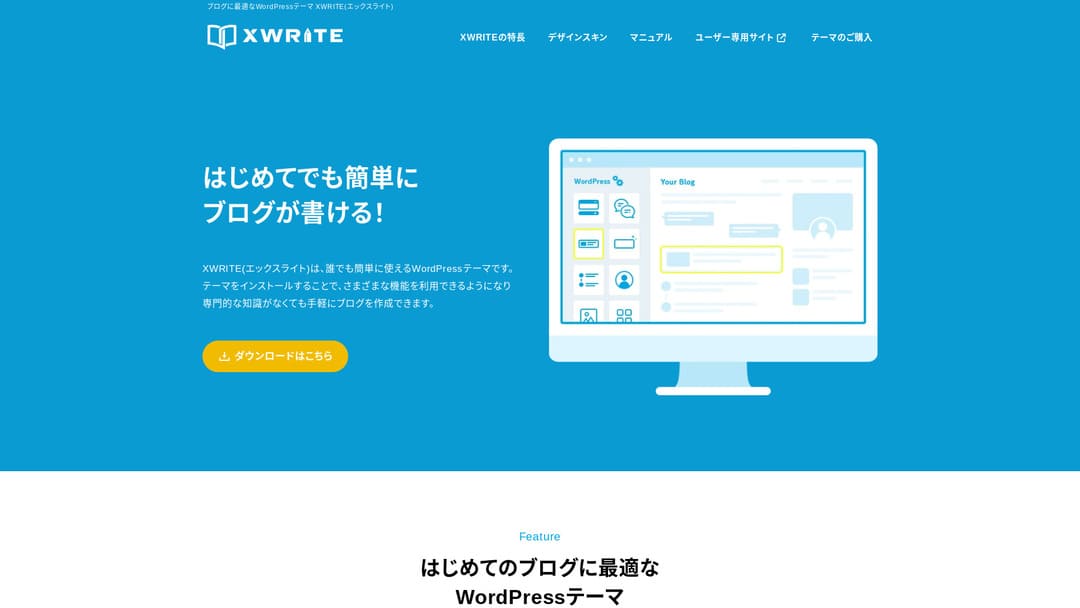
Saytınız şirkət saytı və ya affiliate saytdırsa, XWRITE nəzərdən keçirməyə dəyər seçimlərdən biridir.
XWRITEXWRITE Xserver Inc. tərəfindən hazırlanmış, bloqa yönəlmiş WordPress mövzusudur. Bəli, əsasən bloqlar üçündür. Ancaq açığı, bloq yönümlü WordPress mövzuları sahəsi çox rəqabətlidir və XWRITE-dan başqa Cocoon və SWELL kimi çox yaxşı mövzular da var. (Yəqin buna görə Xserver həmin iki mövzu ilə də tərəfdaşlıq edir.)
SWELL qəşəng görünür, Cocoon isə pulsuzdur.
Bununla belə, XWRITE-da Cocoon və SWELL-də olmayan orijinal xüsusiyyətlər var. Bu xüsusiyyətlərdən ana səhifənizdə və ya saytınızda yararlana bilirsinizsə, məncə XWRITE daha yaxşı seçimdir.
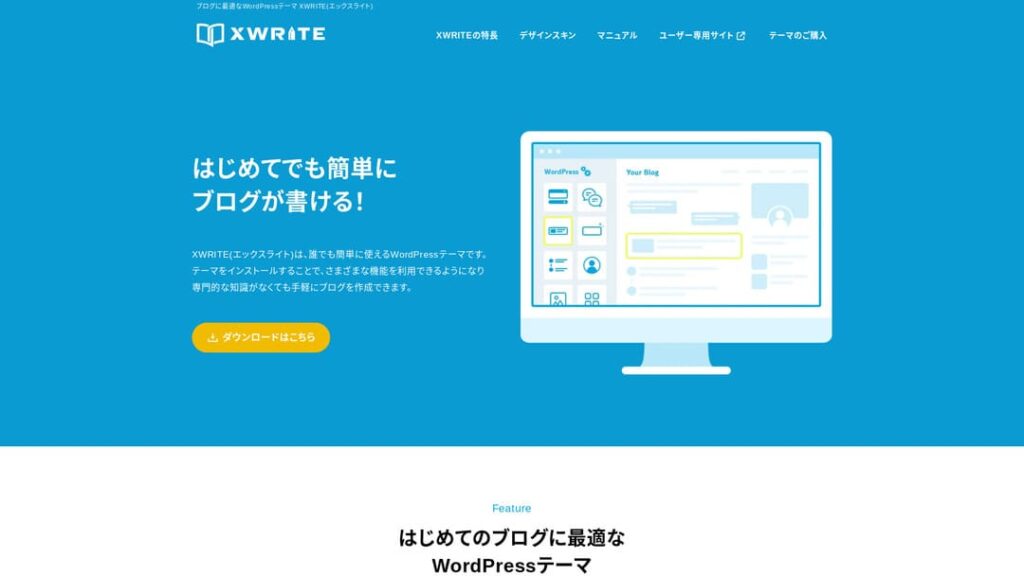
“XWRITE” Xserver Inc. tərəfindən təqdim olunan WordPress mövzusudur. Sadə, sürətli və hər kəs üçün istifadəsi asan olması ilə tanınır. Xüsusilə şirkət saytları və affiliate saytları üçün tövsiyə olunur.

Şirkət saytları və affiliate saytları XWRITE-ın həqiqətən parladığı iki kateqoriyadır. Qalan hallarda, açıq desək, sadəcə bəyəndiyiniz dizayna görə seçin. Amma söhbət şirkət ana səhifəsindən və ya affiliate saytdan gedirsə, XWRITE-a ən azı ciddi şəkildə bir dəfə baxın.
Fərdlər, şirkətlər və xarici istifadə üçün 32 WordPress hosting xidmətinin tam müqayisəsi

“WordPress-ə başlamaq istəyirəm” deyib “WordPress tövsiyələri” axtardığınızda fərdi hosting, şirkətlər və kiçik bizneslər üçün seçimlər, xarici hosting və ucuz serverlər haqqında hər cür məqalə tapırsınız. Açığı,
- hansı sayta etibar etməlisiniz?
- sadə və anlaşılan cavab istəyə bilərsiniz.
- WordPress-ə dərhal başlamaq istəyə bilərsiniz.
Buna görə bu məqalə fərdlər, şirkətlər, daxili istifadə və xarici istifadə üçün 32 hosting provayderi arasından tövsiyə olunan seçimləri diqqətlə seçir. İzahı hostingdən hər gün istifadə edən tətbiq hazırlama şirkətinin SEO rəhbəri verir.
Şirkət saytları üçün XWRITE-ı niyə tövsiyə edirəm
Xserver-in hazırladığı mağaza üslublu və korporativ üslublu demo saytlara baxın. Onlar “deməli, belə bir sayt da qura bilərəm” fikri yaradır.

DEMO CORPORATION
DEMO CORPORATION
demo.xwrite.jp

DEMO Cafe & Lounge
DEMO Cafe & Lounge
demo.xwrite.jp
Google Maps bloku Google Maps görünüşünü asanlıqla tərtib etməyə imkan verir
Şirkət ana səhifələri və mağaza saytları adətən ofisin və ya mağazanın yerini Google Maps ilə göstərir.
XWRITE-da Google Maps blokundan istifadə edərək Google Maps-in necə görünəcəyini çox asanlıqla fərdiləşdirə bilərsiniz.
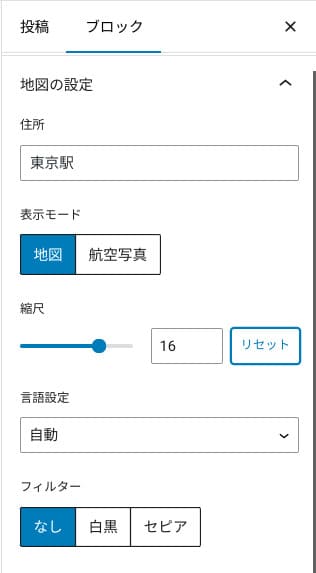
Onu xəritə və ya peyk görüntüsünə keçirə, monoxrom və ya sepiya üslubuna dəyişə bilərsiniz. Cocoon və SWELL-də bu xüsusiyyət yoxdur. Bu cür dəyişiklikləri CSS ilə etmək, dizayner və ya proqramçı deyilsinizsə, açığı çətindir.
XWRITE-da isə xüsusi bilik olmadan da bu problem deyil. Hər kəs Google Maps-i şirkətinin və ya mağaza ana səhifəsinin atmosferinə uyğunlaşdıracaq şəkildə asanlıqla fərdiləşdirə bilər.
Google Map necə yaradılır
Google Map necə yaradılır
xwrite.jp
Section bloku hətta boş sahəni də gözəl göstərir
Şirkət ana səhifələri və mağaza saytları üçün dizayn vacibdir. O, “bu mağaza qəşəng görünür” və ya “işi diqqətlə və düzgün görəcəklər” kimi sözlə asan ifadə olunmayan atmosferi çatdırır.
Təəccüblü olsa da, həmin atmosferə təsir edən amillərdən biri boş sahədir. Yaxşı düzülmüş, rahat boş sahə gözəllik və zəriflik, hətta canlı enerji hissi yarada bilər.
XWRITE-ın Section blokundan istifadə etsəniz, həmin atmosferi formalaşdıran boş sahəni də istədiyiniz kimi gözəl dizayn edə bilərsiniz.
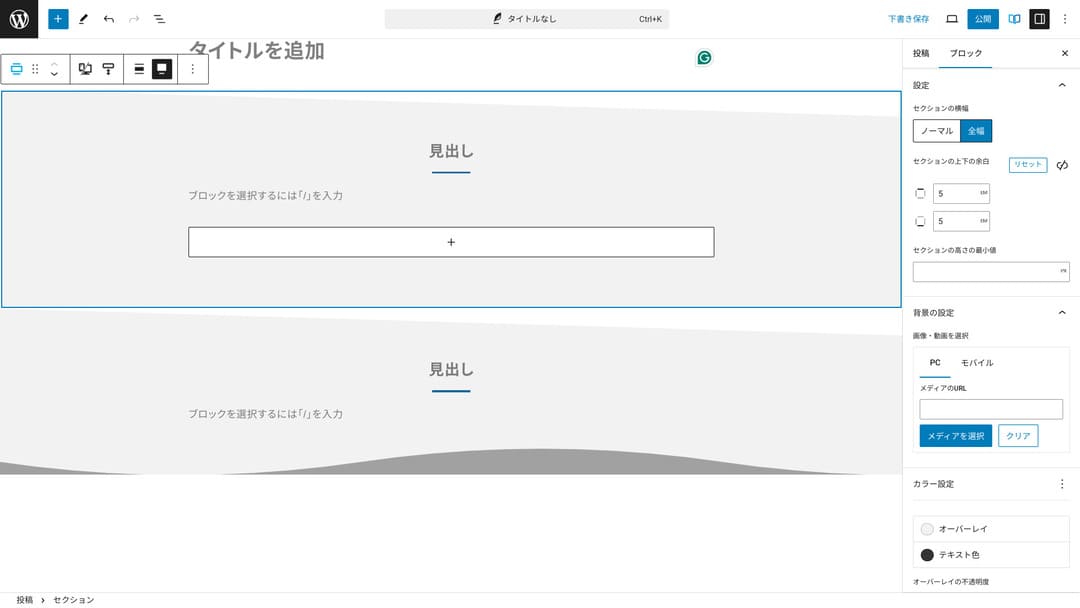
Boş sahəni diaqonal kəsimlə göstərə və ya dalğavari formalar əlavə edə bilərsiniz. Dizayn boş sahə də daxil olmaqla bu qədər incə detala çatanda, şirkətin və ya mağazanın imicini xeyli yüksəldə bilər.
Section necə yaradılır
Section necə yaradılır
xwrite.jp
Affiliate saytları üçün XWRITE-ı niyə tövsiyə edirəm
Xserver-in hazırladığı affiliate üslublu demo sayta baxın. Orada “blog” yazılsa da, görünən kontent dizaynı əslində affiliate saytına xasdır.

STUDY DEMO BLOG
STUDY DEMO BLOG
demo.xwrite.jp
Product Review bloku üstünlükləri və çatışmazlıqları dərhal aydın göstərir
XWRITE-ın Product Review blokundan istifadə etsəniz, məhsulun üstünlüklərini və çatışmazlıqlarını gözəl təqdim edə bilərsiniz. İnsanlar nəyin yaxşı, nəyin zəif olduğunu dərhal görə bilir. Reytinq və izah da oxunaqlıdır.
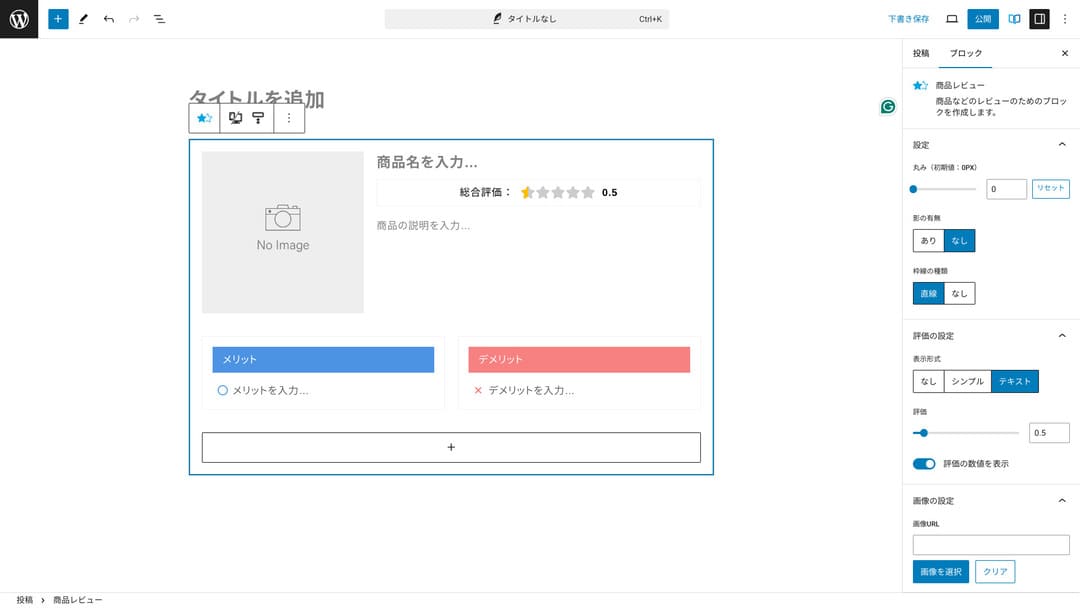
Bundan istifadə etdikdə sayt ziyarətçiləri təqdim etdiyiniz məhsulun xüsusiyyətlərini dərhal anlaya bilirlər. Tez başa düşəndə onu alıb-almamaq barədə qərar vermək də asanlaşır. Başqa sözlə, satmaq daha asan olur.
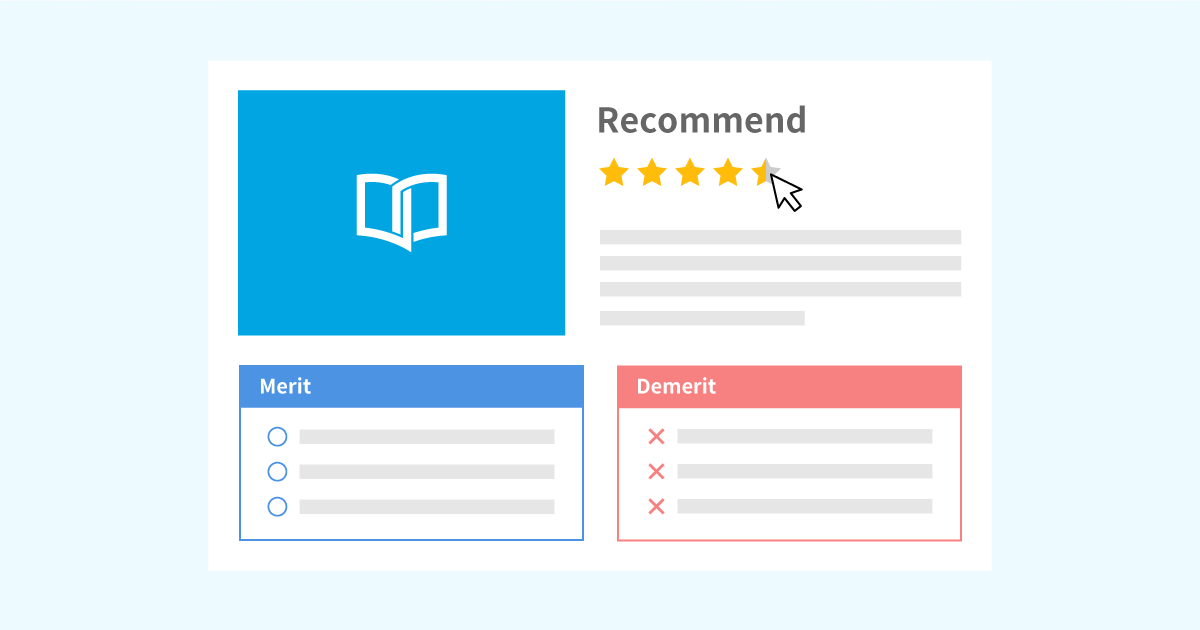
Məhsul izahı və qiymətləndirmə üçün Product Review blokunun nümunəsi
Məhsul izahı və qiymətləndirmə üçün Product Review blokunun nümunəsi
xwrite.jp
Step bloku prosedurları və axını aydın çatdırır
XWRITE-ın Step bloku prosedurları və iş axınlarını anlamağı asanlaşdırır. “Bunu etdikdən sonra həmin sənədi hazırlayın və növbəti dəfə buraya klikləyin” kimi izahlar daha aydın olur.
Step blokundan məhsulu necə almağı və ya müqavilə prosesində addımların ardıcıllığını göstərmək üçün istifadə edə bilərsiniz.
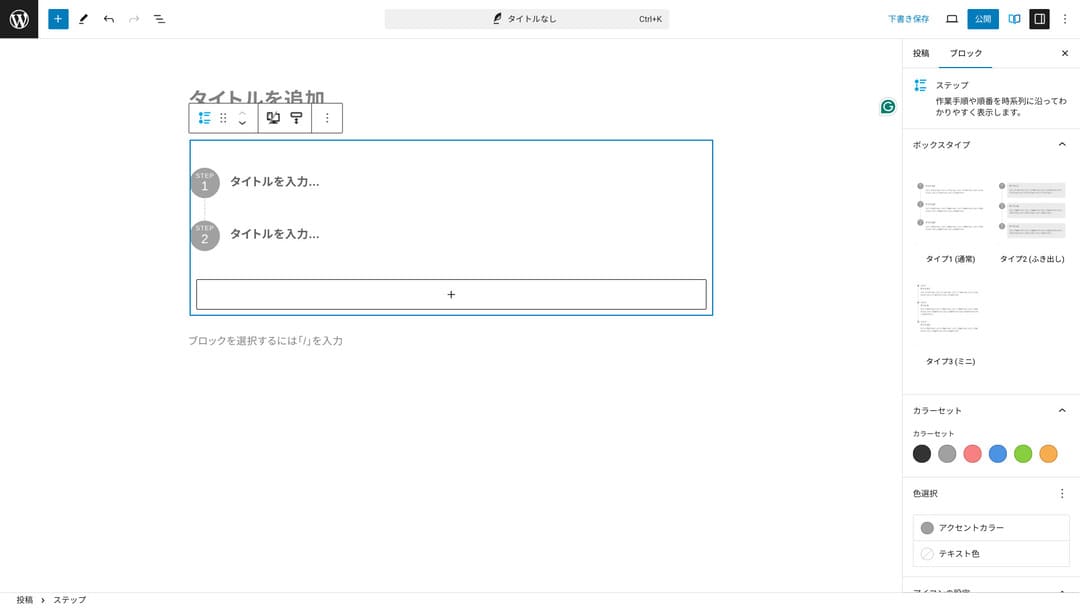
Prosedurları başlıqlar və adi mətnlə də izah etmək olar, ancaq belə edəndə məzmun o qədər səliqəli görünmür və lazımsız boş sahələr yaranmağa meylli olur.
Bundan əlavə, prosedurları başlıqlarla izah etsəniz, səhifənin mündəricatı həddən artıq xırdalana və istifadəçi təcrübəsinə zərər verə bilər. Step bloku isə bunu sadə saxlayır.
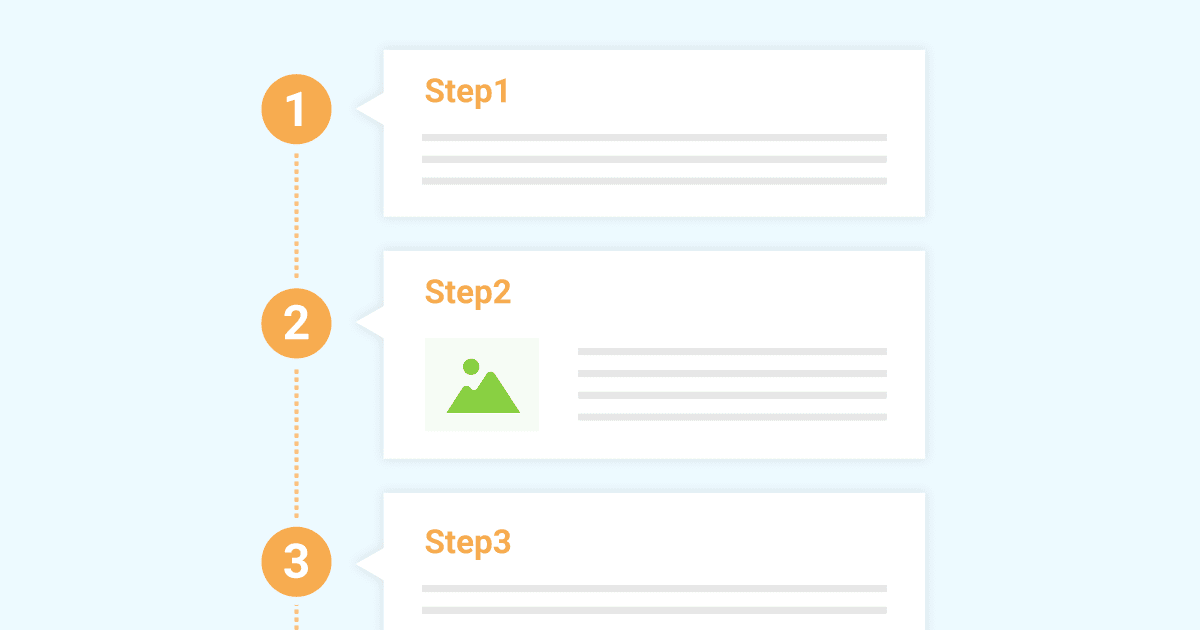
İş prosedurlarını təqdim etmək üçün Step blokunun nümunəsi
İş prosedurlarını təqdim etmək üçün Step blokunun nümunəsi
xwrite.jp
Button bloku CTR-i artıra bilər
XWRITE-ın Button blokundan istifadə etsəniz, yəqin ki, CTR-i, yəni kliklənmə nisbətini artıra bilərsiniz. Düymələrə müxtəlif bəzəklər tətbiq etmək olur və istifadəçilərdə “haradan müraciət etməliyəm?” sualı yaratmayan düymələr hazırlamaq mümkündür.
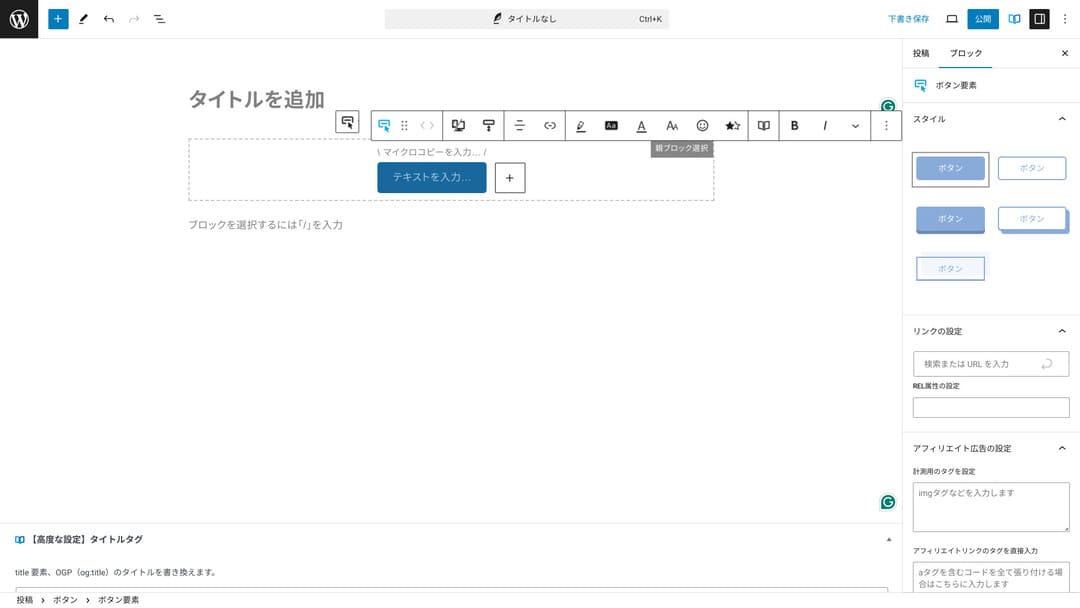
Rəngi və dizaynı dəyişə bildiyiniz üçün onu saytın atmosferinə də uyğunlaşdırmaq olur.
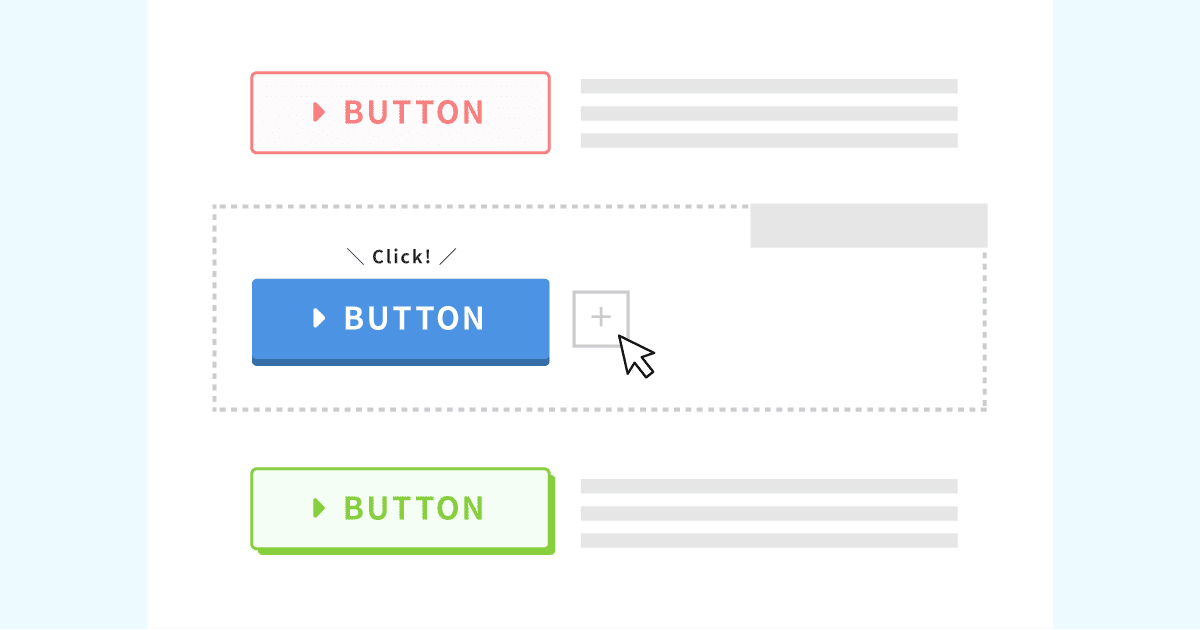
Orijinal düymə dizaynlarının siyahısı
Orijinal düymə dizaynlarının siyahısı
xwrite.jp
XWRITE qiymətləri: abunəlik və birdəfəlik satınalma
XWRITE-da abunəlik planı və ya birdəfəlik satınalma arasından seçim edə bilərsiniz.
- Abunəlik (aylıq): ayda 990 yen
- Abunəlik (illik): ildə 9,900 yen
- Birdəfəlik satınalma planı: 19,800 yen
Xserver və Shin Rental Server istifadəçiləri birdəfəlik satınalma planını 15,840 yenə ala bilərlər. Bu, adi qiymətdən təxminən 4,000 yen ucuz olduğuna görə, həm XWRITE, həm də yeni server müqaviləsi barədə düşünürsünüzsə, serverə qeydiyyat zamanı müraciət etməyi tövsiyə edirəm.
Xserver və Shin Rental Server-in hər ikisi çox yaxşı serverlərdir. Aşağıdakı məqalələrdə onları ətraflı izah etmişəm.

Xserver reputasiyası və icmalı [2025 ən son]: sürət, qiymətlər, üstünlüklər və çatışmazlıqlar haqqında ətraflı izah
Xserver reputasiyası və icmalı [2025 ən son]: sürət, qiymətlər, üstünlüklər və çatışmazlıqlar haqqında ətraflı izah
serverfield.org
Shin Rental Server icmalı [2025 ən son]: real istifadə əsasında sürət və qiymətlər haqqında ətraflı izah
Shin Rental Server icmalı [2025 ən son]: real istifadə əsasında sürət və qiymətlər haqqında ətraflı izah
serverfield.org
Açığı, digər WordPress mövzuları ilə müqayisədə ucuz deyil
Tam səmimi desəm, digər WordPress mövzuları ilə müqayisədə qiyməti aşağı deyil. Ya təxminən eyni səviyyədədir, ya da bir az daha yüksəkdir.
| XWRITE | One-time purchase plan: 19,800 yen |
| Cocoon | Free |
| SWELL | 17,600 yen |
| SANGO | 14,800 yen |
| JIN:R | 19,800 yen |
Ona görə təkrar edirəm: ən yaxşı seçim Xserver və ya Shin Rental Server ilə server müqaviləsi üzərindən 15,840 yen qiymətlə müraciət etməkdir.
Ancaq artıq server müqaviləniz varsa, abunəlik planını seçin. İndi istifadə etdiyiniz mövzunu seçməyinizin yəqin ciddi səbəbi olub və mövzunu dəyişəndə dizayn fərqi saytın PV-lərinə, yəni səhifə baxış sayına, həmçinin CTR-ə, yəni kliklənmə nisbətinə təsir edə bilər.
Abunəlik planı ilə XWRITE-a keçdikdən sonra belə hallar görsəniz…
- dizayn zövqünüzdən xeyli fərqlidirsə
- əvvəlki mövzunun təsiri layout-u pozur və düzəlişləri çətinləşdirirsə
…yenə də minimal xərclə əvvəlki mövzunuza qayıda bilərsiniz.
Bu sayt da abunəlik planı ilə qeydiyyatdan keçib XWRITE-ı tətbiq etməyi düşündü, amma yuxarıdakı ikinci səbəbə görə bu dəfə vaz keçdim. Lazımi düzəlişlər üçün vaxt ayıra bilmirəm.
XWRITE üçün necə müraciət etməli
XWRITE üçün necə müraciət etməli
- STEP.1İstifadəçi saytına daxil olun
- STEP.2Mövzunu lisenziya səhifəsindən satın alın
Mövzunu istifadəçi saytındakı “License Authentication” bölməsindən satın alın.
- STEP.3Mövzunu endirin
Mövzunu endirin.
Endirilmiş ZIP faylını WordPress-də Appearance → Themes → Upload New Theme yolu ilə quraşdırın və sonra aktivləşdirin.
- STEP.4Lisenziyanı təsdiqləyin
Lisenziyanı XWRITE Settings → Activation üzərindən təsdiqləyin. (rəsmi təlimatlar)
XWRITE-da child theme var
XWRITE-da əvvəlcə child theme yox idi, lakin 22 yanvar 2025-ci ildə yeniləndi və child theme istifadəyə verildi. Mümkünsə, child theme yaradın. WordPress mövzusu üçün child theme yaratdığınızda, başqa mövzuya keçərkən böyük dizayn pozulmalarının qarşısını ala bilərsiniz.
WordPress child theme yaratmağın ümumi proseduru
- STEP.1Child theme üçün qovluq yaradın
Əvvəlcə WordPress quraşdırma qovluğuna daxil olun və child theme üçün qovluğu
wp-content/themes/daxilində yaradın.- Ona ya FTP ilə, ya da WordPress admin ekranı > Appearance > Theme Editor vasitəsilə daxil olun.
- İçində yeni qovluq yaradın:
wp-content/themes/və ona məsələntheme-childkimi ad verin. Qovluq adını özünüz seçə bilərsiniz, amma anlaşılan ad istifadə etmək daha yaxşıdır.
- STEP.2Child theme stil cədvəlini yaradın (style.css)
Sonra həmin qovluqda style.css faylı yaradın. Bu fayl child theme üçün stil məlumatlarını idarə edir.
- Məzmunu theme-child/style.css faylına aşağıdakı kimi yazın.
CSS kodunu kopyalayın/* Tema Name: Tema Child Template: Tema Version: 1.0*/@import url("../Tema/style.css");/* Write customization CSS here */Tema Name: child theme-in adı (sərbəst dəyişə bilərsiniz)Template: əsas mövzunun qovluq adı- Əsas mövzunun CSS faylı
@importilə yüklənir.
- STEP.3Child theme üçün functions.php faylını yaradın
Sonra əsas mövzunun stillərini düzgün yükləmək üçün functions.php faylı yaradın.
- Bir theme-child/functions.php faylı yaradın və aşağıdakı məzmunu əlavə edin.
PHP kodunu kopyalayın<?php// Load the parent theme style sheetfunction theme_child_enqueue_styles() { wp_enqueue_style('parent-style', get_template_directory_uri() . '/style.css');}add_action('wp_enqueue_scripts', 'theme_child_enqueue_styles'); - STEP.4Child theme-i aktivləşdirin
WordPress admin ekranına qayıdın və Appearance > Themes bölməsinə keçin. Orada “Tema Child” adlı mövzu görünəcək, onu aktivləşdirin.
- STEP.5Fərdiləşdirməyə başlayın
Child theme aktivləşdirildikdən sonra style.css, functions.php və lazım gələrsə
header.phpvəfooter.phpkimi digər şablon fayllarını fərdiləşdirin. Əsas mövzunun fayllarını birbaşa redaktə etmək əvəzinə, fərdiləşdirmələri child theme-də override etməklə edin.
XWRITE haqqında tez-tez verilən suallar
XWRITE nə qədərdir?
- Abunəlik (aylıq): ayda 990 yen
- Abunəlik (illik): ildə 9,900 yen
- Birdəfəlik satınalma planı: 19,800 yen
Xserver və Shin Rental Server istifadəçiləri üçün XWRITE birdəfəlik satınalma planı 15,840 yen olur.
Abunəliyi yeniləməsəm nə baş verər?
Abunəliyi yeniləməsəniz belə, mövzu istifadəsiz qalmır. Ancaq artıq mövzunu yeniləyə bilməyəcəksiniz. Forumda sual vermək imkanını da itirəcəksiniz.
Abunəliyi seçirsinizsə, onu hər ay yeniləyin. Pulunuza qənaət etmək istəyirsinizsə, birdəfəlik satınalma planı tövsiyə olunur.
Xülasə
XWRITE bloqlar üçün mövzudur. Bloq yazacaqsınızsa, əlbəttə tövsiyə edə biləcəyim mövzudur. Eyni zamanda, onu şirkət ana səhifələri və affiliate saytları üçün də tövsiyə edirəm.
Abunəlik planını seçsəniz, onu bir ay ərzində 990 yenə sınaqdan keçirə bilərsiniz. Abunəliklə başlamağı tövsiyə edirəm. İstifadə hissi və dizayn sizi qane edərsə, birdəfəlik satınalma planına keçin.
“XWRITE” Xserver Inc. tərəfindən təqdim olunan WordPress mövzusudur. Sadə, sürətli və hər kəs üçün istifadəsi asan olması ilə tanınır. Xüsusilə şirkət saytları və affiliate saytları üçün tövsiyə olunur.
Xserver, Shin Rental Server və ya Star Rental Server üçün qeydiyyatdan keçsəniz, daha ucuz olur
Eyni zamanda server də axtarırsınızsa, Xserver-i tövsiyə edirəm.
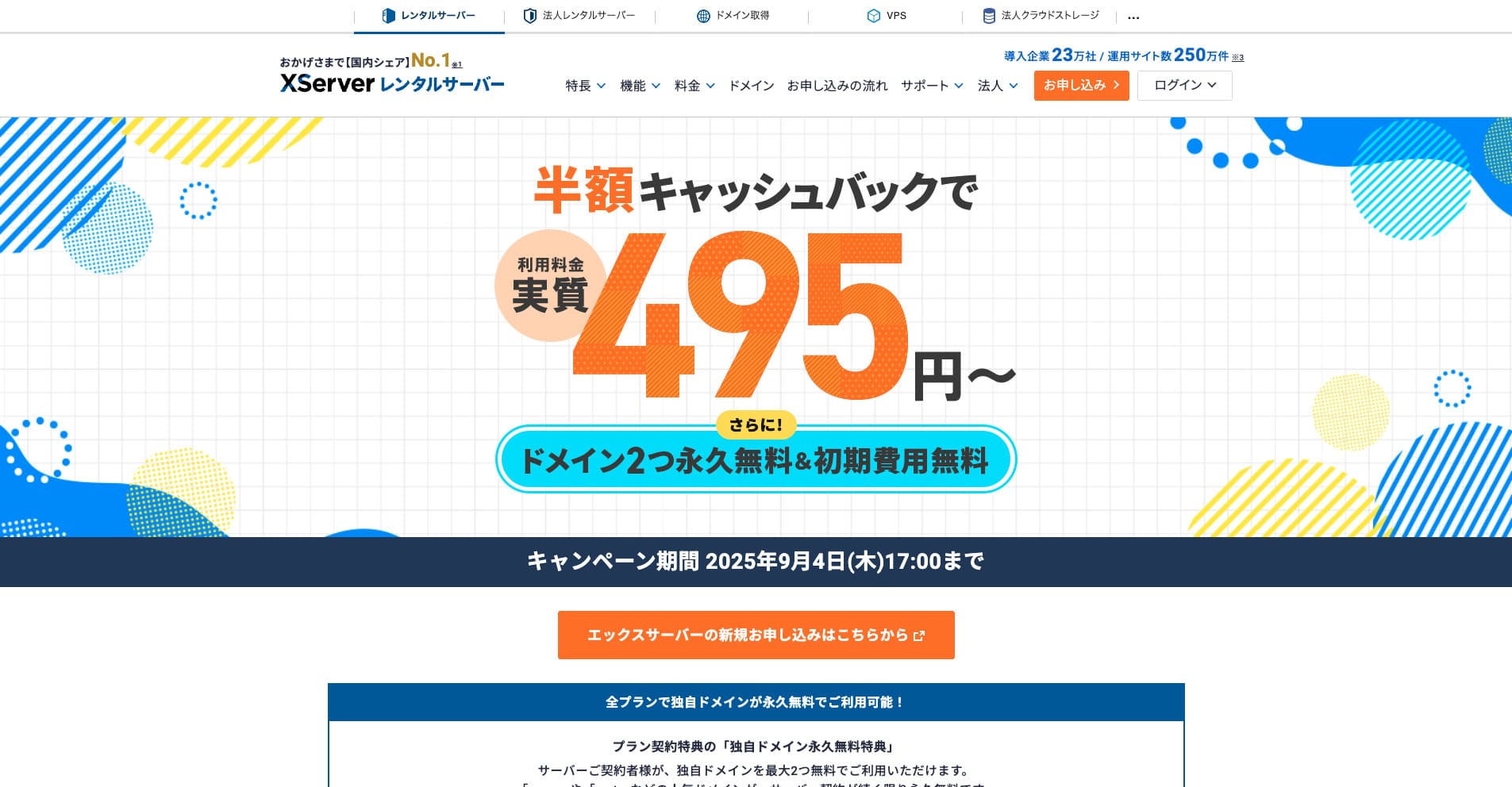
“Xserver” uzun tarixə malik, ölkə daxilində bazar payı 1-ci olan yüksək sürətli rental serverdir. Həm fərdlər, həm də şirkətlər arasında populyardır. Açığı, ciddi çatışmazlığı yoxdur; sabitliyi, funksiyaları və dəstəyi hamısı çox yaxşıdır. Cashback ilə effektiv olaraq 495 yendən istifadə edə bilərsiniz.
34 sentyabr 2025-ci ilədək yarı qiymətə cashback və 10 günlük pulsuz sınaq təqdim olunur
