10-day pulsuz sınaq
PR
VPS
130Mbps-dən yuxarı sürət: ABLENET VPS üzərində Outline VPN qurmaq
Yayımlandı: 2025.06.26
Yeniləndi: 2025.06.26
İnternetə VPN vasitəsilə baxmaq istəyən insanların sayı artır.
VPN-dən (Virtual Private Network) istifadə təhlükəsizliyi artırır və xaricdən yalnız Yaponiyada əlçatan olan xidmətlərə və məzmuna daxil olmağa da imkan verir.
That said, you naturally worry about the sürət and safety of a VPN qoşulmaqion.
The best way to get a safe and fast VPN qoşulmaqion is to build your own VPN environment. Bunun üçün VPN üçün server mühiti lazımdır. Bu dəfə ABLENET VPS və Outline VPN-dən istifadə edərək VPN mühiti qurdum.
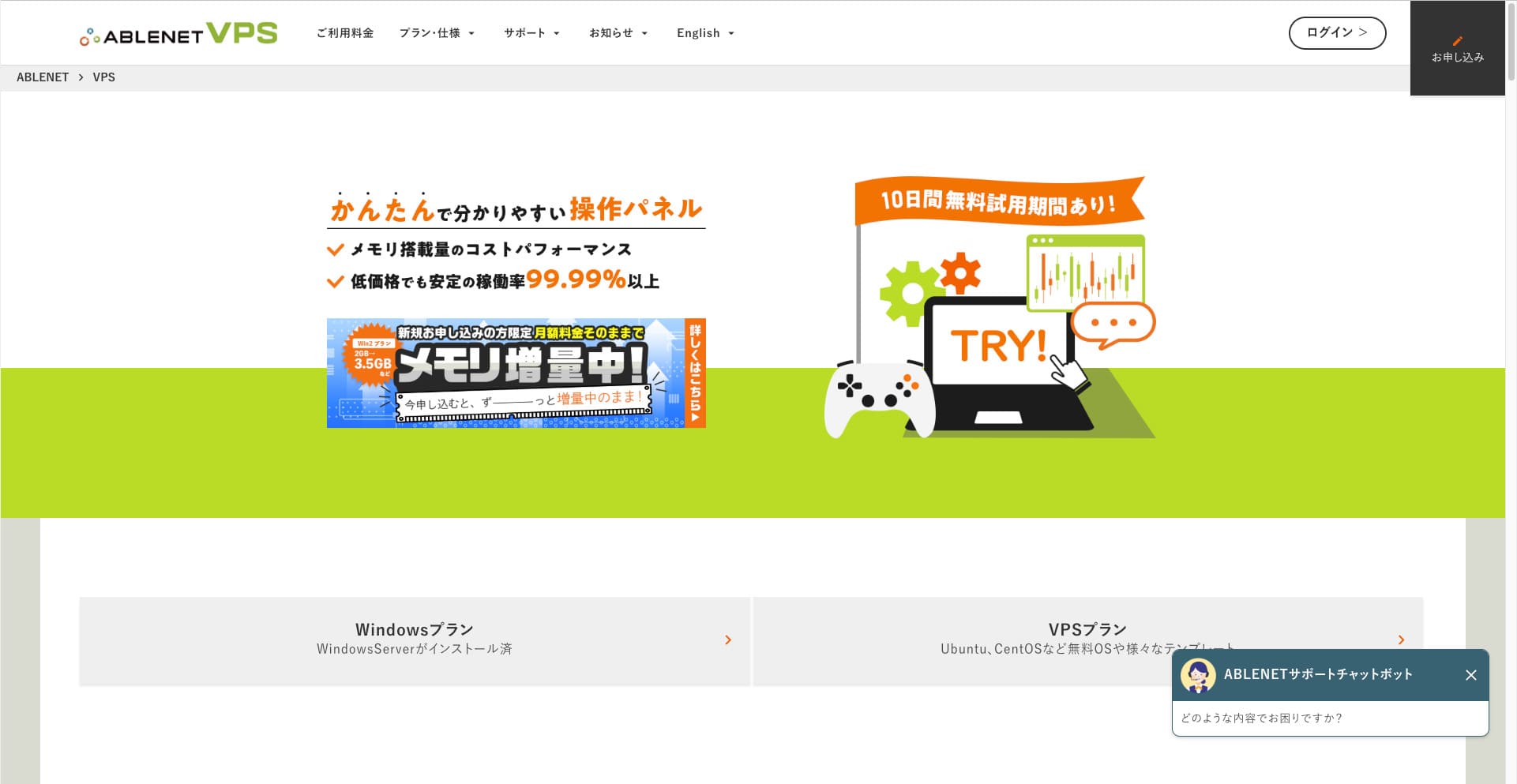
Niyə ABLENET VPS-i tövsiyə edirəm
Seçdiyim əsas səbəb ABLENET VPS is its sabitlik.
- Fəaliyyət tarixi: 25 ildən çox fəaliyyət göstərən, Yaponiyanın ən köklü server şirkətlərindən biridir. VPS xidməti də 2011-ci ildən əlçatandır.
- İşlək qalma: An İşlək qalma of over 99.99% gives you clear, measurable peace of mind.
- Trafik limiti: Limitsiz məlumat ötürməsi də təklif edir, buna görə VPN kimi istifadə üçün idealdır.
Yaponiyada Xserver və Sakura Internet də VPS xidmətləri təklif edir, lakin ABLENET etibarlılıq baxımından onlardan geri qalmır. Limitsiz məlumat ötürməsi indi bir çox server şirkətində standart ola bilər, amma ABLENET bu sahənin öncüllərindən biri idi.

Hikaru Ono
This information appeared on the official sayt in the past, but it seems there was even a power user on ABLENET who used 25TB in a single month. You could truly say that məlumat ötürməsinin həqiqətən limitsiz olduğunu.
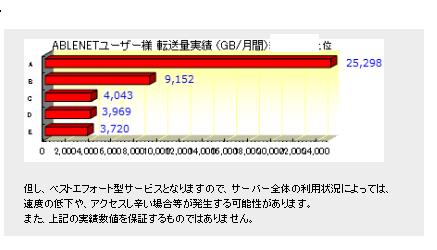
Buna görə filmlərə və video məzmunlara baxmaq, yaxud proqramlaşdırma işi görmək kimi hallarda böyük həcmdə məlumat istifadəsi gözləyirsinizsə, VPN-inizi ABLENET VPS üzərində qurmağı.
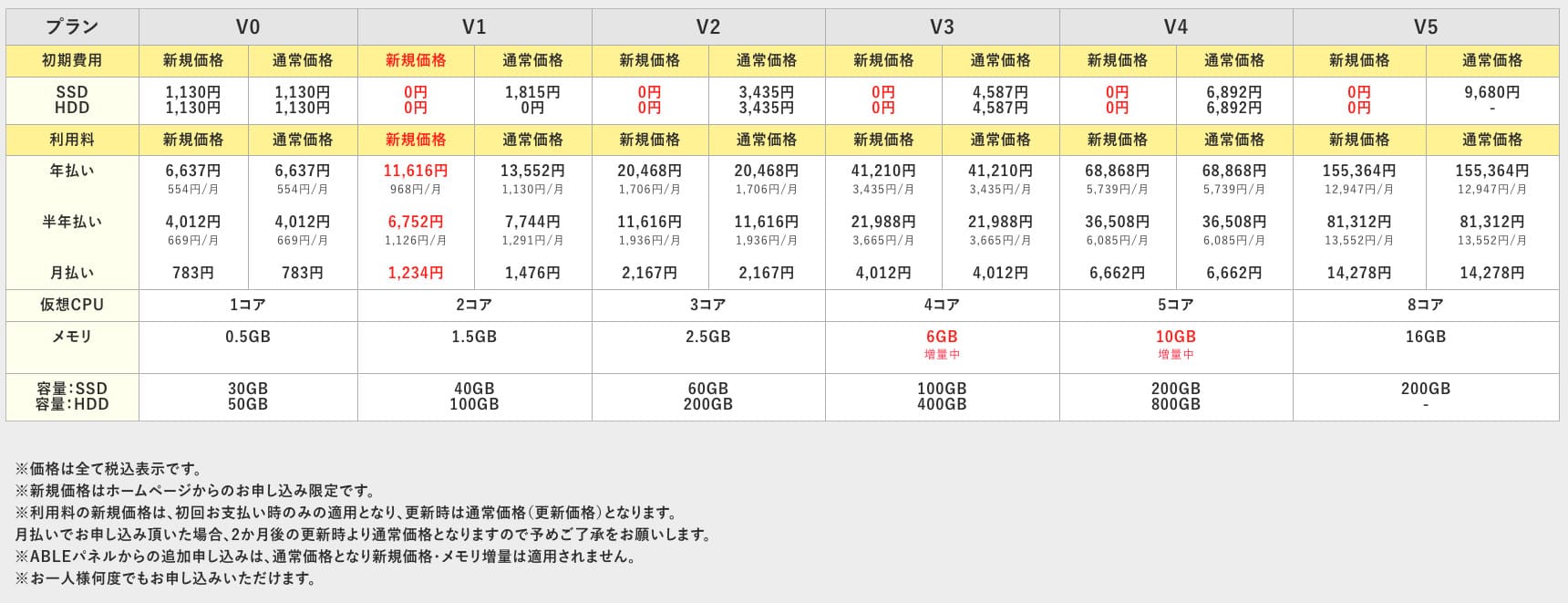
ABLENET VPS is a sabit VPS with 99.99% İşlək qalma, even though it is affordably qiymətd. It offers a wide range of plans, from the accessible V0 plan with 0.5GB of memory to the high-spec V5 plan with 16GB of memory, so you can find the right option for your needs.

What Is Outline VPN? A Simple VPN quraşdırma Even Beginners Can Understand
VPN (Virtual Private Network) yaratmaqs an encrypted tunnel across the internet and prevents eavesdropping and tampering by third parties texnologiyasıdır. Trafikinizi VPN serveri üzərindən yönləndirməklə real IP ünvanınızı da gizlədə və anonimliyi artıra bilər.
Outline VPN is designed to make this kind of VPN qoşulmaqion extremely simple.
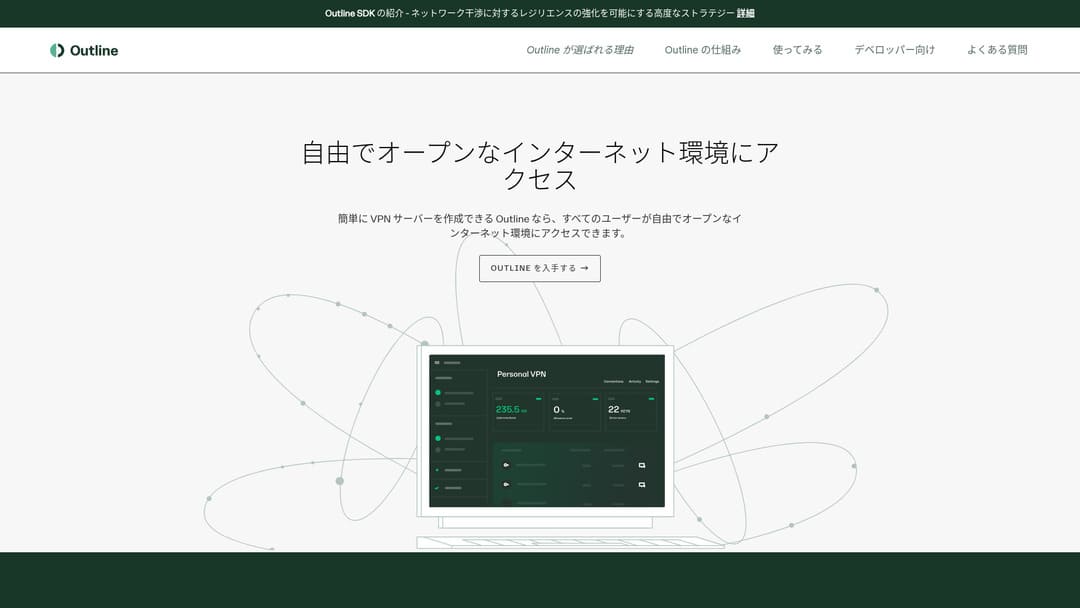
"Outline" is a free and easy application from Jigsaw, a company under Google, that lets you qoşulmaq through a VPN. Even if you have never set up a VPN before, you can get başlamaqed in just a few klikləyins.
yükləmək from the official sayt
Hikaru Ono
Bu dəfə hər kəsin VPN-i asanlıqla qura bilməsi üçün Outline VPN-dən istifadə edirəm.
ABLENET VPS üzərində Outline VPN-i 6 sadə addımda qurun
İndi Outline VPN on ABLENET VPS qurmağın faktiki prosesini ətraflı izah edim.
Step 1: Get başlamaqed with ABLENET VPS
Hələ ABLENET VPS üçün qeydiyyatdan keçməmisinizsə, əvvəlcə bunu edin.
Get başlamaqed with ABLENET VPS
- STEP.1seçin a plan on ABLENET VPS
Keçin: ABLENET VPS and klikləyin "Apply."
You can seçin either a Windows plan or a VPS plan. For this VPN quraşdırma, use the VPS plan. I recommend the V1 plan with no initial fee and fast SSD Yaddaş.
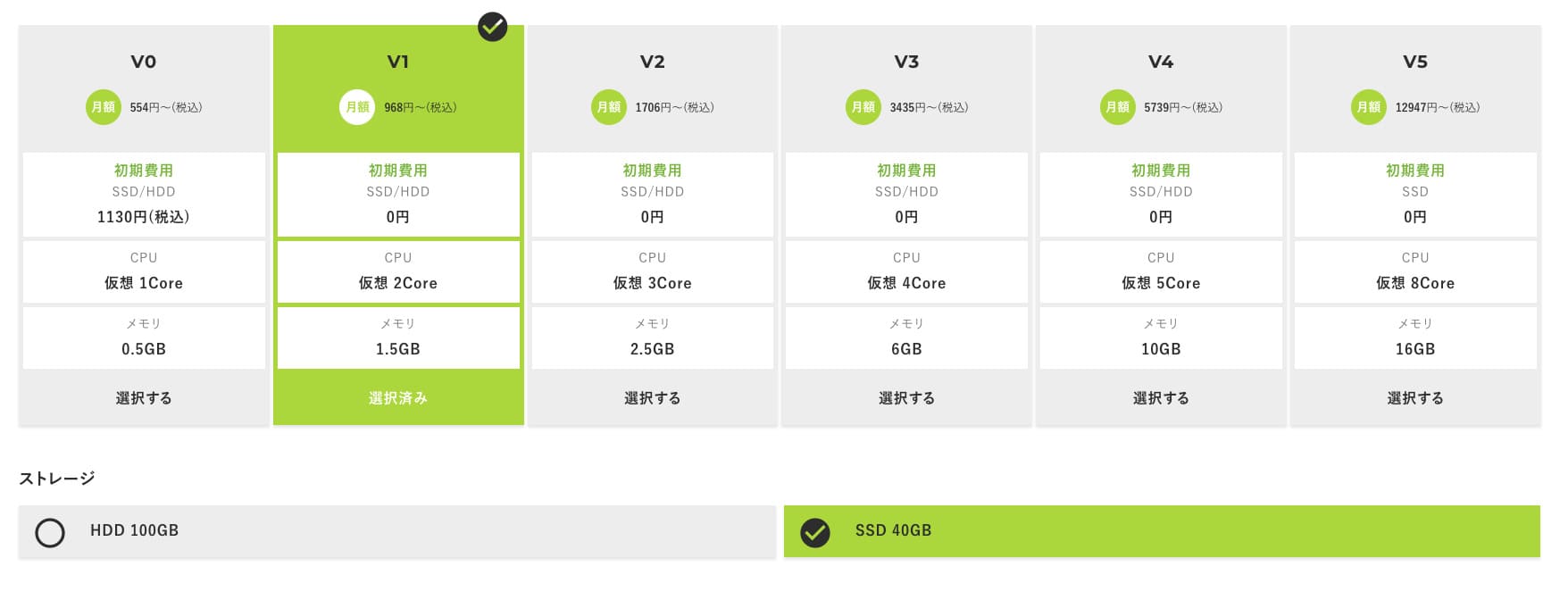
başlamaq with the V1 plan, and if it feels underspecified later, upgrade to V2 or V3. After your service begins, you can request a spec upgrade from the ABLE panel.
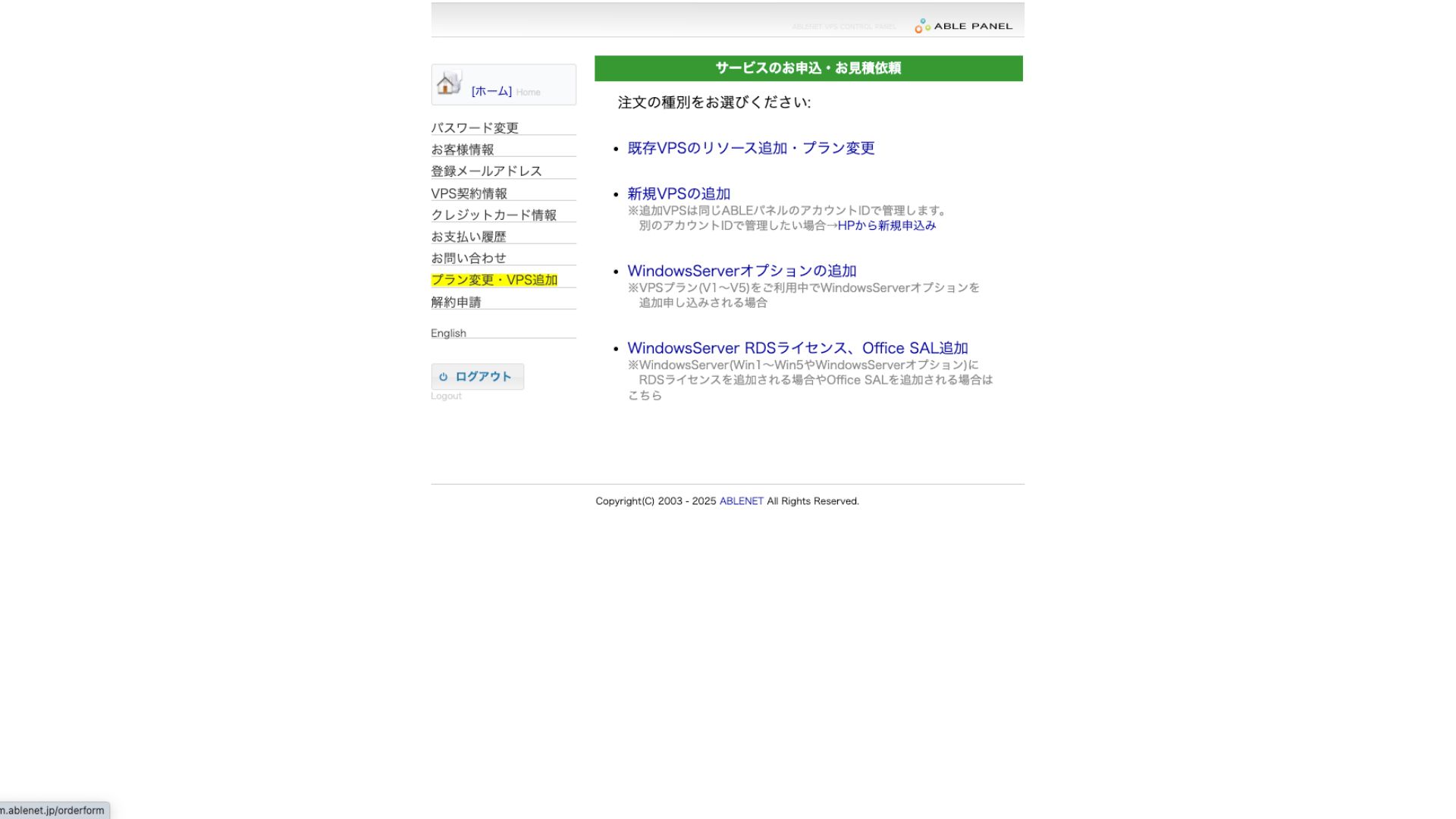
Ödəniş üsulu üçün kredit kartı ilə sınaq müddətindən istifadə etmək kifayətdir.

icmal the terms of use and işarələyin the box.
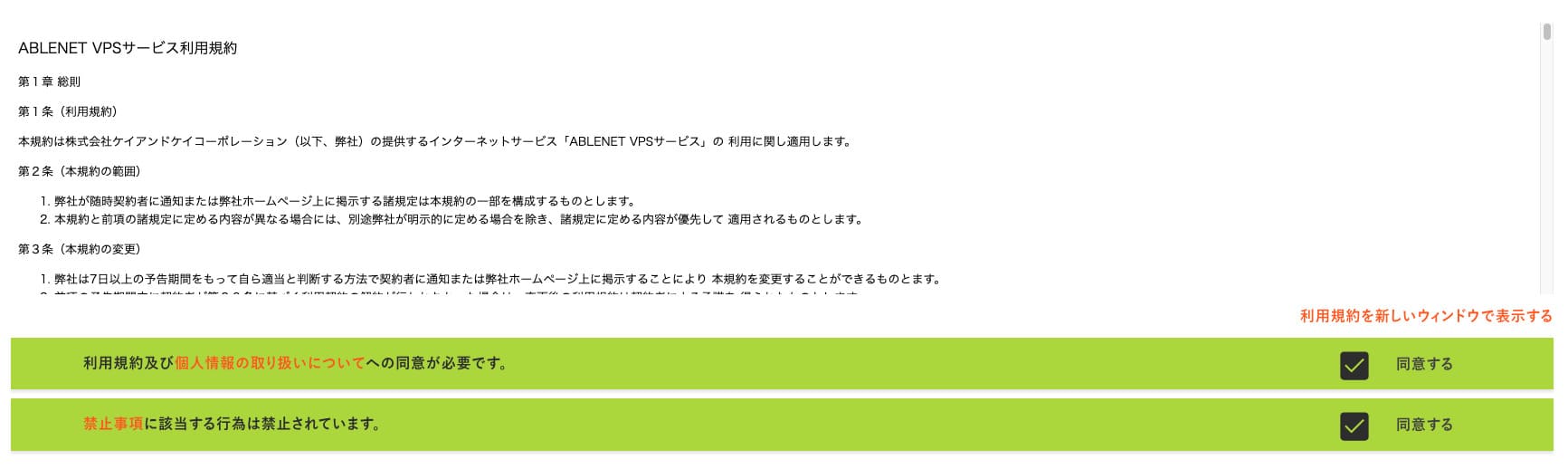
klikləyin "Proceed to seçin the contract term."
- STEP.2seçin the contract term
Server müddəti üçün illik müqavilə daha sərfəlidir. Bu dəfə VPS planından istifadə etdiyimiz üçün əlavə seçimlərə ehtiyac yoxdur.
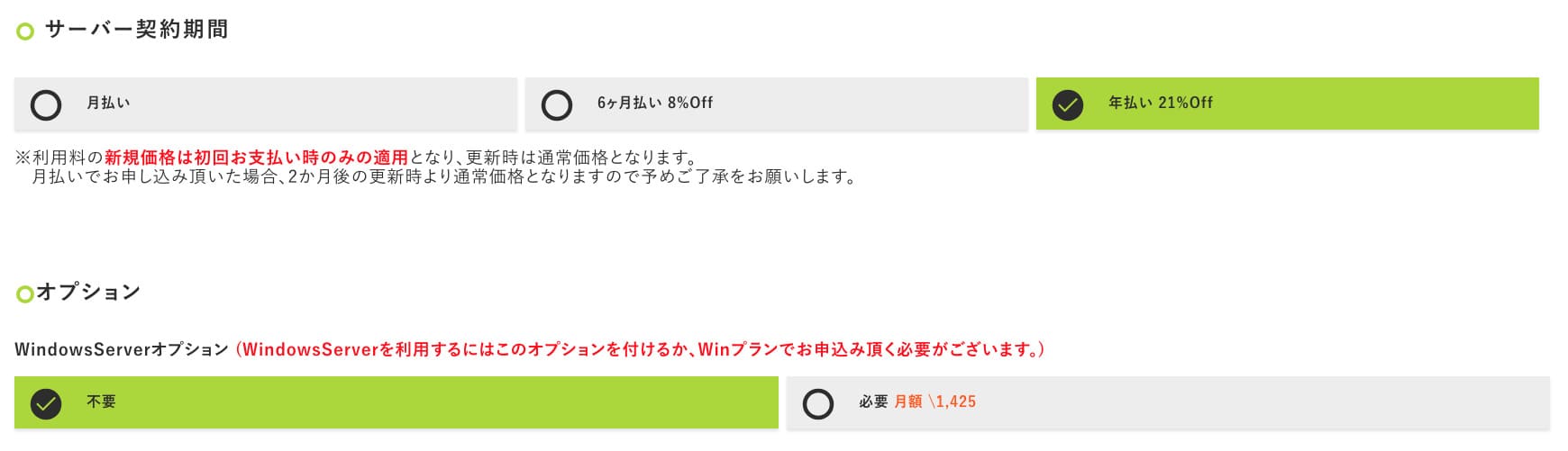
After filling it in, klikləyin "Proceed to the estimate screen." icmal the estimate, and if everything looks fine, klikləyin "Proceed to daxil edin applicant information."
- STEP.3daxil edin applicant information
daxil edin your name, address, and other applicant details. Continue to the order icmal screen and submit the application.
- STEP.4daxil edin payment information
If you are paying by credit card, daxil edin the cardholder information and other required details. If everything is correct, klikləyin "Confirm order" to submit.
Once you receive the e-poçt with your VPS information, the application is complete.
Step 2: quraşdırma Outline idarə etməkr - Simple quraşdırma
Next, quraşdırma Outline idarə etməkr on your computer so you can configure and idarə etmək the VPN server.
quraşdırma Outline idarə etməkr
- STEP.1Visit the official Outline sayt
Keçin: Outline.
- STEP.2yükləmək Outline idarə etməkr
From the "Get Outline idarə etməkr" section, yükləmək the version of Outline idarə etməkr that matches your computer's OS (Windows, macOS, or Linux).
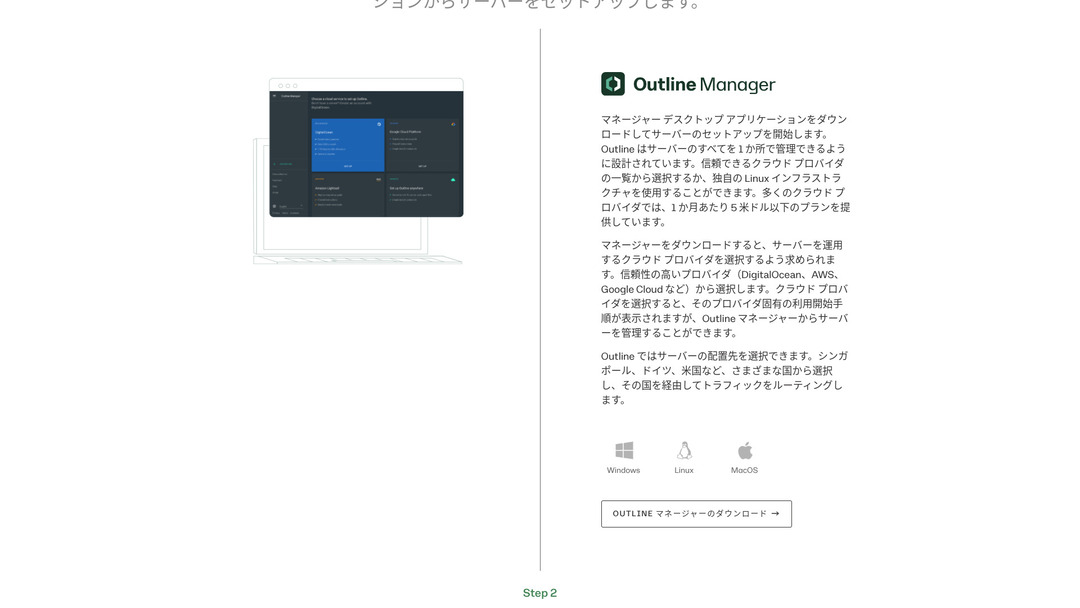
- STEP.3quraşdırma
Run the yükləməked file and follow the on-screen instructions to quraşdırma Outline idarə etməkr.
Step 3: Build an Outline Server on Your VPS with Outline idarə etməkr
Use Outline idarə etməkr to quraşdırma an Outline server on ABLENET VPS.
Build an Outline Server on Your VPS with Outline idarə etməkr
- STEP.1işə salmaq Outline idarə etməkr
After quraşdırmaation is complete, işə salmaq Outline idarə etməkr.
- STEP.2klikləyin "Set up server"
When you işə salmaq it for the first time, the server quraşdırma screen appears. klikləyin "Set up server."
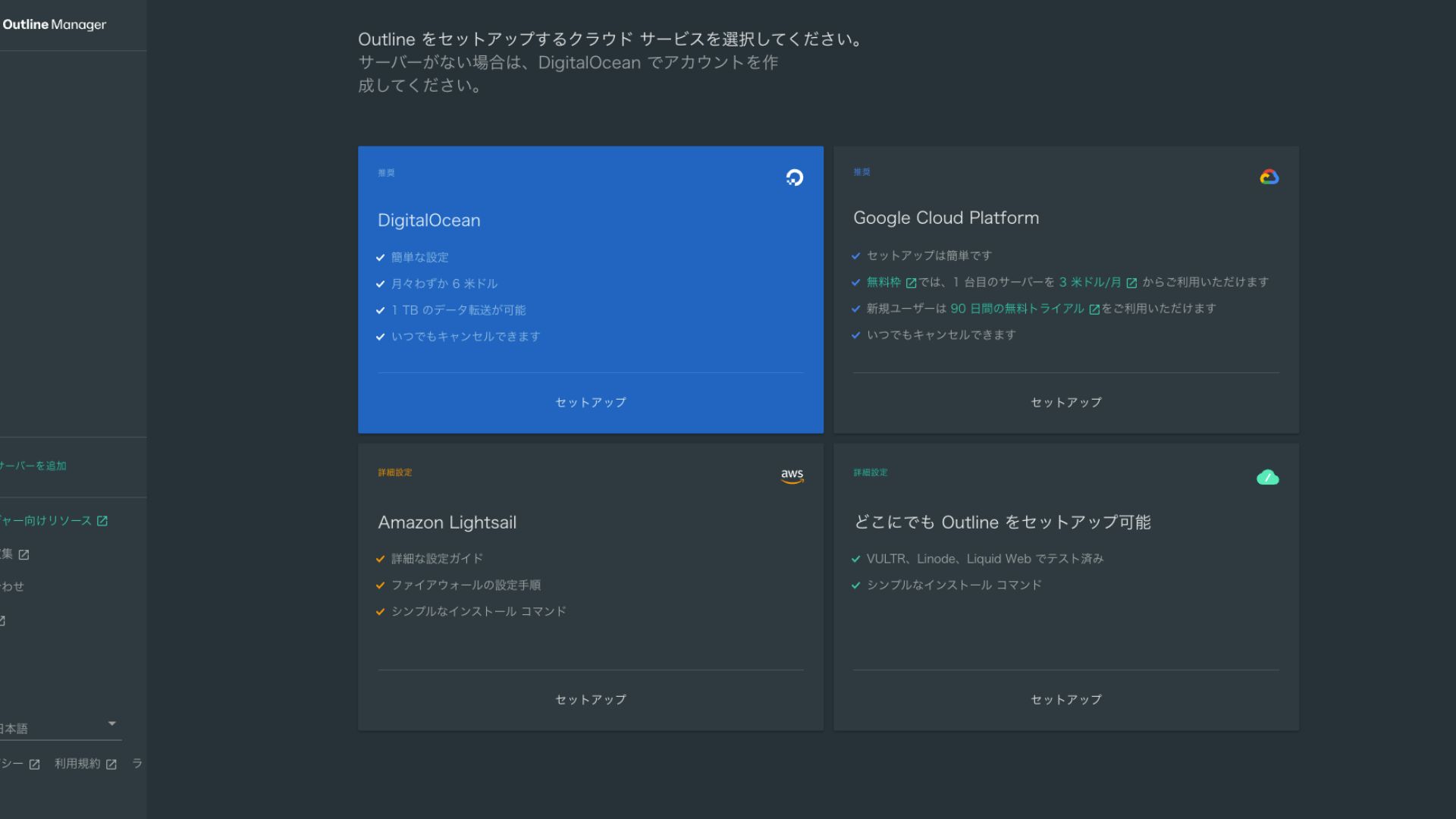
- STEP.3seçin "Set up Outline anywhere"
You will see the cloud provider seçinion screen. seçin "Set up Outline anywhere."
- STEP.4daxil edin the quraşdırmaation command
The screen displays the command used to quraşdırma the Outline server on your VPS. daxil edin this command manually.
Hikaru OnoKopyalayıb yapışdıra bilmədiyiniz üçün səhv etməməyə diqqət edin.
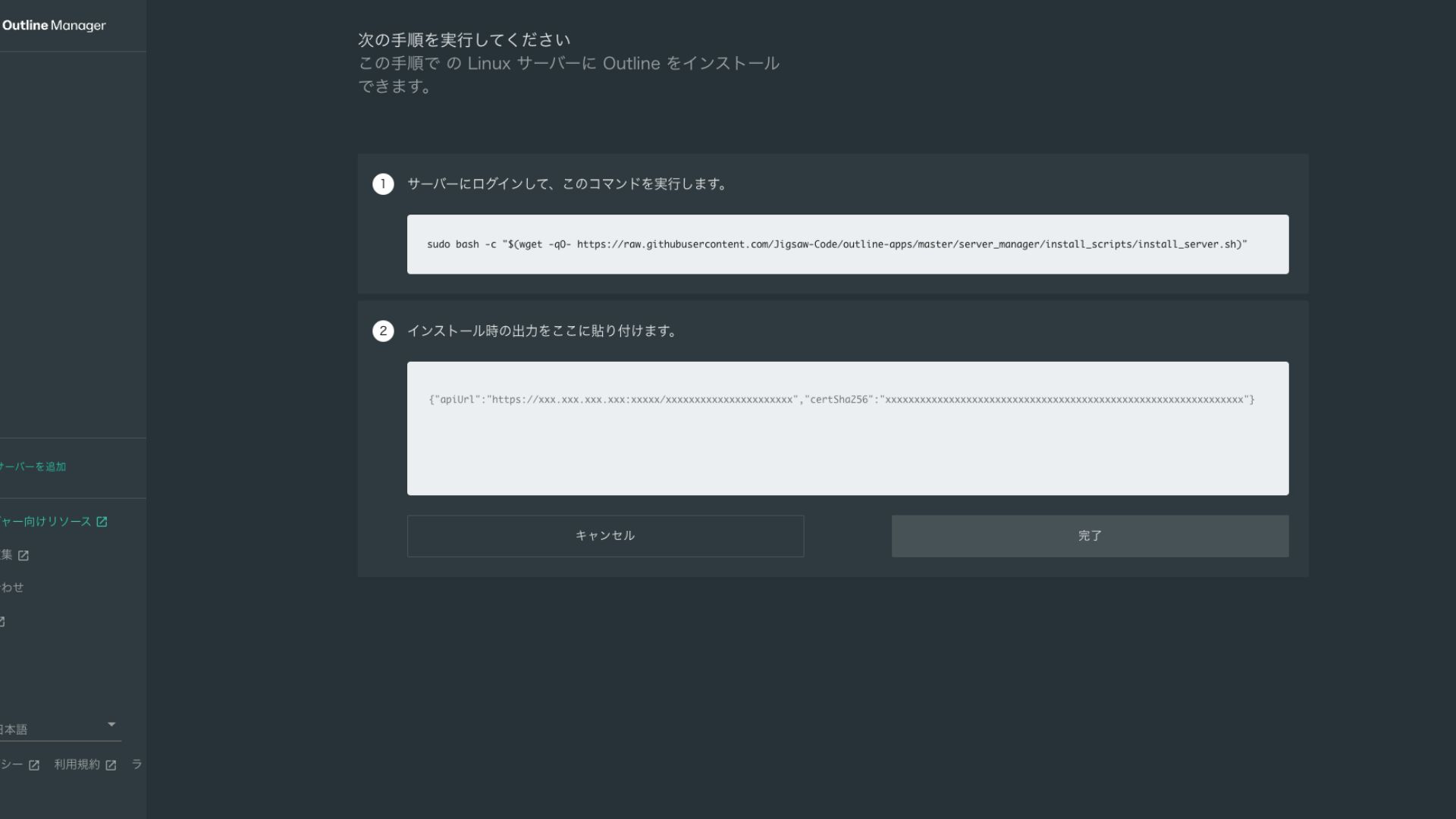
- STEP.5Əmri icra edin
- quraşdırmaation can take several minutes. Watch the messages shown on screen carefully and wait until it finishes.
- You may be asked a few questions along the way, but in most cases pressing daxil edin to accept the default choice is fine.
- STEP.6daxil edin the information in Outline idarə etməkr
After the quraşdırmaation is complete, Outline idarə etməkr shows a screen where you daxil edin the "Server details."
- Admin API URL: The API URL generated during quraşdırmaation on the VPS is shown here. Usually it is reflected avtomatikally in Outline idarə etməkr, but if it is not, copy and paste the API URL shown in the SSH terminal.
- Server yeri (istəyə bağlı): You can daxil edin the server location (for example, Tokyo, Japan). This is for idarə etməkment only and does not affect the qoşulmaqion.
- STEP.7klikləyin "Done with server"
After daxil edining all the information, klikləyin "Done with server."
Step 4: yaratmaq an giriş açarı and Allow VPN qoşulmaqions
Once the Outline server has been built, yaratmaq an giriş açarı for the actual VPN qoşulmaqion.
yaratmaq an giriş açarı and Allow VPN qoşulmaqions
- STEP.1işarələyin the Outline idarə etməkr screen
One default giriş açarı is displayed on the Outline idarə etməkr screen. Here, it is labeled Key 0.
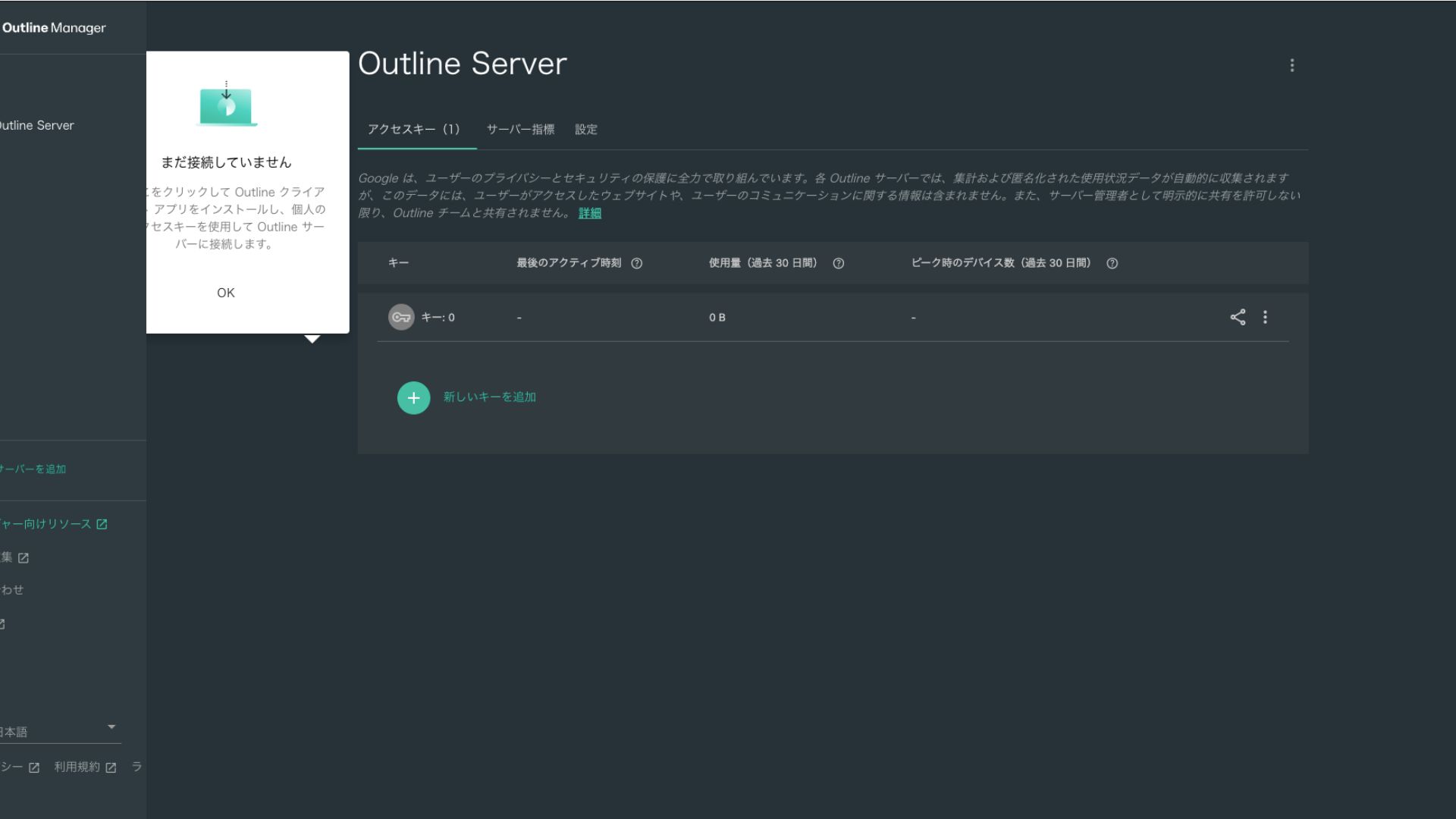
- STEP.2Share the giriş açarı
The giriş açarı you yaratmaqd is required when qoşulmaqing with the Outline Client. When you seçin the giriş açarı, a button labeled "Share invite" appears.
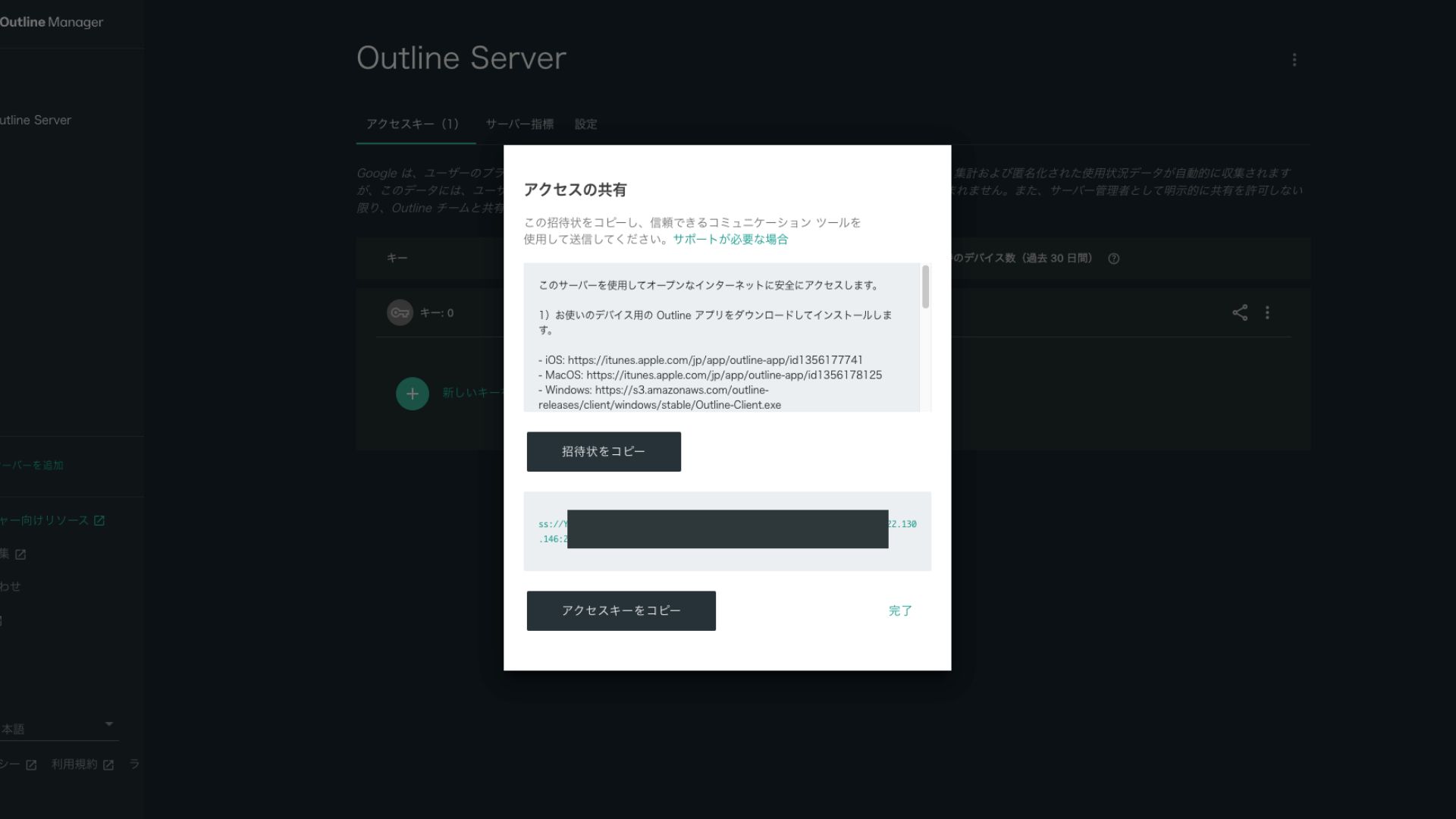
klikləyining it copies the giriş açarı URL. Share this URL with the device you want to qoşulmaq through the VPN.
Step 5: quraşdırma the Outline Client and qoşulmaq to the VPN
quraşdırma the Outline Client on the device you want to use for the VPN qoşulmaqion (PC, smartphone, tablet, and so on). This time, I quraşdırmaed it on an Android smartphone.
qoşulmaq to Outline VPN Using the Issued giriş açarı
- STEP.1işə salmaq the Outline Client
işə salmaq the Outline Client you quraşdırmaed.
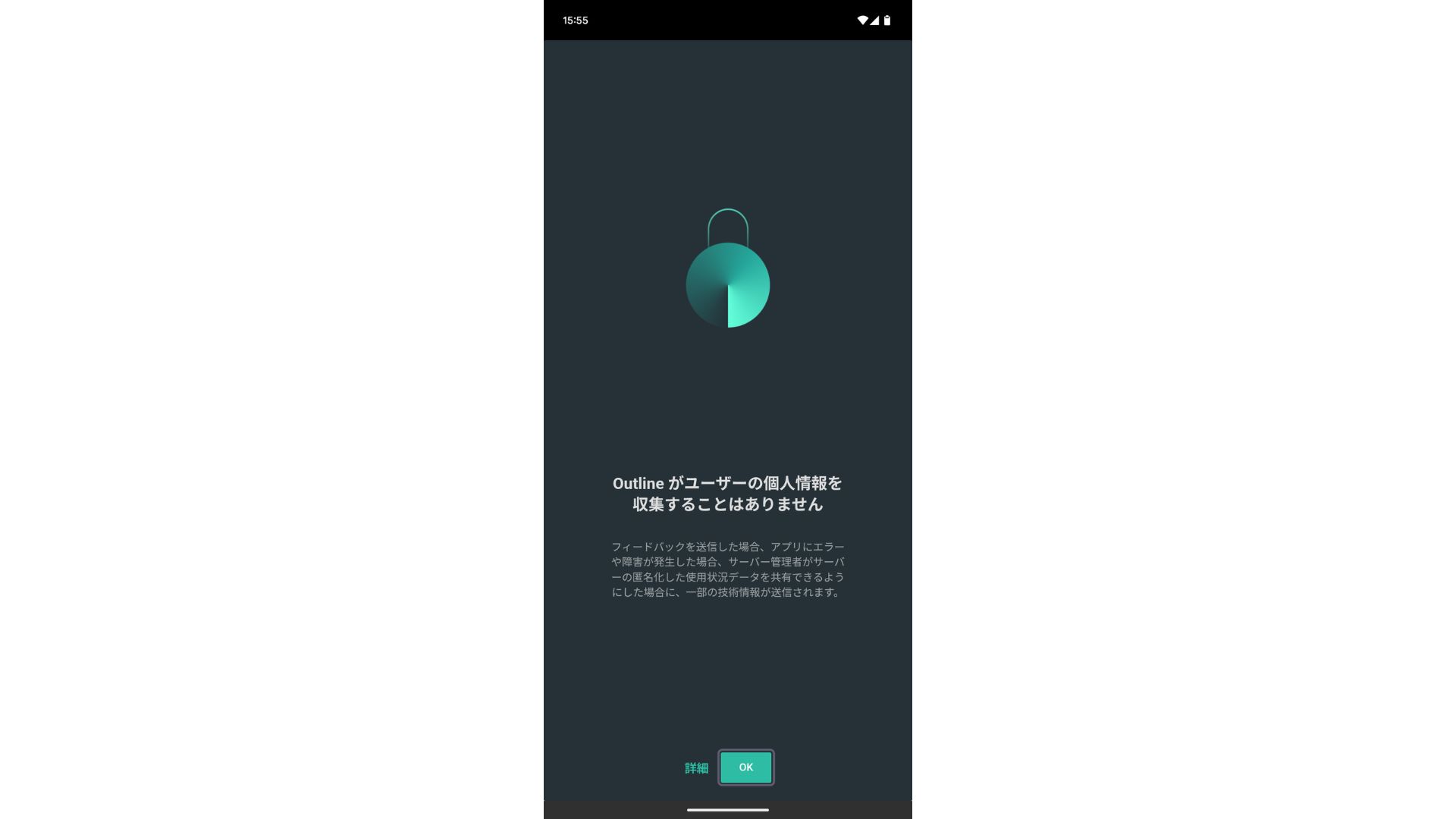
- STEP.2Add the giriş açarı
- PC-də: klikləyin "Add server" or a similar button, paste the giriş açarı URL you copied in Step 4, and klikləyin "Add server."
- Smartfon və ya planşetdə: When you open the app, you may be asked to daxil edin an giriş açarı. Copy and paste the giriş açarı URL shared in Step 4. If a QR code is shown, you can scan that as well.
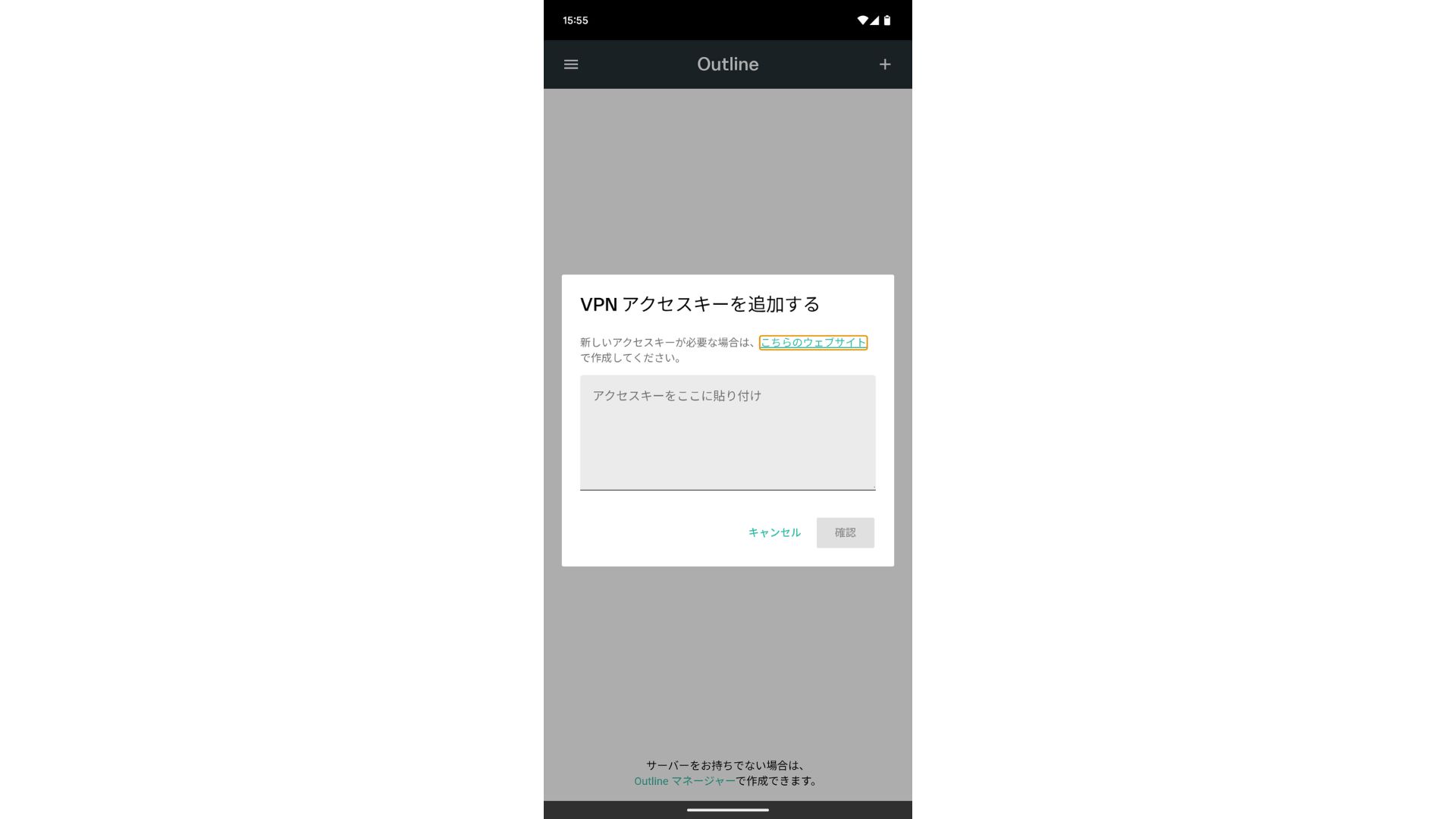
After adding the giriş açarı, press Confirm.
- STEP.3qoşulmaq
Once the server has been added, press "qoşulmaq."
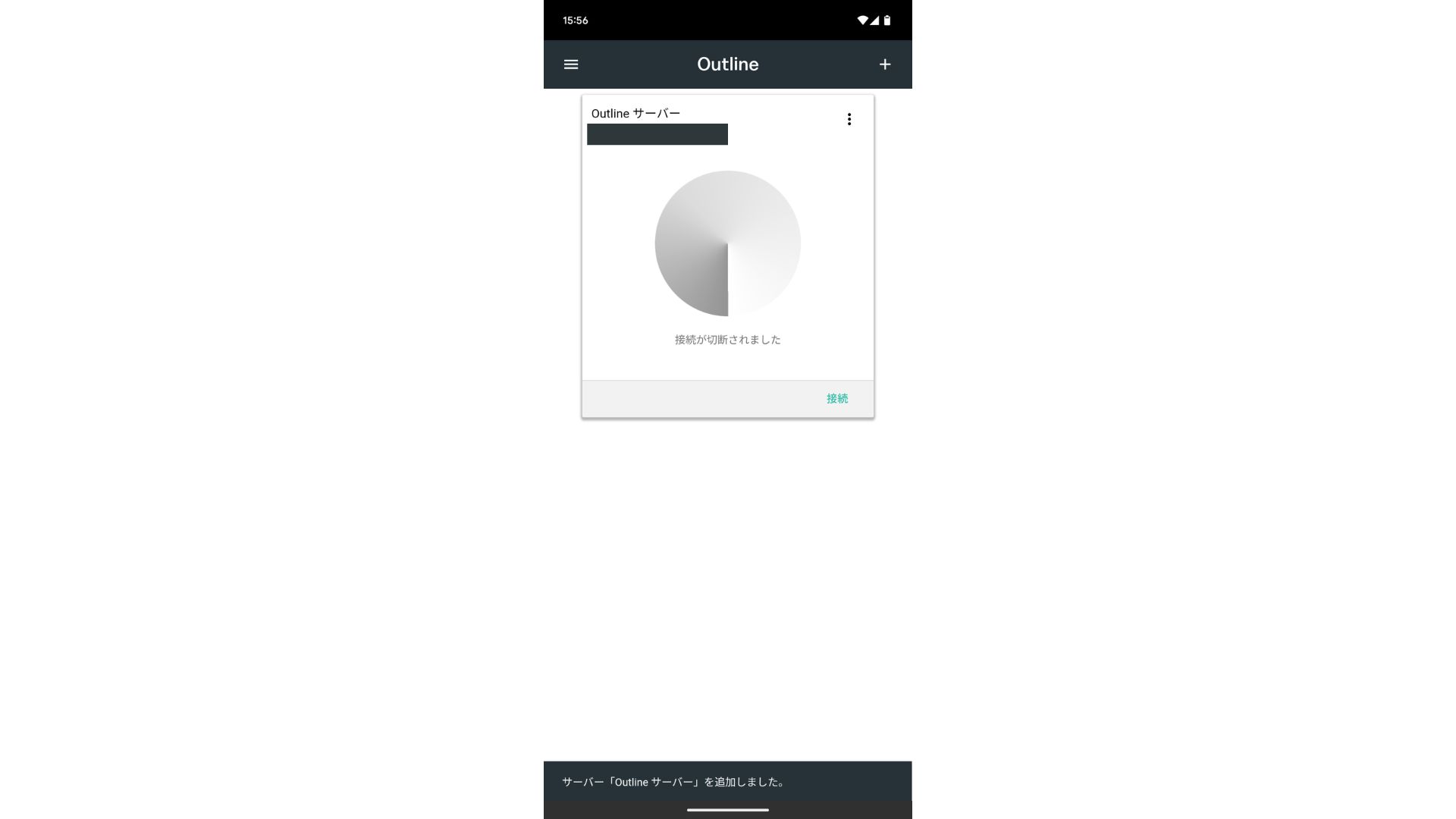
Tap "OK" on the qoşulmaqion request.
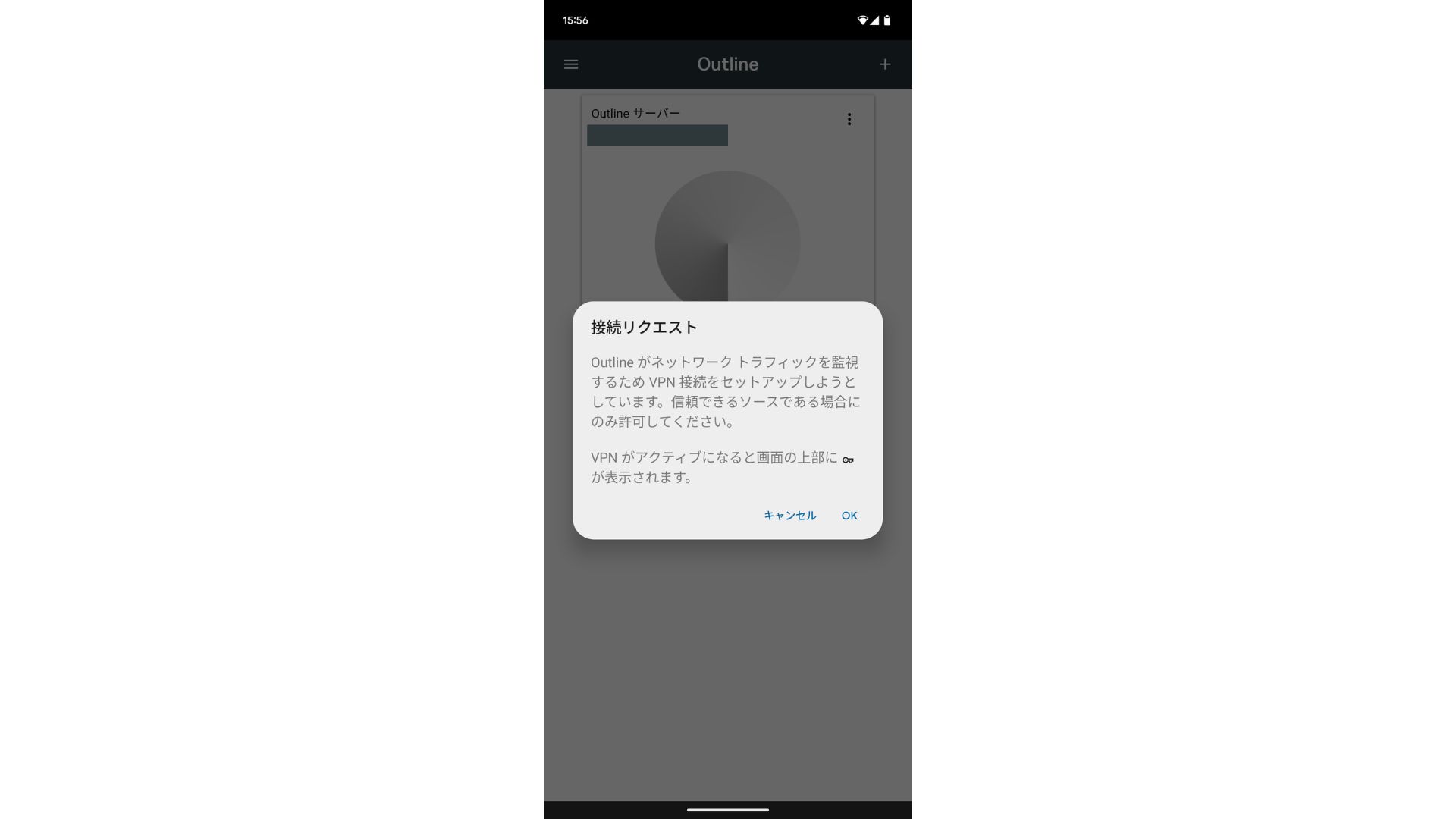
The qoşulmaqion is now complete.
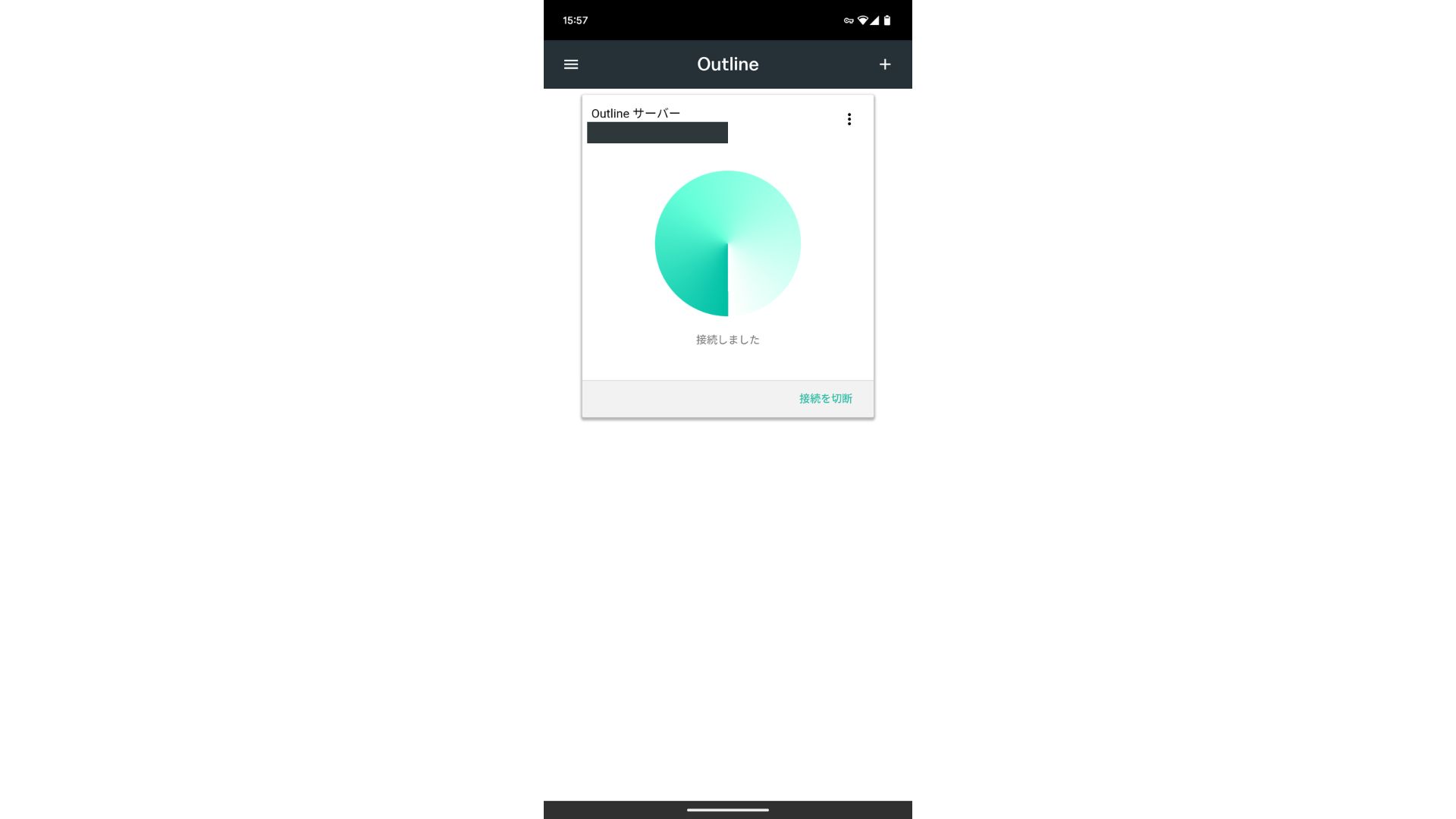
After the server is added, a qoşulmaq button appears. klikləyining this button başlamaqs the VPN qoşulmaqion.
With that, your VPN qoşulmaqion using Outline VPN and ABLENET VPS is complete. Your internet traffic is encrypted, making it more secure, and it will route through the location of the server you seçined.
ABLENET VPS və Outline VPN sürətli və rahatdır
People often say internet sürəts are slower over a VPN, so you may be wondering how fast ABLENET VPS olmasıdır. Ölçdüyümdə 130Mbps-ə çatdı və bu, narahatlıq yaratmadan rahat performans verdiyini göstərdi.
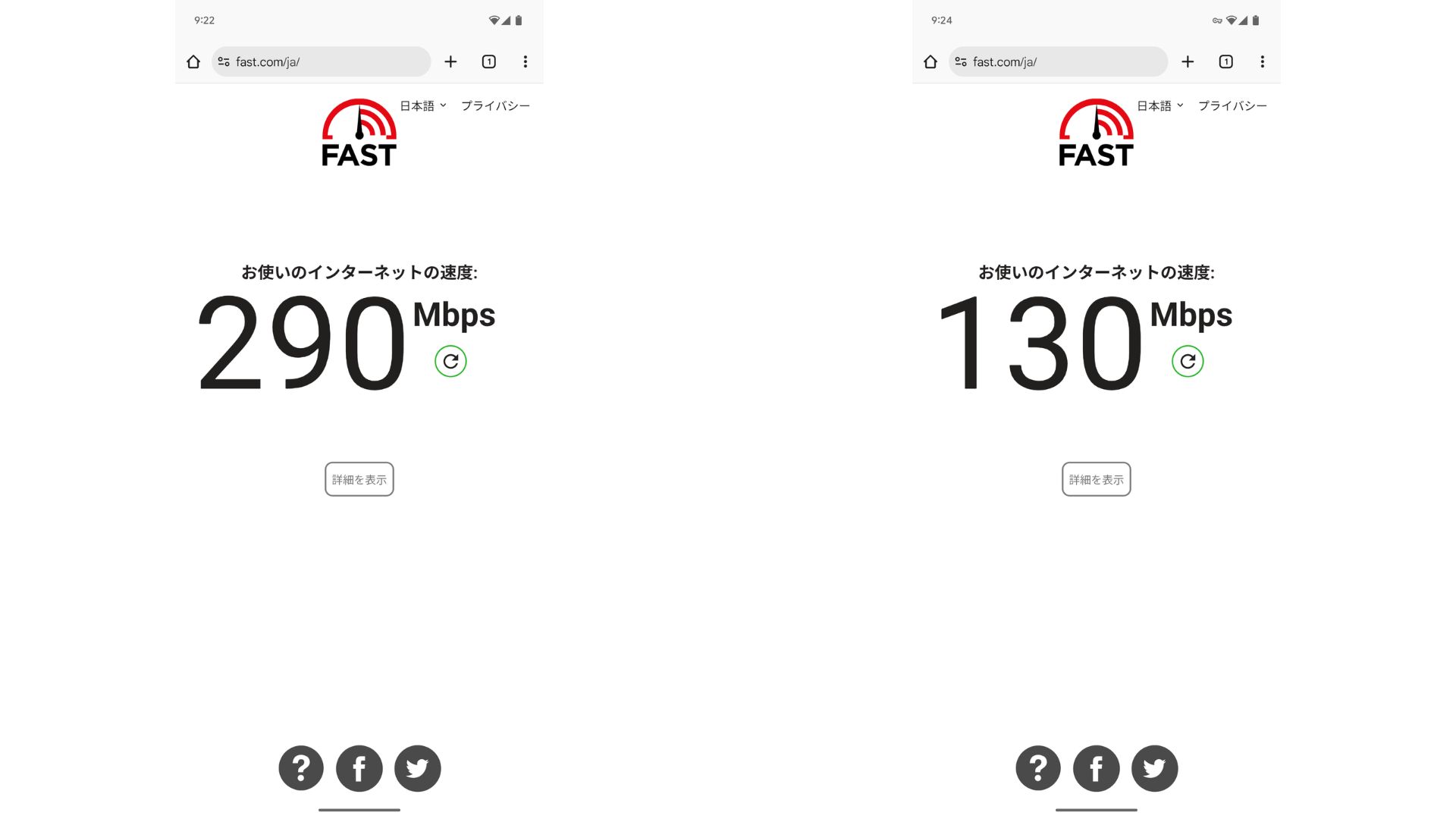
müqayisə etməkd with having no VPN, it keeps roughly half the sürət. The reason it can reach this level of performance is that ABLENET VPS paylaşılan 200Mbps xəttdən istifadə edir. Ümumiyyətlə 100Mbps daha geniş yayıldığı üçün bu, sürətlidir.

Hikaru Ono
Thanks to ABLENET VPS, I was able to communicate at a very high sürət.
ABLENET VPS Specs and qiymət
| Server növü | VPS |
| qoşulmaqion sürət | Paylaşılan 200Mbps |
| IPv4 | 1 address |
| IPv6 | 65,536 addresses |
| Trafik limiti | Məhdudiyyətsiz |
| Tövsiyə olunan plan və müqavilə müddəti | V1 illik plan |
| Virtual prosessor (CPU) | 2 cores |
| Memory | 1.5GB |
| Yaddaş | 40GB SSD or 100GB HDD |
| Sınaq / geri ödəmə zəmanəti | 10-day pulsuz sınaq |
| Monthly qiymət (12-month contract) | 968 yen |
| İlkin idarəetmə haqqı | Pulsuz |
| dəstək | e-poçt |
| İşlək qalma | 99.99% və ya daha yüksək |
| OS | Ubuntu Server 22.04 LTS / Ubuntu Server 20.04 LTS / AlmaLinux 9.5 / AlmaLinux 8.10 / Rocky Linux 9.5 / Rocky Linux 8.10 / Oracle Linux 9.5 / Oracle Linux 8.10 / CentOS Stream8 / CentOS Stream9 / Minecraft Server(ubuntu/java/Integrated)/Rust Server(ubuntu)/Palworld Server(ubuntu)/ARK Server(ubuntu)/7days Server(ubuntu)/Valheim Server(ubuntu)/Ubuntu Desktop 22.04 with MT4/5/Ubuntu Desktop 22.04 with AutoGPT/ CentOS 7.9 and more |
Xülasə
With Outline VPN, which makes it easy to build a VPN, even people who have never used a VPN before can get başlamaqed in a short time.
Lakin VPN-lər adətən daha yavaş olduğuna görə ABLENET VPS, which provides a fast qoşulmaqion. With annual billing, it costs less than 1,000 yen per month, so it also offers excellent cost performance. Above all, its unlimited data transfer and sabitlik with over 99.99% İşlək qalma let you enjoy a stress-free internet environment.
ABLENET VPS is a sabit VPS with 99.99% İşlək qalma, even though it is affordably qiymətd. It offers a wide range of plans, from the accessible V0 plan with 0.5GB of memory to the high-spec V5 plan with 16GB of memory, so you can find the right option for your needs.
10-day pulsuz sınaq